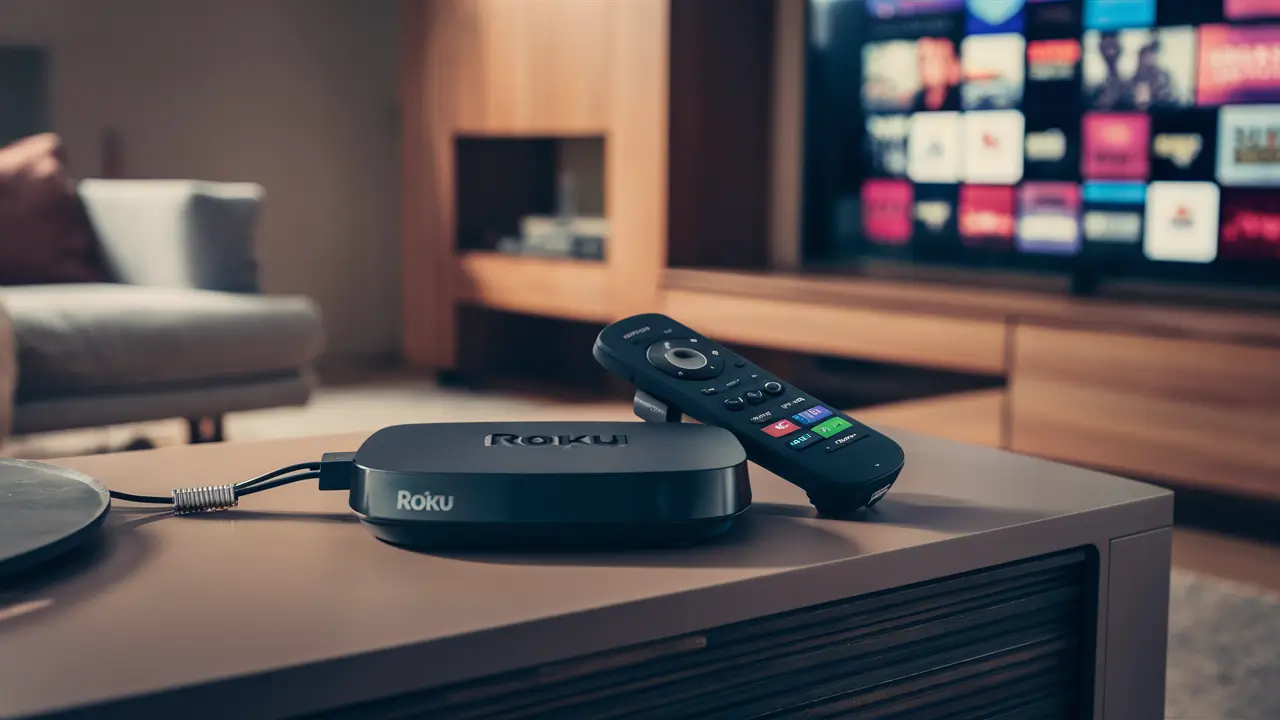
Directly answering the question, "Can Roku Stream DirecTV?" requires a nuanced understanding of both platforms. While Roku itself doesn't directly host the full DirecTV satellite or traditional cable service, it offers avenues to access certain DirecTV content, primarily through streaming packages like DirecTV Stream. This guide will explore these options in detail.
Understanding Roku's Role in Streaming
Roku is a popular line of digital media players that connect to your television, allowing you to stream content from various online services, often referred to as "channels." These channels can range from free services like YouTube and Pluto TV to subscription-based platforms like Netflix, Hulu, and, importantly, DirecTV Stream. Roku devices themselves do not generate content; they act as a gateway, providing a user-friendly interface to access and play content delivered over the internet. Think of Roku as the remote control and operating system for your streaming experience. Its strength lies in its simplicity, vast app store, and affordability, making it a go-to choice for many households looking to cut the cord from traditional cable TV. In 2025-26, Roku continues to dominate the streaming device market with its intuitive interface and broad compatibility, solidifying its position as a central hub for home entertainment.
DirecTV Options Available on Roku
When considering "Can Roku Stream DirecTV?", it's crucial to differentiate between DirecTV's traditional satellite service and its modern streaming offerings. Roku devices are not designed to receive satellite signals, so you cannot use a Roku device to watch the classic DirecTV satellite TV package. However, DirecTV has evolved to offer internet-based streaming services, and this is where Roku comes into play. The primary way to access DirecTV content on a Roku device is through the DirecTV Stream app. This app provides access to live TV channels, on-demand content, and sports programming, mimicking the experience of traditional cable or satellite TV but delivered entirely over your internet connection. Other potential, albeit limited, interactions might involve the general DirecTV app, which often focuses on account management or specific on-demand content rather than live channel streaming. Understanding this distinction is key to a successful streaming setup.
DirecTV Stream: The Primary Solution
DirecTV Stream is DirecTV's flagship internet-based television service, designed to compete directly with other live TV streaming platforms. It offers a comprehensive bundle of channels, including local networks, national sports channels, and premium entertainment networks, all accessible through a dedicated app. This app is readily available on the Roku Channel Store, making it the most direct and official way to stream DirecTV content on your Roku device. Unlike traditional DirecTV, which requires a satellite dish and professional installation, DirecTV Stream is a software-based service that relies solely on your home's internet connection. This flexibility allows users to enjoy a familiar TV experience without the hardware constraints of satellite dishes, making it an attractive option for cord-cutters and cord-shavers alike. In 2025-26, DirecTV Stream continues to refine its offerings, aiming to capture a significant share of the live TV streaming market.
DirecTV Stream Package Overview (2025-26)
DirecTV Stream offers several distinct packages, each tailored to different viewing needs and budgets. These packages are designed to provide a robust selection of channels, from basic entertainment to comprehensive sports and premium movie channels. The pricing and channel lineups are subject to change, but as of 2025-26, the general structure remains consistent. Here's a breakdown of the typical offerings:
| Package Name | Key Channel Categories | Target Audience | Estimated Price Range (Monthly) |
|---|---|---|---|
| Entertainment | Local channels, popular entertainment networks (e.g., HGTV, Discovery, TLC), news, and some sports. | Families and general viewers seeking a broad selection of everyday programming. | $70 - $80 |
| Choice | Includes all Entertainment channels plus a wider array of sports channels (e.g., ESPN, Fox Sports), regional sports networks, and more movie channels. | Sports enthusiasts and those who want more variety in entertainment and sports. | $90 - $100 |
| Ultimate | Includes all Choice channels plus premium movie channels (e.g., HBO, Cinemax, Starz), more niche sports, and international channels. | Movie buffs and serious sports fans looking for premium content. | $110 - $120 |
| Premier | The most comprehensive package, including all Ultimate channels plus additional premium movie networks (e.g., Showtime) and international sports. | Viewers who want access to virtually every major channel and premium network. | $150 - $160 |
It's important to note that these prices often reflect introductory offers and may increase after a promotional period. Regional sports network availability can vary by location. All packages typically include unlimited cloud DVR storage and the ability to stream on multiple devices simultaneously, a significant advantage over traditional cable.
Key Features and Benefits
DirecTV Stream, when accessed via Roku, offers several compelling features that contribute to its appeal:
- No Long-Term Contracts: Unlike traditional DirecTV satellite service, DirecTV Stream operates on a month-to-month basis, providing flexibility for users.
- Unlimited Cloud DVR: Record your favorite shows and movies without worrying about storage space. You can access your recordings from anywhere.
- Live TV and On-Demand: Access a vast library of live channels, including local broadcast networks, and a growing selection of on-demand content.
- Multiple Streams: Watch on several devices simultaneously within your home network, perfect for households with different viewing preferences.
- Regional Sports Network Access: Many packages include access to regional sports networks, which is a significant draw for local sports fans. This is a feature often missing or limited in other streaming services.
- User-Friendly Interface: The DirecTV Stream app is designed to be intuitive, especially on platforms like Roku, making navigation and channel surfing straightforward.
- 4K Content Availability: Select live events and on-demand content are available in stunning 4K resolution, enhancing the viewing experience.
These features collectively aim to provide a premium streaming experience that rivals traditional pay-TV services while offering the convenience and flexibility of internet-based delivery. The integration with Roku devices ensures that users can easily incorporate DirecTV Stream into their existing smart TV setup.
Pros and Cons of DirecTV Stream
Like any service, DirecTV Stream has its advantages and disadvantages, especially when viewed through the lens of a Roku user. Understanding these can help you make an informed decision.
Pros:
- Comprehensive Channel Lineups: Offers some of the most extensive channel selections among live TV streaming services, rivaling traditional cable packages.
- Strong Sports Coverage: Particularly good for sports fans due to the inclusion of many regional sports networks and national sports channels across various packages.
- No Satellite Required: Eliminates the need for a dish and professional installation, making it ideal for renters or those in apartments.
- Unlimited DVR: A significant perk for those who like to record and watch content on their own schedule.
- User-Friendly Roku App: The app is well-designed and integrates seamlessly with the Roku interface.
- Flexibility: Month-to-month subscriptions offer freedom from long-term commitments.
Cons:
- Higher Price Point: Generally more expensive than many other live TV streaming services, especially for the higher-tier packages.
- Internet Dependency: Requires a stable and fast internet connection for optimal performance; outages will disrupt service.
- Potential for Price Increases: Introductory offers can be attractive, but prices often rise after the promotional period.
- App Performance Can Vary: While generally good, like any streaming app, occasional glitches or buffering issues can occur depending on network conditions and device performance.
- Not a Replacement for Satellite DirecTV: If you're looking for the exact channel bundles or specific features of DirecTV's satellite service, DirecTV Stream might not be a perfect match.
For Roku users, the primary consideration is ensuring their internet speed is sufficient to handle the high-definition streaming offered by DirecTV Stream. A minimum of 25 Mbps download speed is recommended for seamless 4K streaming, though 10-15 Mbps is generally adequate for HD. You can check your internet speed using various online tools available through Roku or by visiting speed test websites.
Alternative Ways to Access DirecTV Content
While DirecTV Stream is the main gateway, there are other, albeit more limited, ways to interact with DirecTV content on a Roku device. These methods often come with caveats and may not provide the full live TV experience.
DirecTV App Limitations on Roku
DirecTV does offer a general "DirecTV" app on some platforms, including potentially Roku. However, this app typically serves a different purpose than DirecTV Stream. Its primary functions often include:
- Account Management: Allowing existing DirecTV satellite or streaming customers to manage their accounts, view bills, and schedule recordings remotely.
- On-Demand Content: Providing access to a library of on-demand movies and TV shows that may be included with your subscription.
- Remote DVR Control: Enabling users to set up or manage recordings on their home DirecTV DVR from their Roku device.
Crucially, the standard DirecTV app generally does not offer live streaming of the full channel lineup in the way DirecTV Stream does. It's more of a companion app for existing customers rather than a standalone streaming service. Therefore, if your goal is to replace traditional TV with streaming on your Roku, the DirecTV app alone will likely be insufficient. Always verify the specific functionality of the DirecTV app in the Roku Channel Store to understand its capabilities.
Other Streaming Services with Similar Channels
If DirecTV Stream's price point is a concern, or if you're looking for alternative ways to access specific channels that DirecTV offers, several other live TV streaming services are available on Roku and offer comparable content. These services often have different strengths and weaknesses, particularly in sports and local channel availability.
- YouTube TV: Known for its excellent local channel coverage, extensive sports offerings (including many regional sports networks), and unlimited cloud DVR. It's a strong competitor to DirecTV Stream, often at a slightly lower price point.
- Hulu + Live TV: Combines live TV channels with Hulu's on-demand library and Disney+. It's a great all-in-one option for entertainment and sports, though its RSN coverage can be more limited than DirecTV Stream or YouTube TV.
- Sling TV: Offers a more customizable and budget-friendly approach with its à la carte channel packages (Sling Orange and Sling Blue). It's a good option if you only need specific channels, but building a comprehensive package can become expensive.
- FuboTV: Originally focused on sports, FuboTV now offers a wide array of entertainment and news channels alongside its robust sports programming, including many RSNs.
When comparing these services to DirecTV Stream on Roku, consider the specific channels you watch most frequently. For instance, if you're a devoted fan of a particular MLB or NBA team, verifying which streaming service carries your local regional sports network is paramount. Many of these services, like DirecTV Stream, are available through the Roku Channel Store, allowing for easy comparison and trial periods.
Setting Up DirecTV Stream on Your Roku Device
Getting DirecTV Stream up and running on your Roku device is a straightforward process. It involves adding the app to your Roku and then signing in with your DirecTV Stream account credentials. Here’s a step-by-step guide to help you through the process.
Step-by-Step Installation Guide
Follow these steps to install the DirecTV Stream app on your Roku:
- Turn on your Roku device and ensure it is connected to your TV and the internet.
- Navigate to the Roku Home screen.
- Select "Streaming Channels" from the left-hand menu.
- Choose "Search Channels."
- Type "DirecTV Stream" into the search bar using your Roku remote.
- Select the official "DirecTV Stream" app from the search results. It should be clearly labeled and often features the DirecTV logo.
- Click "Add channel."
- Confirm the addition by clicking "OK" or "Add channel" again if prompted.
The DirecTV Stream app will then be downloaded and installed onto your Roku device. It will appear in your list of installed channels, usually at the end. You can move it to a more convenient location on your home screen if desired.
Account Creation and Login
Once the app is installed, you'll need to log in:
- Launch the DirecTV Stream app from your Roku home screen.
- You will likely be prompted to enter an activation code that appears on your TV screen into a web browser on your computer or smartphone. Visit the provided URL (e.g., directv.com/stream/device) and enter the code.
- Sign in using your DirecTV Stream username and password. If you don't have an account, you will need to create one on the DirecTV Stream website before you can log in.
- Follow any on-screen prompts to complete the setup and begin streaming.
If you are a new subscriber, you will typically sign up for DirecTV Stream on their official website, selecting your desired package and creating your account. The Roku app then serves as the viewing platform for that subscription. Ensure your internet connection is stable during this process. For troubleshooting, checking your internet speed and restarting your Roku device are common first steps.
Comparing Roku with Other Streaming Boxes for DirecTV Stream
Roku is a popular choice for accessing DirecTV Stream, but it's not the only option. Other streaming devices also support the DirecTV Stream app, each with its own set of features and user experience. Understanding these comparisons can help you choose the best device for your needs.
- Amazon Fire TV: Fire TV devices (like the Fire TV Stick or Fire TV Cube) also host the DirecTV Stream app. Fire TV offers a slightly different interface, often more integrated with Amazon's ecosystem, including Alexa voice control. Performance is generally comparable to Roku, with the choice often coming down to personal preference or existing smart home integration.
- Apple TV: Apple TV devices are known for their premium build quality, powerful processors, and a polished user interface. The DirecTV Stream app is available on Apple TV, and users often praise its smooth performance and integration with the Apple ecosystem. However, Apple TV devices are typically more expensive than Roku or Fire TV.
- Google Chromecast with Google TV: This device offers a Google TV interface that consolidates content from various apps. The DirecTV Stream app is available, and its integration with Google Assistant provides robust voice control capabilities. It offers a good balance of features and price.
- Smart TV Apps: Many modern smart TVs have built-in app stores that include the DirecTV Stream app. While convenient, the performance and user interface can vary significantly depending on the TV manufacturer and model. Dedicated streaming devices like Roku often offer a more consistent and responsive experience.
When choosing a device for DirecTV Stream, consider factors such as:
- Price: Roku and Fire TV are generally the most budget-friendly.
- User Interface: Each platform has a distinct look and feel.
- Voice Control: Alexa (Fire TV), Google Assistant (Chromecast), and Siri (Apple TV) offer different voice assistant experiences.
- Ecosystem Integration: If you're heavily invested in Amazon, Apple, or Google products, you might prefer their respective streaming devices.
- Performance: Higher-end devices like Apple TV or Fire TV Cube generally offer faster performance, though modern Roku devices are also quite capable.
For most users, Roku provides an excellent, cost-effective, and user-friendly platform for streaming DirecTV Stream. Its simplicity and wide availability make it a top recommendation for accessing DirecTV's internet-based services.
Cost Considerations for 2025-26
The cost of streaming DirecTV Stream on a Roku device involves several components. Understanding these costs is crucial for budgeting and making an informed decision in 2025-26.
- DirecTV Stream Subscription Cost: This is the primary expense. As outlined in the package overview, prices range from approximately $70 to over $150 per month, depending on the chosen tier. Remember that introductory pricing often applies for a limited time, after which the cost may increase. Always check the current pricing on the DirecTV Stream website.
- Internet Service: DirecTV Stream is an internet-based service, so you need a reliable internet connection. The cost of your internet plan is separate from your DirecTV Stream subscription. For HD streaming, a minimum of 10-15 Mbps is recommended, while 4K streaming requires 25 Mbps or higher. Consider if your current internet plan is sufficient or if you need an upgrade, which will add to your monthly expenses.
- Roku Device Cost: If you don't already own a Roku device, you'll need to purchase one. Roku devices range in price from around $30 for basic HD streaming sticks to $60-$100 for 4K streaming devices like the Roku Ultra. This is a one-time purchase, though newer models are released periodically.
- Potential Add-ons: While DirecTV Stream offers comprehensive packages, you might consider add-ons for premium channels not included in your base package, such as extra sports packages or international channel bundles. These will incur additional monthly fees.
Example Scenario (2025-26):
Let's say you choose the DirecTV Stream Choice package at an introductory price of $90/month for 12 months. You already have a home internet plan costing $70/month. You purchase a Roku Streaming Stick 4K for $50 (one-time cost).
- Monthly Cost: $90 (DirecTV Stream) + $70 (Internet) = $160
- First Year Total: ($160 x 12) + $50 (Roku) = $1970
After the introductory period, the DirecTV Stream Choice package might increase to, say, $100/month, bringing your new monthly total to $170.
It's essential to factor in these costs and compare them against traditional cable or satellite TV bills, as well as other live TV streaming alternatives, to determine the most cost-effective solution for your household.
The Future of DirecTV Streaming on Roku
The landscape of television is constantly evolving, and DirecTV's streaming strategy is no exception. As of 2025-26, DirecTV Stream is firmly established as their primary offering for internet-based television, and its availability on platforms like Roku is crucial to its success. We can anticipate several trends shaping the future:
- Continued App Development: DirecTV will likely continue to invest in improving the DirecTV Stream app for Roku and other platforms. This could mean enhanced features, improved performance, more intuitive navigation, and potentially new integrations.
- Content Expansion: Expect DirecTV to explore new content partnerships and potentially introduce more specialized streaming packages or add-ons to cater to niche interests, especially in sports and entertainment.
- Bundling Opportunities: With the increasing convergence of streaming services, DirecTV might explore bundling options with other streaming platforms or content providers to offer more value and attract a wider audience.
- Competition and Pricing Adjustments: The live TV streaming market is highly competitive. DirecTV will need to remain agile, potentially adjusting pricing or package offerings to stay competitive with services like YouTube TV, Hulu + Live TV, and FuboTV.
- Integration with AT&T/Other Services: While DirecTV is now independent, past integrations with AT&T might influence future strategies, potentially leading to bundled offers or cross-promotional activities.
- Focus on User Experience: As cord-cutting continues to grow, the emphasis will remain on providing a seamless and high-quality streaming experience. This means optimizing the DirecTV Stream app for various devices, including Roku, to ensure reliability and ease of use.
For Roku users, the future looks promising. As long as Roku remains a dominant force in the streaming device market, DirecTV will likely prioritize its presence and functionality on the platform. This ensures that Roku users can continue to access DirecTV's evolving suite of streaming services effectively.
Conclusion: Can Roku Stream DirecTV?
To definitively answer, "Can Roku Stream DirecTV?", the answer is a resounding yes, but with an important distinction. You cannot stream the traditional DirecTV satellite service directly through a Roku device. However, you absolutely can stream DirecTV's modern internet-based television service, DirecTV Stream, seamlessly on any Roku-compatible device. DirecTV Stream offers comprehensive channel packages, unlimited cloud DVR, and the flexibility of month-to-month subscriptions, all delivered directly over your internet connection.
By installing the DirecTV Stream app from the Roku Channel Store, you gain access to live TV, on-demand content, and sports programming, making your Roku device a powerful hub for your entertainment. While other streaming services offer similar content, DirecTV Stream stands out for its extensive channel lineups and robust sports coverage, especially regional sports networks. Weigh the costs of subscription, internet service, and the Roku device itself against your viewing needs and budget. In 2025-26, DirecTV Stream on Roku represents a compelling alternative to traditional pay-TV, offering a modern, flexible, and feature-rich viewing experience.


