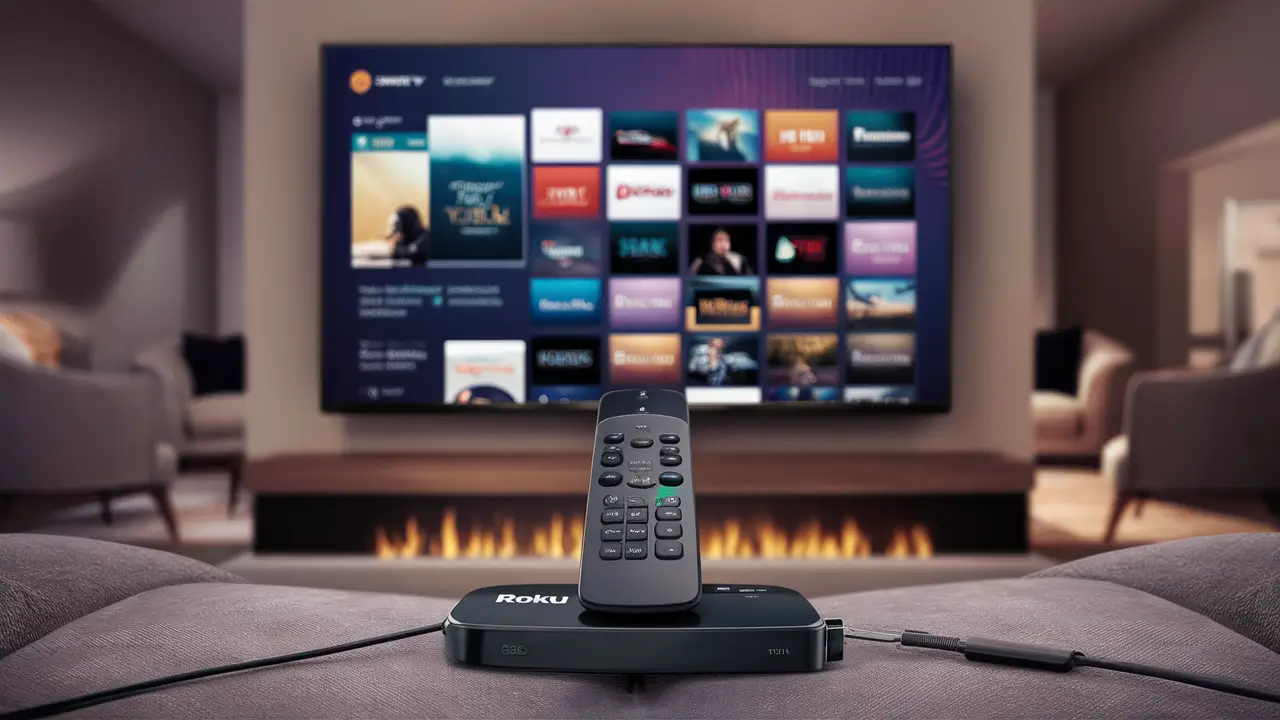
Yes, you absolutely can download and enjoy DIRECTV Stream on your Roku device. This guide will walk you through the simple process, confirm compatibility, and highlight the benefits of streaming your favorite live TV and on-demand content on Roku, making it a seamless experience for cord-cutters.
DIRECTV Stream on Roku: A Comprehensive Overview
For many households looking to cut the cord without sacrificing their favorite live television channels and on-demand entertainment, DIRECTV Stream has emerged as a compelling solution. Its integration with popular streaming devices like Roku further enhances its appeal, offering a familiar and user-friendly interface for accessing a vast library of content. This guide is dedicated to answering the fundamental question: "Can you download DIRECTV Stream on Roku?" The answer is a resounding yes, and this comprehensive exploration will delve into everything you need to know, from installation to optimizing your viewing experience.
DIRECTV Stream, formerly known as AT&T TV, has undergone significant evolution to position itself as a premier live TV streaming service. It aims to bridge the gap between traditional cable packages and pure over-the-top (OTT) streaming services by offering a robust selection of channels, including local networks, sports, and premium movie channels, all accessible over the internet. Roku, on the other hand, has established itself as a dominant force in the streaming device market, celebrated for its simplicity, affordability, and extensive app store. The synergy between these two platforms is a natural fit for consumers seeking flexibility and a high-quality entertainment experience.
In this detailed article, we will cover the essential aspects of using DIRECTV Stream on your Roku device. We'll start by confirming compatibility, then provide step-by-step instructions for downloading and installing the app, followed by a walkthrough of getting started. We'll also highlight the key features that make this combination so attractive, break down the current DIRECTV Stream plans and pricing for 2025-26, offer solutions for common troubleshooting scenarios, and briefly touch upon alternatives. By the end of this guide, you'll have a complete understanding of how to leverage your Roku device to its full potential with DIRECTV Stream.
Is DIRECTV Stream Compatible with Roku Devices?
The straightforward answer is a definitive yes. DIRECTV Stream is fully compatible with a wide range of Roku devices, making it incredibly accessible for millions of users. Roku's commitment to supporting major streaming applications means that DIRECTV Stream is readily available through the Roku Channel Store. This compatibility extends to most modern Roku streaming players, Roku TV models, and Roku streaming sticks.
Roku has become a go-to platform for cord-cutters due to its intuitive interface and broad app support. DIRECTV Stream recognized this and ensured its application is optimized for the Roku ecosystem. This means you can expect a smooth, responsive experience when navigating channels, accessing on-demand content, and managing your DVR recordings (if applicable to your plan).
Devices Generally Supported:
- Roku Express
- Roku Streaming Stick (various generations)
- Roku Premiere
- Roku Ultra
- Roku TVs (manufactured by TCL, Hisense, Sharp, and others that run the Roku OS)
While compatibility is broad, it's always a good practice to ensure your Roku device's software is up-to-date. Roku typically pushes automatic updates, but you can manually check by navigating to Settings > System > System update on your Roku device. Keeping your device updated ensures optimal performance and access to the latest features and app versions.
For users who might be considering a new Roku device or a DIRECTV Stream subscription, checking the specific model's compatibility with the DIRECTV Stream app is a prudent step. However, for any Roku device purchased within the last five years, the likelihood of it supporting the DIRECTV Stream app is very high. This widespread compatibility is a key reason why the Roku and DIRECTV Stream combination is so popular among cord-cutting households.
The DIRECTV Stream app on Roku offers a streamlined experience, designed to mimic the feel of a traditional channel guide while leveraging the benefits of internet streaming. This means you can easily browse live TV listings, search for specific programs, and access your DVR library, all within the familiar Roku interface. The app is designed for ease of use, ensuring that even those new to streaming devices can quickly get up and running.
How to Download and Install the DIRECTV Stream App on Roku
Installing the DIRECTV Stream app on your Roku device is a straightforward process that takes only a few minutes. Follow these simple steps:
- Power on your Roku device and ensure it is connected to your TV and your home Wi-Fi network.
- Navigate to the Roku Home screen.
- Select "Streaming Channels" from the main menu on the left-hand side.
- Choose "Search Channels."
- Type "DIRECTV Stream" into the search bar. You can use the on-screen keyboard or, if your Roku remote has voice control, use that function.
- Select the DIRECTV Stream app from the search results. It will typically be listed with the official DIRECTV Stream logo.
- Click "Add channel." Your Roku device will then download and install the DIRECTV Stream app.
- Once installed, select "OK" to confirm.
- Launch the DIRECTV Stream app. You will find it on your Roku Home screen, usually added to the end of your channel list.
After launching the app, you will be prompted to sign in with your DIRECTV Stream account credentials. If you are a new subscriber, you will need to sign up for a DIRECTV Stream package on their official website first. The Roku app is for viewing content after you have an active subscription.
Important Considerations:
- Account Required: You must have an active DIRECTV Stream subscription to use the app. The app itself is free to download, but access to content requires a paid subscription.
- Internet Connection: A stable and reasonably fast internet connection is crucial for a smooth streaming experience. DIRECTV Stream recommends a minimum download speed of 25 Mbps for optimal HD streaming.
- Roku Account: Ensure your Roku device is linked to your Roku account. This is necessary for downloading apps from the Channel Store.
If you encounter any issues during the download or installation process, try restarting your Roku device and your internet router. Sometimes a simple reboot can resolve connectivity problems. If the app doesn't appear after searching, double-check that you've spelled "DIRECTV Stream" correctly and that your Roku device has a stable internet connection. For persistent issues, consulting DIRECTV Stream's customer support or Roku's support resources is recommended.
Getting Started with DIRECTV Stream on Roku
Once the DIRECTV Stream app is installed on your Roku device, the next step is to log in and begin exploring its features. This process is designed to be intuitive, allowing you to quickly start watching your favorite programming.
Step 1: Launch the App
Navigate to your Roku Home screen, find the DIRECTV Stream app icon, and select it to launch. You'll be greeted by the DIRECTV Stream interface.
Step 2: Sign In
You will be presented with a login screen. Enter your DIRECTV Stream username (usually your email address associated with your account) and your password. If you've forgotten your credentials, there will be an option to reset them.
Step 3: Initial Setup (if applicable)
For first-time users, there might be a brief on-screen guide to familiarize you with the app's layout and key features. This may include information on how to access the live TV guide, on-demand library, and your DVR.
Step 4: Navigating the Interface
The DIRECTV Stream app on Roku typically features a familiar layout:
- Live TV Guide: This is your primary hub for browsing channels. You can scroll through upcoming programs, filter by genre, and see what's currently airing. The guide usually displays information for the next 14 days.
- On Demand: Access a vast library of movies and TV shows available to stream at your convenience. This section is often categorized for easy browsing.
- My Library/DVR: If your DIRECTV Stream plan includes cloud DVR functionality, this is where you'll find your recorded programs. You can manage recordings, schedule new ones, and watch your saved content.
- Search: Use the search function to quickly find specific channels, shows, movies, or actors.
- Settings: Access account information, parental controls, and other app preferences.
Step 5: Personalizing Your Experience
DIRECTV Stream allows for some level of personalization. You can often:
- Favorite Channels: Mark your most-watched channels to have them appear at the top of your guide for quicker access.
- Set Parental Controls: Protect younger viewers from inappropriate content by setting up PIN-based restrictions.
- Manage Profiles: Some plans may allow for multiple user profiles, each with its own watch history and preferences.
Step 6: Watching Content
Simply navigate to the channel or on-demand title you wish to watch and select it. The content will begin streaming. For live TV, you can typically pause, rewind, and fast-forward live broadcasts (within certain limits, depending on your plan and the specific content).
Getting started is designed to be seamless. The familiar Roku interface combined with DIRECTV Stream's comprehensive channel lineup makes for an enjoyable cord-cutting experience. Remember to explore the different sections of the app to fully understand the breadth of content and features available to you.
Key Features of DIRECTV Stream on Roku
The combination of DIRECTV Stream and Roku offers a robust set of features that cater to a wide range of viewing preferences. Here are some of the key advantages:
1. Extensive Channel Lineup:
DIRECTV Stream provides a diverse selection of channels, catering to various interests. Depending on the package you choose, you can access:
- Local Channels: Major broadcast networks like ABC, CBS, NBC, and Fox are generally included, which is a significant draw for many cord-cutters.
- Sports Channels: Extensive sports coverage is a hallmark, with channels like ESPN, Fox Sports, regional sports networks (RSNs), and dedicated sports channels like NFL Network and MLB Network available in higher-tier packages. For 2025-26, access to RSNs remains a critical differentiator.
- Entertainment Channels: Popular networks such as HGTV, Discovery, CNN, AMC, FX, and many more are part of the standard offerings.
- Premium Channels: Options to add HBO, Cinemax, Showtime, and Starz are available.
- Kids' Channels: Networks like Disney Channel, Nickelodeon, and Cartoon Network ensure entertainment for younger viewers.
2. Cloud DVR Functionality:
Most DIRECTV Stream plans come with a generous cloud DVR service. This allows you to record live TV and watch it at your convenience, without needing a physical DVR box. Key aspects include:
- Storage Capacity: Plans typically offer 20 hours of cloud DVR storage, with options to upgrade.
- Recording Limit: You can usually record multiple shows simultaneously.
- Access Anywhere: Recorded content can be accessed not only on your Roku but also on other supported devices via the DIRECTV Stream app.
3. On-Demand Library:
Beyond live TV, DIRECTV Stream offers a substantial on-demand library featuring thousands of movies and TV episodes. This provides flexibility for when you want to watch content without adhering to a live schedule.
4. Multiple Streams and User Profiles:
DIRECTV Stream allows for multiple simultaneous streams, meaning different family members can watch different programs on different devices at the same time. For 2025-26, most plans support at least 3 simultaneous streams, with options for more. The ability to create user profiles further enhances personalization, allowing each viewer to maintain their own watch history and preferences.
5. User-Friendly Interface on Roku:
As mentioned, the DIRECTV Stream app is optimized for Roku's intuitive interface. This means easy navigation through the live TV guide, on-demand content, and DVR recordings, making the overall user experience seamless and enjoyable.
6. Regional Sports Network (RSN) Access:
A significant advantage of DIRECTV Stream over many other streaming services is its inclusion of many Regional Sports Networks (RSNs). This is crucial for dedicated sports fans who want to follow their local teams. As of 2025-26, this remains a key selling point.
7. Flexibility and No Annual Contracts:
DIRECTV Stream operates on a month-to-month subscription model, eliminating the need for long-term annual contracts often associated with traditional cable. This offers consumers the flexibility to subscribe and unsubscribe as needed.
These features combine to make DIRECTV Stream on Roku a powerful and versatile entertainment solution, offering a compelling alternative to traditional cable TV.
Understanding DIRECTV Stream Plans and Pricing (2025-26)
DIRECTV Stream offers several distinct packages, each designed to cater to different viewing needs and budgets. The pricing and channel lineups are subject to change, but here's a general overview based on current trends and expected offerings for 2025-26. It's crucial to visit the official DIRECTV Stream website for the most up-to-date information and any promotional offers.
Key Plans and Features (2025-26 Estimates):
1. DIRECTV Stream Entertainment Package
- Estimated Price: Around $79.99/month (often with introductory discounts)
- Channel Count: Approximately 75+ channels.
- Key Channels: Includes a strong mix of RSNs, national sports channels (like ESPN), entertainment networks (like HGTV, Discovery, TNT), news channels (like CNN), and local channels.
- DVR: 20 hours of Cloud DVR included.
- Simultaneous Streams: 3 streams included.
- Best For: Families looking for a comprehensive package with local channels, popular sports, and a wide variety of entertainment.
2. DIRECTV Stream Choice Package
- Estimated Price: Around $99.99/month (often with introductory discounts)
- Channel Count: Approximately 105+ channels.
- Key Channels: Includes everything in the Entertainment package plus additional sports channels (like NFL Network, MLB Network, NHL Network), more RSNs, and niche entertainment channels.
- DVR: 20 hours of Cloud DVR included.
- Simultaneous Streams: 3 streams included.
- Best For: Serious sports fans who want access to a wider array of sports leagues and dedicated sports programming, in addition to general entertainment.
3. DIRECTV Stream Ultimate Package
- Estimated Price: Around $114.99/month (often with introductory discounts)
- Channel Count: Approximately 140+ channels.
- Key Channels: Builds upon the Choice package by adding more premium movie channels (like Starz Encore), RSNs, and a broader selection of entertainment and documentary channels.
- DVR: 20 hours of Cloud DVR included.
- Simultaneous Streams: 3 streams included.
- Best For: Movie buffs and those who want extensive access to premium content and a very broad channel selection.
4. DIRECTV Stream Premier Package
- Estimated Price: Around $154.99/month (often with introductory discounts)
- Channel Count: Approximately 150+ channels.
- Key Channels: Includes everything in the Ultimate package plus all the premium movie channels like HBO Max, Cinemax, Showtime, and Starz.
- DVR: 20 hours of Cloud DVR included.
- Simultaneous Streams: 3 streams included.
- Best For: Viewers who want the most comprehensive package, including all major premium movie channels and an extensive selection of live TV programming.
Additional Costs and Considerations for 2025-26:
- Regional Sports Fee: DIRECTV Stream often charges a Regional Sports Fee, which can vary by location and is typically between $8-$12 per month. This fee helps cover the cost of RSNs.
- Taxes and Fees: Expect additional taxes and local fees to be added to your monthly bill.
- Promotional Pricing: DIRECTV Stream frequently offers introductory discounts for the first few months or year of service. Be aware of the price increase after the promotional period ends.
- Equipment: While you are using a Roku device, if you were to opt for DIRECTV Stream's proprietary streaming box, there might be separate equipment fees.
- Internet Costs: Remember that DIRECTV Stream requires a reliable internet connection, and the cost of your internet service is separate.
When choosing a plan, carefully review the channel list on the DIRECTV Stream website to ensure it meets your specific needs, especially regarding local channels and sports. The flexibility of no contracts means you can switch plans if your viewing habits change.
Troubleshooting Common DIRECTV Stream Roku Issues
While DIRECTV Stream on Roku generally provides a smooth experience, users may occasionally encounter issues. Here are some common problems and their solutions:
1. App Crashing or Freezing
- Solution:
- Restart the App: Press the Home button on your Roku remote, then navigate to the DIRECTV Stream app. Press the asterisk (*) button and select "Remove channel." Then, go back to the Channel Store and reinstall the app.
- Restart Your Roku Device: Go to Settings > System > System restart.
- Check for Updates: Ensure both your Roku device (Settings > System > System update) and the DIRECTV Stream app are up-to-date.
2. Poor Video or Audio Quality (Buffering, Pixelation, Stuttering)
- Solution:
- Check Internet Speed: Run a speed test on your Roku device (if available) or another device on the same network. DIRECTV Stream recommends at least 25 Mbps for HD streaming.
- Restart Your Router and Modem: Unplug both devices, wait 30 seconds, and plug them back in.
- Reduce Network Congestion: If multiple devices are heavily using your internet (streaming, gaming, downloading), try pausing some of them.
- Use a Wired Connection (if possible): If your Roku device supports Ethernet, a wired connection is often more stable than Wi-Fi.
- Check DIRECTV Stream Server Status: Although rare, DIRECTV Stream servers can experience outages. Check their official status page or social media for announcements.
3. Login Issues (Cannot Sign In)
- Solution:
- Verify Credentials: Double-check your username and password for typos. Remember that passwords are case-sensitive.
- Reset Password: If you're unsure of your password, use the "Forgot Password" link on the DIRECTV Stream login page (accessible via a web browser).
- Clear App Cache (if available): Some streaming apps allow clearing cache. On Roku, reinstalling the app often achieves a similar effect.
- Check Account Status: Ensure your DIRECTV Stream subscription is active and there are no billing issues.
4. Error Messages (e.g., Error Code 0, Error Code 100)
- Solution:
- Specific Error Codes: Search online for the specific error code you are receiving. DIRECTV Stream's support website or community forums often have solutions.
- General Troubleshooting: For many error codes, restarting the app, your Roku device, and your network equipment can resolve the issue.
- Contact Support: If the problem persists, contact DIRECTV Stream customer support. They can access your account details and diagnose more complex issues.
5. Live TV Guide Not Loading or Incorrect
- Solution:
- Refresh the Guide: Sometimes simply exiting and re-entering the app can refresh the guide data.
- Check Internet Connection: A weak or unstable connection can prevent the guide from loading properly.
- Time Zone Settings: Ensure your Roku device's time zone is set correctly (Settings > System > Time).
6. Remote Not Responding Within the App
- Solution:
- Check Roku Remote: Ensure your Roku remote is functioning correctly for other apps and the Roku interface. Replace batteries if necessary.
- App-Specific Issue: If the remote works elsewhere but not in DIRECTV Stream, try restarting the app and the Roku device.
When to Contact Support:
If you've tried these troubleshooting steps and are still experiencing problems, it's time to reach out to DIRECTV Stream's customer support. They have the tools and expertise to resolve more complex technical difficulties. Be prepared to provide them with details about your Roku device model, your internet service provider, and the specific issue you're encountering.
Alternatives to DIRECTV Stream on Roku
While DIRECTV Stream offers a robust live TV streaming experience on Roku, it's not the only option. Several other services provide similar functionality, each with its own strengths and weaknesses. Understanding these alternatives can help you make the best choice for your household.
1. YouTube TV
- Key Features: Unlimited DVR storage, a comprehensive channel lineup including local networks and many RSNs, and a user-friendly interface. It's often cited as a top competitor to DIRECTV Stream.
- Pros: Unlimited DVR is a major plus, excellent sports coverage, generally good streaming stability.
- Cons: Price can be comparable to DIRECTV Stream, some niche channels might be missing compared to DIRECTV Stream's highest tiers.
2. Hulu + Live TV
- Key Features: Combines live TV channels with Hulu's extensive on-demand library and Disney+ (often included). Offers a good selection of local, sports, and entertainment channels.
- Pros: Bundles popular streaming services, strong on-demand content, good for general entertainment.
- Cons: DVR is limited (usually 50 hours, no option to upgrade), RSN coverage can be more limited than DIRECTV Stream or YouTube TV.
3. Sling TV
- Key Features: A more customizable and budget-friendly option. Offers two base packages (Orange and Blue) that can be combined, with various add-on "Extras" for specific channel categories (sports, news, etc.).
- Pros: Lower starting price, highly customizable, good for those who only need specific channels.
- Cons: DVR is an add-on and limited, RSN availability can be spotty depending on the base package and location, interface can feel less polished than competitors.
4. FuboTV
- Key Features: Originally focused on sports, FuboTV now offers a broad range of channels, including many RSNs, local networks, and entertainment options. It boasts a large number of channels in its base packages.
- Pros: Excellent for sports fans with extensive RSN and international sports coverage, good channel count.
- Cons: Can be more expensive than other options, some users find the interface less intuitive.
- Note: As of 2025-26, FuboTV's channel lineup and pricing continue to evolve, so checking their current offerings is recommended.
5. Vidgo
- Key Features: Focuses heavily on live TV, including a significant number of Spanish-language channels and a good selection of sports and entertainment networks.
- Pros: Strong offering of live channels, including many popular RSNs and international sports.
- Cons: DVR functionality is typically limited or non-existent, on-demand library is smaller compared to others.
Comparison Table (General Overview - 2025-26):
| Service | Estimated Starting Price (Monthly) | Key Strengths | Key Weaknesses | DVR | RSN Availability |
|---|---|---|---|---|---|
| DIRECTV Stream | ~$79.99 | Broad channel selection, RSNs, local channels, cloud DVR | Can be more expensive, regional sports fee | 20 hours (included) | Excellent |
| YouTube TV | ~$72.99 | Unlimited DVR, good RSNs, local channels | Price increases, no premium channel bundles | Unlimited (included) | Very Good |
| Hulu + Live TV | ~$76.99 | Bundles with Hulu/Disney+, good general entertainment | Limited DVR, RSNs can be less consistent | 50 hours (included) | Good |
| Sling TV | ~$40 (Orange/Blue) | Affordable, customizable, modular | Limited DVR (add-on), RSNs vary, interface | 50 hours (add-on) | Varies |
| FuboTV | ~$79.99 | Extensive sports, high channel count | Higher price point, interface | 1000 hours (included) | Excellent |
When choosing an alternative, consider your priorities: budget, specific channels (especially local and sports), DVR needs, and overall user experience. All these services are available on Roku, allowing you to compare them directly on your preferred device.
The Future of Streaming: DIRECTV Stream and Roku
The landscape of television consumption is in constant flux, with streaming services rapidly evolving to meet consumer demand. DIRECTV Stream, by integrating with platforms like Roku, has positioned itself as a significant player in this shift away from traditional cable. The synergy between a comprehensive live TV service and a user-friendly, widely adopted streaming device like Roku is a powerful combination that is likely to remain popular for the foreseeable future.
Looking ahead to 2025-26 and beyond, we can anticipate several trends impacting DIRECTV Stream and its availability on Roku:
- Continued Focus on Live Sports: Live sports remain a major draw for cable-like streaming services. DIRECTV Stream's strength in carrying Regional Sports Networks (RSNs) is a key differentiator that will likely be maintained and potentially expanded. As cord-cutting accelerates, the demand for accessible live sports will only grow.
- Bundling and Partnerships: Expect to see more bundling options and strategic partnerships. DIRECTV Stream might explore deeper integrations with other streaming services or offer more flexible package tiers to compete with services like Hulu + Live TV.
- Technological Advancements: As Roku continues to innovate its hardware and software, DIRECTV Stream will likely leverage these advancements. This could mean improved streaming quality (e.g., higher frame rates, better HDR support), more responsive interfaces, and enhanced features like advanced voice control integration.
- Content Acquisition: The competition for content is fierce. DIRECTV Stream will need to continue securing rights to popular channels and potentially explore exclusive content opportunities to retain and attract subscribers.
- Pricing Dynamics: The streaming market is highly competitive. While prices may continue to rise due to content costs, services like DIRECTV Stream will also face pressure to offer value and competitive pricing, especially with the rise of more affordable, niche streaming options. The introduction of more targeted promotional offers and flexible plans is probable.
- User Experience Optimization: With more users relying on devices like Roku, the focus on a seamless, intuitive user experience will remain paramount. DIRECTV Stream will likely continue refining its app for Roku to ensure ease of navigation, quick channel surfing, and reliable performance.
Roku's dominance in the smart TV and streaming device market provides DIRECTV Stream with a massive potential audience. As long as Roku remains a preferred platform for accessing streaming content, DIRECTV Stream's presence there is vital. The future for this pairing looks bright, offering consumers a flexible, feature-rich alternative to traditional pay-TV, all accessible through the convenience of their Roku device.
In conclusion, the question "Can you download DIRECTV Stream on Roku?" is definitively answered with a resounding yes. The process is simple, the compatibility is widespread, and the combined experience offers a powerful way to access live television and on-demand entertainment. By understanding the features, plans, and potential troubleshooting steps, users can fully leverage this popular streaming combination. As the streaming landscape continues to evolve, DIRECTV Stream on Roku is well-positioned to remain a leading choice for cord-cutters seeking a comprehensive and convenient viewing experience.


