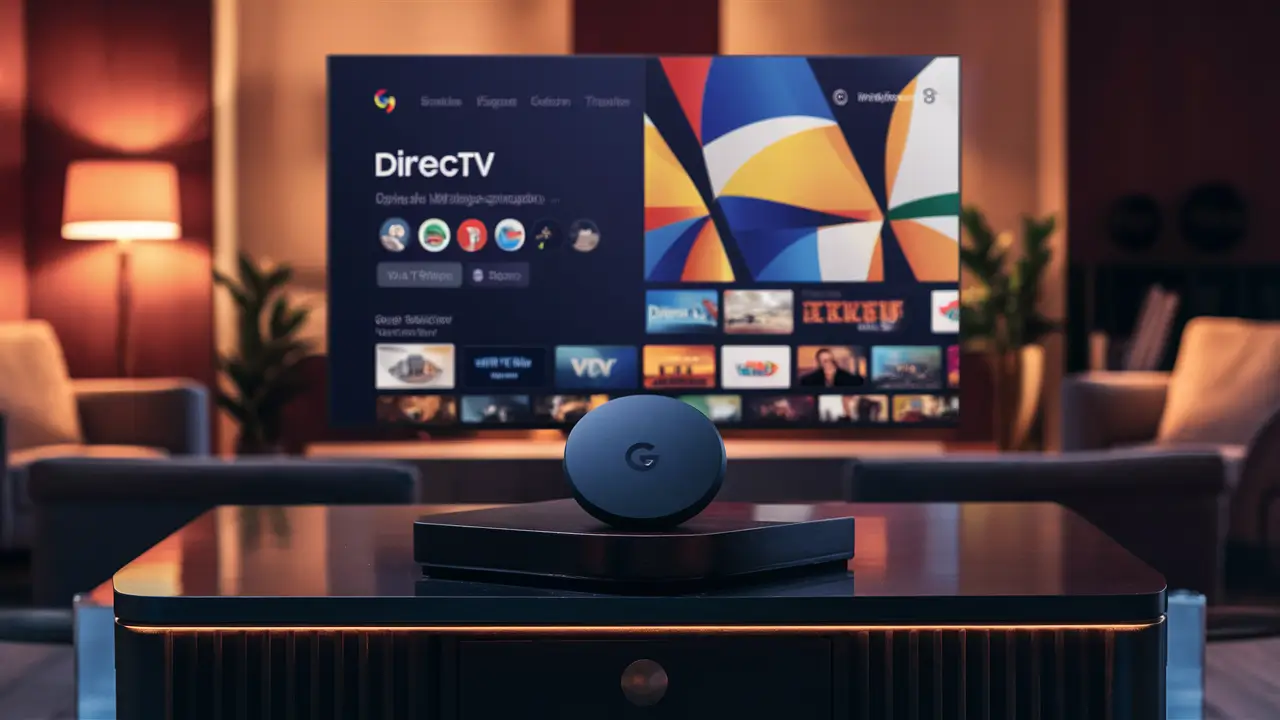
Yes, you absolutely can get DIRECTV Stream on Google TV! This guide will walk you through how to access this popular live TV streaming service on your Google TV device, ensuring you don't miss a moment of your favorite shows and sports. Discover the seamless integration and the benefits of combining these two powerful platforms.
What is DIRECTV Stream?
DIRECTV Stream, formerly known as AT&T TV, is a prominent live TV streaming service that offers a compelling alternative to traditional cable and satellite television. It provides a comprehensive package of live channels, on-demand content, and DVR capabilities, all delivered over the internet. Unlike some other streaming services that focus solely on on-demand libraries, DIRECTV Stream emphasizes the live viewing experience, making it a strong contender for sports enthusiasts and those who enjoy catching up on current events as they happen. Its appeal lies in its ability to mimic the familiar channel surfing experience of cable TV while offering the flexibility and convenience of streaming. By eliminating the need for a satellite dish or long-term contracts, DIRECTV Stream caters to a modern audience seeking a more adaptable entertainment solution. The service boasts a wide array of channel packages, catering to diverse interests from general entertainment and news to specialized sports networks. This makes it a versatile option for households with varied viewing preferences. As of 2025, DIRECTV Stream continues to evolve, integrating new features and expanding its content offerings to remain competitive in the rapidly changing streaming landscape. Its commitment to delivering a high-quality, live TV experience remains its core differentiator.
What is Google TV?
Google TV is an entertainment interface that acts as a central hub for all your streaming content. It's not a standalone streaming service but rather an operating system and user interface built on top of Android TV. This means it's integrated into various smart TVs from manufacturers like Sony, TCL, and Hisense, as well as available through dedicated streaming devices such as the Chromecast with Google TV. The primary goal of Google TV is to simplify the streaming experience by aggregating content from all your installed apps and services into a single, easily navigable interface. It uses machine learning and user preferences to recommend movies and TV shows across different platforms, helping you discover new content you might enjoy. Think of it as a personalized digital concierge for your entertainment. Google TV organizes content by genre, trending shows, and personalized suggestions, making it easier than ever to find something to watch without jumping between multiple apps. The interface also supports voice commands through Google Assistant, allowing you to search for content, control playback, and even get information about actors or shows simply by speaking. In 2025, Google TV continues to refine its recommendation engine and expand its partnerships with content providers, solidifying its position as a leading smart TV platform. Its open ecosystem allows for a vast selection of apps, including all the major streaming services, making it a versatile choice for any home entertainment setup.
DIRECTV Stream on Google TV: The Compatibility
The question "Can you get DIRECTV Stream on Google TV?" is a resounding yes. Google TV, being an Android TV-based platform, is designed to be an open ecosystem that supports a wide range of applications. DIRECTV Stream offers a dedicated app that is readily available for download on the Google Play Store, which is integrated into the Google TV interface. This means that any device running Google TV, whether it's a smart TV or a streaming stick, can easily access and install the DIRECTV Stream application. The integration is seamless, allowing users to log in with their DIRECTV Stream credentials and begin streaming live channels, on-demand content, and utilizing DVR features directly through the Google TV interface. This compatibility is a significant advantage for users who prefer the unified experience that Google TV provides, consolidating all their streaming services into one accessible platform. As of 2025, this integration remains robust, with both DIRECTV Stream and Google TV continuously updating their platforms to ensure optimal performance and user experience. The app is optimized for the Google TV interface, ensuring that navigation, search, and playback are intuitive and responsive. This means you can use your Google TV remote to easily browse channels, search for specific programs, and manage your recordings, all within the familiar Google TV environment. The synergy between DIRECTV Stream's extensive channel lineup and Google TV's smart interface creates a powerful entertainment solution for modern households.
How the DIRECTV Stream App Works on Google TV
The DIRECTV Stream app on Google TV functions much like it would on any other supported device, such as a smartphone, tablet, or smart TV. Once installed, the app provides access to your subscribed DIRECTV Stream package. You'll be able to browse live TV channels, access an extensive on-demand library, and manage your cloud DVR recordings. The app leverages the Google TV interface for navigation, meaning you can use Google Assistant to search for shows or channels. For instance, you could say, "Hey Google, watch ESPN on DIRECTV Stream," and the app will launch and take you directly to the ESPN channel. The visual presentation of the DIRECTV Stream app is designed to be user-friendly, with clear menus for live TV, on-demand content, sports, and your DVR. You can also access program guides and set recordings directly from the app. The app's integration with the Google TV "For You" tab means that DIRECTV Stream content, such as recommended shows or live events, can also appear in your personalized Google TV recommendations, further enhancing content discovery. This seamless integration ensures that your DIRECTV Stream subscription feels like a natural extension of your Google TV ecosystem, rather than a separate entity.
Device Requirements for DIRECTV Stream on Google TV
To enjoy DIRECTV Stream on Google TV, you'll need a few things. Firstly, a stable internet connection is paramount. DIRECTV Stream recommends a minimum download speed of 25 Mbps for the best viewing experience, especially for HD and 4K content. This ensures smooth streaming without buffering. Secondly, you need a device that runs Google TV. This includes:
- Google TV Smart TVs: Many newer smart TVs from brands like Sony, TCL, Hisense, and Philips come with Google TV built-in.
- Chromecast with Google TV: This is a popular streaming dongle that plugs into your TV's HDMI port and transforms any TV into a Google TV device.
- Other Android TV Devices: While Google TV is the latest iteration, some devices still run the core Android TV OS and can also support the DIRECTV Stream app.
You will also need a DIRECTV Stream subscription and an active account. Once you have these prerequisites, the process of downloading and setting up the app is straightforward. The Google Play Store on your Google TV device is the gateway to accessing the DIRECTV Stream app, ensuring compatibility and ease of installation. For optimal performance, it's always recommended to keep your Google TV device's operating system and the DIRECTV Stream app updated to their latest versions. This ensures you have access to the newest features and any performance enhancements or bug fixes released by both Google and DIRECTV.
How to Get DIRECTV Stream on Google TV: Step-by-Step Guide
Getting DIRECTV Stream up and running on your Google TV is a simple process. Follow these steps to start streaming your favorite live channels and on-demand content:
-
Power on your Google TV device: Ensure your Google TV-enabled TV or streaming device is powered on and connected to your home network.
-
Navigate to the Google Play Store: On your Google TV home screen, find and select the "Apps" section. From there, locate and open the "Google Play Store."
-
Search for DIRECTV Stream: In the Google Play Store, use the search function. Type "DIRECTV Stream" into the search bar and press enter.
-
Select and Install the App: The DIRECTV Stream app should appear in the search results. Select it, and then click the "Install" button. The app will download and install automatically onto your Google TV device.
-
Launch the DIRECTV Stream App: Once the installation is complete, you can find the DIRECTV Stream app in your list of installed applications. Select it to open.
-
Log In with Your Credentials: When the app launches, you will be prompted to log in. Enter your DIRECTV Stream username and password. If you don't have an account yet, you will need to sign up for a subscription on the DIRECTV Stream website first.
-
Start Streaming: After successfully logging in, you will have access to all the features and channels included in your DIRECTV Stream subscription. You can now browse live TV, access on-demand content, and set up DVR recordings using your Google TV remote.
Setting Up Your Google TV Remote for DIRECTV Stream
Your Google TV remote is designed for intuitive navigation within the Google TV interface and its apps, including DIRECTV Stream. Most modern Google TV remotes feature a dedicated Google Assistant button. By pressing and holding this button, you can use voice commands to control DIRECTV Stream. For example, you can say things like:
- "Hey Google, open DIRECTV Stream."
- "Hey Google, watch the news on DIRECTV Stream."
- "Hey Google, find sports channels on DIRECTV Stream."
- "Hey Google, record the game on DIRECTV Stream."
The directional pad and select button on your remote will allow you to navigate through the DIRECTV Stream app's menus, browse channel guides, select content, and manage playback. The back button will allow you to exit menus or return to the previous screen within the app. The home button will always take you back to the main Google TV interface. For a truly seamless experience, ensure your remote's batteries are fresh and that it's properly paired with your Google TV device. Many Google TV remotes also have dedicated buttons for popular streaming services, but for DIRECTV Stream, you'll typically access it via the app icon or through voice commands.
Optimizing Your Streaming Experience
To ensure the best possible viewing experience with DIRECTV Stream on Google TV, consider these optimization tips:
- Internet Speed: As mentioned, a stable internet connection of at least 25 Mbps is crucial. If you're experiencing buffering, try restarting your router and modem. Consider a wired Ethernet connection if Wi-Fi is inconsistent.
- App Updates: Regularly check for updates for both the Google TV operating system and the DIRECTV Stream app. Updates often include performance improvements and bug fixes.
- Device Performance: If you're using an older Google TV device, performance might be slower. Closing unused apps in the background can sometimes help free up resources.
- TV Settings: Ensure your TV's picture settings are optimized for streaming. Many TVs have specific "Movie" or "Cinema" modes that provide a more natural viewing experience.
- Audio Setup: If you have a soundbar or surround sound system, ensure it's properly configured with your Google TV device for an immersive audio experience.
By following these recommendations, you can maximize the quality and enjoyment of your DIRECTV Stream service on your Google TV.
Choosing the Right DIRECTV Stream Plan
DIRECTV Stream offers several different subscription tiers, each catering to varying needs and budgets. Selecting the right plan is crucial to getting the most value and ensuring you have access to the channels you want most. As of 2025, the primary plans generally include:
| Plan Name | Key Features | Target Audience | Estimated Monthly Price (2025-26) |
|---|---|---|---|
| Entertainment | Broadest selection of general entertainment, news, and local channels. Includes popular networks like ESPN, TNT, and HGTV. | Families, general viewers looking for a wide variety of popular channels. | $79.99 - $99.99 |
| Choice | Includes all Entertainment channels plus more regional sports networks (RSNs), expanded sports coverage, and premium movie channels like HBO. | Sports fans, those who want more niche sports and movie options. | $99.99 - $119.99 |
| Ultimate | Adds even more sports, including niche networks, and a wider selection of premium movie and entertainment channels. | Serious sports enthusiasts, cinephiles. | $109.99 - $129.99 |
| Premier | The most comprehensive package, including all channels from Ultimate, plus premium channels like HBO Max, Cinemax, Showtime, and Starz. | Viewers seeking the absolute widest array of content, including all major premium networks. | $149.99 - $169.99 |
Note: Prices are estimates and can vary based on promotions, add-ons, and regional availability. It's always best to check the official DIRECTV Stream website for the most current pricing and package details.
Understanding Channel Lineups
When choosing a plan, pay close attention to the specific channels included. DIRECTV Stream's strength lies in its inclusion of:
- Local Channels: Access to ABC, CBS, NBC, and FOX in most markets, which is crucial for live news and local programming.
- National Networks: A wide range of popular channels such as CNN, MSNBC, Fox News, ESPN, ESPN2, TNT, TBS, USA, HGTV, Discovery, and many more.
- Regional Sports Networks (RSNs): This is a key differentiator for DIRECTV Stream, especially in the Choice, Ultimate, and Premier plans. Access to RSNs can vary by region, so it's essential to verify if your local RSNs are included for your favorite teams.
- Premium Channels: Packages like HBO, Cinemax, Showtime, and Starz are available as add-ons or are included in higher-tier plans.
- Specialty Channels: Depending on the plan, you might get access to channels like the NFL Network, MLB Network, NBA TV, NHL Network, and various movie channels.
For instance, if you're a die-hard fan of a specific NBA team, you'll want to ensure your chosen plan includes the RSN that broadcasts their games. Similarly, if you enjoy a steady diet of premium movies, the Premier plan or adding those channels individually might be the best route. Comparing the channel lists for each plan on the DIRECTV Stream website is a vital step before committing.
Considering Add-ons and Features
Beyond the base channel packages, DIRECTV Stream offers several add-ons and features that can enhance your experience:
- Unlimited Cloud DVR: All DIRECTV Stream plans come with unlimited cloud DVR storage, allowing you to record as much content as you want and watch it on various devices. This is a significant advantage over some competitors.
- Premium Channel Add-ons: You can add individual premium channel packages like HBO Max, Cinemax, Showtime Anytime, and Starz if they aren't included in your base plan.
- International Packages: DIRECTV Stream also offers international channel add-ons for various languages and regions.
- Sports Pack: For an additional monthly fee, you can often get access to even more niche sports channels, including international soccer leagues, college sports, and more.
When evaluating plans, think about your viewing habits. Do you primarily watch live news and popular shows, or are you a dedicated sports fan who needs access to specific RSNs? Do you enjoy watching the latest blockbuster movies? Answering these questions will guide you toward the most cost-effective and satisfying DIRECTV Stream plan for your Google TV setup.
Benefits of DIRECTV Stream on Google TV
Combining DIRECTV Stream with Google TV offers a powerful and convenient entertainment experience. Here are some of the key benefits:
Unified Interface and Content Discovery
One of the most significant advantages is the unified interface provided by Google TV. Instead of juggling multiple apps, Google TV aggregates content from various streaming services, including DIRECTV Stream, into a single, easy-to-navigate home screen. This means you can see recommendations for DIRECTV Stream shows and movies alongside content from Netflix, Hulu, and others. The "For You" tab on Google TV is particularly effective at suggesting personalized content based on your viewing history across all connected apps, making it easier to discover new things to watch, whether it's a live game on a DIRECTV Stream channel or an on-demand movie.
Voice Control Integration
Google TV's integration with Google Assistant is a game-changer for convenience. With a simple voice command through your Google TV remote, you can launch the DIRECTV Stream app, search for specific channels or programs, play content, and even set DVR recordings. This hands-free control streamlines the viewing process, making it quicker and more intuitive to find what you want to watch without having to manually navigate menus. For example, saying "Hey Google, find live NBA games on DIRECTV Stream" can directly take you to the relevant section within the app.
Access to Live TV and Sports
DIRECTV Stream excels in providing a comprehensive live TV experience, which is a major draw for many users. On Google TV, this means you get access to a vast array of live channels, including local broadcast networks, national cable channels, and crucially, regional sports networks (RSNs). For sports fans, this is invaluable, as it allows you to watch live games from your favorite teams without needing a traditional cable or satellite subscription. Google TV's interface can also help highlight upcoming live events from DIRECTV Stream, ensuring you don't miss out on critical games or broadcasts.
Unlimited Cloud DVR
All DIRECTV Stream plans come with unlimited cloud DVR storage. This feature is seamlessly integrated into the app on Google TV. You can record any live program and store it in the cloud, allowing you to watch it at your convenience, pause, rewind, or fast-forward. The unlimited nature of the DVR means you don't have to worry about running out of space, making it a highly flexible feature for busy households. Managing your recordings is straightforward within the DIRECTV Stream app interface on Google TV.
No Long-Term Contracts and Flexibility
Like most modern streaming services, DIRECTV Stream operates on a month-to-month subscription basis. This means you are not locked into long-term contracts, offering significant flexibility. You can subscribe, cancel, or change your plan at any time without penalty. This flexibility, combined with the accessibility of Google TV devices, allows users to easily adapt their entertainment setup as their needs change. If you only need DIRECTV Stream for a specific sports season or event, you can subscribe for that period and cancel afterward.
Familiar Interface for Cord-Cutters
For individuals transitioning from traditional cable or satellite TV, DIRECTV Stream on Google TV can offer a familiar experience. The channel-based interface, the ability to flip through a program guide, and the DVR functionality closely mimic traditional TV. However, it comes with the added benefits of internet delivery, no hardware installation (like satellite dishes), and the smart features of Google TV, such as advanced search and personalized recommendations. This blend of familiarity and innovation makes it an attractive option for a broad audience.
Alternatives to DIRECTV Stream on Google TV
While DIRECTV Stream is an excellent option for live TV on Google TV, it's not the only one. Several other streaming services offer live TV packages that are compatible with Google TV devices. Understanding these alternatives can help you make the most informed decision for your household's entertainment needs.
YouTube TV
YouTube TV is a major competitor to DIRECTV Stream and is fully compatible with Google TV. It offers a comprehensive package of over 100 channels, including local networks, popular cable channels, and a strong sports lineup. A key differentiator for YouTube TV is its unlimited DVR storage, which has no expiration date (unlike some other services that limit storage time). It also boasts an excellent user interface and seamless integration with other Google services. As of 2025, YouTube TV is often praised for its user-friendly design and consistent updates. Its pricing is generally competitive with DIRECTV Stream's mid-tier packages.
Hulu + Live TV
Hulu + Live TV is another robust option available on Google TV. It combines live TV channels with Hulu's extensive on-demand library, including original content and next-day access to many network shows. The channel selection is broad, covering entertainment, news, and sports. Hulu + Live TV also offers a cloud DVR with limited storage (typically 200 hours) and the option to upgrade. Its appeal lies in bundling live TV with a popular on-demand service, offering a more all-encompassing entertainment solution for some users.
Sling TV
Sling TV offers a more customizable and budget-friendly approach to live TV streaming. It divides its channel offerings into two main base packages: Sling Orange and Sling Blue, which can also be combined into Sling Orange + Blue. Users can then add "Extras" – themed channel packs – to tailor their subscription. Sling TV is generally more affordable than DIRECTV Stream or YouTube TV, making it a good choice for those on a tighter budget. However, its channel selection might be less comprehensive, and its DVR capabilities are typically more limited unless you opt for add-ons.
FuboTV
FuboTV initially focused heavily on sports, offering an extensive lineup of sports channels, including many RSNs and international sports networks. It has since expanded to include a broad range of entertainment, news, and local channels, making it a well-rounded live TV streaming service. FuboTV is known for its high-quality streaming and comprehensive sports coverage. It also offers a cloud DVR with a decent amount of storage. For serious sports fans who want a wide variety of athletic events, FuboTV is a strong contender on Google TV.
Comparison of Live TV Streaming Services on Google TV (2025-26)
Here's a quick comparison to help you decide:
| Service | Google TV App Availability | Key Strengths | DVR Storage | Estimated Starting Price (Monthly) |
|---|---|---|---|---|
| DIRECTV Stream | Yes | Extensive RSNs, unlimited DVR, familiar interface. | Unlimited | ~$79.99 |
| YouTube TV | Yes | Unlimited DVR (no expiration), user-friendly interface, strong local channels. | Unlimited (no expiration) | ~$72.99 |
| Hulu + Live TV | Yes | Bundles live TV with Hulu's on-demand library, original content. | 200 hours (upgradeable) | ~$76.99 |
| Sling TV | Yes | Budget-friendly, customizable packages, good for specific channel needs. | 50 hours (upgradeable) | ~$40.00 (for one base package) |
| FuboTV | Yes | Extensive sports coverage (RSNs, international), high-quality streaming. | 1000 hours | ~$79.99 |
Note: Prices and features are subject to change and are estimates for 2025-26. Always check the official websites for the most current information.
Making the Choice for Your Google TV
When choosing between these services for your Google TV, consider your priorities: If you need the widest selection of regional sports networks, DIRECTV Stream or FuboTV might be best. If unlimited, long-term DVR storage is paramount, YouTube TV is a strong contender. If you want to bundle live TV with a popular on-demand service, Hulu + Live TV is ideal. For budget-conscious users who want to build a custom package, Sling TV is a great option. All these services integrate well with Google TV, allowing you to leverage its smart features and unified interface.
Troubleshooting Common Issues
While DIRECTV Stream on Google TV generally provides a smooth experience, you might occasionally encounter issues. Here are some common problems and their solutions:
App Crashing or Freezing
Problem: The DIRECTV Stream app frequently crashes, freezes, or becomes unresponsive on your Google TV.
Solutions:
- Restart the App: Go to your Google TV settings, find the DIRECTV Stream app, and force stop it. Then, reopen the app.
- Clear Cache and Data: In the app settings, you can clear the app's cache and data. This will reset the app to its default state, so you'll need to log in again.
- Update the App and Google TV OS: Ensure both the DIRECTV Stream app and your Google TV's operating system are updated to the latest versions.
- Restart Your Google TV Device: A simple reboot of your entire Google TV device can often resolve temporary glitches.
- Check Internet Connection: Unstable internet can cause app instability. Ensure your Wi-Fi is strong or try a wired Ethernet connection.
Buffering or Poor Video Quality
Problem: Videos are constantly buffering, or the picture quality is pixelated and low.
Solutions:
- Check Internet Speed: Run an internet speed test on your Google TV device or a connected device on the same network. DIRECTV Stream recommends at least 25 Mbps for HD streaming.
- Reduce Network Congestion: If multiple devices are using your internet heavily (streaming, downloading, gaming), it can impact performance. Try pausing other activities.
- Restart Router and Modem: Power cycle your modem and router by unplugging them for about 30 seconds and plugging them back in.
- Use a Wired Connection: If possible, connect your Google TV device directly to your router using an Ethernet cable for a more stable connection.
- Lower Video Quality: Within the DIRECTV Stream app settings, you might be able to manually adjust the video quality to a lower setting if your internet speed is consistently an issue.
Login Issues
Problem: You are unable to log in to your DIRECTV Stream account on Google TV.
Solutions:
- Verify Credentials: Double-check that you are entering the correct username and password. Passwords are case-sensitive.
- Reset Password: If you're unsure about your password, use the "Forgot Password" link on the DIRECTV Stream website to reset it.
- Check Account Status: Ensure your DIRECTV Stream subscription is active and there are no billing issues.
- Clear App Data: As mentioned above, clearing the app's cache and data can sometimes resolve login authentication problems.
- Contact DIRECTV Stream Support: If you continue to have trouble, reach out to DIRECTV Stream customer support for assistance.
Audio Sync Problems
Problem: The audio is out of sync with the video.
Solutions:
- Restart the App and Device: Often, restarting the DIRECTV Stream app and your Google TV device can resolve temporary sync issues.
- Check Audio Settings: Ensure your Google TV's audio output settings are correctly configured. If you're using an external sound system, check its settings as well.
- Disable Audio Enhancements: Sometimes, advanced audio processing features on your TV or sound system can cause sync issues. Try disabling them temporarily.
- Update Audio Drivers (if applicable): Ensure your Google TV device's firmware is up to date, as this can include audio driver updates.
Missing Channels
Problem: Certain channels you expect to have are not appearing in your DIRECTV Stream lineup on Google TV.
Solutions:
- Verify Your Subscription Package: Double-check the channel lineup for the specific DIRECTV Stream plan you are subscribed to. Some channels are only available in higher-tier packages or as add-ons.
- Check Regional Availability: Local channels and RSNs can vary significantly by geographic location. Ensure the channels you're looking for are available in your area with your current plan.
- Update the App: Make sure the DIRECTV Stream app is fully updated.
- Contact DIRECTV Stream Support: If you believe you should have access to certain channels but they are missing, customer support can help verify your entitlements.
By systematically working through these troubleshooting steps, you can resolve most common issues and ensure a smooth viewing experience with DIRECTV Stream on your Google TV.
The Future of Streaming: DIRECTV Stream and Google TV
The landscape of home entertainment is constantly evolving, and the integration of services like DIRECTV Stream with platforms like Google TV represents the direction streaming is headed. Google TV's commitment to a unified, personalized, and voice-controlled interface positions it as a central hub for all digital entertainment. As Google continues to refine its AI and recommendation algorithms, the ability to discover and access content across various providers, including DIRECTV Stream's live offerings, will only become more sophisticated.
DIRECTV Stream, by focusing on delivering a robust live TV experience with features like unlimited DVR and extensive sports coverage, is adapting to consumer demand for flexibility and choice. Its continued development and integration with smart platforms like Google TV are key to its long-term success. We can anticipate further enhancements in app performance, potentially more interactive features within the app itself, and deeper integration with Google Assistant's capabilities. For example, future updates might allow for more granular voice control over DVR management or personalized live channel lineups based on viewing habits.
The synergy between DIRECTV Stream and Google TV is a testament to the growing convergence of live television and on-demand streaming. Users benefit from the best of both worlds: the familiar, comprehensive channel lineup of a traditional TV service, delivered with the convenience, smart features, and flexibility of modern streaming technology. As we look towards 2026 and beyond, expect these platforms to continue innovating, offering even more seamless and personalized ways to enjoy your favorite content, all accessible through intuitive interfaces like Google TV.
Conclusion
In conclusion, the answer to "Can you get DIRECTV Stream on Google TV?" is a definitive and enthusiastic yes. This powerful combination offers a seamless, feature-rich experience for cord-cutters and traditional TV viewers alike. By leveraging the unified interface and voice control of Google TV, you can effortlessly access DIRECTV Stream's extensive live channel lineup, on-demand library, and unlimited cloud DVR. The straightforward installation process via the Google Play Store ensures you'll be up and streaming in minutes. Whether you're a sports fanatic seeking comprehensive RSN coverage or a family looking for a wide array of entertainment options, DIRECTV Stream on Google TV provides a flexible, contract-free solution. With continuous updates and improvements from both DIRECTV Stream and Google, this pairing is set to remain a top choice for modern home entertainment for years to come. Make the switch and enjoy the best of live and on-demand content, all at your fingertips.


