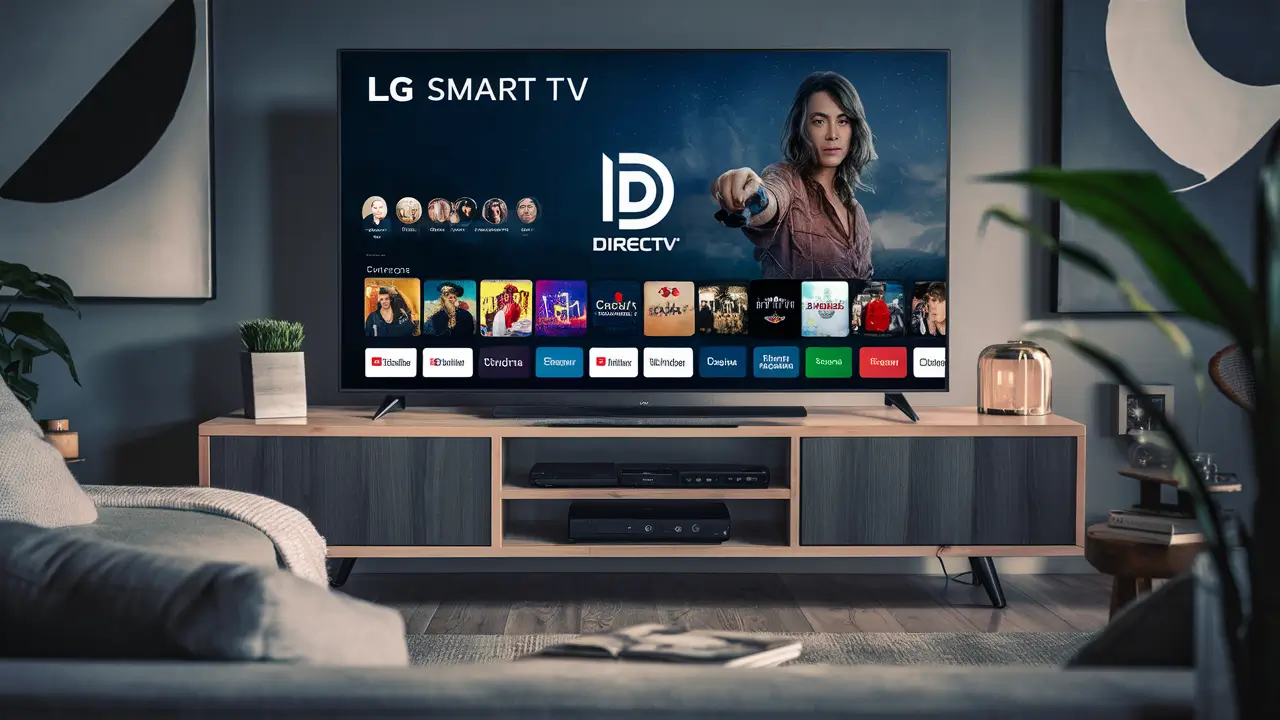
Directv Stream on LG Smart TVs: Your Comprehensive Guide
Yes, you absolutely can get Directv Stream on your LG Smart TV, offering a seamless way to access live TV, on-demand content, and sports without a traditional satellite dish. This guide will walk you through everything you need to know, from compatibility and setup to troubleshooting and comparing plans, ensuring you make the most of your viewing experience in 2025-26.
Directv Stream Compatibility with LG Smart TVs
The question of "Can you get Directv Stream on LG Smart TV?" is a common one, and the good news is that Directv Stream is designed for broad compatibility across modern smart TV platforms. LG, being a leading manufacturer of smart televisions, offers a robust ecosystem that generally supports Directv Stream.
LG WebOS: The Heart of Your Smart TV
Most modern LG Smart TVs run on the WebOS operating system. WebOS is known for its intuitive interface, ease of use, and growing app store. Directv Stream has developed a dedicated app for WebOS, making it directly accessible on many LG models.
Determining Your LG TV Model and WebOS Version
To confirm if your specific LG Smart TV can run the Directv Stream app, you'll need to identify its model number and WebOS version. This information is typically found:
- On the back of your TV.
- In your TV's settings menu (usually under "Support" or "About This TV").
Generally, LG Smart TVs manufactured from 2018 onwards with WebOS version 4.0 or later are likely to support the Directv Stream app. However, it's always best to check the official Directv Stream app store on your TV or their support website for the most up-to-date compatibility list.
App Availability on the LG Content Store
The primary way to access Directv Stream on an LG Smart TV is through the official Directv Stream app, available on the LG Content Store (formerly LG Smart World). If the app is listed and available for download on your TV, then your LG Smart TV is compatible.
What if My LG TV Isn't Directly Compatible?
If you have an older LG Smart TV model that doesn't support the Directv Stream app directly, don't despair. There are still several excellent ways to enjoy Directv Stream on your television. These methods involve connecting an external streaming device that is compatible with the Directv Stream app. We'll cover these alternative methods in detail later in this guide.
Key Factors for Compatibility
Beyond the WebOS version, other factors influencing Directv Stream compatibility include:
- Internet Connection: A stable and sufficiently fast internet connection (at least 25 Mbps recommended for HD streaming) is crucial for a smooth Directv Stream experience.
- TV Software Updates: Ensure your LG Smart TV's firmware is up-to-date. Manufacturers regularly release updates that can improve performance and add new features, including app support.
- App Updates: Once installed, keep the Directv Stream app updated through the LG Content Store to benefit from the latest features and bug fixes.
By understanding these compatibility factors, you can confidently determine if your LG Smart TV is ready for Directv Stream.
Getting Directv Stream on Your LG Smart TV: A Step-by-Step Guide
Once you've confirmed your LG Smart TV's compatibility, the process of installing and setting up Directv Stream is straightforward. Follow these steps to start streaming:
Step 1: Access the LG Content Store
On your LG Smart TV, navigate to the LG Content Store. This is typically represented by an icon on your TV's home screen or app menu. Use your remote control to open it.
Step 2: Search for the Directv Stream App
Within the LG Content Store, use the search function. Type "Directv Stream" into the search bar. The official Directv Stream app should appear in the search results.
Step 3: Download and Install the App
Select the Directv Stream app from the search results. You will see an option to "Download" or "Install." Select this option. The app will download and install automatically onto your TV. This process may take a few minutes, depending on your internet speed.
Step 4: Launch the Directv Stream App
Once the installation is complete, you can launch the Directv Stream app. It will likely appear in your TV's app list or on the home screen. Open the app to begin the setup process.
Step 5: Sign In or Sign Up
When you open the Directv Stream app for the first time, you'll be prompted to sign in with your Directv Stream account credentials. If you don't already have an account, you'll need to visit the Directv Stream website to sign up for a service plan before you can log in.
Important: You cannot sign up for Directv Stream directly through the LG Smart TV app. You must subscribe to a plan on the Directv Stream website first.
Step 6: Navigate and Start Streaming
After successfully logging in, you'll be presented with the Directv Stream interface. You can now browse live channels, explore on-demand content, access your DVR recordings (if applicable to your plan), and start watching your favorite shows and movies.
Tips for a Smooth Setup
- Stable Wi-Fi: Ensure your LG TV is connected to a strong and stable Wi-Fi network. If possible, use a wired Ethernet connection for the most reliable performance.
- Account Information Ready: Have your Directv Stream username and password readily available to avoid delays during the login process.
- App Permissions: The app may ask for certain permissions (e.g., location, network access). Granting these is usually necessary for the app to function correctly.
Following these steps will have you up and running with Directv Stream on your LG Smart TV in no time.
Alternative Methods for LG Smart TV Users
As mentioned, not all LG Smart TVs might have direct access to the Directv Stream app. Fortunately, the robust ecosystem of streaming devices provides excellent workarounds. If your LG TV isn't compatible, or if you prefer using a different interface, these alternatives are highly effective.
Using Streaming Devices
This is the most common and recommended alternative. Streaming devices are small hardware units that plug into your TV's HDMI port and connect to the internet, allowing you to download and run various streaming apps, including Directv Stream.
Popular Compatible Streaming Devices:
- Amazon Fire TV Stick (various models): Widely popular, affordable, and offers a user-friendly interface. The Directv Stream app is readily available on the Amazon Appstore.
- Roku Devices (various models): Known for their simplicity and extensive channel selection. Directv Stream is a supported channel on Roku.
- Google Chromecast with Google TV: Offers a comprehensive smart TV experience with a remote and app store. Directv Stream is available on this platform.
- Apple TV (4K and HD): A premium streaming box with excellent performance and integration with the Apple ecosystem. The Directv Stream app is available on the App Store for Apple TV.
- NVIDIA SHIELD TV: A powerful Android TV box, ideal for gamers and users seeking high performance and advanced features. Directv Stream is available.
How to Use a Streaming Device:
- Purchase a compatible streaming device.
- Connect it to your LG TV via HDMI and to a power source.
- Follow the on-screen setup instructions for the streaming device, including connecting it to your Wi-Fi network.
- Once the device is set up, navigate to its app store (e.g., Amazon Appstore, Roku Channel Store, Google Play Store, Apple App Store).
- Search for and download the Directv Stream app.
- Sign in with your Directv Stream account credentials.
This method essentially turns any HDMI-equipped TV into a smart TV capable of running Directv Stream.
Connecting a Gaming Console
Modern gaming consoles also function as capable media streamers.
- Xbox Series X/S, Xbox One: The Directv Stream app is available on the Microsoft Store for Xbox consoles.
- PlayStation 5, PlayStation 4: While Directv Stream doesn't have a dedicated app for PlayStation consoles, users can often stream via a web browser, though this is less ideal for a live TV experience.
If you own one of these consoles, check their respective app stores for the Directv Stream application. This is a great way to leverage existing hardware.
Using a Blu-ray Player or Other Smart Devices
Some newer Blu-ray players and other smart devices (like certain soundbars or media boxes) may also have app stores that include Directv Stream. Check the specifications and app store of any smart device connected to your LG TV.
Casting from a Mobile Device (Limited Functionality)
While Directv Stream primarily focuses on app-based streaming, some users might consider casting. However, Directv Stream does not officially support casting directly from its mobile app to smart TVs in the same way some other services do. If you need to cast, you would typically use a device like a Chromecast and potentially stream via a web browser on a computer or phone, which can be less reliable for live TV.
Directv Stream Device
Directv offers its own dedicated streaming device, the Directv Stream box. This device is optimized for the Directv Stream service and offers a streamlined user experience. While it's an additional piece of hardware, it's designed to work seamlessly with the service and can be a good option if you want a dedicated, high-performance streaming solution.
Choosing the right alternative method depends on your existing devices, budget, and personal preference. For most users, a dedicated streaming stick like a Fire TV Stick or Roku is an excellent, cost-effective solution.
Directv Stream Plans and Pricing (2025-26)
Directv Stream offers a variety of plans, each catering to different viewing needs and budgets. Understanding these plans is crucial before you subscribe and set up the app on your LG Smart TV. Pricing and channel lineups are subject to change, so always check the official Directv Stream website for the most current information for 2025-26.
Overview of Directv Stream Packages
Directv Stream has moved away from traditional satellite packages and now offers its services exclusively through internet streaming. This means you don't need a satellite dish, making it ideal for apartment dwellers or those who prefer a simpler setup on their LG Smart TV.
Key Plans and Their Features:
Here's a general overview of the typical plans you might find, with estimated pricing for 2025-26. Note that introductory offers and regional variations may apply.
| Plan Name | Estimated Monthly Price (First 12 Months) | Key Channels | On-Demand & DVR | Simultaneous Streams |
|---|---|---|---|---|
| Entertainment | ~$75 - $85 | Local channels, popular cable networks (ESPN, CNN, HGTV, Discovery, etc.), some regional sports networks (RSNs). | Yes, unlimited cloud DVR. | Unlimited at home, 3 out of home. |
| Choice | ~$95 - $105 | All Entertainment channels + more RSNs, HBO Max (now Max), NFL Network, MLB Network, NHL Network. | Yes, unlimited cloud DVR. | Unlimited at home, 3 out of home. |
| Ultimate | ~$105 - $115 | All Choice channels + premium movie channels (STARZ, SHOWTIME, Cinemax), more sports channels (e.g., Golf Channel, TVG). | Yes, unlimited cloud DVR. | Unlimited at home, 3 out of home. |
| Premier | ~$145 - $155 | All Ultimate channels + premium movie channels (HBO, Cinemax, SHOWTIME, STARZ), international channels. | Yes, unlimited cloud DVR. | Unlimited at home, 3 out of home. |
Note: Prices are estimates for 2025-26 and may vary. Always check the official Directv Stream website for current pricing and promotions.
Understanding Key Features
- Unlimited Cloud DVR: All Directv Stream plans include unlimited cloud DVR storage, allowing you to record as much content as you want and watch it later on any compatible device, including your LG Smart TV.
- Unlimited Streams: You can stream on an unlimited number of devices within your home network and on up to three devices outside your home. This is great for households with multiple viewers.
- Regional Sports Networks (RSNs): The availability of RSNs varies by plan and location. If you're a dedicated fan of a local team, check which plan includes your specific RSN.
- Premium Channels: Plans like Ultimate and Premier include premium movie channels and add-ons like Max (formerly HBO Max), SHOWTIME, STARZ, and Cinemax.
- International Channels: For those needing international programming, the Premier plan typically offers the widest selection.
Additional Costs and Fees
Be aware that beyond the monthly subscription fee, there might be other costs:
- Taxes and Fees: Standard taxes and regulatory fees will be added to your bill.
- Equipment Costs: While you can use your LG Smart TV app or other streaming devices, if you opt for the Directv Stream dedicated device, there might be a one-time purchase or monthly rental fee.
- Installation (if applicable): For new customers, there might be an activation fee, though this is less common with streaming-only services.
Making the Right Choice for Your LG TV
When selecting a plan, consider:
- Your Favorite Channels: List the channels you watch most frequently.
- Sports Needs: Do you need local RSNs, national sports networks, or specific league packages?
- Entertainment Preferences: Are premium movie channels important to you?
- Budget: Determine how much you're willing to spend per month.
By carefully evaluating these factors and the available plans, you can choose the Directv Stream package that best suits your viewing habits on your LG Smart TV.
Troubleshooting Common Directv Stream Issues on LG TVs
While Directv Stream is generally reliable on LG Smart TVs, you might occasionally encounter issues. Here are some common problems and their solutions:
1. App Not Loading or Crashing
Cause: Corrupted app data, outdated app, or TV software issues.
Solutions:
- Restart the App: Close the Directv Stream app completely and reopen it.
- Restart Your TV: Unplug your LG TV from the power outlet for at least 60 seconds, then plug it back in and restart it.
- Clear App Cache/Data: In your LG TV's settings, find the "Apps" or "Application Manager" section. Locate Directv Stream and select "Clear Cache" or "Clear Data." (Note: Clearing data will require you to log in again.)
- Check for App Updates: Go to the LG Content Store and see if there's an update available for the Directv Stream app.
- Check for TV Software Updates: Ensure your LG TV's firmware is up-to-date via the TV's settings menu.
- Reinstall the App: Uninstall the Directv Stream app from your TV and then reinstall it from the LG Content Store.
2. Poor Video Quality or Buffering
Cause: Slow or unstable internet connection, network congestion, or server issues.
Solutions:
- Check Internet Speed: Run an internet speed test on your LG TV or another device connected to the same network. Directv Stream recommends at least 25 Mbps for HD streaming.
- Restart Your Modem and Router: Unplug both your modem and router, wait 60 seconds, and plug them back in, starting with the modem.
- Use a Wired Connection: If possible, connect your LG TV directly to your router using an Ethernet cable. This provides a more stable connection than Wi-Fi.
- Reduce Network Congestion: Limit the number of devices using your internet connection simultaneously, especially during peak hours.
- Check Directv Stream Server Status: Occasionally, the issue might be on Directv's end. Check their social media or support pages for any reported outages.
- Lower Video Quality: Within the Directv Stream app settings, you might be able to manually adjust the video quality to a lower setting (e.g., from HD to SD) if your internet is struggling.
3. Audio Sync Issues
Cause: Lag between audio and video, often due to processing delays or network issues.
Solutions:
- Restart the App and TV: As with other issues, a simple restart can often resolve temporary glitches.
- Check for Audio Settings: Ensure no unusual audio settings are enabled on your LG TV or within the Directv Stream app.
- Update TV Firmware: Outdated TV software can sometimes cause audio/video sync problems.
- Try a Different HDMI Port (if using external device): If using a streaming device, try a different HDMI port on your TV.
4. Login Problems
Cause: Incorrect credentials, account issues, or temporary server problems.
Solutions:
- Double-Check Credentials: Ensure you are entering the correct username and password. Passwords are case-sensitive.
- Reset Password: If you've forgotten your password, use the "Forgot Password" link on the Directv Stream website.
- Check Account Status: Log into your Directv Stream account on a web browser to ensure your subscription is active and there are no billing issues.
- Clear App Data: Clearing the app's data (as described in point 1) can sometimes resolve login glitches.
5. Directv Stream Device Not Connecting
Cause: Network issues, device malfunction, or incorrect setup.
Solutions:
- Verify Network Connection: Ensure the Directv Stream device is connected to your Wi-Fi or Ethernet.
- Restart Device and Network: Power cycle the Directv Stream device, your modem, and your router.
- Check for Device Updates: Ensure the Directv Stream device firmware is up-to-date.
- Factory Reset: As a last resort, consider a factory reset of the Directv Stream device, but be aware this will require re-setup.
Contacting Support
If you've tried these troubleshooting steps and are still experiencing problems, it's time to contact Directv Stream customer support. They can provide specific guidance related to your account and service. You may also need to contact LG support if the issue appears to be with your TV's operating system or hardware.
Directv Stream vs. Competitors on LG Smart TVs
When considering Directv Stream for your LG Smart TV, it's helpful to compare it against other popular live TV streaming services. Each service offers a unique blend of channels, features, and pricing, and their app availability on LG's WebOS platform can vary.
Comparison Table: Directv Stream vs. Top Competitors (2025-26)
This table provides a general comparison. Specific channel lineups and pricing can change frequently.
| Feature | Directv Stream | YouTube TV | Hulu + Live TV | Sling TV | FuboTV |
|---|---|---|---|---|---|
| LG Smart TV App Availability | Yes (WebOS) | Yes (WebOS) | Yes (WebOS) | Yes (WebOS) | Yes (WebOS) |
| Starting Price (Est. Monthly) | ~$75 - $85 | ~$70 - $75 | ~$75 - $85 (w/ ads) | ~$40 - $55 (Base packages) | ~$75 - $85 |
| Key Strengths | Strong RSNs, premium channel bundles, unlimited DVR. | Excellent local channel coverage, unlimited DVR, YouTube integration. | Bundles with on-demand library, Disney+, ESPN+, good sports coverage. | Highly customizable, affordable base packages, good for specific channel needs. | Extensive sports channels (especially international), good RSN coverage. |
| Key Weaknesses | Higher starting price. | No premium channel add-ons like HBO/Cinemax. | Live TV ads can be intrusive; basic on-demand library less extensive than standalone Hulu. | Base packages can be limited; add-ons increase cost significantly. | Can be expensive with add-ons; interface can be less intuitive for some. |
| DVR Storage | Unlimited | Unlimited | 9 months | 50 hours (upgradeable) | 1000 hours |
| Simultaneous Streams | Unlimited at home, 3 out of home | 3 | 2 (upgradeable) | 1 (Orange), 3 (Blue), 4 (Combined) | 10 |
Note: Prices and features are estimates for 2025-26 and subject to change. Always verify with the provider's official website.
Directv Stream's Unique Selling Propositions on LG TVs
- Regional Sports Networks (RSNs): For many users, Directv Stream offers the most comprehensive lineup of RSNs, which is a major draw for fans who want to watch their local professional and college sports teams. This is a significant advantage over services that may not carry these channels or have limited coverage.
- Premium Channel Bundles: The higher-tier plans (Ultimate and Premier) often include premium movie channels like HBO, Cinemax, SHOWTIME, and STARZ as part of the package. This can be more cost-effective than subscribing to these channels à la carte or through other services.
- Unlimited DVR: While YouTube TV also offers unlimited DVR, Directv Stream's inclusion across all plans is a strong selling point.
- Unlimited Home Streams: The ability to stream on unlimited devices within your home is a significant convenience for larger households.
When Directv Stream Might Be the Best Choice for Your LG TV:
- You are a dedicated fan of local sports teams and need access to your Regional Sports Networks.
- You want a comprehensive package that includes premium movie channels without subscribing to multiple services.
- You value unlimited cloud DVR storage and the flexibility of unlimited in-home streaming.
- You are migrating from traditional DirecTV satellite service and want a similar, albeit streamed, experience.
When Competitors Might Be Better:
- Budget-Conscious Users: Sling TV offers significantly lower starting prices, making it ideal for those who want basic live TV access without breaking the bank.
- YouTube Enthusiasts: YouTube TV's seamless integration with YouTube and its excellent unlimited DVR are major draws.
- Hulu Fans: If you're already a Hulu subscriber or want a strong on-demand library alongside live TV, Hulu + Live TV is a compelling option.
- Sports-Centric Viewers (beyond RSNs): FuboTV is often lauded for its sheer volume of sports channels, including international soccer and niche sports.
Ultimately, the "best" service depends on your individual needs. By comparing these options, you can make an informed decision about which streaming service will provide the optimal viewing experience on your LG Smart TV.
The Future of Directv Stream on Smart TVs
The landscape of television is constantly evolving, and streaming services are at the forefront of this transformation. Directv Stream, as a prominent player, is likely to continue adapting and improving its offerings for smart TV platforms like LG's WebOS.
Continued App Development and Optimization
As smart TV technology advances, we can expect Directv Stream to invest in further optimizing its app for platforms like LG WebOS. This means:
- Improved Performance: Faster loading times, smoother navigation, and reduced buffering.
- Enhanced User Interface: More intuitive menus, better content discovery features, and personalized recommendations.
- New Features: Integration of emerging technologies like 4K HDR streaming, advanced audio formats, and interactive viewing experiences.
- Broader Device Support: While LG is well-supported, Directv Stream will likely continue to ensure compatibility with a wide range of smart TVs and streaming devices.
Integration with Smart Home Ecosystems
The trend towards connected homes suggests that streaming services will become more integrated with smart home assistants and devices. For LG TVs, this could mean:
- Voice Control: More seamless integration with LG's ThinQ AI and voice assistants (like Google Assistant or Amazon Alexa, if supported by the TV) for controlling Directv Stream.
- Cross-Device Functionality: Easier ways to manage recordings, set reminders, or even cast content between your LG TV, smartphones, and other smart home devices.
Evolution of Content Delivery and Packages
The way we consume content is changing. Directv Stream may adapt by:
- More Flexible Packages: Potentially offering more à la carte options or customizable bundles that allow users to pick and choose specific channels.
- Bundling with Other Services: Similar to how Hulu + Live TV bundles with Disney+ and ESPN+, Directv Stream might explore strategic partnerships to offer bundled content.
- Exclusive Content: While primarily a live TV provider, there's always a possibility of Directv Stream developing or acquiring exclusive content to differentiate itself.
The Role of 5G and Enhanced Connectivity
The rollout of 5G technology promises faster and more reliable internet connections. This will have a direct impact on streaming quality, enabling:
- Higher Resolution Streaming: Seamless 4K and potentially 8K streaming without buffering.
- Improved Mobile Streaming: Better quality streaming on mobile devices when away from home.
- Reduced Latency: Crucial for live events and interactive features.
Competition and Innovation
The live TV streaming market is highly competitive. Directv Stream will need to continue innovating to stay ahead. This means:
- Responding to Market Trends: Adapting to consumer preferences for flexibility, value, and content.
- Technological Advancements: Embracing new streaming technologies and codecs to deliver the best possible experience.
- Customer Experience: Focusing on user-friendly interfaces, reliable service, and excellent customer support.
For LG Smart TV owners, this ongoing evolution means that Directv Stream is likely to remain a viable and increasingly sophisticated option for accessing live television entertainment for years to come.
Conclusion: Enjoying Directv Stream on Your LG Smart TV
In conclusion, the answer to "Can you get Directv Stream on LG Smart TV?" is a resounding yes, with a few nuances. For most modern LG Smart TVs running WebOS, the Directv Stream app is readily available through the LG Content Store, offering a direct and convenient path to live television. If your specific LG model predates this direct app support, the wide array of compatible streaming devices—such as Amazon Fire TV, Roku, Apple TV, or Google Chromecast—provides an equally effective solution, essentially upgrading your TV's capabilities.
Navigating Directv Stream's diverse plans in 2025-26 reveals options tailored to various needs, from basic entertainment to comprehensive sports and premium movie packages. The service's strengths lie in its robust Regional Sports Network coverage, unlimited cloud DVR, and flexible streaming options, making it a strong contender against competitors like YouTube TV, Hulu + Live TV, Sling TV, and FuboTV. While troubleshooting common issues like buffering or app crashes is part of the streaming experience, the solutions are generally straightforward, involving network checks, device restarts, and app updates.
As technology progresses, Directv Stream's commitment to app optimization and integration with smart home ecosystems ensures its continued relevance. For LG Smart TV owners seeking a modern, dish-free way to enjoy live TV, Directv Stream presents a compelling, feature-rich, and highly accessible option. Simply confirm your TV's compatibility, choose a plan that fits your viewing habits, and get ready to stream.


