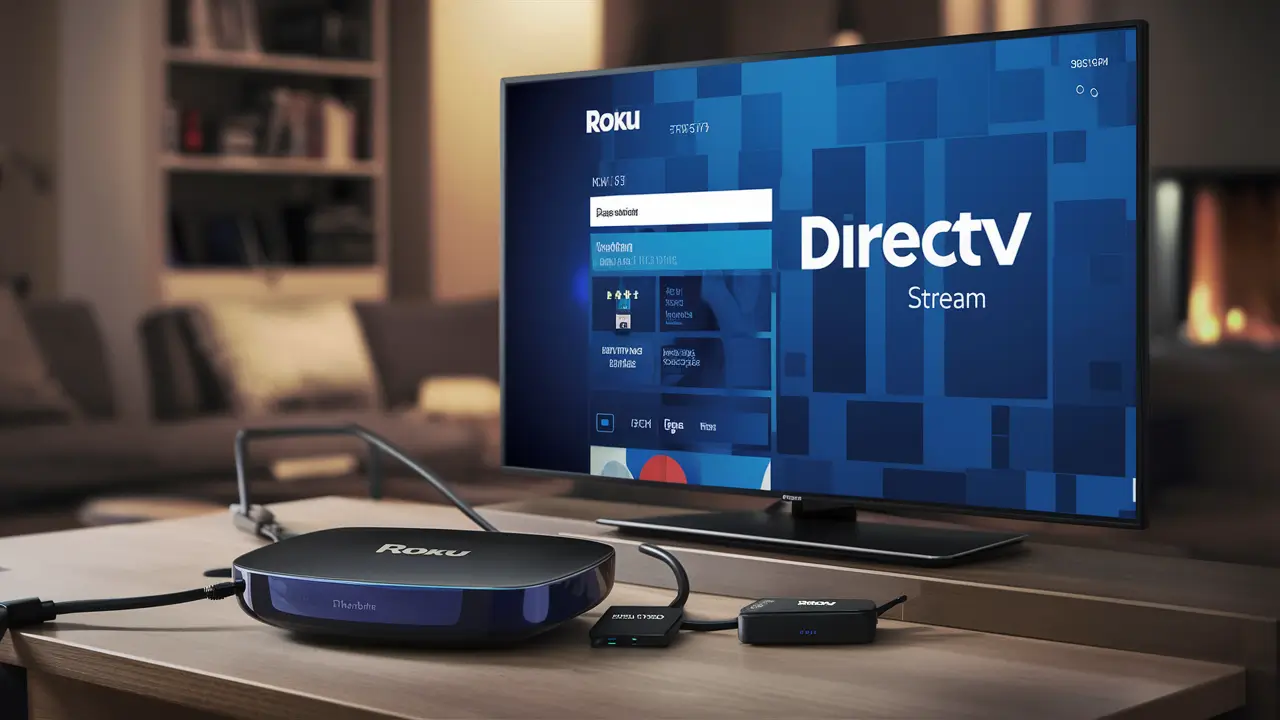
Yes, you absolutely can get DIRECTV Stream on your Roku device! This guide breaks down exactly how to set it up, what you need, and why it's a fantastic option for cord-cutters seeking live TV and on-demand content without traditional cable boxes. Discover the seamless integration and features that make Roku and DIRECTV Stream a winning combination.
What is DIRECTV Stream?
DIRECTV Stream is a robust live TV streaming service that aims to bridge the gap between traditional cable television and modern over-the-top streaming platforms. It offers a comprehensive lineup of national networks, regional sports networks (RSNs), and premium channels, all delivered over your internet connection. Unlike traditional DIRECTV satellite service, DIRECTV Stream requires no long-term contracts, no satellite dish installation, and can be accessed on a wide range of devices, including smart TVs, smartphones, tablets, and, crucially, streaming media players like Roku. It provides a familiar channel surfing experience combined with the flexibility and convenience of streaming technology, making it a compelling choice for those looking to cut the cord without sacrificing their favorite programming.
Roku Compatibility: The Essential Link
Roku stands as one of the most popular and accessible streaming platforms globally, known for its user-friendly interface, extensive app selection, and affordable hardware. The question "Can you get DIRECTV Stream on Roku?" is a critical one for millions of potential subscribers. The good news is that Roku devices are fully compatible with DIRECTV Stream. This means that if you own a Roku streaming stick, Roku Express, Roku Premiere, Roku Ultra, or a Roku TV (a television with Roku built-in), you can easily download and use the DIRECTV Stream application. This compatibility is a cornerstone of DIRECTV Stream's strategy to reach a broad audience, allowing users to leverage their existing Roku hardware to access a premium live TV streaming experience. The integration is seamless, providing a familiar interface for Roku users and a gateway to DIRECTV Stream's extensive content library.
Getting Started: DIRECTV Stream on Roku
Setting up DIRECTV Stream on your Roku device is a straightforward process, designed to get you streaming your favorite channels in minutes. The steps are intuitive, whether you're a seasoned streamer or new to the cord-cutting world. Here’s a detailed breakdown:
Step 1: Ensure Roku Compatibility
Before you begin, confirm that your Roku device is compatible. As mentioned, most modern Roku devices, including streaming sticks, boxes, and Roku TVs, support the DIRECTV Stream app. If you have a very old Roku model, it might not be supported, but for the vast majority of users, this step is simply a confirmation. You can check the official Roku website or your device's specifications if you're unsure. Generally, any Roku device manufactured in the last five to seven years should work perfectly fine.
Step 2: Sign Up for DIRECTV Stream
You'll need an active DIRECTV Stream subscription before you can access the app on your Roku. Visit the official DIRECTV Stream website (directv.com/stream) on a web browser. Here, you will browse the different subscription packages, compare features, and choose the one that best suits your viewing habits. During the sign-up process, you will create an account with a username and password. Keep these credentials handy, as you'll need them to log in on your Roku device. DIRECTV Stream offers various plans, each with a different channel lineup and price point, so take your time to select the most appropriate one for your needs. For 2025-26, pricing and package details are subject to change, so always refer to the official site for the most up-to-date information.
Step 3: Download the DIRECTV Stream App
Once your subscription is active, navigate to your Roku device's home screen. Use the Roku remote to access the "Streaming Channels" store. You can search for "DIRECTV Stream" using the on-screen keyboard or by using the voice search function if your Roku remote supports it. Once you find the DIRECTV Stream app, select it and choose "Add channel." The app will then be downloaded and installed onto your Roku device. This process typically takes only a minute or two, depending on your internet speed.
Step 4: Log In and Start Streaming
After the app has been installed, you will find it on your Roku device's home screen, usually at the end of your channel list. Select the DIRECTV Stream app to launch it. You will be prompted to enter the username and password you created when signing up for your DIRECTV Stream subscription. Enter these credentials carefully. Once logged in, you will be able to access the DIRECTV Stream interface and begin browsing live channels, on-demand content, and set up your DVR if your plan includes it. You are now ready to enjoy DIRECTV Stream on your Roku!
DIRECTV Stream Plans and Pricing (2025-26)
DIRECTV Stream offers a tiered approach to its channel packages, ensuring there's a plan for nearly every type of viewer. While specific pricing and channel lineups can fluctuate, especially with annual updates, here's a general overview of the popular plans expected for 2025-26, focusing on what makes each unique and how they might appeal to Roku users.
Entertainment Package
This is DIRECTV Stream's most basic and budget-friendly live TV package. It's designed for viewers who want a solid selection of popular national channels, including major broadcast networks (ABC, CBS, NBC, Fox in most markets), popular cable news channels, and a good range of entertainment and sports channels. For 2025-26, expect this package to include over 65 channels. It's an excellent starting point for families or individuals who primarily watch network television and popular cable shows. The price point is typically competitive within the live TV streaming market, making it an attractive option for those new to streaming or looking for a cost-effective alternative to cable.
Choice Package
Stepping up, the Choice package expands significantly on the Entertainment offering. It includes all the channels from the Entertainment package plus a wider array of sports channels, including many regional sports networks (RSNs). This is a crucial differentiator for DIRECTV Stream, as access to RSNs is highly valued by sports fans who want to watch their local teams. For 2025-26, this package is projected to offer over 90 channels, with a strong emphasis on sports and a broader selection of movie channels. It’s ideal for households with diverse viewing interests, particularly those who follow local sports.
Ultimate Package
The Ultimate package is for the serious TV enthusiast. It bundles everything from the Choice package and adds even more premium movie channels, entertainment channels, and a more extensive selection of sports programming. Expect over 130 channels in this tier for 2025-26. This includes channels like HBO, Cinemax, Showtime, and Starz, along with more niche sports networks. This package is geared towards viewers who want a comprehensive entertainment experience with a vast library of content at their fingertips, all accessible through their Roku device.
Premier Package
At the top of the lineup, the Premier package is DIRECTV Stream's most comprehensive offering. It includes all the channels from the Ultimate package, plus all the premium movie channels and a complete sports lineup. For 2025-26, this package is expected to feature over 150 channels, including every major premium network and a deep dive into sports. This is the ultimate cord-cutting solution for those who want every channel and premium service available without the hassle of multiple subscriptions or traditional cable contracts. It represents the pinnacle of DIRECTV Stream's content delivery on platforms like Roku.
Note on Pricing: For 2025-26, pricing for these packages will likely start in the range of $79.99/month for Entertainment, $99.99/month for Choice, $109.99/month for Ultimate, and $154.99/month for Premier. These are introductory prices and may increase after a promotional period. Always check the official DIRECTV Stream website for the most current pricing and promotional offers.
Key Features of DIRECTV Stream on Roku
Leveraging DIRECTV Stream on your Roku device unlocks a suite of features designed to enhance your viewing experience. These features are what set it apart from other streaming services and traditional cable.
Live TV Channels
The core offering of DIRECTV Stream is its extensive live TV channel selection. Depending on your chosen package, you gain access to hundreds of channels, from major broadcast networks and popular cable staples like ESPN, CNN, HGTV, and AMC, to specialized sports, news, and entertainment channels. The ability to watch these channels live, as they are broadcast, is a primary draw for many users transitioning from cable. The DIRECTV Stream app on Roku provides an intuitive guide to navigate these channels, making it easy to find what you want to watch.
On-Demand Library
Beyond live programming, DIRECTV Stream boasts a vast on-demand library. This includes thousands of movies and TV show episodes that you can watch at your convenience. New content is added regularly, ensuring there's always something fresh to discover. Whether you missed an episode of your favorite show or want to catch up on a classic movie, the on-demand section on the Roku app offers a rich selection, accessible with just a few clicks.
Cloud DVR Capabilities
A significant advantage of DIRECTV Stream is its integrated Cloud DVR functionality. For 2025-26, most plans include unlimited cloud DVR storage, allowing you to record your favorite shows, movies, and live events without worrying about running out of space. You can record multiple programs simultaneously and watch them back at your leisure, even on different devices. The DVR interface on Roku is user-friendly, making it simple to manage your recordings, schedule new ones, and catch up on what you've saved.
User Interface and Navigation
DIRECTV Stream has invested in creating a user-friendly interface that is well-suited for streaming devices like Roku. The app is designed for intuitive navigation, with clear menus for live TV, on-demand content, DVR recordings, and settings. The channel guide is easy to read and navigate using the Roku remote. For Roku users, the experience feels natural, integrating seamlessly with the familiar Roku operating system. Search functionalities are robust, allowing you to quickly find specific channels, shows, or movies.
Multi-Device Streaming
DIRECTV Stream allows for simultaneous streaming on multiple devices, including your Roku, smartphones, tablets, and computers. The number of simultaneous streams can vary by package or promotion, but typically, users can stream on at least two or three devices at once. This means different family members can watch different programs on different devices simultaneously without interruption, adding significant flexibility to your household's entertainment.
Comparing DIRECTV Stream to Other Streaming Services
When considering DIRECTV Stream on Roku, it's helpful to see how it stacks up against other popular live TV streaming services. Each service has its strengths and weaknesses, and the best choice often depends on individual priorities like channel selection, price, and specific features.
DIRECTV Stream vs. YouTube TV
YouTube TV is a strong competitor, offering a comprehensive channel lineup (over 100 channels) and unlimited DVR storage. It's known for its user-friendly interface and excellent sports coverage, including RSNs. For 2025-26, YouTube TV's price is often slightly lower than DIRECTV Stream's comparable packages. However, DIRECTV Stream's strength lies in its deeper integration with traditional DIRECTV infrastructure and potentially more premium channel add-ons. YouTube TV also has a slightly more modern, streamlined interface that some users prefer. Both are excellent choices for Roku users, with YouTube TV often winning on price and DVR, while DIRECTV Stream might edge out on certain premium channel bundles or RSN availability in specific regions.
DIRECTV Stream vs. Hulu + Live TV
Hulu + Live TV offers a compelling package that includes live TV channels, the entire on-demand Hulu library, and access to Disney+ and ESPN+. This bundle is incredibly attractive for families and entertainment enthusiasts. For 2025-26, Hulu + Live TV typically has a slightly smaller live channel count than DIRECTV Stream's higher tiers but compensates with its extensive on-demand content and bundled streaming services. Its DVR is limited to 200 hours, unlike DIRECTV Stream's unlimited offering. Hulu's interface is also a bit more complex due to its integration of on-demand content. DIRECTV Stream is often preferred by those who prioritize live sports and a broader range of RSNs, while Hulu + Live TV is a fantastic all-in-one entertainment hub.
DIRECTV Stream vs. Sling TV
Sling TV is known for its affordability and customizable channel packages. It offers two base packages, Sling Orange and Sling Blue, which can be combined, and numerous add-on "Extras" for sports, kids, news, and more. For 2025-26, Sling TV's base packages are significantly cheaper than DIRECTV Stream, but its channel count is much lower, and its DVR is limited (20-50 hours depending on the plan). Sling TV is ideal for budget-conscious viewers who only want specific channels and are willing to build their own package. DIRECTV Stream offers a more complete, traditional TV-like experience with a much larger channel selection out of the box, including RSNs, which Sling TV struggles to match without expensive add-ons.
DIRECTV Stream vs. FuboTV
FuboTV markets itself heavily as a sports-first streaming service, offering a massive array of sports channels, including many international leagues and a wide selection of RSNs. For 2025-26, FuboTV's channel count often rivals or exceeds DIRECTV Stream's higher tiers, especially in sports. Its DVR offers 1000 hours of storage, which is ample for most users. FuboTV's pricing is generally competitive, though its higher tiers can become expensive. The primary difference often comes down to specific channel lineups, particularly RSNs, and the overall user interface. Both are excellent for sports fans on Roku, but DIRECTV Stream might offer a more balanced mix of sports, entertainment, and news for general audiences.
Here's a comparative table to summarize:
| Service | Starting Price (Approx. 2025-26) | Key Strength | DVR | Notable Feature |
|---|---|---|---|---|
| DIRECTV Stream | $79.99/mo | RSN access, broad channel selection | Unlimited | No contract, no equipment |
| YouTube TV | $72.99/mo | Unlimited DVR, user-friendly | Unlimited | Excellent sports coverage |
| Hulu + Live TV | $76.99/mo | Bundled Hulu/Disney+/ESPN+ | 200 hours | Vast on-demand library |
| Sling TV | $40.00/mo (Orange or Blue) | Affordability, customization | 20-50 hours | Modular packages |
| FuboTV | $79.99/mo | Extensive sports channels | 1000 hours | International sports focus |
Troubleshooting Common Issues
While DIRECTV Stream on Roku is generally reliable, like any streaming service, you might occasionally encounter issues. Here are some common problems and their solutions:
App Not Loading or Crashing
If the DIRECTV Stream app fails to launch or closes unexpectedly, several factors could be at play. First, ensure your Roku device's software is up to date. Go to Settings > System > System Update > Check now. Also, verify that your internet connection is stable. A weak Wi-Fi signal can cause performance issues. Try restarting your Roku device by going to Settings > System > Power > System restart. If the problem persists, try uninstalling and then reinstalling the DIRECTV Stream app from the Roku Channel Store. This often resolves corrupted app data.
Streaming Quality Problems
Pixelated video, buffering, or audio/video sync issues are usually related to your internet connection or the DIRECTV Stream servers. Check your internet speed using a speed test app or website on another device connected to the same network. DIRECTV Stream recommends a minimum download speed of 25 Mbps for HD streaming. If your speed is insufficient, try moving your Roku device closer to your router, restarting your router and modem, or reducing the number of devices using your internet simultaneously. If the issue is intermittent, it might be a temporary server-side problem that will resolve on its own.
Login Issues
If you're having trouble logging into the DIRECTV Stream app on your Roku, double-check that you are entering the correct username and password. These are the credentials you created when signing up for your DIRECTV Stream account. If you've forgotten your password, you can reset it by visiting the DIRECTV Stream website and using the "Forgot Password" link. Ensure that your subscription is active and that there are no billing issues with your DIRECTV Stream account. Sometimes, simply restarting the app and your Roku device can clear temporary authentication glitches.
The Future of DIRECTV Stream and Roku
The partnership between DIRECTV Stream and Roku is set to continue evolving. As both platforms are leaders in their respective fields – DIRECTV Stream in live TV streaming and Roku in streaming device market share – their integration is a strategic win-win. We can anticipate ongoing improvements to the DIRECTV Stream app on Roku, potentially including enhanced features, more personalized content recommendations, and tighter integration with Roku's voice search capabilities. DIRECTV Stream is committed to offering a premium live TV experience without the constraints of traditional cable, and Roku's widespread adoption makes it an indispensable platform for achieving this goal. As the streaming landscape matures through 2025-26 and beyond, expect DIRECTV Stream to leverage Roku's user base to deliver an increasingly sophisticated and convenient entertainment solution. This includes potential advancements in 4K streaming, interactive features, and even more seamless DVR management directly within the Roku ecosystem.
Conclusion: Your Streaming Solution
The answer to "Can you get DIRECTV Stream on Roku?" is a resounding yes, and it's an excellent combination for modern entertainment. With DIRECTV Stream, you gain access to a vast array of live TV channels, an extensive on-demand library, and powerful cloud DVR capabilities, all delivered through the user-friendly interface of your Roku device. The ease of setup, the flexibility of no-contract plans, and the wide range of package options make it a compelling alternative to traditional cable. Whether you're a sports enthusiast seeking RSNs, a movie buff, or just looking for reliable access to your favorite broadcast and cable channels, DIRECTV Stream on Roku offers a comprehensive and satisfying solution. By following the simple steps outlined in this guide, you can quickly transform your Roku device into a powerful hub for all your live and on-demand viewing needs, making cord-cutting a seamless and enjoyable transition.


