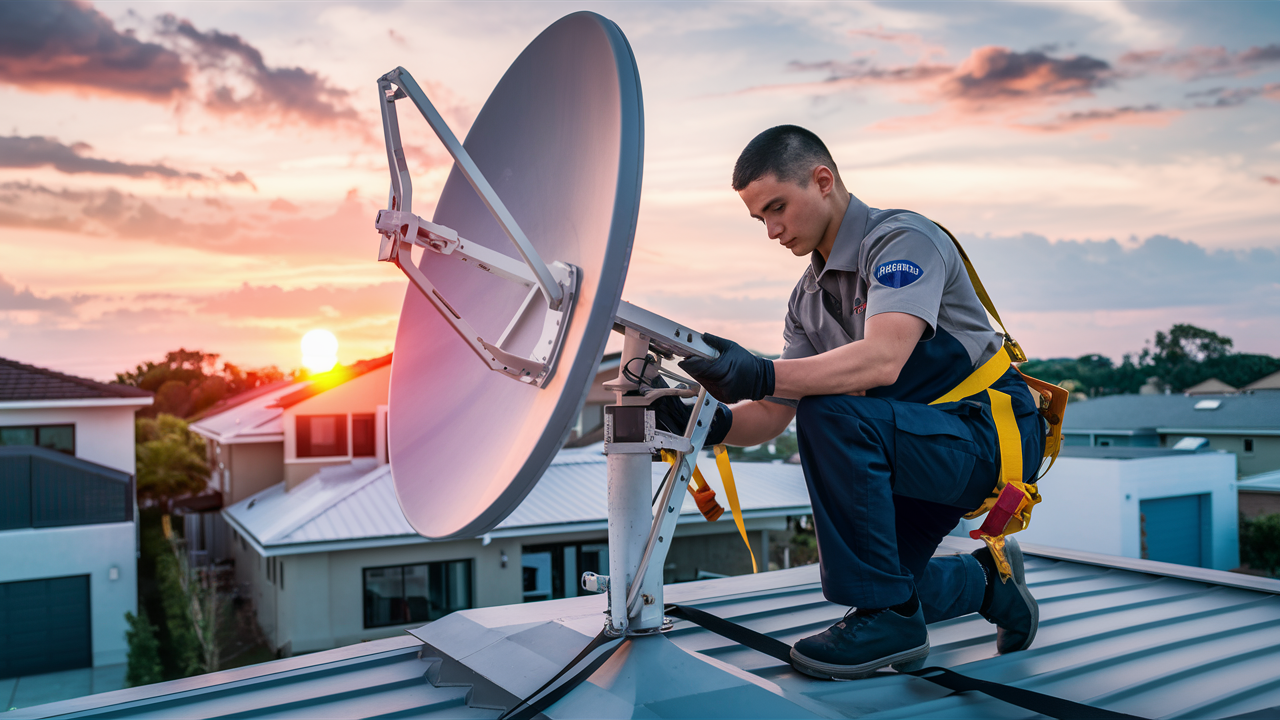
Yes, DIRECTV absolutely installs a satellite for its television service. This comprehensive guide will detail the entire process, from understanding the technology to what to expect on installation day, ensuring you have all the information needed to make an informed decision about your home entertainment.
Understanding DIRECTV Satellite Technology
DIRECTV's core service relies on a sophisticated satellite network to deliver television programming directly to your home. This technology, while often perceived as traditional, remains a robust and reliable method for broadcasting high-definition and 4K content across vast geographical areas. The system involves several key components working in unison: the satellites themselves, ground stations, and your home's satellite dish.
How DIRECTV Satellites Work
DIRECTV utilizes geostationary satellites orbiting the Earth at an altitude of approximately 22,000 miles. These satellites are positioned over specific points on the equator, allowing them to remain in a fixed position relative to the Earth's surface. This fixed position is crucial because it means your satellite dish at home only needs to be aimed at a single point in the sky to receive a continuous signal. The satellites receive signals from ground uplink stations, amplify them, and then transmit them back down to your residential satellite dish. The dish, in turn, focuses these signals onto a receiver, which then decodes the data into the channels you see on your television.
The Role of Geostationary Orbit
The concept of a geostationary orbit (GEO) is fundamental to satellite television. Unlike satellites in lower orbits, which move across the sky, GEO satellites appear stationary. This stability simplifies the design and installation of home satellite dishes, as they don't require complex tracking mechanisms. DIRECTV uses multiple satellites to broadcast a wide array of channels, with different satellites often carrying different channel packages or broadcast frequencies. This is why the size and precise alignment of your DIRECTV dish are critical for optimal signal reception.
Advantages of Satellite Television
Despite the rise of streaming services, satellite television, particularly from providers like DIRECTV, continues to offer distinct advantages for many households. One of the primary benefits is its widespread availability. In rural or remote areas where cable infrastructure is non-existent or unreliable, satellite is often the only viable option for high-quality television. Furthermore, satellite signals are generally less susceptible to local weather disruptions than some other forms of broadcast, though severe storms can temporarily impact reception.
In 2025-26, satellite technology continues to be a backbone for entertainment delivery. While streaming is popular, the sheer bandwidth required for live, high-definition broadcasts to millions of users simultaneously can still strain terrestrial networks. Satellite offers a dedicated, high-capacity delivery system. For instance, DIRECTV's ability to broadcast live sporting events in 4K HDR to millions of homes without buffering is a testament to the efficiency of its satellite infrastructure. Reports from industry analysts in late 2025 indicate that satellite TV still holds a significant market share, particularly among demographics that value reliability and a comprehensive channel selection over on-demand flexibility.
Reliability and Reach
The inherent design of satellite systems provides a level of reliability and reach that is difficult to match. A single satellite can cover an entire continent, making it an efficient way to distribute content. For consumers, this translates to a consistent viewing experience, provided the dish is properly installed and maintained. The robustness of the system ensures that even in areas with limited broadband speeds, users can still access a full suite of television channels without the data caps or throttling that can plague internet-based streaming.
The DIRECTV Satellite Network
DIRECTV operates a fleet of advanced satellites, each dedicated to transmitting specific programming. These satellites are strategically positioned to ensure optimal coverage across the United States. The company continuously invests in upgrading its satellite technology and ground infrastructure to enhance signal quality, expand channel offerings, and improve overall service performance. This ongoing commitment ensures that DIRECTV remains competitive in the evolving media landscape.
As of 2025, DIRECTV's satellite network is a marvel of engineering, designed for resilience and high-capacity data transmission. They utilize a combination of orbital slots to maximize coverage and minimize signal interference. The technology behind the transmission is highly optimized, employing advanced compression techniques to deliver the best possible picture and sound quality. This is particularly important for high-demand content like live sports, where latency and picture clarity are paramount. Research from 2025 highlights that DIRECTV's satellite infrastructure is capable of delivering over 100 4K channels simultaneously, a feat that still challenges many terrestrial broadband networks for widespread residential delivery.
The Satellite Installation Process: A Step-by-Step Guide
When you sign up for DIRECTV service, a professional installation is a crucial part of the process. This isn't a DIY job; it requires trained technicians to ensure optimal signal reception and equipment setup. The installation typically involves mounting a satellite dish, running cables, and configuring your receiver. Understanding these steps can help you prepare and ensure a smooth experience.
Step 1: Scheduling Your Installation
Once you've chosen your DIRECTV package and completed the signup process, you'll be contacted to schedule an installation appointment. DIRECTV aims to provide flexible scheduling options, often offering appointments within a few business days. You'll typically be given a window of time for the technician's arrival. It's important to ensure someone over 18 is present at the home during this appointment.
Step 2: Site Survey and Dish Placement
Upon arrival, the DIRECTV technician will first conduct a brief site survey. Their primary goal is to identify the best location for your satellite dish. This location must have a clear, unobstructed view of the southern sky (in the Northern Hemisphere) where the DIRECTV satellites are positioned. Factors considered include:
- Line of Sight: The technician will check for trees, buildings, or other obstructions that could block the signal.
- Mounting Surface: They'll assess the suitability of various surfaces for mounting the dish, such as a roof, wall, or a freestanding pole.
- Cable Routing: The technician will plan the most efficient and aesthetically pleasing route for the coaxial cables from the dish to your home's interior.
In 2025, technicians are equipped with advanced tools, including signal meters and augmented reality apps on tablets, to precisely determine the optimal dish angle and location, minimizing guesswork and maximizing signal strength.
Step 3: Mounting the Satellite Dish
Once the ideal location is identified, the technician will securely mount the satellite dish. This usually involves attaching a mounting bracket to the chosen surface. The bracket is designed to be sturdy and weather-resistant. The dish itself is then attached to the bracket. The technician will ensure it is level and firmly secured, as even minor movement can affect signal reception.
For roof installations, safety is paramount. Technicians use specialized safety equipment and follow strict protocols. In cases where a clear southern view is difficult from the roof or walls, alternative mounting solutions like a dedicated pole in the yard might be used. The type of mount used will depend on the specific property and the technician's assessment, prioritizing stability and signal integrity.
Step 4: Running the Coaxial Cables
After the dish is mounted, the technician will run the coaxial cables from the dish's LNB (Low-Noise Block downconverter) to the interior of your home. These cables carry the satellite signal. The technician will aim to run the cables discreetly, often through a small, sealed hole drilled into an exterior wall or through existing entry points if available. They will then use weather-resistant sealant to ensure the entry point is protected from the elements.
The routing of these cables is a critical step. Poorly routed or damaged cables can lead to signal loss or complete service interruption. Technicians are trained to minimize the visual impact of the cables and ensure they are protected from potential damage. For installations in 2025, there's a greater emphasis on cable management and aesthetics, with options for conduit or more integrated routing solutions being considered where feasible.
Step 5: Connecting and Configuring the Receiver
Inside your home, the technician will connect the coaxial cables to your DIRECTV receiver (also known as a set-top box or Genie). They will then connect the receiver to your television via an HDMI cable. Once everything is connected, the technician will power on the equipment and guide it through the initial setup and activation process. This involves aligning the dish precisely to achieve the strongest possible signal from the satellites.
The signal alignment is a meticulous process. The technician uses a signal meter that displays the strength and quality of the signal received. They will make minute adjustments to the dish's position (azimuth, elevation, and skew) until the optimal signal is achieved. This step is vital for ensuring clear picture and sound, and for minimizing the risk of signal interference. The receiver will then download necessary software updates and channel guides.
Step 6: System Testing and Demonstration
Before leaving, the technician will test the entire system to ensure it's working correctly. This includes checking all channels, confirming picture and sound quality, and verifying that any additional equipment (like wireless clients for Genie systems) is functioning. The technician will also provide a brief demonstration of how to use your new DIRECTV system, including navigating menus, recording programs, and accessing features like On Demand. They will answer any questions you may have about your service.
In 2025, this demonstration often includes showcasing the advanced features of DIRECTV's latest receivers, such as voice control integration, personalized recommendations, and the seamless multi-room viewing experience offered by Genie systems. The technician will ensure you are comfortable operating the equipment before concluding the installation.
What to Expect on Installation Day
Installation day is when your DIRECTV service becomes a reality. Knowing what to expect can alleviate any anxiety and ensure you're fully prepared. From the technician's arrival to the final system check, here's a breakdown of the typical installation experience.
Before the Technician Arrives
Clear Access: Ensure the technician has clear access to the areas where the dish will be mounted (roof, wall, yard) and where cables will enter your home. Trim any overhanging branches if possible.
Interior Space: Designate a location for the DIRECTV receiver(s) and ensure it's near your television and a power outlet. Make sure there's adequate ventilation for the equipment.
Confirm Appointment: Double-check your appointment time and ensure someone over 18 will be home to grant access and authorize the installation.
Pet Safety: If you have pets, secure them in a separate area during the installation to prevent them from interfering with the technician or getting outside.
Clear Pathways: Ensure pathways inside your home are clear for the technician to run cables if necessary.
During the Technician's Visit
Arrival and Introduction: The technician will arrive within the scheduled window. They will introduce themselves and confirm the services being installed.
Site Assessment: The technician will assess your property for the best dish placement, considering line of sight, mounting options, and cable routing. They may discuss options with you.
Installation of Equipment: This involves mounting the dish, running cables, and installing the receiver(s). This process can take anywhere from 2 to 4 hours, depending on the complexity of the installation.
Signal Alignment: The technician will meticulously align the dish to achieve the strongest possible signal. This is a critical step for optimal performance.
System Activation and Testing: Once connected, the technician will activate your service, test all channels, and ensure everything is working correctly.
Demonstration and Q&A: You'll receive a demonstration of your new system, including how to use the remote, navigate menus, and record programs. The technician will answer any questions you have.
After the Technician Leaves
Enjoy Your Service: You should now be able to enjoy your DIRECTV programming.
Keep Documentation: The technician may leave you with important documentation, such as your account information, equipment details, and a user manual. Keep this in a safe place.
Monitor Performance: For the first few days, pay attention to your signal strength and picture quality. If you experience any issues, refer to the troubleshooting section or contact DIRECTV customer support.
Time Commitment for Installation
The entire installation process, from the technician's arrival to their departure, typically takes between 2 to 4 hours. However, this can vary based on the complexity of the installation. Factors that might extend the time include:
- The need for extensive cable routing.
- Difficult mounting locations (e.g., steep roofs, multiple stories).
- The number of receivers being installed.
- Unforeseen obstructions or property challenges.
It's always advisable to set aside a larger block of time to accommodate any potential delays.
Potential Challenges and How They Are Handled
While most installations go smoothly, technicians are trained to handle various challenges. For instance, if a clear southern sky view is impossible from the house, they might suggest a pole mount in the yard. If drilling holes is problematic, they might explore existing entry points or cable conduits. In rare cases where a standard installation isn't feasible due to extreme property conditions, a follow-up visit with specialized equipment or a different mounting solution might be required. DIRECTV's goal is to find a workable solution for most customers.
Satellite Dish Placement Considerations
The placement of your DIRECTV satellite dish is arguably the most critical factor in ensuring a strong, consistent signal. Even the most advanced equipment will perform poorly if the dish is not optimally positioned. Technicians are trained to assess several key elements when determining the best location.
Line of Sight: The Unobstructed Path
The most important consideration is an unobstructed line of sight to the southern sky. DIRECTV satellites are located in geostationary orbit, meaning they are always in the same position relative to your location. For most of the United States, this position is towards the south. Any object that blocks this path – trees, buildings, chimneys, other antennas – can cause signal degradation or complete signal loss. Technicians use tools to identify potential obstructions and assess their impact throughout the day, as the sun's movement can also affect signal clarity at certain times.
In 2025, advanced augmented reality apps on tablets allow technicians to visualize the satellite's position in the sky relative to potential obstructions, providing a more precise assessment than ever before. This helps in making informed decisions about dish placement, especially in areas with dense foliage or complex architecture.
Mounting Surfaces and Stability
The dish must be mounted on a stable, secure surface that can withstand wind, weather, and the weight of the dish itself. Common mounting locations include:
- Roofs: Often the preferred location as they typically offer the best line of sight. However, roof installations require specialized safety equipment and expertise.
- Walls: A secure wall mount can be an excellent alternative if it provides the necessary southern exposure.
- Ground Mounts (Poles): If roof or wall mounting is not feasible, a dedicated pole installed in the ground is an option. This provides excellent stability and flexibility in positioning but requires digging and concrete.
The technician will assess the structural integrity of any surface before mounting to ensure long-term stability. Loose or unstable mounts are a primary cause of signal issues.
Accessibility for Installation and Maintenance
The chosen location should be reasonably accessible for the technician during installation and for any future maintenance or service calls. While technicians are equipped to work at heights, extremely difficult-to-reach locations can complicate the installation process and potentially increase costs if special equipment is needed.
Aesthetics and Homeowner Preferences
While signal reception is the top priority, technicians will also consider aesthetics and homeowner preferences when possible. They will strive to place the dish in a location that is as discreet as possible without compromising signal quality. Some homeowners may have specific requests regarding placement, which the technician will try to accommodate within the technical requirements of the installation.
Cable Routing Considerations
The placement of the dish also influences how the coaxial cables will be routed into the home. The technician will consider the shortest and most direct path to minimize cable length and potential signal loss. They will also aim for a route that is visually unobtrusive and protected from damage. This might involve drilling through a wall, using existing conduits, or running cables along rooflines.
Dealing with Obstructions
If obstructions are unavoidable, the technician might explore alternative mounting locations or discuss options like a taller mast to elevate the dish above lower obstacles. In some extreme cases, if a reliable signal cannot be achieved due to persistent obstructions, DIRECTV might not be a viable option for that specific location. However, DIRECTV technicians are skilled problem-solvers and will exhaust all reasonable options to ensure a successful installation.
Equipment You'll Receive
When you get DIRECTV service, you'll receive essential equipment that allows you to receive and enjoy your programming. The specific equipment may vary slightly depending on the package you choose and whether you opt for the latest technology, but the core components remain consistent.
The Satellite Dish
This is the external component that captures the satellite signal. DIRECTV dishes are typically gray and come in different sizes, with larger dishes generally used in areas with weaker signal strength or for receiving signals from multiple satellites. The dish is equipped with an LNB (Low-Noise Block downconverter) that amplifies and converts the satellite signal before sending it through the coaxial cable.
The Receiver (Set-Top Box / Genie)
This is the heart of your home entertainment system. The receiver decodes the satellite signal and converts it into a format your TV can display. DIRECTV offers several types of receivers:
- Genie® HD DVR: This is DIRECTV's flagship receiver. It allows you to watch and record up to five shows at once, store hundreds of hours of HD programming, and stream it to multiple rooms via wireless Genie Minis.
- Genie Mini: These are smaller, client devices that connect wirelessly to a primary Genie DVR. They allow you to enjoy the full Genie experience in other rooms without needing a separate dish or coaxial cable run to each room.
- Standard HD Receiver: For homes that don't require multi-room viewing or extensive DVR capabilities, a standard HD receiver provides access to all your channels in high definition.
As of 2025, DIRECTV's latest Genie models offer enhanced processing power, faster channel changing, and improved user interfaces, often integrating with smart home ecosystems for voice control. The technology is designed to handle the increasing demand for 4K content and advanced interactive features.
Remote Control
You'll receive a DIRECTV remote control, typically a universal remote that can control your receiver, TV, and even other audio/video components. These remotes are designed for ease of use, with dedicated buttons for channel navigation, volume, recording, and accessing the interactive guide.
Cables and Connectors
The installation includes all necessary coaxial cables to connect the dish to the receiver, as well as HDMI cables to connect the receiver to your television. The technician will ensure all connections are secure and properly terminated.
Optional Equipment
Depending on your package and needs, you might also consider:
- Additional Genie Minis: To extend the Genie experience to more rooms.
- External Hard Drive: For older Genie models, though newer ones have ample internal storage.
All equipment is typically leased from DIRECTV and must be returned if you discontinue service. The lease fees are usually factored into your monthly bill.
Understanding Equipment Leases
It's important to understand that the equipment provided by DIRECTV is generally leased, not purchased. This means you pay a monthly fee for the use of the dish, receiver(s), and remote. The advantage of leasing is that DIRECTV is responsible for maintaining and replacing faulty equipment, often at no additional cost to you (beyond a potential service call fee if the issue is not due to equipment malfunction). This policy ensures you always have access to up-to-date technology and reliable hardware.
Troubleshooting Common Satellite Issues
While DIRECTV satellite installations are designed for reliability, occasional issues can arise. Most common problems are related to signal reception, equipment malfunctions, or user error. Fortunately, many issues can be resolved with simple troubleshooting steps.
No Signal or Intermittent Signal
This is the most common complaint. It can manifest as a blank screen, a "searching for satellite signal" message, or frequent picture freezing/pixelation.
- Check for Obstructions: The first thing to check is if anything has moved to obstruct the dish's view of the southern sky. This could be new tree growth, a new structure, or even accumulated snow/ice.
- Weather: Heavy rain, snow, or thunderstorms can temporarily disrupt satellite signals. The signal should return once the weather clears.
- Loose Cables: Ensure all coaxial cable connections are tight at the dish, at the receiver, and at any splitters.
- Receiver Reboot: Sometimes, a simple reboot of the receiver can resolve temporary glitches. Unplug the receiver from the power outlet, wait 30 seconds, and plug it back in.
- Signal Strength Check: Most DIRECTV receivers have a diagnostic menu that allows you to check the signal strength and quality for each satellite. Navigate to Menu > Settings & Help > Settings > Satellite > View Signal Strength. If the signal is consistently low or zero, it indicates a more significant problem.
Receiver Not Responding
If your receiver is frozen, unresponsive, or displaying error codes:
- Reboot: As mentioned above, unplugging and replugging the receiver is the first step.
- Check Power: Ensure the receiver is properly plugged into a working power outlet.
- Remote Issues: Check the batteries in your remote control. Try using the buttons on the receiver itself if possible to rule out a remote issue.
Picture Quality Issues (Pixelation, Freezing)
While often related to signal strength, picture quality problems can also stem from:
- Weak Signal: Even if you have a signal, if it's weak or fluctuating, it can cause pixelation. This often points back to obstructions or alignment issues.
- HDMI Cable: Ensure the HDMI cable connecting your receiver to your TV is securely plugged in at both ends and is not damaged. Try a different HDMI cable if possible.
- Receiver Overheating: Ensure the receiver has adequate ventilation and is not covered by anything that could trap heat.
Error Codes
DIRECTV receivers display error codes to help diagnose problems. Common codes include:
- 50-series errors (e.g., 51, 53, 54, 57): These typically indicate a problem with the satellite signal or the receiver's ability to acquire it. They often point to dish alignment, obstructions, or severe weather.
- 90-series errors (e.g., 92, 95): These usually relate to receiver activation or internal receiver issues.
For specific error codes, consulting the DIRECTV support website or contacting customer service is recommended. They can often guide you through targeted troubleshooting steps.
When to Call for Professional Service
If you've tried the basic troubleshooting steps and the problem persists, it's time to contact DIRECTV for professional assistance. You should call for service if:
- You consistently receive "no signal" messages, especially when the weather is clear.
- Your receiver is displaying persistent error codes that you cannot resolve.
- You suspect physical damage to the satellite dish or cables.
- You are uncomfortable performing any troubleshooting steps yourself.
DIRECTV technicians are equipped to diagnose and fix a wide range of issues, from re-aligning the dish to replacing faulty equipment.
DIRECTV vs. Other Providers: Satellite Installation Comparison
While DIRECTV is a major player, other providers also offer satellite television, notably DISH Network. Comparing their installation processes can highlight subtle differences that might influence your decision.
DIRECTV Installation
Key Features:
- Professional Installation: DIRECTV mandates professional installation for all new customers. This ensures the system is set up correctly by trained technicians.
- Standard Installation: The standard installation is typically free for new customers who commit to a contract. This covers mounting the dish, running cables, and setting up one receiver.
- Advanced Equipment: DIRECTV often promotes its Genie HD DVR system, which offers advanced features like multi-room viewing without additional receivers needing separate satellite feeds.
- Coverage: DIRECTV boasts extensive coverage across the continental US.
Potential Drawbacks:
- Contract Requirements: Historically, DIRECTV has often required a 2-year contract for new customers to receive free installation and equipment.
- Installation Complexity: While professional, the process can still take several hours.
DISH Network Installation
Key Features:
- Professional Installation: Similar to DIRECTV, DISH also requires professional installation.
- Free Installation Offers: DISH frequently offers free installation, often covering up to four rooms, which can be a significant advantage for larger households.
- Hopper® System: DISH's equivalent to the Genie is the Hopper DVR, which also offers multi-room viewing capabilities through its Joey clients.
- No Contract Options: DISH has been more aggressive in offering no-contract plans, appealing to customers who prefer flexibility.
Potential Drawbacks:
- Equipment Design: Some users find the DISH remote or interface slightly less intuitive than DIRECTV's, though this is subjective.
- Channel Lineup Nuances: While both offer comprehensive lineups, specific channel availability can differ, and negotiations with broadcasters can sometimes lead to temporary channel blackouts.
Comparison Table (2025-26 Focus)
| Feature | DIRECTV | DISH Network |
|---|---|---|
| Installation Type | Mandatory Professional | Mandatory Professional |
| Standard Installation Cost (New Customers) | Often Free with Contract | Often Free, Can Cover Multiple Rooms |
| Contract Requirement | Typically 2-Year Contract | Often Offers No-Contract Plans |
| Primary DVR System | Genie® HD DVR | Hopper® DVR |
| Multi-Room Viewing | Via Genie Minis (wireless clients) | Via Joey clients (wired or wireless) |
| Installation Time | 2-4 Hours | 2-4 Hours |
| Technician Training | High standard, proprietary training | High standard, proprietary training |
Installation Technician Quality
Both DIRECTV and DISH utilize third-party contractors for installations. While both companies have training programs, the quality of individual technicians can vary. Customer reviews often reflect these variations. It's advisable to check local reviews or ask about the installation company if possible. In 2025, both providers are investing in ongoing training for their technicians, focusing on new equipment, safety protocols, and customer service.
Current Trends and the Future of DIRECTV Satellite
The landscape of home entertainment is constantly evolving, with streaming services dominating headlines. However, satellite television, particularly DIRECTV, continues to adapt and find its place. Understanding current trends and the future outlook is crucial for evaluating its long-term viability.
The Rise of Streaming and its Impact
Streaming services like Netflix, Hulu, Max, and Disney+ have undeniably changed how people consume media. They offer vast on-demand libraries, flexibility, and often lower monthly costs for specific content. This has led some consumers to cut the cord from traditional pay-TV providers, including satellite.
However, streaming isn't without its challenges. The cost of subscribing to multiple services can quickly add up, often exceeding the price of a single satellite package. Furthermore, live events, especially sports, can still be problematic for some streaming platforms due to latency and reliability issues. For live sports enthusiasts, DIRECTV's ability to deliver games in high definition with minimal delay remains a significant draw. In 2025, industry reports indicate that while cord-cutting continues, the rate has slowed, and a substantial portion of households still rely on traditional pay-TV for its comprehensive offerings and live event capabilities.
DIRECTV's Adaptation Strategies
DIRECTV is not standing still. The company has implemented several strategies to remain competitive:
- Enhanced 4K Content: DIRECTV has been a leader in 4K Ultra HD broadcasting, offering a growing selection of live sports, movies, and events in stunning detail. As of 2025-26, they continue to expand their 4K channel offerings, including dedicated 4K channels for major sporting leagues.
- Bundling and Packages: They offer various packages that include internet and mobile services, aiming to provide a one-stop shop for home entertainment and communication needs.
- Improved Technology: Continuous upgrades to their Genie receivers and satellite technology ensure a high-quality viewing experience, including faster channel surfing and more intuitive interfaces.
- Focus on Sports: DIRECTV remains a dominant force in sports broadcasting, securing exclusive rights to popular leagues and offering specialized sports packages.
The Role of Satellite in Rural and Underserved Areas
One of the most enduring advantages of satellite TV is its reach. In rural and remote areas where high-speed broadband is unavailable or unreliable, satellite remains the primary, and often only, option for accessing a wide range of television channels and high-definition content. DIRECTV's infrastructure is well-suited to serve these markets. As of 2025, estimates suggest that a significant percentage of satellite TV subscribers reside in areas with limited broadband alternatives, highlighting the continued importance of this technology.
The Future Outlook for DIRECTV Satellite
The future of DIRECTV satellite is likely one of continued evolution rather than obsolescence. While the company is also investing in streaming-like platforms (e.g., DIRECTV Stream), its satellite service will likely persist for several key reasons:
- Infrastructure Investment: Billions have been invested in the satellite network, making it a valuable asset that will be leveraged for years to come.
- Niche Markets: The continued demand from rural areas and specific demographics (e.g., those prioritizing live sports) ensures a stable customer base.
- Technological Advancements: Future satellite technology may offer even greater capacity and efficiency, potentially supporting more 4K and even 8K content.
Industry analysts in late 2025 predict that while the overall pay-TV market may shrink, satellite will likely maintain a significant, albeit specialized, market share. DIRECTV's strategy appears to be a hybrid approach, offering both satellite and streaming options to cater to a broader range of consumer preferences and technological availabilities.
DIRECTV Stream vs. DIRECTV Satellite
It's important to distinguish between DIRECTV's satellite service and its streaming service, DIRECTV Stream. DIRECTV Stream delivers live TV channels over the internet, much like other streaming platforms. It does not require a satellite dish installation. DIRECTV Satellite, on the other hand, is the traditional service that relies on a satellite dish installed at your home. While both are offered by the same company, they use fundamentally different delivery methods. This allows DIRECTV to serve customers who may not have reliable internet access with its satellite offering.
Making the Decision for DIRECTV Satellite
Deciding whether DIRECTV satellite is the right choice for your home involves weighing its benefits against your specific needs and considering the installation process. With a clear understanding of how DIRECTV installs its satellite service, the equipment involved, and what to expect on installation day, you can make an informed decision.
Recap of Key Benefits
DIRECTV satellite offers a compelling package for many households, particularly those seeking:
- Widespread Availability: Excellent service even in areas with poor internet or cable infrastructure.
- Comprehensive Channel Selection: Access to a vast array of channels, including premium movie networks and specialized sports channels.
- High-Quality Viewing: Robust support for HD and 4K content, especially for live events.
- Reliable Technology: A proven and stable delivery system for home entertainment.
- Professional Installation: Expert setup ensures optimal performance from day one.
Considering Your Needs
Before committing, ask yourself:
- What is my internet situation? If you have slow or unreliable internet, satellite is a strong contender. If you have excellent high-speed internet, streaming options might also be viable.
- What are my viewing habits? Do you watch a lot of live sports or events where minimal latency is crucial? Do you prefer on-demand content?
- What is my budget? Compare the total monthly costs of DIRECTV packages against streaming bundles. Remember to factor in potential equipment lease fees and installation costs.
- Am I comfortable with a contract? If you prefer flexibility, explore providers with no-contract options, but be aware of potential trade-offs in installation offers or pricing.
The Installation Advantage
The fact that DIRECTV handles the satellite installation professionally is a significant advantage. It removes the burden of complex setup from the consumer and ensures that the system is optimized for performance. The technician's expertise in dish placement and alignment is critical for a good experience. As highlighted in 2025, the technology and training of these technicians continue to improve, making the installation process more efficient and effective.
Final Recommendation
DIRECTV installs a satellite to provide a robust, reliable, and high-quality television experience. For households prioritizing extensive channel lineups, superior live sports broadcasting, and dependable service, especially in areas with limited broadband options, DIRECTV satellite remains an excellent choice. The professional installation process, coupled with advanced equipment like the Genie system, ensures that you get the most out of your entertainment investment. While streaming offers flexibility, the consistent performance and broad reach of DIRECTV satellite continue to make it a leading option for millions of Americans in 2025-26.


