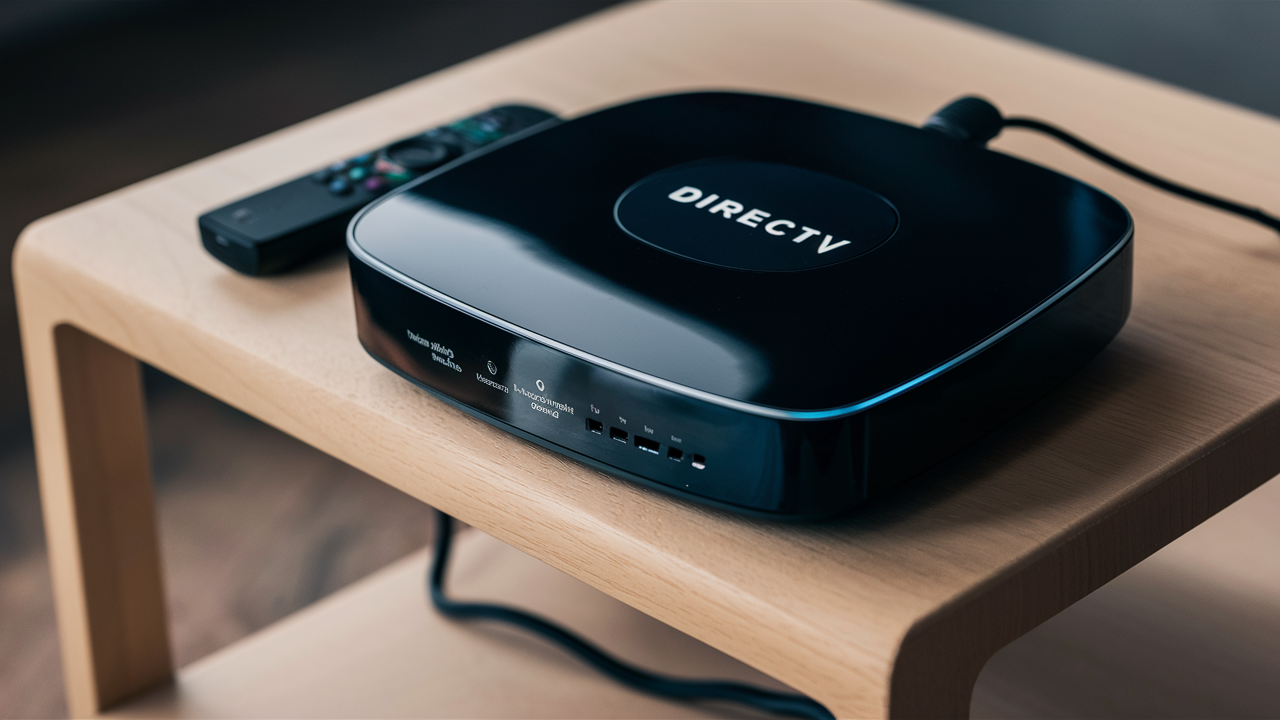
DIRECTV STREAM offers a flexible, modern streaming experience without the traditional cable box requirement. While you don't *need* a proprietary DIRECTV STREAM box, you do need a compatible device to access its live TV and on-demand content. This guide explores your options, from dedicated streaming devices to smart TVs, ensuring you get the best viewing experience.
What Exactly Is DIRECTV STREAM?
DIRECTV STREAM is a premium live TV streaming service that aims to bridge the gap between traditional cable TV and modern over-the-top (OTT) streaming. It offers a vast selection of live channels, including sports, news, and entertainment, alongside on-demand movies and TV shows. Unlike traditional satellite TV, DIRECTV STREAM is delivered entirely over the internet, eliminating the need for a satellite dish. This makes it an attractive option for cord-cutters and cord-shavers who want a comprehensive TV experience without the long-term contracts and equipment hassles often associated with cable providers. The service is designed to mimic the familiar channel surfing experience of cable TV but with the flexibility and convenience of internet streaming. Users can watch on multiple devices simultaneously, depending on their subscription plan, and access their favorite content from virtually anywhere with a stable internet connection. In 2025-26, DIRECTV STREAM continues to refine its offerings, focusing on user experience and channel diversity, especially in live sports.
Does DIRECTV STREAM Require a Specific Box?
This is the core question many potential DIRECTV STREAM subscribers ask. The answer is nuanced: no, DIRECTV STREAM does not *exclusively* require a proprietary box to function. However, they do offer their own dedicated streaming device, the DIRECTV STREAM Device, which is designed to optimize the user experience. For many, this device is the closest equivalent to a traditional cable box, offering a familiar interface and enhanced features.
But for those who prefer to use their existing hardware, DIRECTV STREAM is compatible with a wide range of popular streaming devices. This includes devices like Amazon Fire TV, Roku, Apple TV, and Google Chromecast, as well as smart TVs from major manufacturers like Samsung, LG, and Vizio. You can also download the DIRECTV STREAM app on gaming consoles such as PlayStation and Xbox. The key takeaway is that while a dedicated DIRECTV STREAM box exists and is recommended by the provider for its integrated experience, it is not a mandatory requirement to subscribe to and enjoy the service. Your choice of device will depend on your personal preference, existing setup, and desired features.
The Flexibility of Internet Delivery
The fundamental advantage of DIRECTV STREAM is its reliance on internet delivery. This means that as long as you have a robust internet connection (we recommend at least 25 Mbps for optimal performance, especially for 4K streaming), you can access the service on any device capable of running the DIRECTV STREAM app or accessing their web player. This flexibility is a significant departure from traditional satellite or cable TV, which often ties you to specific hardware installed by the provider. The internet-based model allows for quicker setup, easier device management, and the ability to switch devices as needed.
Understanding Your Options
When considering how to watch DIRECTV STREAM, you essentially have two primary paths:
- Using the official DIRECTV STREAM Device.
- Using a compatible third-party streaming device or smart TV.
Each path has its own set of advantages and disadvantages, which we will explore in detail. The decision often boils down to whether you prioritize a seamless, integrated experience with the provider's recommended hardware or the flexibility and familiarity of using devices you already own.
Understanding the DIRECTV STREAM Device
The DIRECTV STREAM Device is the company's proprietary streaming media player. It's not just a simple streaming stick; it's a more robust device designed to offer a premium viewing experience tailored specifically for the DIRECTV STREAM service. It aims to replicate the functionality and ease of use of a traditional cable box while leveraging the benefits of internet streaming.
Key Features of the DIRECTV STREAM Device
The DIRECTV STREAM Device comes with several features that set it apart and make it a compelling option for subscribers:
- Intuitive Interface: Designed for easy navigation, allowing users to quickly find live channels, on-demand content, and DVR recordings. The interface is optimized for channel surfing and accessing program guides.
- Voice Remote: Includes a voice-activated remote control, enabling users to search for content, change channels, and control playback using voice commands. This feature significantly enhances usability, especially for finding specific shows or sports events.
- 4K HDR Support: The device supports 4K Ultra HD and High Dynamic Range (HDR) content, providing a superior visual experience for supported programming. This is crucial for sports enthusiasts and movie buffs who demand the highest picture quality.
- Built-in DVR: Offers integrated cloud DVR functionality, allowing users to record live TV and watch it later. The number of hours available for recording typically depends on the DIRECTV STREAM package subscribed to.
- App Integration: While primarily designed for DIRECTV STREAM, it also supports other popular streaming apps, turning it into a more versatile entertainment hub. However, its core strength lies in its seamless integration with the DIRECTV STREAM service.
- Easy Setup: Generally straightforward to set up, requiring an HDMI connection to your TV and an internet connection.
Is the DIRECTV STREAM Device Free?
This is a common point of confusion. Historically, DIRECTV has offered equipment at a cost, sometimes waived with promotions. For the DIRECTV STREAM Device, it is typically available for a one-time fee or, in some cases, may be included for free with certain promotions or long-term commitments. As of 2025-26, pricing structures can vary. It's essential to check the latest offers on the DIRECTV STREAM website. Some plans might offer a free device for new subscribers, while others might charge a nominal fee, often significantly less than purchasing a high-end streaming device outright. The advantage of getting the provider's device is that it's guaranteed to work seamlessly with the service, and support is readily available.
Who is the DIRECTV STREAM Device Best For?
The DIRECTV STREAM Device is ideal for:
- New DIRECTV STREAM Subscribers: Especially those transitioning from traditional cable or satellite TV who want a familiar and integrated experience.
- Users Prioritizing Simplicity: Individuals who prefer a single, dedicated device optimized for their primary streaming service.
- Sports Enthusiasts: The device's focus on live TV and potentially enhanced sports features makes it appealing for those who follow live events closely.
- Those Seeking a Unified Experience: Users who want their DVR, live TV, and on-demand content all accessible through one interface without managing multiple apps.
Alternatives to the DIRECTV STREAM Device
The beauty of a streaming service like DIRECTV STREAM is its compatibility with a wide array of third-party devices. This gives consumers the freedom to choose hardware they already own or prefer. These alternatives often offer broader app support and can serve as a central hub for all your streaming needs, not just DIRECTV STREAM.
Popular Compatible Streaming Devices
Here are some of the most popular and widely compatible devices that can be used to stream DIRECTV STREAM:
- Roku Devices: Roku is known for its user-friendly interface and extensive app library. Devices like the Roku Streaming Stick, Roku Express, Roku Ultra, and Roku TVs are all compatible. The DIRECTV STREAM app is readily available on the Roku Channel Store.
- Amazon Fire TV Devices: Amazon's Fire TV platform, including Fire TV Sticks (Lite, 4K, 4K Max), Fire TV Cube, and Fire TV Edition smart TVs, also supports the DIRECTV STREAM app. Fire TV devices offer integration with Alexa for voice control.
- Apple TV: For Apple ecosystem users, the Apple TV 4K and Apple TV HD are excellent choices. The DIRECTV STREAM app is available on the App Store, offering a smooth, high-quality streaming experience.
- Google Chromecast with Google TV: This device combines the casting functionality of Chromecast with a full-fledged Android TV interface, including a remote. The DIRECTV STREAM app can be downloaded directly onto it.
- Smart TVs: Many modern smart TVs from brands like Samsung, LG, Sony, Vizio, and TCL have built-in app stores where you can download the DIRECTV STREAM app directly. This eliminates the need for an external streaming device altogether.
- Gaming Consoles: Both PlayStation (PS4, PS5) and Xbox (One, Series X/S) consoles have app stores that typically include the DIRECTV STREAM app, allowing you to stream on the same device you use for gaming.
Advantages of Using Third-Party Devices
Opting for a third-party device often comes with several benefits:
- Cost Savings: If you already own a compatible device, you save the cost of purchasing or renting the DIRECTV STREAM Device.
- Versatility: These devices usually support a vast number of streaming apps beyond DIRECTV STREAM, making them a comprehensive entertainment solution.
- Familiarity: You might already be accustomed to the interface and operation of your preferred streaming device.
- Portability: Streaming sticks are small and easy to move between TVs or take with you when traveling.
Potential Downsides of Third-Party Devices
While flexible, using third-party devices might have minor drawbacks:
- Interface Integration: The DIRECTV STREAM app might not be as deeply integrated into the device's main operating system as the dedicated DIRECTV STREAM Device.
- Feature Parity: Some advanced features or optimizations present on the DIRECTV STREAM Device might not be fully replicated on third-party hardware. For instance, the specific voice command integration might differ.
- Performance Variations: While most modern devices perform well, older or less powerful streaming sticks might experience occasional lag or slower loading times compared to a dedicated, optimized device.
Comparing Device Options for DIRECTV STREAM
To make an informed decision, it's helpful to compare the DIRECTV STREAM Device against popular third-party alternatives across key criteria. This comparison will highlight the strengths of each option and help you determine which best fits your needs.
Comparison Table: DIRECTV STREAM Device vs. Popular Alternatives (2025-26)
| Feature | DIRECTV STREAM Device | Roku Streaming Devices | Amazon Fire TV Devices | Apple TV 4K | Smart TV App (e.g., Samsung Tizen) |
|---|---|---|---|---|---|
| Primary Function | Optimized for DIRECTV STREAM, general streaming | Versatile streaming hub, wide app support | Versatile streaming hub, Alexa integration | Premium Apple ecosystem integration, versatile streaming | Integrated TV experience, direct app access |
| DIRECTV STREAM Integration | Deepest, most seamless | Excellent, dedicated app | Excellent, dedicated app | Excellent, dedicated app | Excellent, dedicated app |
| Interface Simplicity | Very High (designed for DIRECTV STREAM) | Very High (simple grid layout) | High (can be busy with ads) | High (clean, Apple-like) | Varies by manufacturer, generally good |
| Voice Control | Yes, integrated with DIRECTV STREAM features | Yes (via Roku Voice Remote) | Yes (via Alexa) | Yes (via Siri) | Varies by TV manufacturer (e.g., Bixby, Google Assistant) |
| 4K HDR Support | Yes | Yes (on select models like Roku Ultra) | Yes (on select 4K models) | Yes | Yes (if TV supports it) |
| DVR Functionality | Integrated cloud DVR | Requires separate services/apps for recording | Requires separate services/apps for recording | Requires separate services/apps for recording | Requires separate services/apps for recording |
| Cost (Typical) | One-time fee or promotional | $30 - $100+ | $30 - $100+ | $120+ | Included with TV purchase |
| App Support Beyond DIRECTV STREAM | Yes, but limited | Extensive | Extensive | Extensive (Apple App Store) | Varies by manufacturer, growing |
Key Considerations When Choosing
When weighing your options, consider these factors:
- Your Existing Devices: If you already have a high-quality streaming device like an Apple TV 4K or a recent Roku Ultra, there's often little reason to buy the DIRECTV STREAM Device unless you specifically want its integrated DVR and unique interface.
- Budget: The DIRECTV STREAM Device's cost (or potential for it to be free) is a significant factor. If you need to buy a new device, compare the cost of the DIRECTV STREAM Device against the price of a comparable third-party option.
- Desired Simplicity: For users who want the most straightforward experience solely focused on DIRECTV STREAM, the provider's device is hard to beat.
- App Ecosystem: If you use many different streaming services and want a single device to manage them all, a versatile platform like Roku or Fire TV might be more appealing.
- Picture Quality: Ensure any device you choose supports 4K HDR if that's important to you and your TV is capable. Most modern devices offer this.
Setting Up DIRECTV STREAM on Your Devices
Regardless of whether you choose the DIRECTV STREAM Device or a third-party option, the setup process is generally straightforward. Here's a general guide:
Step-by-Step Setup Guide
- Ensure Internet Connectivity: Make sure your home Wi-Fi network is active and providing a stable internet connection. DIRECTV STREAM recommends a minimum speed of 25 Mbps for the best experience, especially for multiple streams or 4K content.
- Connect Your Device:
- DIRECTV STREAM Device: Connect the device to your TV via HDMI and plug in the power adapter.
- Streaming Sticks/Boxes: Plug the device into an HDMI port on your TV and connect it to power.
- Smart TV: Ensure your TV is connected to the internet (Wi-Fi or Ethernet).
- Power On and Initial Setup: Turn on your TV and select the correct HDMI input for your streaming device. Follow the on-screen prompts for the initial setup of your device (e.g., language selection, Wi-Fi connection).
- Download the DIRECTV STREAM App:
- DIRECTV STREAM Device: The app is usually pre-installed or easily accessible from the main menu.
- Roku, Fire TV, Apple TV, Google TV: Navigate to the device's app store (e.g., Roku Channel Store, Amazon Appstore, Apple App Store, Google Play Store) and search for "DIRECTV STREAM." Download and install the app.
- Smart TV: Access your TV's app store and search for DIRECTV STREAM.
- Log In: Open the DIRECTV STREAM app. You will be prompted to log in using your DIRECTV STREAM account credentials (username and password). If you don't have an account, you'll need to sign up for a subscription plan first.
- Activate (If Required): Some devices or initial setups might require an activation code. You may need to visit a specific URL on a computer or mobile device and enter the code provided by the app to link your account.
- Start Streaming: Once logged in, you should see the DIRECTV STREAM interface. You can now browse channels, access the program guide, and start watching live or on-demand content.
Tips for Optimal Performance
- Use a Wired Connection (Ethernet): If possible, connect your streaming device directly to your router using an Ethernet cable. This generally provides a more stable and faster connection than Wi-Fi, reducing buffering and improving stream quality.
- Router Placement: If using Wi-Fi, ensure your router is centrally located and not obstructed by walls or other electronic devices that could interfere with the signal.
- Restart Your Device and Router: If you experience connectivity issues, try restarting both your streaming device and your home router.
- Keep Software Updated: Regularly check for software updates for both your streaming device and the DIRECTV STREAM app. Updates often include performance improvements and bug fixes.
- Check Internet Speed: Periodically test your internet speed using an online speed test tool to ensure it meets DIRECTV STREAM's recommendations.
DIRECTV STREAM Device vs. Other Streaming Boxes
Let's delve deeper into how the DIRECTV STREAM Device stacks up against the most popular alternatives, focusing on aspects crucial for a premium live TV streaming experience.
User Interface and Experience
The DIRECTV STREAM Device is engineered for DIRECTV STREAM. Its interface is clean, intuitive, and heavily geared towards live TV. Navigating the program guide, accessing DVR recordings, and finding specific channels feels very much like a traditional cable box experience, which can be comforting for users accustomed to that setup. Voice commands are integrated to control DIRECTV STREAM functions directly.
Roku offers perhaps the simplest and most universally praised interface. Its grid layout is easy to understand, and switching between apps is seamless. Amazon Fire TV's interface, while functional, can sometimes feel cluttered with personalized recommendations and advertisements. Apple TV provides a polished, visually appealing interface that integrates well with other Apple services. Smart TV interfaces vary but are generally becoming more user-friendly.
App Ecosystem and Versatility
This is where third-party devices often shine. Roku and Fire TV boast the largest app libraries, supporting virtually every streaming service imaginable. Apple TV also has a vast selection of apps from the App Store. While the DIRECTV STREAM Device does support other popular apps, its primary focus remains on the DIRECTV STREAM service. If you are a heavy user of multiple niche streaming services, a dedicated platform like Roku or Fire TV might offer a more comprehensive solution.
Remote Control and Voice Integration
The DIRECTV STREAM Device comes with a voice remote designed to interact with the DIRECTV STREAM interface. This means you can say, "Find NFL games," or "Go to ESPN," and it should respond directly within the DIRECTV STREAM environment.
Roku's voice remote works well for searching across apps and controlling playback. Amazon Fire TV's Alexa integration is powerful, allowing voice commands for streaming, smart home control, and general information. Apple TV's Siri integration is also robust, particularly within the Apple ecosystem. Smart TV remotes vary greatly, with some offering excellent voice control and others being more basic.
DVR Capabilities
The DIRECTV STREAM Device's integrated cloud DVR is a significant advantage. It's built directly into the service and hardware, making recording and playback seamless. The storage capacity is typically tied to your subscription package.
Most third-party streaming devices do not have built-in DVR functionality for live TV services like DIRECTV STREAM. You would need to rely on the DVR features offered by DIRECTV STREAM itself (which are cloud-based) or use specific apps that allow local recording if available and supported. This makes the DIRECTV STREAM Device a more consolidated option for those who heavily utilize DVR features.
Cost and Value
The cost of the DIRECTV STREAM Device can be a one-time purchase or potentially free with promotions. This upfront cost needs to be weighed against the price of comparable third-party devices. High-end Roku devices (like the Ultra) and Fire TV Cubes can cost as much as or more than the DIRECTV STREAM Device. Basic streaming sticks from Roku and Amazon are often more affordable. Apple TV 4K is typically the most expensive option. If you already own a capable device, the cost is zero.
The value proposition depends on your priorities:
- DIRECTV STREAM Device: Best for users prioritizing seamless integration, built-in DVR, and a familiar live TV experience.
- Roku/Fire TV: Best for users seeking maximum app versatility, ease of use, and often a lower entry price point for basic models.
- Apple TV: Best for users invested in the Apple ecosystem who want a premium, powerful device with excellent performance and app support.
- Smart TV App: Best for users who want to minimize external devices and have a streamlined experience directly on their television.
Troubleshooting Common Device Issues
Even with the best devices, you might encounter occasional issues. Here are common problems and their solutions for streaming DIRECTV STREAM:
Connectivity Problems
- Symptom: Buffering, pixelation, or "No Internet Connection" errors.
- Solutions:
- Check Internet Speed: Run a speed test (e.g., Speedtest.net). Ensure you are getting at least 25 Mbps download speed.
- Restart Modem/Router: Unplug your modem and router for 30 seconds, then plug them back in.
- Restart Streaming Device: Power cycle your DIRECTV STREAM Device, Roku, Fire TV, etc.
- Check Wi-Fi Signal: If using Wi-Fi, move your router closer or consider a Wi-Fi extender.
- Use Ethernet: If possible, connect your device directly to the router via Ethernet cable.
- Check DIRECTV STREAM Service Status: Sometimes, the issue might be on DIRECTV STREAM's end. Check their social media or support pages.
App Crashing or Freezing
- Symptom: The DIRECTV STREAM app closes unexpectedly or becomes unresponsive.
- Solutions:
- Force Close and Reopen App: Most devices allow you to close and restart the app.
- Update the App: Check your device's app store for updates to the DIRECTV STREAM app.
- Update Device Software: Ensure your streaming device's operating system is up to date.
- Clear Cache/Data (Advanced): Some devices allow clearing app cache and data. This can resolve persistent issues but may require you to log back in.
- Reinstall the App: Uninstall the DIRECTV STREAM app and then reinstall it from the app store.
Audio/Video Sync Issues
- Symptom: Audio is out of sync with the video.
- Solutions:
- Restart the App and Device: Often resolves temporary glitches.
- Check HDMI Cable: Ensure the HDMI cable is securely connected at both ends. Try a different cable if possible.
- Adjust Audio Settings: Some devices allow you to adjust audio delay settings.
- Try a Different Device: If the issue persists only on one device, it might be a device-specific problem.
Remote Control Not Working
- Symptom: Remote is unresponsive.
- Solutions:
- Check Batteries: Replace the batteries in your remote.
- Re-pair Remote: Follow your device manufacturer's instructions to re-pair the remote. This often involves holding down specific buttons.
- Check for Obstructions: Ensure there's a clear line of sight between the remote and the device (for IR remotes). Bluetooth remotes are less susceptible to this.
- Restart Device: Sometimes, restarting the streaming device can resolve remote pairing issues.
Login Problems
- Symptom: Unable to log in with correct credentials.
- Solutions:
- Verify Credentials: Double-check your username and password for typos. Ensure Caps Lock is off.
- Reset Password: Use the "Forgot Password" link on the DIRECTV STREAM login page.
- Check Account Status: Ensure your DIRECTV STREAM subscription is active and in good standing.
- Clear Browser Cache (if using web player): If logging in via a web browser, clear its cache and cookies.
The Future of DIRECTV STREAM Hardware
The landscape of streaming hardware is constantly evolving. DIRECTV, like other major providers, is likely to continue refining its hardware offerings. As of 2025-26, the focus is on delivering a seamless, high-quality viewing experience that integrates live TV, on-demand content, and DVR functionality.
We can anticipate future iterations of the DIRECTV STREAM Device to potentially include:
- Enhanced Performance: Faster processors and improved Wi-Fi capabilities for smoother streaming, especially for 4K and HDR content.
- More Advanced Voice Integration: Deeper integration with voice assistants, potentially allowing control of more aspects of the TV experience or even smart home devices directly from the remote.
- Improved User Interface: Continuous updates to the software to make navigation even more intuitive and personalized.
- Broader App Support: While always prioritizing its own service, DIRECTV might expand the range of third-party apps supported on its dedicated device to make it a more comprehensive entertainment hub.
- Sustainability Focus: Potentially incorporating more eco-friendly materials or energy-efficient designs in future hardware.
Simultaneously, DIRECTV STREAM will likely continue to ensure broad compatibility with the latest third-party streaming devices and smart TVs. This dual approach—offering a premium, optimized device while supporting the wider market—is crucial for maintaining a large subscriber base in the competitive streaming market. The ongoing development of 5G technology and advancements in internet infrastructure may also pave the way for even more robust streaming experiences in the coming years.
Conclusion: Your DIRECTV STREAM Viewing Options
In conclusion, the question "Does DIRECTV STREAM have a box?" is best answered by understanding that while DIRECTV STREAM offers its own dedicated streaming device, it is not a mandatory requirement to enjoy the service. The DIRECTV STREAM Device provides a highly integrated, user-friendly experience with features like a built-in DVR and optimized performance, making it an excellent choice for those seeking a familiar, cable-like interface.
However, DIRECTV STREAM is fully compatible with a wide range of popular third-party devices, including Roku, Amazon Fire TV, Apple TV, Google Chromecast, and many smart TVs. This flexibility allows users to leverage existing hardware, potentially save money, and enjoy a versatile entertainment hub. The choice between the DIRECTV STREAM Device and a third-party option hinges on your personal preferences for simplicity, cost, app versatility, and existing tech ecosystem. Whichever path you choose, setting up DIRECTV STREAM is generally straightforward, and troubleshooting common issues is manageable with the steps outlined. Ultimately, DIRECTV STREAM empowers you to watch your favorite channels and content your way, on the device that best suits your needs.


