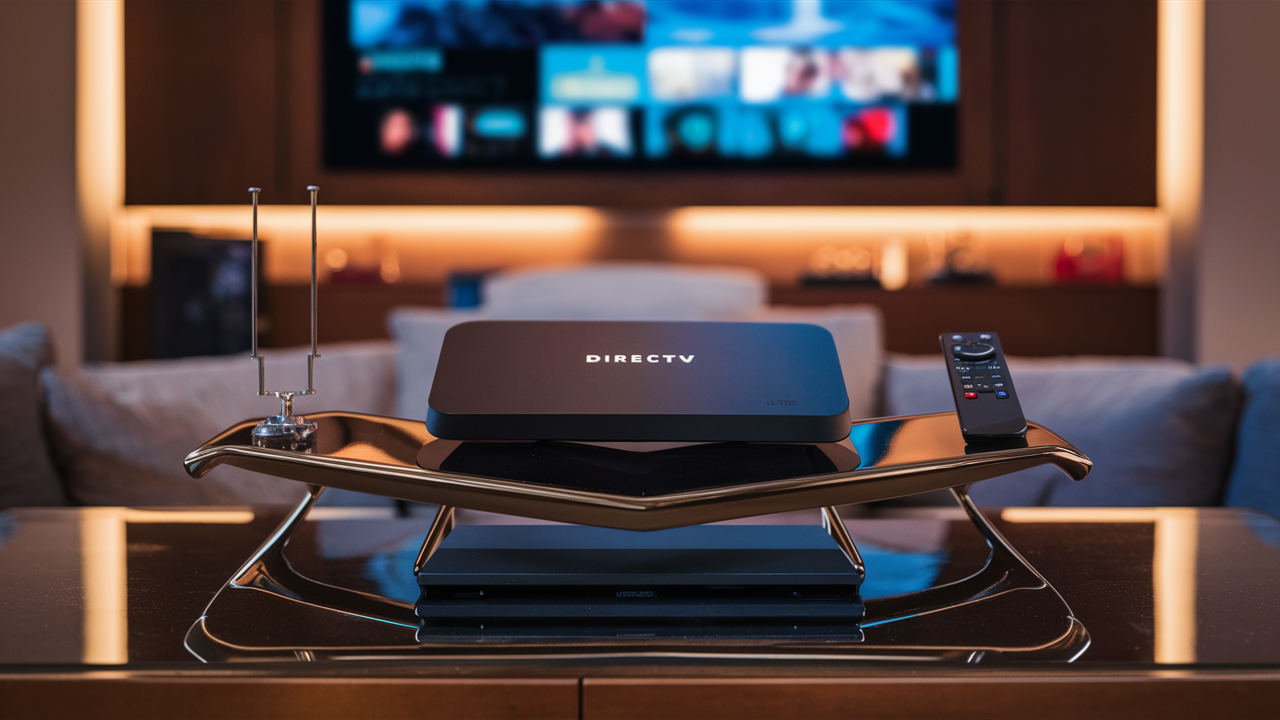
Setting up DIRECTV STREAM requires understanding the essential equipment needed to enjoy your favorite live TV and on-demand content. This guide details everything from streaming devices to internet connectivity, ensuring a seamless experience for every subscriber in 2025-2026.
Understanding DIRECTV STREAM's Core Requirements
DIRECTV STREAM is a modern, internet-based television service that replaces traditional satellite dishes and cable boxes with streaming technology. This means the equipment you need is fundamentally different from older DIRECTV services. Instead of a satellite dish and receiver box, you'll primarily rely on a compatible streaming device and a robust internet connection. The core idea is to leverage your existing home network to deliver live TV, sports, and on-demand content directly to your television screen. This shift offers flexibility and often a simpler setup, but it necessitates a clear understanding of what hardware and network capabilities are truly required. In 2025-2026, the landscape of streaming hardware is more diverse than ever, offering subscribers a range of choices to suit their preferences and existing setups.
Streaming Device Options for DIRECTV STREAM
The most critical piece of equipment for DIRECTV STREAM is the device that will run the application and display the content on your TV. DIRECTV STREAM supports a variety of devices, giving users flexibility in how they access the service. The choice of device can impact user interface, remote control functionality, and integration with other smart home ecosystems.
The Official DIRECTV STREAM Device
DIRECTV offers its own branded streaming device, often referred to as the DIRECTV STREAM Device. This is a proprietary piece of hardware designed to provide an optimized experience for the service. It typically comes with a dedicated remote that includes voice control capabilities and dedicated buttons for quick access to channels, recordings, and the DIRECTV STREAM interface.
Key Features and Benefits:
- Seamless Integration: Designed specifically for DIRECTV STREAM, ensuring the best possible performance and user experience.
- Intuitive Interface: The software is tailored to DIRECTV STREAM's layout, making navigation straightforward.
- Voice Remote: Advanced remote control with voice search and command functionality for easy channel surfing and content discovery.
- 4K HDR Support: Many models support high-definition content, including 4K resolution and High Dynamic Range (HDR) for superior picture quality, provided your TV also supports these features.
- Built-in Apps: Often includes access to other popular streaming apps, turning your TV into a comprehensive entertainment hub.
- Easy Setup: Generally plug-and-play, requiring minimal technical expertise.
While DIRECTV STREAM is compatible with many third-party devices, the official device is often recommended for users who want the most streamlined and integrated experience. It's typically available for purchase or sometimes included as part of certain promotional packages. As of 2025-2026, DIRECTV continues to update its device offerings, with newer generations featuring improved processing power and enhanced features.
Popular Third-Party Streaming Devices
For users who already own or prefer other streaming devices, DIRECTV STREAM is available as an app on many popular platforms. This offers significant flexibility and can be a cost-effective solution if you don't want to purchase additional hardware.
Supported Devices (as of 2025-2026):
- Amazon Fire TV: Including Fire TV Stick, Fire TV Cube, and Fire TV Edition smart TVs. The DIRECTV STREAM app is readily available on the Amazon Appstore.
- Roku: All Roku streaming players (e.g., Roku Streaming Stick, Roku Ultra) and Roku-enabled smart TVs can download the DIRECTV STREAM channel.
- Google TV / Android TV: Devices running Google TV or Android TV, such as Chromecast with Google TV, NVIDIA SHIELD TV, and various smart TVs from brands like Sony and TCL, can access the app via the Google Play Store.
- Apple TV: The DIRECTV STREAM app is available on Apple TV (4th generation and later).
When using a third-party device, you'll typically use the remote that came with that device. Some devices allow for voice search integration, which may extend to searching for DIRECTV STREAM content, depending on the device's capabilities and how well the app is integrated. The user interface will be the standard interface of the third-party device, with the DIRECTV STREAM app appearing as one of the available applications.
The performance of DIRECTV STREAM on third-party devices can vary based on the device's processing power and the quality of the app's optimization. Generally, newer and more powerful devices will offer a smoother experience.
Gaming Consoles and Smart TVs
While not always the primary focus for live TV streaming, some modern gaming consoles and smart TVs can also run the DIRECTV STREAM app.
Gaming Consoles:
- Xbox: Select Xbox consoles may have the DIRECTV STREAM app available through the Microsoft Store. Performance can be excellent due to the powerful hardware.
- PlayStation: While less common for live TV apps, it's worth checking the PlayStation Store for availability.
Smart TVs:
Many smart TVs from manufacturers like Samsung, LG, Vizio, and others come with their own operating systems (e.g., Tizen for Samsung, webOS for LG). DIRECTV STREAM may be available as an app on these platforms. The availability depends on the specific TV model and its operating system version. Always check the TV's app store for DIRECTV STREAM.
Using a smart TV's built-in app can be convenient as it eliminates the need for an external streaming stick or box. However, smart TV app performance can sometimes lag behind dedicated streaming devices, especially on older models.
Internet Connectivity: The Backbone of Your Stream
Unlike traditional DIRECTV services that rely on satellite signals, DIRECTV STREAM is entirely dependent on your home internet connection. The quality and speed of your internet directly impact the picture quality, buffering, and overall viewing experience. For 2025-2026, internet speeds have become more critical as streaming services offer higher resolutions and more data-intensive content.
Minimum Speed Recommendations
DIRECTV STREAM has specific minimum speed requirements to ensure a basic level of service. These are the absolute lowest speeds at which the service is expected to function, though you may experience occasional interruptions or lower picture quality at these levels.
- Single Stream (SD/HD): DIRECTV recommends at least 8 Mbps for a single stream in standard or high definition.
- Multiple Streams (HD): For multiple devices streaming in HD simultaneously, the minimum requirement increases.
It's important to note that these are minimums. If multiple people in your household are using the internet for other activities (browsing, gaming, downloading) while you're streaming DIRECTV STREAM, you'll need significantly more bandwidth.
Recommended Speeds for Optimal Viewing
To truly enjoy DIRECTV STREAM without frustrating buffering or pixelation, especially for HD and 4K content, higher speeds are strongly recommended.
- HD Viewing: DIRECTV recommends at least 25 Mbps for a smooth, buffer-free HD viewing experience. This allows for consistent playback even if other devices are using the internet.
- 4K Viewing: For 4K Ultra HD content, which offers significantly higher detail and clarity, DIRECTV recommends speeds of 50 Mbps or higher. 4K streams consume a substantial amount of data, and a robust connection is crucial to avoid interruptions.
- Multiple Users: If your household has multiple internet users, consider your total bandwidth needs. A common recommendation for a family with moderate internet usage is a plan offering 100 Mbps or more. This ensures that DIRECTV STREAM can operate at its best without being throttled by other online activities.
These recommended speeds are based on current industry standards for 2025-2026 and account for the increasing demand for high-quality streaming.
Wired vs. Wireless Connections
The method you use to connect your streaming device to your router can significantly impact performance.
Wired (Ethernet):
- Pros: Generally provides the most stable and fastest connection. Ethernet cables bypass potential interference that can affect Wi-Fi signals, leading to less buffering and more consistent speeds. It's the preferred method for critical streaming and gaming.
- Cons: Requires your streaming device to be physically close to your router, or you'll need to run long Ethernet cables, which can be unsightly.
Wireless (Wi-Fi):
- Pros: Offers the most convenience and flexibility. You can place your streaming device anywhere within your Wi-Fi range without running cables.
- Cons: Susceptible to interference from other electronic devices, walls, and distance from the router. Performance can fluctuate. For the best Wi-Fi experience, ensure you have a modern router (Wi-Fi 5 or Wi-Fi 6/6E) and that your streaming device supports the latest Wi-Fi standards.
Recommendation: If possible, connect your primary DIRECTV STREAM device via an Ethernet cable for the most reliable experience. If Wi-Fi is your only option, ensure your router is well-positioned and consider using the 5GHz band for streaming, as it offers faster speeds than the 2.4GHz band, albeit with a shorter range.
Internet Service Providers (ISPs)
DIRECTV STREAM is an internet-based service, meaning you can use it with virtually any Internet Service Provider (ISP) that can deliver the required speeds. Common ISPs in the US include:
- Comcast (Xfinity)
- Charter Communications (Spectrum)
- AT&T
- Verizon Fios
- T-Mobile Home Internet
- Google Fiber
- Local fiber providers
When choosing an ISP for DIRECTV STREAM, prioritize plans that offer speeds meeting or exceeding the recommended 25 Mbps for HD and 50 Mbps for 4K. Also, consider data caps. While many high-speed plans are now unlimited, some older or introductory plans might have data limits. Streaming in HD can consume several gigabytes per hour, so unlimited data is ideal for uninterrupted viewing.
For users in areas with limited high-speed options, satellite internet or fixed wireless might be the only choices. These technologies can be more prone to latency and weather-related interruptions, which could impact DIRECTV STREAM performance. Fiber optic internet is generally the gold standard for speed and reliability.
Additional Considerations for a Smooth Experience
Beyond the primary streaming device and internet connection, a few other factors contribute to a seamless DIRECTV STREAM experience. These include ensuring your television is compatible, your home network is robust, and you have the necessary power and cables.
TV Compatibility
DIRECTV STREAM streams content to your television. Therefore, your TV needs to be able to receive the signal from your chosen streaming device.
- Smart TVs: If you're using the DIRECTV STREAM app directly on your smart TV, ensure your TV's operating system is supported and the app is available in its app store.
- Non-Smart TVs: If you have a non-smart TV, you will absolutely need an external streaming device (like the DIRECTV STREAM Device, Roku, Fire TV, Apple TV, etc.) connected via HDMI.
- HDMI Ports: All modern TVs have HDMI ports, which are essential for connecting external streaming devices. Ensure your TV has a sufficient number of available HDMI ports if you plan to connect multiple devices.
- 4K and HDR Support: To enjoy the highest quality picture, your TV should support 4K resolution and HDR (High Dynamic Range) if you subscribe to or plan to access 4K content. Check your TV's specifications for these features.
Home Network Setup
Your home network, primarily your router and modem, plays a crucial role in delivering the internet signal to your streaming devices.
- Modem: This device connects your home to your ISP's network. Ensure your modem is compatible with your ISP's service and can handle the speeds you're paying for.
- Router: This device creates your home Wi-Fi network and directs traffic between your devices and the modem. For optimal DIRECTV STREAM performance, especially in 2025-2026 with increasing bandwidth demands, a modern router is recommended.
- Wi-Fi Standards: Look for routers supporting Wi-Fi 5 (802.11ac) or Wi-Fi 6/6E (802.11ax). These standards offer better speed, capacity, and efficiency, especially in environments with many connected devices.
- Router Placement: Position your router in a central location, away from obstructions and other electronic devices that can cause interference.
- Mesh Wi-Fi Systems: For larger homes or areas with weak Wi-Fi signals, a mesh Wi-Fi system can provide consistent coverage throughout your house, ensuring a strong signal for your streaming devices.
- Network Congestion: Be mindful of other devices on your network. Heavy downloading, online gaming, or multiple simultaneous video calls can consume bandwidth and impact your DIRECTV STREAM experience.
Power and Cables
While seemingly basic, having the right power adapters and cables is essential.
- Power Adapters: Your streaming device and TV will require power. Ensure you have access to wall outlets and that the provided power adapters for your devices are in good condition.
- HDMI Cables: For connecting external streaming devices to your TV, you'll need an HDMI cable. For 4K HDR content, ensure you are using an HDMI 2.0 or higher cable, often labeled as "High-Speed" or "Premium High-Speed."
- Ethernet Cables (if applicable): If you opt for a wired connection, you'll need an Ethernet cable (Cat 5e or Cat 6 recommended) to connect your streaming device to your router.
Comparing Equipment Options: A Quick Overview
Choosing the right equipment involves weighing convenience, cost, and performance. Here's a simplified comparison to help you decide:
| Equipment Type | Pros | Cons | Best For |
|---|---|---|---|
| DIRECTV STREAM Device | Optimized experience, dedicated remote, seamless integration, 4K HDR support. | Additional cost, proprietary hardware. | Users seeking the most integrated and user-friendly DIRECTV STREAM experience. |
| Roku, Fire TV, Apple TV, Google TV | Flexibility, access to multiple apps, often already owned, wide range of price points. | Performance varies by device, interface is device-specific, may require separate remote. | Users who already own these devices or want a versatile streaming hub. |
| Smart TV App | No external device needed, clean setup. | Performance depends on TV's OS and hardware, app availability varies by model. | Users with newer smart TVs who prefer minimal clutter. |
| Gaming Console App | Excellent performance on powerful consoles. | App availability can be limited, may require switching inputs frequently. | Gamers who want to consolidate their entertainment devices. |
Regardless of the device chosen, a strong and stable internet connection remains paramount. For 2025-2026, prioritizing internet speeds of at least 25 Mbps for HD and 50 Mbps for 4K will ensure the best possible viewing.
Troubleshooting Common Equipment Issues
Even with the right equipment, you might encounter occasional issues. Here are common problems and their solutions:
- Buffering or Pixelation:
- Cause: Slow internet speed, weak Wi-Fi signal, network congestion.
- Solution: Restart your modem, router, and streaming device. Test your internet speed. If using Wi-Fi, try moving closer to the router or switch to an Ethernet connection. Reduce other internet activity on your network.
- App Not Loading or Crashing:
- Cause: Outdated app, device software issues, temporary server problem.
- Solution: Force close and reopen the DIRECTV STREAM app. Restart your streaming device. Check for app updates and device software updates. Clear the app's cache (if available on your device).
- No Picture or Sound:
- Cause: Loose HDMI cable, incorrect input selected on TV, device not powered on.
- Solution: Ensure all cables are securely connected. Check that your TV is on the correct HDMI input. Verify that the streaming device and TV are powered on. Restart the streaming device.
- Remote Not Working:
- Cause: Dead batteries, pairing issues, physical obstruction.
- Solution: Replace the batteries. Re-pair the remote with your streaming device (check device instructions). Ensure there are no obstructions between the remote and the device.
- Error Codes:
- Cause: Various, often related to account authentication, network errors, or device compatibility.
- Solution: Note the specific error code and search DIRECTV STREAM's support website for its meaning and resolution steps. Often, a simple restart of devices and your network can resolve these.
For persistent issues, contacting DIRECTV STREAM customer support or your ISP's technical support may be necessary.
Future-Proofing Your DIRECTV STREAM Setup
As technology evolves, so do streaming services and the demands they place on your equipment. To ensure your DIRECTV STREAM setup remains optimal for years to come, consider these future-proofing strategies for 2025-2026 and beyond:
- Invest in High-Speed Internet: While current recommendations are 25-50 Mbps, future content (like higher frame rates, more immersive audio, or even 8K) will likely require even more bandwidth. Aim for internet plans that offer speeds well above the minimum, such as 100 Mbps or more, especially if you have multiple users or devices. Fiber optic internet is the most future-proof option available.
- Upgrade Your Router: If your router is more than 3-5 years old, it might be using outdated Wi-Fi standards. Upgrading to a Wi-Fi 6 or Wi-Fi 6E router will provide better performance, capacity, and efficiency for your growing number of connected devices.
- Choose Versatile Streaming Devices: While the DIRECTV STREAM device is excellent, consider third-party devices that support a wide range of apps and are known for regular updates and robust performance. This ensures you can easily switch between DIRECTV STREAM and other services and that your device remains compatible with future app developments.
- Consider 4K HDR Capabilities: Even if you don't have a 4K HDR TV now, purchasing a streaming device and ensuring your internet can support 4K will prepare you for when you do upgrade your television.
- Ethernet Connectivity: If your home construction or layout allows, plan for Ethernet ports in your main entertainment areas. Wired connections are the most reliable and will remain so for the foreseeable future.
By investing in a solid foundation of high-speed internet and modern networking equipment, you can ensure a smooth and enjoyable DIRECTV STREAM experience that adapts to future technological advancements.
Conclusion
Equipping yourself for DIRECTV STREAM in 2025-2026 is primarily about two things: a compatible streaming device and a robust internet connection. Whether you opt for the dedicated DIRECTV STREAM Device for its integrated experience or leverage popular third-party options like Roku, Fire TV, or Apple TV, the choice allows for significant personalization. Crucially, your internet speed dictates the quality of your stream; aim for at least 25 Mbps for HD and 50 Mbps for 4K, with higher speeds recommended for households with multiple users. Don't overlook the importance of a modern router and, if possible, a wired Ethernet connection for maximum stability. By carefully selecting your streaming hardware and ensuring your internet infrastructure is up to par, you'll be well-prepared to enjoy all that DIRECTV STREAM has to offer, from live sports to your favorite on-demand shows, with exceptional clarity and minimal interruption.


