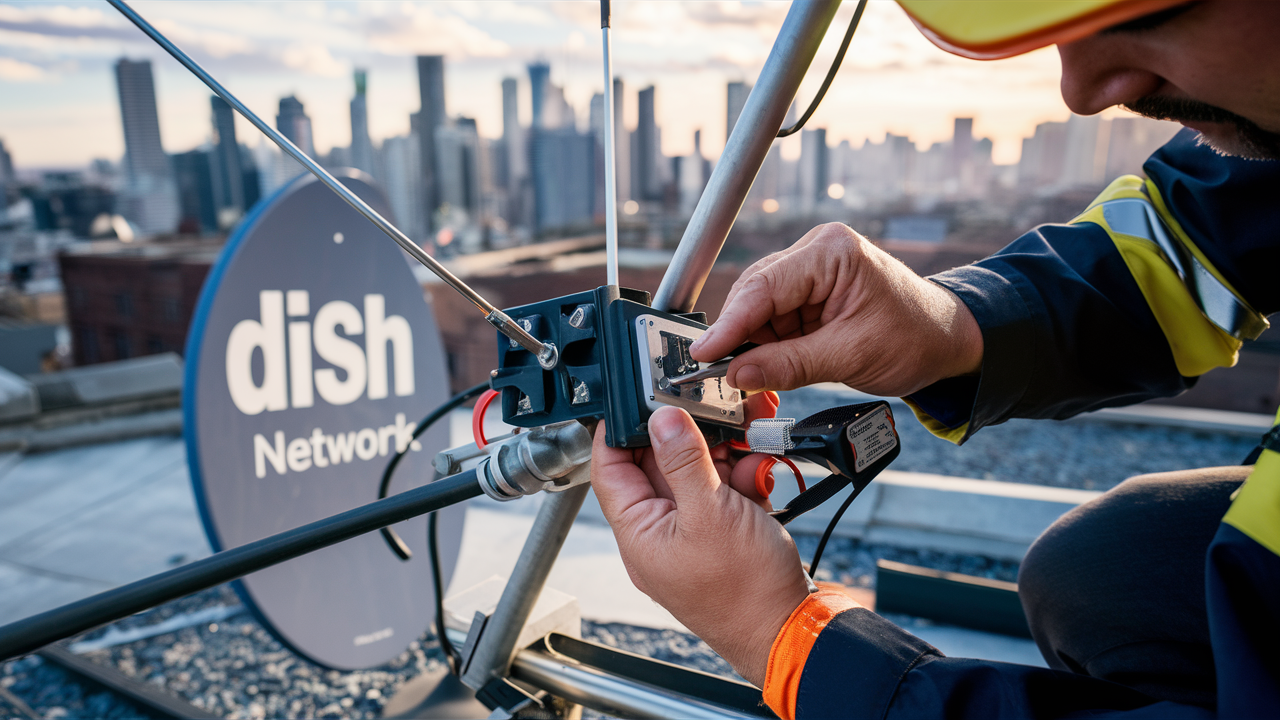
What is Switch Installation on Dish Network?
Switch installation on Dish Network refers to the process of integrating a satellite switch into your existing or new Dish Network setup. This is crucial for enabling multiple receivers to access satellite signals, particularly when dealing with multiple satellite dishes or advanced viewing needs. It ensures seamless signal distribution.
Understanding Dish Network Installation
Before delving into the specifics of switch installation, it's essential to grasp the broader context of Dish Network installations. Dish Network, a leading satellite television provider in the United States, relies on a sophisticated system of satellite dishes, receivers, and cabling to deliver hundreds of channels to homes across the country.
The Dish Network Satellite System
At its core, Dish Network utilizes geostationary satellites orbiting the Earth to broadcast television signals. These signals are then captured by a satellite dish installed at the subscriber's residence. The dish is precisely aimed at the specific satellite(s) carrying the desired channels. The size and type of dish can vary depending on the geographical location and the number of satellites being accessed.
A typical Dish Network setup involves:
- Satellite Dish: The primary component for receiving signals. It comes in various sizes, with larger dishes generally providing better signal reception in areas with challenging weather or farther from broadcast centers.
- LNB (Low-Noise Block downconverter): Attached to the dish, the LNB amplifies the weak satellite signals and converts them to a frequency range that can be transmitted through coaxial cable.
- Coaxial Cables: These cables carry the signal from the LNB to the satellite receiver(s) inside the home.
- Satellite Receiver(s): Also known as set-top boxes, these devices decode the satellite signal and convert it into a format that your television can display. Dish Network offers various receiver models, including standard definition, high definition, and DVR (Digital Video Recorder) capabilities.
- Switches (if applicable): These are critical components for distributing signals when multiple receivers are used or when a single dish needs to access multiple satellites.
Types of Dish Installations
Dish Network installations can be categorized based on complexity and the number of viewing locations. A basic installation might involve a single dish and a single receiver for one television. However, many households opt for more complex setups to accommodate multiple TVs, access a wider range of channels, or improve signal reliability.
Common installation types include:
- Single-Room Installation: The most basic setup, suitable for a single TV.
- Multi-Room Installation: This involves connecting multiple satellite receivers to a single satellite dish, allowing different TVs in the house to display different channels simultaneously. This is where switch installation often becomes a necessity.
- Multi-Satellite Installation: Dish Network utilizes multiple satellites to broadcast its vast channel lineup. Some installations require a dish capable of receiving signals from more than one satellite, often necessitating specialized LNBs and potentially switches.
- Advanced Installations: These can include installations with multiple dishes, complex wiring configurations, or in challenging locations requiring specialized mounting techniques.
What is Switch Installation Specifically?
Switch installation on Dish Network is a technical process that involves connecting a satellite switch, also known as a DISEqC switch (Digital Satellite Equipment Control) or a multi-switch, into the coaxial cable system. Its primary function is to manage and distribute satellite signals efficiently, especially when dealing with multiple LNBs or multiple receivers.
The Purpose of a Switch
The fundamental purpose of a satellite switch is to allow a single coaxial cable run from the dish (or a set of LNBs) to feed signals to multiple satellite receivers, or to allow a single receiver to select signals from multiple LNBs. Without a switch, a single coaxial cable can typically only carry signals from one LNB or one satellite at a time. This severely limits the number of channels a receiver can access.
Think of it like a traffic controller for satellite signals. The switch directs the correct signal from the appropriate LNB or satellite to the receiver that is requesting it. This is achieved through specific commands sent from the receiver to the switch.
When is Switch Installation Needed?
Switch installation becomes necessary in several key scenarios, primarily related to expanding viewing capabilities or optimizing signal reception:
- Multiple Receivers: If you have more than one satellite receiver in your home and want them all to operate independently, a switch is usually required to distribute the signal from the dish to each receiver.
- Multiple Satellites: Dish Network uses multiple satellites to offer its full channel lineup. If your dish is equipped with multiple LNBs to capture signals from different satellites, a switch is needed to select which satellite's signal is sent to your receiver.
- Single Cable Run to Multiple Locations: In some installations, a single coaxial cable might be run to a central point where a switch then splits the signal to multiple receivers or rooms.
- Upgrading Existing Systems: If you are upgrading from a single-receiver setup to a multi-room system, a switch installation will likely be part of the process.
Common Scenarios for Switch Installation
Let's explore some common situations where a Dish Network switch installation is a standard procedure:
- The Family Home with Multiple TVs: A family with three or four televisions, each in a different room, will likely require a multi-room setup. This means one main dish needs to feed signals to multiple receivers. A DISEqC switch or a multi-switch is essential here to manage the signal distribution.
- The Sports Enthusiast with DVRs: A dedicated sports fan might have multiple Dish Network DVRs to record different games simultaneously. Each DVR acts as a receiver, and to ensure each can access its desired satellite feed independently, a switch is crucial.
- The Tech-Savvy Household: Homes with advanced entertainment systems, including home theaters and multiple smart TVs, often benefit from a robust satellite distribution system that includes proper switching.
- Upgrading from Basic Cable to Satellite: When transitioning from a traditional cable provider to Dish Network, especially for a larger household, the installation will almost certainly involve a switch if multiple viewing points are desired.
In 2025-26, with the increasing demand for multi-room viewing and the complexity of satellite broadcasting, switch installation remains a fundamental aspect of many Dish Network setups. It's not just about getting TV; it's about getting the *right* TV, to the *right* place, without compromise.
The Switch Installation Process
The installation of a satellite switch is a technical process that requires precision and knowledge of satellite signal distribution. While Dish Network technicians are trained to perform these installations, understanding the steps involved can be beneficial for homeowners.
Pre-Installation Assessment
Before any physical work begins, a thorough assessment is conducted. This involves:
- Site Survey: Evaluating the optimal location for the satellite dish, considering obstructions like trees, buildings, and other potential signal blockers. The location of the main cable entry point into the house is also identified.
- Customer Needs Analysis: Determining how many receivers will be used, where they will be located, and what type of service the customer requires (e.g., HD, DVR). This dictates the type and complexity of the switch needed.
- Existing Infrastructure Check: Assessing the current wiring, if any, to ensure compatibility and identify any necessary upgrades or repairs.
Equipment Needed
A typical switch installation involves several key pieces of equipment:
- Satellite Dish: The appropriate size and type for the service area and number of satellites.
- LNB(s): Low-Noise Block downconverter(s) that receive signals from the satellite(s). For multi-satellite reception, a dish with multiple LNBs or a specialized LNB is used.
- Satellite Switch (DISEqC or Multi-Switch): The core component that manages signal distribution. The type of switch depends on the number of LNBs and receivers. For instance, a 4x4 DISEqC switch can handle 4 LNB inputs and feed 4 receivers. A larger multi-switch might be used for distributing signals to many rooms.
- Coaxial Cables: High-quality RG6 coaxial cables are used to connect the dish to the switch, and from the switch to each receiver.
- Connectors and Splitters: Appropriate connectors (e.g., F-connectors) and, if necessary, splitters to divide the signal.
- Mounting Hardware: Brackets, poles, and hardware to securely mount the satellite dish.
- Tools: A range of tools including drills, screwdrivers, wire strippers, crimpers, and a signal meter.
Step-by-Step Installation Guide
While this is a simplified overview and professional installation is recommended, here are the general steps involved in a switch installation:
- Dish Mounting and Alignment: The satellite dish is securely mounted in the optimal location and precisely aligned with the target satellite(s) using a signal meter to achieve the strongest possible signal.
- LNB Installation: The LNB(s) are attached to the dish. If multiple satellites are being accessed, multiple LNBs are positioned on a special bracket, or a single LNB with multiple outputs is used.
- Cable Runs: Coaxial cables are run from the LNB(s) to the location of the satellite switch. This often involves drilling holes through exterior walls and running cables neatly through the house.
- Switch Installation: The satellite switch is mounted in a suitable location, typically near the main cable entry point or where the cables from the LNB converge.
- Connecting LNBs to the Switch: The coaxial cables from the LNB(s) are connected to the appropriate input ports on the satellite switch.
- Connecting Receivers to the Switch: Coaxial cables are run from the output ports of the switch to each satellite receiver in the house.
- Grounding: Proper grounding of the dish and associated equipment is essential for safety and to protect against lightning strikes.
Post-Installation Testing and Setup
Once all connections are made, the system undergoes rigorous testing:
- Signal Strength Test: Technicians use the receiver's diagnostic menus or a dedicated signal meter to verify signal strength and quality for each satellite and receiver.
- Receiver Activation and Setup: Each receiver is activated with Dish Network, and basic settings (e.g., language, parental controls) are configured.
- Channel Scan: The receivers perform a channel scan to populate the electronic program guide (EPG).
- Multi-Room Functionality Test: The installer ensures that each receiver can independently access channels and that multi-room features (like Whole Home DVR, if applicable) are functioning correctly.
- Customer Education: The technician explains the system's operation, how to use the remotes and receivers, and provides basic troubleshooting tips.
In 2025-26, with the increasing sophistication of satellite technology, proper switch installation is more critical than ever for a seamless viewing experience. It's the backbone of a robust multi-receiver setup.
Benefits of Proper Switch Installation
Investing in a correctly installed satellite switch for your Dish Network system offers significant advantages that enhance your overall television viewing experience. It's not just about having more channels; it's about the quality, reliability, and flexibility of your service.
Optimal Signal Reception
A properly configured switch ensures that each receiver gets the best possible signal from the intended satellite. By efficiently managing the distribution of signals from multiple LNBs or satellites, the switch minimizes signal degradation. This translates to:
- Fewer Outages: Reduced susceptibility to signal loss during inclement weather (rain fade, snow).
- Clearer Picture and Sound: Consistent high-quality audio and video without pixelation or dropouts.
- Access to All Channels: Ensuring that all subscribed channels, regardless of which satellite they are broadcast from, are accessible by your receivers.
Multi-Room Viewing Capabilities
This is perhaps the most significant benefit for households with multiple televisions. A correctly installed switch is the gateway to enjoying Dish Network in every room:
- Independent Viewing: Each family member can watch a different channel on their own TV simultaneously.
- Whole Home DVR: Many Dish Network systems, when properly set up with a switch and compatible DVRs, allow you to record a program on one DVR and watch it on another TV in the house. This offers unparalleled flexibility in content consumption.
- Convenience: Eliminates the need for multiple satellite subscriptions or the hassle of moving a single receiver between rooms.
System Reliability and Longevity
A professional switch installation contributes to the overall health and lifespan of your Dish Network system:
- Reduced Equipment Strain: Properly wired switches distribute signals efficiently, preventing strain on individual components.
- Minimized Interference: Correct installation and shielding of cables help prevent external interference from affecting signal quality.
- Professional Standards: Dish Network certified technicians use high-quality components and follow best practices, ensuring a robust and long-lasting installation. This adherence to standards is crucial for maintaining warranty coverage and system performance.
In the competitive landscape of 2025-26, where consumers expect seamless connectivity and advanced features, the benefits of a well-executed switch installation are paramount. It's the foundation for a superior home entertainment experience.
Common Challenges and Troubleshooting
While switch installation aims to enhance reliability, several challenges can arise. Understanding these issues and basic troubleshooting steps can help resolve problems quickly.
Signal Loss Issues
Signal loss is a common problem that can manifest as pixelation, freezing, or complete loss of channels. When a switch is involved, the source of the issue can be multifaceted:
- Dish Misalignment: The most frequent cause. Even slight misalignment can significantly impact signal strength.
- Obstructions: New trees, buildings, or even heavy snow/ice on the dish can block the signal.
- Faulty LNB: The LNB is exposed to the elements and can degrade over time.
- Cable Damage: Kinks, cuts, or corrosion on coaxial cables can impede signal transmission.
- Switch Malfunction: The switch itself might be faulty or improperly connected.
- Weather: Severe weather conditions (heavy rain, snow) can temporarily degrade satellite signals, a phenomenon known as "rain fade."
Troubleshooting: Check for obvious obstructions, ensure all cable connections are secure, and use the receiver's diagnostic menu to check signal strength for each satellite. If the problem persists, a technician may need to realign the dish, replace an LNB, or inspect the switch.
Equipment Malfunctions
Beyond signal issues, the receivers or the switch itself can malfunction.
- Receiver Freezing: The satellite receiver might freeze or become unresponsive.
- Switch Failure: A faulty switch may fail to distribute signals correctly, leading to some or all receivers losing service or only receiving a limited number of channels.
- Intermittent Connectivity: A loose connection within the switch or at the receiver can cause intermittent signal loss.
Troubleshooting: A simple power cycle (unplugging and replugging) of the receiver or switch can sometimes resolve temporary glitches. If a receiver is consistently malfunctioning, it might need to be replaced. If multiple receivers are affected simultaneously, the switch is a prime suspect.
Interference Problems
While less common with satellite signals compared to terrestrial broadcasts, interference can still occur.
- Terrestrial Interference: Strong local radio or television transmitters can sometimes interfere with satellite signals, especially if the dish or cabling is not properly shielded.
- Internal Interference: Poorly shielded cables or faulty connectors can introduce noise into the signal path.
Troubleshooting: Ensure all coaxial cables are high-quality RG6 with proper shielding and that connectors are securely attached. Technicians might use specialized filters or re-route cables if significant interference is detected. In 2025-26, with the proliferation of wireless devices, ensuring proper shielding and grounding is more important than ever.
For any persistent issues, contacting Dish Network support is the most effective way to diagnose and resolve problems, as they have the tools and expertise to troubleshoot complex installations involving switches and multiple receivers.
Dish Network Installation Costs and Options
Understanding the costs associated with Dish Network installation, particularly when switch installation is involved, is crucial for budgeting and making informed decisions. The pricing can vary based on the complexity of the setup and the services chosen.
Understanding Installation Fees
Dish Network typically offers free professional installation for new subscribers as part of promotional packages. However, this "free" installation usually covers standard setups. Additional charges may apply for:
- Complex Wiring: Running cables over long distances, through difficult terrain, or requiring extensive drilling.
- Multiple Dishes: If your location requires more than one dish to access all desired satellites.
- Advanced Switch Installations: For very complex multi-room setups with numerous receivers, specialized switches might incur extra costs.
- Non-Standard Mounting: Installing dishes on RVs, boats, or in areas with specific structural requirements.
It's essential to clarify what is included in the standard installation and to get a quote for any additional services required. In 2025-26, Dish Network continues to offer competitive introductory pricing, but understanding potential add-on fees is key.
What is Included in a Standard Installation?
A standard Dish Network installation, which often includes the necessary switch installation for multi-room viewing, typically covers:
- One Satellite Dish: Mounted and aligned to receive signals.
- One Receiver: Connected to the primary television.
- Basic Wiring: Up to 100 feet of coaxial cable from the dish to the primary receiver.
- Standard Switch Installation: If required for up to two receivers.
- Professional Setup: Activation of service and basic system testing.
- Demonstration: A brief overview of how to operate the equipment.
For additional receivers beyond the first one, there might be a per-receiver activation fee or a monthly charge for the equipment lease.
Premium Installation Services
For those with more demanding needs, Dish Network may offer premium installation services:
- Extended Cable Runs: For homes where the ideal dish location is far from the receiver.
- Additional Receivers: Setting up multiple receivers for different rooms.
- Complex Wiring Solutions: Concealing cables within walls or using specialized conduit.
- Advanced Switch Configuration: For systems requiring more sophisticated signal management.
These services are typically priced on a per-incident or per-hour basis and should be discussed with the sales representative or installer.
DIY vs. Professional Installation
While Dish Network does not officially support or recommend DIY installation for new service activations (as it often voids promotional offers), some experienced individuals might consider it for adding receivers or modifying existing setups.
Professional Installation:
- Pros: Guaranteed correct setup, access to promotional pricing, expert troubleshooting, safety assurance.
- Cons: Less control over exact placement, potential for additional fees for complex setups.
DIY (for existing customers adding equipment):
- Pros: Complete control over placement, potential cost savings on labor if you have the skills and tools.
- Cons: Risk of incorrect installation, signal issues, potential damage to equipment, voids warranties if not done correctly, may not qualify for future promotions.
For switch installation, given its technical nature and the importance of precise alignment and connection, professional installation by a certified Dish Network technician is highly recommended to ensure optimal performance and avoid potential signal problems.
Choosing the Right Dish Network Package
Selecting the appropriate Dish Network package is as important as the installation itself. The right package ensures you get the channels you want at a price that fits your budget, and it integrates seamlessly with your installed equipment, including any switches.
Understanding Channel Tiers
Dish Network offers a variety of programming packages, often referred to as "tiers" or "packs." These packages are structured to cater to different viewing preferences and budgets:
- America's Top 120: A popular entry-level package offering a wide selection of local channels, popular national networks, and sports channels.
- America's Top 120+: Includes everything in the 120 package plus additional sports and entertainment channels.
- America's Top 200: Expands on the 120+ package with more movie channels, sports networks, and international programming.
- America's Everything: The most comprehensive package, including all channels offered by Dish Network, from premium movie channels to specialized sports and international options.
When considering a package, think about the must-have channels for your household. For instance, if you're a sports fan, ensure the package includes channels like ESPN, NFL Network, or MLB Network. If you enjoy movies, look for packages with HBO, Showtime, or Starz.
Equipment Options: Receivers and DVR
The choice of receiver significantly impacts your viewing experience. Dish Network offers several options:
- Standard HD Receiver: Provides high-definition viewing for one TV.
- Hopper® DVR: The flagship receiver, offering advanced features like:
- Whole Home DVR: Record, watch, and delete programs from any connected TV in your home.
- Multi-room Streaming: Watch live TV and recorded content on mobile devices via the Dish Anywhere app.
- Built-in Apps: Access to popular streaming apps like Netflix, Prime Video, and YouTube directly on your TV.
- Voice Remote: Control your TV with voice commands.
- Super Joey™: An accessory receiver that works with the Hopper to extend its capabilities to additional TVs without requiring a separate DVR subscription for each.
When you opt for a multi-room setup requiring switch installation, you'll likely be choosing multiple receivers, and the Hopper system is designed to manage this efficiently. The switch facilitates the signal distribution to each of these receivers.
Current Promotions and Deals (2025-26)
Dish Network consistently offers attractive promotions to new customers. As of 2025-26, these often include:
- Free Professional Installation: Covering the setup of the dish, receiver, and necessary switches.
- Discounted Monthly Rates: Often for the first 12 or 24 months of service.
- Free Premium Channel Trials: Temporary access to premium movie or sports channels.
- Bundled Offers: Discounts when combining Dish Network with internet or mobile services.
It is always advisable to check the official Dish Network website or speak with a sales representative for the most up-to-date promotions. These deals can significantly reduce the initial cost of setting up your service, including the crucial switch installation that enables your multi-room viewing experience.
Conclusion
In summary, "What is Switch Installation on Dish Network?" boils down to the essential process of integrating a satellite switch to enable sophisticated signal distribution. This is a cornerstone for any household aiming for multi-room viewing, allowing multiple receivers to access satellite feeds independently. Proper switch installation, often performed by certified Dish Network technicians, ensures optimal signal reception, prevents outages, and unlocks the full potential of your home entertainment system.
Whether you're setting up a new system or expanding your existing one, understanding the role of a switch, the installation process, and the associated benefits is key. It guarantees that every television in your home receives a clear, consistent signal, transforming your living space into a connected entertainment hub. By choosing the right Dish Network package and ensuring a professional installation, you lay the groundwork for years of reliable and enjoyable satellite television service in 2025-26 and beyond.


