-
Posted on: 07 Jan 2026
-
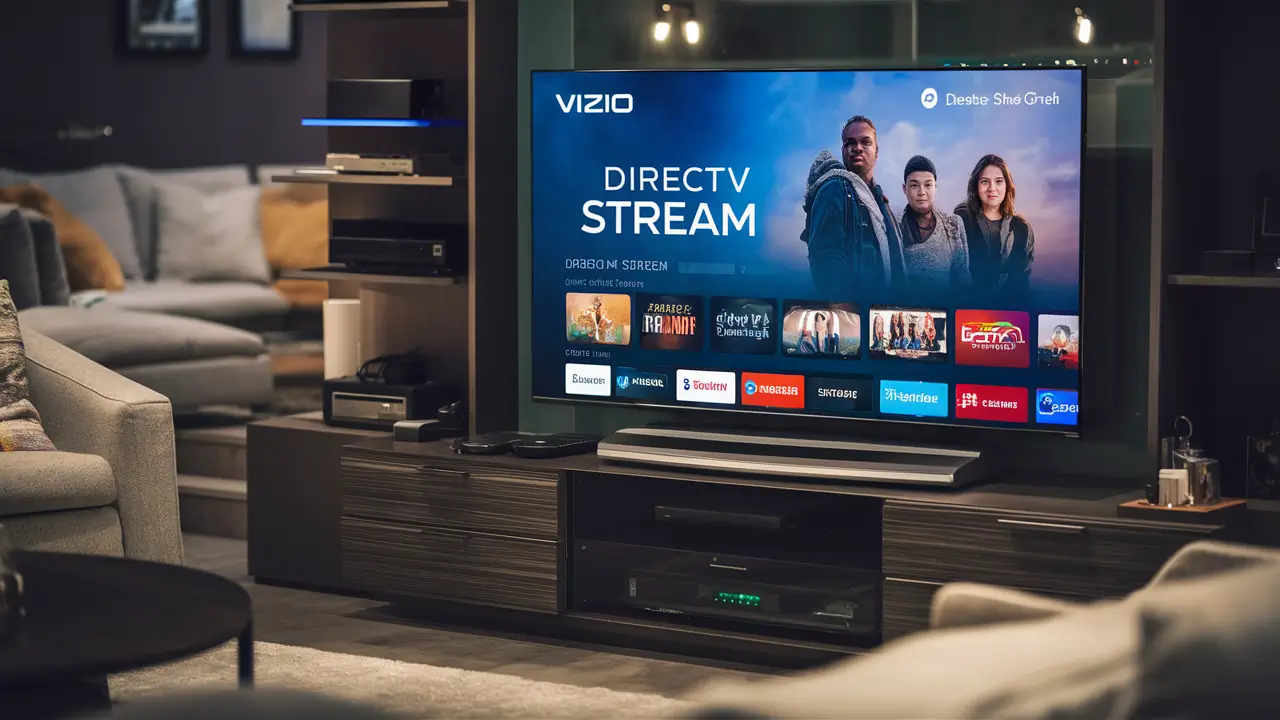
Yes, you absolutely can get DIRECTV Stream on your Vizio Smart TV, and it's a remarkably straightforward process. This guide will walk you through everything you need to know to enjoy live TV and on-demand content directly on your Vizio, bypassing the need for extra hardware.
What is DIRECTV Stream?
DIRECTV Stream, formerly known as AT&T TV, is a premier live TV streaming service that offers a comprehensive bundle of channels, including local networks, sports, news, and entertainment, all delivered over the internet. It aims to replicate the traditional cable TV experience without the need for a satellite dish or long-term contracts. With various packages available, it caters to a wide range of viewing preferences, from casual viewers to dedicated sports enthusiasts. DIRECTV Stream provides a robust selection of live channels, DVR capabilities, and on-demand content, making it a strong contender in the cord-cutting landscape. Its accessibility across numerous devices, including smart TVs, makes it a convenient option for modern households.
DIRECTV Stream on Vizio TV: The Short Answer
The short answer to "Can you get DIRECTV Stream on Vizio Smart TV?" is a resounding yes. Vizio Smart TVs, particularly those running on the SmartCast platform or newer operating systems, are designed to support a wide array of streaming applications. DIRECTV Stream has a dedicated app that can be downloaded directly from the Vizio Smart TV App Store, allowing for seamless integration and a user-friendly experience. This means you can enjoy your favorite live channels, sports, and on-demand shows directly on your Vizio television without the need for any additional streaming devices or hardware.
How to Get DIRECTV Stream on Your Vizio Smart TV
Getting DIRECTV Stream onto your Vizio Smart TV is a straightforward process, primarily revolving around accessing the app. There are two main methods, depending on your preference and existing setup.
Method 1: The DIRECTV Stream App
This is the most direct and recommended method for enjoying DIRECTV Stream on your Vizio Smart TV. Most modern Vizio Smart TVs come equipped with the Vizio App Store, where you can find and download the DIRECTV Stream application.
- Turn on your Vizio Smart TV and ensure it is connected to your home internet network.
- Navigate to the Vizio App Store. This is usually accessible from the TV's home screen or through a dedicated "Apps" button on your remote. The exact location might vary slightly depending on your Vizio TV model and its operating system (e.g., SmartCast).
- Search for "DIRECTV Stream". Use the search function within the app store to find the official DIRECTV Stream application.
- Select and Download the App. Once found, select the DIRECTV Stream app and choose the option to download or install it. The TV will then download and install the application.
- Launch the App. After installation, find the DIRECTV Stream app in your TV's app list or on the home screen and launch it.
- Sign In or Sign Up. You will be prompted to sign in with your DIRECTV Stream account credentials. If you don't have an account, you will need to visit the DIRECTV Stream website to subscribe and create one. Follow the on-screen instructions to log in.
- Start Streaming. Once logged in, you can begin browsing channels, watching live TV, and accessing on-demand content directly from your Vizio Smart TV.
Important Note: Ensure your Vizio Smart TV's firmware is up to date. Outdated firmware can sometimes cause compatibility issues with new applications. You can usually check for and install updates in your TV's settings menu.
Method 2: Using Streaming Devices
If your Vizio Smart TV is an older model that doesn't support the DIRECTV Stream app directly, or if you prefer using a dedicated streaming device, you can still enjoy DIRECTV Stream on your Vizio TV. This method involves connecting an external streaming device to your TV via an HDMI port.
-
Popular Streaming Devices:
- Amazon Fire TV Stick (all models)
- Roku Streaming Devices (various models)
- Google Chromecast with Google TV
- Apple TV
- NVIDIA SHIELD TV
- Gaming Consoles (e.g., PlayStation, Xbox)
-
Steps:
- Connect the Streaming Device: Plug your chosen streaming device into an available HDMI port on your Vizio TV and connect it to power.
- Set up the Streaming Device: Follow the on-screen instructions to set up your streaming device, including connecting it to your Wi-Fi network.
- Download the DIRECTV Stream App: Access the app store on your streaming device (e.g., Amazon Appstore, Google Play Store, Roku Channel Store) and search for the DIRECTV Stream app. Download and install it.
- Sign In: Launch the DIRECTV Stream app on the streaming device and sign in with your DIRECTV Stream account credentials.
- Stream Content: You can now use your streaming device remote to navigate and watch DIRECTV Stream on your Vizio TV.
This method is highly versatile and ensures compatibility even with older Vizio models. Many users find dedicated streaming devices offer a more responsive and feature-rich experience compared to built-in TV apps.
Understanding DIRECTV Stream Plans and Pricing (2025-26)
DIRECTV Stream offers a tiered structure of packages, each providing a different selection of channels and features. Prices are subject to change, but as of early 2025, here’s a general overview of their popular plans. It's always recommended to check the official DIRECTV Stream website for the most current pricing and channel lineups.
DIRECTV Stream Entertainment Package
This is DIRECTV Stream's entry-level package, designed for those who want a solid foundation of popular channels.
-
Estimated Price (2025-26): Around $75-$80 per month.
- Includes over 65 channels.
- Features popular entertainment networks like AMC, HGTV, Discovery, and FX.
- Includes major sports channels like ESPN and regional sports networks (RSNs) in most markets.
- Includes local channels (ABC, CBS, FOX, NBC) in most areas.
- Includes unlimited cloud DVR.
- Allows streaming on unlimited devices at home.
DIRECTV Stream Choice Package
Stepping up, the Choice package adds more sports and regional sports networks, making it a favorite for sports fans.
-
Estimated Price (2025-26): Around $90-$100 per month.
- Includes over 90 channels.
- Builds upon the Entertainment package.
- Adds more sports channels like MLB Network, NBA TV, and NHL Network.
- Significantly expands RSN coverage, crucial for local and out-of-market games.
- Includes premium movie channels like HBO Max (often for a limited time or introductory offer).
- Unlimited cloud DVR and unlimited in-home streaming.
DIRECTV Stream Ultimate Package
For the ultimate viewing experience, this package offers an extensive selection of channels, including premium movie and niche sports networks.
-
Estimated Price (2025-26): Around $105-$115 per month.
- Includes over 130 channels.
- Adds premium movie channels like Starz, Cinemax, and Showtime.
- Includes more niche sports channels and international sports networks.
- Unlimited cloud DVR and unlimited in-home streaming.
DIRECTV Stream Premier Package
This is DIRECTV Stream's top-tier offering, bundling everything for the most discerning viewer.
-
Estimated Price (2025-26): Around $140-$150 per month.
- Includes over 140 channels.
- Features all premium channels, including HBO Max, Cinemax, Showtime, and Starz.
- Comprehensive sports, entertainment, and news coverage.
- Unlimited cloud DVR and unlimited in-home streaming.
Add-ons and Features
Beyond the core packages, DIRECTV Stream offers various add-ons:
- Sports Pack: Adds more than 35 sports channels, including NFL RedZone, beIN SPORTS, and more. (Estimated cost: $10-$15/month)
- HBO Max: Often included in higher tiers or available as an add-on.
- International Sports: Packages for specific sports like cricket or soccer.
- Unlimited Cloud DVR: Standard with all packages, allowing you to record thousands of hours of content.
- Unlimited Screens: Stream on unlimited devices at home and on two devices when you're away.
Statistics Snapshot (2025 Projections): The live TV streaming market is projected to continue its growth, with services like DIRECTV Stream capturing a significant share. By 2025, it's estimated that over 60% of US households will have cut the cord from traditional cable or satellite, relying on services like DIRECTV Stream for their primary television entertainment. The demand for bundled sports content remains a key driver for services offering RSNs, a segment where DIRECTV Stream excels.
Vizio Smart TV Compatibility and Requirements
To ensure a smooth DIRECTV Stream experience on your Vizio Smart TV, several factors need to be considered, primarily related to the TV's operating system and your internet connection.
Vizio Smart TV Operating Systems
Vizio has used several operating systems over the years, with its current flagship being SmartCast.
- SmartCast: Most Vizio Smart TVs manufactured from 2016 onwards utilize SmartCast. This platform is designed to be app-friendly and generally supports the DIRECTV Stream app. Vizio continuously updates SmartCast, so ensuring your TV is running the latest version is crucial for app compatibility.
- Older Vizio Systems: For very old Vizio models that might not have a robust app store or run a significantly outdated OS, the DIRECTV Stream app might not be directly available. In such cases, using an external streaming device (as described in Method 2) is the best workaround.
- Checking Compatibility: The easiest way to check if your Vizio TV supports the DIRECTV Stream app is to navigate to your TV's app store and search for it. If it appears in the search results, your TV is compatible. You can also check Vizio's official support website for a list of supported apps for your specific model.
Internet Connection Speed
A stable and sufficiently fast internet connection is paramount for streaming live TV without interruptions. DIRECTV Stream recommends the following speeds:
- Minimum Recommended Speed: 8 Mbps for a single stream.
- Recommended Speed for Multiple Streams/Higher Quality: 15-25 Mbps or higher.
- For 4K Content (if available): 25 Mbps or higher.
Impact of Speed:
- Below 8 Mbps: Expect significant buffering, pixelation, and potential connection drops.
- 8-15 Mbps: Generally good for HD streaming on one device, but might struggle with multiple devices or high-demand content.
- 15-25+ Mbps: Provides a smooth HD streaming experience, even with multiple users in the household accessing the internet for other activities.
Testing Your Speed: You can easily test your internet speed by visiting websites like Speedtest.net or Fast.com from a device connected to the same network as your Vizio TV.
Account Setup
Before you can stream on your Vizio TV, you need an active DIRECTV Stream subscription.
- Subscription: Visit the DIRECTV Stream website to choose a package and sign up. You will need to provide your billing information and create a username and password.
- Activation: Once subscribed, your account is typically active immediately, allowing you to log in on your Vizio TV or any other supported device.
- Login Credentials: Keep your DIRECTV Stream username and password handy, as you'll need them to log into the app on your Vizio TV.
Ensuring these requirements are met will pave the way for an enjoyable DIRECTV Stream experience on your Vizio Smart TV.
Troubleshooting Common Issues
While DIRECTV Stream on Vizio Smart TVs is generally reliable, users may occasionally encounter issues. Here’s a guide to troubleshooting common problems.
App Not Found or Downloading
Symptom: The DIRECTV Stream app isn't appearing in the Vizio App Store, or it fails to download/install.
- Check TV Model and OS: As mentioned earlier, older Vizio models might not support the app. Verify your TV's compatibility.
- Update TV Firmware: Go to your Vizio TV's settings and check for system updates. Install any available updates.
- Restart TV: Power cycle your Vizio TV by unplugging it from the power outlet for 60 seconds, then plugging it back in.
- Check Internet Connection: Ensure your TV is connected to a stable internet network. Try restarting your router and modem.
- Clear App Store Cache (if available): Some Vizio models allow you to clear the cache for the app store. This can sometimes resolve download issues.
- Use a Streaming Device: If direct app installation remains problematic, consider using an external streaming device.
Buffering or Playback Errors
Symptom: Video keeps pausing, freezing, or showing error messages related to playback.
- Check Internet Speed: This is the most common culprit. Run a speed test. If speeds are below 8 Mbps, consider upgrading your internet plan or reducing the number of devices using the network.
- Restart Router/Modem: Unplug your modem and router for 30 seconds, then plug them back in. Wait for them to fully boot up before testing again.
- Restart Vizio TV: Perform a power cycle on your Vizio TV.
- Close Other Apps: Ensure no other bandwidth-intensive applications are running on your TV or other devices on your network.
- Check DIRECTV Stream Server Status: Although rare, DIRECTV Stream might experience temporary server issues. Check their social media or support pages for any reported outages.
- Use Wired Connection (Ethernet): If possible, connect your Vizio TV or streaming device directly to your router using an Ethernet cable. This provides a more stable connection than Wi-Fi.
Login Problems
Symptom: Unable to log in to the DIRECTV Stream app with correct credentials.
- Verify Credentials: Double-check your username and password for typos. Remember that passwords are case-sensitive.
- Reset Password: If you're unsure about your password, use the "Forgot Password" option on the DIRECTV Stream website to reset it.
- Clear App Data/Cache: On your Vizio TV, navigate to the DIRECTV Stream app settings and try clearing its data or cache. This will force you to log in again.
- Check for Account Issues: Ensure your DIRECTV Stream subscription is active and there are no billing issues. Log in to your account on the DIRECTV Stream website to verify.
- Reinstall the App: Uninstall the DIRECTV Stream app from your Vizio TV and then reinstall it from the app store.
Audio or Video Sync Issues
Symptom: The audio is ahead of or behind the video.
- Restart the App and TV: A simple restart can often resolve temporary glitches.
- Check Internet Connection: Lagging internet can sometimes cause sync problems. Refer to the buffering troubleshooting steps.
- Update TV Firmware and App: Ensure both your Vizio TV and the DIRECTV Stream app are running the latest versions.
- Try a Different Channel or On-Demand Content: See if the issue is specific to one channel or program. If it affects all content, it's more likely a system-wide issue.
- Check Audio Settings: Review your Vizio TV's audio settings to ensure no unusual configurations are enabled.
- Contact DIRECTV Stream Support: If the problem persists across all content and troubleshooting steps, it may be a bug that DIRECTV Stream support can address.
By systematically working through these troubleshooting steps, most common issues with DIRECTV Stream on Vizio Smart TVs can be resolved, ensuring a seamless viewing experience.
DIRECTV Stream vs. Competitors on Vizio TV
When considering live TV streaming services for your Vizio Smart TV, DIRECTV Stream is a strong contender, but it's essential to compare it with other popular options. Each service offers a unique blend of channels, features, and pricing.
DIRECTV Stream vs. YouTube TV
Both DIRECTV Stream and YouTube TV offer a broad selection of live channels, including local networks and sports.
Feature DIRECTV Stream YouTube TV Channel Count (Base Package) 65+ (Entertainment) 85+ Regional Sports Networks (RSNs) Excellent, especially in higher tiers. Key differentiator. Good, but can be inconsistent by region. Some RSNs are missing. Cloud DVR Unlimited Unlimited (9-month storage) Simultaneous Streams Unlimited at home, 2 away 3 User Interface More traditional, cable-like interface. Modern, intuitive interface, integrated with Google ecosystem. Pricing (Base) ~$75-$80/month ~$73/month Vizio App Availability Yes, on most modern Vizio Smart TVs. Yes, widely available. Key Differences: DIRECTV Stream's primary advantage is its superior RSN coverage, making it the go-to for many serious sports fans who follow local teams. YouTube TV offers a slightly larger channel count in its base package and a more streamlined, modern interface. Both are excellent choices, but the decision often hinges on your specific sports viewing needs.
DIRECTV Stream vs. Hulu + Live TV
Hulu + Live TV combines live TV with Hulu's extensive on-demand library, offering a different value proposition.
Feature DIRECTV Stream Hulu + Live TV Channel Count (Base Package) 65+ (Entertainment) 90+ On-Demand Content Limited, primarily focused on live TV. Includes full Hulu on-demand library (ad-supported). Regional Sports Networks (RSNs) Excellent, especially in higher tiers. Good, but less comprehensive than DIRECTV Stream. Cloud DVR Unlimited Unlimited (9-month storage) Simultaneous Streams Unlimited at home, 2 away 2 (upgradeable to unlimited for an extra fee) Pricing (Base) ~$75-$80/month ~$77/month (with ads on on-demand) Vizio App Availability Yes. Yes. Key Differences: Hulu + Live TV is a compelling option if you want live TV and the vast on-demand content library of Hulu (including FX on Hulu, ABC on Hulu, etc.) in one package. DIRECTV Stream is the choice if RSNs and a more traditional live TV channel lineup are your priorities.
DIRECTV Stream vs. Fubo
Fubo is heavily marketed towards sports enthusiasts, offering a vast array of sports channels.
Feature DIRECTV Stream Fubo Channel Count (Base Package) 65+ (Entertainment) 150+ (Pro plan) Sports Channels Strong, especially RSNs. Extremely strong, includes many international sports, RSNs, and niche sports. Regional Sports Networks (RSNs) Excellent. Excellent. Cloud DVR Unlimited 1000 hours (upgradeable) Simultaneous Streams Unlimited at home, 2 away 10 (with specific plans) Pricing (Base) ~$75-$80/month ~$80/month (Pro plan) Vizio App Availability Yes. Yes. Key Differences: Fubo offers a significantly higher number of channels, particularly in sports, and is often considered the most comprehensive sports streaming service. DIRECTV Stream provides a more balanced mix of sports, entertainment, and news, with its unlimited DVR being a slight advantage over Fubo's standard 1000 hours. If your primary focus is sports, Fubo is a top contender, but DIRECTV Stream offers a more rounded package for general viewers who still want robust sports options.
2025-26 Market Trends: The live TV streaming market continues to consolidate and innovate. Competitors are increasingly focusing on bundling content and offering tiered packages that cater to specific demographics, such as sports fans or movie buffs. DIRECTV Stream's strength in RSNs positions it well in this competitive landscape.
Pros and Cons of DIRECTV Stream on Vizio
Integrating DIRECTV Stream with your Vizio Smart TV offers numerous advantages, but like any service, it also has some drawbacks.
Pros
- Direct App Integration: The ability to download and run the DIRECTV Stream app directly on your Vizio Smart TV provides a seamless, integrated experience without extra hardware.
- Extensive Channel Lineup: DIRECTV Stream offers a wide variety of packages, from basic entertainment to premium sports and movies, catering to diverse viewing needs.
- Superior Sports Coverage: Particularly for regional sports networks (RSNs), DIRECTV Stream often provides more comprehensive coverage than many competitors, making it ideal for dedicated sports fans.
- Unlimited Cloud DVR: The inclusion of unlimited cloud DVR storage with all plans is a significant benefit, allowing users to record and watch their favorite shows at their convenience without worrying about storage limits.
- No Long-Term Contracts: Like most streaming services, DIRECTV Stream operates on a month-to-month basis, offering flexibility and freedom from binding contracts.
- Unlimited In-Home Streaming: Stream on as many devices as you want within your home network simultaneously, perfect for households with multiple viewers.
- Local Channels: Access to local broadcast channels (ABC, CBS, FOX, NBC) in most areas, ensuring you don't miss local news or programming.
Cons
- Higher Price Point: Compared to some other live TV streaming services, DIRECTV Stream's packages can be more expensive, especially for the higher tiers.
- App Availability on Older TVs: While compatible with most modern Vizio Smart TVs, older models might not support the DIRECTV Stream app directly, requiring the use of external streaming devices.
- Interface Can Be Less Intuitive: Some users find the DIRECTV Stream interface to be less modern or intuitive compared to competitors like YouTube TV or Hulu.
- On-Demand Content Limited: While it offers on-demand options, the library is not as extensive as dedicated streaming services like Netflix or even Hulu's on-demand library.
- Internet Dependency: Like all streaming services, DIRECTV Stream requires a stable and fast internet connection. Poor internet can lead to buffering and playback issues.
Overall, the decision to use DIRECTV Stream on your Vizio TV depends on your priorities. If robust sports coverage and a wide array of channels are paramount, and you don't mind a potentially higher price point, it's an excellent choice.
The Future of DIRECTV Stream on Smart TVs
The landscape of television consumption is constantly evolving, and DIRECTV Stream is positioning itself to remain a key player. The future of live TV streaming on smart TVs, including Vizio models, looks promising, with several trends likely to shape the experience.
- Increased App Optimization: Expect DIRECTV Stream to continue refining its app for various smart TV platforms, including Vizio's SmartCast. This means smoother performance, enhanced features, and more intuitive user interfaces. The focus will be on making the app feel as native and responsive as possible.
- Integration with Smart Home Ecosystems: As smart TVs become more integrated into the smart home, DIRECTV Stream may explore deeper integrations. This could include voice control via smart assistants (like Google Assistant or Alexa, if supported by the Vizio TV) for channel surfing, program searching, or even DVR management.
- Higher Resolution Content: While 4K streaming is still not widespread for live TV, DIRECTV Stream, like other providers, will likely expand its offering of 4K content, especially for major sporting events. This will require higher internet speeds but will offer a more immersive viewing experience on compatible Vizio TVs.
- Personalization and AI: Future iterations of DIRECTV Stream may leverage AI to offer more personalized content recommendations, curated watchlists, and customized channel lineups based on user viewing habits. This aims to enhance user engagement and make discovering content easier.
- Bundling Strategies: The trend of bundling services is likely to continue. DIRECTV Stream might explore partnerships that allow for more attractive bundle deals, potentially combining live TV with premium movie channels, sports packages, or even other entertainment streaming services, all accessible through a unified interface on the Vizio TV.
- Competition and Innovation: The live TV streaming market remains highly competitive. DIRECTV Stream will need to continually innovate, whether through exclusive content deals, enhanced features, or competitive pricing, to maintain and grow its market share on platforms like Vizio Smart TVs.
For Vizio Smart TV owners, this means that access to DIRECTV Stream is likely to become even more robust and feature-rich over time. The ongoing development by both DIRECTV Stream and Vizio ensures that smart TV integration will remain a primary and convenient way to access live television.
Conclusion: Can You Get DIRECTV Stream on Vizio Smart TV?
To reiterate, the answer to "Can you get DIRECTV Stream on Vizio Smart TV?" is a definitive yes. Vizio's modern SmartCast platform readily supports the DIRECTV Stream app, allowing for direct download and seamless integration. This makes enjoying a comprehensive live TV experience, complete with local channels, premium sports, and on-demand content, incredibly convenient.
Whether you opt for the DIRECTV Stream app directly on your Vizio TV or utilize an external streaming device, the path to accessing this robust service is clear. With various packages available, from the entry-level Entertainment plan to the all-encompassing Premier tier, you can select the option that best suits your viewing habits and budget. Remember to check your internet speed and ensure your Vizio TV is up-to-date for the best performance.
For those seeking a powerful, contract-free alternative to traditional cable or satellite, with a particular emphasis on sports programming and unlimited DVR, DIRECTV Stream on your Vizio Smart TV is an excellent choice. It offers a modern, flexible, and feature-rich way to stay connected to your favorite live content.





