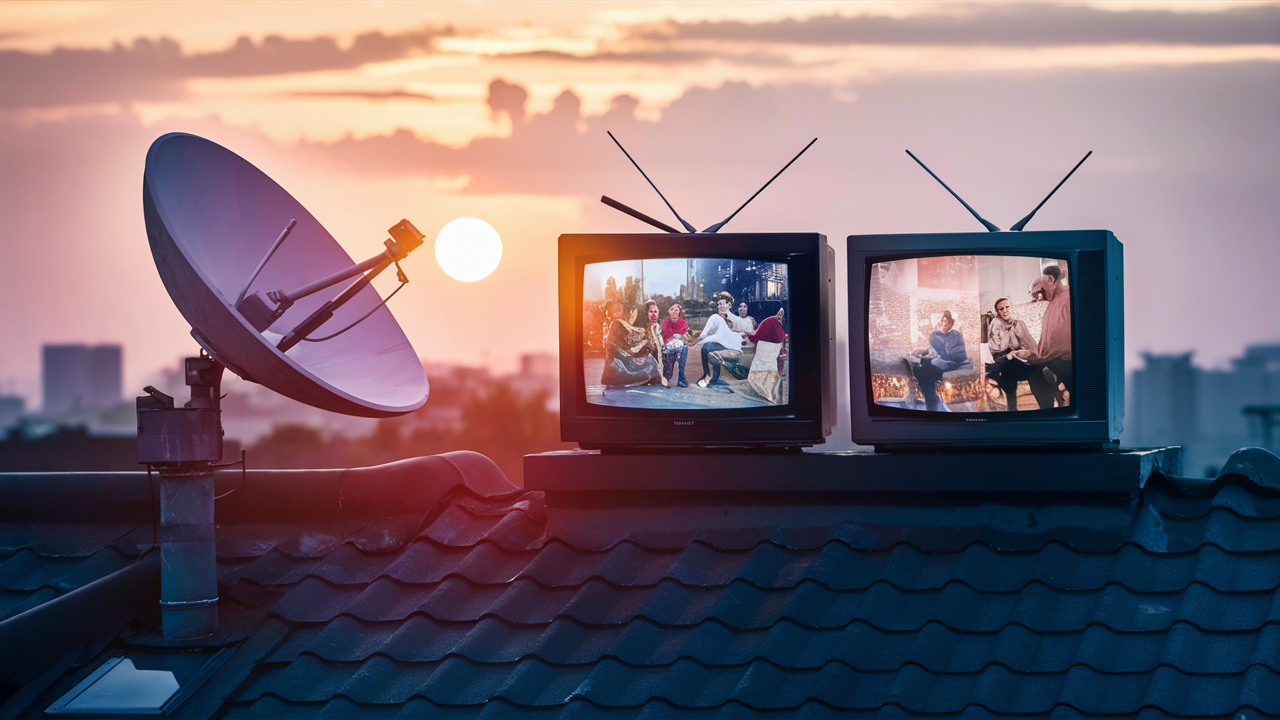
Yes, you can absolutely run two TVs off one satellite dish, but it requires specific equipment and understanding of how satellite signals are distributed. This guide will demystify the process, covering everything from LNB types to signal splitters, ensuring you get the most out of your satellite setup for multiple viewing devices.
Understanding Satellite Signals and Dish Functionality
Satellite television operates by receiving signals broadcast from geostationary satellites orbiting the Earth. These signals are transmitted at specific frequencies and polarization. A satellite dish, with its parabolic shape, is designed to collect these faint signals and focus them onto a central point. At this focal point sits the Low-Noise Block downconverter (LNB), which amplifies the weak signals and converts them to a lower frequency range that can be transmitted down the coaxial cable to your satellite receiver.
The dish itself is crucial for aiming the antenna precisely at the correct satellite. Different satellite providers use different orbital slots, meaning your dish must be aligned perfectly to capture the desired signal. The LNB is the component that actually "sees" the signal collected by the dish. Understanding these basic principles is fundamental to grasping how multiple TVs can access these signals simultaneously.
The LNB: The Heart of Signal Reception
The LNB, or Low-Noise Block downconverter, is a critical piece of equipment in any satellite system. Its primary functions are to amplify the very weak radio frequency (RF) signals collected by the satellite dish and to downconvert these signals from their high orbital frequencies to a lower intermediate frequency (IF) range. This IF range is suitable for transmission through coaxial cables without significant signal loss over distance.
Modern LNBs are sophisticated devices. They typically have multiple outputs, each capable of delivering a distinct signal to a satellite receiver. The number of outputs on an LNB is a key factor in determining how many independent satellite tuners or receivers can be connected to a single dish. For example, a standard LNB might have one or two outputs. However, LNBs designed for multi-room or multi-receiver setups can have four, eight, or even more outputs, each providing access to different polarizations and frequency bands.
The type of LNB also dictates the capabilities of your satellite system. For instance, Universal LNBs are common and can receive signals across a wide range of frequencies and polarizations. Some LNBs are designed to work with specific satellite systems, while others are more universal. The choice of LNB directly impacts whether you can connect one, two, or many TVs to a single dish without needing additional complex equipment.
Can You Run Two TVs Off One Dish? The Short Answer
Yes, you can run two TVs off one satellite dish, provided you have the correct LNB and distribution system. The most straightforward method involves using an LNB that has at least two outputs, with each output connecting to a separate satellite receiver or a TV with a built-in satellite tuner. This allows each TV to independently select its own channel, as if it were connected to its own dish.
If your current LNB only has one output, you will need to upgrade it to one with multiple outputs or install a satellite multiswitch. This is a common scenario for households looking to expand their satellite viewing capabilities without installing multiple dishes. The key is ensuring each TV or receiver gets an independent feed from the LNB or multiswitch.
Methods for Connecting Multiple TVs
Several methods can be employed to connect two or more televisions to a single satellite dish. The best approach depends on your existing equipment, the number of TVs you wish to connect, and your budget.
Method 1: Using a Dual-Output LNB
This is the simplest and most common method for connecting two TVs. A dual-output LNB is an LNB that has two separate coaxial cable outputs. Each output provides an independent satellite signal feed. You simply connect one coaxial cable from one output to the satellite receiver for your first TV, and another cable from the second output to the satellite receiver for your second TV.
Advantages:
- Simple installation.
- Cost-effective if you only need to connect two TVs.
- No additional complex equipment is usually required beyond the LNB itself.
Disadvantages:
- Limited to two independent signals. If you need more than two TVs, you'll need a different solution.
- Requires replacing your existing single-output LNB.
When to use: This method is ideal for households with two primary viewing areas or for a couple who wish to watch different programs simultaneously. It's a direct upgrade from a single-output LNB.
Method 2: Using an LNB with Multiple Outputs or a Multiswitch
For more than two TVs, or if your LNB has limited outputs, a satellite multiswitch becomes essential. A multiswitch is a device that takes the signals from a single LNB (or even multiple LNBs for different satellites) and distributes them to multiple receivers. A standard LNB might have 2 or 4 outputs, but a multiswitch allows you to connect many more receivers.
How it works: The LNB still collects the satellite signals. These signals are then fed into the multiswitch. The multiswitch intelligently routes the correct signal (based on the receiver's request for a specific channel, polarization, and frequency band) to each connected receiver. Multiswitches are designed to handle various combinations of satellite inputs and receiver outputs.
Types of Multiswitches:
- Satellite Multiswitches (SWM): These are common with systems like DirecTV. They use a single coaxial cable to deliver all available satellite signals to each receiver, simplifying home wiring.
- Standard Multiswitches: These require a separate cable from the LNB to the multiswitch for each polarization/band combination.
Advantages:
- Scalable: Can support many TVs and receivers.
- Flexibility: Allows for different LNBs to be connected for multiple satellite reception.
- Centralized distribution: Simplifies wiring in some advanced setups.
Disadvantages:
- More complex installation than a dual-output LNB.
- Can be more expensive, especially for high-port count multiswitches.
- Requires careful planning to ensure compatibility between LNB, multiswitch, and receivers.
When to use: This is the go-to solution for larger homes, entertainment centers, or when you anticipate needing to connect more than two TVs in the future. It's also crucial if your current LNB has fewer outputs than you need receivers.
Method 3: HDMI Over Ethernet or Wireless HDMI Extenders
While not directly distributing the satellite signal from the dish itself, these technologies allow you to extend the signal from a single satellite receiver to multiple TVs. This method is useful if you have a single receiver and want to distribute its output to more than one television, especially if running coaxial cables is difficult.
HDMI over Ethernet (HDBaseT): This technology uses standard Ethernet cabling (Cat5e/Cat6) to transmit high-definition HDMI signals over long distances. You connect an HDMI source (your satellite receiver) to a transmitter, which sends the signal over Ethernet cable to a receiver unit connected to the TV. Multiple receivers can be used to distribute the signal to several TVs.
Wireless HDMI Extenders: These devices transmit HDMI signals wirelessly from a transmitter connected to the satellite receiver to a receiver connected to the TV. They offer the convenience of no cables but can be subject to interference and have a limited range.
Advantages:
- Can distribute the output of a single receiver to multiple TVs.
- Useful for situations where running new coaxial cables is impractical.
- Wireless options offer great convenience.
Disadvantages:
- Does not provide independent channel selection for each TV unless you have multiple receivers.
- Can be expensive.
- Wireless solutions can suffer from interference and have range limitations.
- Quality can vary between different brands and models.
When to use: This method is best when you already have a satellite receiver and want to share its output with another TV without running new cables, or when you want to avoid the complexity of a multiswitch for a few additional TVs, assuming independent channel selection isn't a priority for those additional TVs.
Essential Equipment for a Multi-TV Setup
To successfully run two or more TVs off a single satellite dish, you will likely need the following equipment. The exact items depend on your chosen method:
- Satellite Dish: Your existing dish should be in good condition and properly aligned. For some advanced setups or multiple satellite reception, you might need a larger dish or a dish designed for multiple LNBs.
- LNB (Low-Noise Block downconverter): This is the most crucial component. You will need an LNB with at least two outputs for two TVs. For more than two, you'll need an LNB with more outputs (e.g., 4 or 8) or an LNB designed to work with a multiswitch. Common types include Universal LNBs and SWM LNBs (for specific systems like DirecTV).
- Coaxial Cables: You'll need RG-6 coaxial cables with F-type connectors. The length and number of cables will depend on the distance from the dish to the receivers and the number of TVs. Ensure these are high-quality cables to minimize signal loss.
- Satellite Receivers (Set-Top Boxes): Each TV that will independently select channels will require its own satellite receiver. Some modern TVs have integrated satellite tuners, but this is less common. Ensure your receivers are compatible with your satellite provider and the LNB/multiswitch setup.
- Multiswitch (Optional, but often necessary for more than 2 TVs): If your LNB doesn't have enough outputs for all your receivers, a multiswitch is required. These come in various configurations (e.g., 4x4, 8x8, 16x16), indicating the number of inputs (from LNBs/satellites) and outputs (to receivers).
- Power Inserter (for some Multiswitches): Certain multiswitches, especially SWM systems, require a power inserter to provide power to the LNB.
- Splitters (Use with Caution): While simple coax splitters can divide a signal, they degrade it significantly and are generally NOT recommended for distributing satellite signals to multiple independent receivers. Use a multiswitch instead.
- Mounting Hardware: Brackets, screws, and weatherproofing materials to securely mount the LNB and multiswitch.
- Tools: Coaxial cable stripper, crimping tool, adjustable wrench, drill, ladder, and safety equipment.
- HDMI Cables: To connect the satellite receivers to your TVs.
- HDMI Extenders (Optional): If using Method 3, you'll need HDMI over Ethernet transmitters/receivers or wireless HDMI kits.
Step-by-Step Installation and Setup Guide
Installing a multi-TV satellite setup requires careful planning and execution. Here's a general guide. Always refer to your satellite provider's specific instructions and safety guidelines.
Step 1: Assess Your Current Satellite Dish and LNB
Before purchasing any new equipment, identify your current setup. Look at your satellite dish and the component attached to the arm (the LNB). Determine how many outputs your current LNB has. Most standard installations for a single TV use an LNB with one or two outputs. If you have a single-output LNB and need to connect two TVs, you'll need to replace it. If you have a dual-output LNB and need more than two TVs, you'll need a multiswitch.
Also, check your satellite provider's requirements. Some providers (like DirecTV with their SWM technology) have specific LNBs and multiswitches that are mandatory for their service.
Step 2: Choose Your Connection Method
Based on the number of TVs and your existing setup, decide which method is best:
- Two TVs, existing single-output LNB: Replace LNB with a dual-output LNB.
- Two TVs, existing dual-output LNB: You might be set, provided the LNB is functional.
- More than two TVs: You will likely need an LNB with more outputs and/or a multiswitch.
- Difficult cable runs: Consider HDMI over Ethernet or wireless HDMI extenders to distribute from a single receiver.
Step 3: Acquire the Necessary Equipment
Purchase all the components identified in the previous step. Ensure compatibility between your satellite provider, the LNB, multiswitch (if used), and receivers. It's often best to buy kits designed for multi-TV satellite setups or consult with your provider or a professional installer.
Step 4: Install the New LNB or Multiswitch
Replacing the LNB:
- Safety First: Ensure you are working safely, especially if working at heights.
- Disconnect Power: If your system uses a power inserter, disconnect it.
- Remove Old LNB: Carefully detach the old LNB from the dish arm. Note how the coaxial cable(s) were connected.
- Attach New LNB: Mount the new LNB onto the dish arm. Ensure it's oriented correctly as per the manufacturer's instructions.
- Connect Cables: Connect the new coaxial cable(s) from the LNB outputs to the appropriate ports. If you're connecting to a multiswitch, run a new cable from the LNB output(s) to the multiswitch input(s).
Installing a Multiswitch:
- Mounting: Find a suitable location for the multiswitch, typically near the dish or where you can consolidate cable runs. Mount it securely.
- Connect LNB(s): Run coaxial cables from the LNB output(s) on the dish to the input ports on the multiswitch. The labeling on the multiswitch (e.g., 'SAT 1', 'Vertical', 'Horizontal') is crucial here.
- Connect Receivers: Run coaxial cables from the output ports of the multiswitch to each of your satellite receivers.
- Power Inserter: If your multiswitch requires one, install the power inserter according to the manufacturer's instructions. This usually involves connecting it to the power outlet and inserting it into the coaxial line leading to the multiswitch.
Step 5: Run Coaxial Cables to Each TV
Carefully run RG-6 coaxial cables from the LNB outputs (or multiswitch outputs) to the location of each TV. Use cable clips to secure them neatly along walls or baseboards. Avoid sharp bends or kinks in the cables, as these can degrade signal quality. Ensure cables are protected from the elements if running outdoors.
Step 6: Connect the Satellite Receivers and TVs
Connect each satellite receiver to its respective TV using an HDMI cable. Ensure the receiver is powered off before making connections.
Step 7: Configure Your Satellite Receivers
Power on your satellite receivers and TVs. You will likely need to go through a setup or installation process for each receiver. This typically involves:
- Dish Alignment Check: The receiver will guide you through a process to confirm the dish is properly aligned and receiving signals.
- Satellite Scan: The receiver will scan for available channels.
- Provider Activation: You may need to activate your receivers with your satellite provider.
Follow the on-screen prompts for each receiver. If you encounter issues, consult your satellite provider's support or the receiver's manual.
Potential Challenges and Troubleshooting
While setting up multiple TVs is achievable, you might encounter some common issues. Understanding these can help you resolve them quickly.
Signal Strength and Degradation
Problem: One or more TVs experience pixelation, freezing, or complete signal loss. This is often due to weakened signals caused by long cable runs, poor quality cables, or too many splitters. A multiswitch is designed to manage signal distribution, but even with one, signal degradation can occur.
Solution:
- Check Cable Quality: Ensure you are using high-quality RG-6 coaxial cables with properly terminated F-connectors.
- Minimize Cable Length: Use the shortest possible cable runs.
- Avoid Splitters: Do not use passive coax splitters to distribute satellite signals to multiple receivers. Use a multiswitch.
- Check Connections: Ensure all F-connectors are securely tightened.
- Inspect LNB and Multiswitch: Verify they are functioning correctly and are not damaged.
- Professional Alignment: If signal strength is consistently low, the satellite dish may need to be re-aligned by a professional.
Receiver Compatibility
Problem: Receivers are not receiving any signal, or they are not able to tune to certain channels. This can happen if the receivers are not compatible with the LNB type (e.g., using a standard LNB with a receiver designed only for SWM) or the satellite provider's system.
Solution:
- Verify LNB Type: Ensure your LNB is compatible with your receivers. For example, if you have DirecTV, you'll likely need an SWM LNB and SWM-compatible receivers.
- Check Provider Requirements: Consult your satellite provider's documentation or customer support to confirm the required LNB and receiver specifications.
- Receiver Activation: Ensure all receivers are properly activated with your satellite provider.
Interference
Problem: Sporadic signal interruptions, pixelation, or complete loss of signal, especially during specific times or weather conditions. This can be caused by various forms of interference.
Solution:
- Physical Obstructions: Ensure there are no new physical obstructions (trees, buildings) between the dish and the satellite.
- Electrical Interference: While less common for satellite signals themselves, ensure nearby electrical equipment isn't causing issues.
- Signal Leakage: In some cases, strong local signals can interfere. This is rare and usually requires professional diagnosis.
Weather Impact
Problem: Signal degradation or loss during heavy rain, snow, or thunderstorms (often called "rain fade"). This is a natural phenomenon inherent to satellite reception, especially for higher frequency bands.
Solution:
- Dish Size and Alignment: A larger dish or a perfectly aligned dish can offer better resistance to rain fade.
- LNB Quality: Higher quality LNBs can sometimes perform better in adverse weather.
- Provider Technology: Some satellite providers use technologies or frequencies that are less susceptible to rain fade.
- Acceptance: For most users, some temporary signal disruption during severe weather is an accepted aspect of satellite TV.
Cost Considerations for 2025-26
The cost of setting up two TVs off one satellite dish can vary significantly based on your existing equipment and the method you choose. Here's a general breakdown for 2025-26:
- Dual-Output LNB: Expect to pay between $30 and $70 for a quality dual-output LNB. Installation can be DIY, saving on labor costs.
- Multiswitch: A basic 4-output multiswitch might cost $50-$100. Higher port counts or advanced features (like SWM compatibility) can push the price to $150-$300 or more. Professional installation for a multiswitch setup can add $150-$400, depending on complexity and location.
- Additional Satellite Receivers: If you don't already have them, each receiver can cost anywhere from $100 to $300, depending on features and whether you buy new or refurbished. Rental fees from providers are also a recurring cost.
- Coaxial Cables and Connectors: High-quality RG-6 cable costs around $0.50-$1.00 per foot. Connectors and miscellaneous hardware might add another $20-$50.
- HDMI Extenders: Wireless HDMI kits can range from $100 to $300. HDMI over Ethernet kits are often similarly priced, or slightly more for higher-end solutions.
DIY vs. Professional Installation: A DIY installation for a dual-output LNB replacement could cost as little as $50-$100 (for the LNB and cables). A DIY multiswitch installation might be $150-$400. Hiring a professional installer for a multi-TV setup can easily add $200-$600+ to the total cost, but ensures proper setup and alignment.
Statistics for 2025-26: The demand for multi-room viewing continues to grow. Industry reports from 2025 suggest that approximately 65% of households with satellite TV have at least two active viewing devices. This trend is driving the market for more affordable and user-friendly multi-output LNBs and multiswitches.
Alternatives to Satellite for Multi-TV Viewing
While satellite is a viable option, it's worth considering alternatives for multi-TV viewing, especially if you're looking for more flexibility or different content options:
- Cable TV: Similar to satellite, cable TV providers offer multi-room solutions, often involving additional set-top boxes or cable cards. The infrastructure is different, but the principle of distributing signals to multiple TVs is similar.
- Streaming Services (Netflix, Hulu, Disney+, etc.): Most major streaming services allow multiple simultaneous streams on different devices with a single subscription. This is a very popular and often more cost-effective way to get content on multiple TVs, provided you have a good internet connection. You'll need a streaming device (like a Roku, Fire TV, Apple TV, or smart TV) for each television.
- Over-the-Air (OTA) Antennas: For local broadcast channels, an OTA antenna can provide free HD content. To distribute this to multiple TVs, you can use a powered splitter designed for antenna signals. However, this only provides local channels, not premium cable or satellite content.
- IPTV (Internet Protocol Television): This refers to television delivered over the internet. It can encompass legitimate services from providers or less legitimate "card sharing" services. Like streaming, it requires a robust internet connection.
For many, a combination of streaming services and perhaps a basic satellite or cable package for specific channels offers the most comprehensive and flexible multi-TV viewing experience in 2025-26.
Conclusion
In summary, running two (or more) TVs off a single satellite dish is not only possible but a common practice for households seeking to expand their entertainment options. The key lies in understanding the role of the LNB and employing the right distribution method. For two TVs, a simple upgrade to a dual-output LNB is often sufficient and cost-effective. For more extensive setups, a satellite multiswitch becomes indispensable, allowing multiple receivers to independently access satellite signals without compromising quality.
When planning your setup for 2025-26, always verify compatibility with your satellite provider and consider the signal integrity over cable runs. While DIY installations are feasible for simpler upgrades, more complex multiswitch setups might benefit from professional installation to ensure optimal performance. By carefully selecting the right equipment and following a structured installation process, you can successfully enjoy simultaneous satellite viewing on multiple televisions throughout your home.


