-
Posted on: 07 Jan 2026
-
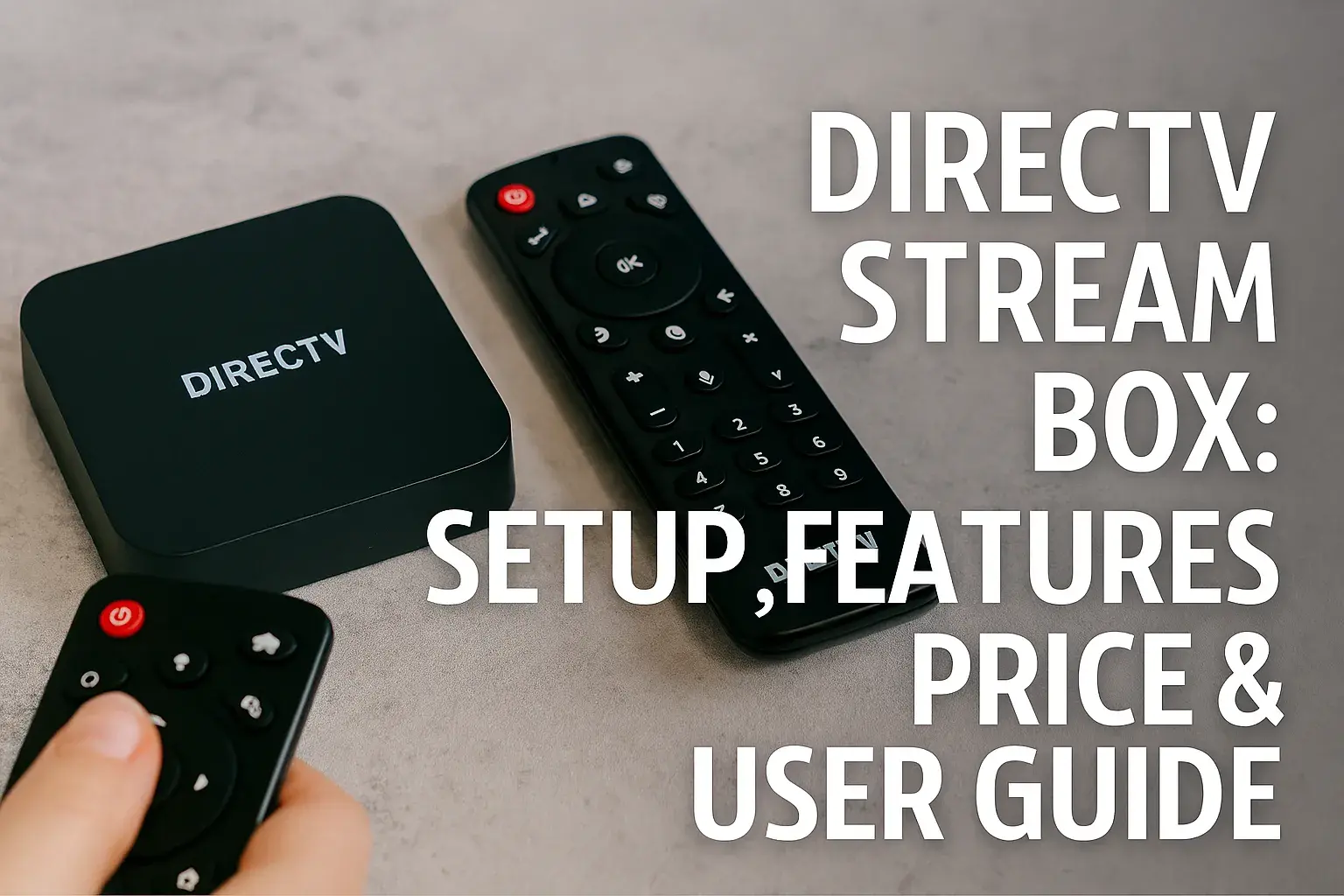
Unlock the full potential of your DIRECTV Stream experience with our comprehensive guide to the DIRECTV Stream Box. Discover seamless setup, explore its advanced features, understand pricing, and master its operation with this all-in-one user manual. Get ready to elevate your home entertainment.
What is the DIRECTV Stream Box?
The DIRECTV Stream Box is the dedicated hardware device designed to deliver the full DIRECTV Stream live TV and on-demand experience directly to your television. It integrates seamlessly with your chosen DIRECTV Stream subscription package, offering a streamlined interface, advanced features, and a user-friendly experience that aims to replicate and enhance the traditional DIRECTV satellite service without the need for a dish. This device is your gateway to a world of live sports, premium entertainment, and popular streaming applications, all controlled with an intuitive voice remote.
Key Features and Capabilities
The DIRECTV Stream Box is packed with features designed to provide a premium and convenient entertainment experience. Its capabilities extend beyond simple channel browsing, offering smart functionalities and high-quality playback.
Seamless Integration with DIRECTV Stream Service
One of the primary strengths of the DIRECTV Stream Box is its deep integration with the DIRECTV Stream service. This means that your live TV channels, on-demand content, and DVR recordings are all presented within a unified and intuitive interface. Unlike generic streaming devices that rely on separate apps for each service, the DIRECTV Stream Box brings your DIRECTV Stream subscription to the forefront, making it effortless to find and watch your favorite programs. Navigating between live TV, movies, and recorded content feels natural and fluid, enhancing the overall user experience.
Voice Remote and Google Assistant
The included voice remote is a game-changer for usability. With built-in Google Assistant, you can control your TV, search for content, and even manage smart home devices using simple voice commands. Want to find a specific movie, change the channel to a sports game, or dim your smart lights? Just speak into the remote. This hands-free control significantly reduces the need to navigate complex menus, making it easier for everyone in the household to find and enjoy their entertainment. The remote also features dedicated buttons for quick access to popular apps and functions.
App Ecosystem and Streaming Options
While the DIRECTV Stream Box excels at delivering the DIRECTV Stream service, it also functions as a robust streaming hub. Powered by Google TV, it provides access to a vast library of applications from the Google Play Store. This includes all major streaming services like Netflix, Hulu, Disney+, Amazon Prime Video, and many more. You can download and install your favorite apps directly onto the box, consolidating your entertainment sources into one place. This flexibility ensures you're not limited to just DIRECTV Stream content, offering a comprehensive entertainment solution.
4K HDR and Dolby Atmos Support
For an immersive viewing experience, the DIRECTV Stream Box supports 4K Ultra High Definition (UHD) resolution, High Dynamic Range (HDR) for enhanced color and contrast, and Dolby Atmos for spatial audio. This means you can enjoy breathtaking picture quality and theater-like sound when watching compatible content. Whether you're a sports enthusiast catching a live game in stunning detail or a movie buff experiencing the latest blockbuster with rich, multidimensional audio, the DIRECTV Stream Box is engineered to deliver top-tier audiovisual performance. In 2025, the availability of 4K HDR content continues to expand across live sports broadcasts and streaming libraries.
Cloud DVR Functionality
The DIRECTV Stream Box leverages DIRECTV's advanced Cloud DVR service. This allows you to record your favorite shows, movies, and live events without the need for physical hardware like a traditional DVR box. Your recordings are stored in the cloud, meaning you can access them from virtually any device with an internet connection, not just your DIRECTV Stream Box. The 2025-26 season sees continued improvements in cloud storage capacity and recording management features, making it easier than ever to catch up on missed programming.
Setting Up Your DIRECTV Stream Box
Setting up your new DIRECTV Stream Box is a straightforward process designed to get you watching your favorite content as quickly as possible. Follow these steps to ensure a smooth installation.
Unboxing and What to Expect
When your DIRECTV Stream Box arrives, you'll find the box itself, a power adapter, an HDMI cable, and the voice remote with batteries. Take a moment to familiarize yourself with each component. The box is typically compact and designed to blend in with your existing home theater setup. Ensure you have a clear space near your TV and a stable internet connection.
Physical Connections
1. Power: Connect the power adapter to the DIRECTV Stream Box and plug it into a wall outlet. 2. HDMI: Connect one end of the included HDMI cable to the HDMI OUT port on the DIRECTV Stream Box and the other end to an available HDMI IN port on your television. Make sure to note which HDMI port you use on your TV, as you'll need to select it later. 3. Ethernet (Optional): For the most stable internet connection, you can connect an Ethernet cable from your router directly to the Ethernet port on the DIRECTV Stream Box. If you plan to use Wi-Fi, this step is not necessary.
Initial Software Setup
Once everything is connected and powered on, your TV will display the DIRECTV Stream Box startup screen. The device will boot up and guide you through the initial software setup. This typically involves:
- Language Selection: Choose your preferred language.
- Terms and Conditions: Review and accept the terms of service.
- Software Updates: The box will check for and install any available software updates. This is crucial for optimal performance and access to the latest features.
Connecting to Wi-Fi or Ethernet
You will be prompted to connect your DIRECTV Stream Box to your home network. If you used an Ethernet cable, the connection should be established automatically. If you are using Wi-Fi:
- Select your Wi-Fi network name (SSID) from the list.
- Enter your Wi-Fi password using the on-screen keyboard.
- Confirm the connection.
A stable internet connection is vital for streaming live TV, on-demand content, and using apps. DIRECTV recommends a minimum internet speed of 25 Mbps for 4K streaming.
Pairing Your Voice Remote
The voice remote usually pairs automatically during the initial setup. If it doesn't, or if you encounter issues later, follow the on-screen instructions. This typically involves pressing and holding specific buttons on the remote until a confirmation message appears on your TV screen. Ensure the batteries are correctly inserted and that the remote is within range of the box.
Navigating the Interface
The DIRECTV Stream Box interface is designed for ease of use, combining live TV, on-demand content, and apps into a cohesive experience. Understanding its layout will help you quickly find what you're looking for.
Home Screen Overview
The Home screen is your central hub. It typically features:
- Top Bar: Displays the current time, network status, and sometimes weather information.
- Main Content Area: This is where you'll see personalized recommendations, recently watched programs, featured content, and live TV highlights.
- Navigation Bar/Menu: Usually located at the bottom or side of the screen, providing access to different sections like Live TV, On Demand, Apps, DVR, and Settings.
Understanding the Menus
Each section offers specific functionalities:
- Live TV: Access your DIRECTV Stream channel lineup. You can browse by channel, genre, or use the guide to see what's on now and upcoming.
- On Demand: Explore a vast library of movies and TV shows available to watch anytime.
- Apps: Access all your downloaded streaming applications.
- DVR: Manage your recorded programs, schedule new recordings, and view your series recordings.
- Settings: Customize your box, network preferences, audio/video settings, parental controls, and account information.
Using the Voice Remote Effectively
The voice remote is your primary tool. Key functions include:
- Voice Command Button: Press and hold to activate Google Assistant. Speak clearly to search for content ("Find action movies," "Show me the latest episode of The Mandalorian"), control playback ("Pause," "Rewind 30 seconds"), or manage your TV ("Turn off the TV").
- Navigation D-pad: Use the directional pad to move through menus and select options.
- Back/Home Buttons: Quickly return to the previous screen or go back to the Home screen.
- Dedicated App Buttons: Direct access to popular apps like Netflix or YouTube.
Experiment with different voice commands to discover the full range of its capabilities. For example, try "What's the score of the Lakers game?" or "Play some jazz music."
Customizing Your Experience
Personalization is key to a great streaming experience. The DIRECTV Stream Box allows you to:
- Rearrange Apps: Move your most-used apps to the front of the app list for quicker access.
- Set Parental Controls: Restrict access to certain channels or content based on ratings.
- Adjust Audio/Video Settings: Optimize picture and sound for your specific TV and sound system.
- Create User Profiles: If supported, set up individual profiles for personalized recommendations and watchlists.
DIRECTV Stream Box Pricing and Plans (2025-26)
Understanding the cost of the DIRECTV Stream Box and its associated service plans is crucial for making an informed decision. Pricing can vary based on promotions, package selections, and whether you purchase the box outright or lease it.
Understanding the Box Cost
DIRECTV Stream offers its dedicated streaming box, often referred to as the DIRECTV Stream Osprey Box or similar branding, as part of its service. Historically, the box has been provided at no additional upfront cost when you sign up for a qualifying DIRECTV Stream package. However, there might be a one-time equipment fee or a monthly lease charge depending on the specific promotion and your chosen plan. As of 2025-26, it's common for DIRECTV to offer the box for free with a 24-month service agreement, or for a discounted purchase price if you prefer to own it outright. Always check the latest offers directly with DIRECTV for the most current pricing details.
DIRECTV Stream Package Overview
DIRECTV Stream offers several distinct packages, each tailored to different viewing preferences and budgets. These packages are designed to replace traditional cable or satellite subscriptions, offering a mix of live channels, sports, entertainment, and local programming. The core offerings typically include:
- Entertainment: A foundational package with a broad range of popular channels.
- Choice: Includes everything in Entertainment plus more sports, regional sports networks, and movie channels.
- Ultimate: Expands on Choice with even more sports, premium movie channels, and a wider selection of entertainment programming.
- Premier: The most comprehensive package, featuring all channels from Ultimate plus premium networks like HBO, Cinemax, Showtime, and Starz.
Each package provides access to live TV, on-demand content, and the Cloud DVR service. The number of channels and the inclusion of specific sports or premium networks differentiate the plans.
Comparison of Plans
Here’s a simplified comparison of DIRECTV Stream packages for 2025-26, focusing on channel counts and key features. Note that exact channel numbers can fluctuate.
Package Monthly Price (Approx.) Key Channels/Features Regional Sports Networks Premium Channels Entertainment $79.99 165+ Channels (ABC, CBS, FOX, NBC, ESPN, CNN, HGTV, Discovery) Limited No Choice $99.99 185+ Channels (Includes Entertainment + ACC Network, Big Ten Network, SEC Network, MLB Network, NBA TV, NFL Network) Yes No Ultimate $109.99 205+ Channels (Includes Choice + A&E, History, Lifetime, FX Movie Channel, Starz Encore) Yes Limited (Starz Encore) Premier $159.99 250+ Channels (Includes Ultimate + HBO Max, Cinemax, Showtime, Starz) Yes Yes (All Major Premiums) Note: Prices are estimates and subject to change. Additional fees may apply. Regional Sports Network availability varies by location.
Additional Fees and Considerations
Beyond the monthly subscription cost, be aware of potential additional fees:
- Regional Sports Surcharge: Some packages may include a fee for access to regional sports networks, especially if you reside in a market with many local sports broadcasts.
- Taxes and Fees: Standard government taxes and regulatory fees will be added to your bill.
- Equipment Fees: As mentioned, there might be an upfront cost or a monthly lease fee for the DIRECTV Stream Box if not included in a promotion.
- Installation Fees: While typically self-installable, some complex setups might incur an installation fee.
- International Channels: Add-on packages for international programming are available at an extra cost.
For the most accurate and up-to-date pricing, it is always recommended to visit the official DIRECTV Stream website or speak with a sales representative.
Troubleshooting Common Issues
Even the most advanced technology can sometimes encounter hiccups. Here’s how to troubleshoot common problems with your DIRECTV Stream Box.
No Power or Unresponsive Box
If your DIRECTV Stream Box is not turning on or appears frozen:
- Check Power Connection: Ensure the power adapter is securely plugged into both the box and a working wall outlet. Try a different outlet.
- Power Cycle the Box: Unplug the power adapter from the box, wait for 30 seconds, and then plug it back in. This can resolve temporary software glitches.
- Check HDMI Cable: Ensure the HDMI cable is firmly connected to both the box and your TV. Try a different HDMI port on your TV or a different HDMI cable if you have one.
Internet Connectivity Problems
If you're experiencing buffering, slow loading, or no internet connection:
- Restart Your Router/Modem: Unplug your modem and router, wait 30 seconds, and plug them back in. Allow a few minutes for them to fully reconnect.
- Check Wi-Fi Signal Strength: If using Wi-Fi, ensure the box is within a good range of your router. Consider moving the box closer or using an Ethernet cable for a more stable connection.
- Test Internet Speed: Use a speed test app or website on another device connected to the same network to verify your internet speed meets DIRECTV's recommendations (at least 25 Mbps for 4K).
- Forget and Reconnect to Wi-Fi: In the box's network settings, "forget" your Wi-Fi network and then reconnect, re-entering the password.
Remote Not Working
If your voice remote is unresponsive:
- Check Batteries: Replace the batteries with fresh ones. Ensure they are inserted correctly.
- Re-pair the Remote: Follow the on-screen instructions or consult the DIRECTV Stream user manual to re-pair the remote. This often involves holding specific buttons.
- Check for Obstructions: Ensure there are no objects blocking the line of sight between the remote and the box (if it uses IR signals, though most modern remotes use Bluetooth/RF).
- Restart the Box: A power cycle of the DIRECTV Stream Box can sometimes resolve remote pairing issues.
App Crashes or Loading Issues
If a specific app is not working correctly:
- Restart the App: Close the app completely and reopen it.
- Clear App Cache/Data: In the box's app settings, find the problematic app and clear its cache or data. Note that clearing data may require you to log back into the app.
- Update the App: Check the Google Play Store for any available updates for the app.
- Uninstall and Reinstall: If issues persist, uninstall the app and then reinstall it from the Play Store.
- Check for System Updates: Ensure your DIRECTV Stream Box has the latest system software installed.
Audio or Video Problems
If you're experiencing no audio, distorted video, or other display issues:
- Check HDMI Connection: Ensure the HDMI cable is securely connected at both ends.
- Try a Different HDMI Port/Cable: Rule out a faulty port or cable.
- Adjust Audio/Video Settings: Navigate to the box's settings and ensure the correct audio output and video resolution are selected. If you're not getting 4K or HDR, check if your TV supports these formats and if they are enabled.
- Restart the Box: A simple power cycle can often resolve temporary audio/video glitches.
- Check Content Source: If the problem occurs with a specific channel or app, the issue might be with the content provider.
If problems persist after trying these steps, contact DIRECTV Stream customer support for further assistance.
Advanced Tips and Tricks
Once you've mastered the basics, there are several advanced tips and tricks to enhance your DIRECTV Stream Box experience.
Optimizing Network Performance
A strong and stable internet connection is paramount for high-quality streaming. Consider these optimizations:
- Use Ethernet: Whenever possible, connect your DIRECTV Stream Box directly to your router using an Ethernet cable. This provides a more reliable and faster connection than Wi-Fi, reducing buffering and improving picture quality.
- Router Placement: If using Wi-Fi, ensure your router is centrally located and free from obstructions. Avoid placing it near large appliances or metal objects that can interfere with the signal.
- Wi-Fi Channel Optimization: Access your router's settings to change the Wi-Fi channel. Overcrowded channels can lead to slower speeds.
- Quality of Service (QoS) Settings: Some routers allow you to prioritize network traffic for specific devices. You can set your DIRECTV Stream Box as a priority to ensure it receives sufficient bandwidth.
- Mesh Wi-Fi Systems: For larger homes or areas with weak Wi-Fi, a mesh Wi-Fi system can provide consistent coverage throughout your house.
Managing Your Cloud DVR Recordings
The Cloud DVR is a powerful tool. Here's how to use it effectively:
- Set Series Recordings: When recording a show, you'll have the option to record just that episode or the entire series. Choose the series option to automatically record new episodes as they air.
- Customize Series Recording Options: For series recordings, you can often choose to record only new episodes, or new and reruns. You can also set the number of episodes to keep.
- Manage Storage: While cloud storage is ample, it's good practice to delete recordings you no longer need to keep your DVR list organized.
- Watch from Anywhere: Remember that your Cloud DVR recordings are accessible not only on your DIRECTV Stream Box but also via the DIRECTV Stream app on other devices, allowing you to catch up on shows wherever you are.
- Recordings Conflicts: If you try to record more programs than your service allows simultaneously, the system will alert you to a conflict. You may need to choose which recording to cancel or adjust your series recording settings.
Leveraging Google Assistant for Enhanced Control
Google Assistant is more than just a search tool. Explore its full potential:
- Smart Home Integration: If you have compatible smart home devices (lights, thermostats, smart plugs), you can control them using voice commands through the DIRECTV Stream remote. For example, "Hey Google, dim the living room lights" or "Hey Google, set the thermostat to 70 degrees."
- Information Retrieval: Ask for weather forecasts, sports scores, stock prices, or general knowledge questions. "Hey Google, what's the weather like tomorrow?"
- Quick Navigation: Use commands like "Hey Google, go to Netflix" or "Hey Google, show me my DVR."
- Content Discovery: Ask for recommendations based on your preferences. "Hey Google, recommend a comedy movie."
Personalizing Your App Layout
Make your DIRECTV Stream Box truly yours by customizing the app layout:
- Reorder Apps: Go to the Apps section and find an option to edit or reorder your apps. Place your most frequently used streaming services at the top for easy access.
- Uninstall Unused Apps: Free up storage space and declutter your interface by uninstalling apps you no longer use.
- Utilize Widgets: Some interfaces allow for widgets on the home screen that can provide quick information or shortcuts.
DIRECTV Stream Box vs. Competitors
The DIRECTV Stream Box competes in a crowded market of streaming devices. Understanding how it stacks up against popular alternatives can help you appreciate its unique value proposition.
DIRECTV Stream Box vs. Roku Ultra
DIRECTV Stream Box:
- Pros: Deep integration with DIRECTV Stream service, excellent voice remote with Google Assistant, 4K HDR/Dolby Atmos support, Cloud DVR.
- Cons: Primarily designed for DIRECTV Stream users; while it supports other apps, its core strength is the DIRECTV Stream ecosystem. May have fewer third-party app customization options compared to a dedicated platform like Roku.
- Pros: Vast app selection (Roku Channel Store), user-friendly interface, excellent for cord-cutters, good for accessing a wide array of streaming services. Often supports Dolby Vision HDR.
- Cons: Lacks the seamless integration with a specific live TV service like DIRECTV Stream. Voice remote functionality is more basic compared to Google Assistant. No inherent Cloud DVR for live TV services.
DIRECTV Stream Box vs. Apple TV 4K
DIRECTV Stream Box:
- Pros: Seamless DIRECTV Stream integration, Google Assistant, Cloud DVR, often included at no extra cost with service.
- Cons: Ecosystem is primarily Google/Android-based. May not appeal to users deeply invested in the Apple ecosystem.
- Pros: Premium build quality, powerful performance, excellent integration with Apple ecosystem (iPhone, iPad, Apple Music, Apple Arcade), supports Dolby Vision and Dolby Atmos, extensive app store.
- Cons: Higher upfront cost. While it can run DIRECTV Stream app, it's not as natively integrated as the dedicated DIRECTV Stream Box.
DIRECTV Stream Box vs. Amazon Fire TV Cube
DIRECTV Stream Box:
- Pros: Native DIRECTV Stream experience, Google Assistant integration, Cloud DVR.
- Cons: Less emphasis on broad third-party app customization compared to Fire TV.
- Pros: Integrates Alexa voice control, strong integration with Amazon Prime Video, can control soundbars and A/V receivers, good app selection, often supports Dolby Vision.
- Cons: User interface can feel more ad-driven. Lacks the specific integration with DIRECTV Stream's proprietary interface and Cloud DVR.
The Future of DIRECTV Stream Hardware
DIRECTV has consistently evolved its hardware to keep pace with technological advancements and user expectations. The DIRECTV Stream Box, powered by Google TV, represents a significant leap forward from previous generations of set-top boxes. Looking ahead, we can anticipate further enhancements. This may include:
- Improved Processing Power: Faster processors for even smoother navigation, quicker app loading times, and enhanced multitasking capabilities.
- Enhanced Connectivity: Support for the latest Wi-Fi standards (e.g., Wi-Fi 7) for even more robust wireless performance, and potentially newer HDMI standards for future display technologies.
- AI Integration: Deeper integration of artificial intelligence for more personalized content recommendations, proactive suggestions, and even more intuitive voice control.
- Sustainability: A continued focus on energy efficiency and the use of more sustainable materials in hardware manufacturing.
- Advanced Audio/Video: Support for emerging audio and video formats to ensure the best possible viewing experience as content providers adopt new technologies.
DIRECTV's commitment to providing a premium entertainment experience suggests that future iterations of their streaming hardware will continue to push the boundaries of innovation, offering users cutting-edge features and unparalleled convenience.
Conclusion:
The DIRECTV Stream Box stands as a robust and user-friendly device, perfectly tailored for subscribers of the DIRECTV Stream service. Its seamless integration, powerful Google Assistant-powered voice remote, extensive app ecosystem, and support for high-fidelity audio and video make it a compelling choice for modern home entertainment. Whether you're setting it up for the first time, navigating its intuitive interface, or troubleshooting a minor issue, this comprehensive guide has equipped you with the knowledge to maximize your experience. With flexible pricing options and plans designed to suit various needs, the DIRECTV Stream Box, coupled with the DIRECTV Stream service, offers a superior alternative to traditional television, delivering live TV, on-demand content, and your favorite streaming apps all in one place. Embrace the future of television with DIRECTV Stream.