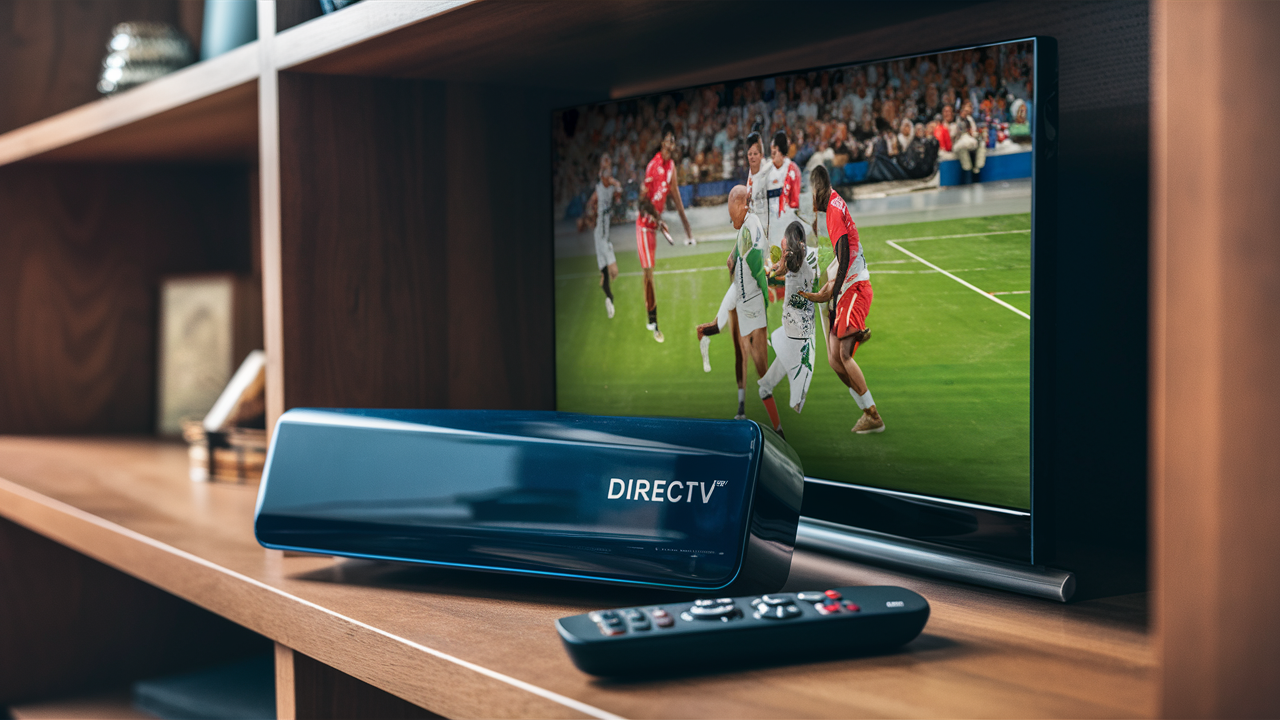
The question "Do I need a DIRECTV box for every TV?" is a common one for new and existing subscribers. Understanding DIRECTV's equipment requirements is crucial for maximizing your entertainment setup and avoiding unnecessary costs. This guide will break down the essentials, explore your options, and help you make informed decisions for your home.
Understanding DIRECTV Equipment
When you sign up for DIRECTV satellite service, the core of your entertainment system revolves around receivers. These devices are essential for decoding the satellite signal and delivering channels to your television. The fundamental question of whether each TV requires its own box hinges on the type of DIRECTV service you have and the specific equipment configuration you choose. For traditional DIRECTV satellite, the answer is generally yes, but with important nuances. DIRECTV has evolved its technology, and understanding these nuances is key to a seamless viewing experience. As of 2025-26, DIRECTV continues to offer robust satellite packages alongside its internet-based DIRECTV Stream service, each with distinct equipment requirements.
The Evolution of DIRECTV Receivers
DIRECTV's receiver technology has seen significant advancements. Initially, each television would require a dedicated, standalone receiver. This meant that if you had three TVs, you'd need three separate boxes, each with its own remote and subscription entitlement (though often bundled under one account). This model was straightforward but could become costly and cumbersome, especially for larger households. The introduction of Genie® technology marked a paradigm shift. The Genie system allows for a single primary receiver (the Genie HD DVR) to manage multiple other viewing devices throughout the home, significantly changing the answer to "Do I need a DIRECTV box for every TV?"
Types of DIRECTV Receivers
For DIRECTV satellite, the primary types of receivers you'll encounter are:
- Genie HD DVR (Primary Receiver): This is the central hub for your DIRECTV system. It's a powerful DVR that can record multiple shows simultaneously and store a vast library of content. It also serves as the server for other Genie clients.
- Genie Client (e.g., Mini Genie Client): These are smaller, wireless or wired devices that connect to your Genie HD DVR. They do not have their own tuners or hard drives but act as extensions of the main Genie, allowing you to watch and record content on additional TVs without needing a full-sized, independent receiver for each.
- Standard HD Receivers: Older models or basic receivers that function independently. If you have a system without a Genie, each TV would typically require one of these.
The distinction between these is critical when answering whether you need a box for every TV. For a Genie system, the answer leans towards "no," as clients are often used for secondary TVs. For older or non-Genie systems, the answer is more likely "yes."
The Role of the Main Receiver
The main DIRECTV receiver, particularly the Genie HD DVR, is the brain of your satellite entertainment system. Its primary functions are to:
- Receive the Satellite Signal: It connects to your DIRECTV dish and decodes the incoming satellite feed.
- Tune Channels: It allows you to select and watch live TV channels.
- Record Content: Its built-in DVR capabilities enable you to record your favorite shows, movies, and events. The number of simultaneous recordings and storage capacity varies by model, with Genie HD DVRs offering the most advanced features.
- Manage Multiple TVs (Genie System): This is where the "box for every TV" question gets its most significant answer. A single Genie HD DVR can support up to four additional Genie clients, meaning you can watch live TV and access recorded content on up to five TVs from one primary receiver.
Without a main receiver, none of your TVs would be able to access DIRECTV programming. It's the indispensable component that makes the entire service functional. The capacity of this main receiver to distribute its signal to other devices is what influences the need for additional boxes.
Understanding Genie System Capabilities
The Genie system, introduced by DIRECTV, revolutionized multi-room viewing. A single Genie HD DVR can support multiple Mini Genie Clients. This means that for a household with, say, three TVs, you might only need one Genie HD DVR and two Mini Genie Clients. Each Mini Genie Client connects to the main Genie via coaxial cable (for wired setups) or wireless connection (for wireless Genie clients). This setup drastically reduces the number of physical boxes and the associated monthly equipment fees compared to older systems where each TV needed its own full receiver.
As of 2025-26, DIRECTV continues to promote its Genie technology for satellite subscribers. This system is designed to be the most cost-effective and convenient solution for multi-TV households. The ability to have up to four simultaneous streams from one Genie DVR is a significant selling point.
What Happens if You Don't Have a Genie?
If your DIRECTV satellite account is set up with older, non-Genie receivers, then the answer to "Do I need a DIRECTV box for every TV?" becomes a resounding "yes." Each standard HD receiver is an independent unit that requires its own connection to the satellite dish (or a splitter system managed by a qualified technician) and its own subscription entitlement. This means if you have three TVs and three standard receivers, you will pay a monthly equipment fee for each receiver. This model is less common for new installations but may still exist for long-standing DIRECTV customers.
Understanding Client Receivers
Client receivers, most notably DIRECTV's Mini Genie Clients, are the key to a multi-room viewing solution without a dedicated box for every television. These devices are designed to work in conjunction with a primary Genie HD DVR.
How Mini Genie Clients Work
A Mini Genie Client is a compact device that connects to your TV via HDMI. It receives its programming and functionality from the main Genie HD DVR over your home's coaxial cable network (or wirelessly, depending on the specific client model). This means:
- No Independent Tuners: Mini Genie Clients do not have their own tuners. They borrow tuners from the main Genie.
- No Independent DVR: They do not have their own hard drives for recording. All recordings are managed by the main Genie DVR.
- Access to Recorded Content: You can watch shows recorded on the main Genie DVR on any TV connected to a Mini Genie Client.
- Simultaneous Viewing: The main Genie DVR can support up to four simultaneous streams to Mini Genie Clients. This means if you are watching live TV on one TV, recording on the Genie, and have two other TVs with Mini Genie Clients playing content, you are utilizing four of the Genie's available streams.
The primary advantage of using Mini Genie Clients is cost savings. While there is a monthly equipment fee for each Mini Genie Client, it is typically lower than the fee for a full-sized receiver. Furthermore, you only need one subscription entitlement for the main Genie DVR, which covers all connected clients.
When Are Client Receivers Recommended?
Client receivers are highly recommended for households with multiple televisions where you want to access DIRECTV programming on each. If you have a Genie HD DVR, using Mini Genie Clients for your secondary TVs is the most efficient and cost-effective way to achieve this. It allows you to expand your viewing capabilities across your home without the expense and complexity of installing a separate, full-featured receiver on every TV.
For example, if you have a living room TV, a bedroom TV, and a den TV, and you install a Genie HD DVR in the living room, you would then need two Mini Genie Clients for the bedroom and den TVs. This setup would allow you to watch live TV on all three TVs, record shows on the Genie, and access those recordings from any of the three TVs.
Limitations of Client Receivers
It's important to understand the limitations. A Mini Genie Client cannot function independently. If the main Genie HD DVR is offline or malfunctioning, the Mini Genie Clients will not be able to display any programming. Also, the number of simultaneous streams is limited by the Genie DVR's capacity (typically four streams in addition to what the Genie itself is doing). If you have more than four TVs actively using content from the Genie at any given time, you may encounter issues.
DIRECTV Stream vs. Satellite Equipment
DIRECTV offers two primary ways to access its programming: traditional satellite service and DIRECTV Stream, an internet-based streaming service. The equipment requirements differ significantly between the two.
DIRECTV Satellite Equipment
As discussed extensively, DIRECTV satellite requires a dish installation and receivers. The Genie system with Mini Genie Clients is the current standard for multi-TV households. If you are a satellite subscriber, the question of needing a box for every TV is answered by whether you are using a Genie system or older, independent receivers.
DIRECTV Stream Equipment
DIRECTV Stream, on the other hand, is designed to be more flexible and less reliant on dedicated satellite hardware.
- DIRECTV Stream Device: DIRECTV offers its own streaming device, which functions as a set-top box for DIRECTV Stream. This device provides access to live TV, on-demand content, and popular streaming apps. You can purchase or rent these devices.
- Third-Party Streaming Devices: DIRECTV Stream is also compatible with many popular third-party streaming devices such as Amazon Fire TV, Roku, Apple TV, and Google Chromecast. You can download the DIRECTV Stream app on these devices and use them to watch the service.
- Smart TVs: Many smart TVs have the DIRECTV Stream app available directly on their platforms.
For DIRECTV Stream, the question "Do I need a DIRECTV box for every TV?" is answered by how you choose to access the service. If you use the dedicated DIRECTV Stream device, then yes, you'll need one per TV you want to use it on. However, if you utilize compatible third-party devices or smart TV apps, you might already have the necessary hardware, making the cost of "boxes" significantly lower or even zero if you use existing devices.
Key Differences Summarized
Here’s a quick comparison table to highlight the equipment differences:
| Feature | DIRECTV Satellite (Genie System) | DIRECTV Stream |
|---|---|---|
| Primary Hardware | Satellite Dish, Genie HD DVR, Mini Genie Clients | Internet Connection, DIRECTV Stream Device (optional), or compatible 3rd-party streaming device/app |
| Box per TV? | Typically one Genie DVR + Clients for other TVs. Clients don't count as full boxes. | One DIRECTV Stream Device per TV, OR use existing 3rd-party devices/apps. |
| Installation | Professional satellite dish installation required. | No satellite installation. Requires reliable home internet. |
| Mobility | Fixed location tied to satellite dish. | Can be used anywhere with internet. |
| Content Access | Satellite broadcast channels, DVR recordings. | Live TV channels (via streaming), On-Demand, streaming apps. |
As of 2025-26, DIRECTV continues to support both services, catering to different user needs and preferences. Satellite offers a more traditional, robust broadcast experience, while Stream provides flexibility and integration with the broader streaming ecosystem.
Scenarios and Recommendations
To definitively answer "Do I need a DIRECTV box for every TV?", let's consider common household scenarios and provide tailored recommendations.
Scenario 1: The Traditional Satellite Household (e.g., 3 TVs)
You have a living room TV, a master bedroom TV, and a guest room TV. You want to watch live DIRECTV channels and record shows on all of them.
- Recommendation: Opt for the DIRECTV Genie system. You will need one Genie HD DVR (installed in the living room, for example) and two Mini Genie Clients for the other two TVs. This setup allows for multi-room viewing and recording from a single primary receiver. You will pay a monthly equipment fee for the Genie HD DVR and a smaller fee for each Mini Genie Client. This is generally the most cost-effective solution for satellite.
- Why: This avoids the need for three separate, full-featured receivers, saving on monthly equipment costs and simplifying management.
Scenario 2: The Internet-Savvy Household (e.g., 2 TVs, reliable internet)
You have two TVs and a strong, stable internet connection. You're open to streaming services and want flexibility.
- Recommendation: Consider DIRECTV Stream. You can use the DIRECTV Stream app on your existing smart TVs or compatible streaming devices (like Roku or Fire TV) if you already own them. If you don't have compatible devices, you can rent or purchase DIRECTV Stream devices for each TV.
- Why: This bypasses the need for satellite dish installation and potentially reduces hardware costs if you can leverage existing devices. It offers a more modern, integrated streaming experience.
Scenario 3: The Single TV Household
You only have one television and are interested in DIRECTV satellite.
- Recommendation: You will need one standard DIRECTV receiver or a Genie HD DVR. If you opt for a Genie, it will function as a standalone receiver for your single TV.
- Why: A single receiver is sufficient to access all DIRECTV satellite programming on one television.
Scenario 4: The "Only Want One Box" Household
You want to watch DIRECTV on multiple TVs but are adamant about having only one physical box.
- Recommendation: This is only achievable with the DIRECTV Genie satellite system. The Genie HD DVR is the "one box" that manages content for up to four additional TVs via Mini Genie Clients.
- Why: This is the core design principle of the Genie system – centralizing the primary receiver and distributing its signal.
Important Considerations for 2025-26
DIRECTV is continuously updating its technology and service offerings. When making your decision, always confirm the latest equipment options, pricing, and any promotional deals directly with DIRECTV. For satellite, ensure your home is suitable for dish installation. For Stream, verify your internet speed and compatibility with chosen streaming devices.
Cost Considerations
The number of DIRECTV boxes you need directly impacts your monthly bill. Understanding these costs is crucial for budgeting.
DIRECTV Satellite Equipment Fees (2025-26 Estimates)
For DIRECTV satellite, costs are generally broken down into:
- Base Receiver Fee: This is the monthly charge for the primary receiver. For a Genie HD DVR, this fee is often included in package deals or has a specific monthly rate (e.g., around $15-$20 per month, though this can vary).
- Client Receiver Fee: Mini Genie Clients have a lower monthly equipment fee (e.g., around $7-$10 per month each).
- Standard Receiver Fee: If you are not using a Genie system, each standard HD receiver will have its own monthly fee, which is typically higher than a Mini Genie Client fee (e.g., around $10-$15 per month).
- Protection Plan: DIRECTV often offers a protection plan for equipment, which covers repairs and replacements. This adds to the monthly cost but can save money in the long run if issues arise.
Example Calculation (Satellite):
Household with 1 Genie HD DVR and 2 Mini Genie Clients:
- Genie HD DVR: ~$18/month
- Mini Genie Client 1: ~$8/month
- Mini Genie Client 2: ~$8/month
- Total Equipment Fee: ~$34/month
Household with 3 Standard HD Receivers:
- Standard Receiver 1: ~$12/month
- Standard Receiver 2: ~$12/month
- Standard Receiver 3: ~$12/month
- Total Equipment Fee: ~$36/month
As you can see, the Genie system often presents a cost advantage for multi-TV households.
DIRECTV Stream Equipment Costs (2025-26 Estimates)
DIRECTV Stream offers more flexibility in equipment costs:
- DIRECTV Stream Device Rental/Purchase: The DIRECTV Stream device can be rented for a monthly fee (e.g., around $5-$10 per month) or purchased outright (e.g., $120-$150 one-time cost).
- Using Existing Devices: If you use your own compatible streaming devices (Roku, Fire TV, Apple TV, etc.) or smart TV apps, there are no additional DIRECTV equipment rental fees. You are, of course, responsible for the initial purchase cost of these devices if you don't already own them.
Example Calculation (DIRECTV Stream):
Household with 2 TVs:
- Option A (Rent DIRECTV Stream Devices): ~$7/month x 2 TVs = ~$14/month
- Option B (Use Existing Roku Devices): $0/month DIRECTV equipment fees
- Option C (Purchase DIRECTV Stream Devices): ~$120 x 2 = ~$240 one-time cost
The cost-effectiveness of DIRECTV Stream heavily depends on whether you can leverage existing hardware.
Hidden Costs and Fees
Always be aware of potential hidden costs:
- Installation Fees: While some promotions offer free installation, standard installation fees can apply, especially for satellite services.
- Activation Fees: Some plans may have activation fees.
- Upgrade Fees: Upgrading to newer equipment might incur additional charges.
- Service Fees: Beyond equipment, there are monthly programming package fees.
It is essential to get a clear, itemized quote from DIRECTV that details all monthly and one-time charges based on your specific service and equipment choices.
Installation and Setup
The installation process for DIRECTV equipment varies significantly between satellite and Stream services.
DIRECTV Satellite Installation
Satellite installation is a professional job and typically requires a technician visit.
- Site Survey: The technician will assess your property to determine the best location for the satellite dish, ensuring a clear line of sight to the southern sky.
- Dish Mounting: The dish is securely mounted on your roof, wall, or a ground mount.
- Cabling: Coaxial cables are run from the dish to the location(s) where the receiver(s) will be installed. This often involves drilling through walls.
- Receiver Setup: The technician will connect the receiver(s) to your TV(s) and the coaxial cable, then power them on.
- System Activation: The technician will activate your service, perform system diagnostics, and ensure you can receive the signal and tune to channels.
- Genie System Configuration: If you have a Genie system, the technician will connect and configure the Mini Genie Clients to the main Genie HD DVR.
The entire process for a multi-TV satellite setup can take several hours. It's crucial to be present during installation to discuss placement of equipment and cabling.
DIRECTV Stream Setup
DIRECTV Stream setup is significantly simpler and often DIY-friendly.
- Internet Connection: Ensure you have a stable and sufficiently fast internet connection (DIRECTV recommends at least 25 Mbps for optimal performance).
- Connecting the DIRECTV Stream Device (if used):
- Plug the DIRECTV Stream device into a power outlet.
- Connect the device to your TV via HDMI.
- Connect the device to your home network via Wi-Fi or Ethernet.
- Follow the on-screen prompts to log in with your DIRECTV account credentials.
- Using Third-Party Devices/Apps:
- Ensure your smart TV or streaming device is connected to your home network.
- Download the DIRECTV Stream app from your device's app store.
- Log in with your DIRECTV account credentials.
DIRECTV Stream setup can typically be completed in minutes, without the need for a professional installer, provided your internet is functional.
Troubleshooting Common Issues
Even with the best equipment, occasional issues can arise. Understanding common problems and their solutions can save you time and frustration.
Satellite Receiver Issues
No Signal/Weak Signal:
- Cause: Obstruction of the satellite dish (e.g., tree growth, new construction), misaligned dish, faulty LNB (the component on the dish), or internal receiver issue.
- Solution: Check for obvious obstructions. If the problem persists, contact DIRECTV for a technician visit. For Genie systems, ensure Mini Genie Clients are properly connected to the main Genie.
Receiver Not Responding/Freezing:
- Cause: Software glitch, overheating, or hardware failure.
- Solution: Perform a soft reset by unplugging the receiver from power for 30 seconds and plugging it back in. If using a Genie system, try resetting the main Genie. If the issue continues, contact DIRECTV.
Recording Errors:
- Cause: Insufficient hard drive space, tuner conflict, or receiver malfunction.
- Solution: Check available DVR space. Ensure you are not trying to record more shows simultaneously than your receiver supports. If the problem persists, a receiver reset or technician may be needed.
DIRECTV Stream Issues
Buffering/Pixelation:
- Cause: Slow or unstable internet connection, network congestion, or issues with the streaming device.
- Solution: Restart your modem and router. Test your internet speed. Close other bandwidth-intensive applications. If using Wi-Fi, try a wired Ethernet connection or move closer to the router. Ensure your DIRECTV Stream device or app is updated.
App Not Loading/Crashing:
- Cause: Outdated app, device software issues, or temporary service interruption.
- Solution: Restart your streaming device. Ensure the DIRECTV Stream app and your device's operating system are updated. Clear the app's cache (if applicable on your device). Reinstall the app if necessary.
Login Issues:
- Cause: Incorrect username/password, account issues.
- Solution: Double-check your login credentials. Use the "Forgot Password" option if needed. Contact DIRECTV support if you suspect an account problem.
For any persistent issues, DIRECTV's customer support and online resources are valuable tools. They can often guide you through advanced troubleshooting steps or schedule a technician if required for satellite service.
Future-Proofing Your Setup
As technology evolves, it's wise to consider how your DIRECTV setup can adapt to future needs and advancements.
Considering DIRECTV Stream for Flexibility
As internet speeds continue to increase and streaming technology becomes more integrated into our lives, DIRECTV Stream offers inherent flexibility. It's not tied to a physical satellite dish, making it easier to move or adapt if you relocate. Furthermore, its compatibility with a wide range of devices means you can often leverage existing hardware, reducing future upgrade costs. For many, especially younger demographics or those who have "cut the cord" from traditional cable, Stream represents a more future-proof solution.
Maximizing Your Satellite Investment
If you are committed to DIRECTV satellite, the Genie system is the most modern and future-ready option available. Its ability to support multiple rooms from a single core receiver is a design that aligns with modern household entertainment needs. When installing or upgrading, ensure you are getting the latest Genie model available, as these often come with improved features and longer support lifecycles. Discuss potential future needs with your installer; for instance, if you anticipate adding more TVs in the coming years, ensure the cabling infrastructure can support it.
The Role of Internet Speed
For both DIRECTV Stream and for features like on-demand content and app integration on satellite receivers, a robust internet connection is increasingly important. As 4K streaming and higher bandwidth applications become more common, ensuring your home internet can handle these demands will be key to a seamless experience, regardless of whether you use satellite or Stream. Investing in a faster internet plan can future-proof your entertainment setup.
Staying Informed
The technology landscape changes rapidly. DIRECTV, like other providers, will continue to innovate. Staying informed about new equipment releases, service updates, and emerging technologies will help you make informed decisions to keep your entertainment setup current and efficient. This includes understanding how new television technologies (like 8K) might interact with your current or future DIRECTV service.
Ultimately, the "best" setup for you depends on your individual circumstances, budget, and technical preferences. By understanding the core differences between DIRECTV satellite and Stream, and the specific equipment requirements for each, you can confidently choose the solution that best fits your home.
In conclusion, the answer to "Do I need a DIRECTV box for every TV?" is nuanced. For DIRECTV satellite, the Genie system significantly reduces the need for a full receiver on every TV, utilizing Mini Genie Clients instead. For DIRECTV Stream, you can use dedicated devices or leverage existing streaming hardware, offering more flexibility. Always assess your household's specific needs and consult DIRECTV for the most accurate and up-to-date information regarding equipment and pricing.


