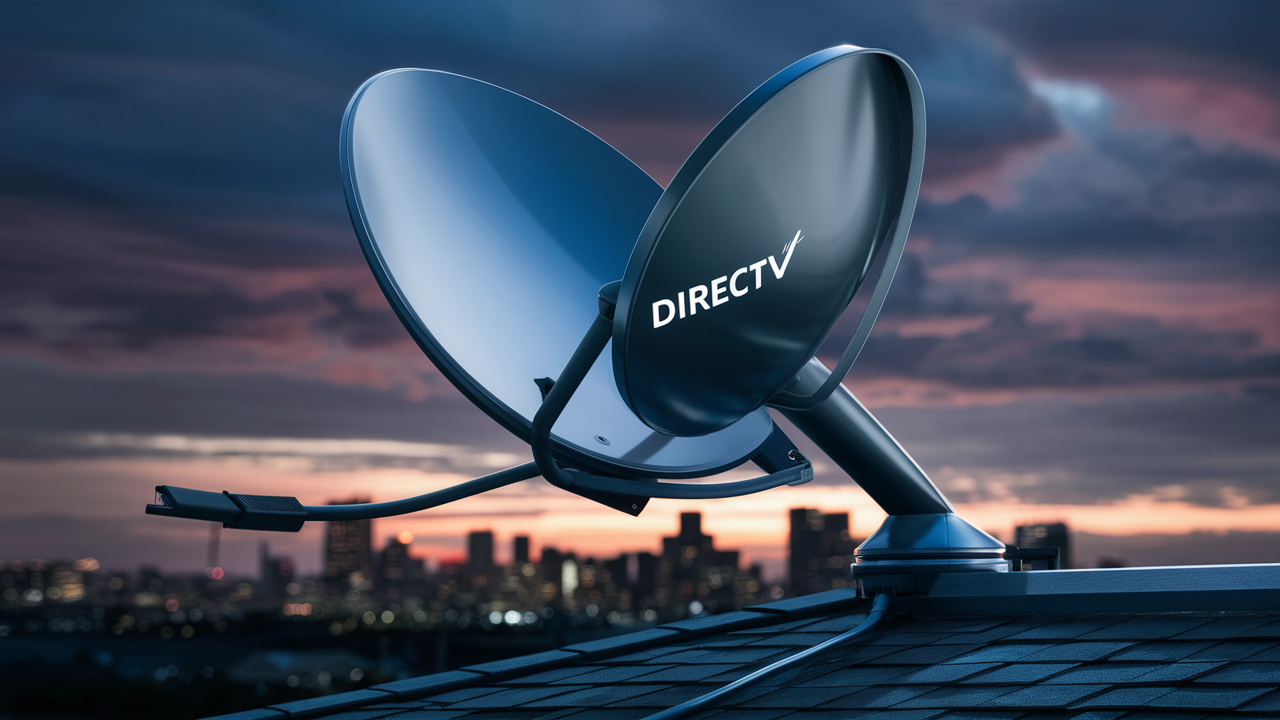
For many considering DIRECTV, a primary question revolves around installation: "Does DIRECTV have to be hardwired?" The answer is nuanced, but generally, yes, a physical connection is essential for optimal performance and signal reception. This post will break down why and explore your options.
Understanding DIRECTV Installation
When you sign up for DIRECTV, especially their traditional satellite television packages, the installation process is a key component of the service. Unlike streaming services that rely solely on your home's internet connection, DIRECTV's core offering involves receiving a signal directly from a satellite orbiting Earth. This signal is then transmitted to a dish installed on your property and, crucially, to your receiver inside your home. The question of "Does DIRECTV have to be hardwired?" directly addresses this fundamental aspect of their technology.
The term "hardwired" in this context refers to the physical cables that connect the outdoor satellite dish to the indoor receivers. These cables are not just optional; they are the backbone of the signal transmission. Without them, the signal from the satellite cannot reach the equipment that decodes it into the channels you see on your television. This is a critical distinction between satellite TV and internet-based streaming services. While both deliver entertainment, their delivery mechanisms are fundamentally different.
For a service that promises high-definition broadcasts and a vast array of channels, signal integrity is paramount. Hardwiring ensures a stable, uninterrupted flow of data, minimizing the susceptibility to interference that can plague wireless connections. This reliability is a cornerstone of the DIRECTV experience for its satellite subscribers.
The Importance of Professional Installation
DIRECTV strongly recommends and often requires professional installation for its satellite services. This is not merely a preference; it's a necessity to ensure the system is set up correctly and optimally. A certified technician will assess your property for the best dish placement, ensuring a clear line of sight to the satellite. They will then run the necessary cables, connecting the dish to the Genie receiver or other compatible devices within your home.
This professional approach guarantees that the "hardwiring" is done to spec, using the correct types of coaxial cables (RG-6 is standard) and connectors. Improperly installed wiring can lead to signal loss, pixelation, error messages, and a generally poor viewing experience. Therefore, understanding that DIRECTV requires this physical connection is the first step in preparing for installation.
The Crucial Role of Hardwiring
To definitively answer "Does DIRECTV have to be hardwired?", we must delve into the mechanics of satellite television. Satellite TV operates by broadcasting signals from a geostationary satellite to a dish on your property. This dish is precisely aligned to capture these faint signals. Once captured, the signals are channeled through a cable, typically a coaxial cable, from the dish's LNB (Low-Noise Block downconverter) to your DIRECTV receiver. This cable is the physical, hardwired connection.
The coaxial cable is designed to carry radio frequency (RF) signals efficiently over relatively long distances with minimal signal degradation. It shields the signal from external electromagnetic interference, which is vital for maintaining picture and sound quality. Wireless transmission over the distances and frequencies involved in satellite reception would be highly impractical and susceptible to a myriad of environmental factors, including weather, other electronic devices, and physical obstructions.
Signal Integrity and Performance
Hardwiring is not just about getting a signal; it's about getting a *clean* and *strong* signal. The coaxial cable ensures that the data packets containing your TV channels arrive at the receiver intact and with sufficient power. This directly translates to:
- High-Definition Picture Quality: Crisp, clear images without artifacting or compression issues.
- Reliable Channel Reception: Consistent access to all subscribed channels.
- Minimal Downtime: Reduced likelihood of service interruptions due to signal issues.
- Efficient Data Transfer: Necessary for features like on-demand content and interactive guides.
In contrast, wireless connections, while convenient for many applications, are generally less robust for high-bandwidth, consistent data streams like live television from a satellite source. The signal strength can fluctuate significantly based on distance, obstructions, and interference.
The Dish to Receiver Connection
The primary hardwired connection for DIRECTV satellite service is the coaxial cable running from the outdoor satellite dish to the indoor receiver. This cable carries the L-band signals from the LNB on the dish to the tuner in the receiver. The receiver then demodulates and decodes these signals, sending them to your television via HDMI or other appropriate connections.
For systems with multiple receivers or advanced features like whole-home DVR (e.g., DIRECTV Genie), there may be additional wiring. For instance, a Genie system might have a main Genie server connected to the dish, and smaller clients connected to the server via Ethernet or Wi-Fi. However, the fundamental link from the dish to the server remains hardwired. Even if the client boxes communicate wirelessly with the server, the server itself *must* be hardwired to the dish to receive the satellite signal.
Why Wireless is Not a Direct Replacement for Satellite Dish Wiring
It's important to distinguish between the hardwiring from the dish to the receiver and the potential for wireless communication *within* the home. While some DIRECTV setups might use Wi-Fi for client boxes to communicate with a central DVR, the initial reception of the satellite signal *always* requires a physical, hardwired connection from the dish. This is the core of the answer to "Does DIRECTV have to be hardwired?"
Think of it like this: your home's Wi-Fi network allows devices to communicate wirelessly *after* the internet signal has been brought into your home via a physical cable (DSL, fiber, or cable modem). Similarly, the satellite dish needs its physical cable to bring the signal into your home before any internal wireless distribution can occur.
DIRECTV Satellite vs. Internet Options
The question of hardwiring becomes clearer when you differentiate between DIRECTV's satellite service and its internet-based streaming options, such as DIRECTV Stream. Understanding these differences is crucial for making an informed decision about which service best suits your needs and your home's infrastructure.
DIRECTV Satellite: The Traditional Approach
This is the service that most directly answers the "hardwired" question. DIRECTV satellite requires:
- An Outdoor Satellite Dish: Installed on your roof, wall, or balcony.
- Coaxial Cabling: Running from the dish to your indoor receivers. This is the primary "hardwiring."
- Receivers/DVRs: Devices inside your home that process the satellite signal.
The signal path is: Satellite -> Dish -> Coaxial Cable -> Receiver -> TV. This setup is designed for maximum signal stability and quality, especially in areas where internet speeds might be inconsistent or insufficient for high-quality streaming. For 2025-26, DIRECTV continues to offer this robust solution, particularly appealing to those in rural areas or with a preference for traditional broadcast delivery.
DIRECTV Stream: The Internet-Based Alternative
DIRECTV Stream is a different product altogether. It delivers live TV channels and on-demand content over your existing high-speed internet connection. This means:
- No Satellite Dish Required: Eliminates the need for outdoor installation and associated wiring.
- Uses Your Home Internet: Requires a stable, high-speed internet connection (minimum recommended speeds vary by provider and package, but generally 25 Mbps or higher for HD streaming is advised for 2025-26).
- Streaming Devices: Content is accessed via smart TV apps, streaming sticks (like Roku, Fire TV, Apple TV), or DIRECTV Stream's own proprietary streaming device.
The signal path is: Internet Service Provider -> Your Router -> Streaming Device -> TV. In this scenario, the question "Does DIRECTV have to be hardwired?" is answered with "no," in the sense that the DIRECTV service itself doesn't require dish wiring. However, your *internet connection* to your home is typically hardwired (e.g., fiber optic, cable, DSL).
Key Differences Summarized
Here's a quick comparison to highlight the distinctions:
| Feature | DIRECTV Satellite | DIRECTV Stream |
|---|---|---|
| Signal Source | Geostationary Satellite | Internet Connection |
| Installation Requirement | Dish installation, coaxial cable wiring | None (uses existing internet) |
| Hardware | Satellite dish, LNB, coaxial cables, receiver/DVR | Streaming device (app or dedicated box) |
| Dependence | Clear line of sight to satellite, weather resilience | Internet speed and stability |
| Typical Use Case | Areas with poor internet, preference for broadcast reliability | Areas with strong internet, desire for flexibility and no dish |
As of 2025-26, DIRECTV continues to support both options, catering to a wide range of consumer needs and home environments. If your primary interest is in the traditional DIRECTV experience with its extensive channel packages and proven signal reliability, then the answer to "Does DIRECTV have to be hardwired?" is a definitive yes for the satellite service.
Exploring Wireless Solutions and Their Limitations
While the core DIRECTV satellite service necessitates hardwiring, it's natural to wonder about the role of wireless technology. Wireless solutions can play a part in the overall setup, but they cannot replace the fundamental hardwired connection from the satellite dish. Understanding these nuances is key to a complete picture.
Internal Wireless Communication
DIRECTV's advanced systems, like the Genie HD DVR, often employ a hub-and-spoke model. The main Genie DVR is hardwired to the satellite dish. However, it can then communicate wirelessly with smaller "client" boxes (e.g., Genie Mini clients) in other rooms. These clients access the content stored on the main Genie DVR.
This internal wireless communication offers convenience, allowing you to watch and record content throughout your home without running coaxial cables to every single TV. However, it's crucial to remember that the *source* of the signal—the satellite dish—is still physically connected to the main DVR via a hardwired cable. The wireless aspect is only for distributing the signal *after* it has been received and processed by the primary hardwired unit.
The effectiveness of this internal wireless network depends on your home's Wi-Fi infrastructure and the strength of the signal between the Genie and its clients. For optimal performance in 2025-26, a robust home network is recommended.
The Myth of Fully Wireless Satellite TV
There's a common misconception that satellite TV can be entirely wireless. This is not the case for services like DIRECTV. The physics of satellite communication dictate a direct, line-of-sight transmission from a dish to a receiver. The signal strength required and the frequencies used make a purely wireless, over-the-air broadcast from a satellite to a small indoor device impractical and technologically unfeasible at present for consumer-grade services.
Any claims of "wireless DIRECTV" typically refer to:
- DIRECTV Stream: Which is internet-based and requires no dish.
- Internal Wireless Distribution: As described with Genie clients, where the *initial* signal is hardwired.
- Third-Party Solutions: Which might use wireless video transmitters to send a signal from a receiver to a TV, but the receiver itself is still hardwired to the dish.
Therefore, when asking "Does DIRECTV have to be hardwired?", the answer remains consistent: yes, for the satellite service, the connection from the dish to the primary receiver is a hardwired necessity.
Limitations of Wireless for Signal Reception
Why can't the dish itself be wireless?
- Signal Strength: Satellite signals are relatively weak by the time they reach Earth. They require a precisely aligned dish to focus and amplify them.
- Frequency Bandwidth: The frequencies used are high, and transmitting them wirelessly over significant distances within a home would require substantial power and specialized equipment, akin to a localized cellular network.
- Interference: Wireless signals are prone to interference from other electronic devices, walls, and even people. This would lead to constant signal dropouts and picture degradation.
- Data Throughput: Delivering multiple high-definition channels requires a significant amount of data. Wireless technologies, especially older or less robust ones, might struggle to maintain the necessary bandwidth consistently.
For these reasons, the coaxial cable remains the most reliable and efficient medium for transporting the raw satellite signal from the outdoor dish to the indoor electronics.
The Role of Wi-Fi in a Connected Home
While not a substitute for dish wiring, Wi-Fi is integral to modern entertainment. It allows your DIRECTV Stream device to connect to the internet, your smart TV to access apps, and your Genie clients to communicate with your Genie DVR. A strong, stable Wi-Fi network is essential for a seamless experience with these services. In 2025-26, with the increasing prevalence of smart home devices and high-resolution streaming, investing in a good router and potentially a mesh Wi-Fi system is advisable for all connected households.
What About DIRECTV Stream?
This is where the "hardwired" question takes a different turn. DIRECTV Stream is DIRECTV's answer to the growing demand for internet-based television services. Unlike the traditional satellite offering, DIRECTV Stream does not require a satellite dish or any physical wiring from an outdoor antenna.
DIRECTV Stream: The Internet-Centric Solution
DIRECTV Stream operates by delivering live TV channels, on-demand content, and DVR functionality over your existing broadband internet connection. This means that if you already have a reliable high-speed internet service, you can potentially use DIRECTV Stream without any new installations related to signal reception.
The core requirements for DIRECTV Stream are:
- High-Speed Internet: DIRECTV recommends a minimum of 25 Mbps download speed for HD streaming, and ideally higher for 4K content and multiple simultaneous streams. For 2025-26, with increasing bandwidth demands, 50 Mbps or more is a safer bet for a premium experience.
- Compatible Streaming Device: This can be a smart TV with the DIRECTV Stream app, a streaming stick (Roku, Amazon Fire TV, Apple TV), a gaming console, or DIRECTV's own Gemini Device.
In this context, the answer to "Does DIRECTV have to be hardwired?" is a resounding "no" for DIRECTV Stream, as it relies entirely on your internet connection.
The "Hardwiring" of Your Internet Connection
It's important to note that while DIRECTV Stream itself doesn't require dish wiring, your internet connection to your home is almost always hardwired. This could be via:
- Fiber Optic Cable: The fastest and most reliable, physically bringing light signals into your home.
- Coaxial Cable (Cable Internet): Using the same type of cable that delivers cable TV, bringing internet signals.
- DSL (Digital Subscriber Line): Using existing phone lines.
Even a fixed wireless or satellite internet connection, while "wireless" in its final delivery to your router, originates from a wired infrastructure. So, while DIRECTV Stream bypasses the need for *DIRECTV's* hardwiring, it still depends on a robust, typically wired, internet infrastructure.
Benefits of DIRECTV Stream
- No Dish Installation: Ideal for renters, those with restrictive HOAs, or individuals who prefer not to have a dish on their property.
- Flexibility: Easily move your service between locations with a strong internet connection.
- Bundled Services: Often bundled with internet and mobile plans.
- Modern Interface: Utilizes familiar app-based interfaces.
Considerations for DIRECTV Stream
- Internet Dependence: Service quality is directly tied to your internet speed and stability. Outages with your ISP will mean no DIRECTV Stream.
- Data Caps: Some internet plans have data caps, and streaming TV can consume a significant amount of data, potentially leading to overage charges.
- Channel Selection: While extensive, the channel lineup might differ slightly from the satellite packages, and certain niche channels might be less common.
For users who have excellent internet and want to avoid the complexities of satellite dish installation, DIRECTV Stream presents a compelling alternative where the question of "Does DIRECTV have to be hardwired?" is definitively answered in the negative.
The Installation Process: What to Expect
For those opting for DIRECTV's satellite service, understanding the installation process is key. This is where the "hardwired" aspect becomes tangible. DIRECTV emphasizes professional installation to ensure optimal performance and system longevity.
Step 1: Site Survey and Dish Placement
Upon scheduling your installation, a certified DIRECTV technician will visit your home. The first crucial step is a site survey. The technician will assess your property to determine the best location for the satellite dish. This location must have a clear, unobstructed line of sight to the southern sky (in most of the Northern Hemisphere) where the DIRECTV satellites are positioned.
Common installation locations include:
- Roof: Often the most optimal for clear signals, but requires careful sealing to prevent leaks.
- Side of the House: A good alternative if roof access is difficult or undesirable.
- Balcony or Patio: For apartment dwellers or those with specific property constraints.
The technician will use specialized equipment to confirm signal strength and quality at potential mounting points.
Step 2: Dish Mounting and Alignment
Once the ideal location is identified, the technician will securely mount the satellite dish. This involves drilling into the mounting surface and using lag bolts to ensure the dish is stable and can withstand wind and weather. Proper mounting is critical for maintaining precise alignment with the satellite.
After the dish is physically secured, the technician will align it. This is a meticulous process, involving small adjustments to the dish's elevation, azimuth, and polarization until the strongest possible signal is received. This alignment is paramount for the "hardwired" signal to be captured effectively.
Step 3: Running the Coaxial Cable (The Hardwiring)
This is the core "hardwiring" step. The technician will run one or more coaxial cables (typically RG-6) from the satellite dish down to the interior of your home. The number of cables depends on your receiver setup (e.g., a single receiver might need one cable, while a system with multiple tuners or a Genie DVR might require two or more for optimal performance and recording capabilities).
The technician will aim to run the cable discreetly, often through a pre-existing entry point, a small drilled hole, or along existing utility lines. They will use weather-resistant grommets and sealant to protect the entry point from water damage. The cable is then routed to the location where your DIRECTV receiver or Genie DVR will be installed.
Step 4: Receiver Installation and Setup
The technician will connect the coaxial cable(s) to your DIRECTV receiver or Genie DVR. They will then connect the receiver to your television via an HDMI cable and plug in the power adapter.
The receiver will then go through its initial setup and activation process. This involves downloading software updates, acquiring satellite information, and activating your subscription. The technician will ensure that the receiver is communicating properly with the dish and that you are receiving a clear signal for all your subscribed channels.
Step 5: System Testing and Demonstration
Before leaving, the technician will test the entire system. This includes:
- Checking signal strength and quality on various channels.
- Demonstrating how to use the remote control and navigate the on-screen menus.
- Explaining basic features, such as recording programs, accessing the guide, and troubleshooting common issues.
- Ensuring you understand the importance of not disturbing the satellite dish's alignment.
This professional installation process ensures that your DIRECTV satellite service is set up correctly from the start, addressing the "Does DIRECTV have to be hardwired?" question with a comprehensive and reliable solution.
Troubleshooting Common Signal Issues
Even with a professional installation, satellite TV can sometimes encounter signal issues. Understanding these common problems and their potential causes, especially related to the hardwiring, can help you maintain optimal viewing.
Weather-Related Interruptions
The most frequent cause of temporary signal loss for DIRECTV satellite is severe weather. Heavy rain, snow, or ice can interfere with the satellite signal as it travels from space to your dish.
- Cause: Water or ice accumulating on the dish or in the signal path can refract or absorb the signal.
- Solution: This is usually temporary. The signal typically restores itself once the weather clears. There's no direct action you can take other than waiting. Ensure your dish is free of heavy snow or ice buildup if possible and safe to do so.
Obstructions to the Dish
Anything that blocks the line of sight between the satellite dish and the satellite can cause signal problems.
- Cause: New construction, overgrown trees, or even temporary structures (like scaffolding) can block the signal.
- Solution: If an obstruction appears after installation, you may need to contact DIRECTV for a technician to reposition the dish. For minor obstructions like growing branches, carefully trimming them (if on your property) might resolve the issue.
Loose or Damaged Coaxial Cables
The coaxial cables are the physical "hardwiring" that carries the signal. Damage or loose connections can severely impact performance.
- Cause: Cables can be chewed by animals, damaged by lawn equipment, or become loose due to extreme weather or improper installation. Connectors can also corrode.
- Solution: Visually inspect the cables running from the dish to your home. Ensure they are securely connected at both ends (dish LNB and receiver). If you see visible damage, loose connections, or corroded connectors, you will likely need a technician to replace or repair the cable. Do not attempt to repair coaxial cables yourself unless you have the proper tools and knowledge, as incorrect repairs can worsen signal issues.
Receiver or LNB Malfunctions
While less common than external factors, the equipment itself can fail.
- Cause: The LNB (the component on the dish that receives the signal) or the DIRECTV receiver/DVR can malfunction due to age, power surges, or manufacturing defects.
- Solution: A simple receiver reset (unplugging it for 30 seconds) can sometimes resolve minor glitches. If the problem persists, and especially if you are seeing error codes related to signal loss (e.g., 771 error), it's time to contact DIRECTV support. They can remotely diagnose issues and schedule a technician if necessary.
Alignment Issues
The precise alignment of the satellite dish is critical.
- Cause: The dish can be knocked out of alignment by strong winds, heavy snow accumulation, or even minor impacts.
- Solution: This requires professional realignment. DIRECTV technicians have the tools to precisely re-aim the dish to reacquire the satellite signal. Attempting to realign the dish yourself is generally not recommended as it requires specialized knowledge and equipment.
Error Codes and What They Mean
DIRECTV receivers display error codes to help diagnose problems. The most common signal-related error is:
- 771: No Satellite Signal Detected: This is the most common indicator of a problem with the dish, wiring, or LNB. It means the receiver is not getting a strong enough signal from the satellite.
When encountering such errors, the first step is often to check for immediate weather issues or visible obstructions. If the problem persists, contacting DIRECTV support is the most effective way to get your hardwired system back online.
Making the Right Choice for Your Home
The question "Does DIRECTV have to be hardwired?" is fundamental to choosing between their satellite and streaming services. By now, it's clear that traditional DIRECTV satellite television absolutely requires hardwiring from the dish to your receiver. This physical connection is the bedrock of its reliable signal delivery.
For those who prioritize a robust, established broadcast system, perhaps in areas where internet service is less reliable or slower, DIRECTV satellite remains an excellent choice. The professional installation ensures that the critical hardwiring is done correctly, leading to consistent high-definition viewing. The 2025-26 landscape still sees satellite TV as a primary option for many households seeking a comprehensive entertainment package without being solely reliant on internet bandwidth.
However, if you have a strong, stable internet connection and prefer a more modern, flexible, and installation-free experience, DIRECTV Stream is a powerful alternative. It bypasses the need for satellite dishes and coaxial cables entirely, leveraging your existing internet infrastructure. This option is ideal for those who rent, have restrictive homeowner associations, or simply wish to avoid external dish installations.
Ultimately, the decision hinges on your home's internet capabilities, your personal preferences for installation, and your priorities regarding signal reliability versus flexibility. Both DIRECTV satellite and DIRECTV Stream offer compelling entertainment solutions, each with its own set of requirements and benefits. Understanding the role of hardwiring in the satellite service is key to making the choice that best fits your household's needs.
For more information on specific packages and installation details, visiting the official DIRECTV website is recommended.


