-
Posted on: 07 Jan 2026
-
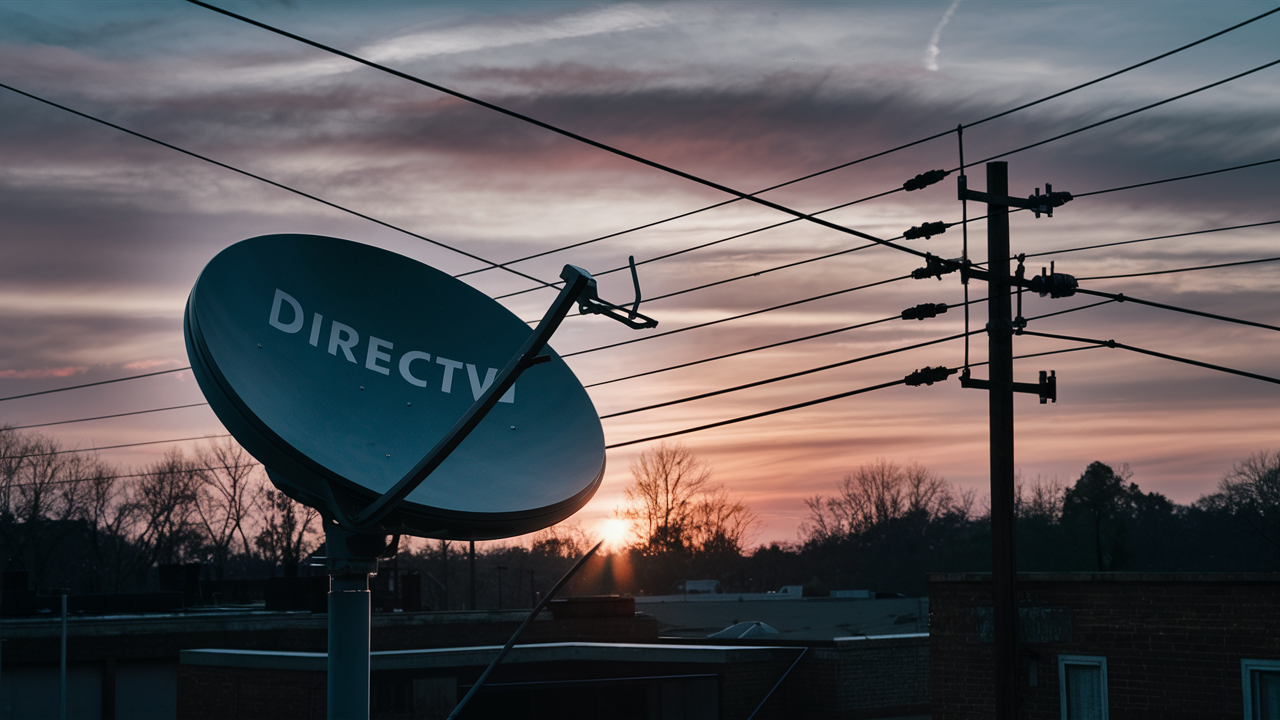
Yes, DIRECTV generally requires coaxial cable for its satellite television service, connecting your dish to the receiver. However, understanding the specifics, including alternatives and modern installations, is crucial. This guide breaks down DIRECTV's cable needs and what you can expect in 2025-26.
Does DIRECTV Absolutely Require Coaxial Cable?
The short answer to "Does DIRECTV require coax cable?" is overwhelmingly yes, at least for its traditional satellite television service. Coaxial cable, often referred to as "coax," is the fundamental medium through which the satellite signal travels from your outdoor dish to your indoor DIRECTV receiver. This isn't a matter of preference; it's a technical necessity for the system to function as designed. Without a properly connected coaxial cable, your DIRECTV receiver cannot receive the amplified, processed signal from the satellite dish, rendering your television service inoperable.
In the landscape of 2025-26, DIRECTV continues to rely heavily on its established satellite infrastructure. While advancements in technology are always on the horizon, the core delivery mechanism for satellite TV remains largely unchanged in its foundational requirements. This means that if you are subscribing to DIRECTV's satellite packages, you will almost certainly need coaxial cable running from your exterior dish to your interior equipment. This cable is responsible for carrying both the audio and video signals, as well as power for certain LNBs (Low-Noise Block downconverters) and communication signals back to the dish for diagnostics.
However, it's important to acknowledge that the term "DIRECTV" can sometimes be used loosely to encompass various service offerings. DIRECTV also offers streaming services, such as DIRECTV Stream (formerly AT&T TV), which operates differently. DIRECTV Stream is an internet-based television service and does not use satellite dishes or coaxial cables for signal delivery. Instead, it relies on your home's broadband internet connection. Therefore, when discussing the requirement for coaxial cable, we are specifically referring to DIRECTV's satellite television packages. If your interest lies in internet-delivered TV, then coaxial cable is not a requirement.
The coaxial cable is a robust and shielded type of electrical cable that is highly effective at transmitting radio frequency (RF) signals over relatively long distances with minimal signal loss and interference. This makes it ideal for the job of carrying complex satellite data from the dish, which is typically mounted on the roof or a high point of your home, down to your entertainment center. The cable's construction, featuring a central conductor surrounded by an insulating dielectric, a braided metal shield, and an outer jacket, is specifically designed to prevent electromagnetic interference from external sources, ensuring a clear and consistent signal.
Understanding this fundamental requirement is the first step for anyone considering or currently using DIRECTV satellite service. It informs installation planning, potential DIY efforts, and troubleshooting. In the following sections, we will delve deeper into why coax is necessary, how it functions, the types you might encounter, the installation process, and any potential exceptions or alternatives that might be relevant in today's technological environment.
How Coaxial Cable Works with DIRECTV
The function of coaxial cable in a DIRECTV system is multifaceted, acting as the primary conduit for all the essential data that makes your satellite television service possible. At its core, it's an electrical cable designed to transmit radio frequency (RF) signals efficiently. For DIRECTV, this means carrying the amplified and down-converted signal from the satellite dish's LNB to your satellite receiver.
Here's a breakdown of its role:
- Signal Transmission: The satellite dish collects signals from orbiting satellites. The LNB, mounted on the dish, amplifies these weak signals and converts them to a lower frequency range suitable for transmission through coaxial cable. This processed signal, containing hundreds of channels, then travels down the coaxial cable.
- Shielding and Interference Prevention: Coaxial cable's design is critical. The inner conductor carries the signal, while the surrounding dielectric insulator maintains a consistent distance. The braided metal shield and often a foil layer surrounding the dielectric block out external electromagnetic interference (EMI) and radio frequency interference (RFI). This is vital because satellite signals are delicate, and even minor interference could lead to pixelation, freezing, or complete signal loss. Think of it as a protective barrier for the data stream.
- Power Delivery: In many DIRECTV configurations, the coaxial cable also carries a small amount of DC voltage from the receiver up to the LNB. This power is necessary for the LNB to operate. This dual-functionality (signal and power) is achieved through the use of specific frequencies and filtering within the receiver and LNB.
- Communication and Control: Beyond just receiving the TV signal, the coaxial cable facilitates communication between the receiver and the LNB. This communication allows the receiver to control the LNB's polarization (vertical or horizontal) and frequency band selection, enabling it to tune into different transponders on the satellite. It also allows for diagnostic information to be sent back to the LNB and potentially to DIRECTV's service center.
- Durability and Weather Resistance: Coaxial cables used for outdoor satellite installations are designed to withstand environmental factors. They are typically UV-resistant and can tolerate a range of temperatures, moisture, and physical stress. This durability ensures a long-lasting connection, even when exposed to the elements.
The quality and condition of the coaxial cable are paramount to the performance of your DIRECTV service. Damaged cables, loose connections, or improperly terminated ends can all lead to signal degradation. For instance, a nick in the outer jacket might allow moisture to seep in, corroding the internal components and degrading the signal. A poorly crimped connector can create high resistance, attenuating the signal.
In 2025-26, DIRECTV installations still adhere to these principles. While the receivers and dishes have become more sophisticated, the fundamental physics of transmitting RF signals from a satellite dish to a receiver via a shielded cable remain constant. The coaxial cable is the unsung hero of your satellite TV experience, diligently carrying the entertainment from the sky to your screen.
The Signal Pathway: From Satellite to Screen
To fully appreciate the role of coaxial cable, let's trace the signal's journey:
- Satellite Transmission: Signals are broadcast from geostationary satellites orbiting Earth.
- Dish Reception: Your DIRECTV satellite dish is precisely aimed to capture these faint signals. The parabolic shape of the dish focuses the incoming signals onto the LNB.
- LNB Processing: The LNB, positioned at the focal point of the dish, receives the concentrated signals. It amplifies them (as they are very weak after traveling through space) and down-converts them to a lower frequency band that can be efficiently transmitted through coaxial cable. It also handles polarization switching.
- Coaxial Cable Transmission: The processed signal travels from the LNB, through the coaxial cable, down to your DIRECTV receiver. This cable is typically RG-6 type.
- Receiver Decoding: The DIRECTV receiver takes the signal from the coaxial cable, demodulates it, decodes the digital information, and converts it into the video and audio streams you see and hear on your TV.
- TV Display: The receiver then sends the decoded signal to your television via an HDMI cable (or older connections).
As you can see, the coaxial cable is an indispensable link in this entire chain. Any weakness or interruption in this link directly impacts the quality of your viewing experience.
Types of Coaxial Cable Used by DIRECTV
When it comes to DIRECTV installations, the type of coaxial cable used is not arbitrary. While there are various types of coaxial cables available, DIRECTV technicians predominantly use a specific standard to ensure optimal signal integrity and compatibility with their equipment. In 2025-26, this standard remains largely consistent with previous years.
The most common type of coaxial cable used for DIRECTV satellite installations is RG-6.
Here's why RG-6 is the preferred choice and what distinguishes it:
- Construction: RG-6 cable features a thicker center conductor (typically a solid copper or copper-clad steel wire) compared to older cable types like RG-59. This larger conductor allows for better signal transmission with less attenuation (signal loss) over longer distances.
- Shielding: A critical feature of RG-6 is its superior shielding. It usually consists of a bonded aluminum foil shield directly against the dielectric, covered by a braided aluminum shield. This dual-layer shielding is highly effective at blocking out external radio frequency interference (RFI) and electromagnetic interference (EMI), which are common issues in residential environments and can degrade satellite signal quality.
- Dielectric: RG-6 uses a thicker, solid polyethylene dielectric insulator. This material has excellent electrical properties and helps maintain the impedance of the cable (typically 75 ohms for video applications), which is crucial for efficient signal transfer.
- Connectors: RG-6 cable uses specific types of connectors, most commonly F-connectors. These are screw-on connectors designed to create a secure, weather-resistant connection. DIRECTV installers use specialized tools to crimp or compress these F-connectors onto the cable ends, ensuring a tight and reliable fit.
Comparison with RG-59: You might encounter RG-59 cable, which was more common in older television installations (like for VCRs or early cable TV). RG-59 has a thinner center conductor and less robust shielding. While it can carry a signal, it suffers from significantly higher signal loss over distance and is much more susceptible to interference. Using RG-59 for a DIRECTV satellite installation would likely result in poor signal quality, pixelation, and frequent service interruptions, especially if the cable run is long. Therefore, DIRECTV installations strictly mandate RG-6.
Quad-Shield vs. Tri-Shield RG-6: Within the RG-6 category, there are variations like tri-shield and quad-shield. Quad-shield RG-6 offers the highest level of protection against interference, featuring two layers of braid and two layers of foil shielding. DIRECTV often specifies or uses quad-shield RG-6 for installations, especially in areas with high levels of RF noise or for longer cable runs, to ensure the best possible signal reception.
Cable Quality Matters: Not all RG-6 cables are created equal. DIRECTV installers use professional-grade RG-6 cable that meets specific industry standards for signal attenuation, shielding effectiveness, and durability. When purchasing replacement cables or connectors, it's important to look for cables rated for satellite use and to ensure they have adequate shielding. Cheap, unbranded cables might seem like a cost-saving measure but can lead to persistent signal problems.
Outdoor vs. Indoor Rated: Coaxial cables also come in different ratings for outdoor and indoor use. Outdoor-rated RG-6 cables have a more robust outer jacket that is UV-resistant and can withstand temperature fluctuations and moisture. Indoor-rated cables are generally less durable. DIRECTV installations require outdoor-rated cable for the portion running from the dish to the point where it enters the house.
In summary, when you hear about DIRECTV and coaxial cable, think RG-6. It's the industry standard for a reason, providing the necessary bandwidth, low loss, and interference rejection for reliable satellite TV reception.
The DIRECTV Installation Process: Where Coax Fits In
Understanding the role of coaxial cable is one thing; seeing how it integrates into the actual DIRECTV installation process is another. For most customers, the installation is handled by a certified DIRECTV technician, and the coaxial cable is a central component of their work. This section outlines the typical installation process and highlights the critical points where coaxial cable is used.
1. Site Survey and Dish Placement:
- The technician begins by assessing your property to determine the optimal location for the satellite dish. This location must have a clear, unobstructed view of the southern sky (in the Northern Hemisphere) to receive signals from DIRECTV's satellites.
- Common mounting locations include the roof, a side wall of the house, or a freestanding pole in the yard.
2. Dish Mounting and Alignment:
- Once the location is chosen, the dish mount is securely installed.
- The satellite dish is then attached to the mount and precisely aligned with the correct satellite(s) using specialized aiming equipment that reads signal strength. This alignment is critical for optimal performance.
3. Running the Coaxial Cable:
- This is where the coaxial cable becomes central. The technician will run one or more RG-6 coaxial cables from the LNB on the satellite dish down to the interior of your home.
- Exterior Run: The cable is carefully routed along the exterior of your house, secured with clips to prevent sagging or damage. If the dish is on the roof, the cable will descend the side of the house.
- Entry Point: The technician will choose a discreet and weather-resistant entry point into your home. This is often through a small drilled hole in a wall, a window frame, or a soffit. They use grommets or sealant to ensure the entry point is watertight and pest-proof.
- Interior Run: After entering the home, the coaxial cable is routed to the location(s) where the DIRECTV receiver(s) will be installed. This might involve running the cable through walls, attics, or along baseboards, depending on the home's construction and the desired receiver placement. The goal is to make the installation as neat and unobtrusive as possible.
4. Connecting the Equipment:
- At the interior end, the technician attaches an F-connector to the coaxial cable.
- This cable is then connected to the satellite receiver's "Satellite In" or "LNB In" port.
- If you have multiple receivers or a system that requires multiple satellite inputs (e.g., for different satellite locations or polarization), multiple coaxial cables will be run and connected.
5. Receiver Setup and Activation:
- The receiver is connected to your television via an HDMI cable and powered on.
- The technician follows on-screen prompts to activate the receiver and complete the setup, which includes downloading software updates and performing system diagnostics.
- They will verify that the signal strength and quality are optimal.
6. Testing and Demonstration:
- Finally, the technician will test the service to ensure all channels are received clearly and that the system is functioning correctly. They will demonstrate the basic operation of the remote and receiver to you.
Key Considerations for Coax in Installation:
- Number of Cables: Depending on your DIRECTV package and the number of receivers, you might need one, two, or even more coaxial cables. For example, a Genie system might use a single cable to the main Genie client, but the main Genie server might require multiple inputs if it's connected to multiple satellites. Older systems or systems with multiple independent receivers will definitely require separate cables.
- Cable Quality: As mentioned earlier, installers use high-quality RG-6 quad-shield cable. If you're ever replacing a cable yourself, using lower-quality cable can significantly impact performance.
- Connector Quality: The F-connectors must be properly installed using compression tools. Loose or poorly crimped connectors are a common source of signal issues.
- Cable Length: While RG-6 is designed for longer runs than RG-59, there are still limits to signal integrity. Technicians plan cable runs to minimize excessive length while maintaining a neat installation.
The installation process is designed to ensure that the coaxial cable is run correctly, protected from the elements, and connected securely, forming the backbone of your DIRECTV satellite service.
Alternatives and Exceptions to Coaxial Cable
While coaxial cable is the bedrock of DIRECTV's traditional satellite service, it's essential to explore potential alternatives and exceptions that might apply to your situation or future considerations. In the evolving landscape of television delivery, not every service requires a dish and coax.
1. DIRECTV Stream (Internet-Based Service):
- This is the most significant exception. DIRECTV Stream is a completely different service that delivers live TV, sports, and on-demand content over your broadband internet connection.
- How it works: It functions like other streaming services (e.g., Netflix, Hulu). You subscribe, download an app on a compatible device (smart TV, streaming stick, smartphone, tablet), or use a DIRECTV Stream device, and stream content directly.
- No Satellite Required: Because it uses the internet, DIRECTV Stream does not require a satellite dish, coaxial cable installation, or professional installation by a DIRECTV technician for the TV service itself. You'll need a stable, high-speed internet connection, of course.
- Pros: No outdoor equipment, portable (can be used in different locations with internet), often easier setup for tech-savvy users.
- Cons: Requires robust internet, data caps can be an issue, channel selection might differ from satellite packages, potential for buffering if internet is unstable.
2. Existing Cable Infrastructure (Rare for New Satellite Installs):
- In some very specific, older installations or unique scenarios, a home might already have coaxial cable wiring installed for a different service (like traditional cable TV).
- Can it be reused? Theoretically, if the existing RG-6 cabling is in good condition, properly terminated, and runs from a suitable exterior point (where a dish could be mounted) to the interior receiver location, a technician *might* be able to utilize it.
- Caveats: However, DIRECTV installers typically prefer to run their own dedicated cabling to ensure quality and compliance with their standards. Existing wiring might be RG-59, have poor shielding, be damaged, or have too many splitters, all of which would compromise signal quality. It's not a common or recommended practice for new installations.
3. Wireless Technology (Future or Niche Applications):
- While not a standard offering from DIRECTV for its primary satellite service in 2025-26, the concept of wireless signal transmission for TV is not new. Some satellite internet providers have explored wireless solutions for last-mile connectivity.
- Hypothetical Scenario: In the future, it's conceivable that satellite TV could evolve to use wireless technology for the final transmission from an exterior receiver/modulator to an indoor device. However, this would require significant technological shifts and regulatory approvals.
- Current Reality: For DIRECTV satellite, this remains speculative. The physical cable connection is the current standard for reliability and signal integrity.
4. Using Existing Ethernet for Receiver Connection (Not for Satellite Signal):
- Once the coaxial cable brings the satellite signal to your receiver, the receiver itself might connect to your home network via Ethernet for features like On Demand content or software updates.
- Important Distinction: This is *after* the coaxial cable has done its job. The Ethernet cable does not carry the satellite TV signal; it's for internet-based features of the receiver.
When Coax is Almost Always Required:
- If you are signing up for a DIRECTV satellite TV package (e.g., DIRECTV Premier, Choice, Entertainment).
- If you are installing a new satellite dish or replacing an old one for DIRECTV service.
- If you are adding additional receivers that require a direct connection to the LNB (not a Genie client connected via the main Genie).
The key takeaway is that if your service is delivered via a satellite dish, coaxial cable is almost certainly a mandatory component. The primary alternative is DIRECTV Stream, which is an internet-based service and bypasses the need for satellite equipment altogether.
Troubleshooting Common Coaxial Cable Issues
Signal problems are one of the most common frustrations for satellite TV users. While the issue might stem from the satellite itself or the receiver, a significant percentage of problems are related to the coaxial cable or its connections. In 2025-26, these fundamental troubleshooting steps remain relevant for DIRECTV users.
Common Symptoms of Coax Problems:
- Pixelation or "blocky" picture
- Freezing or stuttering video
- "No Satellite Signal" or "Weak Signal" errors on screen
- Intermittent signal loss
- Audio dropouts
Troubleshooting Steps:
1. Check Connections:
- Receiver End: Ensure the coaxial cable is securely screwed into the "Satellite In" or "LNB In" port on your DIRECTV receiver. It should be finger-tight, but not excessively so. A loose connection is a prime culprit for signal loss.
- Dish End (LNB): If you can safely access the LNB on your satellite dish (usually requires a ladder and caution), check that the coaxial cable is securely connected. Ensure the connector is clean and free from corrosion.
- Wall Plate: If your cable connects through a wall plate inside your home, ensure that connection is also secure.
2. Inspect the Cable for Damage:
- Physical Damage: Carefully examine the entire length of the coaxial cable, especially the exterior portion. Look for any signs of damage: cuts, nicks, kinks, crushing, or fraying of the outer jacket. Any breach in the jacket can allow moisture to enter, leading to corrosion and signal degradation.
- Weather Damage: Check for signs of wear and tear from sun exposure (UV degradation), extreme temperatures, or physical stress (e.g., from wind or falling branches).
- Animal Damage: Rodents can sometimes chew through cables.
- Water Intrusion: Look for signs of moisture around connectors or any damage that might indicate water has seeped into the cable.
3. Examine Connectors:
- F-Connectors: The F-connectors at both ends of the cable should be properly installed. The center conductor should extend just past the dielectric but not touch the outer shield. The braid should be folded back over the connector body and crimped securely. Loose or improperly installed connectors are a major cause of signal problems.
- Corrosion: Check for any greenish or whitish residue around the connectors, which indicates corrosion. This often requires replacing the connector or the entire cable.
4. Check for Splitters:
- Signal Loss: Each time a coaxial cable is split to feed multiple receivers or devices, the signal strength is reduced. While DIRECTV systems are designed to handle a certain number of splits, excessive splitting can cause significant signal degradation.
- Troubleshooting: If you have multiple splitters in your system, try bypassing them temporarily to see if signal strength improves.
5. Test Signal Strength:
- Your DIRECTV receiver has a built-in diagnostic tool to check satellite signal strength and quality. Access this through the system's menu (often under "Settings" or "Diagnostics").
- Note the signal strength and quality readings for each satellite and transponder. A low signal strength or, more critically, a low signal quality reading, indicates a problem.
6. Consider Cable Length and Quality:
- If you've recently extended the cable run or used a lower-quality cable, this could be the source of the problem. As discussed, RG-6 is essential, and professional-grade cable is recommended.
7. Environmental Factors:
- Weather: Heavy rain, snow, or dense fog can temporarily degrade satellite signals, even with a perfectly functioning system. This is usually a temporary issue.
- Obstructions: Ensure nothing new has appeared that could be blocking the line of sight between the dish and the satellite (e.g., new tree growth, construction).
When to Call a Professional:
- If you've performed the above checks and are still experiencing signal issues.
- If the cable is damaged, corroded, or requires replacement.
- If you are uncomfortable accessing the satellite dish or working with electrical connections.
- If the diagnostic tools indicate a persistent problem that you cannot resolve.
A qualified DIRECTV technician has the tools and expertise to diagnose and repair cable-related issues, ensuring your service is restored to optimal performance.
The Future of Cabling for Satellite TV
The world of telecommunications is in constant flux, with wireless technologies and fiber optics rapidly advancing. While coaxial cable has been the workhorse for DIRECTV's satellite service for decades, it's natural to wonder about the future of cabling for such services. In 2025-26, coaxial cable remains dominant for satellite delivery, but trends suggest potential shifts.
1. Continued Reliance on Coaxial for Satellite:
- For the foreseeable future, DIRECTV's core satellite television offering will likely continue to rely on coaxial cable. The infrastructure is in place, the technology is proven, and the cost-effectiveness for delivering high-bandwidth signals over moderate distances is well-established.
- Satellite dishes and LNBs are designed to interface with coaxial cables, and receivers are built to process signals transmitted through them. A complete overhaul of this system would be a massive undertaking.
2. The Rise of Internet-Delivered Services (IPTV):
- The most significant "alternative" to coaxial cable for TV delivery is the continued growth of Internet Protocol Television (IPTV), exemplified by DIRECTV Stream.
- Fiber Optics and Advanced Broadband: As internet infrastructure, particularly fiber optics, becomes more widespread and faster, streaming services become increasingly viable as primary entertainment solutions. These services bypass the need for satellite dishes and coaxial cables entirely, relying instead on Ethernet or Wi-Fi connections within the home.
- Hybrid Models: We may see more hybrid models where a single home connection (like fiber) serves both internet and TV needs, with internal networking (Ethernet, Wi-Fi) distributing content.
3. Potential for Wireless Transmission (Niche or Future):
- While not mainstream for DIRECTV satellite now, research into wireless transmission of TV signals continues. This could involve point-to-point wireless links from an exterior receiver to an interior device, or even more integrated solutions.
- Challenges: The primary challenges are signal reliability, interference, range, and regulatory hurdles. For a service that needs to be available in all weather conditions, a robust wired connection like coax has historically been superior.
- Satellite Internet vs. Satellite TV: Some satellite internet providers have experimented with different delivery methods. However, the signal requirements for high-definition, real-time television are distinct from those for internet data.
4. Advancements in Coaxial Technology:
- Even within coaxial technology, there are ongoing improvements. Cables are becoming more robust, with better shielding and lower loss characteristics. Connectors and installation techniques are also evolving to ensure greater reliability.
- Higher Frequencies: As bandwidth demands increase, coaxial cables might be engineered to handle even higher frequencies more efficiently, though this is more relevant for high-speed internet than traditional TV signals.
5. Integration with Smart Home Technology:
- Future systems might see a tighter integration of TV delivery with smart home networks. While this might involve more Ethernet or Wi-Fi, the initial satellite signal acquisition might still rely on traditional methods.
Summary of Future Outlook:
In the immediate 2025-26 period, if you're opting for DIRECTV's satellite service, coaxial cable is a given. The primary shift away from coaxial for TV viewing is happening through the adoption of internet-based streaming services like DIRECTV Stream. While future innovations might introduce wireless or other alternatives for satellite signal distribution, these are not yet standard offerings. The evolution points towards a greater reliance on internet infrastructure for content delivery, gradually reducing the necessity of satellite-specific cabling for many consumers, but not eliminating it for those who choose satellite.
In conclusion, while the landscape of television delivery is evolving, coaxial cable remains a fundamental component of DIRECTV's satellite television service. Understanding its role, types, and troubleshooting is key to a smooth viewing experience. For those seeking an alternative, DIRECTV Stream offers a compelling internet-based option.





