-
Posted on: 07 Jan 2026
-
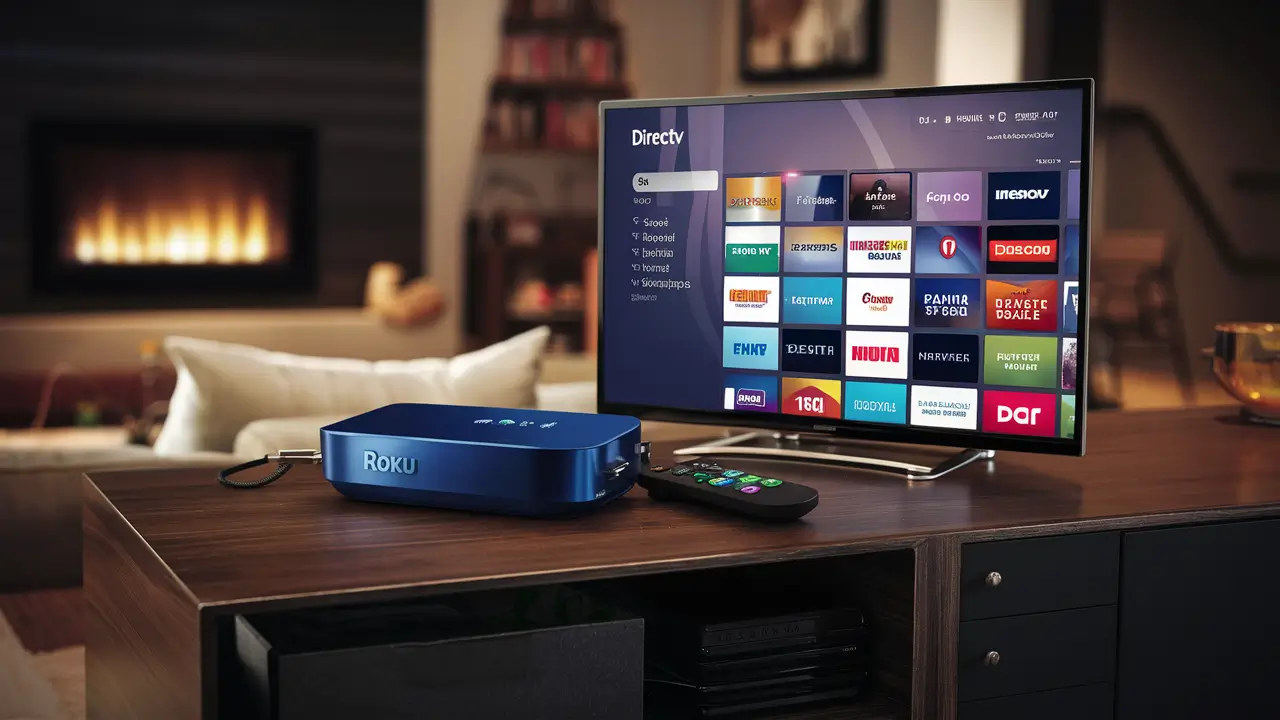
Yes, DIRECTV STREAM is fully compatible with Roku devices. This means you can enjoy live TV, sports, and on-demand content from DIRECTV STREAM directly on your Roku player, offering a seamless streaming experience without the need for traditional cable boxes. Discover how to set it up and what to expect.
What is DIRECTV STREAM?
DIRECTV STREAM is a premium live TV streaming service that aims to bridge the gap between traditional cable and purely on-demand streaming platforms. It offers a comprehensive package of live channels, including popular sports networks, news channels, and entertainment options, all accessible over the internet. Unlike some competitors that focus solely on a la carte channels or bundles, DIRECTV STREAM provides a more traditional TV-like experience, complete with DVR functionality and local channels in most areas. It's designed for cord-cutters who still want the breadth and depth of live programming they're accustomed to, without the long-term contracts and bulky equipment associated with satellite or cable TV. The service boasts a user-friendly interface and a wide array of channel options, catering to diverse viewing preferences. In 2025-26, DIRECTV STREAM continues to position itself as a robust alternative for those seeking a full-featured live TV streaming solution.
DIRECTV STREAM on Roku: The Compatibility Deep Dive
The question "Does DIRECTV STREAM on Roku?" is a common one for consumers looking to consolidate their entertainment devices and streamline their streaming setup. The good news is that DIRECTV STREAM is not only compatible with Roku devices but is also one of its most popular applications, allowing users to access the full suite of DIRECTV STREAM programming directly on their Roku streaming players, Roku TVs, and other Roku-enabled devices. This compatibility is a significant advantage for both companies, as Roku boasts a massive market share in the streaming device industry, and DIRECTV STREAM benefits from this widespread adoption to reach a broader audience. The DIRECTV STREAM app for Roku is designed to be intuitive and responsive, mirroring the experience you'd expect from a dedicated streaming app. It leverages Roku's robust platform to deliver high-definition video and audio, ensuring a quality viewing experience for live channels, DVR recordings, and on-demand content. As of 2025-26, this integration remains a cornerstone of DIRECTV STREAM's accessibility strategy, making it a go-to choice for Roku users seeking a comprehensive live TV streaming service.
How the Roku Platform Facilitates DIRECTV STREAM
Roku's open platform and widespread adoption make it an ideal partner for streaming services like DIRECTV STREAM. Roku devices, ranging from small streaming sticks to integrated Roku TVs, are designed to be user-friendly and support a vast ecosystem of applications. The DIRECTV STREAM app on Roku is developed to take advantage of the platform's capabilities, including its efficient streaming protocols and user interface design. This ensures that users can easily navigate through channels, search for content, and manage their DVR recordings with minimal hassle. Roku's consistent updates to its operating system also mean that the DIRECTV STREAM app benefits from ongoing performance improvements and feature enhancements, ensuring a smooth and reliable user experience. This symbiotic relationship allows DIRECTV STREAM to deliver its extensive channel lineup and features to millions of Roku households seamlessly.
Device Compatibility within the Roku Ecosystem
DIRECTV STREAM is compatible with a wide range of Roku devices. This includes:
- Roku Streaming Players: All current generations of Roku streaming sticks, boxes, and Ultra models.
- Roku TVs: Smart TVs manufactured by various brands that come with the Roku operating system built-in.
- Roku Soundbars and Home Theater Systems: Devices that integrate Roku's streaming capabilities.
The app's performance can vary slightly depending on the processing power and network capabilities of the specific Roku device. Newer, higher-end Roku models generally offer the smoothest experience, with faster app loading times and more responsive navigation. However, DIRECTV STREAM is optimized to run effectively on most modern Roku devices, ensuring a broad reach within the Roku user base. For optimal performance in 2025-26, it's recommended to use a Roku device that is no more than 3-4 years old and connected to a stable internet connection.
The DIRECTV STREAM App: User Interface on Roku
The DIRECTV STREAM app on Roku features a clean and intuitive interface designed for ease of use. Upon launching the app, users are typically greeted with a home screen that highlights recommended content, recently watched shows, and easy access to live TV, DVR, and on-demand libraries. Navigation is typically handled via the Roku remote, with directional buttons allowing users to scroll through menus, select channels, and browse content. Key sections include:
- Live TV Guide: A comprehensive grid-style guide displaying current and upcoming programming across all available channels.
- My Library: Access to recorded shows and movies via the DIRECTV STREAM DVR.
- On Demand: A vast library of movies and TV episodes available to stream anytime.
- Search: A powerful search function to find specific shows, movies, actors, or channels.
- Settings: Options to manage account details, parental controls, and streaming quality.
The app's design on Roku prioritizes quick access to live content, which is a primary draw for DIRECTV STREAM subscribers. The integration of features like the DVR and on-demand library within the same interface makes it a comprehensive entertainment hub. As of 2025-26, the app continues to receive updates to refine its user experience and introduce new functionalities, ensuring it remains competitive in the streaming landscape.
Getting Started: Setting Up DIRECTV STREAM on Your Roku Device
Setting up DIRECTV STREAM on your Roku device is a straightforward process that typically takes just a few minutes. Whether you're a new subscriber or an existing one looking to add DIRECTV STREAM to your Roku, the steps are designed for simplicity. This guide will walk you through the entire installation and login procedure, ensuring you can start streaming your favorite channels without delay.
Step 1: Ensure Your Roku Device is Ready
Before you begin, make sure your Roku device is connected to your TV, powered on, and successfully connected to your home Wi-Fi network. You should also have your DIRECTV STREAM login credentials (username and password) ready. If you haven't already subscribed to DIRECTV STREAM, you'll need to do so on the official DIRECTV STREAM website first, as account creation cannot be done directly through the Roku app.
Step 2: Access the Roku Channel Store
On your Roku device, navigate to the home screen. Use your Roku remote to select the "Streaming Channels" option, which will take you to the Roku Channel Store. From there, you can browse or search for available applications.
Step 3: Search for the DIRECTV STREAM App
In the Roku Channel Store, use the search function. Type "DIRECTV STREAM" into the search bar. The official DIRECTV STREAM app should appear in the search results. Select it to view its details page.
Step 4: Add the DIRECTV STREAM Channel
On the DIRECTV STREAM app's detail page, you will see an option to "Add channel." Select this option. The Roku device will then download and install the app. Once installed, you will see the DIRECTV STREAM icon appear on your Roku home screen, typically at the end of your existing channel list.
Step 5: Launch the App and Log In
Navigate to the DIRECTV STREAM icon on your Roku home screen and select it to launch the application. You will be prompted to enter your DIRECTV STREAM username and password. Carefully enter your credentials using the on-screen keyboard and your Roku remote. Ensure you are using the correct login information associated with your DIRECTV STREAM subscription.
Step 6: Start Streaming
After successfully logging in, you will be directed to the DIRECTV STREAM app's main interface. From here, you can access the live TV guide, browse on-demand content, and start watching your favorite shows and sports. For new users, it's a good idea to explore the interface to familiarize yourself with its features and navigation. In 2025-26, this process remains largely the same, with minor interface tweaks possible through app updates.
Troubleshooting Login Issues
If you encounter issues logging in:
- Double-check your username and password for typos.
- Ensure your DIRECTV STREAM account is active and in good standing.
- Try resetting your DIRECTV STREAM password via the official website.
- Restart your Roku device and try logging in again.
- Ensure your Roku device has a stable internet connection.
If problems persist, contacting DIRECTV STREAM customer support is the next best step.
Key Features and Benefits for Roku Users
DIRECTV STREAM offers a compelling package of features and benefits that are particularly attractive to users of Roku devices. By leveraging the Roku platform, DIRECTV STREAM provides a familiar and user-friendly experience for accessing live television, sports, and on-demand content. The integration is designed to be seamless, allowing users to enjoy a robust entertainment experience without the complexities of traditional cable or satellite setups. For 2025-26, these benefits continue to be a strong selling point for DIRECTV STREAM subscribers who prefer the Roku ecosystem.
Comprehensive Channel Lineup
One of the primary advantages of DIRECTV STREAM is its extensive channel selection, which is fully accessible on Roku. Plans typically include a wide array of channels covering news, entertainment, kids' programming, and crucially, sports. For sports enthusiasts, DIRECTV STREAM is often a preferred choice due to its inclusion of regional sports networks (RSNs) and national sports channels like ESPN, Fox Sports, and the NFL Network, which are not always available on other streaming services. This broad coverage ensures that Roku users can access the live sports and events they care about.
Cloud DVR Functionality
DIRECTV STREAM includes cloud DVR capabilities with its subscription plans. This allows users to record live TV programs and watch them later at their convenience, directly through the Roku app. The DVR service typically offers a substantial amount of storage space, enabling users to record hours of content. Recordings can be accessed from any device where DIRECTV STREAM is available, including your Roku. This feature is invaluable for cord-cutters who don't want to miss their favorite shows or live games due to scheduling conflicts. In 2025-26, cloud DVR remains a critical feature for differentiating DIRECTV STREAM from more basic streaming options.
On-Demand Library
Beyond live TV, DIRECTV STREAM provides access to a vast on-demand library. This includes a wide selection of movies and TV episodes that can be streamed at any time. The on-demand content is integrated into the DIRECTV STREAM app on Roku, making it easy to discover and watch new shows or rewatch classics. This dual offering of live and on-demand content provides a comprehensive entertainment solution for Roku users.
No Annual Contracts
A significant benefit of DIRECTV STREAM, like most streaming services, is the absence of long-term annual contracts. Subscribers can sign up, cancel, or change their plans at any time. This flexibility is highly appealing to consumers who value the freedom to adjust their subscriptions based on their needs and budget. For Roku users, this means they can try DIRECTV STREAM without a long-term commitment and easily switch to another service if it doesn't meet their expectations.
Local Channels Availability
DIRECTV STREAM offers local channels (ABC, CBS, FOX, NBC, etc.) in most major markets, which is a crucial feature for many viewers. The availability of these channels on Roku devices depends on your geographic location. This ensures that Roku users can still access local news, weather, and programming from their preferred network affiliates, further enhancing the service's appeal as a complete cable replacement.
User-Friendly Interface on Roku
The DIRECTV STREAM app is designed to be intuitive and easy to navigate on Roku devices. The interface is clean, with clear menus for live TV, DVR, on-demand content, and search. This user-friendliness, combined with Roku's own simple operating system, makes for a seamless viewing experience. Roku remotes are generally straightforward, and the DIRECTV STREAM app is optimized to work efficiently with them, ensuring quick channel surfing and easy content discovery.
Bundled Options and Add-ons
DIRECTV STREAM offers various subscription tiers, each with different channel packages. Additionally, they provide optional add-ons for premium channels like HBO Max (now Max), Showtime, Cinemax, and sports packages. This allows Roku users to customize their viewing experience to match their specific interests and budget, ensuring they only pay for the content they want to watch. For 2025-26, these customization options remain a key aspect of DIRECTV STREAM's value proposition.
DIRECTV STREAM Plans and Pricing for Roku Viewers (2025-26)
DIRECTV STREAM offers a tiered subscription model, providing various channel packages to suit different viewer needs and budgets. The pricing and channel lineups are subject to change, but as of the 2025-26 period, the core plans provide a comprehensive live TV streaming experience accessible on Roku devices. It's important to note that these prices typically do not include regional sports fees, taxes, or other surcharges that may apply. Always check the official DIRECTV STREAM website for the most current and accurate pricing information.
Core DIRECTV STREAM Plans (2025-26 Estimates)
DIRECTV STREAM structures its offerings into several distinct packages, each building upon the last in terms of channel count and features. The following outlines the estimated pricing and key channel inclusions for 2025-26:
1. DIRECTV STREAM Entertainment
This is the entry-level package, designed for those who want a solid selection of popular channels without a massive lineup. It's a great starting point for many Roku users looking for a robust streaming service.
- Estimated Monthly Price: $79.99
- Key Channels: Includes a broad mix of national networks, entertainment channels, kids' channels, and some sports channels. Expect channels like ESPN, ESPN2, TNT, TBS, HGTV, Food Network, Discovery Channel, and more.
- DVR: Unlimited Cloud DVR
- Local Channels: Available in most markets.
2. DIRECTV STREAM Choice
This package significantly expands the sports offerings, making it a popular choice for fans. It includes all channels from the Entertainment package plus a wider selection of sports and regional sports networks (RSNs).
- Estimated Monthly Price: $99.99
- Key Channels: All channels from Entertainment, plus ACC Network, Big Ten Network, CBS Sports Network, ESPNU, ESPNews, MLB Network, NBA TV, NHL Network, SEC Network, and numerous RSNs (depending on your location).
- DVR: Unlimited Cloud DVR
- Local Channels: Available in most markets.
3. DIRECTV STREAM Ultimate
For viewers who want a more comprehensive entertainment and sports experience, the Ultimate package adds even more movie channels and specialized sports networks.
- Estimated Monthly Price: $109.99
- Key Channels: All channels from Choice, plus channels like Boomerang, Cartoon Network, CNBC World, Cooking Channel, Destination America, Discovery Life, DIY Network, FYI, Game Show Network, Golf Channel, Great American Country, LMN, Logo, MTV Classic, MTV2, National Geographic Wild, Olympic Channel, OWN, Science, Sundance TV, and more.
- DVR: Unlimited Cloud DVR
- Local Channels: Available in most markets.
4. DIRECTV STREAM Premier
This is the top-tier package, offering the most extensive lineup of channels, including premium movie channels and sports networks. It's designed for the ultimate TV enthusiast.
- Estimated Monthly Price: $154.99
- Key Channels: All channels from Ultimate, plus premium channels like HBO, HBO Max (now Max), Cinemax, Showtime, Starz, and StarzEncore.
- DVR: Unlimited Cloud DVR
- Local Channels: Available in most markets.
Add-on Packages (2025-26)
DIRECTV STREAM also offers various add-on packages that can be purchased to supplement any of the core plans:
- Sports Pack: Adds even more sports channels, including NFL RedZone, beIN SPORTS, and others. (Estimated: $13.99/month)
- HBO Max (now Max): Access to the full library of Max content. (Included in Premier, or as an add-on for other plans)
- Showtime: All Showtime channels and on-demand content. (Estimated: $10.99/month)
- Starz: All Starz channels and on-demand content. (Estimated: $10.99/month)
- Cinemax: All Cinemax channels and on-demand content. (Estimated: $10.99/month)
Important Considerations for Roku Users
- Promotional Pricing: DIRECTV STREAM often offers introductory discounts for the first few months or for a limited period (e.g., 3 months). These promotions can significantly reduce the monthly cost.
- Regional Sports Fees: Depending on your location and the channels included in your plan, you may be subject to additional regional sports fees. These are not always advertised upfront and can vary.
- Taxes and Surcharges: Like all TV services, DIRECTV STREAM will add applicable taxes and surcharges to your monthly bill.
- Device Compatibility: While DIRECTV STREAM is compatible with Roku, ensure your specific Roku model is up-to-date for the best performance.
- Internet Speed: A stable internet connection with sufficient bandwidth (recommended 25 Mbps or higher for HD streaming) is crucial for a smooth viewing experience on Roku.
For the most precise and up-to-date pricing and channel listings for 2025-26, always refer to the official DIRECTV STREAM website. The ability to customize plans and add features makes DIRECTV STREAM a flexible option for Roku users seeking a tailored live TV experience.
Comparing DIRECTV STREAM on Roku vs. Other Streaming Options
When considering DIRECTV STREAM on Roku, it's essential to understand how it stacks up against other popular live TV streaming services. Each service offers a unique blend of channels, features, pricing, and user experience, and the "best" option often depends on individual viewing habits and priorities. For Roku users, the ease of access via the Roku Channel Store is a common denominator, but the underlying service offerings differ significantly.
DIRECTV STREAM vs. YouTube TV
YouTube TV is a major competitor, known for its extensive channel lineup, unlimited DVR, and user-friendly interface. Both services are well-integrated into the Roku ecosystem.
- Channels: Both offer a wide array of channels, including local networks and popular sports channels. YouTube TV has a slight edge in some niche sports channels, while DIRECTV STREAM often excels with RSNs.
- DVR: YouTube TV offers unlimited cloud DVR with a 9-month storage limit. DIRECTV STREAM also offers unlimited DVR, with a longer storage duration (typically 12 months or more).
- Pricing: Historically, YouTube TV has been priced competitively, often slightly lower than DIRECTV STREAM's comparable tiers. However, prices fluctuate.
- User Interface: YouTube TV is praised for its modern, intuitive interface. DIRECTV STREAM's interface on Roku is also good, but some find YouTube TV's more polished.
- Key Differentiator: DIRECTV STREAM's inclusion of certain premium sports packages and RSNs can be a deciding factor for dedicated sports fans. YouTube TV's strength lies in its broad appeal and robust DVR.
DIRECTV STREAM vs. Hulu + Live TV
Hulu + Live TV offers a combination of live TV channels and Hulu's extensive on-demand library, including its original content. This bundle is a significant draw.
- Channels: Both offer a strong selection of live channels. Hulu + Live TV may have a slight advantage in entertainment and general programming, while DIRECTV STREAM often leads in sports, particularly RSNs.
- DVR: Hulu + Live TV offers 50 hours of cloud DVR storage (upgradeable to unlimited). DIRECTV STREAM offers unlimited DVR.
- On-Demand Content: Hulu + Live TV's integration of the full Hulu on-demand library is a major plus for those who also subscribe to Hulu for its originals and back catalog.
- Pricing: Pricing is often comparable, but the value proposition differs. Hulu + Live TV is great if you want both live TV and the Hulu on-demand experience.
- User Interface: Both have good interfaces on Roku. Hulu's interface is well-regarded for its seamless blend of live and on-demand content.
DIRECTV STREAM vs. Sling TV
Sling TV is known for its a la carte approach and lower price point, offering customizable "Sling Orange" and "Sling Blue" base packages that can be augmented with extra "Extras."
- Channels: Sling TV offers fewer channels in its base packages compared to DIRECTV STREAM. Customization is key, but building a comparable channel lineup can become expensive.
- DVR: Sling TV offers limited cloud DVR (10-50 hours depending on the package/add-on), whereas DIRECTV STREAM offers unlimited.
- Pricing: Sling TV is significantly cheaper for its base packages, making it attractive for budget-conscious users. However, adding comparable channels can narrow the price gap.
- User Interface: Sling TV's interface is functional but can feel less polished than DIRECTV STREAM or YouTube TV.
- Target Audience: Sling TV is ideal for users who want a basic, affordable live TV option and are willing to customize. DIRECTV STREAM is for those seeking a more comprehensive, traditional TV-like experience.
DIRECTV STREAM vs. FuboTV
FuboTV is heavily focused on sports, offering a vast array of sports channels, including many RSNs and international sports. It also includes a good selection of entertainment and news channels.
- Channels: FuboTV often boasts the largest number of sports channels, making it a strong contender for serious sports fans. DIRECTV STREAM is also strong in sports, especially with RSNs.
- DVR: FuboTV offers 1,000 hours of cloud DVR storage, which is very generous. DIRECTV STREAM offers unlimited.
- Pricing: FuboTV's pricing can be higher than some competitors, especially for its higher-tier plans that include more sports channels.
- User Interface: FuboTV has a well-designed interface on Roku, similar in quality to DIRECTV STREAM.
- Key Differentiator: FuboTV's sheer volume of sports content is its main draw. DIRECTV STREAM competes strongly in this area, often with more traditional sports packages and RSN coverage depending on location.
DIRECTV STREAM vs. Cable/Satellite TV
Compared to traditional cable or satellite TV, DIRECTV STREAM on Roku offers several advantages:
- No Contracts: Eliminates long-term commitments and installation hassles.
- Flexibility: Easily change plans or cancel service.
- Equipment: No need for bulky cable boxes; uses existing Roku devices.
- Bundling: Can be bundled with internet services from DIRECTV, but also works with any internet provider.
- Price: While premium DIRECTV STREAM plans can be expensive, they often offer more value for live TV compared to comparable cable packages, especially when factoring in equipment rental fees.
In summary, DIRECTV STREAM on Roku is a robust option for those seeking a comprehensive live TV streaming experience, particularly if they prioritize a wide range of sports channels and RSNs, along with unlimited DVR. Its direct competitors like YouTube TV and Hulu + Live TV offer strong alternatives with slightly different feature sets and pricing structures. For budget-conscious users, Sling TV might be a better fit, while FuboTV is ideal for extreme sports enthusiasts. For 2025-26, the choice largely hinges on which specific channels, features, and pricing best align with individual viewing habits.
Troubleshooting Common Issues with DIRECTV STREAM on Roku
While DIRECTV STREAM generally offers a smooth streaming experience on Roku devices, users may occasionally encounter issues. Fortunately, most common problems can be resolved with a few simple troubleshooting steps. This section covers frequent issues and provides actionable solutions to get you back to watching your favorite content.
App Not Loading or Crashing
Symptom: The DIRECTV STREAM app fails to open, closes unexpectedly, or displays an error message upon launch.
Solutions:
- Restart the Roku Device: The simplest solution is often to power cycle your Roku. Unplug the power cord from the Roku device (or the wall outlet), wait for 30 seconds, and then plug it back in.
- Force Quit the App: On your Roku, navigate to the DIRECTV STREAM app, press the "Star" (*) button on your remote, and select "Close Channel." Then, relaunch the app.
- Check for App Updates: Roku automatically updates apps, but sometimes manual checks are necessary. Go to Settings > System > System Update > Check now.
- Reinstall the App: Remove the DIRECTV STREAM app from your Roku (highlight the app, press the "Star" button, select "Remove Channel") and then re-add it from the Roku Channel Store.
- Check Roku System Updates: Ensure your Roku's operating system is up to date. Go to Settings > System > System Update > Check now.
Buffering or Poor Video Quality
Symptom: Videos are choppy, pixelated, or constantly buffering, indicating a slow or unstable internet connection.
Solutions:
- Check Internet Speed: Run a speed test on your Roku device (Settings > Network > About > Check connection) or on another device connected to the same network. DIRECTV STREAM recommends at least 25 Mbps for HD streaming.
- Restart Your Router and Modem: Unplug both your modem and router, wait 60 seconds, and plug them back in, starting with the modem.
- Move Router Closer or Use Ethernet: If using Wi-Fi, try moving your Roku device closer to the router or vice versa. For the most stable connection, use an Ethernet cable to connect your Roku directly to the router, if possible.
- Reduce Network Congestion: If multiple devices are heavily using your internet (e.g., large downloads, multiple streams), try pausing other activities.
- Adjust Streaming Quality: Within the DIRECTV STREAM app settings, you might find an option to adjust the streaming quality (e.g., from "Best" to "Better") to reduce bandwidth usage.
Login Issues or Authentication Errors
Symptom: You are unable to log in to your DIRECTV STREAM account on Roku, or you receive an error message related to authentication.
Solutions:
- Verify Credentials: Double-check that you are entering the correct username and password. Passwords are case-sensitive.
- Reset Password: Go to the official DIRECTV STREAM website and use the "Forgot Password" option to reset your password. Then, try logging in again on Roku.
- Check Account Status: Ensure your DIRECTV STREAM subscription is active and there are no payment issues.
- Clear App Cache (if available): Some Roku apps allow clearing cache. While not always directly accessible, reinstalling the app often achieves a similar result.
- Contact DIRECTV STREAM Support: If the issue persists, your account may have a specific lock or problem that only DIRECTV STREAM support can resolve.
Audio Sync Issues
Symptom: The audio and video are out of sync.
Solutions:
- Restart App and Roku: Try the basic restart steps mentioned earlier for app crashing.
- Check HDMI Connection: Ensure your HDMI cable is securely plugged into both the Roku device and the TV. Try a different HDMI port or cable if available.
- Adjust Audio Settings: Some Roku TVs or audio receivers have audio delay settings. Check these settings and try adjusting them.
- Check DIRECTV STREAM Settings: Look for any audio output settings within the DIRECTV STREAM app itself.
Missing Channels
Symptom: Certain channels you expect to see are not available in the guide.
Solutions:
- Verify Subscription Plan: Ensure the channels you are looking for are included in your current DIRECTV STREAM package. Check your subscription details on the DIRECTV STREAM website.
- Check Location: Local channels and some RSNs are location-dependent. Ensure your service address is correctly registered with DIRECTV STREAM.
- App/Device Refresh: Sometimes a simple restart of the app and Roku device can resolve temporary glitches.
- Contact Support: If you've confirmed the channels should be available and are still missing, contact DIRECTV STREAM customer support.
Remote Control Not Working with the App
Symptom: The Roku remote works for navigating the Roku interface but not within the DIRECTV STREAM app.
Solutions:
- Ensure Roku Remote is Functioning: Test the remote on other Roku apps or menus to confirm it's working correctly. Check or replace batteries if needed.
- Restart Roku Device: This can often resolve temporary connectivity issues between the remote and the device.
- Check App Compatibility: While rare, ensure the DIRECTV STREAM app is fully compatible with your specific Roku remote model. Most standard Roku remotes should work fine.
By systematically working through these troubleshooting steps, most users can resolve common issues and enjoy uninterrupted viewing of DIRECTV STREAM on their Roku devices. For persistent problems, direct contact with DIRECTV STREAM customer support is recommended.
Maximizing Your DIRECTV STREAM Experience on Roku
DIRECTV STREAM on Roku offers a powerful combination for live TV streaming. To get the most out of this setup, consider these tips and features that can enhance your viewing experience, save you time, and ensure you're getting the best value from your subscription in 2025-26 and beyond.
Leverage the Unlimited Cloud DVR
DIRECTV STREAM's unlimited cloud DVR is a game-changer. Don't just record shows; use it strategically:
- Record Entire Series: Set a series to record and never miss an episode. The DVR will automatically track new episodes.
- Catch Up on Live Sports: Record live games you can't watch in real-time. You can often fast-forward through commercials and breaks.
- Organize Your Recordings: Regularly review and delete old recordings to keep your library manageable, though with unlimited storage, this is less critical.
- Access Anywhere: Remember, your recordings are accessible not just on your Roku but also on other supported devices, allowing you to watch on the go.
Master the Live TV Guide Navigation
The DIRECTV STREAM guide on Roku is your gateway to live content. Learn to use it efficiently:
- Filter Options: Explore if the app offers filtering options (e.g., by genre, sports, news) to quickly find what you're looking for.
- "What's On Now" Feature: Many guides highlight what's currently airing, making it easy to jump into a live event.
- Set Reminders: If available, set reminders for upcoming shows or games so you don't miss them.
- Favorite Channels: If DIRECTV STREAM allows, mark your most-watched channels as favorites for quicker access from the top of the guide.
Utilize the Search Function Effectively
The search feature is more than just finding shows; it's a powerful discovery tool:
- Search by Actor/Director: Find all content featuring your favorite stars.
- Search by Team: For sports fans, searching for a team can bring up upcoming games and related content.
- Search by Event: Look for specific awards shows, championships, or premieres.
- Voice Search (if applicable): If your Roku remote has voice search capabilities, use it for hands-free searching within the DIRECTV STREAM app.
Explore On-Demand Content
Don't overlook the extensive on-demand library. It's a great resource for filling gaps between live events or discovering new entertainment:
- Binge-Watch Series: Catch up on entire seasons of popular shows.
- Movie Nights: Browse the movie selection for a casual viewing experience.
- Curated Collections: Look for themed collections or recommendations to find something new.
Optimize Your Roku Device and Network
A smooth streaming experience depends on your hardware and internet:
- Keep Roku Updated: Ensure your Roku device and the DIRECTV STREAM app are always running the latest software versions for optimal performance and bug fixes.
- Stable Internet Connection: As mentioned in troubleshooting, a fast and stable internet connection is paramount. Consider upgrading your internet plan if you frequently experience buffering. Using an Ethernet connection for your Roku offers the most reliable performance.
- Router Placement: Position your Wi-Fi router in a central location, away from obstructions, to maximize signal strength to your Roku device.
Customize Your Subscription
DIRECTV STREAM offers various plans and add-ons. Take advantage of this flexibility:
- Match Your Interests: Choose a plan that best aligns with the channels you watch most. If you're a huge sports fan, the Choice or Ultimate packages might be worthwhile. If you primarily watch news and general entertainment, the Entertainment package could suffice.
- Evaluate Add-ons: Only subscribe to premium add-ons (like Max, Showtime) if you will actively use them.
- Review Periodically: Re-evaluate your subscription needs every few months. Your viewing habits might change, and you could save money by switching to a different tier or removing unused add-ons.
Utilize Parental Controls
If you have children, take advantage of the parental control features within DIRECTV STREAM to manage content access based on ratings and specific channels.
Integrate with Other Smart Home Devices (Advanced)
While not directly within the DIRECTV STREAM app, if your Roku device supports integration with smart assistants (like Google Assistant or Amazon Alexa), you might be able to control playback or search for content using voice commands through your smart home ecosystem.
By actively using these features and maintaining your setup, you can ensure that your DIRECTV STREAM experience on Roku is as seamless, comprehensive, and enjoyable as possible throughout 2025-26 and beyond.
The Future of DIRECTV STREAM and Roku
The relationship between DIRECTV STREAM and Roku is a significant one in the modern streaming landscape. As both platforms continue to evolve, their synergy is likely to deepen, offering users an increasingly integrated and feature-rich entertainment experience. Looking ahead to 2025-26 and beyond, several trends and potential developments are worth considering.
Enhanced Integration and Features
Expect continued collaboration between DIRECTV STREAM and Roku to refine the user experience. This could include:
- Deeper UI Integration: Potentially more seamless navigation between the Roku home screen and the DIRECTV STREAM app, perhaps with personalized content recommendations appearing directly on the Roku interface.
- Advanced Search Capabilities: Leveraging Roku's platform for more sophisticated search functions, possibly including voice search integration that works across both the Roku OS and the DIRECTV STREAM app.
- Improved Picture and Audio Quality: As both technologies advance, we may see support for higher resolutions, HDR content, and advanced audio formats becoming more standard on the DIRECTV STREAM app for Roku.
- Interactive Features: The possibility of more interactive elements within live streams, such as real-time polling, enhanced stats for sports, or direct links to purchase merchandise related to a show or game, all facilitated by the Roku platform.
Competition and Market Dynamics
The live TV streaming market is highly competitive. DIRECTV STREAM and Roku will need to adapt to changing consumer preferences and competitive pressures:
- Content Rights: The ongoing battle for sports rights and premium content will continue to shape channel lineups and pricing across all streaming services. DIRECTV STREAM's ability to secure and retain key sports RSNs will be crucial.
- Bundling Strategies: We may see more complex bundling options emerge, potentially including DIRECTV STREAM with other services or even with internet packages from AT&T (if applicable) or other providers, all accessible via Roku.
- Price Sensitivity: As consumers become more aware of the total cost of their streaming subscriptions, both DIRECTV STREAM and Roku will face pressure to offer competitive pricing and demonstrate clear value.
Technological Advancements
The evolution of streaming technology will undoubtedly impact DIRECTV STREAM on Roku:
- 5G and Improved Connectivity: Advancements in mobile and home internet connectivity could lead to more reliable streaming, even in areas with previously weaker signals, potentially expanding DIRECTV STREAM's reach.
- AI and Machine Learning: These technologies will likely play a larger role in content recommendation engines, personalized viewing experiences, and even automated content moderation or optimization.
- Virtual and Augmented Reality: While still nascent for mainstream TV viewing, future developments in VR/AR could open up new ways to experience live events or on-demand content through platforms like Roku.
Roku's Continued Dominance
Roku's significant market share as a streaming device platform positions it as a vital partner for any major streaming service. Its broad compatibility and user-friendly interface mean that DIRECTV STREAM will likely continue to prioritize its presence and development on Roku devices. As Roku expands its own advertising and content offerings, this could also create new opportunities or challenges for its app partners.
DIRECTV STREAM's Strategic Positioning
DIRECTV STREAM aims to be the premium, comprehensive live TV streaming service. Its strategy will likely focus on:
- Sports Leadership: Continuing to invest in and secure rights for major sports leagues and RSNs.
- Bundling Value: Offering attractive packages that combine live TV with premium content or other services.
- Customer Experience: Maintaining a user-friendly interface and reliable service, especially on popular platforms like Roku.
In conclusion, the future of DIRECTV STREAM on Roku appears bright. The platform's compatibility, combined with DIRECTV STREAM's robust channel offerings and features, creates a strong foundation. As technology advances and the streaming market evolves, expect further innovation and a continued strong partnership that benefits Roku users seeking a high-quality live TV streaming solution.
In summary, DIRECTV STREAM is indeed fully compatible with Roku devices, offering a robust and feature-rich live TV streaming experience. Users can easily download the app from the Roku Channel Store, log in with their DIRECTV STREAM credentials, and enjoy a vast selection of live channels, DVR capabilities, and on-demand content. With various plans catering to different needs and budgets, and continuous improvements in app functionality, DIRECTV STREAM on Roku stands as a top-tier choice for cord-cutters in 2025-26. For the best experience, ensure a stable internet connection and keep your devices updated.





