-
Posted on: 07 Jan 2026
-
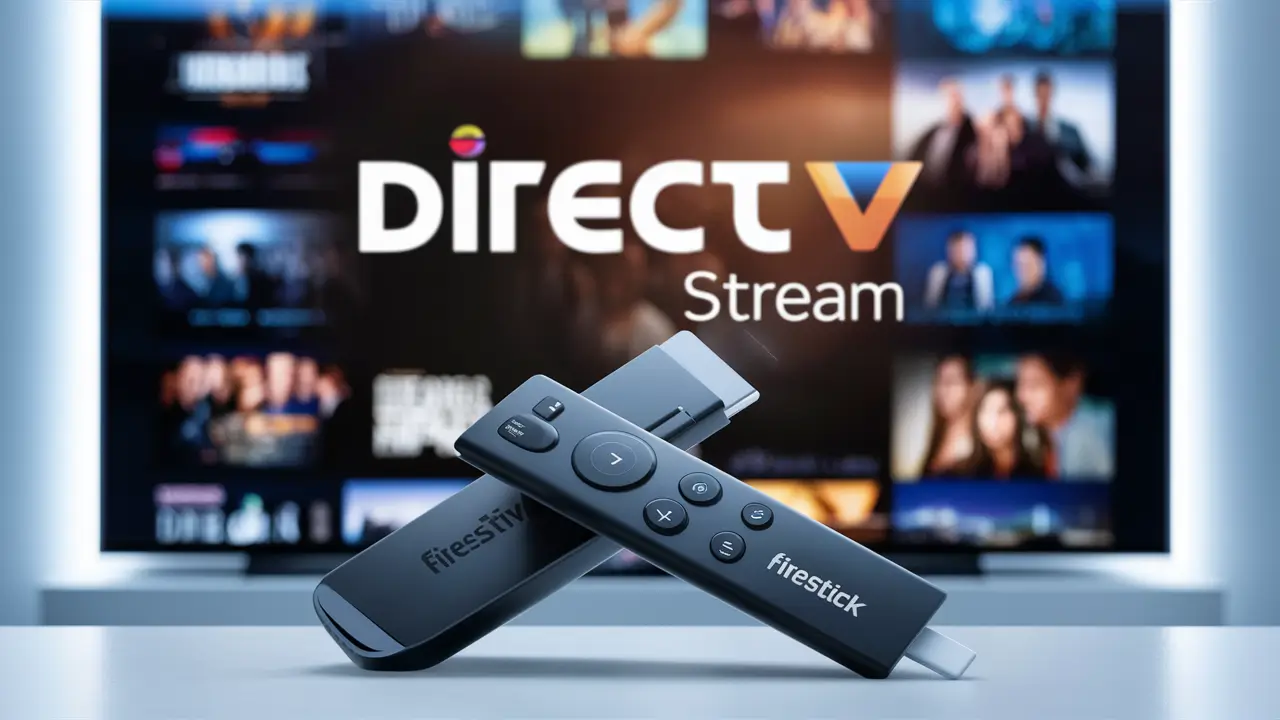
Yes, you can absolutely access DIRECTV Stream on your Amazon Fire Stick. This blog post will guide you through how to get the DIRECTV Stream app on your Fire Stick, explore its features, and compare it to other streaming options, ensuring you make the most informed decision for your entertainment needs.
What is DIRECTV Stream?
DIRECTV Stream is a comprehensive live TV streaming service that offers a wide array of channels, including local networks, sports, news, and entertainment, without requiring a traditional satellite dish or long-term contract. It aims to bridge the gap between cable TV and pure on-demand streaming, providing a familiar channel-surfing experience with the flexibility of internet-based delivery. For users looking to cut the cord while retaining access to live programming, DIRECTV Stream presents a compelling option. Its integration with popular streaming devices like the Amazon Fire Stick makes it even more accessible to a broad audience.
Does Firestick Have the DIRECTV Stream App? The Direct Answer
The short and direct answer is: Yes, the DIRECTV Stream app is available on Amazon Fire Stick devices. Amazon's Fire TV platform, which includes the Fire Stick, Fire TV Cube, and Fire TV Edition smart TVs, is a widely supported ecosystem for streaming applications. DIRECTV Stream has developed and released an official app specifically for these devices, allowing users to easily download, install, and access their live TV and on-demand content directly from their Fire Stick interface. This means you don't need any complicated workarounds or third-party installations; it's a straightforward process available directly through the Amazon Appstore.
Understanding Fire Stick Compatibility
Amazon's Fire Stick is a popular line of digital media players that plug into your TV's HDMI port to stream content. These devices run on Amazon's Fire OS, which is a fork of Android. The vast majority of streaming services, including major players like Netflix, Hulu, and YouTube TV, have dedicated apps for the Fire TV platform. DIRECTV Stream is no exception. As of 2025-26, DIRECTV Stream continues to prioritize compatibility with major streaming devices, and the Fire Stick remains a cornerstone of this strategy. This ensures that users who have invested in the Amazon ecosystem can seamlessly integrate DIRECTV Stream into their home entertainment setup.
Why DIRECTV Stream is on Fire Stick
The decision by DIRECTV Stream to offer an app on the Fire Stick is a strategic one, driven by market demand and the widespread adoption of Amazon's devices. Fire Stick devices are known for their affordability and ease of use, making them a popular choice for households looking to access streaming services without purchasing a new smart TV. By being present on the Fire Stick, DIRECTV Stream expands its potential customer base significantly. It allows existing DIRECTV Stream subscribers to enjoy their service on a device they may already own, and it makes the service more attractive to new cord-cutters who are considering a live TV streaming option that works with their preferred hardware.
How to Install the DIRECTV Stream App on Your Fire Stick
Installing the DIRECTV Stream app on your Amazon Fire Stick is a simple and intuitive process, very similar to installing any other app from the Amazon Appstore. Follow these steps to get started:
Step 1: Navigate to the Appstore
Turn on your Amazon Fire Stick and navigate to the main home screen. On the top menu bar, you will see several options. Select the "Apps" icon. This will take you to the Amazon Appstore, where you can browse and download applications.
Step 2: Search for DIRECTV Stream
Once you are in the Appstore, you will see a search bar, usually located at the top of the screen. Click on the search bar and use your Fire Stick remote to type in "DIRECTV Stream". As you type, the system will likely suggest relevant results. Select the official DIRECTV Stream app from the search results.
Step 3: Download and Install
After selecting the DIRECTV Stream app, you will be taken to its app page. Here, you will see a button that says "Get" or "Download". Click on this button. The app will then begin downloading and installing automatically onto your Fire Stick. This process usually takes only a minute or two, depending on your internet speed.
Step 4: Sign In or Sign Up
Once the installation is complete, you can launch the DIRECTV Stream app. You will be prompted to sign in with your DIRECTV Stream account credentials. If you are a new user, you will need to sign up for a DIRECTV Stream service plan on their website before you can log in. After successfully logging in, you will be able to start streaming live TV and on-demand content directly through your Fire Stick.
Understanding DIRECTV Stream Plans and Features
DIRECTV Stream offers several distinct packages, each catering to different viewing preferences and budgets. Understanding these plans is crucial to maximizing your entertainment experience and ensuring you're getting the most value. As of 2025-26, the service continues to refine its offerings, focusing on delivering a robust selection of channels and features.
Key Features of DIRECTV Stream
Beyond the channel lineups, DIRECTV Stream boasts several features that enhance its appeal:
- Unlimited Cloud DVR: Record your favorite shows and movies without worrying about storage space. You can record as many shows as you want and store them for up to 9 months.
- Watch on Unlimited Devices at Home: Stream simultaneously on an unlimited number of devices within your home network. For out-of-home viewing, you can stream on up to three devices.
- Local Channels: DIRECTV Stream provides access to local broadcast channels (ABC, CBS, FOX, NBC) in most markets, a significant advantage over some other streaming services that may not offer them.
- Regional Sports Networks (RSNs): For sports enthusiasts, DIRECTV Stream offers a strong selection of RSNs, providing access to local and regional professional and collegiate sports teams. This is a major differentiator for DIRECTV Stream.
- No Annual Contracts: Enjoy the flexibility of a month-to-month subscription with no long-term commitments.
- User-Friendly Interface: The app is designed for easy navigation, mimicking the familiar channel guide of traditional TV services.
DIRECTV Stream Package Overview (2025-26)
DIRECTV Stream's packages are structured to offer increasing levels of content. Here's a general overview of their popular tiers:
Entertainment Package
This is DIRECTV Stream's most basic package, offering a solid foundation of popular channels. It typically includes:
- Over 75 channels.
- Major news networks (CNN, Fox News, MSNBC).
- Popular entertainment channels (HGTV, Discovery, AMC, FX).
- Basic sports channels (ESPN, ESPN2).
- Local channels in most areas.
- Unlimited Cloud DVR.
- Unlimited home streaming.
Choice Package
Stepping up from Entertainment, the Choice package adds more sports and regional variety. It includes everything in Entertainment plus:
- Over 90 channels.
- Additional sports channels.
- Regional Sports Networks (RSNs) in many areas.
- Premium movie channels often available as add-ons.
- HBO Max (now Max) and other premium channels are often bundled or available as add-ons.
Ultimate Package
For those who want an extensive selection, the Ultimate package is the next tier. It builds upon the Choice package with even more channels, particularly for movies and sports.
- Over 130 channels.
- More movie channels (Starz, Encore).
- More sports channels and RSNs.
- Expanded entertainment options.
Premier Package
This is DIRECTV Stream's top-tier offering, designed for the ultimate entertainment enthusiast. It includes everything in the Ultimate package plus premium channels.
- Over 150 channels.
- All premium movie channels like HBO (Max), Cinemax, Showtime, Starz, and TMC.
- The most comprehensive sports coverage.
Note: Specific channel counts and inclusions can vary by region and are subject to change. Always check the official DIRECTV Stream website for the most up-to-date package details and pricing for 2025-26.
Comparison Table: DIRECTV Stream vs. Competitors
To provide a clearer picture, let's compare DIRECTV Stream to some of its main competitors on the Fire Stick. We'll focus on key aspects relevant to cord-cutters in 2025-26.
Feature DIRECTV Stream YouTube TV Hulu + Live TV Sling TV Starting Price (approx. monthly) $79.99 (Entertainment) $72.99 $76.99 $40.00 (Orange/Blue) Local Channels Yes (most markets) Yes (most markets) Yes (most markets) Limited (depends on market/package) Regional Sports Networks (RSNs) Strong (included in Choice+) Good (depends on package) Good (depends on package) Limited (extra cost) Unlimited Cloud DVR Yes (9-month storage) Yes (9-month storage) Yes (9-month storage) No (limited storage or add-on) Simultaneous Streams (Home) Unlimited 3 2 (upgradeable) 1-4 (depends on package) Contract No No No No Bundles with On-Demand No (separate) No (separate) Yes (includes Hulu on-demand) No (separate) As you can see, DIRECTV Stream stands out with its unlimited home streams and strong RSN support, making it a prime choice for sports fans who want to follow local teams. YouTube TV and Hulu + Live TV offer competitive packages with excellent DVR functionality. Sling TV is the most budget-friendly option but requires more customization and sacrifices some key features like unlimited DVR and RSN access in its base plans.
Benefits of Using DIRECTV Stream on Fire Stick
Combining DIRECTV Stream with an Amazon Fire Stick offers a synergistic experience that enhances your home entertainment. The Fire Stick is a versatile and user-friendly device, and DIRECTV Stream provides a robust live TV service. Together, they create a powerful streaming solution.
Convenience and Accessibility
The primary benefit is the sheer convenience. Instead of managing multiple devices or complex setups, you have a single interface on your TV. The Fire Stick is plug-and-play, and accessing the DIRECTV Stream app is as simple as navigating to your apps and launching it. This makes it incredibly accessible for users of all technical abilities. For those who have cut the cord from traditional cable but still want the live TV experience, the Fire Stick provides a familiar and easy gateway.
Seamless Integration
Amazon's Fire TV ecosystem is designed for seamless app integration. The DIRECTV Stream app fits perfectly into the Fire Stick's user interface. You can often search for DIRECTV Stream content using Alexa voice commands through your Fire Stick remote, further streamlining the experience. This integration means less time fumbling with menus and more time enjoying your shows and games.
Enhanced Viewing Experience
While the Fire Stick itself is a capable streaming device, its performance with well-optimized apps like DIRECTV Stream is excellent. You can expect high-definition streaming (depending on your internet connection and the content provider) and a smooth user experience. The ability to access live local channels, a wide range of sports, and premium content all through one app on a device as accessible as the Fire Stick elevates the overall viewing experience for many households in 2025-26.
Troubleshooting Common Issues
While the DIRECTV Stream app on Fire Stick is generally reliable, like any streaming service or device, you might occasionally encounter issues. Here are some common problems and their solutions:
App Not Found
Problem: You can't find the DIRECTV Stream app in the Amazon Appstore.
Solution:
- Check Region: Ensure your Amazon account region is set correctly to a country where DIRECTV Stream is available.
- Restart Fire Stick: Sometimes a simple restart can resolve temporary glitches. Unplug your Fire Stick, wait 30 seconds, and plug it back in.
- Check for Updates: Make sure your Fire Stick's operating system is up to date. Go to Settings > My Fire TV > About > Check for Updates.
- Search Carefully: Double-check the spelling when searching.
- Contact Support: If the app is still not appearing, it might be a regional availability issue or a temporary app store problem. Contact DIRECTV Stream support.
Login Problems
Problem: You are unable to log in to your DIRECTV Stream account.
Solution:
- Verify Credentials: Ensure you are entering the correct username and password. Passwords are case-sensitive.
- Check Internet Connection: A stable internet connection is required for login.
- Reset Password: If you've forgotten your password, use the "Forgot Password" link on the DIRECTV Stream login page.
- Clear App Cache/Data: Go to Settings > Applications > Manage Installed Applications > DIRECTV Stream > Clear Cache and Clear Data. Note that this will require you to log in again.
- Update the App: Ensure you have the latest version of the DIRECTV Stream app installed.
Streaming Buffering or Freezing
Problem: The video keeps buffering or freezing during playback.
Solution:
- Check Internet Speed: DIRECTV Stream recommends a minimum of 25 Mbps for HD streaming. Run an internet speed test on your Fire Stick (you can find speed test apps in the Appstore).
- Restart Your Router/Modem: Power cycle your network equipment.
- Reduce Network Congestion: If multiple devices are using your internet heavily, try pausing or limiting their activity.
- Use a Wired Connection: If possible, connect your Fire Stick directly to your router using an Ethernet adapter for a more stable connection.
- Lower Video Quality: Within the DIRECTV Stream app settings, you might be able to adjust the streaming quality to a lower resolution.
- Clear Fire Stick Cache: Go to Settings > My Fire TV > Storage > Clear Cache.
Audio or Video Sync Issues
Problem: The audio and video are out of sync.
Solution:
- Restart the App: Close and reopen the DIRECTV Stream app.
- Restart Fire Stick: A full device restart can often resolve temporary sync problems.
- Check for App Updates: Ensure the DIRECTV Stream app is updated to the latest version.
- Check TV Settings: Some TVs have motion smoothing or picture processing features that can cause sync issues. Try disabling these temporarily.
- Check HDMI Cable: Ensure your HDMI cable is securely connected and not damaged. Try a different HDMI port on your TV.
Alternatives to DIRECTV Stream on Fire Stick
While DIRECTV Stream is an excellent option, it's always good to be aware of alternatives. The Fire Stick supports a vast array of streaming services, catering to different needs and budgets.
Other Live TV Streaming Services
These services offer a similar live TV channel experience to DIRECTV Stream and are all available on the Fire Stick:
- YouTube TV: Known for its excellent DVR features, a large channel lineup, and a user-friendly interface. It's a strong competitor to DIRECTV Stream, often with a slightly lower price point.
- Hulu + Live TV: This is a compelling option if you're also looking for a robust on-demand library. It bundles Hulu's extensive on-demand content with live TV channels.
- Sling TV: The most customizable and budget-friendly option. Sling offers "Orange" and "Blue" base packages that can be combined, with numerous add-on "Extras" for specific interests like sports, comedy, or kids' channels. It's a great choice for those who want to build a highly personalized, cheaper package.
- FuboTV: Primarily focused on sports, FuboTV offers a massive selection of sports channels, including many RSNs and international sports. It also includes a good range of entertainment and news channels.
- Philo: A very affordable option focused on entertainment, lifestyle, and documentary channels. It lacks local channels and major sports networks but is excellent for budget-conscious viewers who don't need those.
On-Demand Streaming Services
If your primary interest is not live TV but rather a vast library of movies and TV shows, consider these popular on-demand services available on Fire Stick:
- Netflix: The industry giant, offering a huge catalog of original series, movies, documentaries, and licensed content.
- Max (formerly HBO Max): Features premium content from HBO, Warner Bros., DC, and more.
- Disney+: The go-to for Disney, Pixar, Marvel, Star Wars, and National Geographic content.
- Amazon Prime Video: Included with an Amazon Prime subscription, offering a mix of originals, licensed content, and pay-per-view options.
- Apple TV+: Known for its high-quality, critically acclaimed original series and movies.
- Peacock: Offers content from NBCUniversal, including live sports (like Premier League soccer), movies, and TV shows.
Conclusion: Your DIRECTV Stream Fire Stick Guide
To definitively answer the question: Yes, the DIRECTV Stream app is readily available and fully functional on Amazon Fire Stick devices. This integration provides a powerful and convenient way to access live television, sports, and on-demand content without the need for traditional cable subscriptions or satellite dishes. As we've explored, installing the app is straightforward, and DIRECTV Stream's various packages offer flexible options for different viewer needs, especially its strong support for regional sports networks.
For users seeking a comprehensive live TV streaming experience that mimics the familiar channel lineup of cable but with the flexibility of internet delivery, DIRECTV Stream on a Fire Stick is an excellent choice. Its unlimited DVR and unlimited home streaming capabilities, coupled with the Fire Stick's accessibility and affordability, make it a compelling proposition for cord-cutters in 2025-26. While alternatives exist, DIRECTV Stream's unique features, particularly for sports enthusiasts, often set it apart. By following the simple installation steps and understanding the available plans, you can quickly enhance your home entertainment setup and enjoy a world of content directly from your Amazon Fire Stick.





