-
Posted on: 07 Jan 2026
-
Tired of exorbitant cable bills? Discover effective strategies to slash your entertainment costs and enjoy your favorite shows and movies for significantly less than traditional cable packages. This guide reveals how to get your TV cheaper than cable in 2025-26.
Understanding the "Cutting the Cord" Movement
The phrase "cutting the cord" has become synonymous with ditching traditional cable or satellite television subscriptions in favor of more flexible, affordable, and often more personalized entertainment options. This shift isn't just a trend; it's a fundamental change in how consumers access content, driven by technological advancements and a growing desire for greater control over viewing habits and monthly expenses. In 2025-26, the landscape of television consumption is more diverse than ever, offering a multitude of pathways to enjoy your favorite shows, live sports, and movies without the hefty price tag of legacy providers. The core principle is simple: replace the bundled, often bloated, cable package with a curated selection of services that precisely match your viewing needs and budget. This involves understanding the various components of modern entertainment delivery – streaming services, over-the-air broadcasts, and the necessary hardware – and strategically combining them to achieve significant savings. The average cable bill in 2025 hovers around $120-$130 per month, with many households paying considerably more once premium channels, equipment rental fees, and taxes are factored in. By contrast, a well-designed streaming-based setup can often be managed for $50-$70 per month, sometimes even less, offering a compelling financial incentive to explore alternatives.
The Power of Streaming Services
The explosion of streaming services has been the primary catalyst for the cord-cutting revolution. These platforms offer vast libraries of on-demand content, original programming, and even live television channels delivered directly over the internet. Unlike cable, which locks you into pre-defined channel packages, streaming services allow for a pick-and-choose approach, enabling consumers to subscribe only to the content they truly want to watch. This flexibility is a game-changer for budget-conscious viewers. The market is now saturated with options, ranging from global giants to niche providers, each vying for subscriber attention. Understanding the different types of streaming services – subscription video on demand (SVOD), advertising-supported video on demand (AVOD), and live TV streaming services – is crucial for building an effective and affordable TV setup. The sheer volume of content available is staggering, with services like Netflix, Max, Disney+, Amazon Prime Video, and Apple TV+ consistently investing billions in original series and blockbuster movies. Furthermore, specialized services cater to every interest, from sports fanatics to documentary buffs, ensuring that no matter your preference, there's likely a streaming option available. The ability to subscribe and unsubscribe on a monthly basis also provides unparalleled flexibility, allowing users to follow specific shows or seasons without long-term commitments, a stark contrast to the annual contracts often imposed by cable companies.
Subscription Video on Demand (SVOD)
SVOD services are the cornerstone of modern home entertainment. For a recurring monthly fee, subscribers gain unlimited access to a vast library of movies, TV shows, documentaries, and original content. These services have become incredibly popular due to their convenience, extensive catalogs, and the ability to watch content anytime, anywhere, on multiple devices. In 2025, the landscape is dominated by a few major players, but many smaller, specialized services also offer unique value.
- Netflix: Still a titan, offering a wide array of original series, films, documentaries, and licensed content across various genres. Its tiered pricing often allows for basic, standard, or premium plans, affecting video quality and the number of simultaneous streams.
- Max (formerly HBO Max): Known for its prestige dramas, critically acclaimed films, and popular franchises from Warner Bros., DC, and HBO. It offers a premium viewing experience with high-quality productions.
- Disney+: A must-have for families and fans of Disney, Pixar, Marvel, Star Wars, and National Geographic. It boasts a deep catalog of beloved classics and new releases.
- Amazon Prime Video: Included with an Amazon Prime subscription, it offers a substantial library of movies and TV shows, including popular originals like "The Boys" and "Reacher." It also allows for add-on subscriptions to other channels.
- Apple TV+: While its library is smaller, Apple TV+ focuses on high-quality, star-studded original content, often winning critical acclaim and awards.
- Hulu: Offers a mix of current TV shows from major networks shortly after they air, along with a solid library of movies and originals. It also provides a live TV streaming option.
- Paramount+, Peacock, and others: These services offer content from specific networks and studios, often focusing on particular genres or franchises (e.g., sports on Paramount+, NBCUniversal content on Peacock).
The average cost for a single SVOD service in 2025 ranges from $7.99 to $19.99 per month, depending on the provider and the plan selected. Bundling these services strategically can lead to significant savings compared to a cable package that includes channels you never watch.
Advertising-Supported Video on Demand (AVOD)
AVOD services offer a compelling alternative for those looking to minimize subscription costs. These platforms provide free access to a wide range of movies and TV shows, supported by advertisements. While the ad load might be higher than traditional television, the absence of a monthly fee makes them incredibly attractive for budget-conscious cord-cutters. In 2025, AVOD services are becoming increasingly sophisticated and popular, offering a viable way to supplement paid subscriptions or even replace them entirely for casual viewers.
- Tubi: Owned by Fox Corporation, Tubi offers a vast and diverse library of movies and TV shows from major studios, all for free with ads. Its catalog is constantly updated.
- Pluto TV: A ViacomCBS service, Pluto TV operates like a traditional TV guide, offering hundreds of "channels" streaming curated content 24/7, alongside on-demand titles. It provides a familiar viewing experience without a subscription fee.
- Freevee (formerly IMDb TV): Amazon's free streaming service offers a selection of movies and TV shows, including some original content, supported by ads.
- Crackle: One of the older free streaming services, Crackle continues to offer a rotating selection of movies and TV series.
- The Roku Channel: Available on Roku devices and web browsers, this service offers free movies, TV shows, and live news channels with ads.
These AVOD services are invaluable for filling content gaps without adding to your monthly bill. They are particularly useful for discovering older titles or content that might not be available on premium SVOD platforms. By strategically incorporating free AVOD options, you can significantly reduce the number of paid subscriptions needed, further lowering your overall TV expenses.
Live TV Streaming Services: Cable's Digital Successors
For many, the biggest hurdle to cutting the cord is the loss of live television, particularly local news, sports, and popular network shows that air on a schedule. Fortunately, live TV streaming services have emerged as direct competitors to traditional cable, offering bundles of live channels delivered over the internet. These services aim to replicate the cable experience but with the flexibility and cost-effectiveness of streaming. In 2025, these platforms are more robust than ever, offering a wide range of channels and features. They are an excellent option for those who still want the immediacy of live broadcasts without the commitment and expense of cable.
Here's a look at some of the leading live TV streaming services:
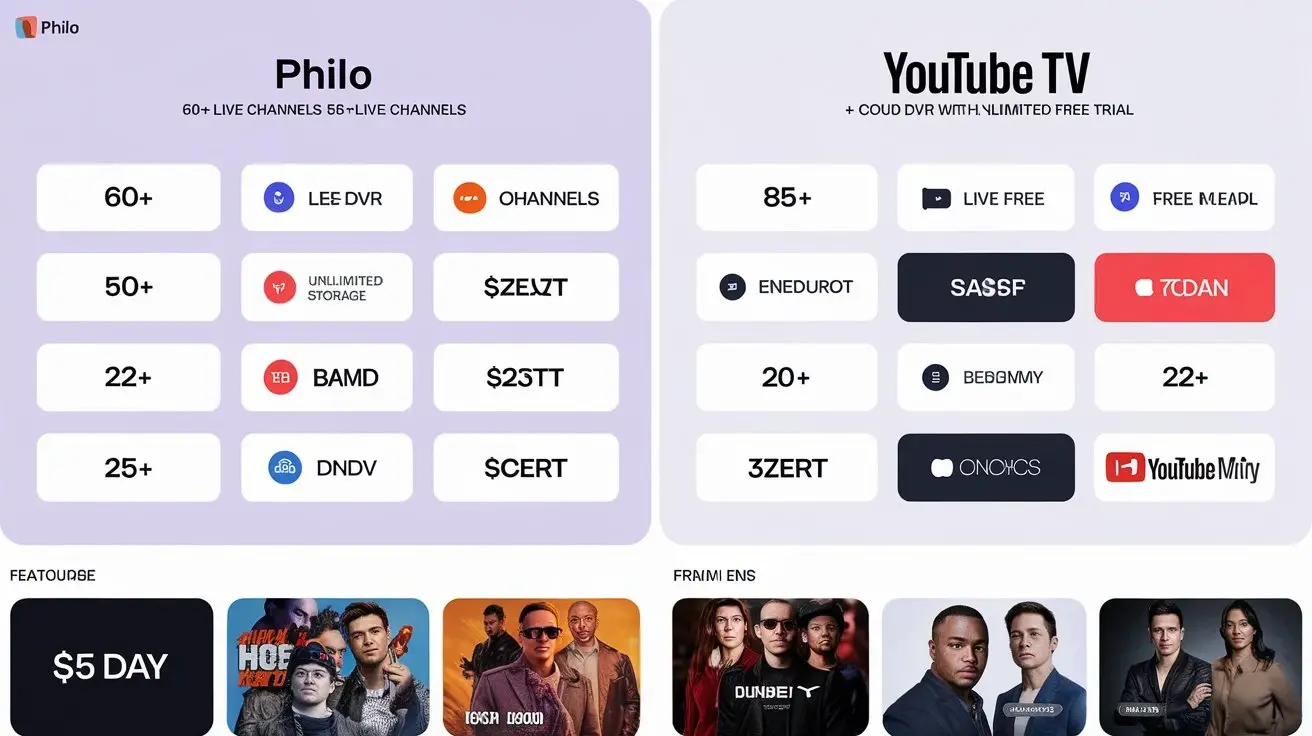
- YouTube TV: Widely regarded as one of the best all-around live TV streaming services. It offers an extensive lineup of over 100 channels, including local broadcast networks (ABC, CBS, FOX, NBC) in most markets, popular cable channels, and a robust DVR feature with unlimited cloud storage. Its interface is user-friendly, and it includes access to YouTube Originals. The price in 2025 typically falls in the $70-$80 range per month.
- Hulu + Live TV: This service combines Hulu's on-demand library and originals with a comprehensive selection of live TV channels. It's a strong contender for those who want both live and on-demand content from a single provider. It includes local channels and a good mix of sports, news, and entertainment networks. Pricing usually sits around $70-$80 per month, often bundled with Disney+ and ESPN+.
- Sling TV: Sling TV offers a more customizable and budget-friendly approach. It breaks its channel offerings into two main packages, "Orange" and "Blue," which can be purchased separately or combined. "Orange" is geared towards ESPN and sports fans, while "Blue" focuses on news and entertainment channels. Users can then add "Extras" – smaller channel packs – to tailor their subscription. This modular approach allows users to build a package for as low as $40-$55 per month, making it one of the most affordable live TV streaming options.
- FuboTV: Originally focused on sports, FuboTV has expanded to offer a wide array of entertainment, news, and family channels alongside its extensive sports coverage. It's a great option for serious sports fans, offering channels like ESPN, Fox Sports, NFL Network, and more. Its pricing is typically higher, in the $75-$95 range, reflecting its comprehensive sports offerings.
- DirecTV Stream: This service offers a more traditional cable-like experience, with multiple channel packages and the option to add premium channels and sports add-ons. It also offers the ability to stream on unlimited devices at home, a significant advantage. However, its pricing is generally higher, often starting around $70-$100 per month, depending on the package.
Key Considerations for Live TV Streaming:
- Local Channels: Verify that the service offers your local ABC, CBS, FOX, and NBC affiliates. This is crucial for local news and programming.
- Sports Coverage: If you're a sports fan, check if the service carries your preferred leagues and channels (e.g., ESPN, NFL Network, NBA TV, MLB Network).
- DVR Functionality: Most services offer cloud DVR, but storage limits and recording capabilities can vary.
- Simultaneous Streams: Consider how many people in your household will be watching at the same time. Most plans allow 2-3 simultaneous streams, with options to upgrade.
- Internet Speed: Live TV streaming requires a stable and fast internet connection. Ensure your internet plan can handle HD streaming for multiple devices.
By carefully selecting a live TV streaming service that aligns with your viewing habits, you can replace your expensive cable package with a more affordable and flexible alternative. For example, a sports enthusiast might opt for FuboTV, while a family focused on general entertainment might choose YouTube TV or Hulu + Live TV. Budget-conscious viewers might find Sling TV's customizable packages most appealing.
On-Demand Streaming: Building Your Personalized Library
Beyond live TV, the vast world of on-demand streaming services allows you to curate your personal entertainment library. These services provide access to thousands of movies and TV shows that you can watch whenever you please. The key to saving money here is to be selective and strategic. Instead of subscribing to every major service year-round, consider a rotating subscription model or focusing only on the services that offer the content you truly value. In 2025, the sheer volume of content means you can build an incredibly rich viewing experience without breaking the bank.
Here's how to maximize your on-demand streaming for less:
- Identify Your Must-Haves: Which shows or movies can you absolutely not live without? Which services host them? Start by subscribing to only those. For example, if you're a Marvel fan, Disney+ is essential. If you crave prestige dramas, Max is likely your top choice.
- Leverage Free Trials: Most streaming services offer free trial periods (typically 7-30 days). Use these strategically to binge-watch specific shows or movies you're interested in. Cancel before the trial ends if you don't plan to continue the subscription.
- Rotating Subscriptions: Subscribe to a service for a month or two to catch up on its latest originals or a specific series, then cancel and move to another. This allows you to experience a wide variety of content over the year without paying for multiple services simultaneously. For instance, you might subscribe to Netflix for three months, then switch to Apple TV+ for two months, and so on.
- Family Plans and Account Sharing: Many services offer family plans that allow multiple users to stream simultaneously. If you have trusted family members or close friends, you can share the cost of these plans, significantly reducing the per-person expense. However, always check the terms of service regarding account sharing outside your household.
- Bundles and Promotions: Keep an eye out for bundled deals. For example, the Disney Bundle (Disney+, Hulu, ESPN+) offers a discounted price compared to subscribing to each service individually. Telecom companies and other service providers often offer streaming service perks as part of their plans.
- Consider AVOD Services: As mentioned earlier, free ad-supported streaming services like Tubi, Pluto TV, and Freevee are excellent for accessing a wide range of older movies and TV shows without any cost. They can significantly supplement your paid subscriptions.
Example of a Strategic On-Demand Strategy (2025):
Let's say your household enjoys a mix of content. You might subscribe to:
- Netflix ($15.49/month): For a wide variety of popular series and films.
- Max ($15.99/month): For HBO originals and Warner Bros. content.
- Disney+ ($13.99/month): For family-friendly content and Marvel/Star Wars.
- Rotate in others: For specific shows, you might subscribe to Apple TV+ for a few months ($9.99/month) or Amazon Prime Video (included with Prime, $14.99/month).
This core selection would cost roughly $45.47 per month. By rotating in other services for specific viewing needs, you could still stay well under $60-$70 per month, a significant saving compared to cable.
Smart Bundling: Combining Streaming for Maximum Value
The concept of bundling isn't exclusive to cable companies anymore. Streaming services and other providers are increasingly offering bundled packages that provide significant savings when multiple services are purchased together. For cord-cutters, smart bundling is a powerful strategy to get more content for less money. It requires a bit of research to identify the best combinations that align with your viewing preferences and budget.
Here are some common and effective bundling strategies in 2025:
- The Disney Bundle: This is one of the most popular bundles. It typically includes Disney+, Hulu, and ESPN+. The pricing varies depending on whether you choose the ad-supported or ad-free versions of Hulu and Disney+. A common ad-supported version might cost around $15-$20 per month, offering immense value for families and sports fans.
- Amazon Prime Membership: While not strictly a TV bundle, an Amazon Prime membership ($14.99/month or $139/year) includes Amazon Prime Video, which offers a substantial library of movies and TV shows, plus original content. It also provides free shipping, music streaming, and other benefits, making it a highly cost-effective bundle for many households.
- Mobile Carrier Bundles: Many major mobile carriers (e.g., Verizon, T-Mobile, AT&T) offer streaming service perks as part of their premium plans. This might include free subscriptions to services like Netflix, Disney+, Apple TV+, or Peacock. Always check with your current or prospective mobile provider to see what entertainment benefits are included.
- Internet Provider Bundles: Some internet service providers (ISPs) partner with streaming services to offer discounted rates or bundled packages. While you're already paying for internet, these offers can sometimes provide additional value.
- Third-Party Aggregators: Services like The Roku Channel and Amazon Prime Video Channels allow you to subscribe to various premium channels (e.g., Starz, Showtime) and niche streaming services directly through their platform. This can sometimes offer slightly better pricing or a more consolidated billing experience.
Creating Your Own Bundle:
Beyond pre-packaged bundles, you can create your own effective "bundle" by strategically combining services based on your needs:
- Start with your core needs: Do you need live sports? Local news? Specific prestige dramas?
- Identify the best service for each need: For example, YouTube TV for live TV, Max for HBO, Netflix for broad appeal.
- Look for overlapping content or discounts: If you need both Hulu and Disney+, the Disney Bundle is almost always the best value.
- Factor in AVOD: Don't forget to include free services like Tubi and Pluto TV in your overall entertainment strategy. They provide content without adding to your bill.
By carefully planning and taking advantage of available bundles, you can assemble a comprehensive entertainment package that rivals cable in content variety but significantly outperforms it in terms of cost and flexibility. For instance, combining the Disney Bundle ($15.99/month) with a standalone Netflix subscription ($15.49/month) and relying on Tubi for free content gives you access to thousands of hours of entertainment for under $32 per month.
Leveraging Free Over-the-Air (OTA) Broadcasts
In an era dominated by streaming, it's easy to forget the original free source of television: over-the-air (OTA) broadcasts. With a simple antenna, you can access free, high-definition (HD) channels directly from local television stations. This is a completely free and reliable way to watch live news, sports, and popular network shows without any subscription fees. In 2025, OTA technology is more advanced than ever, offering excellent signal reception and crystal-clear HD quality, often rivaling cable in picture clarity.
How OTA Works:
- Antenna: The primary piece of equipment is an antenna. Antennas come in various forms, from small indoor rabbit ears to larger outdoor directional antennas. The type you need depends on your location and the distance to broadcast towers.
- Signal Reception: Broadcast towers transmit signals that are picked up by your antenna. The stronger the signal, the better the reception. Obstructions like buildings, hills, and even weather can affect signal strength.
- Tuner: Your TV needs a built-in digital tuner (standard on all TVs manufactured since 2007) to decode the digital OTA signals. If your TV is older, you might need an external digital converter box.
- Channels Available: In most metropolitan areas, you can receive dozens of channels, including major networks (ABC, CBS, FOX, NBC, PBS), independent stations, and specialized channels (e.g., weather, shopping, foreign language programming).
Benefits of OTA:
- Completely Free: Once you purchase an antenna (which can range from $20 to $100+ depending on type and quality), there are no recurring fees.
- High-Definition Quality: OTA broadcasts are transmitted in HD, offering excellent picture quality.
- Local Content: Access to local news, weather, and emergency broadcasts is invaluable.
- Reliability: OTA signals are not dependent on your internet connection, making them immune to internet outages or throttling.
- No Contracts: No contracts, no equipment rental fees, and no hidden charges.
Getting Started with OTA:
- Determine your location's reception: Websites like FCC's DTV Reception Maps or AntennaWeb.org can help you identify which channels are available in your area and what type of antenna is recommended.
- Purchase an antenna: Based on your reception analysis, choose an indoor or outdoor antenna. For most urban and suburban areas, a good indoor or amplified indoor antenna is sufficient.
- Connect and Scan: Connect the antenna to your TV's coaxial input and run the TV's channel scan function (usually found in the settings menu). Your TV will then search for and tune into all available OTA channels.
- Enjoy: You now have access to free, live television!
For many cord-cutters, OTA broadcasts provide the essential local channels, significantly reducing the need for expensive live TV streaming packages. Combining OTA with a few select on-demand streaming services can create a comprehensive and incredibly affordable entertainment solution.
Essential Hardware: Smart TVs and Streaming Devices
To take advantage of streaming services and OTA broadcasts, you'll need the right hardware. Fortunately, the cost of modern entertainment devices has decreased significantly, and many options are available to suit different budgets and preferences. In 2025, having a smart TV or a dedicated streaming device is almost a prerequisite for effective cord-cutting.
Smart TVs
Smart TVs have built-in internet connectivity and operating systems that allow you to directly access streaming apps like Netflix, Hulu, Amazon Prime Video, Disney+, and more, without needing an external device. They essentially combine your television and streaming player into one unit.
- Pros: Convenient, fewer cables, streamlined setup, often come with integrated tuners for OTA reception.
- Cons: The smart TV platform can become outdated, app support might be limited on older models, and the user interface can sometimes be clunky.
- Cost (2025): Basic smart TVs can be found for under $200, while mid-range and premium models with advanced features (4K, HDR, OLED) can range from $300 to $1000+.
Streaming Devices
If you have a non-smart TV or want a more robust and up-to-date streaming experience, a dedicated streaming device is an excellent investment. These small boxes or sticks plug into your TV's HDMI port and provide access to a vast ecosystem of apps and streaming services.
- Roku: Known for its user-friendly interface, extensive app support (including free channels like The Roku Channel), and affordable price points. Roku devices range from basic HD streamers to 4K HDR devices.
- Amazon Fire TV: Offers a wide range of devices, from sticks to cubes, often integrated with Alexa for voice control. Fire TV devices provide access to the Amazon Appstore, including all major streaming services.
- Apple TV: A premium option known for its powerful hardware, smooth performance, high-quality interface, and integration with the Apple ecosystem. It's a great choice for those invested in Apple products.
- Google Chromecast with Google TV: Combines the casting capabilities of older Chromecasts with a full-fledged smart TV interface, providing access to Google Play Store apps and Google Assistant.
Cost (2025): Basic streaming sticks typically cost between $25 and $50, while higher-end 4K models range from $50 to $150.
Over-the-Air (OTA) Antennas
As discussed in the previous section, an OTA antenna is crucial for accessing free local channels. The cost varies greatly, but a good indoor antenna can be purchased for $30-$60, while more powerful outdoor antennas might cost $50-$150.
Soundbars and Home Theater Systems
While not strictly necessary for cutting the cord, upgrading your audio experience can enhance your overall viewing pleasure. Soundbars offer a significant improvement over built-in TV speakers and are available at various price points. Basic soundbars can be found for under $100, with premium systems costing several hundred dollars.
Recommendation for 2025:
If you're buying a new TV, opt for a smart TV from a reputable brand with a good operating system (like Google TV, Roku TV, or WebOS). If your current TV is not smart, a mid-range streaming device like a Roku Streaming Stick 4K or an Amazon Fire TV Stick 4K ($40-$50) is an excellent and affordable way to bring smart capabilities to your existing setup. Pair this with a good indoor OTA antenna ($40-$60) for free local channels, and you have the core hardware needed for a cost-effective cord-cutting solution.
Don't Forget Your Internet: Managing Connectivity Costs
Cutting the cable cord means relying heavily on your internet connection for all your entertainment. While you're eliminating one monthly bill, it's crucial not to let your internet costs spiral. In fact, you might even need to upgrade your internet plan to accommodate the increased streaming demand. However, there are strategies to manage and potentially reduce your internet expenses while ensuring a smooth streaming experience.
Understanding Your Streaming Needs
Different streaming activities require different bandwidths:
- SD Streaming: ~3 Mbps
- HD Streaming (720p): ~5 Mbps
- HD Streaming (1080p): ~8-10 Mbps
- 4K UHD Streaming: ~25 Mbps
- Multiple Streams: If multiple people are streaming simultaneously, you'll need to multiply these requirements. For example, two people streaming 1080p content would ideally need at least 16-20 Mbps.
In 2025, with many households having multiple devices streaming simultaneously, a plan with at least 100 Mbps is often recommended for a buffer and to ensure smooth performance for other online activities. However, if you live alone and primarily stream in HD, you might get by with a 50 Mbps plan.
Strategies for Managing Internet Costs
- Shop Around for ISPs: Don't settle for the first ISP that comes to mind. Research all available providers in your area and compare their pricing, speeds, and any introductory offers. Prices can vary significantly.
- Negotiate with Your Current ISP: If you're happy with your current provider but paying too much, call their customer service and inquire about better deals or promotions. Mention competitor pricing if you have it. Often, ISPs are willing to offer discounts to retain customers.
- Bundle Internet with Other Services (Carefully): While bundling can sometimes save money, ensure you're not paying for services you don't need. Sometimes, separate services are cheaper than a bundled package.
- Avoid Unnecessary Speed Upgrades: Only upgrade your internet speed if you genuinely need it. If you're experiencing buffering issues with your current plan and have verified it's not a Wi-Fi problem, then consider an upgrade. However, avoid paying for speeds you won't utilize.
- Check for Low-Income Programs: Many ISPs offer discounted internet plans for eligible low-income households through government programs like the Affordable Connectivity Program (ACP) in the US (though its future funding can be uncertain, always check current availability).
- Consider Your Router: An old or poor-quality Wi-Fi router can create bottlenecks, making your internet seem slower than it is. Investing in a modern Wi-Fi 6 or 6E router can improve performance throughout your home, potentially allowing you to stick with a slightly lower internet speed tier.
- Be Wary of Data Caps: While less common for fixed-line internet than mobile plans, some ISPs impose data caps. Ensure your plan has unlimited data or a cap high enough that you won't incur overage charges from streaming.
By being proactive and informed about your internet service, you can ensure it supports your cord-cutting lifestyle without becoming a significant financial burden. For instance, if your current plan is 100 Mbps for $70/month, and you find a competitor offering 200 Mbps for $60/month, switching could save you money and improve performance.
Crafting Your Custom, Cheaper TV Plan
The beauty of cutting the cord is the ability to create a TV plan that is uniquely yours, tailored to your viewing habits and budget. This process involves a few key steps to ensure you're getting the most value for your money. In 2025, with the abundance of options, a personalized plan is not only possible but highly recommended.
Step 1: Assess Your Current Viewing Habits
Before making any changes, take stock of what you actually watch. Ask yourself:
- Which channels do you watch most frequently?
- Are there specific shows or live events you cannot miss?
- Do you prefer live TV, on-demand content, or a mix?
- How many people in your household watch TV, and what are their preferences?
- What is your current cable bill, and what's your target budget for entertainment?
Step 2: Identify Essential Content Categories
Based on your assessment, categorize your viewing needs:
- Local News & Broadcasts: (ABC, CBS, FOX, NBC, PBS)
- General Entertainment: (Sitcoms, dramas, reality TV)
- Movies: (New releases, classics, specific genres)
- Sports: (Professional leagues, college sports, specific events)
- Kids' Programming:
- Documentaries & Educational Content:
Step 3: Map Content to Services
Now, match your essential content categories to specific services:
- Local Channels: OTA antenna is often the best free solution. If not feasible, a live TV streaming service (YouTube TV, Hulu + Live TV) will be necessary.
- General Entertainment: Netflix, Hulu, Max, Peacock, Freevee, Tubi.
- Movies: Netflix, Max, Amazon Prime Video, Apple TV+, Hulu, Tubi, Crackle.
- Sports: YouTube TV, Hulu + Live TV, FuboTV, Sling TV (Orange package), ESPN+.
- Kids' Programming: Disney+, Hulu, Netflix, Amazon Prime Video.
- Documentaries: Netflix, Max, Disney+, CuriosityStream, PBS Documentaries.
Step 4: Choose Your Core Services
Select the primary services that cover the majority of your must-watch content. Consider:
- Live TV Streaming: If local channels and live sports are crucial, choose one service like YouTube TV or Hulu + Live TV. If you're on a tighter budget, Sling TV's customizable packages might be better.
- On-Demand SVOD: Pick 1-3 services that offer the most original content or library depth you desire (e.g., Netflix, Max, Disney+).
- AVOD: Incorporate free services like Tubi and Pluto TV to supplement your paid subscriptions.
Step 5: Implement a Rotating or Minimalist Strategy
- Minimalist: Stick to only the absolute essential paid services year-round. Rely heavily on OTA and AVOD for supplementary content.
- Rotating: Subscribe to paid services for a few months at a time to catch up on specific content, then cancel and switch to others.
Step 6: Factor in Hardware and Internet
Ensure you have the necessary hardware (smart TV or streaming device, OTA antenna) and an internet plan that can support your streaming needs without excessive cost.
Example Custom Plan (2025) - "The Balanced Viewer"
- Budget: $60/month
- Hardware: Smart TV, Indoor OTA Antenna
- Internet: 100 Mbps plan ($60/month)
- Services:
- OTA Antenna: Free local channels (ABC, CBS, FOX, NBC, PBS)
- Netflix: $15.49/month (for popular series and movies)
- Max: $15.99/month (for HBO originals and Warner Bros. content)
- Tubi: Free (for additional movie and TV show options)
- Occasional rotating subscription (e.g., Apple TV+ for a specific show, $9.99/month)
- Total Estimated Monthly Cost: ~$71.47 (with occasional rotation)
This plan provides a wide range of content, leverages free options, and stays within a reasonable budget, significantly cheaper than an average cable bill.
Common Pitfalls to Avoid When Cutting the Cord
While cutting the cord offers substantial savings and flexibility, it's not without its potential challenges. Being aware of common pitfalls can help you navigate the transition smoothly and ensure you don't end up frustrated or overspending. In 2025, as the cord-cutting landscape matures, these issues are well-understood, and strategies exist to mitigate them.
1. Underestimating Internet Needs
The Pitfall: Assuming your current internet plan is sufficient for multiple high-definition streams. This can lead to constant buffering, poor video quality, and a frustrating viewing experience. Streaming 4K content or multiple HD streams simultaneously requires significant bandwidth.
The Solution: Before cutting the cord, assess your streaming habits and ensure your internet plan offers adequate speeds (ideally 100 Mbps or more for a typical household). If not, upgrade your plan or optimize your home Wi-Fi network.
2. Over-Subscribing to Streaming Services
The Pitfall: The allure of endless content leads to subscribing to too many services, quickly adding up to a monthly cost that rivals or even exceeds your old cable bill. The "set it and forget it" mentality can lead to paying for subscriptions you rarely use.
The Solution: Be strategic. Identify your must-have services and stick to them. Utilize rotating subscriptions, free trials, and free AVOD services to fill content gaps without incurring continuous costs.
3. Neglecting Local Channels and Live Events
The Pitfall: Focusing solely on on-demand content and forgetting about essential live broadcasts like local news, weather, or major sporting events that aren't available on-demand or on niche sports packages.
The Solution: Invest in an OTA antenna to capture free local broadcast channels. If OTA isn't feasible, ensure your chosen live TV streaming service includes your local affiliates.
4. Ignoring Hidden Fees and Price Increases
The Pitfall: Streaming services, like cable providers, are prone to price increases. Also, some services might have additional fees for premium content or higher-tier plans that aren't immediately obvious.
The Solution: Regularly review your subscription costs. Be aware of potential price hikes and assess if the service is still worth the cost. Compare prices annually and be prepared to switch if a better deal arises.
5. Complicated Account Management
The Pitfall: Juggling multiple logins, passwords, and billing cycles for numerous streaming services can become overwhelming and lead to missed payments or accidental renewals.
The Solution: Use a password manager to keep track of your credentials. Consider consolidating billing where possible through app stores or provider bundles. Set calendar reminders for subscription renewals or cancellations.
6. Lack of a Cohesive Plan
The Pitfall: Making impulsive decisions without a clear understanding of your viewing needs and budget. This often results in a piecemeal approach that doesn't maximize savings.
The Solution: Create a personalized TV plan (as outlined in the previous section) that maps your viewing habits to the most cost-effective services and hardware. This provides a roadmap for your cord-cutting journey.
7. Inadequate Hardware
The Pitfall: Using outdated streaming devices or poor-quality Wi-Fi equipment that hinders performance, leading to a subpar viewing experience.
The Solution: Ensure your smart TV or streaming device is reasonably up-to-date and capable of handling modern streaming demands (e.g., 4K, HDR). Invest in a good Wi-Fi router if necessary.
By anticipating these common issues and implementing the suggested solutions, you can confidently cut the cord and enjoy a more affordable, flexible, and satisfying TV experience in 2025 and beyond.
Conclusion
Transitioning to a TV setup cheaper than cable in 2025-26 is not only achievable but can lead to significant annual savings while offering a more personalized and flexible entertainment experience. The core strategy involves a thoughtful combination of over-the-air broadcasts for free local channels, a curated selection of on-demand streaming services, and potentially a budget-friendly live TV streaming option. By assessing your viewing habits, understanding the value proposition of services like Netflix, Max, Disney+, and free AVOD platforms such as Tubi, and strategically managing your internet costs, you can build a robust entertainment package for a fraction of the price of traditional cable. Remember to leverage free trials, consider rotating subscriptions, and explore bundle deals to maximize your savings. Investing in the right hardware, like a smart TV or a dedicated streaming device, and a reliable OTA antenna, forms the foundation of a successful cord-cutting setup. Avoid common pitfalls like underestimating internet needs or over-subscribing to services by planning your custom TV package meticulously. The power to control your content and your costs is now in your hands, making a cheaper, better TV experience a reality.