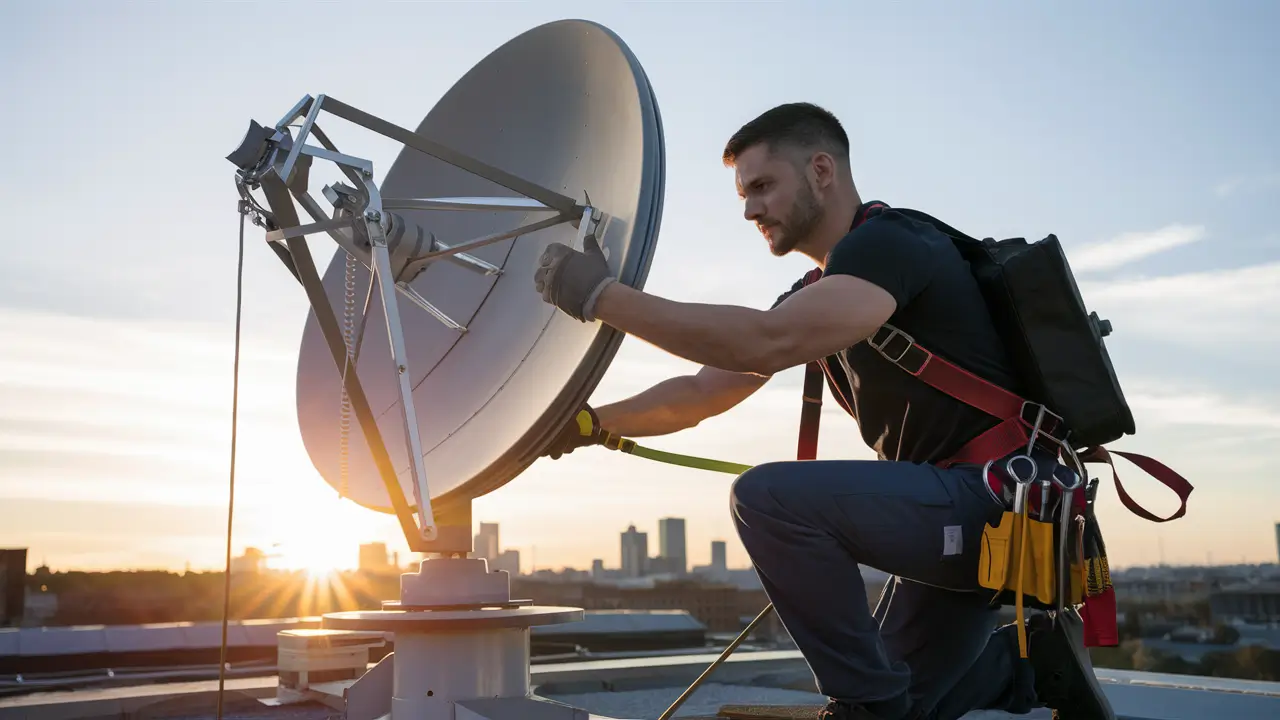
Experiencing DirecTV signal issues? This comprehensive guide will walk you through the essential steps of how to adjust your DirecTV satellite dish for optimal performance. Learn to troubleshoot common problems, understand the alignment process, and ensure you're receiving the clearest possible signal for uninterrupted entertainment.
Understanding Your DirecTV Satellite Dish
The DirecTV satellite dish, often referred to as a "dish antenna," is a crucial component for receiving satellite television signals. It's designed to capture faint radio waves broadcast from geostationary satellites orbiting the Earth. Understanding its basic parts and function is the first step towards effective adjustment. The dish itself is a parabolic reflector, meaning its curved shape focuses incoming signals to a single point where the Low Noise Block (LNB) converter is positioned. The LNB is the "eye" of the dish; it receives the focused signal, amplifies it, and converts it to a frequency that your receiver can process. The dish is mounted on an arm and typically attached to a pole or wall mount, allowing for precise directional adjustments in elevation (up/down) and azimuth (left/right). Some systems also utilize a secondary adjustment for skew, which rotates the LNB to compensate for the Earth's curvature relative to the satellite's position. In 2025-26, DirecTV primarily uses a Ka-band and Ku-band system, requiring precise alignment to capture signals from specific orbital slots. Understanding these components empowers you to diagnose and fix signal degradation more effectively.
Common DirecTV Signal Problems and Their Causes
Signal loss or degradation on DirecTV can manifest in various ways, from pixelation and freezing to complete signal loss. Identifying the symptom is key to diagnosing the underlying cause. The most common issues include:
- Pixelation and Freezing: This usually indicates a weak or intermittent signal. The receiver is receiving enough data to display a picture, but it's corrupted or incomplete.
- "Searching for Satellite Signal" Error: This error message signifies a complete loss of signal from one or more satellites. The receiver cannot lock onto the necessary transponders.
- "No Satellite Signal is Being Received" Error: Similar to the above, this is a more severe indication of a total signal outage.
- Intermittent Signal Drops: The signal comes and goes, often during specific weather conditions or at certain times of the day.
The causes behind these problems are varied and often interconnected. Understanding them will help you determine if a dish adjustment is necessary or if the issue lies elsewhere. Common culprits include:
- Obstructions: New growth of trees, branches, new construction, or even temporary structures can block the line of sight between your dish and the satellite. This is arguably the most frequent cause of signal issues.
- Weather: Heavy rain, snow, or dense fog can interfere with satellite signals, especially those on higher frequencies. While the dish itself might be aligned perfectly, extreme weather can still cause temporary signal degradation. This is known as "rain fade."
- Dish Movement: The dish can become misaligned due to strong winds, vibrations from nearby construction, or even settling of the mounting structure. Even a slight shift can significantly impact signal strength.
- LNB Issues: The LNB converter can become damaged by weather, corrosion, or physical impact, leading to poor signal reception.
- Loose Connections: Coaxial cable connections at the LNB, receiver, or splitter can become loose or corroded, hindering signal transmission.
- Receiver Problems: While less common for alignment issues, a faulty receiver can sometimes mimic signal problems.
- Satellite Changes: DirecTV occasionally repositions satellites or changes transponder frequencies, though this is rare and usually communicated.
In 2025-26, DirecTV continues to rely on its fleet of satellites, including the primary ones like DirecTV 10, 11, 12, 14, 15, and 16, all positioned in geostationary orbit. Each of these satellites transmits signals on specific frequencies and from distinct orbital positions, necessitating a precisely aimed dish. For example, the 99° West satellite is crucial for local channels and HD programming, while others like the 101° West satellite handle a wider array of national channels. Understanding which satellites your receiver is trying to connect to can be helpful, though most users focus on the overall signal strength for all services.
Pre-Adjustment Checks and Preparation
Before you even think about touching your DirecTV satellite dish, a few crucial checks and preparations can save you time and effort, and potentially identify the problem without needing to adjust the dish at all. It's vital to approach this task methodically.
1. Verify Your Receiver's Signal Strength Information
Your DirecTV receiver is your primary diagnostic tool. Navigate through its menus to find the satellite signal strength meter. The exact path varies by model, but it's typically found under "Settings," "Setup," or "System Information." Look for readings that indicate signal strength and quality for each satellite your system is configured to receive. Ideally, you want both numbers to be consistently high. A low "quality" reading is often more indicative of an alignment problem than a low "strength" reading, though both are important.
For 2025-26, DirecTV receivers provide detailed diagnostics. For instance, on Genie models, you might find this information under Menu > Settings & Help > Settings > Satellite > View Signal Strength. The ideal signal strength and quality percentages will vary depending on the transponder and satellite, but generally, you're aiming for readings above 70% for both, with quality being paramount.
2. Check for Obstructions
This is the most common cause of signal loss. Take a thorough look at the entire path between your dish and the southern sky (in the Northern Hemisphere). Are there any new trees, branches, leaves, or other objects that could be blocking the line of sight? Even a small branch can cause significant signal degradation, especially during certain times of the year when foliage is dense. If you identify an obstruction, your first course of action should be to trim the offending branches or consider relocating the dish if the obstruction is permanent (like a new building).
3. Inspect the Dish and Mount
Visually inspect the dish itself. Is it cracked, bent, or damaged in any way? Check the LNB for any visible damage, corrosion, or moisture. Examine the mounting pole and brackets. Is the pole leaning? Are the bolts loose? Is the mount itself secure to the wall or ground? Any looseness or instability in the mount will cause the dish to shift, leading to signal loss. Gently try to move the dish by hand; if it feels loose, tightening the mounting hardware is your first step.
4. Examine Cable Connections
Follow the coaxial cable from the LNB down to your receiver. Check all connections for tightness and signs of corrosion. Unscrew and re-screw any connections to ensure a good contact. Water intrusion into the cable or connectors is a common issue, especially in older installations. Look for any signs of damage to the cable itself, such as cuts, kinks, or fraying.
5. Weather Considerations
If you're experiencing signal issues during heavy rain or snow, this is likely "rain fade." Satellite signals are weaker than terrestrial signals and can be attenuated by atmospheric conditions. If the problem only occurs during severe weather and resolves afterward, your dish alignment is likely fine, and this is a normal phenomenon. However, if signal issues persist even in clear weather, then an adjustment is warranted.
By completing these pre-adjustment checks, you can often resolve signal problems without touching the dish. If all these checks reveal no obvious issues, and you're still experiencing poor signal, then it's time to proceed with the dish adjustment.
Essential Tools for Dish Adjustment
Successfully adjusting your DirecTV satellite dish requires a few specific tools. While some DIY enthusiasts might try to get by with less, having the right equipment will make the process significantly easier, more accurate, and less frustrating. For 2025-26, the core tools remain consistent:
- Satellite Finder Meter (Highly Recommended): This is the most crucial tool. While some receivers have on-screen meters, a dedicated satellite finder meter provides audible beeps and often a visual meter that indicates signal strength. This allows you to make fine adjustments much more effectively than relying solely on the TV screen, especially if you're working alone. There are basic analog meters and more advanced digital meters available. For DirecTV, a meter capable of detecting signals in the Ka and Ku bands is necessary.
- Adjustable Wrenches (various sizes): You'll need these to loosen and tighten the bolts that secure the dish to the mount and allow for elevation and azimuth adjustments. Common sizes include 7/16", 1/2", and 9/16".
- Socket Set: Similar to wrenches, a socket set can be very useful for certain types of bolts and nuts.
- Screwdrivers (Phillips and Flathead): You might need these for accessing certain parts of the mount or for minor adjustments.
- Ladder: Most satellite dishes are mounted on rooftops or elevated poles, so a sturdy and safe ladder is essential. Ensure it's placed on stable ground and secured properly.
- Gloves: Protect your hands from sharp edges and dirt.
- Safety Glasses: Essential for protecting your eyes from debris, especially when working at heights or with metal components.
- Marker or Chalk: To mark the current position of the dish before making adjustments. This is a crucial step for returning to the original position if your adjustments don't improve the signal.
- Compass (Optional but helpful): While not strictly necessary if you know the general direction, a compass can help confirm the correct azimuth.
- Drill and Drill Bits (if relocating mount): If you determine the current mount is unstable or needs to be moved, you'll need a drill for pilot holes.
- Level: To ensure the dish mount is perfectly vertical, which is critical for accurate elevation adjustments.
For those working alone: A satellite finder meter with an audible tone is indispensable. It allows you to hear the signal strength increase as you make tiny movements, without needing someone to constantly check the TV screen. Some advanced meters can even be paired with a smartphone app for more detailed analysis.
Important Note: Always prioritize safety. If you are uncomfortable working at heights or lack the proper safety equipment, it is always best to hire a professional DirecTV installer. Attempting adjustments without proper tools or safety precautions can lead to injury or further damage to your equipment.
Locating Your DirecTV Satellite
Properly locating your DirecTV satellite is fundamental to achieving a strong signal. DirecTV utilizes multiple satellites in geostationary orbit, and your dish needs to be precisely aimed at the correct one(s). In 2025-26, the primary satellites used by DirecTV for most programming are located at approximately:
- 99° West Longitude: This is a crucial satellite, often split into two orbital positions (99°W-1 and 99°W-2), serving a significant portion of HD programming and local channels.
- 101° West Longitude: This is the primary satellite for standard definition channels and many national networks. It's often the first satellite a dish is aligned to.
- 103° West Longitude: Used for additional programming, including some local channels and international services.
- 110° West Longitude: Another satellite for national channels.
- 119° West Longitude: Primarily used for international channels and some national programming.
The specific satellites your dish needs to track depend on your location and the programming package you subscribe to. Modern DirecTV dishes, especially the "SWM" (Single Wire Multiswitch) systems, are designed to track multiple satellites simultaneously. However, the initial alignment process still requires pointing the dish towards the general direction of these satellites.
Determining the Direction
The direction your dish needs to point is determined by your geographic location. Satellites are in geostationary orbit, meaning they appear to remain in the same spot in the sky from your perspective. However, this "spot" is always towards the equator and slightly to the west of your location in the Northern Hemisphere.
General Direction: For most of North America, DirecTV satellites are located in the southern sky. The exact azimuth (horizontal direction) and elevation (vertical angle) will vary based on your latitude and longitude.
Tools to Help You Find the Satellite
- Online Satellite Finder Tools: Numerous websites and apps can calculate the precise azimuth, elevation, and even skew angle for your specific address. Simply search for "DirecTV satellite finder" or "satellite dish pointing calculator." You'll typically need to enter your ZIP code or address. These tools are invaluable for getting the initial settings correct.
- Compass: A compass can help you determine magnetic north, which you can then use to find the correct azimuth. Remember that magnetic north can differ slightly from true north, so it's good to be aware of any local magnetic declination.
- Inclinometer/Angle Finder: This tool helps you measure the elevation angle. Many satellite finder meters have a built-in inclinometer.
- Receiver's Signal Meter: As mentioned before, your DirecTV receiver's built-in signal meter is essential for fine-tuning once the dish is roughly pointed in the right direction.
The Process of Finding the Satellite
- Get Initial Settings: Use an online tool or a dedicated app to find the correct azimuth, elevation, and skew for your location and the primary DirecTV satellites (usually starting with 101°W).
- Roughly Aim the Dish: Loosen the bolts on your dish mount so you can move the dish freely in both azimuth and elevation. Use your compass and inclinometer (or marked angles on the mount) to point the dish in the general direction calculated.
- Start Scanning: With the dish roughly aimed, you'll begin the fine-tuning process using your satellite finder meter or the receiver's signal meter. This is where patience and small, incremental movements are key.
Understanding the orbital positions and using the right tools to determine the direction are critical first steps. Without this information, any adjustments you make will be guesswork. For 2025-26, the accuracy of these initial settings is more important than ever, as satellite signals are becoming more refined.
The Adjustment Process: Step-by-Step Guide
This section provides a detailed, step-by-step guide on how to adjust your DirecTV satellite dish. Remember to prioritize safety at all times. If you are uncomfortable with any step, especially working at heights, it's best to call a professional.
Step 1: Initial Setup and Safety Precautions
Ensure you have all the necessary tools listed previously. If working on a roof or elevated surface, use a sturdy ladder, ensure it's properly secured, and consider using a safety harness. Inform someone of your activity and location. Wear appropriate safety gear (gloves, safety glasses).
Step 2: Loosen the Dish Mount Bolts
Locate the bolts that control the dish's movement. Typically, there are bolts for azimuth (left/right) and elevation (up/down). Loosen these bolts just enough so that the dish can be moved, but not so loose that it swings freely. You want to feel some resistance, allowing for controlled, incremental adjustments.
Step 3: Set the Initial Elevation Angle
Using your calculated elevation angle (from an online tool or app) and an inclinometer or the markings on your dish mount, set the dish to the approximate vertical angle. Ensure the dish is pointing upwards towards the sky at the correct pitch.
Step 4: Set the Initial Azimuth
Using your compass and the calculated azimuth, point the dish roughly in the correct horizontal direction. For DirecTV in North America, this is generally towards the south. Make sure the dish is facing the correct general direction before proceeding.
Step 5: Connect the Satellite Finder Meter (If Using)
If you have a satellite finder meter, connect it between the LNB and the coaxial cable that runs to your receiver. Ensure the meter is set to the correct frequency band for DirecTV (Ka/Ku). Most meters will provide an audible tone that increases in pitch and volume as the signal strength improves.
Step 6: Make Slow, Incremental Adjustments
This is the most critical part. Start by making very small movements of the dish. Begin with the azimuth adjustment. Move the dish slowly, about one-eighth to one-quarter of an inch at a time, to the left or right. Listen to your satellite finder meter or watch your receiver's signal strength meter. You are looking for the point where the signal strength and quality readings are highest.
If using a tone meter: Listen for the tone to become more constant and higher pitched. This indicates you are getting closer to the satellite.
If using a receiver's meter: Watch for the signal strength and quality bars to increase. Aim to maximize both, with quality being the more important indicator of a stable lock.
Step 7: Adjust Elevation
Once you've found the best azimuth position, lock it temporarily by tightening the azimuth bolts slightly. Now, repeat the process with the elevation adjustment. Make very small up or down movements, again listening to your meter or watching the screen. You are looking for the peak signal strength and quality at this new elevation.
Step 8: Fine-Tune Azimuth and Elevation
After finding the best elevation, you may need to go back and slightly adjust the azimuth again, as changing one affects the other. This is an iterative process. Continue making tiny adjustments to both azimuth and elevation, alternating between them, until you achieve the strongest and most stable signal readings possible. You want to find the "sweet spot" where both signal strength and quality are maximized.
Step 9: Adjust the Skew (If Applicable)
Some dish installations allow for skew adjustment, which rotates the LNB on its mount. This compensates for the Earth's curvature relative to the satellite's orbital plane. If your dish has a skew adjustment, and you've maximized azimuth and elevation, make small rotations of the LNB. You're looking for a further slight improvement in signal quality. For most modern DirecTV dishes, the skew is factory-set or automatically adjusted by the receiver in advanced systems, but it's worth checking if you're struggling to get a solid lock.
Step 10: Tighten All Bolts Securely
Once you have achieved the best possible signal readings, carefully and securely tighten all the azimuth, elevation, and any other adjustment bolts. Do this gradually, alternating between bolts, to ensure the dish doesn't shift its position as you tighten. Make sure everything is snug but avoid overtightening, which could strip threads or damage components.
Step 11: Verify Signal on All Channels
After tightening, go through your DirecTV channel guide and check the signal strength and quality on a variety of channels, especially those that were previously problematic. Ensure you have a stable signal across the board. You may need to reboot your receiver for it to fully recognize the new alignment.
Example Scenario: Imagine you're adjusting the azimuth. You move the dish slightly left, and the signal quality jumps from 60% to 75%. You move it a tiny bit further left, and it drops to 70%. This tells you the optimal azimuth is where you saw the 75% reading. Then you move to elevation, making similar small adjustments.
Fine-Tuning for Optimal Signal Strength
Achieving a good signal is one thing, but fine-tuning for optimal signal strength and quality is what separates a good installation from a great one. This stage is about maximizing the reliability of your DirecTV service, especially in challenging weather conditions. In 2025-26, with the increasing demand for high-definition and 4K content, signal integrity is paramount.
Understanding Signal Strength vs. Signal Quality
It's crucial to differentiate between these two metrics provided by your DirecTV receiver:
- Signal Strength: This indicates the raw power of the signal received by the dish. A higher number means a stronger signal.
- Signal Quality: This is arguably more important. It represents how clear and error-free the signal is. A high signal strength with low quality means the signal is strong but corrupted, leading to pixelation and dropped frames. A good balance of both is ideal, but high quality is essential for a stable picture.
The Iterative Process of Fine-Tuning
Fine-tuning involves making extremely small, precise adjustments and observing the impact on both signal strength and quality. It's a process of seeking the absolute peak for both metrics.
- Focus on Quality First: While strength is important, prioritize increasing the signal quality. A stable lock with high quality is more resilient to interference and weather than a strong signal with poor quality.
- Micro-Adjustments: Use the smallest possible movements. Instead of moving the dish by an inch, try moving it by the width of a fingernail. This level of precision is often necessary to find the absolute best alignment.
- Test Multiple Satellites/Transponders: If your receiver allows you to view signal metrics for individual satellites or transponders, check them. You might find that one satellite locks on perfectly while another is weaker. Aim for the best overall performance across the satellites you use most frequently.
- The "Sweet Spot" Technique: Imagine a small area in the sky where the satellite signal is strongest. Your goal is to center the dish's focal point within this "sweet spot." This often involves moving the dish slightly left, then right, then up, then down, looking for the highest readings.
- Listen for the Tone (Satellite Finder Meter): If using an audible satellite finder, the ideal tone is a solid, consistent tone without wavering. A fluctuating tone indicates an unstable lock.
- Hold and Observe: After each micro-adjustment, hold the dish in the new position for a few seconds to allow the receiver to lock onto the signal. Observe the meter readings to see if they have improved.
- Check for "Ghosting" or Double Images: In rare cases, a dish that is slightly misaligned can cause a "ghosting" effect or a faint double image on the screen. This is a sign that the focal point is not perfectly aligned.
Impact of Weather on Fine-Tuning
It's important to note that fine-tuning is best done on a clear day. While you're aiming for the best possible signal, extreme weather like heavy rain can temporarily reduce signal quality. If you've achieved excellent readings on a clear day, and then experience issues during rain, it's likely normal rain fade. However, a well-aligned dish will recover faster and perform better during mild to moderate rain than a poorly aligned one.
Skew Adjustment Revisited
For advanced users or those with persistent issues, understanding skew is important. The skew angle compensates for the Earth's curvature. If your dish allows it, try making very small clockwise and counter-clockwise rotations of the LNB. You're looking for a slight improvement in signal quality. For most DirecTV installations in 2025-26, the skew is either factory-set or automatically handled by advanced LNBs, but it can be a factor in marginal signal situations.
Example: You've found a good azimuth and elevation. Signal quality is 85%. You make a tiny adjustment to the left, and it drops to 82%. You move it back and then slightly up, and quality jumps to 90%. You've found a better spot. Now, you might slightly adjust the azimuth again to see if you can maintain that 90% quality. This iterative process is key.
Troubleshooting Persistent Signal Issues
Even after a careful dish adjustment, you might still encounter persistent signal problems. This is when you need to dig deeper and consider other potential causes beyond simple misalignment. In 2025-26, DirecTV's advanced SWM systems can sometimes mask underlying issues if not diagnosed correctly.
1. Re-Check for Obstructions (Especially Seasonal Changes)
Trees grow, and foliage changes throughout the year. What was clear in winter might be obstructed in summer. Re-evaluate the line of sight, paying attention to any new growth or branches that may have moved into the path. Consider that the sun's path also changes seasonally, and reflections off certain objects can sometimes interfere with signals.
2. Inspect the LNB Again
The LNB is exposed to the elements and can fail over time. Look for:
- Corrosion: Green or white powdery buildup on the connectors or the LNB itself.
- Cracks or Damage: Physical damage from hail, falling debris, or impact.
- Moisture: Signs of water ingress into the LNB housing or connector.
If the LNB appears damaged or corroded, it may need to be replaced. This is a common point of failure.
3. Examine Coaxial Cables and Connectors Thoroughly
Even if you checked them before, a more thorough inspection is warranted:
- Cable Integrity: Look for any nicks, cuts, abrasions, or signs of rodent damage along the entire length of the cable.
- Connector Condition: Ensure all F-connectors are tight, free of corrosion, and properly sealed. Water can seep into connectors, especially at the dish and where the cable enters the house.
- Splitters: If you have multiple receivers or use a SWM system, you likely have splitters. Test each splitter by bypassing it to see if the signal improves. Faulty splitters are a common cause of signal loss.
4. Test with a Different Receiver or Tuner
While less common, the receiver itself could be the issue. If you have access to another DirecTV receiver or can temporarily swap yours with a known working unit, this can help rule out receiver problems. Pay attention to error codes displayed by the receiver, as they can sometimes provide clues.
5. Check for Loose Mounting Hardware
Go back to the dish mount. Are the bolts still tight? Has the pole shifted? Is the wall mount secure? Even a slight wobble in the mount can cause the dish to move enough to lose signal, especially in windy conditions. Ensure the pole is plumb (perfectly vertical) and the dish is securely fastened.
6. Verify Satellite Frequencies and Transponders
Occasionally, DirecTV might change satellite transponder frequencies or orbital positions. While rare for national services, it's worth checking if you have a very old installation or are experiencing issues with specific niche channels. You can sometimes find updated satellite alignment data online for your region.
7. Consider Signal Amplifiers (Use with Caution)
In some cases, if cable runs are very long, a signal amplifier might be considered. However, these should be used with extreme caution, as they can also amplify noise and potentially worsen signal quality if not properly chosen and installed. They are generally a last resort for cable length issues, not for fixing dish alignment.
8. Environmental Factors
Beyond rain fade, other environmental factors can play a role. For example, very high humidity or specific atmospheric conditions can sometimes affect signal reception. If problems are intermittent and seem linked to specific weather patterns (other than just heavy rain), it might be an environmental factor.
9. Consult DirecTV Support or a Professional
If you've exhausted all these troubleshooting steps and are still experiencing persistent signal issues, it's time to contact DirecTV customer support or a certified DirecTV installer. They have specialized equipment and knowledge to diagnose complex problems, including issues with the satellite itself or advanced SWM system configurations.
Example: You've adjusted the dish, and signal quality is now 80% on most channels, but channel 301 (a specific HD channel) remains pixelated. You re-check the LNB and find slight corrosion on the connector. Replacing the connector or the LNB resolves the issue for channel 301.
Preventative Maintenance for Your DirecTV Dish
Regular preventative maintenance can save you from the frustration of signal loss and the need for emergency adjustments. By taking a proactive approach, you can ensure your DirecTV system continues to perform optimally for years to come. In 2025-26, with more advanced technology, keeping your equipment in good condition is more important than ever.
1. Annual Visual Inspection
Schedule a yearly check-up of your satellite dish and its mounting hardware. This inspection should include:
- Dish Surface: Look for any cracks, dents, or warping. Ensure it's clean and free of debris.
- LNB: Check for corrosion, damage, or loose connections.
- Mounting Hardware: Verify that all bolts, nuts, and brackets are tight and secure. Check the mounting pole for any signs of rust, corrosion, or instability.
- Cables: Inspect the coaxial cables for any signs of damage, fraying, or wear. Ensure they are properly secured to the dish and the building to prevent them from flapping in the wind.
2. Clear Obstructions Proactively
If you have trees or bushes near your dish, trim them back regularly, especially before seasons with heavy foliage growth. Don't wait for them to become an obstruction. If you live in an area prone to heavy snowfall, consider how snow might accumulate on the dish and LNB, and plan for safe removal if necessary.
3. Clean the Dish and LNB
Periodically clean the surface of the dish and the LNB with a soft cloth and mild, non-abrasive cleaner. This helps remove dirt, bird droppings, or other debris that can interfere with signal reception. For the LNB, be gentle and avoid getting water into the connectors.
4. Check Cable Connections
At least once a year, or after any significant weather event, check that all coaxial cable connections are tight and free from corrosion. You can purchase specialized coaxial seal tape to protect outdoor connections from moisture.
5. Monitor Signal Strength Readings
Make it a habit to check your receiver's signal strength and quality meters occasionally, perhaps once every few months. If you notice a gradual decline in signal quality, it might indicate an impending issue that you can address before it leads to complete signal loss.
6. Be Aware of Environmental Changes
If new construction is happening in your area, or if you notice significant changes in your surroundings, re-evaluate the line of sight to your satellite. New buildings or taller structures can easily block signals.
7. Professional Inspection
If your dish is older (over 5-7 years) or if you live in an area with extreme weather conditions (high winds, heavy snow, frequent storms), consider having a professional DirecTV technician perform an inspection and maintenance check every few years. They have specialized tools and expertise to identify potential problems that you might miss.
By implementing these simple preventative maintenance steps, you can significantly reduce the likelihood of experiencing signal disruptions and ensure your DirecTV service remains reliable and enjoyable. It's a small investment of time that pays dividends in uninterrupted viewing.
When to Call a Professional DirecTV Technician
While this guide empowers you to perform basic DirecTV satellite dish adjustments, there are several situations where calling a professional DirecTV technician is the wisest and safest course of action. Recognizing these scenarios can save you time, frustration, and potentially prevent further damage or injury. In 2025-26, with increasingly complex SWM systems and advanced equipment, professional expertise is often invaluable.
1. Safety Concerns and Working at Heights
This is the most important reason. If your dish is mounted on a steep roof, a tall pole, or any location that makes you uncomfortable or feels unsafe to access, do not attempt the adjustment yourself. Professional technicians are trained and equipped with safety gear to work at heights. Your safety is paramount.
2. Persistent Signal Issues After DIY Attempts
If you've followed all the steps in this guide, made careful adjustments, and are still experiencing poor signal quality or complete signal loss, it's time to call a pro. They have advanced diagnostic tools, such as spectrum analyzers and signal meters that can pinpoint issues beyond simple alignment, such as LNB failure, internal receiver problems, or signal interference.
3. Damaged or Worn Equipment
If you discover significant damage to the dish itself (cracks, severe bending), the LNB, or the mounting hardware during your inspection, it's best to have a professional assess and replace the faulty components. Attempting to adjust a damaged dish can lead to further breakage or ineffective alignment.
4. Complex SWM (Single Wire Multiswitch) Systems
Modern DirecTV systems often use SWM technology, which allows multiple receivers to operate from a single cable. These systems can be more complex to diagnose and align correctly. If you have a SWM system and are experiencing issues, a technician's expertise is highly recommended.
5. Relocating the Dish
If you need to move your satellite dish to a new location (e.g., due to new construction, landscaping, or a move), a professional installation is strongly advised. This involves ensuring the new mount is secure, properly aligned, and that all wiring is done correctly.
6. Uncertainty About Satellite Location or Alignment Data
While online tools are generally accurate, sometimes there can be regional variations or specific satellite configurations that are difficult to determine. A professional technician has access to up-to-date alignment data and the experience to interpret it correctly for your specific location.
7. Time Constraints or Lack of Proper Tools
If you lack the necessary tools (especially a reliable satellite finder meter) or simply don't have the time to dedicate to the troubleshooting and adjustment process, hiring a professional is a practical solution. They can often resolve the issue much faster than a DIYer.
8. Experiencing Intermittent Issues That Are Hard to Pinpoint
Some signal problems are intermittent and occur only under specific conditions, making them difficult for a homeowner to diagnose. A professional technician can often identify the root cause of these elusive issues.
When you call a professional, be prepared to describe the symptoms you're experiencing, what troubleshooting steps you've already taken, and any error messages you've seen. This information will help them diagnose the problem more efficiently. While there is a cost associated with hiring a professional, it often saves time, ensures a correct repair, and provides peace of mind.
Conclusion
Mastering how to adjust your DirecTV satellite dish is a valuable skill for any subscriber experiencing signal degradation. By understanding your equipment, preparing thoroughly, using the right tools, and following a methodical step-by-step process, you can often restore optimal signal strength and quality. Remember that safety should always be your top priority, especially when working at heights. Regular visual inspections and proactive maintenance can prevent many common issues from arising in the first place. For persistent problems, complex systems, or any situation involving safety concerns, do not hesitate to enlist the expertise of a professional DirecTV technician. A well-aligned dish ensures uninterrupted entertainment and the best possible viewing experience.


