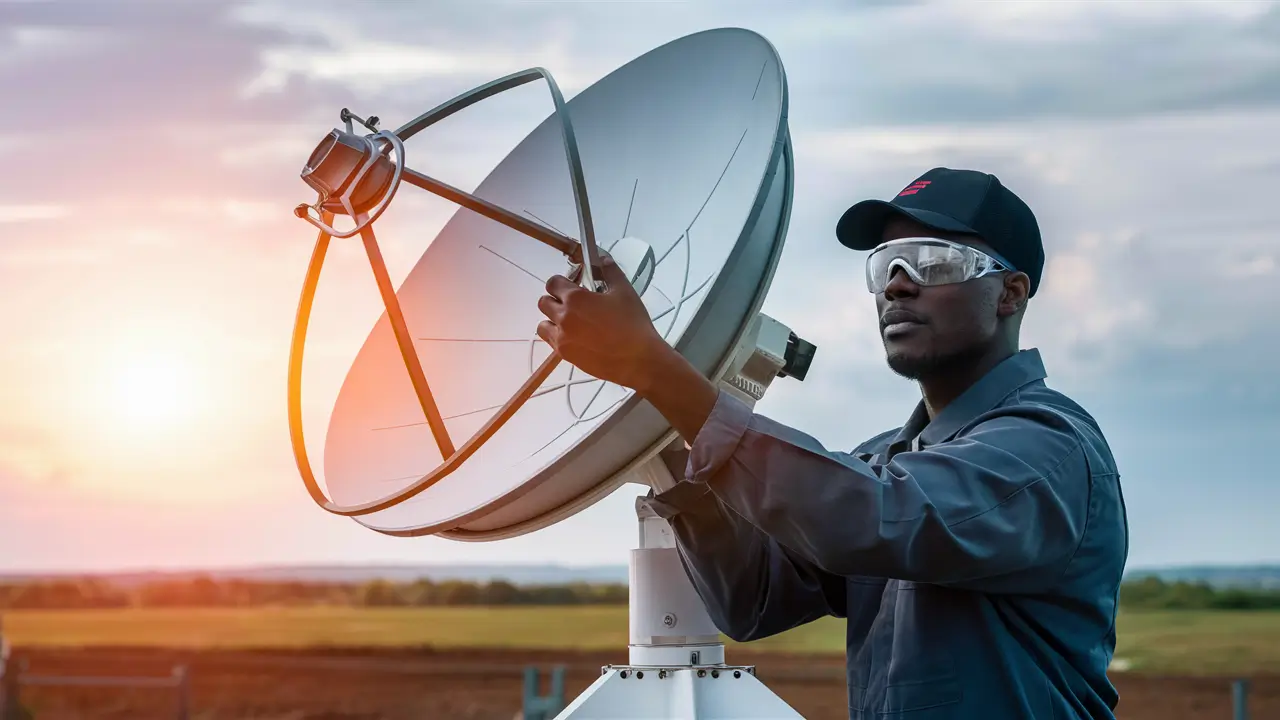
Tired of fuzzy channels or error messages on your Dish Network? This comprehensive guide will walk you through precisely how to aim your Dish Network dish for optimal signal strength. We'll cover everything from understanding satellite signals to fine-tuning your alignment, ensuring you get the clearest picture possible.
Understanding Satellite Signals and Dish Alignment
For any Dish Network subscriber, a clear and stable signal is paramount to enjoying their favorite channels without interruption. This signal doesn't just appear; it's a carefully orchestrated transmission from a geostationary satellite orbiting Earth, picked up by your dish, and then processed by your receiver. Understanding the fundamental principles behind this process is the first step in mastering how to aim your Dish Network dish effectively.
Geostationary satellites are positioned approximately 22,369 miles above the Earth's equator. They orbit at the same speed as the Earth rotates, meaning they appear to remain in a fixed position in the sky relative to a ground observer. For Dish Network, these satellites transmit signals on specific frequencies. Your satellite dish, with its parabolic shape, acts as a highly efficient collector. It focuses these faint signals onto a device called the Low-Noise Block downconverter (LNB), which amplifies and converts the signal for transmission down to your receiver.
The accuracy of your dish's aim is critical. Even a slight misalignment can drastically reduce signal strength or cause complete signal loss. This is where the concepts of azimuth, elevation, and LNB skew come into play.
- Azimuth: This refers to the horizontal angle of the dish, measured clockwise from true north. Think of it as pointing the dish left or right.
- Elevation: This is the vertical angle of the dish, measured from the horizon upwards. It dictates how high or low the dish is tilted.
- LNB Skew: This is the rotational angle of the LNB around its own axis. It compensates for the curvature of the Earth and the angle of the satellite.
Dish Network uses a constellation of satellites, and the specific satellite your system is programmed to connect with depends on your geographic location and the programming package you subscribe to. For instance, in the United States, Dish Network primarily utilizes satellites in the 100°W, 110°W, 118.7°W, 119°W, and 129°W orbital slots. Knowing which satellite your system needs to lock onto is the cornerstone of successful aiming. In 2025-26, Dish Network continues to rely on these established orbital positions for delivering its vast array of channels, including HD and 4K programming. The technology for signal transmission and reception remains largely consistent, making the principles of aiming timeless.
The dish itself is designed to be adjustable in all three of these dimensions (azimuth, elevation, and skew). This adjustability allows you to precisely orient the dish to capture the strongest possible signal from your designated satellite. Without this precise alignment, the signals will simply miss the LNB, resulting in poor reception or no signal at all. Therefore, understanding these parameters and how they relate to your specific location is the essential first step before you even pick up a tool.
Gathering Your Essential Tools
Before embarking on the task of aiming your Dish Network dish, it's crucial to have the right equipment. Attempting this without the proper tools can lead to frustration, inaccurate alignment, and potentially damage to your equipment. The following is a list of essential tools you'll need for a successful dish aiming process.
Having these items readily available will streamline the process and significantly increase your chances of achieving a strong, stable signal.
| Tool | Description | Importance |
|---|---|---|
| Dish Network Receiver and Remote | Your primary interface for checking signal strength and navigating menus. | Essential for real-time feedback. |
| Satellite Finder (Optional but Highly Recommended) | A dedicated device that audibly or visually indicates signal strength. Can be analog or digital. | Crucial for fine-tuning and when signal meter on receiver is difficult to access. |
| Adjustable Wrench or Socket Set | To loosen and tighten bolts on the dish mount and arm. | Necessary for making precise adjustments. |
| Level | To ensure the dish mount is perfectly vertical and the dish itself is level (if required by the mount). | Ensures a stable and correctly oriented base. |
| Compass | For determining magnetic north, which is crucial for setting the azimuth. A digital compass app on a smartphone can also work. | Essential for accurate azimuth setting. |
| Drill and Drill Bits | If you need to mount the dish on a new surface (e.g., wood, brick, concrete). | For secure mounting. |
| Screws, Bolts, and Anchors | Appropriate hardware for securing the dish mount to your chosen surface. | For a robust and safe installation. |
| Ladder | To safely access the dish location, especially if it's on a roof or high wall. | For safe and accessible positioning. |
| Gloves and Safety Glasses | For personal protection during the installation and aiming process. | Safety first! |
| Pen and Paper or Digital Notes App | To record initial settings and any adjustments made. | Helpful for tracking progress and troubleshooting. |
| Dish Network Installation Manual or Online Resources | Provides specific azimuth, elevation, and skew data for your location. | Your primary reference for aiming parameters. |
While some users might attempt to aim their dish using only the receiver's signal meter, a dedicated satellite finder significantly simplifies the process. These devices provide immediate feedback, allowing you to make smaller, more precise adjustments. In 2025-26, digital satellite finders are increasingly common and offer even greater accuracy than their analog counterparts. Regardless of the type, a satellite finder is an invaluable tool for anyone serious about achieving optimal signal strength. Always prioritize safety when working at heights, and ensure your ladder is stable and secure.
Locating Your Satellite: The First Crucial Step
Before you can even think about aiming your Dish Network dish, you must know *what* you're aiming at. Dish Network utilizes multiple satellites positioned in geostationary orbit. Your system needs to be pointed at the specific satellite that carries your subscribed programming for your geographic location. This is arguably the most critical step, as an incorrect target satellite means no signal, no matter how perfectly you aim.
The primary satellites used by Dish Network in North America are located in orbital slots around 100°W, 110°W, 118.7°W, 119°W, and 129°W longitude. The exact satellite(s) your system uses depends on your location within the continental United States. For instance, customers in the central U.S. might primarily use satellites at 110°W and 119°W, while those on the West Coast might also need to align with satellites further west.
How do you find this vital information?
- Check Your Dish Network Receiver: Often, your receiver's setup menu will provide information about the satellite(s) it's configured to communicate with. Navigate through the menus, looking for "System Setup," "Installation," or "Satellite Setup." This should display the orbital positions your receiver is looking for.
- Consult Dish Network's Official Resources: Dish Network's website offers tools and support articles that can help you identify your satellite. You may need to enter your ZIP code to get location-specific information.
- Use Online Satellite Finder Tools: Numerous third-party websites and apps are dedicated to satellite TV installation. These tools, often updated for 2025-26, allow you to input your location (address or ZIP code) and will provide the precise azimuth, elevation, and LNB skew angles for the relevant Dish Network satellites. Examples include DishPointer.com or SatFinder.info, which are invaluable resources for installers and DIY enthusiasts alike.
- Refer to Your Installation Manual: If you still have the original installation manual that came with your Dish Network equipment, it will contain detailed information, including satellite coordinates for your region.
Once you have identified the correct satellite(s), you will need to find the specific aiming parameters for your location. These are typically:
- Azimuth: The horizontal direction (left/right) the dish must point.
- Elevation: The vertical tilt angle of the dish (up/down).
- LNB Skew: The rotational position of the LNB.
For example, a user in Denver, Colorado, might need to aim their dish at 110°W with a specific azimuth, elevation, and skew. A user in New York City will have entirely different azimuth and elevation values for the same satellite. This is why location-specific data is non-negotiable.
Example Scenario: Let's say you live in Phoenix, Arizona. Using a reliable online tool for 2025-26, you might find that your primary satellite is at 110°W. The tool could indicate:
- Azimuth: 215° (Southwest)
- Elevation: 35° (Upwards from horizon)
- LNB Skew: -10° (Slight counter-clockwise rotation)
It's important to note that some Dish Network systems, particularly those with multiple receivers or advanced features, may require alignment with multiple satellites. In such cases, you'll typically aim for the primary satellite first and then make slight adjustments for secondary satellites, or the system might have a larger dish designed to capture signals from multiple orbital positions simultaneously. For the purpose of this guide, we will focus on aligning with a single primary satellite, which is the most common scenario for basic setup and troubleshooting.
Having these precise numbers is your roadmap. Without them, you're essentially searching for a needle in a haystack. Ensure you record these values accurately before proceeding to the physical installation and aiming steps. The accuracy of these initial parameters directly impacts the ease and success of the subsequent aiming process.
Mounting Your Dish: A Stable Foundation
A perfectly aimed satellite dish is useless if it's not mounted securely. The mount provides the stable foundation that holds your dish in place, resisting wind, weather, and vibrations. A wobbly or improperly installed mount will cause the dish to shift, leading to signal loss. Therefore, proper mounting is as crucial as accurate aiming.
Dish Network dishes are typically mounted on a pole or a flat surface. The most common mounting options include:
- Pole Mount: This is the most common and often the most stable method. A sturdy metal pole is sunk into the ground (concrete is recommended for maximum stability) or attached to a solid structure. The dish mount then clamps onto this pole, allowing for rotation (azimuth adjustment).
- Wall Mount: A flat bracket is secured directly to a wall, fence, or other sturdy vertical surface. This is often used when a pole mount isn't feasible.
- Roof Mount: Similar to a wall mount, but secured to the roof. This requires extra caution and proper sealing to prevent leaks.
Key Considerations for Mounting:
- Clear Line of Sight: This is paramount. Your dish must have an unobstructed view of the southern sky (for most of the Northern Hemisphere). Trees, buildings, chimneys, and even strong branches can block the signal. Identify the direction your satellite is in (using your azimuth data) and ensure there are no obstructions in that path. For 2025-26, as more construction occurs, it's vital to re-evaluate your line of sight.
- Structural Integrity: The surface you mount the dish to must be strong enough to support its weight and withstand wind forces. A flimsy fence or a rotting deck is not suitable. For pole mounts, ensure the pole is plumb (perfectly vertical) and deeply set. For wall or roof mounts, use appropriate lag bolts and anchors for the material (wood, brick, concrete).
- Accessibility: Choose a location that is accessible for installation and future maintenance, but also safe. Avoid areas with high foot traffic or where the dish could be easily damaged.
- Grounding: For safety, especially in areas prone to lightning, it's recommended to ground the dish mount. Consult local electrical codes for proper grounding procedures.
Step-by-Step Mounting Process (General Guide):
- Mark the Location: Determine the ideal spot based on line of sight and structural integrity. If using a pole mount, mark the center for the hole. If using a wall mount, hold the bracket against the wall and mark the bolt hole locations.
-
Install the Mount:
- Pole Mount: Dig a hole (depth depends on soil type and pole length, often 2-3 feet deep). Place the pole in the hole, use a level to ensure it's perfectly vertical, and fill the hole with concrete. Allow the concrete to cure fully (usually 24-48 hours). Once cured, attach the dish's pole clamp.
- Wall/Roof Mount: Drill pilot holes at your marked locations. Insert appropriate anchors if needed (e.g., for brick or concrete). Securely fasten the mounting bracket using lag bolts or screws. Ensure the bracket is plumb.
- Attach the Dish to the Mount: Most Dish Network dishes come with a mounting bracket that attaches to the pole or wall mount. Loosely attach this bracket to the dish itself, leaving enough play to make initial adjustments.
- Initial Dish Positioning: Loosely attach the dish to the mount. At this stage, you're not aiming precisely, but rather setting it up to be adjustable. Ensure the dish is oriented roughly in the correct direction based on your azimuth and elevation data.
Example: If your azimuth is 215° (Southwest) and your elevation is 35°, you'll want to point the dish generally in that direction and tilt it upwards. The mount itself will have adjustment points for both azimuth (rotating the dish around the pole) and elevation (tilting the dish up or down).
A stable mount is the bedrock of a good signal. Investing time and effort into a secure installation will pay dividends when it comes to fine-tuning your dish's aim. In 2025-26, with increased emphasis on durable installations, using high-quality hardware and following best practices for mounting is more important than ever.
Basic Dish Alignment: Azimuth and Elevation
With your dish securely mounted and your target satellite's parameters (azimuth and elevation) in hand, you're ready for the core of the aiming process. This involves adjusting the dish's horizontal and vertical angles to lock onto the satellite's signal.
Understanding the Adjustments:
- Azimuth Adjustment: This is the left-to-right movement. On most Dish Network mounts, the dish assembly can rotate around the pole or pivot on the wall bracket. You'll typically loosen a bolt or two that allows for this horizontal rotation.
- Elevation Adjustment: This is the up-and-down tilt. The dish mount usually has a mechanism (often a curved slot with bolts) that allows you to tilt the dish up or down. Loosen the bolts securing the elevation arm or bracket.
Step-by-Step Basic Alignment:
- Set Initial Elevation: Use your elevation angle (e.g., 35°) as a starting point. Many dishes have an elevation scale printed on them or on the mount. Loosen the elevation adjustment bolts and set the dish to this angle. Tighten the bolts just enough to hold it in place but allow for slight movement.
- Set Initial Azimuth: Use your compass to find the correct azimuth direction (e.g., 215°). Point the dish roughly in this direction. Loosen the azimuth adjustment bolts. You'll need to be able to swing the dish left and right.
- Connect Satellite Finder (if using): If you have a satellite finder, connect it between the LNB and the receiver's coaxial cable, or directly to the LNB output if it has a passthrough. Ensure your receiver is powered on and set to a channel scan or signal strength display mode.
-
Slowly Sweep for Signal: This is where patience is key.
- Azimuth Sweep: While keeping the elevation fixed, slowly move the dish horizontally in the direction of your azimuth. Move it very gradually – perhaps a fraction of an inch at a time. Listen for a change in the satellite finder's tone (it will usually get higher or more constant as signal strength increases) or watch the signal meter on your TV screen.
- Elevation Sweep: Once you find a point where the signal strength is highest during the azimuth sweep, stop. Now, make very small adjustments to the elevation. Move the dish slightly up or down, again listening to the satellite finder or watching the signal meter.
- Iterative Adjustments: You'll likely need to go back and forth between azimuth and elevation adjustments. As you find a stronger signal, tighten the bolts slightly to hold that position, then make finer adjustments. The goal is to find the point where the signal strength meter reads the highest percentage and quality. For 2025-26, modern receivers often display both "Signal Strength" and "Signal Quality." Signal Quality is more important; aim for the highest possible percentage.
- Lock Down the Dish: Once you've found the optimal position that provides the highest and most stable signal quality, carefully tighten all the azimuth and elevation adjustment bolts. Do this gradually and evenly to avoid shifting the dish.
Example Scenario: You've set your elevation to 35°. You start sweeping the dish left and right around the 215° azimuth. You hear the satellite finder start to beep. You move the dish a tiny bit further in that direction, and the beep becomes a solid tone. The signal meter on your TV jumps to 70% strength and 50% quality. You then make a slight upward tilt, and the quality jumps to 75%. You then realize you might have overshot the azimuth slightly, so you nudge it back a hair, and quality stays at 75%. You then tighten the bolts.
It's crucial to make these movements very slowly and deliberately. The "sweet spot" for signal reception is often very narrow. If you move too quickly, you can easily miss it. Remember that wind can affect your adjustments, so try to perform this when it's calm.
Fine-Tuning Your Aim: The LNB Skew
After achieving a strong signal with azimuth and elevation adjustments, there's one more critical parameter to optimize: the LNB skew. The LNB is the component at the end of the arm that receives the satellite signal. Its rotational position around its axis is important because satellite signals are often elliptically polarized.
Why LNB Skew Matters:
The LNB needs to be rotated to match the polarization of the incoming satellite signal. This angle is influenced by your geographic location relative to the satellite's orbital slot and the Earth's curvature. An improperly skewed LNB can lead to reduced signal quality, intermittent signal loss, and issues with certain channels, even if the azimuth and elevation are nearly perfect.
How to Adjust LNB Skew:
- Locate the LNB Skew Scale: The LNB itself is usually mounted in a bracket on the dish arm. This bracket often has a scale marked in degrees (e.g., -20 to +20, or 0 to 360). Some LNBs might have a fixed position and require a special adapter or shims for adjustment.
- Find Your Skew Value: Your satellite finder tool or Dish Network's official resources should provide the recommended LNB skew angle for your location and target satellite. This is often a negative or positive number (e.g., -10°, +5°).
- Make Initial Skew Adjustment: Loosen the LNB clamp or screws that hold it in its bracket. Rotate the LNB to the recommended skew angle. Ensure it's snug but not overly tight, allowing for fine adjustments.
- Fine-Tune for Maximum Quality: With the dish locked in azimuth and elevation, and the LNB set to the initial skew value, check your signal quality meter on the receiver. Now, very slowly rotate the LNB back and forth by small increments (a degree or two at a time). Observe the signal quality meter. You are looking for the point where the signal quality reaches its absolute peak.
- Lock the LNB: Once you've found the position that yields the highest signal quality, carefully tighten the LNB clamp or screws. Ensure it doesn't move during this process.
Example Scenario: Your satellite finder indicates an LNB skew of -10°. You rotate the LNB to this position. Your signal quality is at 80%. You then slowly rotate the LNB counter-clockwise (towards more negative numbers) by 1 degree. Quality drops to 78%. You rotate it clockwise by 1 degree (towards 0°), and quality jumps to 82%. You find that rotating it a fraction more clockwise brings it to 83%, which is the highest it goes. You then lock the LNB in this precise position.
This fine-tuning step is often overlooked but can make a significant difference in signal stability, especially during adverse weather conditions. For 2025-26, with the increasing demand for uninterrupted HD and 4K streaming, optimizing LNB skew is a professional-level technique that can be mastered by DIY installers.
Using a Satellite Finder for Precision
While your Dish Network receiver's signal meter is functional, a dedicated satellite finder tool is an invaluable asset for precise dish aiming. These devices take the guesswork out of the process, providing immediate, tangible feedback that allows for much finer adjustments.
Types of Satellite Finders:
- Analog Satellite Finders: These are the most basic and affordable. They typically have a needle gauge and a speaker that emits a tone. As signal strength increases, the needle moves, and the tone becomes more constant or louder. They are powered by the receiver.
- Digital Satellite Finders: These are more sophisticated and offer a digital display showing signal strength and quality percentages. Some advanced models also have built-in GPS and satellite databases, making them even more user-friendly. They can be powered by the receiver or have their own battery.
How to Use a Satellite Finder Effectively:
- Connection: The satellite finder connects in-line between the LNB and the satellite receiver. The coaxial cable from the LNB plugs into the "LNB" or "Input" port on the finder, and another cable runs from the "Receiver" or "Output" port on the finder to the satellite receiver. Ensure your receiver is powered on and set to the correct satellite and transponder for signal testing.
- Initial Setup: For analog finders, you'll often need to set a baseline sensitivity level. This is usually done by turning a dial until you hear a faint tone or the needle just starts to move, then backing it off slightly. For digital finders, you'll typically just power them on.
-
Azimuth and Elevation Sweep: As described in the basic alignment section, slowly sweep the dish horizontally and vertically. The satellite finder provides immediate feedback:
- Analog: Listen for the tone. A faint, intermittent beep will become a steady, loud tone as you get closer to the satellite.
- Digital: Watch the numbers. Signal strength and quality percentages will increase as you approach the correct position.
- Finding the Peak: The key to using a satellite finder is to find the "peak" signal. This is the point where the signal strength and quality are highest. You'll need to make very small, incremental movements of the dish. When using a finder, you are essentially looking for the highest possible reading.
- LNB Skew Optimization: After finding the peak azimuth and elevation, you can use the satellite finder to optimize the LNB skew. Rotate the LNB slowly and observe the signal quality reading. Aim for the highest possible quality percentage.
- Troubleshooting: If you can't get a signal, the finder can help you determine if you're completely off target or just slightly misaligned. A complete lack of any reading might indicate a blocked line of sight or an incorrect satellite target.
Example Scenario: You're using a digital satellite finder. You've roughly set your azimuth and elevation. As you slowly sweep the dish, the signal strength jumps from 0% to 40% and the quality from 0% to 30%. You continue to move the dish, and the numbers climb: 60% strength, 50% quality. You make a tiny adjustment, and it hits 75% strength, 70% quality. You've found your peak. You then use the finder to fine-tune the LNB skew, aiming for the highest signal quality reading.
In 2025-26, digital satellite finders are more accessible and user-friendly than ever. They are a worthwhile investment for anyone who frequently installs or adjusts satellite dishes, as they dramatically reduce the time and frustration involved in achieving a perfect alignment.
Troubleshooting Common Dish Network Signal Issues
Even with careful aiming, you might encounter signal problems. Understanding common issues and their solutions will help you maintain optimal performance for your Dish Network system.
Common Signal Problems and Solutions:
| Problem | Possible Causes | Solutions |
|---|---|---|
| No Signal / Weak Signal |
|
|
| Intermittent Signal Loss / Pixelation |
|
|
| Certain Channels Missing or Distorted |
|
|
| Receiver Error Codes (e.g., 111, 120, 140) |
|
|
| Dish Wobbles in Wind |
|
|
Rain Fade: This is a common issue where heavy rain, snow, or even dense fog can attenuate (weaken) the satellite signal. The signal travels through the precipitation, and its intensity is reduced. While you can't prevent weather, a perfectly aimed dish with a healthy LNB is your best defense against significant rain fade. In 2025-26, with increased use of higher frequency bands for 4K broadcasts, rain fade can become more noticeable.
Receiver Reboot: A simple reboot of your Dish Network receiver can often resolve temporary glitches that might be mistaken for signal problems. Unplug the receiver from the power outlet, wait 30 seconds, and plug it back in.
Professional Help: If you've tried these troubleshooting steps and are still experiencing persistent signal issues, it may be time to call a professional Dish Network installer. They have specialized equipment and experience to diagnose and fix complex problems.
Advanced Tips and Regular Maintenance
To ensure your Dish Network system performs optimally year-round, consider these advanced tips and incorporate regular maintenance into your routine. Proactive care can prevent many common issues and extend the life of your equipment.
Advanced Aiming Techniques:
- Multi-Satellite Alignment: Some Dish Network systems require alignment with multiple satellites to access all channels. This often involves a larger dish or a special "switch" (like a DiseqC switch) that allows the receiver to communicate with different satellites. The process involves aiming for the primary satellite first, then adjusting for secondary satellites using specific transponder frequencies and signal meters on your receiver. Online tools can provide parameters for multiple satellites.
- Transponder Testing: If your receiver allows, you can test signal strength and quality on individual transponders (channels broadcast on a specific frequency). This can help pinpoint if a specific transponder is weak, indicating a need for finer aiming or a potential LNB issue.
- Using a Spectrum Analyzer: For professional installers, a spectrum analyzer provides a visual representation of all signals in the sky. This allows for the most precise identification and alignment with a target satellite, far beyond what a basic satellite finder can offer.
Regular Maintenance Schedule:
-
Annual Visual Inspection: Once a year, or after significant weather events (high winds, heavy snow), visually inspect your dish and mount.
- Check for any signs of rust or corrosion on the dish, arm, and mount.
- Ensure the dish is still firmly attached to the mount and the mount is secure to its base.
- Look for any damage to the LNB or cables (cracks, fraying).
- Verify there are no new obstructions (e.g., growing trees) blocking the line of sight.
- Tighten Bolts: Periodically check and tighten all bolts on the dish, arm, and mount. Vibrations and weather can cause them to loosen over time. Do this gently to avoid disturbing the alignment.
- Clean the Dish: Gently clean the surface of the dish with mild soap and water. Bird droppings or heavy grime can slightly affect signal reflection. Avoid abrasive cleaners that could scratch the surface.
- Check Cable Connections: Ensure all coaxial cable connections are tight and free from corrosion. Apply dielectric grease to outdoor connections to prevent moisture ingress.
- Test Signal Strength: Occasionally, use your receiver's diagnostic tools to check signal strength and quality. If you notice a gradual decline, it might be time for a minor re-aiming.
Dealing with Snow and Ice:
Snow and ice accumulation on the dish surface can severely degrade or block the signal. While some dishes are designed to shed snow, others may require manual clearing.
- Never use metal objects to chip away ice, as this can damage the dish.
- A soft brush or a gentle spray of warm water (not hot) can help melt light snow.
- Consider a dish heater if you live in an area with frequent heavy snowfall. These are electric devices that attach to the dish and keep it clear.
Professional Check-ups:
While DIY aiming is achievable, consider having a professional technician perform a check-up every few years, especially if you notice a persistent decline in signal quality. They can use advanced tools to ensure your system is performing at its peak. For 2025-26, with the increasing complexity of satellite technology and the demand for flawless HD/4K reception, regular professional maintenance can be a wise investment.
By combining diligent aiming techniques with a consistent maintenance schedule, you can ensure your Dish Network system provides reliable, high-quality entertainment for years to come.
Conclusion
Mastering how to aim your Dish Network dish is a skill that ensures uninterrupted access to your favorite programming. By understanding the principles of satellite signals, gathering the right tools, accurately locating your target satellite, and meticulously adjusting azimuth, elevation, and LNB skew, you can achieve optimal signal strength and clarity. Remember that a stable mount is the foundation of a good signal, and patience is your greatest ally during the aiming process. Utilize satellite finders for precision and don't underestimate the importance of fine-tuning the LNB skew. Regular maintenance and troubleshooting common issues will keep your system performing at its best. With this comprehensive guide, you are well-equipped to troubleshoot, align, and maintain your Dish Network dish for a superior viewing experience throughout 2025-26 and beyond.


