-
Posted on: 07 Jan 2026
-
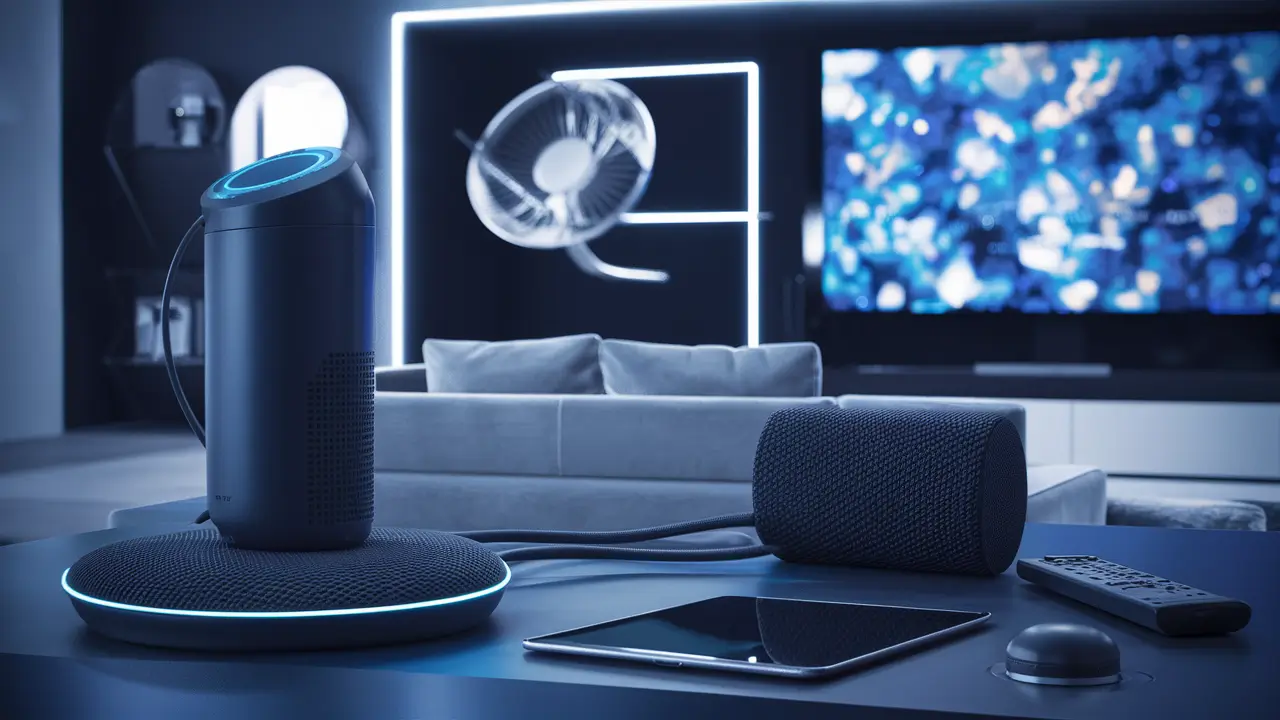
Connecting your Alexa device to Dish Network transforms your TV viewing into a hands-free, intuitive experience. This guide provides a comprehensive, step-by-step approach to link your accounts, enabling voice commands for channel surfing, program searches, and more, ensuring you never miss a moment of your favorite content.
Why Integrate Alexa with Your Dish Network Service?
In today's increasingly connected world, convenience and efficiency are paramount. Integrating your Dish Network receiver with an Amazon Alexa-enabled device offers a significant upgrade to your home entertainment system. Gone are the days of fumbling for the remote or navigating complex on-screen menus. With Alexa, you can command your television using simple voice prompts, unlocking a new level of ease and accessibility. This integration is not just about novelty; it's about streamlining your interaction with your entertainment, making it more enjoyable and less cumbersome.
For many, the primary draw is the sheer convenience. Imagine settling onto the couch and, without lifting a finger, asking Alexa to:
- "Alexa, tune to ESPN on Dish."
- "Alexa, find action movies on Dish."
- "Alexa, what's on HBO tonight?"
- "Alexa, pause the TV." (Requires specific hardware and setup)
These commands, and many others, become second nature, allowing you to focus on the content rather than the controls. This is particularly beneficial for individuals with mobility challenges or for busy households where multitasking is the norm. Furthermore, voice control can enhance the discovery of new content. Instead of passively browsing, you can actively query for shows, movies, or sports based on genres, actors, or even specific events, leading to more personalized viewing experiences.
Beyond basic channel control, the integration can extend to other smart home functionalities. For instance, you might create Alexa routines that adjust your smart lighting when you start watching a movie or announce program changes through your Alexa speakers. The potential for a truly integrated smart home experience is vast, with the Dish-Alexa connection serving as a central pillar for your entertainment hub.
As of 2025, the adoption of voice-controlled smart home devices continues to surge. Reports indicate that over 60% of households now own at least one smart speaker, and a significant portion of these users actively employ voice commands for entertainment management. Dish Network's commitment to integrating with platforms like Alexa reflects this growing trend, ensuring their subscribers remain at the forefront of technological convenience. By 2026, it's projected that over 75% of new smart TV purchases will include some form of integrated voice assistant, highlighting the importance of seamless connectivity for service providers.
Essential Prerequisites for a Smooth Connection
Before you embark on the journey of connecting Alexa to your Dish Network service, it's crucial to ensure you have the necessary components and configurations in place. Skipping these steps can lead to frustration and a failed setup. Think of this as preparing your tools before starting a construction project; the right preparation guarantees a smoother, more successful outcome.
The core requirements can be broken down into a few key areas:
-
Dish Network Receiver Compatibility: Not all Dish Network receivers are created equal when it comes to smart home integration. For Alexa to communicate with your Dish system, you'll need a compatible receiver. Generally, newer models are more likely to support this functionality.
- Hopper Models: Most modern Hopper receivers, such as the Hopper 3 and subsequent models, are designed with integration capabilities in mind. These are your best bet for a seamless connection.
- Joey Clients: While the primary connection is established with the main Hopper, Joey clients often inherit the smart home capabilities of the main receiver.
- Older Receivers: If you have a very old Dish Network receiver, it may not have the necessary network connectivity or software to support Alexa integration. In such cases, you might need to consider upgrading your equipment. It's always best to check the specific model number of your receiver against Dish Network's official compatibility list or contact their customer support.
-
Amazon Alexa-Enabled Device: This is your voice command interface. You'll need an Amazon Echo device (like an Echo Dot, Echo Show, Echo Plus, etc.) or another device with Alexa built-in.
- Ensure your Alexa device is set up, connected to your home Wi-Fi network, and registered to your Amazon account.
- The Alexa app on your smartphone or tablet should be installed and functional.
-
Stable Home Wi-Fi Network: Both your Dish Network receiver (if it has network capabilities) and your Alexa device need to be connected to the same robust Wi-Fi network.
- A strong and stable internet connection is vital for Alexa to communicate effectively with the Dish Network servers and your receiver.
- Ensure your Wi-Fi network is not experiencing frequent dropouts or slow speeds, as this can lead to commands not being recognized or executed properly.
-
Dish Network Account Information: You will likely need your Dish Network account credentials (username and password) to link your service to your Amazon account.
- Make sure you have this information readily available before starting the setup process.
- If you haven't set up an online account with Dish Network, you may need to do so first.
-
Latest Software Updates: Ensure both your Dish Network receiver and your Alexa device are running the latest available software or firmware.
- Dish Network receivers often receive automatic updates, but it's good practice to check for manual updates if prompted.
- Alexa devices update automatically, but restarting the device can sometimes help ensure it's on the latest version.
Having these prerequisites in order will significantly smooth the process of connecting Alexa to Dish Network, allowing you to enjoy the benefits of voice control much sooner.
Step-by-Step Guide: How to Connect Alexa to Dish Network
Connecting your Alexa-enabled device to your Dish Network service involves a few straightforward steps, primarily managed through the Amazon Alexa app. This process links your Dish account to your Amazon account, enabling Alexa to control your television. Follow these instructions carefully for a successful integration.
Step 1: Enable the Dish Network Skill in the Alexa App
The first and most critical step is to enable the official Dish Network skill within the Amazon Alexa app. This skill acts as the bridge between Alexa and your Dish service.
- Open the Alexa App: Launch the Amazon Alexa app on your smartphone or tablet. Ensure you are logged into the Amazon account associated with your Alexa devices.
- Navigate to Skills & Games: Tap on the "More" icon (usually three horizontal lines or dots) in the bottom right corner of the app. Then, select "Skills & Games."
- Search for the Dish Network Skill: In the "Skills & Games" section, tap the search icon (magnifying glass) and type "Dish Network."
- Select and Enable the Skill: Locate the official "Dish Network" skill from the search results. It should be clearly identifiable as the official skill provided by Dish. Tap on it, and then tap the "Enable to Use" button.
Step 2: Link Your Dish Network Account
Once the skill is enabled, you'll be prompted to link your Dish Network account. This is where you authorize Alexa to access and control your Dish service.
- Enter Dish Account Credentials: You will be redirected to a Dish Network login page within the Alexa app. Enter your Dish Network username and password. These are the same credentials you use to log into your account on the Dish Network website.
- Authorize the Connection: After successfully logging in, you will likely be asked to authorize the connection between your Amazon account and your Dish Network account. Review the permissions requested and grant authorization.
- Confirmation: Upon successful linking, you should see a confirmation message within the Alexa app, indicating that your Dish Network account is now linked to your Alexa profile.
Step 3: Discover Your Devices
After linking your accounts, Alexa needs to discover the devices associated with your Dish Network service. This usually involves your receiver.
- Automatic Discovery: In many cases, Alexa will automatically begin searching for compatible Dish Network devices once the account is linked. You might see a notification or a prompt to "Discover Devices."
- Manual Discovery: If automatic discovery doesn't occur, you can manually initiate it. Go back to the Alexa app's main menu, tap "Devices," then tap the "+" icon (usually in the top right corner) and select "Add Device." Choose "TV" or "Receiver" as the device type, and then select "Dish" as the brand. Follow the on-screen prompts to "Discover Devices."
- Device Naming: Alexa should identify your Dish Network receiver. You can then assign a name to it within the Alexa app, such as "Living Room TV" or "Dish Box." This name is important for issuing commands. For example, if you name it "Living Room TV," you'll say, "Alexa, tune to CNN on Living Room TV."
Step 4: Test Your Voice Commands
With the setup complete, it's time to test the integration. Start with simple commands to ensure everything is working as expected.
-
Basic Channel Tuning: Try commands like:
- "Alexa, tune to [Channel Number] on [Your Dish Receiver Name]." (e.g., "Alexa, tune to 206 on Living Room TV.")
- "Alexa, tune to [Channel Name] on [Your Dish Receiver Name]." (e.g., "Alexa, tune to Fox News on Living Room TV.")
-
Program Search: Experiment with finding content:
- "Alexa, find [Movie Title] on Dish."
- "Alexa, search for [Actor Name] movies on Dish."
- "Alexa, what's playing on [Channel Name]?"
- Volume and Power (Limited): Depending on your receiver and setup, you might be able to control power and volume. Commands like "Alexa, turn on/off [Your Dish Receiver Name]" or "Alexa, set volume to 50 on [Your Dish Receiver Name]" may work. However, direct power and volume control often rely on IR blasters or HDMI-CEC, which might require additional setup or specific hardware. The primary function is channel control and content discovery.
Step 5: Explore Advanced Features and Routines
Once basic commands are functioning, you can explore more advanced uses.
- Alexa Routines: Create custom routines in the Alexa app. For example, you could set up a "Movie Night" routine that dims your smart lights, turns on your TV (if supported), and tunes to your favorite movie channel, all with a single voice command like "Alexa, it's movie night."
- Voice Control for On-Demand Content: If your Dish receiver supports it, you might be able to search for and play on-demand content or DVR recordings using voice commands.
By following these steps, you should successfully connect Alexa to your Dish Network service, ushering in a new era of convenient, voice-controlled entertainment.
Common Issues and Troubleshooting Tips
While the process of connecting Alexa to Dish Network is generally straightforward, you might encounter a few hiccups along the way. This section addresses common problems and provides practical solutions to get your voice-controlled entertainment back on track.
Issue 1: Alexa Cannot Discover Dish Network Devices
Symptom: After linking your account, the Alexa app doesn't show your Dish receiver, or commands like "Alexa, tune to ESPN" fail with a "Device not found" error.
Troubleshooting Steps:
- Verify Receiver Compatibility: Double-check that your Dish Network receiver model is indeed compatible with Alexa integration. Refer to Dish Network's official support page for the latest compatibility information. Older models might not be supported.
- Check Wi-Fi Connection: Ensure both your Alexa device and your Dish receiver are connected to the *same* Wi-Fi network. Sometimes, receivers connect via Ethernet, which is fine, but they must be on the same local network as your Alexa device.
- Restart Devices: Power cycle both your Alexa device (unplug it for 30 seconds, then plug it back in) and your Dish Network receiver (unplug it from the power outlet for 30 seconds). Wait for them to fully boot up before attempting discovery again.
- Re-run Device Discovery: In the Alexa app, go to Devices > "+" > Add Device > TV > Dish. Tap "Discover Devices" and follow the prompts.
- Check Dish Network Account Linking: Go to the Alexa app > More > Skills & Games > Your Skills > Dish Network. Tap "Disable Skill," then re-enable it and go through the account linking process again. Ensure you are using the correct Dish Network login credentials.
Issue 2: Voice Commands Are Not Understood or Executed Correctly
Symptom: You say "Alexa, tune to CNN," but Alexa responds with "Sorry, I didn't understand that," or it tunes to the wrong channel.
Troubleshooting Steps:
- Speak Clearly and Naturally: Ensure you are speaking clearly and at a normal pace. Avoid mumbling or speaking too quickly.
- Use Correct Naming Conventions: If you named your receiver "Living Room TV," always use that exact name in your commands. Try saying "Alexa, tune to CNN on Living Room TV" instead of just "Alexa, tune to CNN."
- Specify Channel Name or Number: Sometimes, saying the channel name ("CNN") is more reliable than the number, or vice-versa. Experiment with both. "Alexa, tune to channel 200 on Living Room TV."
- Check for Software Updates: Ensure your Dish receiver has the latest software updates installed. Outdated software can cause communication issues. You can usually check this in the receiver's settings menu.
- Review Command Syntax: Consult the Dish Network skill's help section in the Alexa app for the exact phrasing of supported commands.
- Reduce Background Noise: Ensure there isn't excessive background noise (TV volume, other conversations) that might interfere with Alexa hearing your command.
Issue 3: Account Linking Fails
Symptom: When trying to link your Dish Network account in the Alexa app, you receive an error message, or the login page doesn't load correctly.
Troubleshooting Steps:
- Verify Credentials: Double-check that you are entering the correct username and password for your Dish Network online account. Typos are common. Try logging into your Dish account on their website first to confirm your credentials are correct.
- Check Internet Connection: Ensure your smartphone or tablet has a stable internet connection (Wi-Fi or cellular data).
- Clear App Cache: On your smartphone, go to Settings > Apps > Alexa > Storage > Clear Cache. Then, try linking the account again.
- Update Alexa App: Make sure you have the latest version of the Amazon Alexa app installed from your device's app store.
- Contact Support: If the issue persists, it might be a temporary server issue on either Amazon's or Dish Network's end. Contacting customer support for both services can help diagnose the problem.
Issue 4: Limited Control (e.g., Cannot Turn TV On/Off)
Symptom: Alexa can change channels but cannot control the power or volume of your TV.
Explanation: The Dish Network skill primarily focuses on channel tuning and content discovery. Direct power and volume control often depend on specific hardware capabilities:
- HDMI-CEC: If your TV and receiver support HDMI-CEC (Consumer Electronics Control), Alexa *might* be able to send commands through the HDMI connection. This requires enabling HDMI-CEC on both your TV and receiver, and potentially configuring it within the Alexa app.
- IR Blaster: Some advanced Alexa devices (like Echo devices with built-in IR blasters) or separate IR blaster hubs can be programmed to mimic remote control signals. This requires setting up the IR blaster in the Alexa app and teaching it the correct commands for your Dish receiver and TV.
- Receiver Limitations: Some Dish receivers simply do not expose power or volume control commands through their API for smart home integrations.
Recommendation: For power and volume control, consider using a universal remote solution like Logitech Harmony (if still supported and available) or exploring advanced IR control setups with Alexa. For most users, focusing on channel tuning and content search via the Dish Network skill provides the most reliable voice control experience.
By systematically working through these troubleshooting steps, you can resolve most common issues and enjoy the full benefits of connecting Alexa to your Dish Network service.
Maximizing Your Experience: Advanced Alexa-Dish Integration Features
Once you've successfully connected Alexa to your Dish Network service, you've unlocked a more convenient way to interact with your TV. But the integration offers more than just basic channel surfing. By exploring its advanced features, you can transform your living room into a truly smart entertainment hub. These functionalities leverage the power of voice, smart routines, and content discovery to enhance your viewing pleasure.
1. Enhanced Content Discovery
The ability to search for content by voice goes far beyond simply asking "What's on?" Alexa, powered by the Dish Network skill, can delve deeper into your available programming.
- Search by Actor/Director: "Alexa, find movies starring Tom Hanks on Dish." This allows you to easily locate films featuring your favorite actors across all available channels and on-demand libraries.
- Search by Genre: "Alexa, show me science fiction movies on Dish." You can specify genres to find entertainment that matches your mood.
- Search by Specific Event/Show: "Alexa, when is the next [Sports Team] game on Dish?" or "Alexa, find episodes of [Show Title] on Dish." This is incredibly useful for sports fans or those following specific series.
- Discovering New Content: By asking for recommendations, such as "Alexa, suggest a comedy show on Dish," you can stumble upon new programs you might not have found otherwise.
These advanced search capabilities save time and reduce the frustration of sifting through endless program guides.
2. Integration with Alexa Routines
Alexa Routines are powerful tools that allow you to automate multiple actions with a single voice command. Connecting Dish Network to these routines opens up a world of possibilities for personalized entertainment experiences.
-
"Movie Night" Routine: Imagine saying, "Alexa, start movie night." This could trigger:
- Dimming smart lights to a cinematic level.
- Tuning your Dish receiver to a favorite movie channel (e.g., HBO, Cinemax).
- Setting your smart thermostat to a comfortable temperature.
- If you have a smart soundbar or receiver, it could even be instructed to power on or switch to the correct input.
-
"Good Morning" Routine: A morning routine could include:
- Turning on your bedroom lights.
- Giving you a weather update.
- Tuning your kitchen TV to a news channel via Dish.
-
"Goodnight" Routine: This could:
- Turn off all smart lights.
- Adjust the thermostat.
- Tune your Dish receiver to a specific channel or turn it off (if supported).
To set up routines, open the Alexa app, navigate to "More," then "Routines." You can create custom "When this happens" triggers (like a voice command) and add "Add action" steps, including "TV" actions for your Dish Network device.
3. Voice Control for DVR and On-Demand Content
Depending on your Dish Network receiver model and the specific capabilities exposed through the Alexa skill, you may be able to control your DVR recordings and access on-demand content using your voice.
- Playing Recordings: "Alexa, play my recording of [Show Title] on Dish." or "Alexa, play the latest episode of [Series Name] on my DVR."
- Accessing On-Demand Libraries: "Alexa, find [Movie Title] on demand on Dish." or "Alexa, search for [Genre] movies on demand."
- Navigating Menus: While less common, some advanced integrations might allow basic navigation within on-demand menus.
It's important to note that the extent of DVR and on-demand control can vary. Always check the specific features listed for the Dish Network skill in the Alexa app or consult Dish Network's support documentation for the most accurate information.
4. Multi-Room Control (with Multiple Receivers/Joysticks)
If you have a multi-room setup with Dish Network (e.g., multiple Joey clients connected to a Hopper), you can potentially control each receiver individually, provided they are properly configured and discovered by Alexa.
- Ensure each receiver is set up and discovered as a separate device in the Alexa app. You might name them "Living Room TV," "Bedroom TV," etc.
- Then, you can direct commands to specific rooms: "Alexa, tune to Discovery Channel on Bedroom TV."
This allows for personalized entertainment experiences across different rooms in your home without interfering with what others might be watching.
5. Future-Proofing Your Entertainment
By integrating Alexa with Dish Network, you're embracing the future of home entertainment. As voice technology and smart home ecosystems evolve, this foundational connection will likely become even more powerful. Dish Network and Amazon are continuously updating their skills and services, so expect new features and improved functionality over time. Staying updated with software for both your receiver and Alexa devices will ensure you benefit from these advancements.
Maximizing your Alexa-Dish integration involves understanding these advanced features and experimenting with how they can best fit your lifestyle. The goal is to make your entertainment more accessible, personalized, and enjoyable than ever before.
Understanding the Landscape: Alexa-Dish Integration vs. Alternatives
When considering how to connect Alexa to Dish Network, it's helpful to understand the broader context of voice control in home entertainment. While Alexa offers a robust solution, other platforms and methods exist, each with its own strengths and weaknesses. Comparing these options can help you appreciate the value of the Alexa-Dish integration and make informed decisions about your smart home setup.
1. Alexa vs. Google Assistant for Dish Network
While the primary focus here is Alexa, it's worth noting that Google Assistant is another major player in the voice assistant market.
- Alexa: Currently, the official and most seamless integration for Dish Network is through Amazon Alexa. The Dish Network skill is well-developed, offering reliable channel tuning and content discovery.
- Google Assistant: As of late 2025, a direct, official Google Assistant integration for Dish Network receivers is not as widely available or as feature-rich as the Alexa skill. While some workarounds or third-party integrations might exist, they often lack the stability and comprehensive control offered by the Alexa skill. Dish Network has historically prioritized its integration with Amazon's ecosystem.
Analysis: For Dish Network users, Alexa is the clear winner for native voice control integration. If you are invested in the Google Assistant ecosystem, you might find the experience less satisfying with Dish compared to other TV providers that offer deeper Google Assistant integration.
2. Voice Control vs. Traditional Remote Controls
Traditional remote controls have been the standard for decades. How does voice control stack up?
-
Remote Controls:
- Pros: Tactile feedback, precise button control, no need for internet connection for basic functions, universally understood.
- Cons: Can be misplaced, require line-of-sight, navigating menus can be slow, less accessible for some users.
-
Voice Control (Alexa):
- Pros: Hands-free operation, faster for simple commands (e.g., "Tune to ESPN"), enhances accessibility, enables content discovery through natural language, integrates with smart home routines.
- Cons: Requires a stable internet connection, commands must be phrased correctly, may not be suitable for complex navigation or precise selections, potential privacy concerns for some users.
Analysis: Voice control complements, rather than entirely replaces, traditional remotes. For quick channel changes or finding specific content, voice is often superior. For detailed menu navigation, DVR management, or settings adjustments, a remote might still be more efficient. The ideal setup often involves using both, leveraging the strengths of each.
3. Smart TV Voice Assistants vs. External Devices (Alexa)
Many modern smart TVs come with built-in voice assistants (e.g., Samsung's Bixby, LG's ThinQ AI, Roku TV's voice remote). How does this compare to using an external Alexa device with Dish Network?
- Built-in TV Assistants: These are designed to control the TV's native functions and apps. Their integration with external services like Dish Network can be limited unless the TV manufacturer has specifically partnered with Dish for such a skill.
- External Alexa Devices: Alexa devices connect via a dedicated skill, which is developed by Dish Network itself. This often leads to a more direct and feature-rich integration with the Dish service, bypassing the TV's native operating system limitations for controlling the set-top box.
Analysis: If your goal is to control your Dish Network receiver, using an external Alexa device with the official Dish Network skill is generally more effective than relying solely on your smart TV's built-in assistant, unless the TV manufacturer has a specific, deep integration with Dish. Alexa's broader smart home capabilities also extend beyond just TV control.
4. Comparison Table: Alexa-Dish Integration Features
The following table summarizes the key features and compares the Alexa-Dish integration against alternatives based on common user needs in 2025-26.
Feature Alexa + Dish Network Skill Google Assistant + Dish Network Smart TV Built-in Assistant Traditional Remote Basic Channel Tuning Excellent Limited/None Variable (Depends on TV/Dish Partnership) Excellent Content Search (Genre, Actor) Very Good Limited/None Variable Fair (Requires Manual Browsing) DVR/On-Demand Control Good (Model Dependent) Limited/None Limited Excellent Smart Home Routine Integration Excellent Limited/None Limited None Accessibility High High (General) Variable Moderate Setup Complexity Moderate N/A Low (Built-in) Low In conclusion, the Alexa-Dish Network integration stands out as the most comprehensive and user-friendly voice control solution for Dish subscribers in the current market. It offers a significant upgrade in convenience and functionality compared to relying solely on traditional remotes or less integrated smart TV assistants.
The Future of Voice Control in Home Entertainment
The integration of voice assistants like Alexa with services such as Dish Network is not merely a trend; it represents a fundamental shift in how we interact with our home entertainment systems. Looking ahead to 2026 and beyond, several key trends are shaping the future of voice control in this space. These advancements promise even more seamless, intuitive, and personalized entertainment experiences.
1. Deeper Contextual Understanding and Natural Language Processing (NLP)
Current voice assistants are good at understanding direct commands. However, future iterations will excel at comprehending more complex, nuanced, and conversational requests.
- Contextual Awareness: Imagine saying, "Alexa, find me something similar to that action movie I watched last night." Future AI will remember your viewing history and preferences to provide highly relevant recommendations without needing explicit details.
- Multi-Turn Conversations: Instead of issuing single commands, users will engage in back-and-forth dialogues. For example: "Alexa, what's on tonight?" followed by "Okay, tune to that channel, but if it's a drama, find a comedy instead."
- Emotion and Tone Recognition: Advanced NLP might eventually interpret the user's emotional state or tone to suggest appropriate content – perhaps a lighthearted comedy when sensing stress.
For Dish Network, this means users could potentially ask, "Alexa, I'm bored, surprise me with something good on Dish," and receive a curated suggestion based on their profile.
2. Enhanced Personalization and Proactive Suggestions
Voice assistants will become more proactive, anticipating user needs and offering personalized suggestions before being asked.
- Predictive Recommendations: Based on your viewing habits, time of day, and even external factors like weather or upcoming events, Alexa might proactively suggest, "It looks like your favorite team is playing tonight. Would you like me to tune to the game on Dish?"
- Personalized Profiles: With multi-user households, voice assistants will better distinguish between different users, offering tailored content suggestions and controlling access based on individual profiles. This is crucial for families with diverse viewing interests.
- Integration with Other Data Sources: Future systems could integrate calendar events, social media trends, or even biometric data (with user consent) to offer hyper-personalized entertainment recommendations.
3. Seamless Integration Across Devices and Platforms
The boundaries between different devices and services will continue to blur.
- Ubiquitous Voice Control: Voice control will be embedded not just in smart speakers and TVs but also in cars, wearables, and other connected devices, allowing for consistent control of your Dish Network service from virtually anywhere.
- Cross-Platform Functionality: A command started on your Echo Show might be continued on your smartphone app or completed by your Dish receiver, creating a fluid user experience.
- Interoperability Standards: As standards like Matter gain traction, interoperability between different brands and ecosystems will improve, making it easier for devices like Alexa and Dish receivers to communicate seamlessly.
4. Advanced Control and Accessibility
Voice control will become even more sophisticated, offering finer control and improving accessibility for all users.
- Granular Control: Beyond simple channel changes, expect more precise control over playback (e.g., "Alexa, rewind 30 seconds," "Fast forward to the next commercial break").
- Improved Accessibility Features: Voice control is already a boon for individuals with disabilities. Future developments will include enhanced support for users with speech impairments, better visual feedback on screen-based devices (like Echo Show), and more intuitive setup processes.
- AI-Powered Troubleshooting: If issues arise, voice assistants might be able to diagnose problems with your Dish Network connection or Alexa device and offer guided troubleshooting steps.
5. The Role of Dish Network in the Evolving Landscape
Dish Network's commitment to integrating with platforms like Alexa positions them well for the future. As voice technology matures, Dish will likely continue to:
- Expand the capabilities of their Alexa skill, offering deeper integration with DVR functions, on-demand libraries, and potentially even personalized content curation.
- Explore integrations with other emerging voice platforms and smart home standards.
- Leverage AI to provide more intelligent content discovery and recommendations directly through their service, powered by voice commands.
The future of home entertainment is undeniably voice-driven. By connecting Alexa to Dish Network today, you are not just adopting a convenient feature; you are stepping into the next generation of interactive and personalized television viewing. The journey from simple channel commands to sophisticated, AI-powered entertainment management is well underway, and Dish Network subscribers are poised to benefit immensely.
Conclusion: Your Voice-Commanded Entertainment Hub Awaits
In summary, connecting Alexa to your Dish Network service is a powerful upgrade that brings unparalleled convenience and control to your home entertainment. We've walked through the essential prerequisites, detailed the step-by-step process for linking your accounts via the Alexa app, and provided robust troubleshooting tips for common issues. Furthermore, we've explored the advanced features like enhanced content discovery and Alexa routines, demonstrating how to truly maximize this integration.
The competitive landscape shows that Alexa offers the most comprehensive and reliable voice control solution for Dish Network users currently available. By embracing this technology, you move beyond the limitations of traditional remotes and unlock a more intuitive, accessible, and personalized way to enjoy your favorite shows and movies. The future of entertainment is increasingly voice-activated, and this integration places you at the forefront of that evolution.
Don't let your powerful Dish Network subscription remain tethered to a physical remote. Take the simple steps outlined in this guide, and transform your television viewing experience. Start commanding your entertainment with your voice today and discover the effortless joy of a truly connected home.