-
Posted on: 07 Jan 2026
-
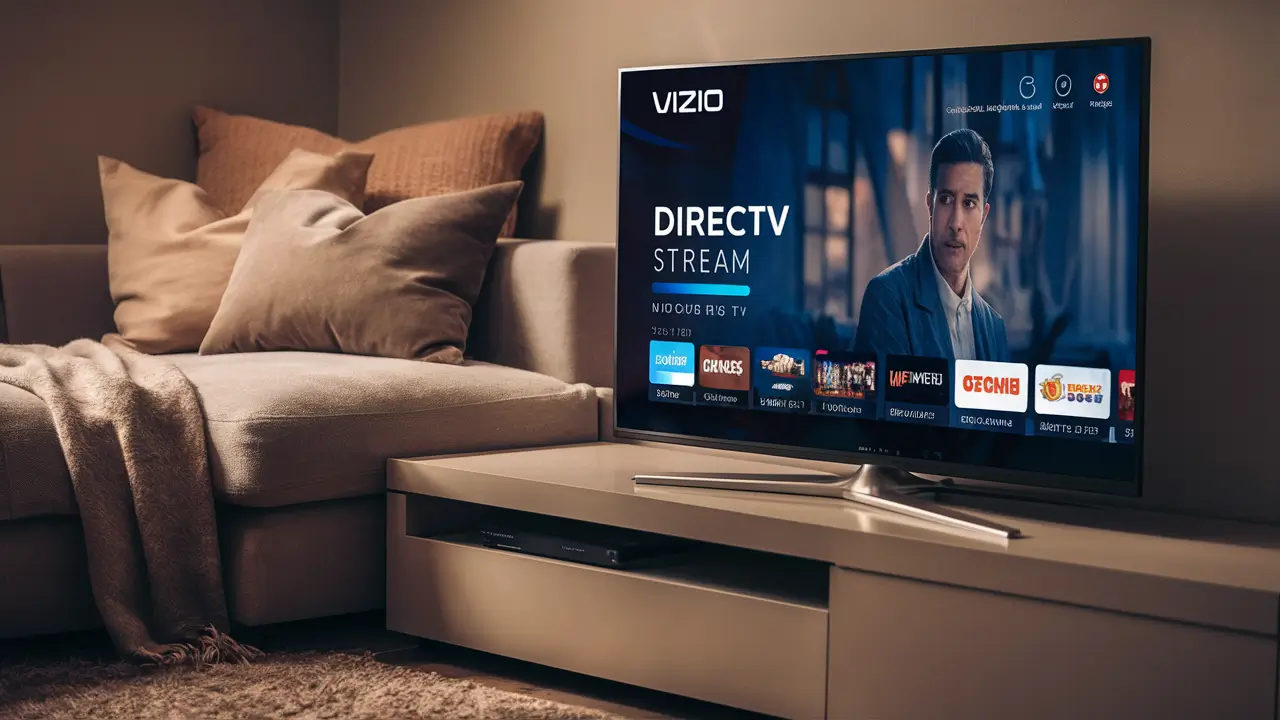
Looking to stream your favorite live TV and on-demand content on your Vizio smart TV? You're in the right place. This comprehensive guide will walk you through exactly how to get DIRECTV STREAM on your Vizio television, covering everything from app availability to setup and troubleshooting. Discover the easiest methods to enjoy DIRECTV STREAM's extensive channel lineup and features on your Vizio device.
What is DIRECTV STREAM?
DIRECTV STREAM is a premier live TV streaming service that offers a comprehensive alternative to traditional cable or satellite TV. Unlike some streaming services that focus solely on on-demand content, DIRECTV STREAM provides a vast selection of live channels, including local networks, sports, news, and entertainment, all accessible over the internet. It aims to replicate the traditional DIRECTV experience without the need for a satellite dish, making it a flexible and modern choice for cord-cutters and those seeking a robust channel package. With multiple plans available, users can customize their viewing experience to match their preferences and budget. The service also boasts features like cloud DVR storage and the ability to stream on multiple devices simultaneously, enhancing its appeal in the competitive streaming landscape of 2025-26.
Vizio Smart TV Compatibility
One of the primary questions users have is whether their Vizio smart TV can directly access the DIRECTV STREAM app. Vizio has been a significant player in the smart TV market for years, integrating its own operating system, SmartCast, into its devices. SmartCast allows users to download and stream content from various popular applications. As of 2025-26, DIRECTV STREAM is widely available on many Vizio smart TV models. However, compatibility can depend on the specific model year and the version of the SmartCast operating system it runs. Generally, newer Vizio TVs (typically those manufactured from 2018 onwards) are more likely to have pre-installed or easily downloadable DIRECTV STREAM apps.
To check for DIRECTV STREAM app availability on your Vizio TV, the easiest method is to navigate to your TV's app store. On most Vizio SmartCast TVs, you can find the app store by pressing the "Home" button on your remote and looking for an icon labeled "Apps" or "App Store." Once in the app store, use the search function to look for "DIRECTV STREAM." If the app appears in the search results, it means your Vizio TV is compatible, and you can proceed with downloading and installing it.
It's important to note that even if your Vizio TV model is older, there are often workarounds. If the DIRECTV STREAM app is not directly available on your Vizio TV's native app store, you can still enjoy the service by using external streaming devices. Devices like Amazon Fire TV Stick, Roku, Apple TV, Google Chromecast, or gaming consoles (PlayStation, Xbox) can be connected to your Vizio TV via HDMI and will provide access to the DIRECTV STREAM app. This ensures that even if your Vizio TV's operating system doesn't natively support the app, you aren't excluded from the service.
Getting DIRECTV STREAM on Vizio: Step-by-Step
Follow these detailed steps to get DIRECTV STREAM up and running on your Vizio smart TV. This guide assumes your Vizio TV has access to the SmartCast app store and that DIRECTV STREAM is listed as compatible.
Step 1: Ensure Your Vizio TV is Connected to the Internet
Before downloading any app, your Vizio smart TV must be connected to your home Wi-Fi network.
- Press the Home button on your Vizio remote.
- Navigate to Settings.
- Select Network.
- Choose Network Settings.
- Select your Wi-Fi network and enter your password.
- Once connected, confirm the connection status.
Step 2: Access the Vizio App Store
Once your TV is online, you can find and download the DIRECTV STREAM app.
- Press the Home button on your Vizio remote.
- Look for the Apps or App Store icon and select it.
- You will be taken to the Vizio App Store interface.
Step 3: Search for the DIRECTV STREAM App
Within the app store, you'll need to locate the DIRECTV STREAM application.
- Use the search bar or browse through categories to find the DIRECTV STREAM app.
- Type "DIRECTV STREAM" into the search field.
- The app should appear in the search results if it's available for your Vizio TV.
Step 4: Download and Install the App
Once you've found the app, the installation process is straightforward.
- Select the DIRECTV STREAM app from the search results.
- Click on the Download or Install button.
- The app will download and install automatically. This may take a few minutes depending on your internet speed.
- After installation, you should see the DIRECTV STREAM app icon on your Vizio TV's home screen or in your list of installed apps.
Step 5: Launch DIRECTV STREAM and Sign In
With the app installed, you're ready to start streaming.
- Navigate to your Vizio TV's home screen.
- Find and select the DIRECTV STREAM app icon.
- The app will launch, and you'll be prompted to sign in.
- Enter your DIRECTV STREAM account credentials (username and password).
- If you are a new subscriber, you will need to sign up for a DIRECTV STREAM plan on the official DIRECTV STREAM website first.
Step 6: Explore and Start Watching
Once logged in, you can begin exploring the DIRECTV STREAM interface.
- Browse live channels, on-demand movies, and TV shows.
- Use the search function to find specific content.
- Set up your preferences and personalize your viewing experience.
Alternative Methods If The App Isn't Directly Available
While DIRECTV STREAM is designed for broad compatibility, there might be instances where the app isn't directly downloadable on your specific Vizio TV model, especially with older units. Fortunately, this doesn't mean you can't enjoy DIRECTV STREAM on your big screen. Several external streaming devices can bridge this gap, transforming your Vizio TV into a powerful streaming hub.
Using Streaming Devices
External streaming devices are a popular and effective way to access a wide range of apps, including DIRECTV STREAM, on any TV with an HDMI port. These devices run their own operating systems and app stores, often with more extensive selections than built-in smart TV platforms.
Roku Devices
Roku is one of the most user-friendly streaming platforms. If you have a Roku device (Roku Express, Roku Streaming Stick, Roku Ultra, etc.), you can easily add the DIRECTV STREAM channel.
- Turn on your Vizio TV and select the HDMI input connected to your Roku device.
- Navigate to the Roku home screen.
- Go to Streaming Channels.
- Select Search Channels.
- Type "DIRECTV STREAM" and select the app.
- Click Add Channel.
- Once installed, find DIRECTV STREAM in your channel list, launch it, and sign in with your DIRECTV STREAM credentials.
Amazon Fire TV Devices
Amazon Fire TV devices, such as the Fire TV Stick or Fire TV Cube, also offer seamless access to DIRECTV STREAM.
- Connect your Fire TV device to your Vizio TV's HDMI port and ensure the correct input is selected.
- Navigate to the Fire TV home screen.
- Go to the Search icon.
- Type "DIRECTV STREAM" and select the app from the search results.
- Click Get or Download.
- After installation, launch the app and sign in.
Apple TV
For Apple users, the Apple TV box is a premium streaming option.
- Connect your Apple TV to your Vizio TV via HDMI.
- Go to the App Store on your Apple TV.
- Search for "DIRECTV STREAM."
- Download and install the app.
- Launch DIRECTV STREAM and log in.
Google Chromecast (with Google TV)
While older Chromecasts relied on casting from a mobile device, newer models with Google TV have a full app interface.
- Connect your Chromecast with Google TV to your Vizio TV's HDMI port.
- On the Chromecast interface, navigate to the Apps tab.
- Search for "DIRECTV STREAM."
- Install the app.
- Open DIRECTV STREAM and sign in.
Gaming Consoles (PlayStation, Xbox)
Major gaming consoles also support streaming apps.
- Ensure your console is connected to your Vizio TV via HDMI.
- Navigate to the console's app store (e.g., PlayStation Store, Microsoft Store).
- Search for "DIRECTV STREAM."
- Download and install the app.
- Launch and log in.
Casting from Mobile Devices (Older Chromecast or Smart View)
If you have an older Vizio TV or an older Chromecast model that doesn't support the native app, you can cast DIRECTV STREAM from your smartphone or tablet.
- Ensure your mobile device and Vizio TV (or Chromecast) are on the same Wi-Fi network.
- Download the DIRECTV STREAM app on your smartphone or tablet.
- Open the DIRECTV STREAM app and start playing content.
- Look for the Cast icon (a rectangle with Wi-Fi waves in the corner) within the app.
- Tap the Cast icon and select your Vizio TV or Chromecast from the list of available devices.
- The content will then stream to your TV. Note that this method requires your mobile device to remain active and connected to the internet.
Using these alternative methods ensures that virtually any Vizio TV with an HDMI port can become a gateway to DIRECTV STREAM's extensive entertainment offerings.
DIRECTV STREAM Plans and Features
DIRECTV STREAM offers a variety of plans to cater to different viewer needs, from basic entertainment to comprehensive sports and news packages. Understanding these plans and the features included will help you choose the best option for your household. As of 2025-26, the core offerings remain consistent, with potential minor adjustments in channel lineups or pricing.
Core DIRECTV STREAM Plans (2025-26)
DIRECTV STREAM typically offers four main tiers, each building upon the last:
1. DIRECTV STREAM Entertainment
- Focus: A well-rounded package for general entertainment.
- Channels: Includes a broad selection of popular channels covering news, sports, and entertainment. Expect channels like ESPN, CNN, HGTV, Discovery, AMC, and many more. It also includes most major local network affiliates (ABC, CBS, NBC, FOX) in most markets.
- Key Features: Unlimited Cloud DVR, streaming on unlimited devices at home, and 3 devices on the go.
2. DIRECTV STREAM Choice
- Focus: Enhances the Entertainment package with more sports and regional sports networks (RSNs).
- Channels: All channels from the Entertainment package, plus a wider array of sports channels, including ACC Network, Big Ten Network, SEC Network, and often more RSNs depending on your location.
- Key Features: Same as Entertainment – Unlimited Cloud DVR, unlimited home streaming, 3 out-of-home streams.
3. DIRECTV STREAM Ultimate
- Focus: A premium package for sports enthusiasts and those wanting a deeper dive into niche channels.
- Channels: All channels from the Choice package, plus premium movie channels like HBO Max (or its successor), Cinemax, Showtime, and additional sports and entertainment channels like NFL RedZone and Golf Channel.
- Key Features: Unlimited Cloud DVR, unlimited home streaming, 3 out-of-home streams.
4. DIRECTV STREAM Premier
- Focus: The most comprehensive package, including all premium movie channels and a vast channel selection.
- Channels: All channels from the Ultimate package, plus all premium movie channels like STARZ ENCORE, and often additional sports and entertainment options. This is the top-tier offering.
- Key Features: Unlimited Cloud DVR, unlimited home streaming, 3 out-of-home streams.
Key Features Across All Plans
Regardless of the plan you choose, DIRECTV STREAM provides several attractive features:
- Unlimited Cloud DVR: Record as much content as you want without worrying about storage space. Recordings are accessible from any device where you use DIRECTV STREAM.
- Unlimited Home Streaming: Watch on as many devices as you want within your home network. This is a significant advantage for larger households.
- Multiple Out-of-Home Streams: You can stream on up to three devices when you are away from your home network.
- Local Channels: DIRECTV STREAM generally provides access to local broadcast channels (ABC, CBS, NBC, FOX) in most major U.S. markets, which is crucial for live news and local programming.
- On-Demand Library: Access to a vast library of movies and TV shows available on demand.
- No Annual Contracts: DIRECTV STREAM operates on a month-to-month subscription basis, offering flexibility.
- 4K Content: Select sporting events and on-demand titles are available in 4K resolution for supported devices and plans.
Add-Ons
Beyond the core plans, DIRECTV STREAM also offers optional add-ons, such as:
- Premium Channel Packages: Additional movie channels or sports packages not included in your base plan.
- International Services: Packages for specific language channels.
When selecting a plan, consider your viewing habits. If you're a sports fan, the Choice or Ultimate plans are likely best. If you primarily watch movies and series, the Entertainment or Ultimate plans might suffice. Always check the DIRECTV STREAM website for the most current channel lineups and pricing, as these can be updated.
Troubleshooting Common DIRECTV STREAM Issues on Vizio
While DIRECTV STREAM is generally reliable, you might encounter occasional issues when streaming on your Vizio smart TV. Here are some common problems and their solutions:
1. App Not Loading or Freezing
Symptoms: The DIRECTV STREAM app fails to open, freezes during use, or crashes unexpectedly.
Solutions:
- Restart the App: Close the DIRECTV STREAM app completely and relaunch it. On Vizio, this might involve navigating to the app switcher or simply going back to the home screen and reopening the app.
- Restart Your Vizio TV: Perform a power cycle on your Vizio TV. Unplug the TV from the power outlet, wait for 60 seconds, and then plug it back in.
- Check Internet Connection: Ensure your Vizio TV has a stable internet connection. Run a network test on your TV (Settings > Network > Network Test). If the connection is weak, try restarting your router and modem.
- Clear App Cache/Data (if available): Some Vizio SmartCast versions allow clearing app cache. Navigate to Settings > Apps > DIRECTV STREAM > Clear Cache/Data. Note: This may require you to sign in again.
- Update TV Software: Ensure your Vizio TV's firmware is up to date. Go to Settings > System > About > Check for Updates.
- Reinstall the App: If none of the above work, uninstall the DIRECTV STREAM app and reinstall it from the Vizio App Store.
2. Poor Video or Audio Quality (Buffering, Pixelation, Stuttering)
Symptoms: The video is choppy, pixelated, or the audio is out of sync. This is often referred to as buffering.
Solutions:
- Check Internet Speed: DIRECTV STREAM recommends a minimum of 25 Mbps for HD streaming. Run an internet speed test on your Vizio TV or a connected device. If your speed is below the recommendation, contact your Internet Service Provider (ISP).
- Reduce Network Congestion: Too many devices using your internet simultaneously can slow down your connection. Try disconnecting other devices or scheduling large downloads for off-peak hours.
- Use a Wired Connection (Ethernet): If possible, connect your Vizio TV directly to your router using an Ethernet cable. This provides a more stable and faster connection than Wi-Fi.
- Move Your Router: Ensure your Wi-Fi router is in a central location, away from obstructions and other electronic devices that might cause interference.
- Restart Network Equipment: Power cycle your modem and router by unplugging them for 60 seconds and plugging them back in.
3. Login Issues
Symptoms: You are unable to log in to your DIRECTV STREAM account.
Solutions:
- Verify Credentials: Double-check that you are entering the correct username and password. Pay attention to case sensitivity.
- Reset Password: If you've forgotten your password, use the "Forgot Password" link on the DIRECTV STREAM login page (accessible via web browser or another device).
- Check Account Status: Ensure your DIRECTV STREAM subscription is active and not expired or suspended.
- Clear Browser Cache (if using web login): If you're logging in via a web browser on a connected device, clearing your browser's cache and cookies can sometimes resolve issues.
4. Specific Channels Not Working
Symptoms: One or more channels within the DIRECTV STREAM app are not loading or show an error message.
Solutions:
- Check Channel Lineup: Verify that the channel is included in your specific DIRECTV STREAM plan. Some channels are part of higher-tier packages or regional add-ons.
- Regional Blackouts: Live sports events can be subject to regional blackouts. Check the DIRECTV STREAM sports section or local listings for more information.
- Service Outage: There might be a temporary outage affecting specific channels or DIRECTV STREAM services in your area. Check DIRECTV STREAM's official support channels or social media for announcements.
- Contact DIRECTV STREAM Support: If a specific channel consistently fails to load and you've confirmed it's part of your plan, contact DIRECTV STREAM customer support for assistance.
5. Vizio TV Remote Not Controlling DIRECTV STREAM App
Symptoms: Your Vizio remote works for navigating the TV menus but not within the DIRECTV STREAM app.
Solutions:
- Ensure App is Active: Make sure the DIRECTV STREAM app is the currently active application on your screen.
- Check Remote Batteries: Replace the batteries in your Vizio remote.
- Pair Remote (if applicable): Some smart remotes require re-pairing. Consult your Vizio TV's manual for instructions.
- Use External Remote (if using streaming device): If you are using an external streaming device like Roku or Fire TV, ensure you are using the remote for that device to control the DIRECTV STREAM app.
By systematically working through these troubleshooting steps, you can resolve most common issues and ensure a smooth DIRECTV STREAM viewing experience on your Vizio smart TV.
Comparing DIRECTV STREAM to Other Streaming Services
The streaming landscape in 2025-26 is incredibly diverse, offering a plethora of options for consumers. DIRECTV STREAM positions itself as a premium live TV streaming service, distinct from many on-demand-focused platforms. Understanding its strengths and weaknesses relative to competitors is crucial for making an informed decision.
DIRECTV STREAM vs. YouTube TV
YouTube TV is perhaps DIRECTV STREAM's most direct competitor, offering a similar blend of live channels, local networks, and sports.
Feature DIRECTV STREAM YouTube TV Channel Count Varies by plan, can be extensive (150+ in top tiers) Over 100 channels, including local networks and sports Local Channels Generally available in most markets Generally available in most markets Sports Coverage Strong, especially with RSNs in Choice/Ultimate plans Excellent, includes ESPN, MLB Network, NBA TV, etc. Cloud DVR Unlimited Unlimited (storage limit of 9 months) Simultaneous Streams Unlimited at home, 3 on the go 3 simultaneous streams User Interface Traditional TV-like interface Modern, intuitive interface Price Point Generally higher, especially for premium plans Competitive, often slightly lower than DIRECTV STREAM's comparable plans Vizio App Availability Widely available on newer models; requires external device for older ones Widely available on many smart TVs, including Vizio Key Differentiator: DIRECTV STREAM often boasts a slightly larger channel count in its higher tiers and unlimited home streams. YouTube TV is known for its user-friendly interface and strong local channel integration.
DIRECTV STREAM vs. Hulu + Live TV
Hulu + Live TV offers a compelling bundle that includes live TV channels along with Hulu's extensive on-demand library and Disney+.
Feature DIRECTV STREAM Hulu + Live TV Channel Count Varies by plan, can be extensive Over 95 channels (plus Hulu on-demand and Disney+) Local Channels Generally available Generally available Sports Coverage Strong, especially with RSNs Good, includes major sports networks Cloud DVR Unlimited Unlimited (200 hours standard, upgradeable) Simultaneous Streams Unlimited at home, 3 on the go 2 simultaneous streams (upgradeable to unlimited at home) On-Demand Content Included, but less extensive than Hulu's native library Excellent, includes Hulu's full library plus Disney+ Price Point Generally higher Competitive, often seen as a good value for the bundle Vizio App Availability Widely available on newer models; requires external device for older ones Widely available on many smart TVs, including Vizio Key Differentiator: Hulu + Live TV's biggest draw is the inclusion of Hulu's on-demand library and Disney+, making it an all-in-one entertainment package. DIRECTV STREAM focuses more purely on live TV channel selection.
DIRECTV STREAM vs. Sling TV
Sling TV is known for its more customizable and budget-friendly approach, offering smaller, more focused channel packages.
Feature DIRECTV STREAM Sling TV Channel Count Extensive, especially in higher tiers Smaller, modular packages (Sling Orange, Sling Blue, or both) Local Channels Generally available Availability varies by market and package; often requires add-ons Sports Coverage Excellent, especially RSNs Good, but may require specific "Sports Extra" add-ons Cloud DVR Unlimited 50 hours included (upgradeable) Simultaneous Streams Unlimited at home, 3 on the go 1 stream for Sling Orange, 3 for Sling Blue Price Point Higher Significantly lower, especially for base packages Vizio App Availability Widely available on newer models; requires external device for older ones Widely available on many smart TVs, including Vizio Key Differentiator: Sling TV is the budget-friendly option, allowing users to pick and choose channels. DIRECTV STREAM offers a more comprehensive, traditional TV-like experience at a higher price point.
DIRECTV STREAM vs. Traditional Cable/Satellite
Compared to traditional DIRECTV or cable providers, DIRECTV STREAM offers greater flexibility with no long-term contracts, no equipment leases (beyond potentially a streaming box for certain promotions), and the ability to stream on multiple devices. However, traditional services might still offer a wider array of niche channels or more robust local channel availability in very rural areas.
Ultimately, the "best" service depends on individual priorities:
- For the most comprehensive live TV experience with unlimited home streams: DIRECTV STREAM.
- For a balance of live TV, on-demand, and bundled services (Disney+): Hulu + Live TV.
- For a budget-friendly, customizable option: Sling TV.
- For a user-friendly interface and strong DVR: YouTube TV.
When choosing, always check the current channel lineups and pricing on each service's official website to ensure they meet your specific needs.
Optimizing Your Viewing Experience
Once you have DIRECTV STREAM set up on your Vizio TV, there are several ways to enhance your viewing experience, ensuring you get the most out of the service.
1. Optimize Your Internet Connection
As mentioned in troubleshooting, a strong internet connection is paramount.
- Speed Test: Regularly test your internet speed to ensure it meets DIRECTV STREAM's recommendations (at least 25 Mbps for HD).
- Wired Connection: If possible, use an Ethernet cable for a stable, high-speed connection directly to your router.
- Router Placement: Position your Wi-Fi router in a central location, away from obstructions and potential interference sources.
- Upgrade Your Plan: If your internet speeds are consistently low, consider upgrading your internet plan with your ISP.
2. Utilize the Unlimited Cloud DVR
DIRECTV STREAM's unlimited Cloud DVR is a powerful feature.
- Record Everything: Don't hesitate to record shows, movies, and live events you want to watch later. With unlimited storage, you won't run out of space.
- Manage Recordings: Regularly check your recorded library to delete content you've finished watching to keep it organized.
- Access Anywhere: Remember you can access your recordings not just on your Vizio TV but also on other supported devices, both at home and on the go.
3. Explore Picture and Audio Settings
Your Vizio TV has various settings that can affect how DIRECTV STREAM looks and sounds.
- Picture Mode: Experiment with different picture modes (e.g., Movie, Standard, Vivid) to find what looks best for different types of content. For movies, a "Movie" or "Cinema" mode often provides the most accurate colors.
- Motion Smoothing: Features like "Motion Smoothing" or "TruMotion" can make sports look smoother but can also create an unnatural "soap opera effect" on movies. Adjust this setting to your preference.
- Audio Settings: Explore your Vizio TV's audio settings. If your TV supports surround sound or virtual surround sound, enable it for a more immersive experience, especially when watching movies or live sports.
- HDR Content: If your Vizio TV supports HDR (High Dynamic Range) and you're watching HDR content via DIRECTV STREAM, ensure HDR settings are properly configured on your TV for the best picture quality.
4. Customize Your Channel List
Many streaming services allow you to hide channels you never watch. While DIRECTV STREAM's interface might vary, explore options within the app or your Vizio TV's settings to streamline your channel surfing experience. This can make it quicker to find the channels you actually use.
5. Leverage the User Interface
Take time to familiarize yourself with DIRECTV STREAM's interface on your Vizio TV.
- Favorites: Mark your most-watched channels as favorites to access them quickly from a dedicated list.
- Search Function: Use the search bar to quickly find specific shows, movies, teams, or actors.
- Watchlist: Add content to your watchlist for easy access later.
6. Consider External Devices for Enhanced Features
If you're using an external streaming device, ensure it's also up-to-date and configured correctly. Some devices might offer slightly different user experiences or additional features that can complement DIRECTV STREAM. For example, a dedicated streaming box might offer better performance than older Vizio TV's built-in OS.
7. Stay Updated
Keep both your Vizio TV's software and the DIRECTV STREAM app updated. Developers frequently release updates to improve performance, fix bugs, and introduce new features. Regularly checking for updates on both your TV and the app ensures you have the latest, most stable version.
By implementing these optimization tips, you can ensure that your DIRECTV STREAM experience on your Vizio smart TV is as seamless, high-quality, and enjoyable as possible.
Conclusion
Getting DIRECTV STREAM on your Vizio smart TV is a straightforward process, whether you're downloading the app directly from the Vizio App Store or utilizing an external streaming device. With its extensive channel lineups, unlimited Cloud DVR, and flexible subscription model, DIRECTV STREAM offers a compelling alternative to traditional cable. By following the step-by-step guide and understanding the compatibility of your Vizio model, you can quickly start enjoying live TV and on-demand content on your big screen. Remember to check your internet connection, explore the various DIRECTV STREAM plans to find the best fit for your needs, and utilize the troubleshooting tips provided to resolve any potential issues. For a premium, contract-free live TV streaming experience on your Vizio television, DIRECTV STREAM is an excellent choice in 2025-26.