-
Posted on: 07 Jan 2026
-
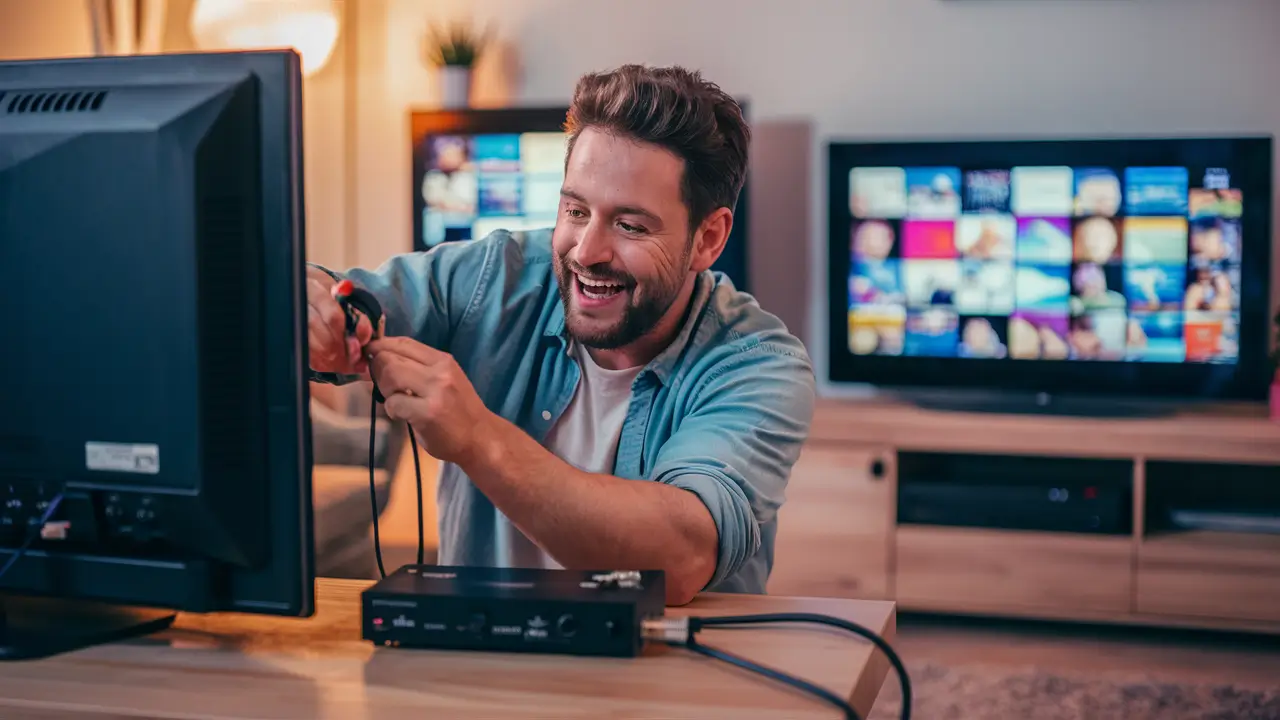
Expanding your home entertainment with a third TV on Dish Network is achievable. This comprehensive guide will walk you through the essential steps, required equipment, and potential challenges to successfully connect an additional television to your existing Dish Network service, ensuring a seamless viewing experience for everyone.
Understanding Dish Network TV Connections
Dish Network, a prominent satellite television provider in the United States, offers a variety of services and equipment designed to deliver high-definition programming to households. At its core, the system involves a satellite dish installed outside your home, which receives signals from orbiting satellites. These signals are then transmitted via coaxial cables to a satellite receiver (or set-top box) located inside your home. This receiver decodes the satellite signals and converts them into a format that your television can display.
The complexity of a Dish Network setup often hinges on the number of televisions you wish to connect and the type of receiver you are using. For a single television, the connection is straightforward: a coaxial cable from the satellite dish (or a splitter) connects to the receiver, and an HDMI or other video cable connects the receiver to the TV. However, adding more televisions introduces the need for additional receivers or advanced distribution methods.
Dish Network's infrastructure is built to support multiple receivers, allowing each TV to have independent access to channels and DVR functionality if equipped. The primary constraint is typically the number of satellite tuners available and the system's capacity to distribute signals efficiently. Understanding how these signals are managed is crucial for a successful expansion to a third TV.
In 2025-26, the landscape of home entertainment continues to evolve, with consumers increasingly seeking to equip multiple rooms with high-quality viewing experiences. Dish Network has adapted to this demand by offering flexible solutions that accommodate various household needs. The fundamental principle remains the same: each television that requires independent programming from Dish Network generally needs its own dedicated receiver. This receiver is what allows the TV to tune into specific channels, record programs (if it's a DVR), and access on-demand content.
The signal distribution from the satellite dish to multiple receivers is managed through a system of splitters and potentially multiple coaxial cables. The type of satellite dish and the LNB (Low-Noise Block downconverter) on the dish also play a role in how many signals can be received and distributed simultaneously. Modern Dish Network installations often utilize advanced LNBs capable of supporting multiple tuners and receivers without significant signal degradation.
When considering adding a third TV, it's important to differentiate between simply connecting a TV to an existing receiver (which would only show what the receiver is tuned to) and having a fully independent Dish Network experience on that third TV. This guide focuses on the latter, where the third TV has its own receiver and can operate independently.
Determining Your Dish Network Setup
Before you can successfully hook up a third TV to your Dish Network service, it's imperative to understand your current setup. This involves identifying the type of satellite dish you have, the model of your current Dish Network receiver(s), and how they are currently connected. This information will dictate the best approach for adding a new television.
Identifying Your Satellite Dish
Dish Network uses various types of satellite dishes. The most common are the round, prime focus dishes (often 1000.2, 1000.4, or similar models) and the newer, smaller, rectangular SWM (Single Wire Multiswitch) dishes. The type of dish is crucial because it determines the LNB (Low-Noise Block downconverter) and the number of satellite signals it can receive and distribute.
- SWM Dishes: If you have a Dish Network SWM system, you likely have a single coaxial cable running from the dish to your primary receiver. SWM technology allows a single cable to distribute signals to multiple receivers, simplifying installation and wiring. This is the most common and flexible setup for adding additional TVs.
- Non-SWM Dishes: Older or simpler setups might use a dish with multiple coaxial outputs on the LNB, each typically feeding a separate receiver or a multiswitch. If you have a non-SWM setup, you might have multiple cables running from the dish to your home.
You can usually identify the dish type by looking at the LNB. SWM LNBs typically have a single coaxial output port, while non-SWM LNBs have multiple ports (often 4, 8, or more). The model number is often printed on the dish itself or the LNB.
Assessing Your Current Receiver(s)
Dish Network offers a range of receivers, from basic standard-definition units to advanced DVRs. The model number of your current receiver(s) is important for compatibility and understanding its capabilities, especially regarding SWM support.
- SWM-compatible receivers: Most modern Dish Network receivers, including the Wally, Joey, and Hopper series, are SWM-compatible. This means they can receive signals from an SWM system.
- Non-SWM receivers: Older receivers might not be SWM-compatible and would require a separate cable run from a non-SWM LNB or a dedicated multiswitch.
You can typically find the receiver model number on the front or back of the unit, or by accessing the system information menu on your TV.
Mapping Your Existing Wiring
Trace the coaxial cables from your satellite dish to your current receiver(s). Note how many cables are connected and where they terminate. If you have an SWM system, you should see a single cable coming into your home from the dish and connecting to your primary receiver or a power inserter.
If you have a non-SWM system, you might see multiple cables originating from the dish, or a single cable going to a multiswitch, from which multiple cables then run to your receivers.
Checking for Available Ports and Signal Strength
For SWM systems, the main constraint is the number of tuners the SWM LNB can support, which is typically 8. Most residential SWM systems are configured to support at least 4 receivers. If you have one or two receivers already, you likely have room for a third. The system will automatically assign tuners as needed.
For non-SWM systems, you'll need to ensure your multiswitch has enough outputs for your existing receivers plus the new one, or that your LNB has enough outputs. You may need to upgrade your multiswitch if it's insufficient.
Consulting Your Dish Network Account or Installer
If you're unsure about any aspect of your current setup, the best course of action is to contact Dish Network customer support. They can access your account information, identify your equipment, and advise on the best way to add a third TV. They can also schedule a professional installation if needed.
Understanding these details is the foundational step. It ensures you purchase the correct equipment and follow the appropriate installation procedure, avoiding common pitfalls that can lead to signal issues or non-functional setups. For instance, attempting to connect a non-SWM receiver to an SWM system without proper configuration will result in no signal.
Equipment Needed for a Third TV
Adding a third television to your Dish Network service requires specific equipment, the exact nature of which depends heavily on your existing setup, particularly whether you are using a Single Wire Multiswitch (SWM) system. For 2025-26, SWM technology is the standard for most new installations and upgrades due to its efficiency and flexibility.
Dish Network Receiver (Set-Top Box)
The most critical piece of equipment is a Dish Network receiver for your third TV. Each television that you want to operate independently with Dish Network service needs its own receiver. This receiver is what tunes into the satellite signals, decodes them, and sends the video and audio to your TV.
- Dish Network Joey or Wally: These are the most common choices for additional receivers.
- Joey: A Joey is a client receiver that works in conjunction with a primary Hopper DVR. It shares tuners and DVR capabilities with the Hopper, making it a cost-effective way to add viewing locations without needing a full-fledged DVR at each TV. You can typically connect up to 3 Joeys to a Hopper.
- Wally: The Wally is a standalone receiver that can operate independently of a Hopper. It's a good option if you don't have a Hopper or if you want a full-featured receiver at your third TV location. It is SWM-compatible.
- Hopper DVR: If your current setup doesn't include a Hopper, and you want full DVR functionality on your third TV, you might consider upgrading your primary receiver to a Hopper and then adding a Joey. However, this is a more significant upgrade and cost.
Important Note: Ensure that the receiver you purchase is compatible with your existing Dish Network system, especially if it's an SWM system. Most modern receivers are.
Coaxial Cables
You will need appropriate coaxial cables (RG6 is standard) to connect the receiver to the wall outlet or directly to the SWM system. The length will depend on the distance between your wall outlet and the TV, and between the receiver and the TV.
- Cable from Wall to Receiver: This cable connects the satellite signal from your home's wiring to the receiver's input port.
- HDMI or AV Cable: This cable connects the receiver's output to your television's input for video and audio.
Power Inserter (for SWM Systems)
If you are using a SWM system and your primary receiver (like a Hopper) doesn't have a built-in SWM power inserter, or if you are adding a receiver that requires its own power source for the SWM signal distribution, you might need a separate SWM power inserter. This device supplies power to the SWM LNB on the satellite dish, which is necessary for the SWM system to function. Many SWM installations include a power inserter near the primary receiver.
Check your existing setup: If you have a SWM system with one coaxial cable coming into your house, you likely already have a power inserter. If you are adding a receiver that is not a Joey connected to a Hopper, and your current setup doesn't have sufficient power for an additional receiver, you might need one. Dish Network typically provides this if required.
SWM Splitter (if applicable)
In a SWM system, the signals are distributed over a single coaxial cable. If your existing wiring doesn't have a direct path from the SWM source (often the primary receiver or a dedicated SWM distribution block) to the location of your third TV, you might need an SWM-compliant splitter. These splitters are designed to pass DC power and satellite signals correctly. A standard cable TV splitter will not work with SWM systems.
Important: SWM splitters are specifically designed for SWM systems. They have a limited number of outputs, and each output is designed to provide a signal to one SWM-compatible receiver. Ensure the splitter has enough outputs for all your intended receivers.
Mounting Hardware (Optional)
If your receiver needs to be placed near the TV, you might need shelves, wall mounts, or other accessories to position the receiver neatly.
Dish Network Activation and Subscription
Crucially, you will need to activate the new receiver with Dish Network and ensure your subscription plan covers the additional receiver. This usually involves a monthly fee per receiver. Contact Dish Network to add the receiver to your account and discuss any programming package adjustments.
Tools for Installation
While professional installation is recommended, if you are doing it yourself, you might need basic tools like a coaxial cable stripper, crimping tool (if you need to make custom cable lengths), and screwdrivers.
Summary of Equipment Needs (by Setup Type):
Here's a simplified breakdown:
Setup Type Primary Need Potential Additional Needs SWM System (e.g., Hopper + Joeys) Dish Network Joey receiver (if connecting to a Hopper) OR Wally receiver (if standalone) Coaxial cables, HDMI/AV cables. Possibly an SWM splitter if wiring is complex. SWM System (Standalone) Dish Network Wally receiver Coaxial cables, HDMI/AV cables. Ensure adequate power for SWM distribution (may require a power inserter if not integrated). Possibly an SWM splitter. Non-SWM System (Older) Dish Network receiver compatible with non-SWM LNB/multiswitch Coaxial cables, HDMI/AV cables. May require upgrading the multiswitch or LNB if existing ports are insufficient. Always verify compatibility with Dish Network before purchasing equipment. They can confirm if your chosen receiver will work with your specific satellite dish and LNB configuration.
Step-by-Step Guide to Hooking Up Your Third TV
Hooking up a third TV to your Dish Network service can be a straightforward process, especially if you have a modern Single Wire Multiswitch (SWM) system. This guide assumes you have a SWM system, which is the most common for adding multiple receivers. If you have an older non-SWM system, you may need to consult a professional or Dish Network directly, as it involves more complex wiring and potentially hardware upgrades.
Step 1: Activate Your New Receiver
Before you physically connect anything, you must activate your new Dish Network receiver (e.g., a Joey or Wally) with Dish Network. This is a crucial step that links the receiver to your account and subscription.
- Contact Dish Network: Call Dish Network customer service or visit their website. You'll need your account number and the new receiver's serial number (usually found on the box or the receiver itself).
- Subscription Confirmation: Confirm that your current subscription plan supports an additional receiver and understand any associated monthly fees.
- Activation Process: The representative will guide you through the activation process, which may involve a signal refresh or system update.
Note: Do not proceed with physical installation until your receiver is activated. Some receivers may require a brief period after activation to download necessary software updates.
Step 2: Position Your TV and Receiver
Choose the location for your third TV. Ensure it's within reach of a coaxial cable outlet and a power outlet. Place the new Dish Network receiver near the TV, allowing for proper ventilation and access to its ports.
Step 3: Connect the Coaxial Cable
This is where the SWM system simplifies things. In a SWM setup, a single coaxial cable carries all the satellite signals to your receivers.
- Locate the Coaxial Outlet: Find the coaxial wall outlet near your third TV. This outlet should be connected to your home's SWM distribution wiring.
- Connect the Cable:
- If using a Joey with a Hopper: The Joey typically connects wirelessly to the Hopper, or via a small coaxial cable to a designated port on the Hopper itself. Follow the specific instructions provided with your Joey for its connection method. If it requires a coaxial connection, it will likely be to a port on the Hopper or a wall outlet wired to the Hopper's SWM output.
- If using a Wally (or other standalone SWM receiver): Connect one end of a coaxial cable to the coaxial outlet on your wall. Connect the other end to the "SATELLITE IN" or "LNB IN" port on the back of the Wally receiver.
Important for SWM: If your home wiring requires splitting the signal to multiple locations, ensure you are using an SWM-compliant splitter. A standard cable TV splitter will not work and can cause signal issues.
Step 4: Connect the Receiver to the TV
Use an HDMI cable for the best high-definition experience. If your TV or receiver is older, you might need to use AV cables (red, white, and yellow).
- HDMI Connection: Connect one end of the HDMI cable to the "HDMI OUT" port on your Dish Network receiver. Connect the other end to an available "HDMI IN" port on your TV. Make a note of which HDMI port you use (e.g., HDMI 1, HDMI 2).
- AV Connection (if necessary): Connect the red, white, and yellow RCA cables from the receiver's "AV OUT" ports to the corresponding "AV IN" ports on your TV.
Step 5: Connect Power
Plug the power adapter for the Dish Network receiver into the receiver and then into a power outlet. If your receiver requires a separate power inserter for the SWM system, ensure that is also connected and powered on according to Dish Network's instructions.
Step 6: Power On and Initial Setup
Turn on your TV and select the correct input source (e.g., HDMI 1, AV) that you used to connect the receiver. Then, turn on the Dish Network receiver.
The receiver should power up and begin its initial setup process. This often involves:
- Welcome Screen: A welcome message or logo will appear.
- Signal Acquisition: The receiver will attempt to find the satellite signal.
- Channel Scan: It may perform a scan for available channels.
- System Updates: If not already done, it might download and install software updates.
Follow any on-screen prompts. The receiver should automatically detect that it's connected to a SWM system.
Step 7: Satellite Alignment and Signal Check
For SWM systems, the satellite alignment is handled by the dish on your roof. However, the receiver needs to confirm it's receiving a strong signal.
- Access Signal Information: On your receiver's menu, navigate to the system information or signal strength section. This is usually found under "Settings" or "System Info."
- Check Signal Quality: Look for signal strength and quality readings. For a SWM system, you should see good to excellent readings for the satellites Dish Network uses. If the signal is weak or intermittent, there might be an issue with the wiring, the SWM splitter, or the dish itself.
Step 8: Test Functionality
Once the setup is complete and you have a signal:
- Change Channels: Cycle through various channels to ensure they are all loading correctly.
- Test DVR (if applicable): If your receiver is a DVR or a Joey connected to a Hopper, test recording a program and playing it back.
- On-Demand and Apps: If your service includes it, test access to Dish Network's on-demand library or any integrated apps.
Troubleshooting Common Issues During Setup
If you encounter problems:
- No Signal: Double-check all cable connections. Ensure the coaxial cable is securely fastened. Verify the receiver is activated and powered on. Confirm you are using the correct input on your TV. For SWM, ensure the power inserter is active.
- Weak Signal: Check for any obstructions to the satellite dish (trees, new construction). Ensure coaxial cables are not damaged and connectors are clean and tight. If using an SWM splitter, ensure it's correctly oriented and compatible.
- Receiver Not Responding: Try rebooting the receiver by unplugging its power for 30 seconds and plugging it back in. Ensure it's fully activated.
If you continue to experience issues, it's best to contact Dish Network customer support or schedule a professional service call. They have diagnostic tools and expertise to resolve complex problems.
Troubleshooting Common Issues
Even with the most careful setup, you might encounter issues when hooking up a third TV to your Dish Network service. Fortunately, most problems are resolvable with some systematic troubleshooting. Here we cover common problems and their solutions, focusing on the 2025-26 technological landscape.
No Satellite Signal / "Searching for Satellite" Message
This is the most common error. It means the receiver cannot detect a signal from the satellite dish.
- Check Receiver Activation: The receiver must be activated by Dish Network. If it's brand new, it might not be fully provisioned on your account. Call Dish Network to confirm activation.
- Verify Coaxial Cable Connections:
- Ensure the coaxial cable is securely screwed into both the wall outlet and the "SATELLITE IN" port on the receiver.
- Check the cable for any visible damage, kinks, or cuts.
- If using an SWM system, ensure the cable is connected to the correct output port on the SWM splitter or distribution block.
- Confirm SWM Power (if applicable): For SWM systems, the LNB on the dish needs power. If you have a separate power inserter, ensure it is plugged in and its indicator light is on. If your primary receiver (like a Hopper) powers the SWM system, ensure the Hopper is powered on.
- Check SWM Splitter: If you're using an SWM splitter, ensure it's correctly installed and oriented (some have specific input/output designations). Make sure it's an SWM-compliant splitter, not a standard cable TV splitter.
- Obstructions: While less common for a receiver issue itself, severe weather or new obstructions (like trees or buildings) can degrade or block the signal to the dish, affecting all receivers.
- Reboot Receiver: Unplug the power cord from the receiver, wait 30 seconds, and plug it back in. This can resolve temporary glitches.
Weak Signal / Pixelation / Freezing
This indicates that the receiver is getting a signal, but it's inconsistent or of poor quality, leading to picture and sound disruptions.
- Check Cable Connections: Loose or corroded connectors can cause signal degradation. Ensure all connections are tight and clean.
- Inspect Coaxial Cables: Look for damage, especially at connection points or where cables are bent sharply. Damaged cables can attenuate the signal.
- Signal Strength Readings: Access your receiver's signal strength menu. Look for both "Signal Strength" and "Signal Quality." High strength with low quality is a problem. Aim for high quality (ideally 80% or above).
- Weather Conditions: Heavy rain, snow, or dense fog can temporarily affect satellite signals. The signal should return once conditions improve.
- Dish Alignment: While unlikely to suddenly affect only one receiver unless there's been physical disturbance, an improperly aligned dish will cause weak signals across all receivers. This usually requires a professional service call.
- SWM System Load: In very rare cases with older SWM systems and many receivers, the system might be overloaded, though modern systems are designed to handle this.
Receiver Not Powering On
The receiver is completely unresponsive.
- Check Power Cord: Ensure the power cord is securely plugged into both the receiver and a working wall outlet. Try a different outlet.
- Check Power Adapter: If the receiver has a separate power adapter, ensure it's the correct one and is functioning.
- Reboot: As mentioned, unplugging and replugging can sometimes resolve power issues.
- Faulty Receiver: If none of the above works, the receiver itself may be faulty and require replacement. Contact Dish Network.
Picture/Sound Issues (Specific to One TV)
If other TVs are working fine, the issue is likely with the third TV, its connection to the receiver, or the receiver itself.
- Check HDMI/AV Cables: Ensure the video and audio cables are securely connected at both ends. Try a different HDMI port on the TV or a different cable.
- Select Correct TV Input: Make sure your TV is set to the correct input source (e.g., HDMI 1, AV).
- Receiver Settings: Check the video output settings on the receiver. Ensure it's set to the correct resolution (e.g., 1080p) for your TV.
- Receiver Glitch: Reboot the receiver.
Joey Not Connecting to Hopper (Wireless)
If your Joey uses a wireless connection to the Hopper and is not connecting:
- Check Wireless Network: Ensure both the Hopper and Joey are powered on and within reasonable range.
- Reboot Both Devices: Power cycle both the Hopper and the Joey.
- Re-pair Devices: Follow the instructions in your Joey's manual to re-pair it with the Hopper. This often involves a menu option on the Hopper.
- Check Network Settings: Ensure the Hopper's wireless network is active and configured correctly.
Error Codes
Dish Network receivers display specific error codes. If you see one (e.g., 111, 920, 921), consult the Dish Network website or contact customer support. They have databases that explain each code and provide tailored solutions.
When to Call Dish Network Support
If you've gone through these troubleshooting steps and are still experiencing problems, it's time to contact Dish Network. They can perform remote diagnostics, check your account and equipment status, and schedule a technician visit if necessary. Common reasons to call include:
- Persistent "No Signal" errors after checking all connections.
- Consistently weak signal quality that doesn't improve.
- A receiver that appears to be faulty.
- Issues with the satellite dish or LNB on the roof.
- Complex wiring scenarios that you're not comfortable handling.
Remember, Dish Network technicians are equipped to handle these issues efficiently. For 2025-26, their diagnostic tools and technician training are quite advanced, ensuring most problems can be resolved promptly.
Alternative Solutions and Considerations
While the primary goal is to hook up a third TV directly to your Dish Network service, there are several alternative solutions and important considerations to keep in mind. These can offer flexibility, cost savings, or cater to specific viewing needs. Understanding these options ensures you make the best decision for your household in 2025-26.
Using Existing Receivers
If you have an older, unused Dish Network receiver in your home, you might be able to activate it for your third TV. However, compatibility is key.
- SWM Compatibility: If your current setup is SWM, the older receiver must also be SWM-compatible. Many older receivers are not.
- Subscription Costs: Dish Network will charge a monthly fee for each active receiver. Ensure activating an old receiver is cost-effective compared to a new Joey or Wally.
- Features: Older receivers may lack modern features like HD support or advanced DVR capabilities.
Dish Network's Wireless Joey Technology
For homes where running new coaxial cables is difficult or undesirable, Dish Network's wireless Joey technology offers a viable solution. A wireless Joey communicates with a primary Hopper DVR via a secure wireless network.
- Pros: Eliminates the need for coaxial cable runs to the third TV location, simplifying installation.
- Cons: Requires a Hopper DVR as the primary hub. Performance can be affected by Wi-Fi interference or distance. May incur an additional monthly fee for the wireless capability.
This is an excellent option for bedrooms, home offices, or other areas where traditional wiring is impractical.
Streaming Devices and Apps
Dish Network offers apps like the DISH Anywhere app, which allows you to stream live TV and recorded content from your Hopper DVR to smartphones, tablets, and computers. While not a direct TV connection, it provides access to your Dish content on a third screen.
- DISH Anywhere App: Access your live TV and DVR recordings from anywhere with an internet connection.
- Smart TV Apps: Some smart TVs may have Dish Network apps or integrations, though direct live TV streaming is less common than DVR access.
For a third television, you could potentially use a streaming device (like a Roku, Fire TV, Apple TV) and the DISH Anywhere app if the device supports it. However, this typically requires your primary receiver to be a Hopper and doesn't offer the same seamless channel-surfing experience as a dedicated receiver.
Considerations for Non-SWM Systems
If your home is still on an older non-SWM system, adding a third TV becomes more complex:
- Multiswitch Capacity: You'll need to check if your current multiswitch has enough outputs for three receivers. If not, you'll need to upgrade the multiswitch.
- LNB Outputs: If you're not using a multiswitch, your LNB on the dish must have enough individual outputs for each receiver.
- Professional Installation: Non-SWM setups often require more intricate wiring and might be best handled by a professional installer to ensure optimal signal distribution.
In 2025-26, Dish Network strongly encourages migration to SWM systems due to their efficiency. If you have a non-SWM system, it might be worth inquiring about an upgrade when you call to add a third receiver.
Cost Analysis
When planning for a third TV, consider the total cost:
- Receiver Cost: Purchase price or monthly rental fee for the new receiver.
- Installation Fees: If you opt for professional installation.
- Monthly Subscription Increase: The additional monthly fee for the extra receiver and potentially upgraded programming package.
Compare the costs of a new receiver versus activating an old one, or the cost of a wireless Joey versus running new wires.
Future-Proofing Your Setup
Consider your long-term needs. If you anticipate needing more TVs in the future, a SWM system is the most scalable solution. It can typically support up to 8 receivers (depending on the LNB and system configuration), allowing for easy expansion.
Dish Network Packages and Promotions
Always ask Dish Network about current promotions or package deals for adding new receivers. They often have offers that can reduce the initial cost or provide discounts on monthly fees.
Summary of Alternatives
Alternative Best For Key Considerations Activate Existing Receiver Cost-conscious users with compatible older equipment SWM compatibility, monthly fees, older technology Wireless Joey Difficult wiring locations, convenience Requires Hopper, potential Wi-Fi interference, monthly fees DISH Anywhere App + Streaming Device Access on a third screen (not dedicated TV), flexibility Requires Hopper, internet connection, not a full TV experience Upgrade to SWM System Homes with older non-SWM setups needing expansion Professional installation recommended, potential upgrade costs By evaluating these alternatives and considerations, you can ensure that adding a third TV to your Dish Network service not only meets your immediate needs but also fits within your budget and long-term entertainment strategy.
Conclusion
Successfully hooking up a third TV to your Dish Network service is an attainable goal that significantly enhances your home entertainment options. By understanding your current setup, acquiring the necessary equipment—typically a compatible receiver like a Joey or Wally—and following a methodical installation process, you can enjoy independent viewing in an additional room. The prevalence of SWM technology in 2025-26 greatly simplifies this expansion, often requiring just a single coaxial cable run. Remember to prioritize activating your new receiver with Dish Network and confirm your subscription details before proceeding with the physical setup. Should you encounter any issues, from a lack of signal to pixelated video, a systematic troubleshooting approach, starting with cable connections and receiver reboots, will often resolve the problem. For persistent or complex issues, Dish Network's customer support and professional technicians are readily available. Furthermore, exploring alternatives like wireless Joeys or the DISH Anywhere app can provide flexible solutions for challenging wiring situations or for accessing content on different devices. Ultimately, with careful planning and execution, you can seamlessly integrate a third TV into your Dish Network ecosystem, providing more viewing choices for everyone in your household.