-
Posted on: 07 Jan 2026
-
Yes, DIRECTV STREAM offers 4K content, but with important caveats. This guide breaks down exactly what 4K options are available, how to access them, and what you need to enjoy the highest resolution possible. We'll explore the current 2025-26 landscape to ensure you have the most up-to-date information.
What Exactly is DIRECTV STREAM 4K?
When we talk about "DIRECTV STREAM 4K," we're referring to the ability to stream live television and on-demand content at a resolution of 3840 x 2160 pixels. This is four times the resolution of standard Full HD (1920 x 1080 pixels), offering significantly sharper images, more detail, and vibrant colors. DIRECTV STREAM, the internet-based version of DIRECTV's television service, provides a selection of content in this ultra-high definition format for subscribers who meet the necessary technical requirements. It's important to note that while the service supports 4K, the availability of 4K content itself is specific to certain channels and events, and not every program you watch will be in 4K. This guide aims to clarify the current 2025-26 offerings and technicalities.
Understanding 4K on DIRECTV STREAM
The landscape of 4K content delivery through streaming services is constantly evolving. For DIRECTV STREAM in 2025-26, understanding 4K involves several key aspects: the type of content available, the specific channels broadcasting in 4K, and the technical infrastructure required to deliver it. It's not as simple as subscribing to a 4K package; rather, it's about having the right equipment and accessing the right programming.
The Nuances of 4K Availability
DIRECTV STREAM's 4K offering is not a blanket solution for all content. Instead, it's strategically deployed for specific live sports broadcasts, select movies, and occasional special events. This approach is common across many streaming platforms, as producing and broadcasting in 4K requires significant bandwidth and specialized production capabilities. Therefore, while the DIRECTV STREAM platform is technically capable of delivering 4K, the actual content you can watch in 4K is curated and limited.
Live vs. On-Demand 4K Content
In 2025-26, the primary driver for DIRECTV STREAM's 4K content has been live sports. Major sporting events, such as NFL games, NBA matchups, MLB games, and international soccer tournaments, are frequently broadcast in 4K to provide viewers with an immersive experience. On-demand libraries are also gradually expanding their 4K offerings, though the selection might not be as extensive as live events. This means that if you're a sports enthusiast, you're more likely to encounter 4K content than if you primarily watch older sitcoms or documentaries.
Bitrate and Bandwidth Considerations
Streaming 4K content demands a significantly higher internet bandwidth compared to HD. DIRECTV STREAM recommends a minimum internet speed of 25 Mbps for a stable 4K viewing experience, but for optimal performance, especially during live events with high action, speeds of 50 Mbps or higher are preferable. The bitrate – the amount of data transmitted per second – for 4K is considerably higher, meaning a robust and stable internet connection is paramount. Insufficient bandwidth can lead to buffering, pixelation, or the stream dropping to a lower resolution.
Regional Availability and Content Rights
It's also worth noting that the availability of certain 4K broadcasts can sometimes be region-specific due to content rights agreements. While DIRECTV STREAM is a national service, the rights to broadcast specific sporting events or other programming in 4K might vary by location. This is a factor that can occasionally influence what 4K content a particular subscriber can access.
How to Access DIRECTV STREAM 4K Content
Accessing 4K content on DIRECTV STREAM involves a combination of having the right subscription, the correct equipment, and knowing where to find the 4K programming. It's a multi-step process that ensures a seamless viewing experience.
Step 1: Ensure You Have a Compatible DIRECTV STREAM Package
While DIRECTV STREAM doesn't typically charge extra for 4K content itself, you need to be subscribed to a package that includes the channels broadcasting in 4K. Most of DIRECTV STREAM's core packages, such as the "Choice," "Ultimate," and "Premier" tiers, generally include access to channels that offer 4K programming. It's always advisable to check the specific channel lineup for your chosen package on the DIRECTV STREAM website to confirm. The base "Entertainment" package might have limited 4K options.
Step 2: Verify Your Internet Connection
As mentioned earlier, a strong and stable internet connection is non-negotiable for 4K streaming. DIRECTV STREAM officially recommends a minimum speed of 25 Mbps for 4K. However, for consistent performance, especially with live events, aiming for 50 Mbps or higher is highly recommended. You can test your current internet speed using various online speed test tools. If your speed is consistently below the recommended threshold, you may need to upgrade your internet plan with your Internet Service Provider (ISP).
Step 3: Use Compatible Streaming Devices
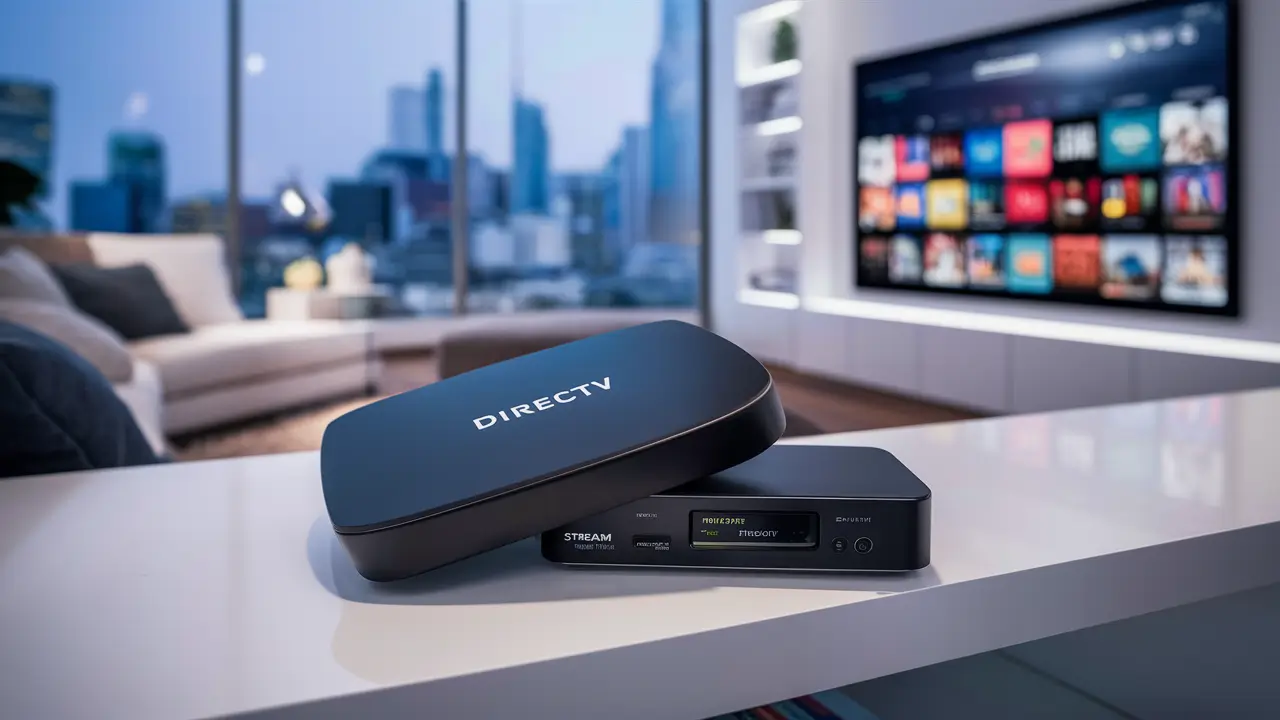
Not all devices are created equal when it comes to 4K streaming. To watch DIRECTV STREAM in 4K, you'll need a device that supports 4K playback and the DIRECTV STREAM app.
- DIRECTV STREAM Device: This is DIRECTV's proprietary streaming device, specifically designed to optimize the DIRECTV STREAM experience, including 4K playback. It's often the most reliable option.
- Smart TVs: Many modern smart TVs from brands like Samsung, LG, Sony, and Vizio have the DIRECTV STREAM app available and support 4K. Ensure your TV's firmware is up to date.
- Streaming Sticks/Boxes: Devices like Apple TV 4K, Amazon Fire TV Stick 4K, Roku Ultra (specific models), and NVIDIA SHIELD TV Pro are capable of 4K streaming and can run the DIRECTV STREAM app. Again, ensure these devices are running the latest software.
- Game Consoles: Some newer game consoles, like the PlayStation 5 and Xbox Series X/S, can support 4K streaming apps, including DIRECTV STREAM if the app is available.
Crucially, ensure that the HDMI port you are using on your TV and any receiver or soundbar is rated for 4K and HDR (High Dynamic Range) if the content supports it. Using older HDMI cables (e.g., HDMI 1.4) can limit your 4K capabilities. It's best to use certified High-Speed HDMI cables (HDMI 2.0 or higher).
Step 4: Locate 4K Content
Finding 4K content on DIRECTV STREAM can sometimes be a bit of a treasure hunt. There isn't always a dedicated "4K" category that is easily accessible.
- Channel-Specific 4K Broadcasts: The most common way to find 4K content is through specific channels known for broadcasting in 4K. For example, during major sporting events, the relevant sports network (e.g., ESPN, Fox Sports, CBS Sports) might be broadcasting in 4K. DIRECTV STREAM often makes these available on designated 4K channels or by enabling 4K on the main channel feed if your equipment and connection are sufficient.
- DIRECTV 4K Channel (Channel 107/107.1): While this is primarily associated with satellite DIRECTV, DIRECTV STREAM may leverage similar infrastructure or provide access to specific 4K content through its app or device. Check the DIRECTV STREAM app for any dedicated 4K programming guides or channels.
- Event-Specific Announcements: Keep an eye on DIRECTV STREAM's official communications, social media, and sports league announcements. They often publicize major upcoming events that will be available in 4K.
- On-Demand Search: When browsing the on-demand library, look for titles that are explicitly marked as "4K" or "UHD." The DIRECTV STREAM interface is improving in highlighting this content.
Step 5: Enable 4K Settings (If Applicable)
On some devices and within the DIRECTV STREAM app settings, there might be an option to prioritize or enable 4K streaming. Ensure that any such settings are configured correctly. For instance, on the DIRECTV STREAM device, you can often check display settings to ensure 4K is enabled.
DIRECTV STREAM 4K Channels and Content Guide (2025-26)
The availability of 4K content on DIRECTV STREAM is dynamic and heavily influenced by live sporting events and premium content releases. Here’s a breakdown of what you can expect in 2025-26, keeping in mind that this is subject to change based on broadcast schedules and rights.
Live Sports in 4K
Sports remain the cornerstone of 4K broadcasting for DIRECTV STREAM.
- NFL Football: During the NFL season, expect select regular season games and playoff matchups to be broadcast in 4K. Networks like FOX, CBS, and NBC often produce these games in UHD.
- NBA Basketball: Key regular season games, playoff series, and the NBA Finals are frequently broadcast in 4K. Check schedules for TNT, ESPN, and regional sports networks that carry local teams.
- MLB Baseball: During the MLB season, select regular season games, playoff games, and the World Series may be available in 4K. FOX, ESPN, and TBS are primary broadcasters.
- NHL Hockey: Similar to other major leagues, select NHL games, especially playoff matchups, are often produced in 4K by networks like ESPN and TNT.
- Major Soccer Leagues: International soccer tournaments (e.g., World Cup qualifiers, European championships) and top domestic leagues often have 4K broadcasts available through channels like ESPN+, Fox Sports, and others that DIRECTV STREAM carries.
- Golf: Major golf championships, such as The Masters and the PGA Championship, are increasingly being broadcast in 4K by networks like CBS and ESPN.
- NASCAR Racing: Select NASCAR Cup Series races are often broadcast in 4K by FOX and NBC.
Important Note: The specific 4K broadcast channel for these events can vary. DIRECTV STREAM might offer it on a dedicated 4K channel (e.g., a specific number like 107.x, though this is more common for satellite) or enable 4K on the primary channel feed itself (e.g., FOX in 4K if available). Always check local listings and DIRECTV STREAM announcements for the specific event.
Premium Movies and Events in 4K
Beyond sports, DIRECTV STREAM also offers select movies and special events in 4K.
- Movie Channels: Channels like HBO, Cinemax, and Showtime sometimes premiere new movies or broadcast catalog titles in 4K. Availability depends on the specific movie and the network's production capabilities.
- On-Demand 4K Library: DIRECTV STREAM is expanding its on-demand 4K content. This includes a growing selection of movies and TV show episodes. Browsing the "4K" or "UHD" sections within the DIRECTV STREAM app's on-demand library is the best way to discover these titles. The selection here is more curated and may include critically acclaimed films or popular blockbusters.
- Special Events: Concerts, award shows, and documentaries are occasionally produced and broadcast in 4K. These are typically advertised well in advance.
Dedicated 4K Channels (Potential for DIRECTV STREAM)
While DIRECTV's satellite service has dedicated 4K channels (like 107 and 107.1), DIRECTV STREAM's approach is more integrated into the main channel feeds or specific event streams. However, DIRECTV may designate specific channel numbers or temporary channels for major 4K events. It's best to check the DIRECTV STREAM channel guide or app for the most current information on where 4K content is being aired. For example, if a major sports league championship is broadcast on FOX, DIRECTV STREAM might offer a "FOX 4K" feed if available.
Finding 4K Content: Practical Tips for 2025-26
- Check the DIRECTV STREAM App: The app itself is your best resource. Look for dedicated 4K sections or filters within the on-demand library.
- Consult Online Sports Schedules: For live sports, visit the websites of the networks broadcasting the event (e.g., ESPN.com, FoxSports.com) and look for 4K broadcast information.
- Follow DIRECTV STREAM on Social Media: DIRECTV often announces major 4K events on platforms like Twitter and Facebook.
- Look for "4K" or "UHD" Labels: When browsing live TV or on-demand, keep an eye out for any visual indicators that a program is available in 4K.
Essential Requirements for 4K Viewing
To fully enjoy DIRECTV STREAM in 4K, several technical components must align. Missing even one piece can prevent you from experiencing the ultra-high definition picture quality.
1. A 4K-Compatible Television
This is the most fundamental requirement. Your TV must be capable of displaying a 4K resolution (3840 x 2160). Most televisions sold in the last 5-7 years are 4K capable, but it's always wise to double-check your TV's specifications if you're unsure. Look for terms like "UHD," "4K," or "2160p" in the TV's model name or specifications.
2. High-Speed Internet Connection
As previously emphasized, a robust internet connection is critical.
- Minimum Recommended Speed: 25 Mbps.
- Ideal Speed for Stability: 50 Mbps or higher.
This speed ensures that the large amount of data required for 4K streaming can be delivered consistently without interruption. Consider your ISP's advertised speeds versus your actual tested speeds. Factors like network congestion in your area or the number of devices using your internet simultaneously can impact performance.
3. Compatible Streaming Device
Your device needs to support 4K output and the DIRECTV STREAM app.
- DIRECTV STREAM Device: Recommended for optimal performance.
- Smart TVs: Ensure the DIRECTV STREAM app is installed and the TV supports 4K.
- Streaming Media Players: Apple TV 4K, Amazon Fire TV Stick 4K/4K Max, Roku Streaming Stick+ 4K, Roku Ultra, NVIDIA SHIELD TV Pro.
- Game Consoles: PlayStation 5, Xbox Series X/S (ensure app compatibility and 4K settings are enabled).
Ensure your device's operating system and the DIRECTV STREAM app are updated to their latest versions.
4. High-Quality HDMI Cables
The cables connecting your streaming device to your TV (or soundbar/receiver) matter.
- Required Standard: HDMI 2.0 or higher (often labeled "High Speed" or "Premium High Speed").
- Avoid Older Cables: HDMI 1.4 cables may not support the full bandwidth required for 4K at higher frame rates or with HDR.
Using certified cables ensures that the 4K signal can be transmitted without degradation.
5. Supported Audio/Video Receiver or Soundbar (If Applicable)
If you use an AV receiver or soundbar for your home theater setup, ensure it also supports 4K passthrough. An older receiver might downscale the 4K signal or prevent it from being displayed correctly on your 4K TV. Check the specifications of your audio equipment for 4K compatibility.
6. Content Availability
Even with all the right hardware and internet speed, you still need content that is actually produced and broadcast in 4K. As detailed in the previous section, this is primarily limited to live sports and select on-demand titles.
7. DIRECTV STREAM Subscription
While there's no separate 4K add-on fee, your chosen DIRECTV STREAM package must include the channels that broadcast 4K content. Higher-tier packages generally offer broader access to sports and premium channels where 4K is more prevalent.
Setting Up for 4K
Once you have all the components, the setup is generally straightforward:
- Connect your streaming device to your 4K TV using a compatible HDMI cable.
- If using a receiver/soundbar, ensure it's connected between the streaming device and the TV, and that it supports 4K passthrough.
- Ensure your DIRECTV STREAM device or app is set to output 4K if such an option exists in its settings.
- Connect your streaming device to your router via Ethernet for the most stable connection, or ensure your Wi-Fi signal is strong and reliable.
- Launch the DIRECTV STREAM app and navigate to 4K content.
If you encounter issues, systematically check each component, starting with your internet speed and HDMI connections.
Troubleshooting Common 4K Playback Issues
Experiencing buffering, pixelation, or a complete lack of 4K playback can be frustrating. Here are common issues and their solutions for DIRECTV STREAM 4K viewing in 2025-26.
Issue 1: Constant Buffering or Stuttering
Cause: Insufficient internet bandwidth, network congestion, or Wi-Fi interference.
Solutions:
- Test Internet Speed: Run a speed test. If consistently below 25 Mbps (ideally 50+ Mbps), contact your ISP to discuss plan upgrades or troubleshoot your connection.
- Reduce Network Load: Temporarily disconnect other devices from your network that are consuming significant bandwidth (e.g., other streaming devices, large downloads).
- Use Ethernet: If possible, connect your streaming device directly to your router via an Ethernet cable. This provides a more stable and faster connection than Wi-Fi.
- Optimize Wi-Fi: If using Wi-Fi, ensure your router is centrally located, consider a Wi-Fi extender or mesh system, and try changing your Wi-Fi channel to reduce interference.
- Restart Devices: Power cycle your modem, router, and streaming device.
Issue 2: Picture is Pixelated or Blurry (Not 4K)
Cause: The stream is defaulting to HD or a lower resolution due to bandwidth limitations, or the device/TV settings are incorrect.
Solutions:
- Check Internet Speed: As above, insufficient speed will force the stream to a lower resolution.
- Verify 4K Settings: Ensure your streaming device and TV are set to output 4K resolution. Check the DIRECTV STREAM app settings as well.
- Check HDMI Cable: Ensure you are using a certified High-Speed HDMI 2.0 or higher cable. An older cable can limit the signal.
- Confirm Content is in 4K: Double-check that the specific program you are watching is actually available in 4K. Sometimes, a channel might broadcast in HD, and only specific events are in 4K.
Issue 3: No 4K Option Available or Displayed
Cause: Equipment incompatibility, incorrect settings, or the content is not available in 4K.
Solutions:
- Confirm Device Compatibility: Ensure your streaming device, TV, and any AV receiver/soundbar are all 4K compatible.
- Update Software: Make sure your TV firmware, streaming device OS, and the DIRECTV STREAM app are all updated to the latest versions.
- Check TV Input Settings: Some TVs have specific HDMI input settings that need to be enabled for enhanced 4K signals (e.g., "HDMI UHD Color," "Deep Color").
- Verify Subscription: Ensure your DIRECTV STREAM package includes channels that offer 4K content.
- Check Content Source: Confirm that the specific program you are trying to watch is being broadcast or streamed in 4K.
Issue 4: Audio/Video Sync Issues
Cause: Often related to processing delays, especially with surround sound setups or when passing through multiple devices.
Solutions:
- Bypass Receiver/Soundbar: Temporarily connect your streaming device directly to the TV to see if the sync issue persists. If it resolves, the issue lies with your audio equipment.
- Check Receiver/Soundbar Settings: Look for audio delay settings or processing modes that might be causing the lag.
- Update Firmware: Ensure your AV receiver or soundbar firmware is up to date.
- Restart Devices: A simple reboot can sometimes resolve temporary sync glitches.
Issue 5: DIRECTV STREAM App Crashes or Freezes
Cause: App bugs, device overheating, or insufficient device resources.
Solutions:
- Clear App Cache/Data: On most streaming devices, you can clear the cache and data for the DIRECTV STREAM app.
- Reinstall the App: Uninstall and then reinstall the DIRECTV STREAM app.
- Check Device Storage: Ensure your streaming device has sufficient free storage space.
- Ensure Proper Ventilation: Make sure your streaming device and TV are not overheating.
- Restart Device: A full device reboot can resolve many software glitches.
If problems persist after trying these solutions, contacting DIRECTV STREAM customer support is the next best step. They can provide specific troubleshooting for their service and potentially identify issues with your account or their streaming infrastructure.
DIRECTV STREAM 4K vs. Competitors
When evaluating DIRECTV STREAM's 4K capabilities, it's essential to compare it against other major live TV streaming services and traditional providers. The landscape in 2025-26 shows varying approaches to 4K content delivery.
DIRECTV STREAM
Strengths:
- Live Sports Focus: Strong emphasis on broadcasting major sporting events in 4K, often mirroring or exceeding what traditional satellite DIRECTV offers.
- Proprietary Device: The DIRECTV STREAM device is optimized for the service, potentially offering a smoother 4K experience.
- Broad Channel Access: Higher-tier packages include many sports and premium channels where 4K content is most likely to appear.
Weaknesses:
- Content Specificity: 4K content is heavily reliant on live events; on-demand 4K library is still growing.
- Discovery: Finding 4K content can sometimes be less intuitive than on platforms with dedicated 4K hubs.
- Internet Dependency: Like all streaming services, performance is tied to your internet connection.
Hulu + Live TV
Strengths:
- Bundled Content: Offers a wide range of channels, including sports and entertainment.
- On-Demand Library: Strong on-demand library, though 4K availability within it is limited.
Weaknesses:
- Limited 4K Live Sports: Historically, Hulu + Live TV has had very limited 4K live sports broadcasts compared to DIRECTV STREAM or satellite DIRECTV. This is a significant gap for sports fans.
- No Dedicated 4K Channels: Relies on specific event broadcasts within main channels.
YouTube TV
Strengths:
- Good Sports Coverage: Carries many major sports networks.
- Unlimited DVR: A significant perk for cord-cutters.
- Improving 4K: YouTube TV has been gradually increasing its 4K offerings, particularly for major sporting events and some on-demand content. They have been more proactive in partnering for 4K broadcasts.
Weaknesses:
- Inconsistent 4K Availability: While improving, 4K availability can still be event-dependent and may not be as consistent as DIRECTV STREAM for certain leagues.
- Resolution Caps: Some content may be capped at 1080p even if it's available in 4K elsewhere.
Sling TV
Strengths:
- Affordability: Generally one of the most budget-friendly live TV streaming options.
- Customizable Packages: Allows users to tailor their channel selection.
Weaknesses:
- Very Limited 4K: Sling TV has historically offered very little, if any, 4K content. This is a major drawback for users seeking high-resolution viewing.
- Basic Features: Lacks some of the advanced features found in competitors.
FuboTV
Strengths:
- Sports-Centric: Designed with sports fans in mind, offering a vast array of sports channels.
- Strong 4K Offering: FuboTV has been a leader in offering 4K content, particularly for major sporting events, and often broadcasts more events in 4K than many competitors.
Weaknesses:
- Higher Price Point: Can be more expensive than other options, especially for packages with extensive 4K sports.
- On-Demand 4K Limited: While live 4K is strong, its on-demand 4K library might not be as extensive as some others.
Traditional Satellite DIRECTV
Strengths:
- Dedicated 4K Channels: Offers dedicated 4K channels (e.g., 107, 107.1) that consistently broadcast 4K content, especially sports.
- Proven Infrastructure: Long history of delivering high-quality broadcasts.
Weaknesses:
- Long-Term Contracts: Typically requires multi-year contracts.
- Equipment Costs: May involve equipment rental fees or purchase costs.
- Less Flexibility: Not as flexible as streaming services for cord-cutters.
Comparison Summary (2025-26 Focus)
For users prioritizing live sports in 4K, DIRECTV STREAM and FuboTV are often the top contenders among streaming services. YouTube TV is rapidly improving its 4K sports offerings. Hulu + Live TV and Sling TV lag significantly in 4K content availability. Traditional satellite DIRECTV remains a strong option for consistent 4K channel access but comes with the drawbacks of traditional pay-TV.
DIRECTV STREAM strikes a balance by offering a robust live TV streaming experience with a good selection of 4K sports, especially when compared to services like Hulu + Live TV. Its main competitor in the 4K streaming space for sports is arguably FuboTV, which often has a slight edge in the sheer volume of 4K sports broadcasts. However, DIRECTV STREAM's integration with its proprietary device and its overall package structure can make it a compelling choice for many.
The Future of 4K on DIRECTV STREAM
The trajectory for 4K content delivery on DIRECTV STREAM, and indeed across the entire media landscape, points towards continued expansion and improvement. As technology advances and consumer demand for higher fidelity viewing grows, we can anticipate several key developments in the coming years.
Increased 4K Content Volume
The trend of broadcasting major sporting events in 4K is set to continue and likely expand to more niche sports and leagues. As production costs decrease and more venues are equipped for 4K broadcasting, DIRECTV STREAM will likely have access to an even wider array of live 4K events. Furthermore, the on-demand libraries of 4K movies and TV shows are expected to grow substantially. Streaming services are increasingly recognizing 4K as a premium feature that can attract and retain subscribers, leading to greater investment in UHD content acquisition and production.
Advancements in HDR and Other Technologies
While 4K refers to resolution, the future of premium viewing also involves High Dynamic Range (HDR) technologies like HDR10, HDR10+, and Dolby Vision. These technologies enhance contrast, color accuracy, and brightness, providing a more lifelike image that complements 4K resolution. DIRECTV STREAM is likely to increase its support for HDR content, offering a more immersive visual experience. We may also see wider adoption of higher frame rates (HFR) for smoother motion in sports, and potentially even early explorations into 8K broadcasting, though 8K remains a more distant prospect for widespread consumer adoption.
Improved Content Discovery
One of the current challenges with 4K on DIRECTV STREAM is finding the content easily. In the future, expect DIRECTV STREAM to implement more sophisticated discovery features. This could include dedicated 4K sections that are more prominently displayed, better filtering options within the guide and on-demand menus, and personalized recommendations for 4K content. As 4K becomes more mainstream, the user interface will likely adapt to make accessing it more intuitive.
Enhanced Streaming Technology
DIRECTV STREAM will continue to leverage advancements in streaming technology to deliver 4K content more efficiently. This includes improvements in video compression codecs (like AV1) that can deliver higher quality video at lower bitrates, reducing bandwidth requirements for both the provider and the consumer. Network infrastructure improvements, both on DIRECTV's end and through ISPs, will also play a crucial role in ensuring a smoother, more reliable 4K streaming experience, even during peak usage times.
Potential for 4K Bundles and Partnerships
We might see DIRECTV STREAM explore more strategic partnerships with content creators and device manufacturers to offer bundled packages that highlight 4K viewing. This could involve collaborations that ensure specific premium content is optimized for the DIRECTV STREAM platform or special offers on 4K-capable devices for subscribers.
The Role of the DIRECTV STREAM Device
The proprietary DIRECTV STREAM device will likely continue to be a key component in delivering the optimal 4K experience. Future iterations of the device could incorporate even more advanced video and audio processing capabilities, further enhancing picture quality and responsiveness.
In conclusion, the future of 4K on DIRECTV STREAM appears bright. The service is well-positioned to capitalize on the growing demand for high-resolution content, particularly in the realm of live sports. By continuing to invest in technology, content acquisition, and user experience, DIRECTV STREAM is set to remain a competitive player in the evolving landscape of television entertainment.
In summary, DIRECTV STREAM does offer 4K content, primarily focused on live sports and select on-demand titles, for 2025-26. To access it, ensure you have a compatible package, a robust internet connection (25 Mbps minimum, 50+ Mbps recommended), a 4K-capable TV and streaming device, and high-quality HDMI cables. While DIRECTV STREAM provides a strong 4K sports offering, competitors like FuboTV also excel in this area. Keep an eye on DIRECTV's announcements for specific 4K events and explore the 4K sections within the app for on-demand content. With the right setup, you can enjoy the enhanced clarity and detail that 4K provides.





