-
Posted on: 07 Jan 2026
-
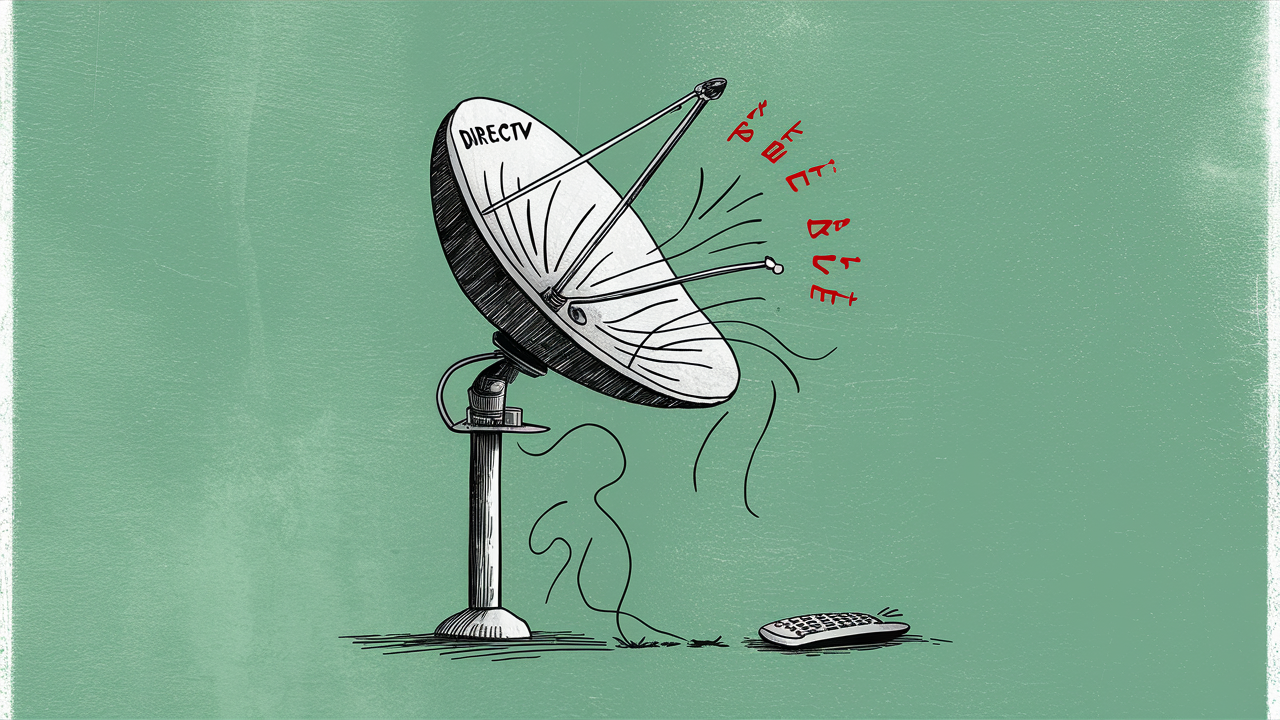
Canceling DIRECTV can leave you wondering about the fate of your satellite dish. This guide clarifies what happens to your equipment, whether you need to return it, and the steps involved, ensuring a smooth transition post-cancellation.
Understanding Your DIRECTV Satellite Dish Equipment
When you subscribe to DIRECTV, the equipment you use to receive their satellite television service is typically leased to you, not purchased outright. This is a crucial distinction that dictates what happens after you decide to end your service. The primary components of this equipment include the outdoor satellite dish itself, the indoor receiver boxes (also known as set-top boxes or Genie clients), and their associated remotes. Understanding the ownership status of each piece of hardware is the first step in navigating the cancellation process and avoiding unexpected charges.
The satellite dish, permanently affixed to your home, is often considered a permanent installation. However, the receiver boxes and other accessories are generally the property of DIRECTV and must be returned upon service termination. This leasing model is common across many subscription-based television providers, including cable and satellite companies, as it allows them to maintain control over the technology and ensure compatibility with their network. As of 2025, this model remains standard for DIRECTV.
It's important to distinguish between the dish and the receivers. While the dish is designed for long-term outdoor use and installation, the receivers are sophisticated electronic devices that connect to your home network and the satellite signal. DIRECTV needs these receivers back to refurbish them for new customers or to account for their depreciation. This is why the focus of return policies usually centers on the indoor equipment.
The installation process itself is also a factor. When DIRECTV technicians install your satellite dish, they are essentially mounting it to your property. The act of drilling into your roof or siding to secure the dish is a permanent alteration. This contrasts with the receiver boxes, which are simply connected via cables and can be easily disconnected. Therefore, the physical dish on your roof is treated differently than the electronic components inside your home.
Furthermore, understanding the terms of your service agreement is paramount. Most DIRECTV contracts will explicitly outline the equipment leasing policy and the procedures for returning equipment upon cancellation. Failing to review these terms before canceling can lead to misunderstandings and potential financial liabilities. This guide aims to provide a clear overview of what to expect, based on typical DIRECTV policies and industry practices in 2025.
What Happens to the Dish Itself?
The satellite dish mounted on your home is, in most cases, considered a permanent fixture. DIRECTV technicians install these dishes to receive signals from their orbiting satellites. The installation involves physically attaching the dish to your roof, wall, or another suitable outdoor structure. This process often requires drilling and securing hardware, making the dish a semi-permanent part of your property's exterior.
Because of its permanent installation and the nature of its attachment, you are generally not required to remove the satellite dish when you cancel DIRECTV service. The dish is designed for outdoor, long-term use and is exposed to various weather conditions. Its removal would involve undoing the installation process, which could potentially cause damage to your property if not done by a professional. DIRECTV typically does not send technicians to remove dishes post-cancellation.
Think of it like a permanently installed air conditioning unit or a built-in oven. While it's part of a service you're discontinuing, the physical hardware remains with the property. If you are a homeowner, the dish stays with your house. If you are a renter, the situation might differ slightly depending on your lease agreement and your landlord's preferences, but generally, the responsibility for removal doesn't fall on the renter unless explicitly stated.
However, there are nuances. In some very specific circumstances, such as if the dish was installed in a way that violates local ordinances or if it causes a safety hazard, DIRECTV might request its removal. But this is exceptionally rare. The more common scenario is that the dish simply remains on your property, becoming a silent reminder of your past service. Many homeowners choose to leave it as is, as removal can be costly and may require professional services.
Some individuals might consider removing the dish themselves to clean up their roofline. If you choose to do this, proceed with extreme caution. Working on a roof can be dangerous, and improper removal can lead to leaks or structural damage. It's advisable to consult with a professional installer or handyman if you are considering self-removal. However, for the vast majority of DIRECTV customers, the dish stays put.
The technology of the dish itself is also a factor. Satellite dishes are passive receivers, meaning they don't contain active electronic components that require deactivation or return to the provider. Their function is purely to collect and focus the satellite signal towards a receiver inside your home. Once DIRECTV stops broadcasting to that specific dish's alignment, its active function ceases.
It's also worth noting that some older installations might have had different terms. However, for contracts initiated in recent years, including those active in 2025 and 2026, the policy of leaving the dish installed is standard. If you are unsure about your specific contract, it is always best to refer to the terms and conditions you agreed to when you signed up for DIRECTV service.
In summary, the satellite dish is largely your responsibility to leave as-is after canceling DIRECTV. It's a permanent installation that doesn't need to be returned, and DIRECTV does not typically send personnel to remove it. This simplifies one aspect of the cancellation process, allowing you to focus on the return of indoor equipment.
Do You Need to Return the Satellite Dish?
To reiterate and emphasize for clarity: No, you generally do not need to return the satellite dish itself when you cancel DIRECTV. The satellite dish is considered a permanent installation on your property. Its mounting involves securing it to your roof, side of the house, or a pole, often requiring drilling and specialized hardware. DIRECTV does not send technicians to uninstall these dishes after service termination.
The dish is designed to be a long-term fixture, much like a permanent antenna or a solar panel array. Its removal would require professional expertise to avoid damaging your home's exterior and to ensure safety. DIRECTV's business model focuses on the return of their leased electronic equipment, such as receiver boxes, which are essential for their service delivery and can be refurbished or reused. The physical dish, once installed, is left behind.
This policy applies to most DIRECTV subscribers, whether they are homeowners or renters. If you are a renter, the dish remains part of the property unless your lease agreement specifically dictates otherwise or your landlord requests its removal. In such cases, you would need to coordinate with your landlord and potentially hire a professional for removal.
For homeowners, the dish will remain on your property. Many people choose to leave it there, as it doesn't typically interfere with anything. Others may opt to have it removed for aesthetic reasons or to prevent potential issues with future satellite providers. If you decide to remove it yourself, exercise extreme caution, as working on roofs can be hazardous. It's often more practical and safer to hire a local handyman or contractor for this task.
The cost of removing a satellite dish can vary depending on your location and the complexity of the installation, but it typically ranges from $100 to $300. This is a cost you would incur if you wish to have it removed, as it's not covered by DIRECTV after cancellation.
The key takeaway is that the physical dish is not considered returnable equipment in the same way that receiver boxes are. Its permanent nature means it stays with your property. Therefore, when planning your DIRECTV cancellation, you can set aside concerns about the dish itself and focus your attention on the indoor components that do require returning.
To confirm your specific situation, always refer to your DIRECTV service agreement or contact their customer service directly. However, based on standard practices in 2025-2026, the satellite dish is a non-returnable item.
Receiver Boxes and Remotes: The Returnable Items
While the satellite dish remains on your property, the indoor equipment leased from DIRECTV is what you'll need to return. This typically includes your main receiver box (often referred to as a Genie or Genie HR series), any additional Genie clients, and all associated remotes. These devices are the core components that decode the satellite signal and allow you to watch television. DIRECTV needs these back to maintain their inventory, refurbish them for reuse, and ensure they are properly accounted for.
The specific items you need to return will be detailed in your cancellation confirmation and any return kits sent by DIRECTV. Generally, you should expect to return:
- Main Receiver (e.g., Genie, Genie HR series): This is the primary device that connects to the satellite dish and distributes the signal to other clients.
- Genie Clients/Mini Clients: If you have multiple TVs, you likely have smaller client boxes that connect to the main receiver.
- DVR Functionality Components: If your receiver has DVR capabilities, the hard drive or integrated storage is part of the unit to be returned.
- Remotes: All DIRECTV remotes associated with your account must be returned.
- Power Cords and Adapters: Ensure you include all necessary power supplies for the receivers and clients.
- HDMI or Coaxial Cables (Sometimes): While not always required, it's good practice to check if specific cables were provided by DIRECTV and are listed on your return manifest.
It's crucial to distinguish between DIRECTV equipment and any personal equipment you may have purchased or used, such as your own television, soundbar, or universal remote that isn't specifically branded or provided by DIRECTV. These items are yours to keep.
The value of these returnable items is significant. Receiver boxes contain sophisticated electronics, including tuners, decoders, and often hard drives for DVR functionality. DIRECTV leases these to you at a reduced cost compared to purchasing them outright, but they retain ownership. The cost to replace these items if they are not returned can be substantial, often running into hundreds of dollars per unit, which is why DIRECTV enforces strict return policies.
As of 2025, DIRECTV continues to rely on leased hardware for its satellite service. The company invests in maintaining and upgrading these systems, and the return of equipment is a vital part of their operational cycle. This ensures that functional units can be recirculated into the market, reducing waste and costs.
When you initiate your cancellation, DIRECTV will typically provide you with instructions on how to package and ship these items. This often involves a prepaid shipping label and a specific box or packaging material. It is imperative to follow these instructions precisely to avoid issues with your return.
Understanding which items are returnable is the first step in a smooth cancellation process. By correctly identifying and preparing these components, you can prevent unexpected charges and ensure your account is closed out properly. The next step is to understand the logistics of the return process itself.
The Return Process Explained
Once you've decided to cancel your DIRECTV service, initiating the equipment return process is straightforward but requires attention to detail. DIRECTV aims to make this as seamless as possible to minimize customer friction and ensure they receive their leased hardware back.
Step 1: Contact DIRECTV to Cancel Service
The first step is to officially cancel your DIRECTV service. You will typically need to call their customer service line. During this call, you should explicitly state your intention to cancel and inquire about the equipment return process. They will guide you through the cancellation procedures and inform you about the specific items you need to return.
Step 2: Receive Return Instructions and Materials
After your service is canceled, DIRECTV will usually send you a confirmation email or a physical package containing detailed instructions for returning your equipment. This package often includes:
- Prepaid Shipping Label: This label is essential for sending the equipment back at no cost to you.
- Return Authorization Number (RAN): This number helps DIRECTV track your return.
- Packaging Instructions: Guidance on how to pack your items safely.
- List of Equipment to Return: A clear inventory of what needs to be sent back.
In some cases, DIRECTV might opt for a return kit that includes a box and protective materials.
Step 3: Package Your Equipment Carefully
Gather all the specified DIRECTV equipment. This includes the receiver(s), client boxes, remotes, and power cords. It's important to pack them securely to prevent damage during transit. Use the provided box if you received one, or a sturdy box of your own. Wrap individual items in bubble wrap or packing paper to cushion them. Ensure all necessary cables and power adapters are included, as missing components can lead to fees.
Step 4: Ship the Equipment
Affix the prepaid shipping label clearly to the outside of the package. You will then need to drop off the package at a designated shipping carrier location (e.g., UPS Store, FedEx, or USPS, depending on the label provided). Keep a copy of the shipping receipt as proof of return. This receipt is your safeguard in case of any disputes or if the package gets lost in transit.
Step 5: Track Your Return and Confirm Receipt
Most shipping carriers provide tracking information. You can use this to monitor the progress of your return. DIRECTV will also typically update your account status once they receive and process the returned equipment. It's advisable to check your account online or contact customer service a few weeks after shipping to confirm that the return has been successfully processed and that no outstanding charges related to unreturned equipment appear on your final bill.
Timeline for Returns:
DIRECTV usually provides a specific timeframe within which you must return the equipment after canceling your service. This is often around 30 days. Failing to return the equipment within this period can result in charges for the unreturned items. Always confirm the exact deadline with DIRECTV during your cancellation process.
What If You Miss the Deadline?
If you miss the return deadline, contact DIRECTV customer service immediately. Explain your situation. They may be able to extend the return window or provide alternative solutions. However, be prepared for potential fees if the delay is significant or if the equipment is not returned.
By following these steps diligently, you can ensure a smooth and hassle-free return of your DIRECTV equipment, avoiding unnecessary charges and closing out your account with peace of mind.
Potential Fees and Penalties
Canceling a service like DIRECTV, especially if you are still under a contract term, can sometimes involve fees and penalties. Understanding these potential costs upfront is crucial to managing your expectations and avoiding surprises on your final bill. The primary areas where fees might arise are related to early termination and unreturned equipment.
1. Early Termination Fees (ETFs)
DIRECTV, like many satellite and cable providers, often requires customers to sign a contract, typically for 12 or 24 months. If you cancel your service before the end of this contract period, you will likely incur an Early Termination Fee (ETF). The amount of the ETF is usually prorated based on how much time is left on your contract.
For example, a common ETF structure might be $20 per month remaining on your contract. If you have 10 months left on a 24-month contract, your ETF could be $200. DIRECTV's specific ETF policies can change, so it's essential to confirm the exact amount with a customer service representative when you cancel. As of 2025, these contracts and associated ETFs remain a standard part of their service offerings for many packages.
2. Unreturned Equipment Fees
As discussed, the receiver boxes, Genie clients, and remotes are leased equipment. If you fail to return these items by the specified deadline after canceling your service, DIRECTV will charge you for their replacement cost. These fees can be substantial, often ranging from $50 to $300 or more per unreturned item, depending on the specific piece of equipment.
For instance, a Genie receiver might cost $150 to replace, and a Genie client could be $50. If you have multiple pieces of equipment and don't return them, the total charges can quickly add up. This is why meticulous packing and timely shipping of all required items are so important.
3. Installation Fees (Less Common Post-Cancellation)
While not directly a cancellation fee, if you had installation fees waived as part of a promotion when you signed up, and you cancel early, those waived fees might become payable. This is less common than ETFs but is worth checking in your service agreement.
4. Outstanding Balance
Your final bill will also include any outstanding balance for your last billing cycle, including any prorated charges for services used up to the cancellation date. Ensure you understand how DIRECTV handles prorating for the final month.
How to Avoid or Minimize Fees:
- Review Your Contract: Before canceling, thoroughly review your service agreement to understand the terms regarding contract length and early termination.
- Confirm Cancellation Date: Schedule your cancellation strategically, ideally at the end of your contract term, to avoid ETFs.
- Follow Return Instructions Precisely: Package and ship all required equipment promptly and according to DIRECTV's instructions. Keep your shipping receipt.
- Document Everything: Take photos of the packed equipment before shipping and keep copies of all correspondence with DIRECTV.
- Contact Customer Service: If you anticipate issues or have questions about fees, contact DIRECTV customer service well in advance of your cancellation date.
By being informed and proactive, you can navigate the cancellation process with minimal financial impact. The key is to adhere to the terms of your agreement and diligently return all leased equipment.
Alternatives to DIRECTV
Canceling DIRECTV often means you're looking for a new way to watch your favorite shows and sports. Fortunately, the landscape of television entertainment has expanded significantly, offering a variety of alternatives to traditional satellite and cable services. These options cater to different viewing habits, budgets, and technological preferences. As of 2025, the choices are more diverse than ever.
1. Live TV Streaming Services
These services offer live channels streamed over the internet, mimicking the experience of traditional TV but with more flexibility and often lower costs. They are a popular choice for cord-cutters.
- YouTube TV: Offers a comprehensive package of live channels, including sports, news, and entertainment. It boasts unlimited cloud DVR storage and allows for multiple simultaneous streams.
- Hulu + Live TV: Combines live TV channels with Hulu's on-demand library, making it a strong contender for those who want both live and binge-watching options.
- Sling TV: A more customizable option, Sling TV offers a base package (Orange or Blue) and allows you to add "Extras" (channel bundles) to tailor your subscription. It's often one of the most affordable live TV streaming services.
- FuboTV: Primarily focused on sports, FuboTV offers a vast array of sports channels alongside a good selection of general entertainment and news channels.
- DIRECTV Stream: Ironically, DIRECTV also offers a streaming-only service that doesn't require a satellite dish. It provides various channel packages and is an option if you like the DIRECTV channel lineup but want to ditch the dish.
2. On-Demand Streaming Services
These services focus on providing vast libraries of movies, TV shows, and original content that you can watch anytime.
- Netflix: The industry giant, offering a wide range of original series, films, documentaries, and licensed content.
- Max (formerly HBO Max): Features content from HBO, Warner Bros., DC, Discovery, and more, known for its high-quality original programming.
- Disney+: The go-to for Disney, Pixar, Marvel, Star Wars, and National Geographic content.
- Amazon Prime Video: Included with an Amazon Prime subscription, offering a mix of original content, movies, and TV shows.
- Apple TV+: Known for its critically acclaimed original series and films.
- Peacock: Offers content from NBCUniversal, including live sports, news, and popular TV shows.
- Paramount+: Features content from CBS, Paramount Pictures, and Showtime.
3. Over-the-Air (OTA) Antennas
For free, local broadcast channels (like ABC, CBS, NBC, FOX, PBS), an OTA antenna is an excellent, one-time purchase solution. With the transition to digital broadcasting, modern antennas can pick up a surprising number of channels in high definition, depending on your location and the antenna's quality. This is a truly free alternative after the initial antenna purchase.
4. Sports Packages and Niche Services
If your primary reason for subscribing to DIRECTV was specific sports or channels, look for dedicated packages. For example, ESPN+ for sports, or niche services for specific interests.
Choosing the Right Alternative:
When selecting an alternative, consider:
- Your Must-Watch Channels: Which live channels or specific shows can you not live without?
- Budget: How much are you willing to spend per month?
- Internet Speed: Live TV streaming requires a stable, high-speed internet connection.
- Viewing Habits: Do you prefer live TV, on-demand content, or a mix?
- Simultaneous Streams: How many people in your household need to watch TV at the same time?
By exploring these alternatives, you can find a new entertainment solution that better fits your needs and budget post-DIRECTV cancellation.
Managing Your Cancellation Effectively
Effectively managing your DIRECTV cancellation involves more than just making the call to end service. It requires a proactive approach to ensure a smooth transition, avoid unexpected costs, and set yourself up for your next entertainment chapter. By following a structured plan, you can minimize stress and potential pitfalls.
1. Understand Your Contract and Billing Cycle
Before you even pick up the phone, review your DIRECTV contract. Note your contract end date, any early termination clauses, and the terms for equipment return. Check your latest bill to understand your current balance and billing cycle. This knowledge empowers you to negotiate and make informed decisions.
2. Schedule Your Cancellation Strategically
If possible, time your cancellation to coincide with the end of your contract term. This will help you avoid Early Termination Fees (ETFs). If you must cancel early, be prepared for the ETF and confirm the exact amount DIRECTV will charge.
3. Prepare for the Call to Cancel
When you call DIRECTV, be clear and firm about your intention to cancel. Have your account information ready. Be prepared for retention offers – DIRECTV may try to persuade you to stay with discounts or package changes. Know what you want and don't be afraid to politely decline if their offers don't meet your needs or if you are set on canceling.
4. Inquire About Equipment Return Details
During the cancellation call, explicitly ask about the equipment return process. Get confirmation on:
- Which specific items need to be returned.
- The deadline for returning the equipment.
- How you will receive the return shipping label and instructions (email, mail, etc.).
- The shipping carrier DIRECTV uses.
5. Document the Return Process
Once you receive your return kit or label, take photos of the equipment you are packing. Keep the original box if provided, or use a sturdy alternative. Securely pack all items. When you ship the package, obtain a receipt from the shipping carrier with a tracking number. Keep this receipt until you have confirmation from DIRECTV that the return has been processed.
6. Monitor Your Final Bill and Account
Your final bill should reflect your last billing cycle and any applicable ETFs or equipment charges. Review it carefully. If you returned all equipment on time, ensure there are no charges for unreturned items. If you notice any discrepancies, contact DIRECTV customer service immediately with your proof of return.
7. Explore Alternatives in Advance
Don't wait until your service is canceled to figure out your next entertainment solution. Research live TV streaming services, on-demand platforms, or OTA antennas beforehand. This allows for a seamless transition and ensures you don't miss out on your favorite programming.
8. Consider Your Property's Exterior
Remember that the satellite dish will likely remain on your property. If you are a homeowner and wish to have it removed for aesthetic reasons, plan and budget for this service separately. If you are a renter, communicate with your landlord about the dish's status.
By approaching your DIRECTV cancellation with a clear plan and attention to detail, you can navigate the process efficiently, avoid unnecessary fees, and transition to your new entertainment setup smoothly. This comprehensive approach ensures that the question "What happens to the satellite dish when you cancel DIRECTV?" is just one small part of a well-managed overall service termination.
In conclusion, when you cancel DIRECTV, the satellite dish itself typically remains installed on your property. You are generally not required to remove or return it. The focus of the return process is on the leased indoor equipment, such as receiver boxes and remotes. By understanding your contract, following return instructions meticulously, and being aware of potential fees, you can ensure a hassle-free cancellation. Explore the diverse array of modern streaming alternatives available in 2025-2026 to find the best fit for your viewing needs moving forward.
What happens to the satellite Dish when you cancel DIRECTV?
Research, Compare & Choose With Confidence
Last updated: June 25, 2026