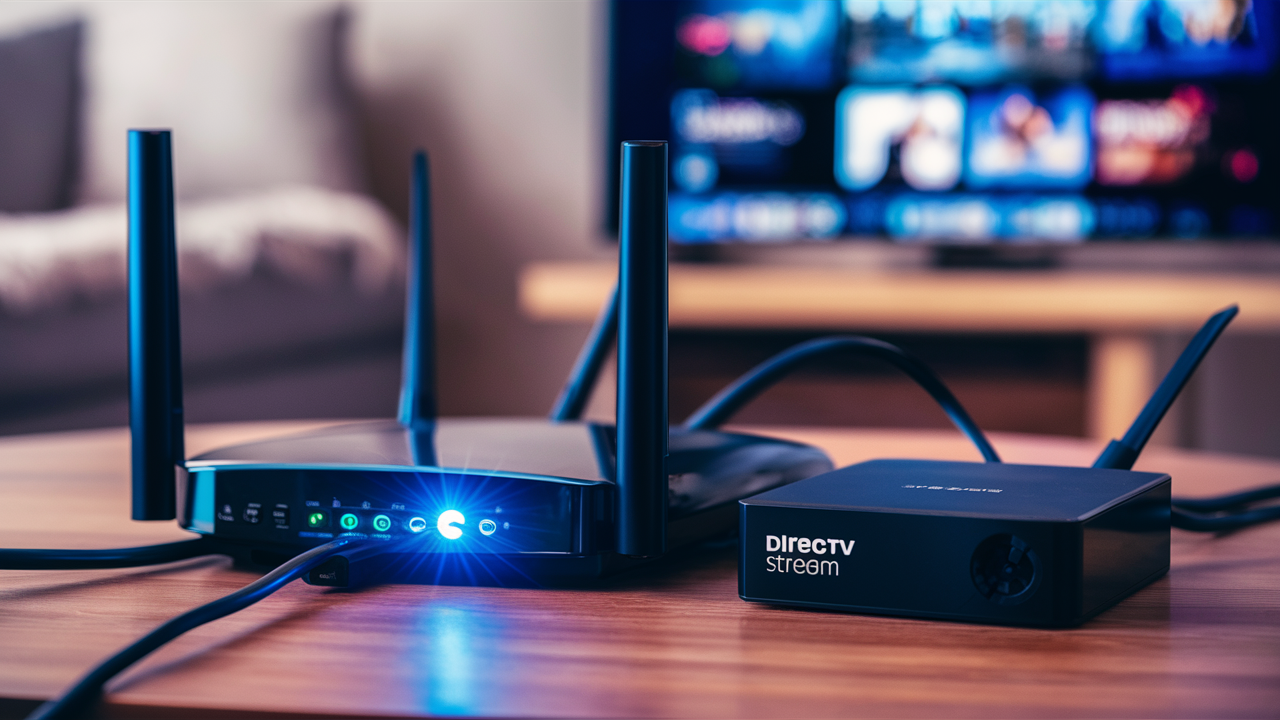
Choosing the right internet plan for DIRECTV STREAM is crucial for a seamless streaming experience. This guide dives deep into the recommended speeds, essential considerations, and how to ensure your home network is ready for crystal-clear live TV and on-demand content in 2025-26.
Understanding DIRECTV STREAM's Internet Requirements
DIRECTV STREAM, a popular live TV streaming service, relies entirely on your home internet connection to deliver its programming. Unlike traditional satellite TV, which uses a dedicated dish and signal, DIRECTV STREAM broadcasts content over the internet. This means the quality and reliability of your internet service directly impact your viewing experience. Buffering, pixelation, and dropped connections are all symptoms of an inadequate internet setup. In 2025-26, with the increasing prevalence of 4K streaming and higher-definition broadcasts, having a robust internet connection is more critical than ever. Understanding the specific demands of DIRECTV STREAM, alongside other internet activities in your household, is the first step to ensuring you have the right service.
The core of DIRECTV STREAM's functionality is its ability to stream live television channels, on-demand movies, and DVR recordings. Each of these functions consumes bandwidth. Live TV, especially in high definition (HD), requires a consistent and sufficient download speed. On-demand content, particularly in 4K Ultra HD, demands even more bandwidth. Furthermore, if multiple devices in your home are streaming simultaneously, or engaging in other bandwidth-intensive activities like online gaming or large file downloads, the total internet demand can quickly exceed what a basic plan can handle. Therefore, assessing your household's overall internet usage is just as important as meeting DIRECTV STREAM's minimum requirements.
DIRECTV STREAM itself provides official recommendations, but these are often the bare minimum. To truly enjoy the service without frustration, it's wise to aim higher than the stated minimums. This guide will break down what those minimums are, what's recommended for optimal performance, and how to factor in your unique household needs. We'll explore the nuances of download versus upload speeds, the impact of network congestion, and how different types of internet connections can affect your DIRECTV STREAM experience. By the end of this comprehensive analysis, you'll be equipped with the knowledge to select an internet plan that guarantees a smooth, uninterrupted viewing experience for DIRECTV STREAM in the current landscape of 2025-26 internet services.
Minimum and Recommended Internet Speeds for DIRECTV STREAM
DIRECTV STREAM's official recommendations for internet speed are designed to provide a baseline for users to get started. However, it's essential to differentiate between the absolute minimum required and the speeds that will offer a consistently excellent viewing experience. In 2025-26, these recommendations have evolved to account for higher quality streaming and increased multi-device usage.
Minimum Recommended Speeds
According to DIRECTV STREAM's official guidelines, the absolute minimum internet speed required for a single stream is:
- For HD Streaming: 25 Mbps download speed.
This speed is considered the floor. While it might allow you to watch DIRECTV STREAM in high definition, it leaves very little room for error or other internet activities. If your household has multiple users or devices, or if you plan to watch in 4K, this minimum will likely result in a subpar experience, characterized by frequent buffering, pixelation, and potential connection drops.
Recommended Speeds for Optimal Performance
To ensure a smooth, buffer-free experience, especially when streaming in HD and even 4K, and to accommodate multiple devices, DIRECTV STREAM recommends higher speeds. For 2025-26, these are considered the practical recommendations:
- For HD Streaming (Multiple Devices): 50 Mbps download speed.
- For 4K Streaming (Single Device): 75 Mbps download speed.
- For 4K Streaming (Multiple Devices): 100 Mbps download speed or higher.
These higher speeds provide the necessary headroom for high-quality streaming. A 50 Mbps connection is generally sufficient for a household with several people watching DIRECTV STREAM in HD simultaneously, or for one person watching in HD while others browse the web or stream music. For 4K content, which demands significantly more data, 75-100 Mbps is the sweet spot. This ensures that the ultra-high-definition picture is delivered without interruption, even if other devices are using the internet for less demanding tasks.
It's important to note that these are download speeds. Upload speeds are less critical for streaming video *to* your device, but they are important for other online activities like video conferencing, uploading large files, or online gaming. While DIRECTV STREAM doesn't heavily rely on your upload speed for its core function, a balanced connection with decent upload speeds (e.g., 10-20 Mbps) contributes to a more robust overall internet experience.
Consider the following breakdown for different scenarios:
| Scenario | Minimum Download Speed | Recommended Download Speed (2025-26) | Notes |
|---|---|---|---|
| Single HD Stream | 25 Mbps | 35-50 Mbps | Minimum may cause occasional issues. Recommended ensures smooth viewing. |
| Multiple HD Streams / HD + Other Activities | N/A (Minimum insufficient) | 50-75 Mbps | Crucial for households with more than one user. |
| Single 4K Stream | N/A (Minimum insufficient) | 75-100 Mbps | Required for the highest quality viewing. |
| Multiple 4K Streams / 4K + Other Activities | N/A (Minimum insufficient) | 100+ Mbps | For power users and large households demanding top-tier performance. |
When evaluating internet plans, always look for the advertised download speed. Many plans offer asymmetrical speeds, meaning download speeds are much higher than upload speeds. For DIRECTV STREAM, prioritizing download speed is key. However, don't neglect upload speeds entirely, as they are a component of overall internet health.
Key Factors Affecting Your Internet Performance
Beyond the advertised speeds of your internet plan, several other factors can significantly influence how well DIRECTV STREAM performs in your home. Understanding these elements is crucial for diagnosing and preventing streaming issues. These factors are particularly relevant in the crowded digital landscape of 2025-26, where network congestion and device saturation are common.
Network Congestion
Network congestion occurs when too many users are trying to access the internet simultaneously, either within your home or in your neighborhood. During peak hours (typically evenings and weekends), your internet service provider's (ISP) network can become overloaded, leading to slower speeds and increased latency. This is akin to rush hour traffic on a highway – even if the road is designed for high speeds, too many cars slow everything down.
Impact on DIRECTV STREAM: Congestion can cause buffering, pixelation, and increased loading times, even if your plan's speed is theoretically sufficient. The data packets for your stream might get delayed or dropped, disrupting the flow of video.
Wi-Fi vs. Ethernet Connection
The way your streaming device connects to your router plays a significant role. Wi-Fi is convenient and wireless, but it's susceptible to interference and signal degradation. Ethernet, a wired connection, provides a more stable and direct link to your router, generally offering faster and more consistent speeds.
Impact on DIRECTV STREAM: A strong, stable Wi-Fi signal is usually adequate for HD streaming. However, for 4K streaming or in environments with significant Wi-Fi interference (e.g., thick walls, many competing Wi-Fi networks, or older routers), an Ethernet connection can dramatically improve performance by eliminating wireless variables. If you experience issues with Wi-Fi, try connecting your DIRECTV STREAM device directly to the router via an Ethernet cable.
Router Quality and Placement
Your router is the gateway to your home network. An old, outdated, or poorly configured router can be a bottleneck, even with a high-speed internet plan. Similarly, the placement of your router can affect Wi-Fi signal strength throughout your home.
Impact on DIRECTV STREAM: A modern router (e.g., Wi-Fi 6 or Wi-Fi 6E) can handle more devices and offer better performance. Placing your router in a central, open location, away from obstructions and potential sources of interference (like microwaves or cordless phones), will improve Wi-Fi coverage and stability for your DIRECTV STREAM device.
Number of Connected Devices
In 2025-26, it's common for households to have numerous internet-connected devices, including smartphones, tablets, laptops, smart TVs, gaming consoles, smart home devices, and more. Each of these devices consumes a portion of your available bandwidth, even if they are not actively streaming video.
Impact on DIRECTV STREAM: The more devices actively using the internet, the less bandwidth is available for DIRECTV STREAM. If multiple devices are downloading large files, streaming video, or gaming online simultaneously, your DIRECTV STREAM experience will suffer. It's crucial to consider the total bandwidth needs of your household, not just the needs of your streaming device.
Device Performance
The device you use to stream DIRECTV STREAM (e.g., smart TV, streaming stick, computer) also plays a role. An older or underpowered device might struggle to process the video stream efficiently, leading to stuttering or lag, even with a fast internet connection.
Impact on DIRECTV STREAM: Ensure your streaming device is up-to-date and capable of handling HD or 4K streaming. Regularly updating the device's software and the DIRECTV STREAM app can also resolve performance issues.
ISP Throttling
Some ISPs may intentionally slow down (throttle) certain types of internet traffic or user data usage, especially during peak hours or if you exceed certain data caps. While less common for live TV streaming services like DIRECTV STREAM compared to other forms of content, it's a possibility.
Impact on DIRECTV STREAM: If your ISP is throttling your connection, you might experience consistently slow speeds, even when your network isn't congested. This can be difficult to diagnose without testing speeds at different times and comparing them to your plan's advertised rates.
By understanding these factors, you can better assess why you might be experiencing issues and take appropriate steps to improve your DIRECTV STREAM performance. Often, a combination of a good internet plan and a well-optimized home network is the key.
How to Choose the Right Internet Plan for DIRECTV STREAM
Selecting the ideal internet plan for DIRECTV STREAM involves more than just looking at the advertised speed. It requires a holistic approach that considers your household's unique needs, the types of internet available in your area, and the long-term value of the plan. Here’s a step-by-step guide to making an informed decision in 2025-26.
Step 1: Assess Your Household's Internet Usage
This is the most critical step. Don't just think about DIRECTV STREAM; consider everything your household does online. Make a list of:
- Number of users: How many people regularly use the internet?
- Number of devices: How many smartphones, tablets, laptops, smart TVs, gaming consoles, and smart home devices are connected?
- Streaming habits: Do multiple people stream video (Netflix, Hulu, YouTube, DIRECTV STREAM) simultaneously? What resolution (HD, 4K) do they typically use?
- Other bandwidth-intensive activities: Does anyone in the household play online games, download large files, or frequently use video conferencing for work or school?
- Peak usage times: When is your household's internet usage highest?
For example, a single person who only streams DIRECTV STREAM in HD might be fine with 50 Mbps. However, a family of four with two teens who game online, one parent who video conferences, and everyone streaming different content will need significantly more, likely 200 Mbps or higher.
Step 2: Determine Your Target Speed
Based on your usage assessment and DIRECTV STREAM's recommendations, set a target speed. It's always better to have more bandwidth than you need, as it provides a buffer for unexpected usage spikes and future service upgrades.
- Minimum for DIRECTV STREAM: 25 Mbps (only for single, light HD user).
- Recommended for smooth HD: 50-75 Mbps.
- Recommended for 4K and multiple devices: 100-200 Mbps.
- Heavy usage/multiple 4K streams: 300+ Mbps.
Consider that most ISPs offer tiered plans. Aim for a tier that comfortably exceeds your estimated needs. For instance, if your assessment points to needing around 80 Mbps, look for a plan that offers 100 Mbps or 150 Mbps.
Step 3: Research Internet Service Providers (ISPs) in Your Area
Not all internet types are available everywhere. Your options will depend on your geographic location. Common types include:
- Cable Internet: Widely available in most urban and suburban areas. Often offers high download speeds at competitive prices.
- Fiber Optic Internet: The fastest and most reliable option, offering symmetrical upload and download speeds. Availability is growing but still limited.
- DSL Internet: Uses telephone lines. Speeds vary greatly depending on distance from the provider's central office and can be slower than cable.
- Satellite Internet: Available almost anywhere, but typically has higher latency, lower speeds, and data caps, making it less ideal for live streaming.
- 5G Home Internet: A newer option that uses cellular networks. Availability and performance can vary.
Use online tools (like those provided by broadband comparison websites or directly by ISPs) to check which providers and types of internet service are available at your specific address.
Step 4: Compare Plans and Pricing
Once you know your target speed and available providers, compare their plans:
- Advertised Speed: Ensure the download speed meets your target.
- Upload Speed: While less critical for DIRECTV STREAM, a decent upload speed is beneficial for overall internet health. Fiber typically excels here.
- Data Caps: Check if the plan has a data limit. DIRECTV STREAM itself doesn't consume excessive data compared to other services, but if you have heavy overall internet usage, data caps can become an issue. Most high-speed plans from cable and fiber providers in 2025-26 offer unlimited data.
- Contract Length: Are you required to sign a long-term contract? Understand the terms and any early termination fees.
- Equipment Rental Fees: Some ISPs charge a monthly fee for modem/router rentals. You may be able to use your own compatible equipment to save money.
- Promotional Pricing: Many ISPs offer introductory discounts. Understand the price after the promotional period ends.
- Installation Fees: Factor in any one-time setup costs.
Step 5: Consider Your Router and Home Network
Even with a fast internet plan, your home network can be a bottleneck. If your current router is several years old, consider upgrading to a newer model (e.g., Wi-Fi 6 or Wi-Fi 6E) that can better handle multiple devices and higher speeds. Ensure your router is placed in a central location to maximize Wi-Fi coverage.
Step 6: Read Reviews and Ask for Recommendations
Look for reviews of ISPs in your area regarding reliability, customer service, and actual speeds experienced by users. Word-of-mouth recommendations from neighbors can also be valuable.
Example Scenario (2025-26):
A family of three: Mom works from home (video calls), Dad streams DIRECTV STREAM in HD, and a teen streams YouTube and plays online games. They also have several smart home devices.
- Estimated Needs:
- Mom's video calls: 10-20 Mbps (consistent)
- Dad's DIRECTV STREAM (HD): 25-50 Mbps
- Teen's YouTube/Gaming: 50-100 Mbps (variable)
- Smart devices: 5-10 Mbps (background usage)
- Buffer/Contingency: 50 Mbps
- Total Estimated Need: ~140-230 Mbps.
- Recommended Plan: A 300 Mbps cable or fiber plan would be ideal. This provides ample bandwidth for all activities, ensures smooth DIRECTV STREAM playback even when other devices are busy, and offers headroom for future needs. A plan around 200 Mbps might suffice but could lead to occasional slowdowns during peak usage.
By following these steps, you can confidently choose an internet plan that not only meets DIRECTV STREAM's requirements but also supports the overall digital life of your household in 2025-26.
Internet Types and Their Availability
The type of internet service available at your home is a primary determinant of the speeds and reliability you can expect for DIRECTV STREAM. In 2025-26, the landscape of internet connectivity continues to evolve, offering a range of options with varying strengths and weaknesses. Understanding these technologies is key to selecting the best plan.
Cable Internet
How it Works: Cable internet utilizes the same coaxial cable network that delivers cable television. Data travels through these cables, often sharing bandwidth with neighbors in a given node. Download speeds are typically much higher than upload speeds.
Availability: Widely available in most urban and suburban areas across the United States. It's one of the most common broadband options.
Pros for DIRECTV STREAM:
- High download speeds are readily available, often meeting or exceeding DIRECTV STREAM's recommended tiers (e.g., 100 Mbps, 300 Mbps, even 1 Gbps).
- Generally more affordable than fiber for comparable download speeds.
- Reliable for streaming if your local node isn't heavily congested.
Cons for DIRECTV STREAM:
- Upload speeds are often significantly lower than download speeds, which can impact other online activities but is less critical for streaming DIRECTV STREAM.
- Performance can degrade during peak usage hours due to shared bandwidth within a neighborhood.
2025-26 Outlook: Cable remains a strong contender for many households, with providers continually upgrading their networks to offer faster speeds. Look for plans with unlimited data and speeds of at least 50 Mbps, ideally 100 Mbps or more, for DIRECTV STREAM.
Fiber Optic Internet
How it Works: Fiber optic internet uses thin strands of glass or plastic to transmit data as light signals. This technology offers incredibly high bandwidth and is much less susceptible to interference than cable or DSL.
Availability: Availability is growing rapidly but is still more limited than cable, primarily found in major metropolitan areas and some newly developed communities. Check your specific address.
Pros for DIRECTV STREAM:
- The fastest and most reliable internet option available.
- Offers symmetrical upload and download speeds, meaning your upload speed is as fast as your download speed. This is excellent for future-proofing and other online tasks.
- Extremely low latency, which is beneficial for real-time applications.
- Less prone to congestion issues than cable.
Cons for DIRECTV STREAM:
- Availability is limited.
- Can sometimes be more expensive than cable, though prices are becoming more competitive.
2025-26 Outlook: Fiber is the gold standard for internet connectivity. If it's available in your area, it's almost always the best choice for streaming services like DIRECTV STREAM, especially if you plan to stream 4K content or have a high-demand household. Speeds of 500 Mbps to 1 Gbps are common and provide ample bandwidth.
DSL Internet
How it Works: Digital Subscriber Line (DSL) internet uses existing copper telephone lines to transmit data. The speed of DSL is highly dependent on the distance between your home and the provider's central office.
Availability: Widely available, especially in rural areas where cable or fiber may not have been deployed. However, its prevalence is decreasing as newer technologies expand.
Pros for DIRECTV STREAM:
- Can be a viable option if cable or fiber are not available.
- Offers dedicated bandwidth, so it's not as affected by neighborhood congestion as cable can be.
Cons for DIRECTV STREAM:
- Significantly slower download speeds compared to cable and fiber, often topping out at 50-100 Mbps, and sometimes much lower.
- Upload speeds are typically very slow.
- Performance degrades with distance from the central office.
- Less reliable for HD and 4K streaming, especially with multiple devices.
2025-26 Outlook: DSL is becoming a legacy technology. While it might work for basic DIRECTV STREAM HD viewing in a single-user household, it's generally not recommended for optimal performance or households with multiple users and devices. If it's your only option, aim for the highest speed tier available (e.g., VDSL) and be prepared for potential limitations.
Satellite Internet
How it Works: Satellite internet uses a satellite dish installed at your home to communicate with a satellite in orbit, which then connects to a ground station. Data travels a long distance, resulting in higher latency.
Availability: Available virtually anywhere with a clear view of the sky. It's often the only option in very remote, rural locations.
Pros for DIRECTV STREAM:
- Ubiquitous availability.
Cons for DIRECTV STREAM:
- High latency (delay) makes real-time streaming less ideal, potentially causing buffering and lag.
- Speeds are often much lower than cable or fiber.
- Data caps are common and can be restrictive.
- Performance can be affected by weather conditions (rain, snow, clouds).
2025-26 Outlook: Satellite internet is generally not recommended for streaming live TV services like DIRECTV STREAM due to its inherent limitations in speed and latency. While providers are improving, it remains the least suitable option for this purpose.
5G Home Internet / Fixed Wireless
How it Works: 5G Home Internet uses the same 5G cellular network that powers smartphones to deliver internet to your home via a receiver/router. Fixed wireless uses dedicated point-to-point radio signals.
Availability: Rapidly expanding, especially in suburban and urban areas where 5G cellular coverage is robust. Availability is location-dependent.
Pros for DIRECTV STREAM:
- Can offer competitive speeds, sometimes reaching 100-300 Mbps or more, depending on signal strength and network load.
- Often comes with unlimited data and no contracts, offering flexibility.
- Can be a good alternative if cable or fiber are unavailable or too expensive.
Cons for DIRECTV STREAM:
- Performance can be inconsistent and vary significantly based on signal strength, network congestion, and even weather.
- Latency can be higher than fiber or cable, though generally lower than satellite.
- Speeds may not always reach advertised maximums consistently.
2025-26 Outlook: 5G Home Internet is a promising and increasingly viable option for streaming. If available and offering speeds of 50 Mbps or higher with good reliability in your area, it could be a strong contender for DIRECTV STREAM. It's advisable to check for trial periods to test its performance in your specific home.
Recommendation: Prioritize fiber optic internet if available. If not, cable internet is the next best option. 5G Home Internet can be a good alternative in select areas. DSL and satellite internet are generally not recommended for a satisfactory DIRECTV STREAM experience in 2025-26.
Optimizing Your Home Network for DIRECTV STREAM
Even with the fastest internet plan, a poorly optimized home network can cripple your DIRECTV STREAM experience. In 2025-26, with more connected devices than ever, ensuring your network is running efficiently is paramount. Here’s how to optimize your setup:
1. Router Placement and Configuration
Central Location: Place your router in a central location in your home, away from exterior walls, large metal objects, and appliances that can cause interference (like microwaves or cordless phones). This ensures the Wi-Fi signal can reach all areas of your home effectively.
Elevate the Router: Placing the router on a shelf or table, rather than on the floor, can improve signal dispersion.
Update Firmware: Regularly check for and install firmware updates for your router. These updates often include performance improvements, security patches, and bug fixes.
2. Wired vs. Wireless Connections
Prioritize Ethernet: For your primary DIRECTV STREAM device (e.g., smart TV, streaming box), a wired Ethernet connection is always the most stable and reliable option. It bypasses Wi-Fi interference and provides the most consistent speeds. If your DIRECTV STREAM device and router are in the same room, use an Ethernet cable.
Optimize Wi-Fi: If Ethernet isn't feasible, ensure your Wi-Fi signal is strong. Use a modern router (Wi-Fi 6 or Wi-Fi 6E) capable of handling multiple devices and higher speeds. Consider using the 5 GHz band for streaming devices, as it offers faster speeds and less interference than the 2.4 GHz band, though its range is shorter.
3. Router Upgrade Considerations
Modern Standards: If your router is more than 3-5 years old, it might not be equipped to handle the demands of modern streaming. Consider upgrading to a router that supports Wi-Fi 6 (802.11ax) or Wi-Fi 6E. These standards offer:
- Increased capacity for more devices.
- Faster speeds and lower latency.
- Better performance in congested Wi-Fi environments.
Mesh Wi-Fi Systems: For larger homes or areas with Wi-Fi dead zones, a mesh Wi-Fi system can provide seamless coverage throughout your entire house. These systems use multiple nodes to create a single, unified network.
4. Manage Connected Devices
Limit Simultaneous Heavy Usage: Be mindful of how many devices are actively consuming significant bandwidth at the same time. If possible, schedule large downloads or intensive online activities for times when DIRECTV STREAM is not in use.
Disable Unused Devices: Turn off Wi-Fi on devices that are not in use or disconnect them from the network to free up bandwidth.
5. Quality of Service (QoS) Settings
Prioritize Streaming: Many modern routers offer Quality of Service (QoS) settings. QoS allows you to prioritize certain types of traffic or specific devices on your network. You can configure your router to give DIRECTV STREAM traffic (or the device running it) higher priority, ensuring it gets the bandwidth it needs even when the network is busy.
How to Use QoS: Access your router's administration interface (usually via a web browser using an IP address like 192.168.1.1 or 192.168.0.1). Look for a QoS section and follow the router's instructions to set up prioritization rules. This can be a game-changer for streaming stability.
6. Regularly Test Your Speed
Use Reliable Speed Tests: Periodically run internet speed tests (e.g., Speedtest.net, Fast.com) from a device connected via Ethernet and, if possible, from a device on Wi-Fi. Compare these results to your ISP's advertised speeds and DIRECTV STREAM's recommendations.
Test at Different Times: Run tests during peak hours (evenings) and off-peak hours to understand how network congestion affects your speeds.
7. Consider a Network Extender or Mesh System
Range Extenders: For smaller areas with weak Wi-Fi, a range extender can boost the signal. However, they can sometimes halve the available bandwidth.
Mesh Wi-Fi: For comprehensive coverage in larger homes, a mesh Wi-Fi system is generally a superior solution. It creates a strong, unified network across your entire home, ensuring consistent performance for your DIRECTV STREAM device, regardless of its location.
8. Reboot Your Equipment
Modem and Router: A simple reboot of your modem and router can often resolve temporary network glitches and improve performance. Unplug both devices, wait 30-60 seconds, and then plug them back in, starting with the modem.
By implementing these optimization strategies, you can create a robust home network that maximizes your internet plan's potential and ensures a smooth, high-quality streaming experience for DIRECTV STREAM in 2025-26.
Troubleshooting Common DIRECTV STREAM Internet Issues
Even with the best internet plan and a well-optimized network, you might occasionally encounter issues with DIRECTV STREAM. Fortunately, most common problems can be resolved with a systematic troubleshooting approach. Here are some of the most frequent issues and their solutions for 2025-26:
1. Buffering and Pixelation
Cause: Insufficient internet speed, network congestion, weak Wi-Fi signal, or an overloaded router.
Solutions:
- Check Internet Speed: Run a speed test (e.g., Speedtest.net) on the device you're using for DIRECTV STREAM. If speeds are consistently below 25 Mbps for HD or 75 Mbps for 4K, contact your ISP or consider upgrading your plan.
- Reduce Network Load: Temporarily pause other internet activities (downloads, other streaming) on devices in your household.
- Improve Wi-Fi Signal: If using Wi-Fi, move your streaming device closer to the router, or consider using an Ethernet cable.
- Reboot Equipment: Power cycle your modem, router, and DIRECTV STREAM device.
- Check Router Settings: Ensure your router's firmware is up-to-date and consider enabling QoS to prioritize DIRECTV STREAM.
2. "No Internet Connection" or "Weak Signal" Errors
Cause: Router or modem offline, Wi-Fi disconnected, or a broader ISP outage.
Solutions:
- Check Router/Modem Lights: Ensure your modem and router have stable internet connection lights.
- Verify Wi-Fi Connection: On your DIRECTV STREAM device, check that it's connected to the correct Wi-Fi network and that the signal strength is adequate.
- Restart Devices: Reboot your router, modem, and the DIRECTV STREAM device.
- Test Other Devices: See if other devices in your home can access the internet. If not, the issue is likely with your ISP or home network equipment.
- Check ISP Status: Visit your ISP's website or social media for outage notifications in your area.
3. App Crashing or Freezing
Cause: Outdated app version, device software issues, or device memory limitations.
Solutions:
- Update DIRECTV STREAM App: Ensure you have the latest version of the DIRECTV STREAM app installed on your device.
- Update Device Software: Check for and install any available software updates for your streaming device (smart TV, streaming stick, etc.).
- Clear App Cache/Data: On some devices, you can clear the cache and data for the DIRECTV STREAM app, which can resolve persistent glitches.
- Restart Device: A full restart of your streaming device can often resolve temporary software conflicts.
- Reinstall App: If issues persist, try uninstalling and then reinstalling the DIRECTV STREAM app.
4. Audio/Video Sync Issues
Cause: Latency, network congestion, or issues with the specific stream or device.
Solutions:
- Check Internet Speed and Stability: Ensure your connection is robust and not experiencing high latency. Use an Ethernet connection if possible.
- Restart Everything: Reboot your modem, router, and DIRECTV STREAM device.
- Try a Different Channel/On-Demand Content: See if the issue occurs on all content or just specific programs. This can help isolate whether the problem is with the stream itself.
- Check Device Settings: Ensure audio settings on your TV or streaming device are configured correctly.
5. Slow Loading Times for Menus or On-Demand Content
Cause: Slow internet connection, slow device processing, or issues with DIRECTV STREAM's servers.
Solutions:
- Verify Internet Speed: Ensure you meet or exceed the recommended speeds for DIRECTV STREAM.
- Check Device Performance: If your device is older or running many background applications, it might be slow to load content.
- Clear Browser Cache (if streaming on a computer): If you're using a web browser, clearing the cache and cookies can sometimes help.
- Wait and Try Again: Sometimes, temporary server-side issues can cause slow loading. Waiting a few minutes and trying again might resolve it.
6. Specific Device Compatibility Issues
Cause: DIRECTV STREAM may not be supported on older devices, or specific device models might have known bugs.
Solutions:
- Check DIRECTV STREAM Supported Devices List: Visit the official DIRECTV STREAM website to confirm your device is compatible and running the latest supported software.
- Consider a Dedicated Streaming Device: If your smart TV is older, a newer, dedicated streaming device (like a Roku, Fire TV Stick, Apple TV, or Chromecast with Google TV) often provides a better and more reliable DIRECTV STREAM experience.
General Troubleshooting Tips:
- Isolate the Problem: Determine if the issue affects only DIRECTV STREAM or all internet services on all devices. This helps pinpoint the cause.
- Document the Issue: Note down error messages, the time the problem occurred, and what you were doing at the time. This information is invaluable if you need to contact support.
- Contact Support: If you've tried all the above steps and are still experiencing problems, don't hesitate to contact DIRECTV STREAM customer support or your ISP's technical support.
By systematically addressing these common issues, you can significantly improve your DIRECTV STREAM viewing experience and resolve most technical difficulties efficiently.
Comparing Internet Providers in 2025-26
Choosing the right internet provider is a critical decision that impacts your DIRECTV STREAM experience and overall home internet usage. In 2025-26, the market offers a variety of options, each with its own strengths and weaknesses. Here’s a guide to comparing providers to find the best fit for your needs.
Key Comparison Factors
When evaluating internet providers, consider the following factors:
- Available Technologies: As discussed, fiber, cable, DSL, and 5G home internet are the primary options. Fiber is generally superior for streaming.
- Advertised Speeds (Download & Upload): Ensure the download speed meets your DIRECTV STREAM requirements (at least 50 Mbps for HD, 75-100 Mbps for 4K). Also, consider upload speeds for other online activities.
- Pricing: Look beyond the introductory promotional price. Understand the regular monthly cost, any potential price increases, and contract terms.
- Data Caps: In 2025-26, many providers offer unlimited data, especially for fiber and higher-tier cable plans. Avoid plans with restrictive data caps if you stream heavily or have multiple users.
- Contract Length & Early Termination Fees (ETFs): Some providers require long-term contracts. Understand the commitment and the cost of breaking the contract early.
- Equipment Fees: Check if you need to rent a modem/router from the provider, and what the monthly cost is. Using your own compatible equipment can often save money.
- Customer Service & Reliability: Research provider reviews regarding their customer support responsiveness, issue resolution rates, and overall network reliability.
- Availability: The most crucial factor is what services are actually available at your specific address.
Major Providers and Their Offerings (General Overview for 2025-26)
While specific offerings vary by region, here are some of the major players and what they generally offer:
1. Xfinity (Comcast)
- Technology: Primarily Cable, with growing Fiber availability in select areas.
- Speeds: Offers a wide range of speeds, from basic tiers (e.g., 50-100 Mbps) to gigabit speeds (up to 1.2 Gbps).
- Data Caps: Historically had data caps (e.g., 1 TB), but often offer unlimited data options for an additional fee or on higher-tier plans. This policy can change, so verify current terms.
- Contracts: Often requires 12- or 24-month contracts for promotional pricing.
- Pros: Widely available, competitive pricing for high download speeds, robust network in many areas.
- Cons: Data caps can be a concern for heavy users, contracts can be restrictive, customer service reviews are mixed.
2. Spectrum (Charter Communications)
- Technology: Cable.
- Speeds: Offers plans starting around 100-300 Mbps, with gigabit options available in some markets.
- Data Caps: Generally offers unlimited data with no data caps on most plans.
- Contracts: Typically does not require long-term contracts, offering month-to-month flexibility.
- Pros: Unlimited data, no contracts, reliable speeds.
- Cons: Pricing can be higher than some competitors, especially for lower-speed tiers.
3. Verizon Fios / 5G Home Internet
- Technology: Fios is Fiber Optic. Verizon also offers 5G Home Internet.
- Speeds: Fios offers symmetrical speeds, with plans ranging from 300 Mbps to 1 Gbps and beyond. 5G Home Internet speeds vary but can reach 300 Mbps or more in good coverage areas.
- Data Caps: Fios plans typically have unlimited data. 5G Home Internet often includes unlimited data.
- Contracts: Fios may offer contract-free options or require 1- or 2-year agreements. 5G Home Internet is usually contract-free.
- Pros: Fios offers superior fiber performance. 5G Home Internet is a flexible, often contract-free option.
- Cons: Fios availability is limited to specific regions. 5G Home Internet performance can be variable.
4. AT&T Fiber / Internet (DSL/Fixed Wireless)
- Technology: Offers Fiber in select areas, and traditional DSL or Fixed Wireless (5G) in others.
- Speeds: Fiber plans can reach 1 Gbps or higher. DSL speeds vary greatly. Fixed Wireless speeds are competitive but can fluctuate.
- Data Caps: Fiber plans typically have unlimited data. DSL and Fixed Wireless plans may have data caps, though AT&T has been moving towards unlimited.
- Contracts: Fiber plans are often contract-free. DSL/Fixed Wireless may have contracts.
- Pros: Fiber offers excellent performance where available. Fixed Wireless can be a good alternative.
- Cons: Fiber availability is limited. DSL is generally slower. Fixed Wireless performance depends heavily on location and signal.
5. CenturyLink (Lumen Technologies)
- Technology: Primarily DSL, with increasing Fiber availability in some markets.
- Speeds: DSL speeds vary widely based on location. Fiber plans offer higher speeds.
- Data Caps: Often offers unlimited data, especially on Fiber.
- Contracts: Typically offers contract-free plans.
- Pros: Contract-free options, potential for Fiber in some areas.
- Cons: DSL speeds can be insufficient for robust streaming. Availability of Fiber is limited.
6. Other Providers (T-Mobile Home Internet, Starlink, etc.)
- T-Mobile Home Internet: Uses 5G network, often unlimited data, contract-free, competitive pricing. Availability expanding.
- Starlink: Satellite internet, available almost anywhere. High latency and cost can be drawbacks for live streaming, but speeds are improving. More suited for remote areas.
How to Compare Effectively
1. Check Availability: Start by entering your address on each provider's website to see what services and speeds are offered.
2. Target Speeds: Based on your household needs, identify providers offering plans that meet or exceed your target speeds (e.g., 100 Mbps+ for a family.
3. Total Cost of Ownership: Calculate the total monthly cost, including equipment rental fees and any potential surcharges, over the first year.
4. Read the Fine Print: Pay close attention to data caps, contract terms, and early termination fees.
5. Seek Local Reviews: Search for reviews specific to your city or neighborhood to gauge real-world performance and customer service quality.
By carefully comparing these factors, you can select an internet provider that offers the best combination of speed, reliability, and value for your DIRECTV STREAM service and all your online activities in 2025-26.
Conclusion: Making the Right Choice for Your DIRECTV STREAM Experience
Selecting the appropriate internet plan for DIRECTV STREAM in 2025-26 boils down to understanding your household's unique demands and aligning them with available service options. The minimum requirement of 25 Mbps is a starting point, but for a truly seamless experience, especially with multiple devices and the desire for HD or 4K content, aiming for 50-100 Mbps or higher is strongly recommended. Fiber optic internet remains the gold standard for speed and reliability, followed closely by robust cable internet plans. Always prioritize download speeds, but consider upload speeds for a balanced online experience.
Beyond advertised speeds, factors like router quality, Wi-Fi optimization, and network congestion play significant roles. By implementing the troubleshooting and optimization tips provided, you can ensure your home network is performing at its best. When comparing providers, look beyond promotional pricing to understand the total cost, contract terms, and data policies. Ultimately, the best internet plan for DIRECTV STREAM is one that not only meets its technical requirements but also comfortably supports all your household's online activities, ensuring uninterrupted entertainment and productivity.
Don't hesitate to test your speeds regularly and make adjustments as needed. A well-chosen internet plan is the foundation of a great DIRECTV STREAM experience.