-
Posted on: 07 Jan 2026
-
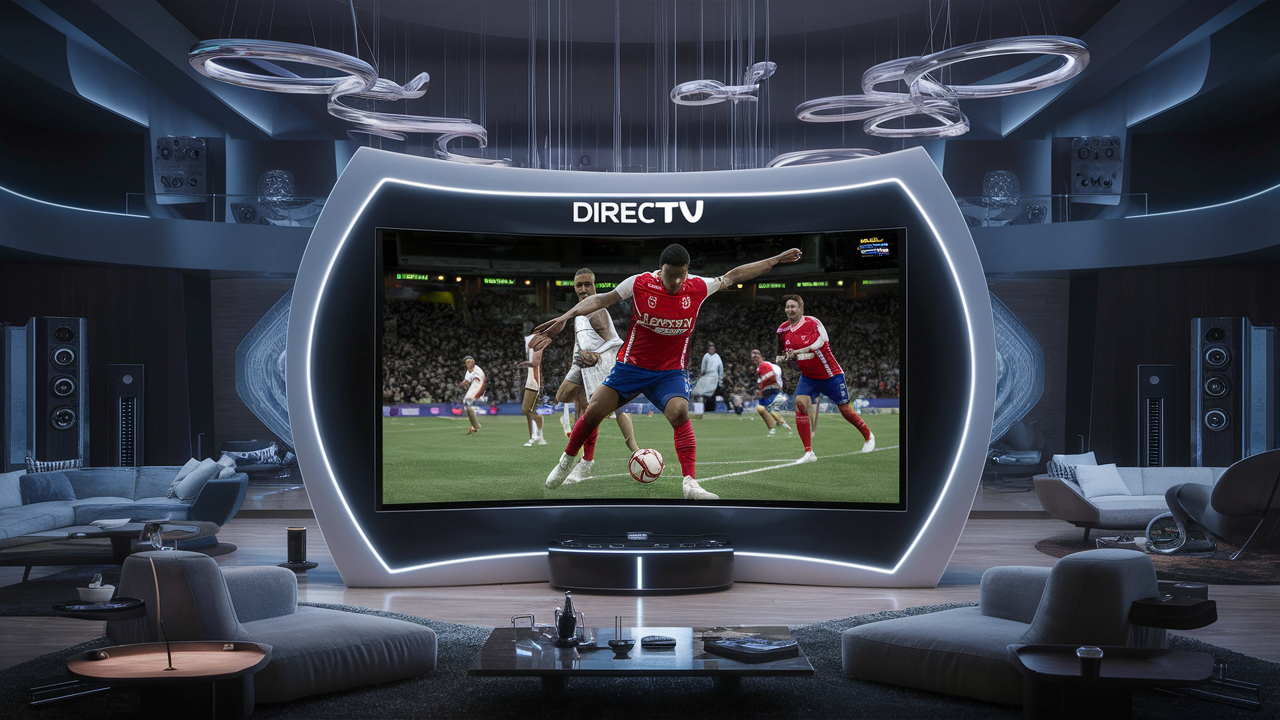
Discover the pinnacle of DIRECTV viewing with this comprehensive guide. We delve deep into what DIRECTV highest resolution truly means, exploring the technical specifications, available channels, and how to ensure you're experiencing the absolute best picture quality available from the satellite provider in 2025-26.
Understanding Video Resolution
In the realm of digital television, resolution is a fundamental concept that dictates the clarity and detail of the image you see on your screen. It's essentially the number of pixels that make up the picture. Pixels, short for "picture elements," are the tiny dots that, when combined, form the entire image. The more pixels there are, the finer the detail, the sharper the lines, and the more realistic the picture appears. This is particularly crucial for high-definition content, where the increased pixel count allows for a significantly more immersive and lifelike viewing experience compared to older, standard-definition formats.
To grasp the significance of resolution, consider the evolution of television technology. We've moved from Standard Definition (SD), which offered a relatively low pixel count, to High Definition (HD), and now to Ultra High Definition (UHD), often referred to as 4K. Each step represents a substantial leap in the number of pixels displayed, directly impacting the visual fidelity. For instance, a standard HD 1080p signal contains roughly 2 million pixels (1920 pixels horizontally by 1080 pixels vertically). In contrast, a 4K UHD signal boasts approximately 8 million pixels (3840 pixels horizontally by 2160 pixels vertically). This four-fold increase in pixel count is the primary reason why 4K content appears so much sharper and more detailed, especially on larger screens.
The resolution is typically expressed as a combination of horizontal and vertical pixel counts, such as 1920x1080 for Full HD or 3840x2160 for 4K UHD. These numbers are critical because they define the potential for detail. However, it's important to remember that resolution is just one piece of the puzzle. Other factors like the quality of the source material, the bitrate of the video stream, the capabilities of your display device (TV), and even the viewing distance all play a role in how sharp and clear the final image appears. A high-resolution signal can only be as good as the weakest link in the chain. Therefore, understanding resolution is the first step in appreciating the full visual potential of services like DIRECTV.
Pixels and Image Quality
The relationship between pixels and image quality is direct and profound. Think of pixels as the individual threads in a tapestry. A tapestry woven with more, finer threads will exhibit greater detail, smoother gradients, and a more nuanced depiction of the image. Similarly, a higher resolution means more pixels are available to represent the same physical area on your screen. This translates to:
- Sharper Images: Edges of objects appear crisper, and fine details like textures in clothing or individual blades of grass in a landscape are more discernible.
- Greater Detail: Subtle nuances in shading, color depth, and fine textures become visible, making the image more lifelike.
- Reduced Pixelation: At higher resolutions, individual pixels are smaller and less noticeable, especially when viewed from a typical distance, leading to a smoother, more seamless picture.
- Improved Depth Perception: The increased detail and clarity can contribute to a greater sense of depth and dimensionality in the image.
For example, when watching a nature documentary in 4K UHD, you'll notice the intricate patterns on an insect's wings or the subtle variations in the bark of a tree with a clarity that was simply impossible with SD or even standard HD. This enhanced visual fidelity is what makes the move to higher resolutions so compelling for viewers.
Common Resolution Standards
Before diving into DIRECTV's offerings, it's helpful to understand the common resolution standards you'll encounter in the television landscape:
- Standard Definition (SD): Typically around 480i or 480p. This was the standard for analog television and early digital broadcasts. It has a relatively low pixel count and appears pixelated on modern displays.
- High Definition (HD): This category includes 720p (HD Ready) and 1080i/1080p (Full HD). 1080p, with its 1920x1080 pixel count, became the benchmark for high-quality viewing for many years.
- Ultra High Definition (UHD) / 4K: This standard is 3840x2160 pixels. It offers four times the pixel count of Full HD, leading to a dramatic improvement in detail and clarity.
- 8K UHD: The next generation, with a resolution of 7680x4320 pixels, offering sixteen times the pixel count of Full HD. While available, content and widespread adoption are still developing.
DIRECTV's highest resolution offering currently aligns with the 4K UHD standard, providing viewers with a significantly enhanced visual experience. Understanding these standards provides context for DIRECTV's capabilities and the advancements in television technology.
DIRECTV's Resolution Standards
DIRECTV, as a leading satellite television provider, has consistently aimed to deliver the best possible viewing experience to its subscribers. Over the years, this has meant adopting and implementing evolving video resolution standards. While they have historically offered a robust selection of High Definition (HD) channels, their commitment to providing the highest quality picture has led them to embrace Ultra High Definition (UHD), commonly known as 4K. This transition signifies a major upgrade in visual fidelity for DIRECTV customers, offering a level of detail and clarity that was previously unattainable through satellite broadcasting.
In 2025-26, DIRECTV's standard HD offering typically consists of channels broadcasting in 1080i or 1080p. This is the widely accepted Full HD standard, which provides a significant improvement over Standard Definition (SD) and has been the benchmark for quality television for many years. Many popular sports, entertainment, and news channels are available in this format, ensuring a good viewing experience for a vast majority of content. However, for those seeking the absolute pinnacle of visual clarity, DIRECTV's highest resolution offering is unequivocally 4K UHD.
The move to 4K by DIRECTV isn't just about offering a few niche channels; it's about providing access to premium content in its most visually stunning format. This includes live sports events, blockbuster movies, documentaries, and original programming. The ability to transmit 4K signals via satellite presents significant technical challenges, including bandwidth limitations and the need for advanced compression technologies. DIRECTV has invested heavily in overcoming these hurdles to bring 4K content to homes across the country. This commitment means that subscribers with compatible equipment can now experience content with a level of detail and sharpness that is four times that of Full HD, making for a truly immersive and breathtaking visual spectacle.
HD vs. 4K on DIRECTV
The distinction between HD and 4K on DIRECTV is substantial and directly impacts the viewing experience. While HD (1080p) offers a good level of detail, 4K UHD (2160p) takes it to an entirely new level. Here's a breakdown:
- HD (1080p): Features a resolution of 1920 pixels horizontally by 1080 pixels vertically. This provides a clear, detailed image that is excellent for most viewing scenarios and on most screen sizes up to a certain point. It has been the standard for high-quality television for over a decade.
- 4K UHD (2160p): Features a resolution of 3840 pixels horizontally by 2160 pixels vertically. This is four times the number of pixels as 1080p. The increased pixel density results in significantly sharper images, finer details, smoother lines, and a more realistic picture. This difference is most noticeable on larger screens (60 inches and above) and when viewed from a closer distance.
DIRECTV's strategy has been to offer a growing library of 4K content, often focusing on premium live events and select on-demand titles, alongside a vast array of HD channels. This allows subscribers to enjoy both their favorite regular programming in excellent HD quality and access the highest resolution available for special broadcasts and premium content.
Technical Considerations for DIRECTV Broadcasts
Broadcasting in 4K via satellite is a complex undertaking. Unlike terrestrial broadcasts or streaming, satellite transmission involves sending signals over vast distances, requiring significant bandwidth. To deliver 4K, DIRECTV utilizes advanced video compression technologies, such as HEVC (High Efficiency Video Coding), also known as H.265. This codec is significantly more efficient than its predecessor (H.264/AVC), allowing for higher resolution video to be transmitted within a similar or slightly increased bandwidth allocation. This efficiency is crucial for satellite providers to deliver 4K content without drastically impacting the number of channels they can offer or requiring prohibitively expensive satellite infrastructure upgrades.
Furthermore, the quality of the 4K broadcast is also dependent on the bitrate. While 4K offers more pixels, a low bitrate can result in a compressed, less detailed image, negating some of the benefits. DIRECTV aims to provide sufficient bitrates for its 4K content to showcase its full potential. For viewers, this means ensuring a strong satellite signal and having the appropriate equipment to decode and display these advanced signals effectively. The combination of advanced compression, adequate bitrate, and robust infrastructure is what enables DIRECTV to deliver its highest resolution content.
What is 4K UHD on DIRECTV?
When we talk about the "DIRECTV highest resolution," we are unequivocally referring to 4K Ultra High Definition (UHD). This is the current pinnacle of video clarity and detail offered by the satellite television giant. 4K UHD is not just a slight improvement; it represents a substantial leap forward in visual fidelity, offering a viewing experience that is significantly more immersive and lifelike than previous standards like High Definition (HD). The term "4K" itself refers to the approximate number of horizontal pixels in the image – around 4,000 – which, when combined with its vertical resolution, results in a picture that is dramatically sharper and more detailed.
Specifically, 4K UHD resolution is defined as 3840 pixels horizontally by 2160 pixels vertically. To put this into perspective, this is four times the number of pixels found in a Full HD (1080p) signal (which is 1920x1080). This quadrupling of pixels means that images on a 4K screen are rendered with an incredible level of detail. Fine textures, subtle gradients, and intricate patterns become vividly apparent, making the on-screen content feel more tangible and realistic. This enhanced detail is particularly noticeable on larger television screens, where the increased pixel density allows for a consistently sharp image even when viewed up close.
Beyond just the pixel count, 4K UHD often goes hand-in-hand with other advanced video technologies that further enhance the viewing experience. These include High Dynamic Range (HDR) and a wider color gamut (WCG). HDR allows for a greater range between the brightest whites and darkest blacks in an image, resulting in more contrast and a more natural-looking picture with brighter highlights and deeper shadows. A wider color gamut means that the display can reproduce a broader spectrum of colors, leading to richer, more vibrant, and more nuanced hues. While not every piece of 4K content on DIRECTV will necessarily feature HDR or WCG, their inclusion in many premium 4K broadcasts significantly elevates the overall visual quality, making the DIRECTV highest resolution offering a truly premium experience.
The Pixel Advantage of 4K
The core advantage of 4K UHD lies in its sheer pixel count. Let's visualize this difference:
- Full HD (1080p): 1920 x 1080 = 2,073,600 pixels
- 4K UHD (2160p): 3840 x 2160 = 8,294,400 pixels
As you can see, 4K UHD packs over 8.2 million pixels into the screen, compared to just over 2 million for Full HD. This density means that each individual pixel is significantly smaller on a 4K screen of the same size, making them much harder to discern. The result is a smoother, more detailed, and more immersive image. For instance, when watching a sports broadcast in 4K, you can see the texture of the grass, the stitching on the ball, and the expressions on the players' faces with remarkable clarity. This level of detail was simply not possible with previous resolutions.
HDR and Wider Color Gamut Enhancements
While resolution is the primary determinant of sharpness, technologies like High Dynamic Range (HDR) and Wide Color Gamut (WCG) are often bundled with 4K content to further enhance its visual impact. These are crucial components that contribute to the overall quality of DIRECTV's highest resolution offerings:
- High Dynamic Range (HDR): HDR allows for a greater difference between the brightest and darkest parts of an image. This means you'll see more detail in both the bright sky and the dark shadows of a scene simultaneously. Colors also appear more vibrant and lifelike, with more nuanced shades and greater contrast. Common HDR formats include HDR10, Dolby Vision, and HLG.
- Wide Color Gamut (WCG): WCG expands the range of colors that can be displayed. This means that the picture can show more shades of red, green, blue, and all colors in between, resulting in richer, more saturated, and more accurate color reproduction. This is particularly noticeable in natural landscapes, vibrant clothing, and complex lighting scenarios.
When these technologies are combined with 4K resolution, the result is a viewing experience that is incredibly close to what the human eye can perceive in real life. DIRECTV aims to deliver this premium visual experience through its 4K UHD broadcasts, making it the undisputed highest resolution available.
DIRECTV 4K Channels and Content
DIRECTV's commitment to delivering the highest resolution experience is most evident in its growing selection of 4K channels and on-demand content. While the exact lineup can evolve, DIRECTV has consistently prioritized live sports, premium movies, and select documentaries for its 4K UHD broadcasts. This strategic focus ensures that subscribers are able to experience some of the most visually demanding and engaging content in the best possible quality. As of 2025-26, DIRECTV offers a dedicated suite of 4K channels and a robust 4K on-demand library, making it easier than ever to access content at its highest resolution.
The cornerstone of DIRECTV's 4K offering has historically been live sports. Major sporting events, including professional football, basketball, baseball, and soccer, are frequently broadcast in 4K. This allows fans to experience the thrill of the game with unparalleled detail, from the intricate movements of the athletes to the textures of the field or court. Beyond sports, DIRECTV also provides 4K movies and documentaries through its dedicated 4K channels and on-demand service. This includes a curated selection of blockbuster films and visually stunning nature documentaries that are best appreciated in ultra-high definition. The availability of this content ensures that subscribers can enjoy a diverse range of programming at the highest visual fidelity.
Dedicated 4K Channels
DIRECTV operates dedicated 4K channels that serve as the primary broadcast points for live 4K events and programming. These channels are specifically designed to carry the 4K UHD signal, often incorporating HDR and wider color gamut technologies to maximize visual impact. While channel numbers can sometimes change, key channels historically associated with DIRECTV's 4K offerings include:
- DIRECTV 4K Channel (e.g., Channel 104, 105, 106, or similar): This is typically the flagship channel for live 4K sports broadcasts and major events. It's the go-to destination for experiencing premier sporting occasions in the highest resolution.
- DIRECTV 4K Cinema (e.g., Channel 107 or similar): This channel often features a rotating selection of 4K movies, from recent blockbusters to critically acclaimed films, available for rental or as part of premium packages.
- DIRECTV 4K Documentaries (e.g., Channel 108 or similar): Dedicated to visually stunning documentaries, this channel showcases the beauty of nature, exploration, and science in breathtaking 4K detail.
It is essential for subscribers to check their DIRECTV channel guide for the most up-to-date channel numbers and programming schedules, as these can be subject to change. The availability of these dedicated channels ensures that viewers can easily find and access the highest resolution content DIRECTV has to offer.
4K On-Demand Library
In addition to live broadcasts, DIRECTV offers a substantial 4K on-demand library. This allows subscribers to watch a wide variety of movies and select TV shows in 4K UHD at their convenience. The on-demand service is accessible through the DIRECTV Genie DVR or compatible streaming devices. Users can browse the 4K section of the on-demand menu to find titles available in ultra-high definition. This library is constantly updated with new releases and popular titles, ensuring that there is always fresh 4K content to explore. For movie enthusiasts, this provides an excellent opportunity to experience cinematic masterpieces with unparalleled visual clarity from the comfort of their homes.
The 4K on-demand library often includes:
- New Release Movies: Many of the latest Hollywood blockbusters are made available in 4K UHD shortly after their theatrical or digital release.
- Classic Films: Select remastered classic films are sometimes offered in 4K, allowing viewers to rediscover timeless cinema in stunning detail.
- Original Content: In some cases, DIRECTV or its affiliated networks may offer original programming in 4K through the on-demand service.
Accessing the 4K on-demand library requires specific equipment and an internet connection, which are discussed in more detail in the equipment requirements section. This on-demand offering complements the live 4K channels, providing a comprehensive 4K viewing solution for DIRECTV subscribers.
Live Sports in 4K (2025-26 Highlights)
As of the 2025-26 season, DIRECTV continues to be a premier destination for live sports in 4K UHD. This includes coverage of major leagues and events. While specific broadcasts can vary, typical highlights include:
- NFL Football: Select regular season and playoff games are often broadcast in 4K, offering an immersive view of the action on the field.
- NBA Basketball: Key matchups and playoff games are frequently available in 4K, allowing fans to appreciate the speed and skill of the league.
- MLB Baseball: Regular season games and special events, such as the All-Star Game or World Series, may be broadcast in 4K.
- Major League Soccer (MLS): As the sport grows in popularity, more MLS games are being produced and broadcast in 4K.
- College Sports: Major college football and basketball games, especially those involving top-ranked teams or championship events, are increasingly offered in 4K.
- Motorsports: Events like Formula 1 or NASCAR races, with their fast-paced action and detailed visuals, are excellent candidates for 4K broadcasts.
DIRECTV's partnership with content providers and its investment in broadcast technology make it a leader in delivering these high-profile sporting events in the highest resolution available. Viewers can check DIRECTV's sports schedules and promotions for specific 4K game announcements.
Equipment Requirements for 4K Viewing
To experience the DIRECTV highest resolution, specifically 4K UHD content, having the correct equipment is absolutely paramount. It's not enough to simply subscribe to a 4K-capable package; your hardware must be able to receive, process, and display the ultra-high definition signal. This involves a combination of DIRECTV's own specialized receivers, a compatible television, and often a robust internet connection for on-demand content. Failing to meet any of these requirements will mean that you are either unable to access 4K content at all or will be viewing it at a reduced resolution, thereby missing out on the full visual potential.
The primary piece of DIRECTV equipment required for 4K viewing is a compatible receiver. DIRECTV has developed specific models designed to handle the demands of 4K broadcasting, including the necessary processing power and tuners. These receivers are essential for decoding the complex 4K signals transmitted via satellite. In addition to the DIRECTV receiver, your television set must also be 4K UHD certified. This means it must have a native resolution of 3840x2160 pixels and support the necessary video codecs and formats used in 4K broadcasting, such as HEVC. Furthermore, for accessing the 4K on-demand library, a stable and sufficiently fast internet connection is required. This connection is used to stream the 4K content directly to your receiver and TV.
Compatible DIRECTV Receivers
DIRECTV has phased in specific receiver models to support 4K content. The most prominent and widely recommended receiver for 4K viewing is the:
- DIRECTV Genie® 4K (HR54 or later models): This is the primary hardware designed to receive and process 4K UHD signals from DIRECTV. The HR54 Genie DVR, and subsequent models, are capable of outputting 4K content to a compatible television. It's important to ensure you have one of these specific models. Older Genie models (like the HR44) may have limited 4K capabilities or require specific software updates and external hardware (like a C61K 4K client).
- DIRECTV 4K Genie Client (C61K): For additional rooms, a C61K client can be connected to a 4K-capable Genie server (like the HR54) to enable 4K viewing in other areas of your home. This client unit is specifically designed to work with the 4K Genie server to deliver the ultra-high definition signal.
When subscribing to DIRECTV and expressing interest in 4K viewing, it is crucial to confirm with a DIRECTV representative that your current receiver is 4K-compatible or that you will be provided with the necessary upgrade. Incorrect receiver models will prevent access to the DIRECTV highest resolution content.
Television Requirements
Your television is the final piece of the puzzle in achieving 4K viewing. To enjoy DIRECTV's highest resolution, your TV must meet the following criteria:
- Native 4K UHD Resolution: The TV must have a screen resolution of 3840 pixels horizontally and 2160 pixels vertically. This is often advertised as "4K UHD" or "2160p."
- HDMI 2.0 or Higher Ports: The HDMI ports on your TV must support the HDMI 2.0 standard or later. HDMI 2.0 is necessary to handle the high bandwidth required for 4K video at 60 frames per second, along with HDR and other advanced features.
- HDCP 2.2 Compliance: High-bandwidth Digital Content Protection (HDCP) is a copy protection standard. For 4K content, your TV and all connected devices (including the DIRECTV receiver) must support HDCP 2.2 to prevent content from being blocked.
- HEVC (H.265) Decoding: Your TV should be capable of decoding HEVC video compression, as this is the primary codec used for efficient 4K broadcasting.
Most televisions sold as "4K UHD" since approximately 2015-2016 will meet these requirements, but it's always wise to check your TV's specifications or consult your owner's manual to be certain. Ensure that you are using the HDMI cable that came with your DIRECTV 4K receiver or a certified high-speed HDMI cable that supports 4K and HDR.
Internet Connection for On-Demand
While live 4K broadcasts are delivered via satellite, DIRECTV's 4K on-demand library requires a stable internet connection. The recommended internet speed for streaming 4K content is generally considered to be at least 25 Mbps. However, for a smooth and buffer-free experience, especially when multiple devices are using the internet simultaneously, a higher speed is advisable. DIRECTV recommends a minimum download speed of 25 Mbps for 4K on-demand streaming. This ensures that the large data files associated with 4K video can be downloaded quickly enough to provide uninterrupted playback.
A wired Ethernet connection is generally more stable and reliable than Wi-Fi for high-bandwidth streaming. If using Wi-Fi, ensure you have a strong signal from your router to your DIRECTV receiver. A slow or unstable internet connection will result in buffering, lower picture quality (the receiver may downscale the stream to HD), or an inability to stream 4K content at all.
Optimizing Your Viewing Experience
Achieving the DIRECTV highest resolution is only part of the equation; optimizing your setup ensures you're getting the most out of that incredible picture quality. This involves fine-tuning settings on both your DIRECTV receiver and your television, as well as considering environmental factors. Even with the best 4K signal, suboptimal settings or a poor viewing environment can diminish the perceived quality. This section will guide you through the essential steps to ensure your 4K viewing experience is as breathtaking as possible, from adjusting picture settings to ensuring proper cable connections and understanding the impact of your viewing space.
Once you have the compatible equipment in place, the next step is to ensure everything is configured correctly. This starts with verifying that your DIRECTV receiver is set to output the highest possible resolution. Many receivers have an automatic setting, but manual confirmation is often beneficial. Following that, your television's picture settings play a crucial role. Different modes (like "Movie," "Cinema," or "Standard") can dramatically alter the image. For 4K content, especially HDR, specific calibration or expert settings can unlock the full potential of your display. We'll cover how to adjust these settings, ensure you're using the correct cables, and even touch upon how room lighting can affect your perception of the image. By paying attention to these details, you can transform a good 4K picture into an exceptional one.
DIRECTV Receiver Settings
Your DIRECTV receiver has settings that control the video output resolution. It's crucial to ensure these are configured correctly for 4K viewing. Follow these general steps (menu options may vary slightly by receiver model):
- Access Settings: Navigate to the main menu on your DIRECTV receiver. Look for options like "Settings," "System Setup," or "Preferences."
- Video Output Settings: Within the settings menu, find the "Video Setup" or "Display Settings" section.
- Resolution: You should see an option for "Resolution" or "Picture Format." Ensure that "4K" or "2160p" is selected. If an "Auto" setting is available, it should ideally detect and select 4K when available. However, manually setting it to 4K is often recommended to guarantee it.
- Aspect Ratio: Ensure the aspect ratio is set correctly (usually "16:9" for widescreen TVs).
- Advanced Settings (if applicable): Some receivers may have advanced video settings. Ensure that any options related to color depth or HDR output are enabled if available and compatible with your TV.
After adjusting these settings, it's a good practice to exit the menu and tune into a known 4K channel or play a 4K on-demand title to verify the output. If you encounter issues, reverting to "Auto" or a lower resolution like 1080p can help troubleshoot.
Television Picture Settings
Your TV's picture settings are vital for realizing the full potential of 4K and HDR content. While specific settings vary by manufacturer and model, here are general recommendations:
- Picture Mode: For 4K HDR content, select a mode like "Movie," "Cinema," "Filmmaker Mode," or "HDR Standard." These modes are typically calibrated to provide the most accurate colors and contrast for cinematic viewing. Avoid "Vivid" or "Dynamic" modes, which can oversaturate colors and crush details.
- Brightness and Contrast: Adjust these to your preference and room lighting. For HDR content, the TV will dynamically adjust these, but the base settings are important.
- Color and Tint: Generally, leave these at their default settings for the selected picture mode, as they are usually factory-calibrated for accuracy.
- Sharpness: For 4K content, it's often best to set sharpness to 0 or a very low value. 4K already provides immense detail, and excessive sharpness can introduce artificial-looking edge enhancement and artifacts.
- Motion Smoothing (e.g., TruMotion, MotionFlow): These features can create a "soap opera effect" on movies. For a cinematic look, it's often recommended to disable or significantly reduce these settings, especially for 24fps content.
- HDR Settings: If your TV supports HDR, ensure HDR settings are enabled. Some TVs have separate HDR picture modes or auto-detection. Consult your TV's manual for specific HDR calibration advice.
Experimenting with these settings while watching 4K content is key. Many find it helpful to use calibration discs or online guides for their specific TV model to achieve optimal results.
Cable and Connection Best Practices
The cables connecting your DIRECTV receiver to your television are critical for transmitting the high-bandwidth 4K signal. Using the wrong type of cable can lead to signal degradation, dropped frames, or an inability to display 4K at all.
- HDMI Cables: Always use "High-Speed HDMI" cables or, preferably, "Premium High-Speed HDMI" or "Ultra High-Speed HDMI" certified cables. These are designed to handle the bandwidth requirements of 4K resolution, HDR, and higher frame rates. Ensure the cable is rated for at least 18 Gbps (for HDMI 2.0) or 48 Gbps (for HDMI 2.1).
- Cable Length: While not always an issue with shorter, quality cables, excessively long HDMI cables can sometimes lead to signal loss. If you need to run a cable over a long distance, consider using an active HDMI cable with signal boosting capabilities.
- Secure Connections: Ensure all HDMI cables are firmly plugged into both the DIRECTV receiver and the TV. Loose connections can cause intermittent signal issues.
- Correct HDMI Port: Connect the HDMI cable to an HDMI port on your TV that supports HDCP 2.2 and is capable of handling 4K input. Often, only specific HDMI ports on a TV are fully featured for 4K and HDR. Consult your TV's manual to identify the correct port.
Using outdated or low-quality HDMI cables is a common pitfall that prevents users from experiencing the DIRECTV highest resolution as intended.
Comparing DIRECTV Resolutions
To truly appreciate the significance of DIRECTV's highest resolution offering, it's beneficial to compare it directly with the other resolution standards available through the service. This comparison highlights the visual leap that 4K UHD represents and helps viewers understand what they gain by upgrading or seeking out 4K content. We'll look at Standard Definition (SD), High Definition (HD), and the current pinnacle, 4K UHD, examining their pixel counts, typical use cases on DIRECTV, and the visual differences experienced by the viewer. This comparative analysis will underscore why 4K is the ultimate resolution DIRECTV provides.
The evolution from SD to HD, and then to 4K, is a testament to technological advancement and consumer demand for better picture quality. Each step up in resolution brings a more detailed, clearer, and more immersive viewing experience. Understanding the differences in pixel count and the resulting visual impact will help you make informed decisions about your DIRECTV package and ensure you are aware of the quality of content you are consuming. This comparison is not just about numbers; it's about the tangible difference you see on your screen.
Standard Definition (SD)
Standard Definition (SD) is the lowest resolution commonly encountered on DIRECTV, though it is increasingly being phased out. It typically refers to signals with a resolution of 480i or 480p.
- Pixel Count: Approximately 480 pixels vertically. The horizontal pixel count varies but is significantly lower than HD.
- Visual Quality: Images appear soft, lacking fine detail, and can look pixelated, especially on larger screens or when viewed up close. Colors may appear less vibrant, and contrast is generally lower.
- DIRECTV Availability: While some legacy channels or older content might still be broadcast in SD, DIRECTV has largely transitioned its primary programming to HD. SD is generally not recommended for modern viewing.
- Use Case: Primarily for older content that was not remastered for HD, or in rare cases where bandwidth is extremely limited.
Compared to 4K, SD is a vastly inferior visual experience, akin to looking through a frosted window.
High Definition (HD)
High Definition (HD) has been the standard for quality television for many years and remains the most common resolution for a vast majority of DIRECTV channels. The most prevalent HD formats are 720p and 1080p (Full HD).
- Pixel Count:
- 720p: 1280 x 720 pixels (approximately 921,600 pixels)
- 1080p: 1920 x 1080 pixels (approximately 2,073,600 pixels)
- Visual Quality: Significantly sharper and more detailed than SD. Colors are more vibrant, and images are smoother. 1080p offers a noticeable improvement in clarity over 720p. It provides a good viewing experience on most screen sizes up to around 55 inches.
- DIRECTV Availability: The vast majority of DIRECTV's entertainment, sports, and news channels broadcast in 1080i or 1080p. This is the default high-quality experience for most subscribers.
- Use Case: Everyday television viewing, including most live sports, movies, series, and news programming.
HD provides a good balance of quality and bandwidth efficiency, making it the workhorse of modern broadcasting. However, it pales in comparison to the detail offered by 4K.
Ultra High Definition (4K UHD)
4K UHD represents the highest resolution currently offered by DIRECTV, delivering unparalleled detail and clarity.
- Pixel Count: 3840 x 2160 pixels (approximately 8,294,400 pixels). This is four times the pixel count of 1080p.
- Visual Quality: Dramatically sharper, with incredibly fine detail, smoother lines, and a more realistic image. Colors are often richer and more nuanced, especially when combined with HDR and WCG. The difference is most pronounced on larger screens (60 inches and above) and when viewed from a closer distance.
- DIRECTV Availability: Available through dedicated 4K channels for live events and a growing 4K on-demand library. This is the premium, highest-fidelity option DIRECTV provides.
- Use Case: Premium live sports broadcasts, blockbuster movies, visually stunning documentaries, and any content where maximum detail and clarity are desired.
The leap from HD to 4K is often described as going from watching a television to looking through a window, with the increased pixel density and often enhanced color and contrast bringing an unprecedented level of realism to the screen.
Feature Standard Definition (SD) High Definition (HD) 4K Ultra HD (UHD) Horizontal Pixels ~720 1280 (720p) / 1920 (1080p) 3840 Vertical Pixels 480 720 (720p) / 1080 (1080p) 2160 Total Pixels (Approx.) ~350,000 ~900,000 (720p) / ~2,000,000 (1080p) ~8,300,000 Detail Level Low, Pixelated Good, Clear Exceptional, Lifelike DIRECTV Offering Limited / Legacy Standard for most channels Premium / Dedicated channels & On-Demand The Future of DIRECTV Resolution
As technology continues its relentless march forward, the concept of "highest resolution" is a moving target. While 4K UHD is the current benchmark for DIRECTV, the television industry is already looking towards the next frontier: 8K Ultra High Definition. Although 8K content is still nascent and widespread adoption is some way off, DIRECTV, like other major providers, is likely to explore and eventually implement 8K broadcasting capabilities. This evolution will bring even greater detail, sharper images, and potentially new immersive viewing experiences to subscribers.
The transition to 8K will present significant technical challenges, particularly concerning bandwidth. Transmitting 8K signals requires substantially more data than 4K, necessitating further advancements in compression technology and potentially upgrades to satellite infrastructure. DIRECTV will need to balance the desire for higher resolutions with the practicalities of satellite transmission and the cost-effectiveness of delivering such content to a broad audience. Furthermore, the availability of 8K content, both in terms of native productions and broadcast material, will be a key driver for adoption. As camera technology becomes more accessible and content creators embrace 8K, DIRECTV will be positioned to offer this next-generation viewing experience. This ongoing commitment to providing the highest visual fidelity ensures that DIRECTV remains at the forefront of home entertainment technology.
Introduction of 8K UHD
8K UHD represents a resolution of 7680 pixels horizontally by 4320 pixels vertically. This is a staggering 16 times the pixel count of Full HD (1080p) and four times the pixel count of 4K UHD. The sheer density of pixels in an 8K image means that individual pixels are virtually imperceptible, even on very large screens viewed up close. This results in an image with an astonishing level of detail, clarity, and depth, often described as photorealistic.
While 8K televisions are already available on the market, the content ecosystem for 8K is still developing. DIRECTV, along with other broadcasters, will likely begin by offering select content in 8K, possibly starting with major sporting events or specially produced documentaries. The infrastructure required to broadcast and receive 8K signals is complex, involving advanced satellite transponders, high-efficiency codecs, and robust receiver technology. DIRECTV's future strategy will undoubtedly involve careful planning and investment to bring 8K to its subscribers when the market and technology are ready.
Challenges and Opportunities for DIRECTV
The move to 8K presents both significant challenges and exciting opportunities for DIRECTV:
- Challenges:
- Bandwidth: 8K signals require considerably more bandwidth than 4K. This is a major hurdle for satellite transmission, which is already constrained by available frequencies and orbital slots. DIRECTV will need to leverage cutting-edge compression technologies (like more advanced versions of HEVC or new codecs) and potentially invest in higher-capacity satellites.
- Infrastructure: Upgrading ground stations, uplink facilities, and satellite transponders to handle 8K is a substantial undertaking.
- Content Availability: The creation and distribution of native 8K content are still limited. DIRECTV will need to partner with content producers and broadcasters to secure 8K programming.
- Consumer Adoption: The widespread adoption of 8K TVs is still in its early stages, meaning the immediate market for 8K broadcasts is smaller than for 4K.
- Opportunities:
- Premium Experience: Offering 8K would position DIRECTV as a leader in cutting-edge home entertainment, attracting subscribers who demand the absolute best visual quality.
- Enhanced Sports Viewing: The detail in 8K could revolutionize sports broadcasting, allowing viewers to see every nuance of the game.
- New Content Formats: 8K could enable new forms of immersive content and virtual reality experiences.
DIRECTV's approach to 8K will likely be gradual, starting with limited offerings and expanding as the technology matures and content becomes more readily available. The goal will remain consistent: to provide subscribers with the highest possible resolution and the most compelling viewing experience.
Conclusion
In summary, when inquiring about "What is DIRECTV highest resolution?", the definitive answer for 2025-26 is 4K Ultra High Definition (UHD). This standard, boasting a resolution of 3840x2160 pixels, offers a visual experience four times sharper and more detailed than traditional Full HD. DIRECTV delivers this premium quality through dedicated 4K channels broadcasting live sports and special events, as well as an expanding 4K on-demand library of movies and documentaries. To fully enjoy this highest resolution, subscribers must possess compatible equipment, including a 4K-enabled DIRECTV Genie receiver (HR54 or later) and a 4K UHD television with HDMI 2.0 and HDCP 2.2 support. Furthermore, a stable internet connection is essential for streaming 4K on-demand content. By optimizing receiver and television settings and using high-quality HDMI cables, you can ensure your setup is primed to deliver the breathtaking clarity that 4K UHD provides. While 8K UHD looms on the horizon, 4K remains the current pinnacle of DIRECTV's visual offerings, promising an unparalleled viewing experience for those who embrace it.





