-
Posted on: 07 Jan 2026
-
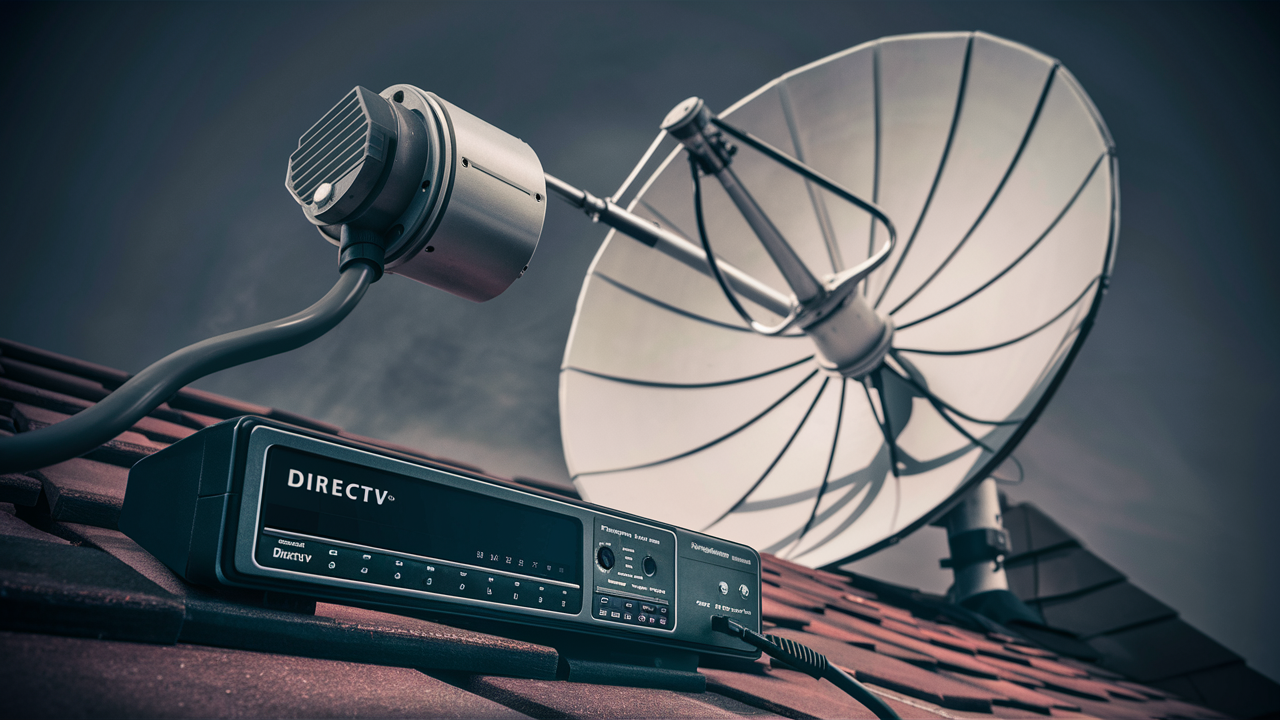
DIRECTV receivers are sophisticated devices that bring a world of entertainment to your home. Understanding the types of receivers DIRECTV offers is crucial for making informed decisions about your subscription and ensuring you have the best viewing experience. This guide will break down the technology behind DIRECTV receivers.
Understanding DIRECTV Receivers
At its core, a DIRECTV receiver is the gateway to your satellite television service. It's the piece of equipment that connects to your satellite dish, decodes the satellite signal, and then transmits that signal to your television. Think of it as the translator between the satellite in space and the picture and sound you enjoy on your screen. The technology has evolved significantly over the years, moving from basic standard-definition boxes to advanced high-definition, 4K-capable, and even Genie® models that can manage multiple rooms.
The primary function of any DIRECTV receiver is to receive and process the encrypted digital signals broadcast by DIRECTV's satellites. These signals contain all the programming you subscribe to, from live sports and news to movies and on-demand content. The receiver then decrypts this signal and converts it into a format that your television can display. This process involves complex digital processing, including MPEG-2 or MPEG-4 (H.264) video compression decoding, and audio decoding.
Beyond basic signal reception, modern DIRECTV receivers offer a suite of features designed to enhance the viewing experience. These include the ability to record live TV (DVR functionality), pause and rewind live broadcasts, access on-demand libraries, and even integrate with streaming apps. The evolution of these devices has been driven by advancements in digital broadcasting, internet connectivity, and consumer demand for more interactive and personalized entertainment options. As of 2025-26, DIRECTV continues to innovate, offering receivers that are not only powerful but also user-friendly, aiming to simplify the home entertainment setup for its subscribers.
DIRECTV Receiver Models Overview
DIRECTV has offered various receiver models over the years, each with its own set of capabilities and features. While some older models might still be in use, the current focus is on more advanced units that support higher resolutions and offer enhanced functionality. Understanding the lineage and current offerings helps clarify "what kind of receiver does DIRECTV use?" today.
The DIRECTV Genie® System
The most prominent and widely deployed system from DIRECTV is the Genie® system. This is not just a single receiver but an ecosystem that revolutionizes how you watch TV. The core of the Genie system is the Genie HD DVR (often referred to as the HR44, HR54, or HR54-700 models, with newer iterations like the HR54-500 and the latest Genie® 2 HS17). The Genie HD DVR is a powerful, whole-home DVR that can record up to 5 shows simultaneously and store up to 200 hours of HD programming. It connects to smaller satellite receivers called Genie Minis (or other Genie-enabled clients like the C41, C51, C61, C61K) in other rooms. These Minis don't have their own tuners or storage; they stream content directly from the main Genie DVR, offering a seamless viewing experience across multiple televisions without requiring multiple full DVRs.
The Genie® 2 (HS17) is the latest iteration, offering advanced features. It's designed for 4K Ultra HD viewing and supports up to seven simultaneous 4K streams. It also boasts a more intuitive interface and enhanced connectivity options. The Genie® 2 can support up to eight Genie clients (C61K 4K Genie Minis), making it ideal for larger households with multiple 4K televisions.
Key Genie System Components:
- Genie HD DVR (e.g., HR54): The central hub. It has multiple tuners, significant storage capacity, and the ability to stream live and recorded content to Genie Minis.
- Genie Mini (e.g., C41, C51, C61): These are compact, client-only devices that connect to the main Genie DVR. They provide access to all the DVR's features, including live TV, recorded programs, and on-demand content, on a secondary television.
- 4K Genie Mini (C61K): Specifically designed to deliver 4K content from a 4K-capable Genie DVR.
- Genie® 2 (HS17): The most advanced model, designed for 4K streaming and supporting more simultaneous streams and clients.
Standard HD Receivers
While the Genie system is the flagship, DIRECTV also offers standard HD receivers for single-room setups or for customers who don't require whole-home DVR capabilities. These are typically simpler boxes that receive the satellite signal and output it to a single TV. Examples include models like the H25. These receivers are capable of receiving HD broadcasts and may have some basic DVR functionality if a USB external hard drive is connected (though this is less common and less robust than the integrated Genie DVR).
These standard receivers are a more budget-friendly option and are suitable for secondary TVs where extensive recording or multi-room viewing isn't a priority. They still provide access to DIRECTV's vast channel lineup and on-demand services, but without the integrated whole-home experience of the Genie system.
4K Ready Receivers
With the advent of 4K Ultra HD television, DIRECTV has introduced receivers that are 4K-ready. The primary receiver for 4K content is the Genie® 2 (HS17), which is designed to handle multiple 4K streams. Additionally, some of the later Genie HD DVR models (like the HR54) can be upgraded or paired with 4K Genie Minis (C61K) to deliver 4K content, provided the subscriber has a 4K-enabled Genie DVR and a 4K television. It's important to note that the availability of 4K content is still growing, but DIRECTV is positioning its latest receivers to meet this demand.
To receive 4K content, several conditions must be met: a 4K-capable receiver (like the Genie® 2 or a compatible Genie HD DVR), a 4K television, a DIRECTV subscription that includes 4K channels, and the necessary 4K Genie Mini client if using a multi-room setup. DIRECTV continues to expand its 4K offerings, including live sports and select movies and documentaries.
Older Receiver Models (Historical Context)
For completeness, it's worth mentioning older models that might still be in circulation, though they are generally phased out for new installations. These include standard-definition receivers (SD) and early high-definition (HD) DVRs. For example, models like the D12 (SD), H10, H20, H21, H22, H23, and H24 were common before the widespread adoption of the Genie system. These older boxes typically had fewer tuners, less storage (if they were DVRs), and lacked advanced features like whole-home viewing or 4K capabilities. DIRECTV encourages upgrades to newer models to take advantage of the latest technology and content.
Key Features to Look For
When considering a DIRECTV receiver, several key features can significantly impact your viewing experience. These features range from recording capabilities and resolution support to connectivity and user interface. Understanding these elements will help you determine the best fit for your household's needs.
Recording and Storage Capacity (DVR Functionality)
For many users, the ability to record live TV is paramount. DIRECTV's Genie HD DVRs and the Genie® 2 offer robust DVR capabilities. The standard Genie HD DVR (HR54) can record up to five shows simultaneously and store approximately 200 hours of HD programming. The Genie® 2 (HS17) expands this, allowing for more simultaneous recordings and potentially more storage, especially when paired with compatible clients. This feature is essential for anyone who can't watch live programs or wants to build a personal library of their favorite shows and movies. The convenience of pausing live TV, rewinding, and fast-forwarding through commercials is a major benefit.
Resolution Support (HD and 4K)
The resolution of the content you can watch is a critical factor. All modern DIRECTV receivers support High Definition (HD), providing a significantly sharper and more detailed picture than standard definition. As 4K Ultra HD technology becomes more prevalent, DIRECTV's newer receivers, particularly the Genie® 2 (HS17) and compatible Genie systems with 4K Genie Minis, are designed to support 4K content. 4K offers four times the resolution of HD, resulting in incredibly lifelike images. If you have a 4K television, opting for a 4K-capable DIRECTV receiver is essential to unlock its full potential. As of 2025-26, 4K content is still growing, but DIRECTV's commitment to supporting this technology ensures future-proofing for your entertainment setup.
Whole-Home Viewing (Genie System)
The DIRECTV Genie system is built around the concept of whole-home viewing. This means a single Genie HD DVR can serve as the central hub for multiple televisions in your home, using Genie Minis as client devices. You can watch live TV, recorded programs, and access on-demand content from any connected TV, and even start a show in one room and finish it in another. This eliminates the need for multiple DVRs and simplifies management. For households with multiple viewers and televisions, this feature offers unparalleled convenience and flexibility.
Connectivity and Smart Features
Modern DIRECTV receivers are increasingly connected. They often have built-in Wi-Fi or Ethernet ports, allowing them to connect to your home internet. This connectivity enables access to DIRECTV's On Demand library, streaming apps (like Netflix, Max, Prime Video, etc., depending on the receiver model and subscription), and interactive features. The Genie® 2 (HS17), for instance, is designed with enhanced connectivity to support its advanced streaming and 4K capabilities. Some receivers may also feature voice control capabilities through compatible remotes or smart home devices.
User Interface and Remote Control
The ease of use of a receiver's interface and remote control can greatly affect your satisfaction. DIRECTV has invested in developing intuitive user interfaces for its Genie system, featuring clear menus, easy program guide navigation, and simple search functions. The remote controls are also designed for user-friendliness, often with dedicated buttons for key functions like DVR playback, search, and accessing on-demand content. Some remotes may also include voice command functionality, allowing you to search for shows or channels using your voice.
Number of Tuners
Tuners are the components within a receiver that allow it to tune into different channels. The more tuners a receiver has, the more simultaneous programs it can record or allow you to watch. Standard Genie HD DVRs typically have 5 tuners, enabling simultaneous recording of up to five different shows. The Genie® 2 (HS17) offers even more capability. This is crucial if you have a busy household where multiple people want to watch different programs or record different shows at the same time. Without enough tuners, you might miss out on recordings or be unable to watch a program while something else is being recorded.
Choosing the Right Receiver for You
Selecting the correct DIRECTV receiver depends heavily on your individual needs, household size, and viewing habits. There isn't a one-size-fits-all answer, but by considering a few key questions, you can pinpoint the ideal solution.
For the Single Viewer or Secondary TV
If you are a single individual, have a small household, or are looking for a receiver for a secondary television where extensive recording isn't a priority, a standard HD receiver like the H25 might suffice. These receivers provide access to all DIRECTV channels in high definition. They are a more economical choice and are suitable for basic viewing needs. While they may not have the advanced DVR capabilities of a Genie, they offer a reliable and clear picture for enjoying your favorite programming.
For the Family or Multi-Room Viewing Enthusiast
For families or households with multiple televisions and a desire for seamless viewing across rooms, the DIRECTV Genie system is the clear winner. The Genie HD DVR (HR54) is an excellent choice, offering whole-home DVR functionality, the ability to record multiple shows simultaneously, and ample storage. It allows everyone in the house to watch what they want, when they want, on any TV, without conflict. The Genie Minis (C41, C51, C61) are cost-effective additions to extend this experience to additional rooms.
For the 4K Enthusiast and Tech-Savvy User
If you own a 4K Ultra HD television and are eager to experience the highest possible picture quality, the DIRECTV Genie® 2 (HS17) is the receiver to consider. This cutting-edge receiver is designed to deliver 4K content and supports multiple simultaneous 4K streams. It's ideal for households that prioritize the latest in visual technology and want access to DIRECTV's growing library of 4K programming. This model also offers enhanced connectivity and advanced features for a premium viewing experience.
Considering Your Subscription Package
It's also important to align your receiver choice with your DIRECTV subscription package. Some packages might offer specific benefits or be optimized for certain receiver types. For example, access to premium 4K content might be tied to specific subscription tiers. When discussing options with a DIRECTV representative, be sure to mention your desired receiver and ensure it aligns with your chosen programming package for the best value and experience. You can explore different DIRECTV packages to see which channels and features are included.
Budget Considerations
DIRECTV receivers are typically provided as part of a subscription package, often with a lease agreement or an activation fee. The cost can vary depending on the model and any promotional offers. While the Genie system represents a higher-tier offering, the value it provides in terms of whole-home viewing and DVR capabilities often justifies the investment for many households. Standard HD receivers are generally more budget-friendly. It's advisable to inquire about current pricing and any available discounts when signing up or upgrading.
Installation and Setup
Getting your DIRECTV receiver up and running is a crucial step in enjoying your new service. While many users opt for professional installation, understanding the process can be helpful.
Professional Installation
For most new DIRECTV installations, professional installation is the standard. A certified DIRECTV technician will visit your home to install the satellite dish, run the necessary cables, and set up your receiver(s). They ensure optimal alignment of the dish for the best signal reception and configure the equipment to work seamlessly with your television(s). This is particularly important for ensuring proper signal strength, especially for HD and 4K channels, and for setting up multi-room Genie systems correctly. The technician will also guide you through the initial setup and basic operation of your receiver.
Self-Installation (Limited Availability)
In some limited cases, DIRECTV may offer self-installation options, particularly for equipment upgrades or moving service. This typically involves receiving the equipment by mail and following detailed instructions. However, for new installations, especially those involving dish placement and alignment, professional installation is highly recommended to guarantee optimal performance and avoid potential signal issues. Self-installation requires a good understanding of electronics and potentially some basic tools.
Initial Receiver Setup
Once the hardware is installed, the receiver needs to be set up. This usually involves:
- Connecting the Receiver: Ensuring the receiver is properly connected to your TV via HDMI cable and to the satellite dish via coaxial cable.
- Powering On: Turning on the receiver and your television.
- On-Screen Guided Setup: The receiver will typically guide you through an on-screen setup process. This includes selecting your language, confirming your TV type (e.g., HD, 4K), and establishing a connection to the DIRECTV satellite network.
- System Activation: The receiver will need to be activated by DIRECTV. This usually happens automatically during the guided setup, but sometimes requires a call to customer service.
- Downloading Channel Guide: The receiver will download the electronic program guide (EPG), which lists all available channels and their schedules.
- System Test: A final system test is often performed to ensure all components are working correctly and signal strength is optimal.
Connecting to the Internet (for Smart Features)
To access DIRECTV's On Demand library, streaming apps, and other internet-dependent features, your receiver needs to be connected to your home internet. This is usually done via Wi-Fi or an Ethernet cable. The setup process for internet connectivity is typically found within the receiver's settings menu. Ensure your Wi-Fi password is readily available if you are connecting wirelessly. A stable internet connection is crucial for a smooth streaming experience.
Troubleshooting Common Receiver Issues
Even with advanced technology, occasional issues can arise with DIRECTV receivers. Here are some common problems and their potential solutions.
No Signal or Weak Signal
Symptoms: Error messages like "No Satellite Signal Detected," pixelation, or freezing on screen.
Possible Causes:
- Obstructions on the satellite dish (e.g., tree branches, snow, debris).
- Misaligned satellite dish.
- Damaged coaxial cables or connectors.
- Weather conditions (heavy rain, snow, or thunderstorms can temporarily affect satellite signals).
- Receiver malfunction.
Solutions:
- Check for any visible obstructions on the dish and clear them if possible.
- For misaligned dishes or cable issues, a professional technician is usually required.
- Perform a receiver refresh. You can often do this through your account online or by calling DIRECTV customer service.
- If the problem persists, especially during severe weather, it may be temporary.
- If the issue is constant and not weather-related, contact DIRECTV support for a technician visit.
Receiver Not Responding or Frozen
Symptoms: The receiver is unresponsive to remote commands, the screen is frozen, or the device is stuck on a boot-up screen.
Solutions:
- Power Cycle: Unplug the receiver from the power outlet for 30 seconds, then plug it back in. This is the most common fix for many minor glitches.
- Check Remote: Ensure the remote control has fresh batteries and is pointed directly at the receiver.
- System Refresh: Request a system refresh from DIRECTV.
- Factory Reset (Last Resort): If other steps fail, a factory reset might be necessary, but this will erase all your settings and recordings (if applicable). Consult DIRECTV support before attempting this.
Recording Issues (DVR)
Symptoms: Programs not recording, recordings cut off early, or recordings are unavailable.
Solutions:
- Check Tuner Availability: Ensure all tuners are not in use by other simultaneous recordings or live TV viewing sessions.
- Verify Recording Schedule: Double-check the program guide for the correct recording time and channel.
- Hard Drive Space: If using a USB drive for recording on older models, ensure there is sufficient free space. Genie DVRs manage their internal storage automatically.
- Receiver Refresh: A system refresh can often resolve scheduling conflicts or software glitches.
- Receiver Health: Issues with the DVR's hard drive or internal components may require a technician.
Intermittent Audio or Video Problems
Symptoms: Audio dropping out, video stuttering, or occasional black screens.
Solutions:
- Check Connections: Ensure HDMI cables are securely connected at both ends. Try a different HDMI cable if possible.
- Receiver Refresh: A refresh can sometimes clear up temporary signal processing issues.
- Update Software: Ensure your receiver's software is up to date. DIRECTV receivers typically update automatically, but you can sometimes check for updates in the settings menu.
- Test Other Channels/Programs: Determine if the issue affects all channels or specific ones. If it's specific, it might be a broadcast issue.
Remote Control Not Working
Symptoms: Remote control does not control the receiver.
Solutions:
- Batteries: Replace the batteries in the remote control.
- Pairing: Ensure the remote is properly paired with the receiver. Follow the pairing instructions provided by DIRECTV.
- Obstructions: Make sure there are no objects blocking the line of sight between the remote and the receiver.
- Reset Remote: Some remotes can be reset by removing the batteries for a minute.
For any persistent issues that cannot be resolved with these basic troubleshooting steps, contacting DIRECTV customer support is the next best course of action. They can perform remote diagnostics and dispatch a technician if necessary.
The Future of DIRECTV Receivers
The landscape of television delivery is constantly evolving, and DIRECTV is at the forefront of adapting its receiver technology to meet changing consumer demands and technological advancements. As we look ahead to 2025-26 and beyond, several trends are likely to shape the future of DIRECTV receivers.
Enhanced 4K and HDR Content Delivery
The push towards higher resolutions and improved picture quality will undoubtedly continue. While 4K is becoming more common, the next frontier is High Dynamic Range (HDR). HDR provides a wider range of colors and contrast, resulting in even more vibrant and lifelike images. Future DIRECTV receivers will likely be designed with robust HDR support, ensuring that subscribers can take full advantage of the latest advancements in television display technology. Expect to see more 4K HDR content, especially in live sports and premium movie channels.
Increased Integration with Streaming Services
The lines between traditional pay-TV and streaming services are blurring. DIRECTV has already integrated popular streaming apps into its Genie interface. This trend is expected to accelerate, with future receivers offering even deeper integration. This could include unified search functions that span both live TV and streaming content, personalized recommendations based on viewing habits across all platforms, and potentially even bundled subscription options that combine DIRECTV packages with popular streaming services. The goal is to provide a single, cohesive entertainment hub.
Smarter and More Personalized Experiences
Artificial intelligence (AI) and machine learning will play a larger role in personalizing the viewing experience. Future receivers might learn your preferences and proactively suggest content, tailor channel lineups, or even adjust settings based on your habits. Voice control will likely become more sophisticated, allowing for more natural language commands and broader control over the entire entertainment system. Expect receivers to become more intuitive and proactive in anticipating user needs.
Improved Connectivity and Cloud Integration
As internet speeds increase and home networks become more sophisticated, DIRECTV receivers will leverage these advancements. Cloud-based DVR storage, allowing access to recordings from anywhere without relying solely on the receiver's internal hard drive, is a potential development. Enhanced connectivity could also enable more seamless integration with other smart home devices, allowing for voice control of lighting, thermostats, and other home functions through the DIRECTV remote or interface. The receiver could become the central command center for your home entertainment and beyond.
More Efficient and Powerful Hardware
Under the hood, receiver hardware will continue to evolve. Expect more energy-efficient designs, faster processors for quicker navigation and app loading times, and more robust networking capabilities. The focus will be on delivering a smooth, responsive, and high-performance user experience, even as the demands for higher resolutions and more complex features increase. DIRECTV's commitment to innovation means that its receiver technology will likely remain cutting-edge, offering subscribers the best possible way to access their entertainment.
Conclusion
In summary, DIRECTV utilizes a range of sophisticated receivers, with the Genie® system being the flagship offering for most subscribers. These receivers are designed to deliver high-definition and, increasingly, 4K Ultra HD content, offering features like whole-home viewing, extensive DVR capabilities, and seamless integration with streaming services. Whether you're a single viewer or managing entertainment for a large family, there's a DIRECTV receiver tailored to your needs, from the compact Genie Minis to the powerful Genie® 2 (HS17).
When asking "What kind of receiver does DIRECTV use?", the answer is that they use advanced, interconnected devices that prioritize user experience, content access, and technological innovation. The Genie HD DVR acts as a central hub, streaming content to Genie Minis in other rooms, creating a unified entertainment experience. For those seeking the ultimate in picture quality, 4K-ready receivers are available, ensuring you can enjoy the latest visual advancements. Understanding the key features like recording capacity, resolution support, and whole-home capabilities is crucial for making the right choice.
As technology continues to advance, DIRECTV receivers are evolving to offer even more personalized and integrated experiences, with enhanced 4K/HDR support and deeper connections to streaming platforms. By choosing the right receiver and ensuring proper installation and setup, you can unlock the full potential of your DIRECTV subscription and enjoy a premium home entertainment experience for years to come.





