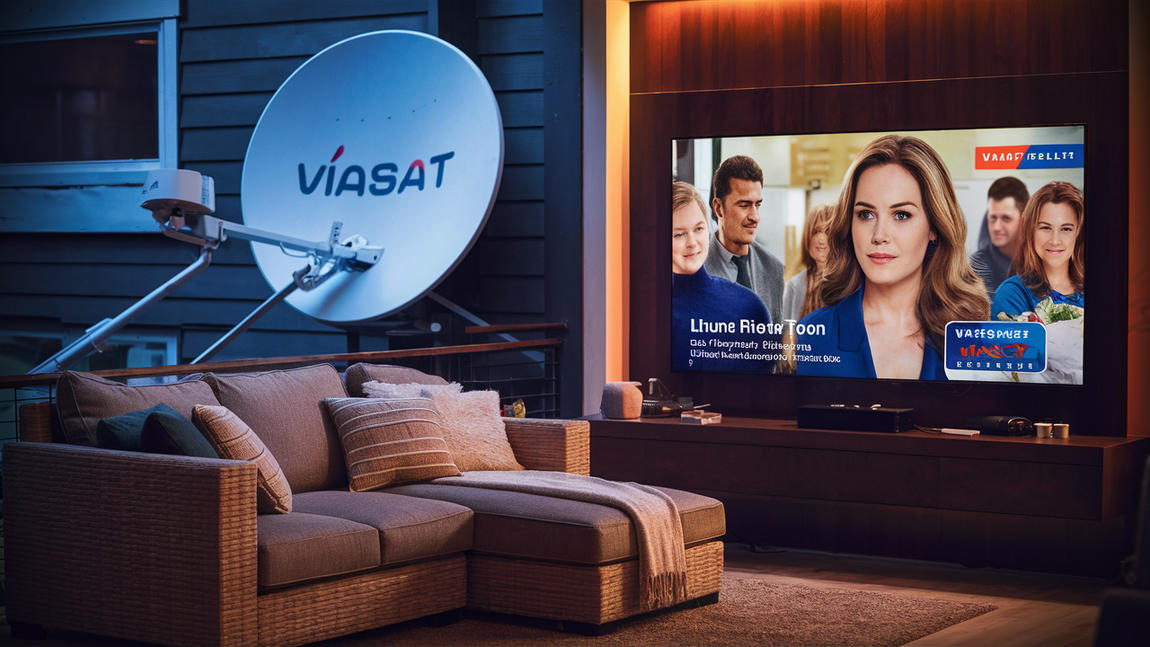
Yes, you can absolutely watch TV with Viasat, and in more ways than you might think! This guide dives deep into how Viasat satellite internet enables modern television viewing, from streaming your favorite shows to enjoying live broadcasts, even in areas where traditional broadband is scarce. Discover the possibilities and requirements.
Viasat and Modern TV Viewing: An Overview
In today's digital age, television viewing has evolved dramatically. Gone are the days when cable or terrestrial broadcasts were the only options. Now, streaming services, on-demand content, and even live TV channels are predominantly accessed via the internet. For many households, particularly those in rural or underserved areas, traditional broadband internet can be a significant hurdle. This is where satellite internet providers like Viasat step in, offering a viable solution for accessing the modern world of entertainment. The question "Can you watch TV with Viasat?" is not just about connectivity; it's about understanding the capabilities and limitations of satellite internet in supporting the bandwidth-intensive demands of contemporary television consumption.
Viasat, a leading satellite internet provider, utilizes advanced satellite technology to deliver internet service to a vast geographic area. Unlike DSL or cable internet, which rely on physical ground infrastructure, Viasat's service beams data from satellites in orbit directly to a satellite dish installed at your home. This makes it an indispensable option for millions of Americans who lack access to high-speed terrestrial internet. Therefore, understanding how this satellite connection translates into a seamless TV viewing experience is crucial for potential and existing Viasat subscribers.
How Viasat Enables TV Viewing
The fundamental principle behind watching TV with Viasat lies in its ability to provide internet connectivity. Modern TV viewing, especially streaming and accessing on-demand content, is heavily reliant on a stable and sufficiently fast internet connection. Viasat's satellite internet service provides this essential link. Once you have a Viasat internet plan, your home is equipped to receive data from the satellite, which then allows you to access online platforms and services that deliver television content.
The process involves several key components. First, a Viasat satellite dish is installed on your property, oriented towards the Viasat satellite in geostationary orbit. This dish acts as the primary communication point, transmitting and receiving data. Your Viasat modem then converts these signals into a format that your home network devices (like your router, smart TV, or streaming device) can understand. With a stable internet connection established, you can then use your devices to access various TV viewing methods.
The quality and reliability of your TV viewing experience will directly correlate with the speed and data allowance of your Viasat internet plan. Higher-tier plans typically offer faster download speeds and more generous data caps, which are crucial for streaming high-definition or 4K content without buffering. It's important to note that while Viasat provides the internet, the actual TV content is delivered through third-party services, which we will explore further.
Internet Speed and Bandwidth Requirements
The primary factor determining your ability to watch TV with Viasat is the speed and bandwidth provided by your internet plan. Different types of TV viewing have varying bandwidth requirements:
- Standard Definition (SD) Streaming: Typically requires around 3-5 Mbps download speed.
- High Definition (HD) Streaming: Generally needs 5-8 Mbps download speed for a smooth experience.
- 4K Ultra HD (UHD) Streaming: Demands significantly more bandwidth, often 20-25 Mbps or higher.
- Live TV Streaming: Similar to on-demand streaming, with live events potentially requiring slightly more stable bandwidth to avoid interruptions.
- Multiple Devices: If multiple people in your household are streaming TV simultaneously, or using the internet for other activities, the total bandwidth requirement increases.
Viasat plans are designed with these varying needs in mind. Understanding the recommended speeds for your preferred viewing quality is the first step in ensuring a satisfactory experience. For example, if your primary use is streaming HD content, a Viasat plan offering at least 10-25 Mbps download speed would be advisable. For 4K streaming or households with heavy internet usage, plans with speeds of 50 Mbps or higher would be more appropriate.
Data Allowance and Overages
Satellite internet, including Viasat, often comes with data caps. These caps are the maximum amount of data you can download or upload within a billing cycle before your speeds may be reduced or overage charges apply. Streaming video is a significant data consumer. For instance, a single hour of HD streaming can consume 2-3 GB of data, and 4K streaming can consume upwards of 7 GB per hour. Therefore, it's critical to choose a Viasat plan with a data allowance that aligns with your TV viewing habits.
Viasat offers various plans, some with unlimited data, while others have specific monthly data allowances. If your plan has a data cap, it's essential to monitor your data usage. Many providers offer tools or apps to track your consumption. If you exceed your data allowance, your speeds might be throttled to a much slower rate, making streaming difficult or impossible until the next billing cycle. Some plans might also incur overage charges, which can significantly increase your monthly bill. Understanding these details is paramount to avoiding surprises and ensuring uninterrupted TV viewing.
Streaming Your Favorite Shows and Movies
One of the most popular ways to watch TV today is through streaming services. Platforms like Netflix, Hulu, Amazon Prime Video, Disney+, and many others offer vast libraries of on-demand movies and TV shows. The good news is that Viasat internet is generally well-suited for these services, provided you have an adequate plan. The key is the internet speed and data allowance, as discussed earlier.
For a smooth streaming experience, aim for a Viasat plan that offers download speeds of at least 10-25 Mbps. This will allow you to stream most content in HD without significant buffering. If you have a 4K TV and want to enjoy the highest quality, you'll need a plan with speeds of 50 Mbps or more, and a substantial data allowance, as 4K content is very data-intensive. Many Viasat plans now include higher data thresholds or even unlimited data options, making streaming more feasible than ever before.
Popular Streaming Services and Viasat Compatibility
Viasat's satellite internet is compatible with all major streaming services. Here's a breakdown of how some popular platforms perform:
- Netflix: Offers various streaming qualities. HD streaming generally requires 5 Mbps, while 4K UHD requires 25 Mbps. With a suitable Viasat plan, you can enjoy Netflix without issues.
- Hulu: Similar to Netflix, Hulu's requirements vary by quality. HD streaming needs about 5 Mbps.
- Amazon Prime Video: Supports HD and 4K streaming. Ensure your Viasat plan meets the recommended speeds for your desired quality.
- Disney+: A popular choice for families, Disney+ offers HD streaming at around 5 Mbps.
- YouTube: From short clips to full-length documentaries and movies, YouTube's bandwidth needs vary from SD to 4K.
It's important to remember that these are recommended speeds. Actual performance can be affected by network congestion, the specific server you are connecting to, and other factors. However, with a robust Viasat plan, these services should be accessible for your entertainment needs.
Optimizing Streaming Quality
To get the best streaming experience with Viasat, consider these tips:
- Choose the Right Plan: As emphasized, a plan with sufficient download speed and data allowance is crucial.
- Connect Directly to Router: If possible, use a wired Ethernet connection from your router to your smart TV or streaming device. This generally provides a more stable connection than Wi-Fi.
- Minimize Other Internet Usage: If you have data caps or limited bandwidth, try to avoid large downloads, online gaming, or video calls while streaming.
- Adjust Streaming Quality: If you experience buffering, try manually lowering the streaming quality setting on your streaming app (e.g., from HD to SD).
- Schedule Heavy Usage: If your plan has off-peak data allowances or lower speeds during certain hours, plan your streaming accordingly.
- Keep Equipment Updated: Ensure your Viasat modem and router firmware are up-to-date.
Live TV Options with Viasat
Beyond on-demand streaming, many users want to watch live television, including sports, news, and current events. Fortunately, Viasat's internet connectivity opens up a world of live TV options.
Internet-Based Live TV Services
These services, often called "skinny bundles" or "cord-cutting" solutions, offer live channels streamed over the internet. They are a direct replacement for traditional cable TV packages. Viasat is an excellent platform for these services.
- YouTube TV: Offers a comprehensive package of live channels, including sports, news, and entertainment. It requires a stable internet connection, and Viasat plans with at least 10-25 Mbps download speeds are recommended.
- Hulu + Live TV: Combines Hulu's on-demand library with live TV channels. Similar to YouTube TV, it requires good internet speeds.
- Sling TV: A more customizable option, Sling TV allows users to build their channel packages. It's known for being more affordable but may have fewer channels in its base packages.
- fuboTV: Primarily focused on sports, fuboTV offers a wide array of sports channels along with general entertainment. It often has higher bandwidth recommendations due to the nature of live sports streaming.
- DirecTV Stream (formerly AT&T TV): Offers a more traditional TV package experience delivered over the internet, with various tiers of channels available.
The data consumption for live TV streaming is similar to on-demand streaming. For example, an hour of HD live TV can consume 2-3 GB of data. Therefore, if live TV is a primary viewing method, a Viasat plan with a generous data allowance or unlimited data is highly recommended to avoid exceeding your monthly limits.
Over-the-Air (OTA) TV and Viasat
While not directly provided by Viasat, Over-the-Air (OTA) television is a complementary option that can enhance your viewing experience, especially when combined with Viasat for internet-based content. OTA TV uses an antenna to pick up free, unencrypted broadcast signals from local television stations. Many Viasat subscribers can still benefit from OTA TV if they are within range of broadcast towers.
How it works:
- Antenna: You'll need a digital TV antenna (indoor or outdoor, depending on your location and signal strength).
- Tuner: Your TV needs a built-in digital tuner, which is standard on all modern televisions.
- Scan for Channels: After connecting the antenna, you scan for channels through your TV's menu.
Benefits of OTA TV:
- Free Content: Once you purchase the antenna, the content is free forever.
- Local Channels: Access to local news, weather, and emergency broadcasts.
- High Quality: Many local channels broadcast in HD.
- No Data Usage: OTA TV does not use any of your internet data allowance, making it ideal for supplementing Viasat's service without consuming data.
While Viasat provides the internet for streaming services, OTA TV offers a reliable, data-free source of local programming. This combination can provide a comprehensive TV solution for Viasat users.
Choosing the Right Viasat Internet Plan for TV
Selecting the appropriate Viasat internet plan is crucial for a satisfactory TV viewing experience. Viasat offers a range of plans designed to meet different needs and budgets, often varying by download/upload speeds, data allowances, and pricing. As of 2025-26, Viasat continues to upgrade its satellite technology, offering faster speeds and more data.
Understanding Viasat Plan Tiers
Viasat plans are typically categorized by speed and data. Here’s a general overview of what to look for when choosing a plan for TV watching:
- Basic Plans (e.g., 12-25 Mbps): These plans are suitable for occasional streaming of SD or HD content, and for basic internet use like browsing and email. If you plan to stream TV regularly, even in HD, you might find these plans to be on the lower end, especially if other devices are also using the internet. Data allowances on these plans can vary significantly.
- Mid-Tier Plans (e.g., 25-50 Mbps): These plans offer a good balance for most households. They are generally sufficient for streaming HD content on multiple devices simultaneously, and can handle some 4K streaming. Data allowances are typically more generous, and some plans might offer unlimited data during off-peak hours.
- High-Tier Plans (e.g., 50+ Mbps): For avid streamers, households with multiple users, or those who want to enjoy 4K content without compromise, high-tier plans are the best option. These plans provide the highest speeds and often come with the most substantial data allowances or truly unlimited data.
Key Considerations for TV Viewing:
- Download Speed: This is the most critical factor for streaming. Ensure the plan meets or exceeds the recommended speeds for your preferred streaming quality (e.g., 5-8 Mbps for HD, 20-25 Mbps for 4K).
- Data Allowance: Streaming consumes a lot of data. If your plan has a data cap, understand how much data you typically use per month and choose a plan that comfortably covers your needs. Look for plans with higher data allowances or unlimited options if you stream frequently.
- Latency: Satellite internet inherently has higher latency (the delay in data transfer) compared to terrestrial broadband. While Viasat has made strides in reducing latency, it can still affect real-time applications like online gaming. For TV streaming, latency is less of a concern than consistent download speed and bandwidth.
- Contract Terms: Be aware of contract lengths, early termination fees, and any promotional pricing that may expire.
Comparing 2025-26 Viasat Plans for TV
As of 2025-26, Viasat's offerings are continually evolving. Here's a general comparison based on typical plan structures:
| Plan Tier | Typical Download Speed | Typical Data Allowance | Best For | Considerations for TV |
|---|---|---|---|---|
| Essential/Standard | 12-25 Mbps | 50-100 GB (may have unlimited off-peak) | Basic internet use, occasional SD/HD streaming | May buffer during peak hours or with multiple streams. Data caps require careful monitoring. |
| Performance/Plus | 25-50 Mbps | 150-250 GB (may have unlimited off-peak) | Regular HD streaming, multiple devices, some 4K | Good balance for most users. Sufficient for consistent HD streaming. |
| Ultra/Premium | 50+ Mbps | 250+ GB or Unlimited | Heavy 4K streaming, multiple users, gaming, demanding tasks | Ideal for the best TV viewing experience, minimal buffering, and peace of mind regarding data usage. |
Note: Specific plan names, speeds, and data allowances can vary by region and promotional offers. Always check Viasat's official website or speak with a representative for the most current and accurate information for your location.
When evaluating plans, consider your household's total internet usage. If you have multiple users streaming, gaming, or video conferencing, you'll need a plan with higher speeds and more data than a single user with minimal internet needs. For dedicated TV watchers, prioritizing download speed and a substantial data allowance is key.
Hardware and Setup for Viasat TV
To watch TV with Viasat, you'll need specific hardware and a straightforward setup process. Viasat provides the core internet infrastructure, and you then connect your own devices for TV viewing.
Viasat Equipment
When you subscribe to Viasat, you typically receive the following essential equipment:
- Satellite Dish: This is installed on your property (usually on the roof or a pole) and communicates with the Viasat satellite.
- Viasat Modem: This device connects to the satellite dish and translates the satellite signals into internet data for your home network. It often includes Wi-Fi capabilities or ports for connecting a router.
- Cabling: Necessary cables to connect the dish to the modem.
The installation of this equipment is usually handled by a certified Viasat technician. They will ensure the dish is optimally positioned for the best signal reception.
Your Home Network and TV Devices
Once Viasat provides internet service to your home, you'll need your own devices to access and watch TV:
- Router: If your Viasat modem doesn't have built-in Wi-Fi, or if you need a more robust Wi-Fi network for multiple devices, you'll need your own Wi-Fi router. This connects to your Viasat modem and broadcasts your Wi-Fi signal.
- Smart TV: Modern televisions with built-in internet connectivity and streaming apps (like Netflix, Hulu, etc.) are ideal.
- Streaming Devices: If your TV isn't a smart TV, or if you prefer a different interface, devices like Amazon Fire TV Stick, Roku, Apple TV, or Google Chromecast can be used. These plug into your TV's HDMI port and connect to your Wi-Fi network.
- Computers and Tablets: You can also stream TV content directly on your computer or tablet through web browsers or dedicated apps.
- Game Consoles: Devices like PlayStation and Xbox also have built-in apps for streaming services.
Step-by-Step Setup Guide (General)
While Viasat handles the satellite and modem installation, here's a general guide for setting up your TV viewing:
- Viasat Installation: Schedule and complete the professional installation of your Viasat satellite dish and modem. Ensure the technician activates your service.
- Connect Your Router (if applicable): If you're using your own router, connect it to the Viasat modem using an Ethernet cable. Follow your router's instructions to set up your Wi-Fi network name (SSID) and password.
- Connect Your Smart TV/Streaming Device:
- Smart TV: Navigate to your TV's network settings and connect to your Viasat Wi-Fi network (or wired connection if available).
- Streaming Device: Plug the device into your TV's HDMI port. Follow the on-screen prompts to connect it to your Wi-Fi network.
- Download Streaming Apps: Access your TV or streaming device's app store and download the applications for the streaming services you subscribe to (e.g., Netflix, Hulu, YouTube TV).
- Log In and Watch: Open the desired streaming app, log in with your account credentials, and start watching!
- Test Speed: To ensure optimal performance, you can run an internet speed test from your TV or a connected device. Search for "internet speed test" on your browser or use a dedicated app. Compare the results to your Viasat plan's advertised speeds.
If you encounter any issues with the Viasat equipment or internet service, contact Viasat customer support. For issues with your streaming devices or apps, consult the manufacturer's support or the service provider's help resources.
Potential Challenges and Solutions
While Viasat offers a robust solution for watching TV, satellite internet can present unique challenges. Understanding these and knowing how to address them will ensure a smoother experience.
Weather Interference
Challenge: Heavy rain, snow, or storms can sometimes interfere with the satellite signal, leading to temporary disruptions in internet service, including TV streaming. This is known as "rain fade."
Solution:
- Dish Alignment: Ensure your Viasat dish is properly installed and aligned. A technician can verify this.
- Clear Obstructions: Make sure there are no new obstructions (like tree branches) between the dish and the sky.
- Patience: In most cases, weather interference is temporary. The service usually restores itself once the weather clears.
- Data Management: If you anticipate potential weather disruptions, consider downloading some content beforehand or relying on OTA TV if available.
Data Usage Management
Challenge: As highlighted, streaming TV is a significant data consumer. Exceeding your data cap can lead to throttled speeds, making TV watching impossible.
Solution:
- Choose the Right Plan: Opt for a Viasat plan with a generous data allowance or unlimited data if you stream frequently.
- Monitor Usage: Regularly check your data usage through Viasat's online portal or app.
- Adjust Streaming Quality: Lower the streaming quality from HD to SD if you need to conserve data.
- Utilize Off-Peak Data: If your plan offers unlimited data during specific off-peak hours, schedule your streaming for those times.
- Limit Background Usage: Turn off automatic updates for apps and operating systems, and close unnecessary applications that might be consuming data in the background.
Latency and its Impact
Challenge: Satellite internet has higher latency than cable or fiber due to the distance the signal travels to and from the satellite. While this is less critical for streaming video, it can affect interactive applications or very sensitive real-time broadcasts.
Solution:
- Focus on Speed: For TV streaming, download speed and bandwidth are more important than latency. Ensure your Viasat plan provides sufficient speed.
- Avoid Latency-Sensitive Activities: If latency is a concern for other activities (like competitive online gaming), Viasat might not be the ideal solution for those specific uses.
- Viasat's Technology: Viasat continuously works to improve its network and reduce latency. Newer satellite technologies are making a difference.
Troubleshooting Connectivity
Challenge: Occasional connection drops or slow speeds can occur.
Solution:
- Reboot Equipment: Power cycle your Viasat modem and router. Unplug them, wait 30 seconds, and plug them back in.
- Check Connections: Ensure all cables are securely connected.
- Test on Multiple Devices: See if the issue affects all devices or just one. This helps determine if the problem is with the internet service or a specific device.
- Contact Viasat Support: If problems persist, Viasat's customer support can diagnose issues with their equipment or service.
Viasat vs. Other Internet Options for TV
When considering how to watch TV, it's helpful to compare Viasat with other internet service options available, especially for those in areas where choices are limited.
Viasat vs. Cable Internet
Cable Internet:
- Pros: Generally offers high download speeds, lower latency, and often unlimited data plans. Widely available in urban and suburban areas.
- Cons: Availability is limited by cable infrastructure. Speeds can sometimes fluctuate during peak usage times in densely populated areas.
- For TV: Excellent for streaming and live TV due to high speeds and low latency.
- Viasat Advantage: Viasat is the superior choice in areas where cable internet is not available.
Viasat vs. Fiber Optic Internet
Fiber Optic Internet:
- Pros: The fastest and most reliable internet technology available, offering symmetrical upload/download speeds, extremely low latency, and virtually unlimited data.
- Cons: Availability is very limited, primarily found in newer developments or specific metropolitan areas. Installation can be more complex.
- For TV: The ultimate choice for streaming and all online activities, providing an unparalleled experience.
- Viasat Advantage: Fiber is not a direct competitor in Viasat's primary service areas. Viasat serves the millions of homes that fiber cannot reach.
Viasat vs. DSL Internet
DSL Internet:
- Pros: Available in many areas where cable is not, using existing phone lines. Can be more affordable.
- Cons: Speeds are generally much lower than cable or fiber, and can degrade significantly with distance from the provider's central office. Latency is moderate. Data caps are common.
- For TV: Can support basic streaming (SD/HD) but may struggle with 4K or multiple simultaneous streams.
- Viasat Advantage: Viasat often offers significantly higher speeds than DSL, especially in rural areas where DSL performance is poor. Viasat's satellite technology overcomes distance limitations inherent to DSL.
Viasat vs. 5G Home Internet
5G Home Internet:
- Pros: Offers competitive speeds and potentially lower latency than satellite, with often unlimited data plans. Becoming increasingly available.
- Cons: Availability is tied to 5G cellular tower coverage, which can be spotty in rural areas. Performance can vary based on signal strength and network congestion.
- For TV: Can be excellent for streaming if you have strong 5G coverage.
- Viasat Advantage: Viasat provides internet service in areas where 5G coverage is non-existent or unreliable, offering a consistent connection via satellite.
In summary, Viasat's primary strength lies in its extensive coverage. For individuals in rural or remote locations who cannot access cable, fiber, or reliable 5G, Viasat is often the only viable option for high-speed internet that can support modern TV viewing habits, including streaming and live TV services.
The Future of TV with Viasat
The landscape of television viewing is constantly evolving, and satellite internet providers like Viasat are adapting to meet these changes. As Viasat continues to invest in next-generation satellite technology, the capabilities for watching TV are only expected to improve.
Advancements in Satellite Technology
Viasat is at the forefront of satellite technology. With the launch of new, more powerful satellites (like Viasat-3), the company is significantly increasing its network capacity, speeds, and coverage. These advancements translate directly to:
- Higher Speeds: Future plans are likely to offer even faster download and upload speeds, making 4K and even higher resolution streaming more accessible and smoother.
- Increased Data Capacities: While unlimited data is becoming more common, enhanced network capacity means more users can stream simultaneously without impacting performance.
- Reduced Latency: Ongoing efforts are focused on minimizing latency, which will further enhance the responsiveness of online TV services and other internet applications.
Evolving TV Consumption Habits
Viewers are increasingly shifting away from traditional cable packages towards internet-delivered content. This trend includes:
- Growth of Streaming Services: The number of streaming platforms and the amount of content available will continue to grow, making internet connectivity essential.
- Interactive and Immersive Experiences: Future TV viewing might involve more interactive elements, augmented reality, or virtual reality content, all of which will require robust internet connections.
- Personalized Content Delivery: AI and machine learning will enable more personalized content recommendations and delivery, requiring efficient data processing and streaming.
Viasat's expanding network capacity and speed improvements are well-positioned to support these evolving trends. As more households rely on the internet for their primary entertainment source, Viasat's role in connecting these homes becomes even more critical.
Viasat as a Key Enabler
For millions of people in underserved areas, Viasat is not just an internet provider; it's the gateway to the modern digital world. It enables access to education, remote work, communication, and, of course, entertainment. The ability to watch TV with Viasat, whether it's streaming the latest blockbuster, catching a live sports game, or staying informed with news channels, is a testament to the advancements in satellite technology and Viasat's commitment to bridging the digital divide.
As technology progresses, Viasat will continue to be a vital player in ensuring that everyone, regardless of their location, can enjoy the full spectrum of modern television viewing experiences.
Conclusion:
In conclusion, the answer to "Can you watch TV with Viasat?" is a resounding yes. Viasat satellite internet provides the essential connectivity needed to access the vast world of modern television, from popular streaming services like Netflix and Hulu to live TV bundles such as YouTube TV and Sling TV. While satellite internet has unique characteristics, such as potential weather interference and data management considerations, Viasat's advanced technology and evolving plans offer robust solutions for most viewing needs. By selecting an appropriate Viasat plan with sufficient download speeds and data allowances, and by understanding how to optimize your setup, you can enjoy a high-quality TV viewing experience, even in areas where traditional broadband is unavailable. Embrace the possibilities and stay connected with Viasat.


