-
Posted on: 07 Jan 2026
-
Understanding how many devices Hughesnet can reliably handle is crucial for a smooth internet experience. This guide dives deep into Hughesnet's device capacity, offering insights and practical advice for optimizing your home network in 2025-26.
Understanding Hughesnet Device Limits
The question "How many devices can Hughesnet handle?" is a common one for anyone considering or currently using satellite internet. Unlike traditional broadband options like cable or fiber, satellite internet has inherent characteristics that influence its capacity for multiple connected devices. Hughesnet, a leading provider, aims to offer a stable connection even in areas where other options are scarce. However, it's essential to understand that there isn't a single, fixed number of devices that Hughesnet "allows." Instead, the performance you experience with multiple devices is a dynamic interplay between your chosen plan, your network's configuration, and how those devices are being used.
In 2025-26, as the number of connected devices in the average home continues to climb, this becomes even more critical. From smart TVs and gaming consoles to smartphones, tablets, laptops, and an ever-growing array of smart home gadgets, each device consumes bandwidth and processing power. Hughesnet's technology, while robust, operates differently from terrestrial internet services. The latency inherent in satellite communication and the shared nature of satellite beams mean that managing a large number of devices requires careful consideration. This article will break down the factors that determine how many devices your Hughesnet connection can effectively support, offer practical advice for optimization, and provide realistic expectations for different usage scenarios.
Factors Influencing Device Capacity
Several key elements contribute to how well your Hughesnet satellite internet service performs when multiple devices are connected simultaneously. Understanding these factors is the first step toward ensuring a satisfactory online experience for everyone in your household.
Internet Plan Speed and Data Allowance
Your Hughesnet plan is the foundational element determining your internet's capabilities. Plans differ in their advertised download and upload speeds, as well as their monthly data allowances. Higher-tier plans generally offer faster speeds and larger data buckets, which can accommodate more devices and more intensive usage. For example, a plan with 100 Mbps download speed and a 100 GB data allowance will naturally support more simultaneous activities than a plan with 25 Mbps and 50 GB. It's crucial to match your plan to your household's typical internet consumption. If you have many devices, especially those used for streaming high-definition video or online gaming, a more robust plan is essential. Failing to do so will inevitably lead to slowdowns and buffering as devices compete for limited resources. Remember that Hughesnet, like most satellite providers, operates on a data cap system. Exceeding your data allowance can result in significantly reduced speeds, making it even harder for multiple devices to function effectively.
Network Congestion
Network congestion is a significant factor, especially with satellite internet. Hughesnet beams are shared among many users in a given geographic area. During peak usage times (typically evenings and weekends), when more people are online simultaneously, the available bandwidth on that beam can become strained. This is analogous to traffic on a highway; more cars mean slower speeds for everyone. Even if your individual plan has high speeds, if the satellite beam itself is heavily utilized, you will experience slower performance. This congestion affects all connected devices, meaning that even a single demanding task on one device can impact the experience of others. Hughesnet continuously works to manage its network capacity, but localized congestion can still occur, particularly in densely populated rural areas where satellite internet is most prevalent.
Device Usage Patterns
The type of activities your connected devices are engaged in plays a massive role in how many can operate smoothly. Simple tasks like checking email, browsing basic websites, or using smart home devices that only send small data packets require minimal bandwidth. However, activities such as streaming 4K video, playing online multiplayer games, downloading large files, or participating in high-definition video conferences are extremely bandwidth-intensive. A household with five devices all streaming Netflix simultaneously will strain a connection far more than a household with ten devices, where most are only performing light browsing or are in standby mode. Understanding what your devices are doing at any given time is key to managing expectations and optimizing performance. Prioritizing bandwidth for critical tasks can help mitigate issues.
Router Quality and Placement
While Hughesnet provides the internet service, the router is the gateway that distributes that service to your devices. A low-quality or outdated router can become a bottleneck, even with a good Hughesnet plan. Older routers may not support the latest Wi-Fi standards (like Wi-Fi 6 or 6E), which are more efficient at handling multiple connections and managing traffic. Furthermore, the physical placement of your router significantly impacts Wi-Fi signal strength throughout your home. Walls, distance, and interference from other electronic devices can degrade the signal, leading to poor performance on devices that are further away or in less optimal locations. A powerful, modern router placed strategically in a central, open location can make a noticeable difference in how many devices can connect reliably and perform well.
Satellite Dish Alignment and Weather
Hughesnet's service relies on a direct line of sight between your satellite dish and the Hughesnet satellite in orbit. Any obstruction, such as trees growing too tall or new construction, can degrade the signal. Similarly, adverse weather conditions like heavy rain, snow, or thick clouds can interfere with the satellite signal, causing intermittent connectivity or slower speeds. While these issues don't directly limit the *number* of devices that *can* connect, they severely impact the *quality* and *stability* of the connection for all devices. If your signal is weak due to dish alignment problems or weather, even a few devices might struggle to maintain a stable connection, let alone many.
Hughesnet Plans and Device Recommendations (2025-26)
Hughesnet offers a range of plans designed to cater to different user needs. The number of devices your connection can comfortably handle is directly tied to the plan you select. In 2025-26, with increasing demands on home networks, choosing the right plan is more critical than ever. Here's a breakdown of typical Hughesnet plans and what you can realistically expect in terms of device support.
Hughesnet Internet Plans Overview
Hughesnet's plans are generally structured around download speeds and monthly data allowances. While specific plan names and features can evolve, the core principle remains: higher tiers offer more data and often faster speeds, enabling better support for multiple devices and more intensive online activities. It's important to note that satellite internet plans often have a "priority data" or "hard cap" system. Once you use your high-speed data allowance, your speeds are significantly reduced for the remainder of the billing cycle. This is a crucial consideration when planning for multiple devices.
Plan A: Ideal for Light Users
Typical Features (2025-26 Estimates):
- Download Speeds: 25-50 Mbps
- Upload Speeds: 2-5 Mbps
- Monthly High-Speed Data: 50-100 GB
Device Capacity: This plan is best suited for individuals or small households with minimal internet needs. You can comfortably connect 1-3 devices for basic tasks such as email, web browsing, social media, and occasional standard-definition streaming. Trying to run more than 3-4 devices simultaneously, especially if any are streaming video or downloading files, will likely lead to noticeable slowdowns and potential data cap issues. Smart home devices that don't require constant high bandwidth might function adequately in the background.
Plan B: Balanced Usage
Typical Features (2025-26 Estimates):
- Download Speeds: 50-75 Mbps
- Upload Speeds: 5-10 Mbps
- Monthly High-Speed Data: 100-150 GB
Device Capacity: This plan offers a good balance for the average household. You can typically support 4-7 devices concurrently. This includes a mix of activities like standard-definition or occasional high-definition streaming on one or two devices, general web browsing, email, social media, and light online gaming. Remote work with video conferencing on one device is generally feasible, but heavy simultaneous usage (e.g., multiple HD streams plus a video conference) might still strain the connection. It's advisable to monitor your data usage closely.
Plan C: Heavy Users and Multiple Devices
Typical Features (2025-26 Estimates):
- Download Speeds: 75-100+ Mbps
- Upload Speeds: 10-15+ Mbps
- Monthly High-Speed Data: 150-200+ GB
Device Capacity: This is Hughesnet's most robust offering, designed for households with significant internet demands. You can reasonably expect to handle 8-12+ devices simultaneously. This plan is suitable for households with multiple users streaming HD or 4K content, active online gamers, remote workers requiring consistent video conferencing, and those with numerous smart home devices. Even with this higher-tier plan, managing bandwidth remains important. If multiple 4K streams and large downloads are happening concurrently, you might still encounter some slowdowns, but the overall experience will be far more stable than with lower-tier plans. This plan provides the best chance of a smooth experience for a larger number of connected devices.
Hughesnet Plan Comparison Table (2025-26)
Feature Plan A (Light User) Plan B (Balanced User) Plan C (Heavy User) Est. Download Speed 25-50 Mbps 50-75 Mbps 75-100+ Mbps Est. Upload Speed 2-5 Mbps 5-10 Mbps 10-15+ Mbps Est. High-Speed Data 50-100 GB 100-150 GB 150-200+ GB Recommended Devices 1-3 (Basic Use) 4-7 (Mixed Use) 8-12+ (Heavy Use) Best For Individuals, very light internet users. Average households, moderate streaming, remote work. Large families, heavy streamers, gamers, multiple smart devices. Real-World Device Scenarios with Hughesnet
To better illustrate how many devices Hughesnet can handle, let's look at some common household scenarios. These examples are based on typical usage patterns and the plan recommendations outlined above for 2025-26.
Scenario 1: A Small Family Household
Household Composition: Two adults, one child.
Typical Devices:
- 2 Smartphones (social media, browsing, email)
- 1 Tablet (streaming cartoons, reading)
- 1 Smart TV (streaming Netflix/Disney+ in HD)
- 1 Laptop (work emails, occasional video calls, browsing)
- 1 Smart Speaker (music streaming, smart home commands)
Estimated Total Devices: 6
Recommended Plan: Plan B (Balanced Usage)
Expected Performance: With Plan B, this household should experience generally good performance. The smart TV can stream HD content without significant buffering, smartphones and tablets can be used concurrently for browsing and social media, and the laptop can handle work tasks. The smart speaker's music streaming will have minimal impact. The key here is that not all devices will be engaged in high-bandwidth activities simultaneously. If, however, the child decides to download a large game on the tablet while the adults are streaming HD content and video conferencing, slowdowns are possible. Careful monitoring of data usage is still advised.
Scenario 2: A Remote Worker and Student Combo
Household Composition: One adult working remotely, one teenager attending online classes.
Typical Devices:
- 1 Remote Worker Laptop (constant video conferencing, cloud document access)
- 1 Student Laptop (online classes, research, assignments)
- 2 Smartphones (communication, social media)
- 1 Smart TV (evening streaming in HD)
- 1 Gaming Console (occasional online gaming, downloads)
- 1 Printer (occasional use)
Estimated Total Devices: 7
Recommended Plan: Plan B or Plan C (depending on gaming intensity and download frequency)
Expected Performance: This scenario pushes the limits of Plan B, especially if both the remote worker and student need to be in video conferences simultaneously. While possible, it might lead to some quality degradation or minor lag. Plan C would offer a much smoother experience, providing ample bandwidth for concurrent video calls, online classes, and evening HD streaming. The gaming console's online play is manageable on Plan B, but downloading large games might consume a significant chunk of the data allowance and impact other users. Plan C is the safer bet here for consistent performance across all devices.
Scenario 3: A Tech-Savvy Home with Smart Devices
Household Composition: Two adults, multiple smart home devices.
Typical Devices:
- 2 Smartphones
- 2 Tablets
- 2 Laptops
- 1 Smart TV (streaming 4K content)
- 1 Gaming PC (online gaming, downloads)
- 1 Smart Home Hub (controlling lights, thermostat, security cameras)
- 4-6 Smart Home Devices (smart plugs, smart bulbs, etc. – low bandwidth but constant connection)
- 1 Smart Refrigerator
Estimated Total Devices: 14-16+
Recommended Plan: Plan C (Heavy User)
Expected Performance: This is where Hughesnet's capacity is truly tested. With Plan C, it's possible to manage this many devices, but performance will be highly dependent on simultaneous usage. The 4K streaming and online gaming on the PC will be the biggest bandwidth consumers. The numerous smart home devices, while individually low-bandwidth, collectively add to the network load. The key to success here is managing when high-bandwidth activities occur. If the 4K stream and gaming download happen at the same time, even Plan C might show some strain. Users in this scenario must be diligent about monitoring data and potentially scheduling large downloads for off-peak hours or when fewer high-bandwidth activities are happening. This scenario highlights the importance of a good router and potentially a mesh system to distribute the signal effectively.
Optimizing Your Hughesnet Network for More Devices
Even with the right plan, you can take steps to ensure your Hughesnet connection handles multiple devices as efficiently as possible. Optimization is key to maximizing your bandwidth and minimizing frustration.
Upgrade Your Router
If you're using the router provided by Hughesnet or an older model, consider upgrading. A modern router, ideally supporting Wi-Fi 6 (802.11ax), can handle more devices simultaneously with better efficiency and speed. Look for routers with features like MU-MIMO (Multi-User, Multiple-Input, Multiple-Output), which allows the router to communicate with multiple devices at once, and Quality of Service (QoS) settings, which let you prioritize certain devices or types of traffic. A router with good range and strong signal transmission will also improve connectivity for devices further from the router.
Strategic Router Placement
The location of your router is critical for Wi-Fi coverage. Place it in a central, open area of your home, away from obstructions like thick walls, large appliances (microwaves, refrigerators), and other sources of interference (cordless phones, Bluetooth devices). Elevating the router can also help improve signal dispersion. Avoid placing it in corners, basements, or behind furniture.
Manage Bandwidth Usage
Be mindful of what your devices are doing. Schedule large downloads or software updates for times when you're not actively using the internet for high-bandwidth activities. If multiple people need to stream video, try to stick to HD rather than 4K unless your plan can comfortably support it. Close unnecessary applications and browser tabs that might be consuming background data. Regularly check your Hughesnet account to monitor your data usage and avoid exceeding your high-speed allowance.
Consider a Mesh Wi-Fi System
For larger homes or homes with dead spots, a mesh Wi-Fi system can be a game-changer. A mesh system consists of a main router and one or more satellite nodes that work together to create a single, seamless Wi-Fi network throughout your entire home. This provides much more consistent coverage and better performance for devices located far from the main router, effectively allowing more devices to connect reliably across a larger area.
Wired Connections Where Possible
For devices that are stationary and require the most stable connection (e.g., gaming consoles, smart TVs, desktop computers), using an Ethernet cable to connect directly to the router is always preferable to Wi-Fi. Wired connections are generally faster, more stable, and less susceptible to interference, freeing up Wi-Fi bandwidth for mobile devices.
Troubleshooting Common Device Connectivity Issues
When you're experiencing problems with multiple devices on your Hughesnet connection, systematic troubleshooting can help identify the root cause.
Slow Internet on Multiple Devices
Possible Causes:
- Plan Limitations: Your current plan's speed and data allowance may be insufficient for the number of devices and their usage.
- Network Congestion: High usage on your satellite beam during peak hours.
- Router Bottleneck: An old or underpowered router struggling to manage traffic.
- Too Many Bandwidth-Intensive Tasks: Multiple devices streaming 4K, downloading large files, or gaming simultaneously.
Solutions:
- Check your Hughesnet plan and consider upgrading if necessary.
- Monitor your data usage.
- Restart your modem and router.
- Upgrade your router or consider a mesh system.
- Reduce the number of high-bandwidth activities running concurrently.
- Check Hughesnet's service status for any reported outages or maintenance.
Devices Frequently Disconnecting
Possible Causes:
- Weak Wi-Fi Signal: Devices are too far from the router, or there's interference.
- Router Overload: The router is struggling to maintain connections for all devices.
- Outdated Router Firmware: Needs an update.
- IP Address Conflicts: Though less common with modern routers.
- Interference: From other Wi-Fi networks or electronic devices.
Solutions:
- Reposition your router to a more central location.
- Use a Wi-Fi extender or mesh system.
- Update your router's firmware.
- Restart your router and modem.
- Change your Wi-Fi channel in the router settings.
- Ensure your satellite dish has a clear view of the sky and is properly aligned.
Specific Device Performance Problems
Possible Causes:
- Device Issue: The problem might be with the device itself (e.g., outdated network drivers, malware).
- Device Compatibility: Older devices may not support newer Wi-Fi standards.
- Router Settings: Specific settings might be hindering a particular device.
Solutions:
- Test the device on a different network if possible.
- Restart the problematic device.
- Update the device's operating system and network drivers.
- Ensure the device is within good Wi-Fi range.
- If using Wi-Fi, try connecting the device via Ethernet if possible.
- Check your router's settings to ensure no specific restrictions are applied to that device.
Understanding Hughesnet Data Caps and Device Impact
Hughesnet, like most satellite internet providers, operates with data caps. In 2025-26, these caps are typically structured as a monthly allowance of high-speed data. Once this allowance is reached, your speeds are significantly reduced, often to unusable levels for demanding tasks, for the remainder of the billing cycle. This is a critical factor when considering how many devices you can effectively use.
Each device connected to your network contributes to your overall data consumption. A device streaming 4K video can consume upwards of 7 GB per hour. Online gaming can vary wildly, from a few hundred MB per hour to several GB for downloads. Even seemingly light activities like browsing social media with embedded videos or checking email with attachments can add up. Therefore, the more devices you have actively consuming data, the faster you will reach your high-speed data limit. This means that while your Hughesnet plan might technically *allow* many devices to connect, the practical limit is often dictated by your data allowance. A plan with a larger data cap is essential for households with numerous devices engaging in data-intensive activities.
Hughesnet often provides tools or an online portal to monitor your data usage. Regularly checking this is crucial. Some plans may offer "bonus data" during off-peak hours (e.g., 2 AM to 8 AM), which can be utilized for large downloads without impacting your primary data allowance. Leveraging these off-peak hours can be a smart strategy for managing data consumption when dealing with multiple devices.
Hughesnet vs. Other Satellite Providers: Device Handling
When comparing Hughesnet to other satellite internet providers in 2025-26, device handling capabilities are often quite similar, as they are all bound by the fundamental physics of satellite communication. However, there can be differences in:
- Data Allowances: Some providers might offer slightly larger data caps or different bonus data structures.
- Speed Tiers: The maximum advertised speeds can vary, influencing how quickly tasks are completed and how smoothly multiple activities run.
- Network Management: Providers employ different strategies for managing network congestion on their satellite beams.
- Equipment: The quality and capabilities of the provided modems/routers can differ.
Generally, providers like Viasat (now Viasat-1 and Viasat-2/3) also offer plans with varying data allowances and speeds. The core challenge remains the inherent latency of satellite internet and the shared nature of satellite beams. No satellite provider will offer the same seamless multi-device experience as fiber or even high-speed cable internet. Therefore, when choosing between providers, it's essential to compare the specific plan details – particularly data allowances and advertised speeds – and consider user reviews regarding real-world performance with multiple devices.
Hughesnet's current generation of satellites and ground infrastructure is designed to offer competitive performance within the satellite internet landscape. The key differentiator for device handling will always come down to the specific plan you subscribe to and how effectively you manage your network and data usage.
The Future of Satellite Internet and Device Capacity
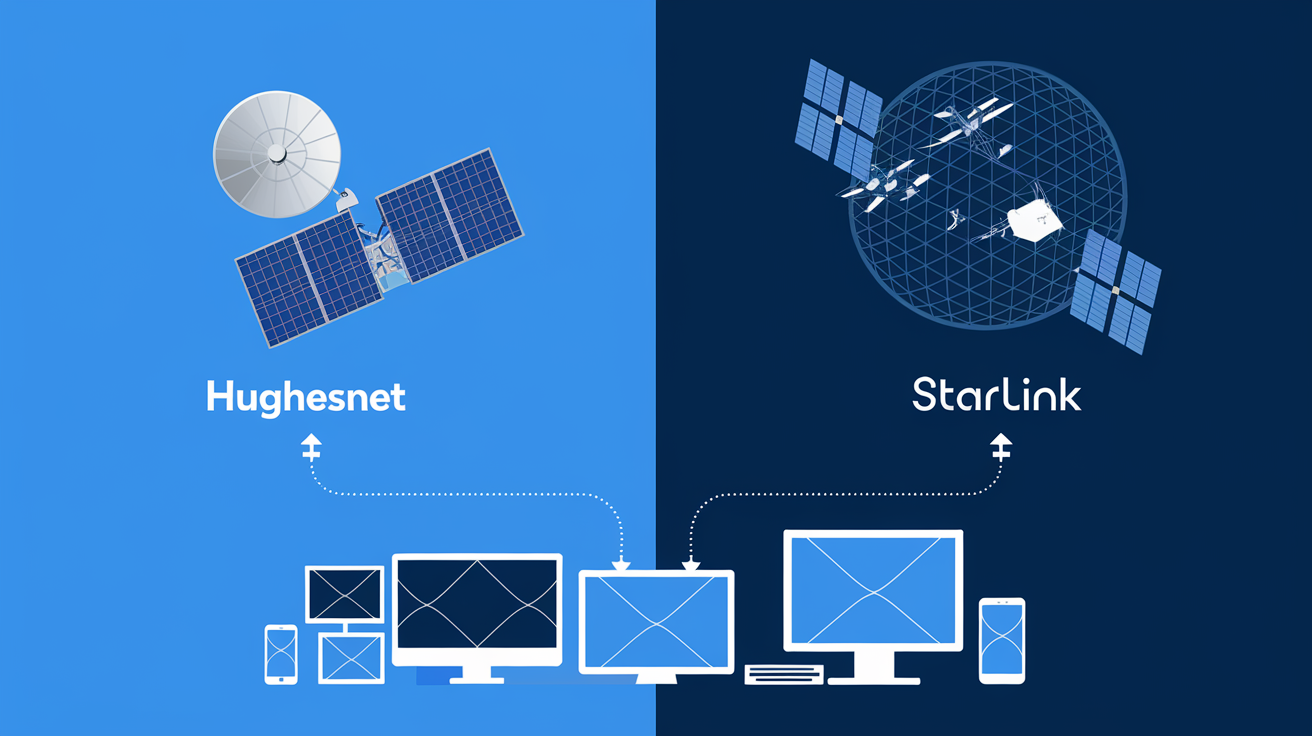
The landscape of satellite internet is rapidly evolving, driven by advancements in technology and the emergence of new players. In 2025-26, we are seeing the impact of Low Earth Orbit (LEO) satellite constellations like SpaceX's Starlink, which offer significantly lower latency and higher potential speeds compared to traditional Geostationary Orbit (GEO) satellites used by providers like Hughesnet and Viasat. While LEO constellations can theoretically handle more devices with better performance due to their closer proximity to Earth and larger number of satellites, they also come with their own set of challenges, including potential network congestion in popular areas and varying coverage.
For GEO providers like Hughesnet, ongoing investment in newer, more powerful satellites (like Hughesnet's Jupiter 3, launched in 2023) aims to increase capacity and improve performance. These advancements are crucial for supporting the growing number of connected devices in homes. While Hughesnet may not match the ultra-low latency of LEO services, their focus is on providing reliable, high-capacity service to underserved areas. Future developments will likely involve more sophisticated network management techniques, potentially offering dynamic bandwidth allocation and improved handling of simultaneous connections. However, the fundamental physics of GEO satellite communication will continue to present challenges for extremely high device counts and ultra-low latency applications compared to terrestrial alternatives.
For users reliant on GEO satellite internet, the emphasis will remain on choosing the highest-tier plan available, optimizing home networks, and managing data consumption diligently to accommodate multiple devices effectively.
Conclusion: Making the Most of Your Hughesnet Connection
So, how many devices can Hughesnet handle? The answer is nuanced: it depends heavily on your chosen plan, your household's usage habits, and your network setup. In 2025-26, with the proliferation of smart devices and streaming services, a realistic expectation for Hughesnet's most robust plans is to comfortably support 8-12 devices for mixed usage. However, exceeding this, or engaging in simultaneous high-bandwidth activities like 4K streaming and large downloads, will likely lead to performance degradation or faster depletion of your data allowance.
To maximize your Hughesnet experience with multiple devices, prioritize selecting the highest-tier plan your budget and data needs allow. Invest in a quality router, optimize its placement, and leverage wired connections where possible. Critically, monitor your data usage and manage your household's online activities to avoid hitting your high-speed data cap prematurely. By understanding the factors at play and implementing these optimization strategies, you can ensure your Hughesnet connection provides the best possible experience for all your connected devices, even in rural or underserved areas.
How many devices can Hughesnet handle?
Research, Compare & Choose With Confidence
Last updated: June 25, 2026