-
Posted on: 07 Jan 2026

-
Wondering if HughesNet can handle your streaming desires? This comprehensive guide dives deep into HughesNet's speeds, data caps, and real-world performance for streaming services like Netflix, Hulu, and YouTube, equipping you with the facts for 2025-26.
Understanding HughesNet Speeds
HughesNet, a prominent satellite internet provider, operates by beaming data to and from your home via a satellite dish. This technology, while offering broad availability, comes with inherent characteristics that significantly influence its performance, particularly for bandwidth-intensive activities like streaming. Understanding these characteristics is crucial before evaluating its suitability for your entertainment needs.
Satellite Internet Technology Explained
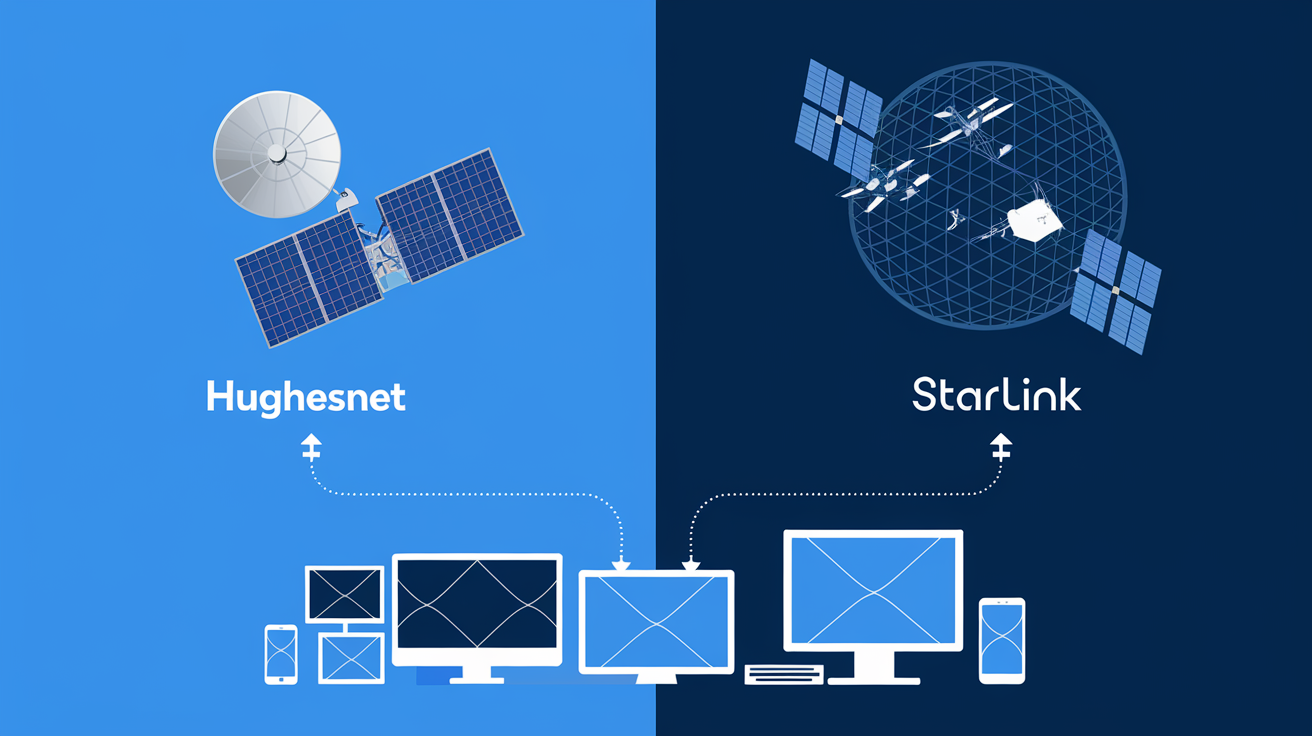
Satellite internet works by establishing a connection between your home satellite dish, a satellite orbiting Earth, and a ground station. This ground station then connects to the wider internet. The journey data takes involves multiple hops: from your dish to the satellite, from the satellite back to your dish, and then the signal travels to the ground station and back. This multi-step process introduces a phenomenon known as latency.
Latency and Its Impact
Latency, often referred to as "lag" or "ping," is the time it takes for a data packet to travel from its source to its destination and back. In satellite internet, due to the vast distances involved (thousands of miles to the satellite and back), latency is inherently higher than with terrestrial connections like cable or fiber. For 2025-26, typical HughesNet latency can range from 500 milliseconds (ms) to over 1000 ms. While this might not be noticeable for basic web browsing or email, it can impact real-time applications like online gaming or video conferencing. For streaming, high latency itself isn't the primary bottleneck, but it's a symptom of the technology's fundamental limitations that can indirectly affect buffering.
Download and Upload Speeds
HughesNet offers various plans with different advertised download and upload speeds. Download speed is the rate at which data is transferred from the internet to your device, crucial for receiving streaming video. Upload speed is the rate at which data is sent from your device to the internet, less critical for passive streaming but important for video calls or uploading content.
Advertised vs. Real-World Speeds
It's vital to distinguish between advertised speeds and actual, real-world speeds. Advertised speeds are often maximum potential speeds achieved under ideal conditions. Factors like network congestion, satellite load, weather, and the number of users in your area can all affect your actual performance. For 2025-26, HughesNet plans typically advertise download speeds ranging from 25 Mbps to 100 Mbps, with upload speeds often significantly lower, around 3 Mbps. However, sustained speeds, especially during peak hours, might be lower.
Data Caps and Their Significance
A critical aspect of satellite internet, including HughesNet, is the presence of data caps. These are limits on the amount of data you can download and upload within a billing cycle. Exceeding these caps often results in throttled speeds (significantly reduced speeds) or additional charges. For 2025-26, HughesNet plans commonly feature monthly data allowances ranging from 50 GB to 200 GB. This is a crucial consideration for streaming, as video content consumes a substantial amount of data.
Understanding Data Usage
Understanding how much data streaming consumes is key. A single hour of HD streaming can use anywhere from 2.5 GB to 7 GB of data, depending on the quality. 4K streaming can consume upwards of 15 GB per hour. Therefore, a plan with a 100 GB data cap could be exhausted by just 15-20 hours of HD streaming per month. HughesNet does offer a "Bonus Zone" where data used during off-peak hours (typically late at night) doesn't count against your monthly allowance, which can be a lifeline for heavy streamers.
Streaming Requirements in 2025-26
The landscape of online video consumption has evolved dramatically, and the requirements for a smooth streaming experience continue to rise. In 2025-26, with the prevalence of higher definition content and more sophisticated streaming platforms, understanding the minimum and recommended speeds is paramount.
Minimum Speed Requirements for Different Resolutions
Streaming services provide guidelines for optimal viewing experiences. These guidelines are based on the bandwidth required to transmit video data at a given resolution without interruption.
Standard Definition (SD)
For SD streaming (typically 480p), the minimum recommended speed is around 3 Mbps. This is the lowest quality most streaming services offer and is generally sufficient for smaller screens or when data is a significant concern.
High Definition (HD)
HD streaming (720p or 1080p) is the most common format for many users. The recommended speed for HD streaming is typically between 5 Mbps and 8 Mbps. This provides a noticeably clearer picture than SD. Many popular shows and movies are available in HD.
Ultra High Definition (UHD/4K)
4K streaming offers a significantly sharper and more detailed image. For 4K content, the recommended speed jumps to a minimum of 25 Mbps, and ideally 50 Mbps or higher for a truly buffer-free experience. This is becoming increasingly standard for new releases and premium content.
Data Consumption per Hour by Resolution (2025-26 Estimates)
Beyond just speed, the amount of data consumed is a critical factor, especially with satellite internet's data caps. These figures are estimates for 2025-26, reflecting the efficiency of modern codecs but also the increasing complexity of video.
SD Streaming Data Usage
An hour of SD streaming typically consumes between 1 GB and 3 GB of data. This is relatively light and can be managed even on plans with smaller data allowances.
HD Streaming Data Usage
An hour of HD streaming is where data usage begins to escalate. Expect to consume between 2.5 GB and 7 GB per hour. For a household that streams several hours of HD content daily, this can quickly add up.
4K Streaming Data Usage
4K streaming is the most data-intensive. An hour of 4K content can consume anywhere from 7 GB to 20 GB of data. This means that a few hours of 4K streaming could potentially exceed a modest monthly data cap.
Impact of Simultaneous Streaming and Other Activities
Most households don't just stream on one device. When multiple devices are active simultaneously, the total bandwidth demand increases significantly.
Multiple Streams
If one person is streaming HD (say, 5 Mbps), and another is browsing the web (minimal bandwidth), and a third is on a video call (around 3-4 Mbps), the total required bandwidth is already around 10-12 Mbps. If multiple HD streams are happening concurrently, the required speed can easily exceed 20-30 Mbps.
Background Data Usage
It's also important to remember that devices consume data even when not actively being used for streaming. Operating system updates, app background refreshes, cloud syncing, and smart home devices all contribute to background data usage, which can range from a few GB to tens of GB per month per device.
HughesNet Plans and Streaming Suitability
HughesNet offers a range of plans designed to cater to different needs and budgets. Evaluating these plans specifically through the lens of streaming performance requires a close look at their advertised speeds, data allowances, and any specific features that might benefit or hinder streaming. For 2025-26, HughesNet continues to refine its satellite technology, but the fundamental trade-offs remain.
Overview of Current HughesNet Plans (2025-26)
HughesNet's plan structure typically revolves around different tiers of data allowance and corresponding download/upload speeds. While specific plan names and exact data amounts can change, the general framework persists.
HughesNet Select
This is often an entry-level plan. It typically offers lower download speeds (e.g., 25 Mbps) and a more modest data cap (e.g., 50 GB). Upload speeds are usually around 3 Mbps.
HughesNet Elite
A mid-tier option, the Elite plan usually provides slightly higher download speeds (e.g., 50 Mbps) and a more substantial data cap (e.g., 100 GB). Upload speeds remain consistent at around 3 Mbps.
HughesNet Premier
This is generally the highest-tier plan, offering the most generous data allowance (e.g., 200 GB) and potentially the fastest download speeds (e.g., 100 Mbps). Upload speeds are still typically capped at 3 Mbps.
Analyzing Data Caps for Streaming
The data cap is arguably the most significant factor determining HughesNet's suitability for streaming. As detailed in the previous section, streaming consumes substantial data.
Data Cap Scenarios for Streaming
Let's consider a typical household. If a family of four streams HD content for 2 hours every evening, that's 8 hours per day. At an average of 5 GB per hour, this amounts to 40 GB per day, or 1200 GB per month. This is a hypothetical scenario to illustrate the extreme, but it highlights how quickly data can be consumed.
More realistically, if a household streams 2 hours of HD content per day (10 GB/day, 300 GB/month) and uses another 50 GB for general browsing and updates, they would need a plan with at least 350 GB of data. This far exceeds the typical HughesNet data allowances.
The "Bonus Zone" Advantage
HughesNet's "Bonus Zone" is a crucial feature for streamers. Data consumed during off-peak hours (typically 2 AM to 8 AM) does not count against your monthly allowance. For 2025-26, this feature remains a key differentiator. If you can schedule your streaming or downloads for these hours, you can significantly extend your usable data. For example, downloading movies overnight or streaming during these hours can save a considerable amount of your primary data allowance.
Speed vs. Data: The Streaming Dilemma
The interplay between speed and data is where the decision often lies. A plan might offer sufficient download speeds (e.g., 50 Mbps) for HD streaming, but if the data cap is too low (e.g., 100 GB), you'll hit your limit quickly and be relegated to significantly slower speeds.
Scenario 1: High Speed, Low Data
A plan with 100 Mbps download speed but only 50 GB of data. While theoretically capable of 4K streaming, you'd exhaust the data cap within hours. After that, your speeds would drop dramatically, making any streaming impossible.
Scenario 2: Moderate Speed, Moderate Data
A plan with 50 Mbps download speed and 100 GB of data. This is more balanced. You could stream HD content for a reasonable amount of time (approx. 14-20 hours) before hitting the cap. The "Bonus Zone" becomes essential here to extend viewing time.
Scenario 3: Low Speed, Low Data
A plan with 25 Mbps download speed and 50 GB of data. This plan is least suited for streaming. While 25 Mbps can handle HD, the data cap is very restrictive. Streaming would be limited to a few hours per week.
Is HughesNet Enough for Basic Streaming?
For very light streaming – perhaps a couple of hours of SD or occasional HD content per week, especially if utilizing the Bonus Zone – some HughesNet plans *can* be sufficient. However, for households that rely on streaming for daily entertainment, binge-watching, or consuming high-definition content regularly, the data caps present a significant challenge.
Real-World Streaming Performance
Moving beyond theoretical speeds and data caps, understanding how HughesNet actually performs for streaming in everyday scenarios is crucial. This involves looking at user experiences, common issues, and how different streaming platforms fare on satellite internet.
User Experiences and Common Complaints
Across online forums and customer reviews for 2025-26, common themes emerge regarding HughesNet and streaming.
Buffering and Intermittent Playback
The most frequent complaint is buffering. Even with advertised speeds that *should* be adequate, users report videos pausing frequently to load. This can be due to a combination of factors: high latency, network congestion during peak hours, or hitting data thresholds.
Throttling After Data Cap Exceeded
Once the primary data allowance is used, speeds are drastically reduced. This throttling can make streaming impossible, reducing speeds to as low as 1-3 Mbps, which is insufficient even for SD playback. This is a significant deterrent for heavy streamers.
Inconsistent Performance
Satellite internet performance can be highly variable. Weather conditions (rain, snow, heavy clouds) can degrade the signal, leading to slower speeds and more buffering. Time of day also plays a role, with speeds often dipping during evening peak hours when more users are online.
Streaming Platform Performance on HughesNet
Different streaming services utilize varying compression techniques and adaptive bitrate technologies, which can affect their performance on slower or more variable connections.
Netflix
Netflix is known for its efficient adaptive bitrate streaming. This means it will automatically adjust the video quality based on your available bandwidth. On HughesNet, this often translates to starting in HD but quickly dropping to SD or even lower if bandwidth is constrained or data is being consumed rapidly. For 2025-26, Netflix's commitment to higher resolutions means that consistent HD or 4K streaming is challenging.
YouTube
YouTube offers a wide range of resolutions. While you can select lower resolutions (like 480p or 720p) to conserve data and ensure smoother playback, higher resolutions (1080p and 4K) will be subject to the same speed and data limitations as other platforms. YouTube's adaptive streaming also means it will try to maintain playback by lowering quality.
Hulu, Disney+, Amazon Prime Video
These platforms generally perform similarly to Netflix and YouTube. Their adaptive streaming will attempt to provide the best possible experience given the connection. However, the underlying limitations of HughesNet—latency and data caps—will ultimately dictate the quality and consistency of the stream.
Live TV Streaming Services (Sling TV, YouTube TV, etc.)
Live TV streaming is particularly sensitive to latency and consistent bandwidth. While the required speeds might be within HughesNet's advertised capabilities for HD, the high latency and potential for speed fluctuations can lead to significant buffering and dropped frames, making the experience frustrating for live events or sports.
The Role of Latency in Streaming
While download speed and data are the primary concerns, latency can indirectly affect streaming. High latency means it takes longer for your device to request the next chunk of video data from the server. While modern streaming protocols are designed to mitigate this by pre-fetching data, extreme latency can still contribute to delays and buffering, especially if the connection is unstable or network conditions fluctuate.
Comparing HughesNet to Other Internet Types for Streaming
To put HughesNet's performance into perspective, it's useful to compare it to other common internet technologies.
Cable Internet
Cable internet typically offers higher download speeds (often 100 Mbps to 1 Gbps) and much lower latency (10-50 ms). Data caps are often more generous or nonexistent. Cable is generally excellent for streaming all resolutions without issue.
Fiber Optic Internet
Fiber offers the highest speeds (up to 10 Gbps) and the lowest latency (under 10 ms). It's the gold standard for streaming, gaming, and any data-intensive online activity. Data caps are rare.
DSL Internet
DSL speeds vary widely but are generally slower than cable (up to 100 Mbps in ideal conditions). Latency is better than satellite but worse than cable or fiber (50-100 ms). Data caps can be an issue with some DSL providers. DSL can handle HD streaming but may struggle with 4K or multiple simultaneous streams.
Compared to these, HughesNet's primary limitations for streaming are its data caps and higher latency. While speeds might appear sufficient on paper, the data allowance is often the bottleneck for consistent, high-quality streaming.
Factors Affecting Streaming Quality on HughesNet
Several elements can influence your streaming experience on HughesNet, extending beyond the basic plan specifications. Understanding these factors can help you troubleshoot issues and manage expectations.
Network Congestion
Like any internet service, HughesNet's network can experience congestion. This occurs when too many users in a particular area are trying to access the internet simultaneously, especially during peak hours (typically evenings and weekends).
Peak Hour Performance
During peak hours, the shared bandwidth on the satellite can become saturated. This means that even if your plan advertises 50 Mbps, you might only experience 10-20 Mbps. This slowdown directly impacts streaming quality, leading to buffering and reduced resolution. For 2025-26, this remains a persistent challenge for satellite internet users.
Time of Day
Conversely, during off-peak hours (late night, early morning), network congestion is usually lower, and you are more likely to experience speeds closer to your plan's advertised maximum. This is why the "Bonus Zone" is so valuable for data-intensive activities like streaming.
Weather Conditions
Satellite internet is susceptible to atmospheric interference. Heavy rain, snow, or even dense cloud cover can weaken the signal between your satellite dish and the orbiting satellite.
Rain Fade
This phenomenon, known as "rain fade," can cause a temporary but significant degradation in signal strength and internet speed. While modern satellite dishes and systems are designed to mitigate this to some extent, severe weather can still lead to intermittent connectivity and buffering issues for streaming.
Equipment and Installation
The performance of your HughesNet service can also depend on the equipment installed at your home and its proper functioning.
Satellite Dish Alignment
The satellite dish must be precisely aligned to maintain a clear line of sight to the HughesNet satellite. Even minor misalignments, perhaps caused by strong winds or physical impact, can reduce signal strength and affect speeds. Professional installation is crucial, and periodic checks might be necessary.
Modem and Router
The HughesNet modem provided by the company, along with your own Wi-Fi router, plays a role. An older or less capable router might not efficiently distribute the internet signal within your home, leading to slower speeds on devices further away from the router. Ensuring your router supports modern Wi-Fi standards (like Wi-Fi 6) can improve internal distribution.
Number of Connected Devices
As mentioned earlier, the more devices connected to your network, the more the available bandwidth is divided.
Bandwidth Allocation
Each device consumes a portion of your total bandwidth. If multiple devices are actively using the internet simultaneously – streaming, gaming, browsing, downloading – the bandwidth available for any single streaming session will be reduced, leading to a poorer experience.
Streaming Settings and Device Capabilities
The settings on your streaming apps and the capabilities of your viewing devices also play a part.
Resolution Settings
Manually setting your streaming apps to a lower resolution (e.g., 720p instead of 1080p or 4K) can significantly reduce data consumption and bandwidth requirements, making streaming more feasible on HughesNet.
Device Performance
Older smart TVs or streaming devices might struggle to decode higher-resolution video streams efficiently, even if the internet connection is adequate. This can lead to stuttering or playback issues that are not solely attributable to the internet service.
HughesNet's Data Management Features
HughesNet offers tools to help users manage their data usage, which are essential for streamers.
HughesNet Data Manager App
The HughesNet Data Manager app (or web portal) allows users to monitor their data usage in real-time, track their progress towards their data cap, and view their Bonus Zone data. Regularly checking this can prevent unexpected throttling.
Understanding the "Hard Cap"
While HughesNet offers a "Bonus Zone" and typically throttles speeds after the main data cap, it's important to understand if there's a "hard cap" beyond which service is completely suspended or extremely punitive charges apply. For 2025-26, HughesNet's policies usually involve throttling to unusable speeds rather than outright suspension for most plans, but users should verify their specific plan details.
Optimizing Your HughesNet Experience for Streaming
While HughesNet has inherent limitations for streaming, there are several strategies you can employ to maximize your experience and mitigate common issues. These optimization techniques are crucial for anyone relying on satellite internet for their entertainment needs in 2025-26.
Leverage the "Bonus Zone"
This is the single most important strategy for streamers on HughesNet. The Bonus Zone allows you to use a significant amount of data during off-peak hours (typically 2 AM to 8 AM) without it counting against your monthly allowance.
Scheduling Downloads and Streaming
If your streaming service allows downloading content for offline viewing, schedule these downloads for the Bonus Zone hours. Many modern smart TVs and streaming devices have built-in scheduling features, or you can use external devices like PCs or media servers to manage downloads. Similarly, if you're planning a binge-watching session, consider doing it during these hours.
Understanding Your Plan's Bonus Zone Hours
Confirm the exact hours of your Bonus Zone with HughesNet, as they can vary slightly by plan or region. Maximizing usage during these times is key to extending your primary data allowance for daytime streaming.
Manage Your Data Consumption Wisely
Conscious data management is essential. Every gigabyte counts when you have a limited monthly allowance.
Set Streaming Quality to Auto or Lower
Avoid manually setting your streaming apps to the highest possible resolution (e.g., 4K) unless you have a very high data allowance and are confident in your speeds. Most streaming services have an "Auto" setting that dynamically adjusts quality based on your connection. For HughesNet, setting it to "Standard Definition" or "HD" (if you're aiming for 720p/1080p and monitoring data) can save significant data.
Monitor Data Usage Regularly
Utilize the HughesNet Data Manager app or website to keep a close eye on your data consumption. This allows you to adjust your streaming habits proactively if you notice you're approaching your cap. Knowing your usage patterns will help you avoid the drastic speed reductions that occur after exceeding your limit.
Optimize Your Home Network
Your internal network setup can significantly impact how efficiently your internet connection is used.
Use a Quality Wi-Fi Router
If you're using an older or basic router, consider upgrading to a newer model that supports Wi-Fi 6 or Wi-Fi 6E. These routers offer better speed, range, and the ability to handle multiple devices more efficiently. Ensure your router is placed in a central location in your home, away from obstructions.
Use Wired Connections When Possible
For devices that are stationary and critical for streaming (like a smart TV or streaming box), a wired Ethernet connection is generally more stable and can offer slightly better speeds than Wi-Fi, as it bypasses potential wireless interference.
Prioritize Streaming Devices
Some routers offer Quality of Service (QoS) settings, which allow you to prioritize bandwidth for specific devices or applications. If your router supports QoS, configure it to give your primary streaming device higher priority.
Minimize Background Data Usage
Background data consumption can eat into your allowance without you realizing it.
Disable Auto-Updates for Apps and Operating Systems
Configure your devices to notify you before downloading large updates. Schedule these updates for the Bonus Zone hours or when you know you won't be streaming.
Limit Cloud Syncing
Services like Google Drive, Dropbox, and iCloud can sync large amounts of data in the background. Pause or limit these syncs during periods when you need maximum bandwidth for streaming.
Turn Off Unused Devices
Simply turning off smart devices, tablets, or computers that are not in use can prevent them from consuming background data.
Troubleshooting Streaming Issues
If you encounter persistent buffering or poor quality, try these troubleshooting steps:
Restart Your Modem and Router
A simple power cycle can often resolve temporary network glitches. Unplug both your modem and router, wait 30 seconds, and then plug them back in, starting with the modem.
Check Your HughesNet Signal Strength
The HughesNet app might provide information on your signal strength. If it's consistently low, there might be an issue with your dish alignment or a need for a technician visit.
Test Your Speed
Use a reliable speed test tool (ensure it's not consuming excessive data itself) to check your current download and upload speeds. Compare these results to your plan's advertised speeds.
Contact HughesNet Support
If you've tried these steps and are still experiencing significant issues, contact HughesNet customer support. They can help diagnose network problems or issues with your equipment.
Alternatives to HughesNet for Streaming
For users whose primary goal is seamless, high-quality streaming, and who find HughesNet's limitations too restrictive, exploring alternative internet service providers (ISPs) is a sensible step. The availability of these alternatives will depend heavily on your geographic location.
Terrestrial Broadband Options
These are internet services delivered through physical infrastructure on the ground, generally offering lower latency and higher, more consistent speeds than satellite.
Cable Internet
Cable internet providers (e.g., Xfinity, Spectrum, Cox) utilize the same coaxial cable network as cable television.
- Pros: High download speeds (often 100 Mbps to 1 Gbps), relatively low latency (10-50 ms), often generous or unlimited data plans. Excellent for streaming all resolutions.
- Cons: Speeds can fluctuate during peak hours due to shared bandwidth; availability is limited to areas with cable infrastructure.
Fiber Optic Internet
Fiber optic internet uses thin strands of glass to transmit data as light signals.
- Pros: The fastest and most reliable option, with speeds often reaching 1 Gbps or higher and extremely low latency (under 10 ms). Data caps are rare. Ideal for 4K streaming, gaming, and heavy internet usage.
- Cons: Least available option, primarily found in urban and suburban areas. Can be more expensive than cable.
DSL Internet
Digital Subscriber Line (DSL) internet uses existing telephone lines to transmit data.
- Pros: More widely available than cable or fiber, especially in rural areas. Lower latency than satellite.
- Cons: Speeds are generally lower than cable or fiber (typically up to 100 Mbps, often less), and performance degrades with distance from the provider's central office. Data caps can be an issue. Can handle HD streaming but may struggle with 4K or multiple streams.
Fixed Wireless Internet
Fixed wireless uses radio waves to connect a fixed location to a provider's network. It's often an option in rural areas where traditional broadband isn't available.
- Pros: Can offer speeds comparable to DSL or even lower-end cable plans. Lower latency than satellite.
- Cons: Performance can be affected by line-of-sight to the tower and weather. Data caps are common. Availability is geographically dependent.
Mobile Hotspots and 5G Home Internet
With the advancement of 5G technology, mobile carriers are increasingly offering home internet solutions.
5G Home Internet
Providers like T-Mobile Home Internet and Verizon 5G Home Internet offer fixed wireless internet using 5G cellular networks.
- Pros: Can offer competitive speeds and often has no data caps or very high limits. Latency is generally better than satellite.
- Cons: Availability is limited to areas with strong 5G coverage. Speeds can vary based on network congestion and signal strength.
Mobile Hotspots
Using a smartphone as a hotspot or a dedicated mobile hotspot device.
- Pros: Portable and can provide internet access anywhere with cellular service.
- Cons: Data plans are often expensive and have strict limits. Speeds can be inconsistent. Not ideal as a primary home internet solution for heavy streaming due to data caps and potential throttling.
When HughesNet Might Still Be the Only Option
Despite its limitations for streaming, HughesNet remains a vital service for many individuals living in remote or underserved areas where no other form of broadband internet is available. In these situations, the focus shifts from high-quality, on-demand streaming to making the most of the available service.
Prioritizing Essential Use
If HughesNet is your only option, prioritize essential internet usage. If streaming is a luxury, consider limiting it to weekends or using the Bonus Zone extensively. Perhaps explore options for downloading content when you have access to a faster connection elsewhere (e.g., a library, friend's house).
Considering a Second, Limited Plan
In some rare cases, a user might consider a very basic, low-data HughesNet plan for essential tasks and supplement it with a mobile hotspot plan for limited streaming, if their mobile carrier offers suitable data packages. This can be complex and costly.
Conclusion: Is HughesNet Fast Enough?
In conclusion, the question of whether HughesNet is "fast enough" to stream is nuanced. For 2025-26, while HughesNet offers download speeds that theoretically meet the requirements for HD streaming, its inherent limitations, primarily **data caps** and **higher latency**, significantly impact the actual user experience.
If your streaming habits are light – occasional viewing of standard definition content, or limited HD streaming primarily during off-peak hours (utilizing the Bonus Zone) – then HughesNet can suffice. However, for households that rely on streaming for daily entertainment, binge-watching, or consistently enjoying high-definition (1080p) or 4K content, HughesNet's data allowances will likely prove insufficient, leading to frequent buffering and the frustrating experience of throttled speeds.
Recommendation: For dedicated streamers, it is strongly advised to explore alternative internet service providers such as cable, fiber, or even reliable fixed wireless or 5G home internet if they are available in your area. These technologies offer superior speeds, lower latency, and more generous data policies, providing a significantly better streaming experience. HughesNet remains a crucial service for connectivity in underserved regions, but for robust streaming, it is generally not the optimal choice.