-
Posted on: 07 Jan 2026
-
Understanding the essential equipment for Viasat internet is crucial for a smooth setup and optimal performance. This guide breaks down exactly what you'll receive and need to consider, ensuring you're fully prepared for your new satellite internet service.
What is Viasat Internet?
Viasat Internet is a satellite broadband service provider, offering internet access to homes and businesses, particularly in rural and underserved areas where traditional cable or fiber options are unavailable. It operates by transmitting data between a satellite in orbit and a ground-based dish antenna installed at the customer's location. This technology allows for widespread coverage, though it can be subject to different performance characteristics compared to terrestrial internet services. Understanding the specific equipment involved is key to a successful and satisfying internet experience.
Core Equipment Components
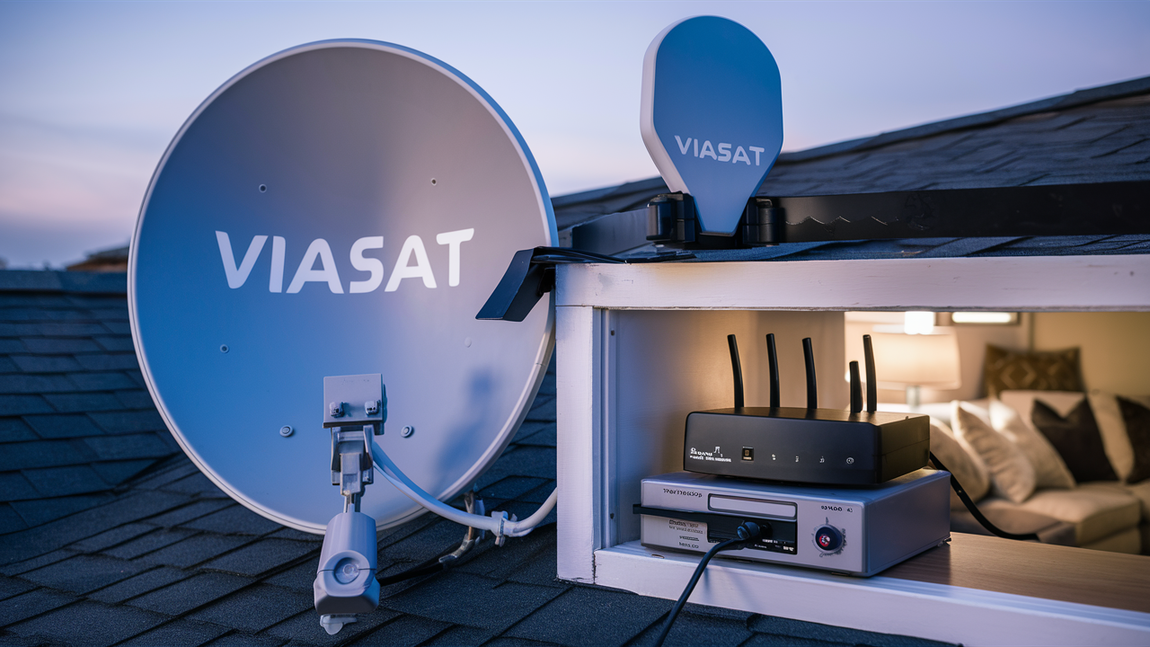
When you sign up for Viasat Internet, a few key pieces of equipment are essential for establishing and maintaining your connection. These components work in tandem to bring high-speed internet to your home. The primary items you will receive and need to have installed are the Viasat satellite dish antenna and the Viasat modem/router. These are typically provided by Viasat as part of your service agreement, often with installation included. It's important to note that while Viasat provides the core hardware, you are responsible for ensuring a suitable location for installation and for the power supply to these devices.
The satellite dish is the external component that communicates with the Viasat satellite. The modem/router is the internal device that translates the satellite signal into a usable internet connection for your home network. Both are critical, and their proper functioning and installation directly impact your internet speed, reliability, and overall user experience. In 2025 and 2026, Viasat continues to leverage advanced satellite technology, and the equipment reflects this, aiming for improved performance and capacity.
The Viasat Dish Antenna: Your Gateway to the Stars
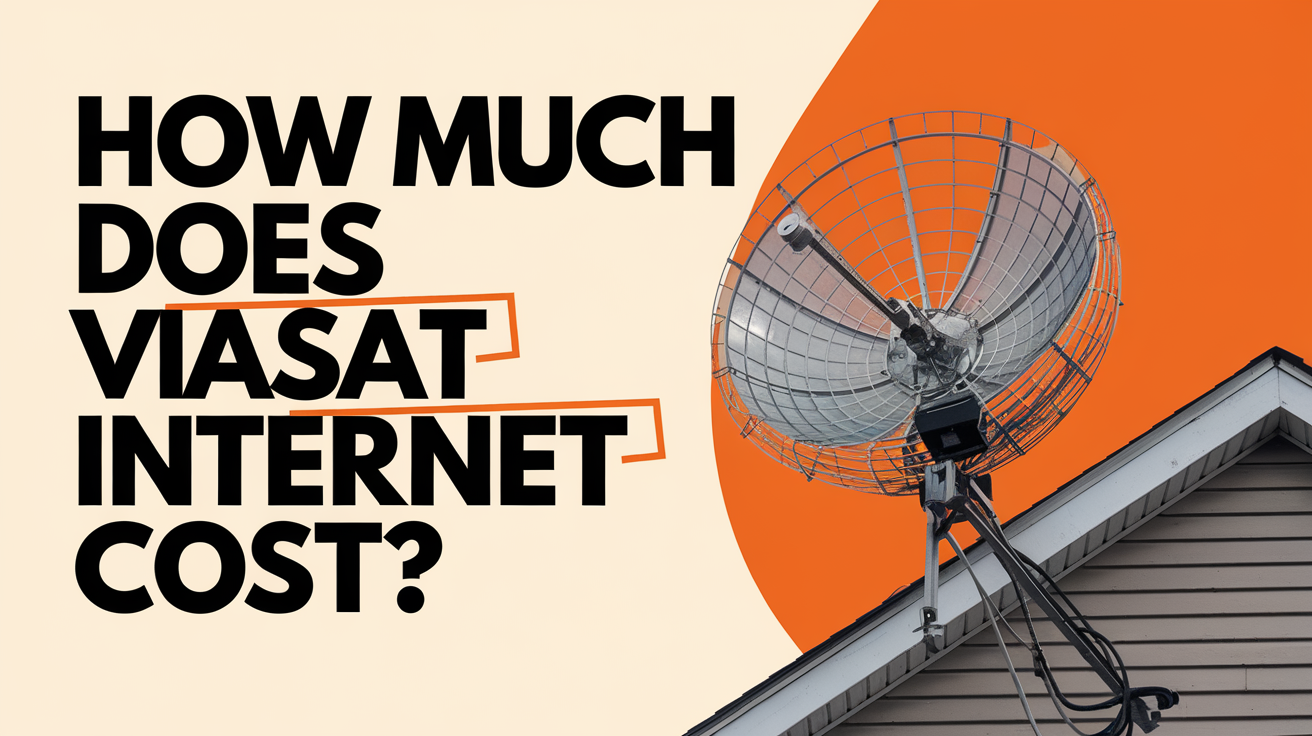
The Viasat satellite dish antenna is the most prominent piece of equipment you'll see associated with your service. It's a parabolic dish, typically around 3 feet in diameter, mounted on the exterior of your home or a nearby pole. Its primary function is to establish a two-way communication link with the Viasat satellite orbiting the Earth. This dish is precisely engineered to capture and transmit signals efficiently.
How it Works
The dish contains a transceiver (transmitter and receiver) and a feedhorn. When you request data (e.g., load a webpage), the modem sends a signal to the transceiver. The transceiver amplifies this signal and directs it through the feedhorn to the dish, which then focuses and transmits it towards the Viasat satellite. The satellite receives this signal, processes it, and beams back the requested data. The dish then captures this incoming data from the satellite, converts it, and sends it to the modem.
Installation Location Requirements
The placement of the Viasat dish is critical for optimal performance. It needs a clear, unobstructed view of the southern sky (in the Northern Hemisphere) where the Viasat satellites are positioned. This means no trees, buildings, or other structures should block the line of sight. Viasat technicians will assess your property during installation to find the best location, typically on a roof, a side of the house, or a dedicated pole mount. Factors considered include:
- Line of Sight: Absolute necessity for uninterrupted signal transmission.
- Structural Integrity: The mounting surface must be able to support the dish securely, especially against wind and weather.
- Accessibility: For installation and potential future maintenance.
- Proximity to the Home: Shorter cable runs from the dish to the modem are generally preferred to minimize signal loss.
Types of Dishes and Technology (2025-26)
Viasat continually upgrades its satellite technology. In 2025-26, customers are likely to be installed with dishes designed for their latest generation of satellites, such as Viasat-3. These newer dishes are often more advanced, capable of handling higher bandwidth and offering improved performance. While the general appearance is similar, the internal technology is more sophisticated, allowing for faster speeds and greater data throughput. The specific model of the dish may vary depending on the service plan and the satellite constellation serving your area.
Maintenance and Care
Once installed, the Viasat dish requires minimal user maintenance. It is designed to withstand various weather conditions. However, it's important to ensure that no new obstructions, like growing trees, develop over time. If you notice a significant degradation in service, especially after severe weather or a change in your surroundings, it's advisable to contact Viasat support. They can remotely diagnose issues and, if necessary, dispatch a technician to inspect the dish.
The Viasat Modem/Router: The Brains of the Operation
The Viasat modem/router is the internal device that bridges the gap between the satellite signal and your home network. It's the central hub that allows your computers, smartphones, tablets, and other connected devices to access the internet. In many cases, Viasat provides a combined modem and router unit, simplifying setup and reducing the number of devices needed. For 2025-26, these devices are engineered to support higher speeds and more robust Wi-Fi capabilities.
Functionality of the Modem/Router
The modem component is responsible for receiving the signal from the satellite dish via a coaxial cable and converting it into a digital format that your devices can understand. It also performs the reverse process, taking data from your devices and transmitting it back to the satellite. The router component then takes this internet connection and creates a local area network (LAN) within your home, typically via Wi-Fi. It assigns IP addresses to your devices, manages network traffic, and provides a secure connection.
Key Features in 2025-26
Modern Viasat modem/routers are designed with current technological standards in mind. You can expect features such as:
- Wi-Fi 6 (802.11ax) or Wi-Fi 5 (802.11ac): For faster, more efficient wireless connections, especially with multiple devices.
- Multiple Ethernet Ports: For wired connections to devices like desktop computers, gaming consoles, or smart TVs.
- Advanced Security Features: Including WPA3 encryption, firewalls, and guest network capabilities to protect your network.
- Quality of Service (QoS): To prioritize certain types of traffic, like video streaming or online gaming, ensuring a smoother experience.
- Remote Management Capabilities: Allowing Viasat technicians to diagnose and troubleshoot issues remotely, often resolving problems without a service call.
Connecting Your Devices
Once the modem/router is installed and activated by Viasat, connecting your devices is straightforward. For Wi-Fi, you'll typically find the network name (SSID) and password printed on a label on the device itself. You'll search for this network on your device's Wi-Fi settings and enter the password. For wired connections, you can plug an Ethernet cable directly from your device into one of the available ports on the router.
Power Requirements
The Viasat modem/router requires a constant power supply. It should be plugged into a reliable electrical outlet. Viasat typically provides the necessary power adapter. It's recommended to plug the modem/router into a surge protector to safeguard it against power fluctuations or surges, which can damage electronic equipment. This is a crucial step in protecting your investment in the service and ensuring its longevity.
Installation Process: What to Expect
The installation of Viasat internet equipment is a professional process handled by certified Viasat technicians. Understanding what to expect can help alleviate any concerns and ensure a smooth transition to your new service. The entire process typically takes a few hours, depending on the complexity of the installation site and the specific equipment being installed.
Pre-Installation Site Survey
Before the installation day, a technician may conduct a site survey (either virtually or in person) to assess the best location for the dish and the modem/router, and to plan the cable routing. This helps ensure all requirements are met and potential issues are identified in advance. They will check for line-of-sight to the satellite, structural support for the dish, and suitable pathways for the cables.
On the Installation Day
On the scheduled installation day, the Viasat technician will arrive with all the necessary equipment. The process generally involves:
- Dish Mounting: The technician will securely mount the satellite dish in the pre-determined location. This might involve drilling into your roof or wall, or installing a pole mount in the ground.
- Cable Run: A coaxial cable will be run from the dish to the interior of your home, where the modem/router will be located. The technician will aim to make this as neat and unobtrusive as possible, often using clips or conduits.
- Modem/Router Setup: The modem/router will be connected to the coaxial cable and powered on.
- System Activation and Testing: The technician will activate your service with Viasat and perform tests to ensure the dish is properly aligned and the connection is strong and stable. They will verify internet speeds and connectivity.
- Wi-Fi Configuration: The technician will help you connect your primary devices to the Wi-Fi network and may offer basic guidance on using the service.
Post-Installation
After the technician leaves, your Viasat internet should be up and running. It's a good idea to test the connection with various devices and applications to ensure everything is working as expected. If you encounter any immediate issues, contact Viasat customer support. They can often resolve minor problems remotely, or schedule a follow-up visit if necessary. Keeping the technician's contact information or the Viasat support number handy is always a good practice.
Equipment Provided by Viasat
Viasat typically provides the following essential equipment:
- Satellite Dish Antenna: The external unit for satellite communication.
- Modem/Router Unit: The internal device that creates your home network.
- Coaxial Cable: To connect the dish to the modem/router.
- Mounting Hardware: For securing the dish.
- Power Adapter: For the modem/router.
Customers are generally not required to purchase any of this core equipment separately, as it is leased or included as part of the service package. This simplifies the process and ensures compatibility.
Additional Equipment Considerations
While Viasat provides the core equipment for your satellite internet connection, there are other devices and considerations that can enhance your experience and ensure seamless connectivity throughout your home. These are not typically provided by Viasat but are essential for a modern home network.
Your Own Router (Optional)
In some cases, Viasat may provide a modem only, requiring you to supply your own Wi-Fi router. Alternatively, even if Viasat provides a combined modem/router, some users prefer to use their own high-performance router for enhanced features, better Wi-Fi coverage, or specific network management capabilities. If you choose to use your own router:
- Compatibility: Ensure your router is compatible with Viasat's service. It will need to connect to the Viasat modem via an Ethernet cable.
- Configuration: You will need to configure your router to connect to the internet. This usually involves setting up the WAN (Wide Area Network) connection type, often as DHCP.
- Wi-Fi Settings: You'll set up your Wi-Fi network name (SSID) and password.
It's important to check with Viasat customer support about their policy on using third-party routers, as some plans or equipment configurations might have specific requirements or recommendations. For 2025-26, Viasat is increasingly offering integrated modem/router solutions, but the option for a separate router remains for those seeking advanced customization.
Wi-Fi Extenders and Mesh Systems
The range of a Wi-Fi signal can be affected by the size of your home, building materials, and interference. If you experience weak Wi-Fi signals in certain areas of your house, you might consider:
- Wi-Fi Extenders (Repeaters): These devices capture your existing Wi-Fi signal and rebroadcast it, extending the coverage area. They are generally more affordable but can sometimes reduce speed.
- Mesh Wi-Fi Systems: These systems consist of a main router and one or more satellite nodes that work together to create a single, seamless Wi-Fi network throughout your home. They offer better performance and coverage than extenders and are ideal for larger homes or those with many connected devices.
These devices are crucial for ensuring that devices in every room can connect reliably to the internet provided by your Viasat service. Investing in a good Wi-Fi system can significantly improve your overall internet experience, especially for streaming, gaming, and video conferencing in 2025-26.
Ethernet Cables
While Wi-Fi is convenient, a wired Ethernet connection generally offers the most stable and fastest connection. You'll need Ethernet cables (Cat 5e or Cat 6 are common) to connect devices like desktop computers, gaming consoles, smart TVs, or network-attached storage (NAS) devices directly to your Viasat modem/router or your own router. Having a few spare Ethernet cables on hand is always a good idea for troubleshooting or setting up new wired devices.
Surge Protectors
As mentioned earlier, a good quality surge protector is essential for protecting your Viasat modem/router and any other sensitive electronic equipment from power surges and voltage spikes. These can occur due to lightning strikes or fluctuations in the power grid. Protecting your Viasat equipment ensures its longevity and prevents costly replacements. Ensure the surge protector has enough outlets for all your connected devices.
Power Requirements and Backup
Reliable power is fundamental to the operation of your Viasat internet service. Both the satellite dish (specifically its transceiver) and the modem/router require a consistent power supply. Understanding these requirements and considering backup options can prevent service interruptions.
Standard Power Needs
The Viasat modem/router is designed to operate on standard household AC power. The specific voltage and amperage requirements will be listed on the device or its power adapter. Viasat technicians will ensure the device is plugged into a functional outlet during installation. The satellite dish's transceiver typically receives power via the coaxial cable from the indoor modem/router unit, meaning if the modem/router is powered, the dish is also powered.
Importance of Uninterrupted Power
Any interruption to the power supply will result in a loss of internet connectivity. This is because the modem/router needs to be active to communicate with the satellite. For users who rely heavily on their internet for work, education, or essential communication, even brief outages can be disruptive. In 2025-26, with increased reliance on remote work and online services, maintaining a stable connection is more critical than ever.
Uninterruptible Power Supply (UPS)
To mitigate the impact of power outages, a highly recommended piece of equipment is an Uninterruptible Power Supply (UPS). A UPS is essentially a battery backup system that provides temporary power to your Viasat modem/router (and potentially your router, if separate) during a power interruption. This allows you to:
- Continue Working: If you're in the middle of an important task or a video conference, a UPS can give you enough time to save your work and shut down your computer properly.
- Maintain Connectivity: For essential communication, a UPS can keep your internet running for a period, allowing you to send urgent messages or check for updates.
- Prevent Data Loss: Sudden power loss can sometimes lead to data corruption on connected devices.
When selecting a UPS, consider the total power draw of your modem/router and any other devices you wish to connect. The capacity of the UPS (measured in Volt-Amperes or VA) will determine how long it can power your devices. Viasat's equipment is generally energy-efficient, so a moderately sized UPS should provide sufficient backup time for critical operations.
Generator Considerations
For extended power outages, a home generator can be a more robust solution. If you have a generator, ensure that your Viasat modem/router is connected to a circuit that is powered by the generator. However, be mindful of the power quality from some generators, as unstable power can potentially damage sensitive electronics. Using a UPS in conjunction with a generator can provide an extra layer of protection.
Optimizing Your Wi-Fi Network
Even with the best Viasat equipment, a poorly optimized Wi-Fi network can lead to slow speeds and unreliable connections. Here are key strategies to ensure your wireless network performs at its best in 2025-26:
Router Placement
The location of your Viasat modem/router (or your own router) is paramount. For optimal signal distribution:
- Central Location: Place the router in a central location within your home, ideally on an elevated surface.
- Avoid Obstructions: Keep the router away from thick walls, metal objects, large appliances (like microwaves or refrigerators), and aquariums, as these can interfere with the signal.
- Minimize Interference: Position the router away from other electronic devices that emit radio waves, such as cordless phones or Bluetooth devices.
Wi-Fi Channel Selection
Routers broadcast Wi-Fi signals on specific channels. If many nearby networks are using the same channel, it can cause congestion and slow down your connection. Most modern routers automatically select the best channel, but you can often manually change it through the router's administrative interface. Look for channels that are less congested, often 1, 6, or 11 for the 2.4 GHz band, and explore the wider range of channels available for the 5 GHz band.
Utilize the 5 GHz Band
Most Viasat-provided routers in 2025-26 are dual-band, meaning they broadcast on both 2.4 GHz and 5 GHz frequencies. The 2.4 GHz band offers a wider range but is more prone to interference and generally slower. The 5 GHz band offers faster speeds and less interference but has a shorter range. Connect devices that are closer to the router and require higher speeds (like streaming devices or gaming consoles) to the 5 GHz band, while devices further away or requiring less bandwidth can use the 2.4 GHz band.
Update Router Firmware
Router manufacturers regularly release firmware updates that can improve performance, fix bugs, and enhance security. Check your router's administrative interface for firmware update options and install them regularly. This is a simple yet effective way to keep your Viasat network running smoothly.
Secure Your Network
An unsecured Wi-Fi network is an open invitation for unauthorized users, which can slow down your internet and compromise your security. Always use strong encryption (WPA2 or WPA3) and a complex password for your Wi-Fi network. Change the default router login credentials as well.
Manage Connected Devices
The more devices connected to your network, the more bandwidth is consumed. If you notice slow speeds, check which devices are actively using the internet. You might be able to temporarily disconnect devices that are not in use or configure your router's Quality of Service (QoS) settings to prioritize bandwidth for critical applications.
Troubleshooting Common Equipment Issues
Even with the best equipment, occasional issues can arise. Knowing how to troubleshoot common problems can save you time and frustration. Here’s a guide to common Viasat equipment issues and their solutions for 2025-26.
No Internet Connection
This is the most common problem. Before calling Viasat support, try these steps:
- Check Lights: Examine the status lights on your Viasat modem/router. Consult your Viasat manual or online support resources to understand what each light indicates (e.g., power, satellite lock, internet activity).
- Power Cycle: Turn off the modem/router, wait 30 seconds, and then turn it back on. This simple step often resolves temporary glitches. If you have a separate router, power cycle that as well.
- Check Cables: Ensure all cables (coaxial, Ethernet, power) are securely connected at both ends. Look for any visible damage to the cables.
- Verify Satellite Lock: If possible, check the modem/router's interface or status lights to confirm it has a satellite lock. If not, there might be an issue with the dish alignment or a temporary satellite outage.
- Test Wired vs. Wireless: If you're having trouble with Wi-Fi, try connecting a computer directly to the modem/router with an Ethernet cable. If the wired connection works, the issue is likely with your Wi-Fi setup.
Slow Internet Speeds
If your internet speeds are consistently lower than expected:
- Run a Speed Test: Use a reliable speed test tool (like Ookla Speedtest) while connected via Ethernet to get an accurate reading. Compare this to your plan's advertised speeds.
- Check Data Usage: Satellite internet plans often have data caps or speed throttling after exceeding certain usage limits. Check your Viasat account portal for your current data usage.
- Minimize Network Congestion: As discussed in the optimization section, too many devices or bandwidth-heavy applications running simultaneously can slow down your connection.
- Router Placement and Interference: Ensure your router is optimally placed and not experiencing interference.
- Check for Obstructions: While Viasat technicians ensure a clear line of sight, new growth (trees) or temporary obstructions (heavy snow/ice on the dish) can impact performance.
Intermittent Connectivity (Dropping Connection)
If your internet connection drops in and out:
- Weather Conditions: Heavy rain, snow, or thunderstorms can sometimes temporarily affect satellite signals. This is usually short-lived.
- Loose Connections: Re-check all cable connections. A slightly loose coaxial cable can cause intermittent signal loss.
- Overheating: Ensure your modem/router has adequate ventilation and is not overheating.
- Dish Alignment: While rare, the dish can sometimes become slightly misaligned due to strong winds or mounting issues.
Wi-Fi Not Working
If you can't connect to your Wi-Fi network:
- Restart Router: Power cycle your Wi-Fi router.
- Check Wi-Fi Settings: Ensure Wi-Fi is enabled on your device and you are connecting to the correct network name (SSID) with the correct password.
- Device Compatibility: Older devices might not support newer Wi-Fi standards.
If these troubleshooting steps do not resolve your issue, it's time to contact Viasat customer support. They have tools to diagnose your equipment remotely and can dispatch a technician if necessary.
Equipment Durability and Maintenance
Viasat equipment is designed to be robust and withstand the elements, but understanding its durability and basic maintenance can ensure a long service life and consistent performance. The technology used in 2025-26 continues to emphasize reliability.
Dish Antenna Durability
The Viasat satellite dish is built from weather-resistant materials like galvanized steel or aluminum, with durable coatings to prevent rust and corrosion. It's engineered to withstand a wide range of temperatures, wind speeds, and precipitation. However, extreme conditions can pose challenges:
- Wind: While designed to handle high winds, very strong gusts can potentially shift the dish alignment, impacting signal strength.
- Ice and Snow: Heavy accumulation of ice or snow on the dish surface can block or scatter the satellite signal. In most cases, the ice will melt and fall off naturally. However, in areas with persistent heavy snow, specialized heating elements or manual clearing (if safely accessible) might be considered, though this is rarely necessary.
- Corrosion: Over many years, especially in coastal or highly humid environments, some corrosion might occur on mounting hardware.
Modem/Router Durability
The indoor modem/router unit is an electronic device and is sensitive to its environment:
- Temperature: Avoid placing the modem/router in extreme heat or cold, or in direct sunlight, as this can affect its performance and lifespan.
- Dust: Dust accumulation can lead to overheating. Ensure the vents are clear and periodically clean the exterior with a dry cloth.
- Power Surges: As previously mentioned, power surges are a significant threat. Using a surge protector is crucial.
Recommended Maintenance Practices
For most users, Viasat equipment requires very little active maintenance. The primary "maintenance" is ensuring the dish has a clear line of sight and that the indoor equipment is properly powered and ventilated.
- Regular Visual Inspection: Periodically look at the satellite dish from the ground to ensure it appears to be securely mounted and that no new obstructions (like tree branches) have grown into its path.
- Keep Vents Clear: Ensure the modem/router has adequate airflow. Do not cover it with blankets or place it in enclosed cabinets without ventilation.
- Update Firmware: For your router (if separate from the Viasat modem), regularly check for and install firmware updates.
- Contact Viasat for Issues: If you suspect a problem with the equipment, such as persistent connectivity issues or damage, do not attempt to repair it yourself. Contact Viasat customer support for diagnosis and potential service.
Viasat's service plans often include equipment leases, meaning that if a component fails due to normal wear and tear, Viasat will typically replace it. Understanding your service agreement regarding equipment is important.
Understanding Data Allowances and Equipment
While not directly a piece of equipment, data allowances and how they interact with your Viasat service are critical to your overall experience. In 2025-26, understanding these aspects is more important than ever as internet usage continues to grow.
Viasat's Data Plans
Viasat offers various internet plans, each with different data allowances. These allowances typically refer to the amount of data you can use each month at full speeds. Satellite internet, due to the nature of its technology and the shared bandwidth of satellites, often comes with more structured data plans compared to cable or fiber. Exceeding your data allowance can lead to:
- Speed Throttling: Your internet speeds may be significantly reduced for the remainder of the billing cycle.
- Overage Charges: In some plans, you might incur additional charges for data used beyond your allowance.
- Deprioritization: Your traffic might be given lower priority, leading to slower speeds during peak usage times.
How Equipment Relates to Data
The Viasat equipment (dish and modem/router) is designed to handle the speeds and data volumes specified by your plan. The modem/router is responsible for managing your connection and traffic. While the equipment itself doesn't consume data, its efficiency impacts how quickly you might reach your data limits. For example:
- Streaming Quality: Higher resolution video streaming consumes more data. A more efficient modem/router setup might allow for smoother streaming within your allowance.
- Background Data Usage: Many applications and devices use data in the background for updates, syncing, and notifications. Understanding this usage is key to managing your allowance.
- Wi-Fi Efficiency: A well-optimized Wi-Fi network ensures that data is transmitted efficiently to your devices, preventing wasted bandwidth.
Monitoring Your Data Usage
Viasat provides tools for customers to monitor their data usage. This is typically done through a customer portal on the Viasat website or a dedicated mobile app. Regularly checking your usage is essential to avoid surprises:
- Viasat Customer Portal: Log in to your account to view your current data consumption, remaining allowance, and billing cycle dates.
- Usage Alerts: Many providers offer alerts when you reach a certain percentage of your data allowance (e.g., 75% or 90%). Ensure these are enabled.
Strategies for Managing Data
To make the most of your Viasat data allowance in 2025-26:
- Schedule Large Downloads: If possible, download large files or updates during off-peak hours or when you know your speeds are not throttled.
- Adjust Streaming Quality: Lower the video streaming quality on platforms like Netflix or YouTube if you're concerned about data usage.
- Limit Background Activity: Disable automatic updates for non-essential applications or configure them to update only when connected to Wi-Fi.
- Use Data-Saving Features: Many browsers and apps offer data-saving modes.
Understanding your plan's data limits and how to manage them is as crucial as having the right equipment for a positive Viasat internet experience.
Viasat Equipment vs. Competitors
When evaluating Viasat internet, it's helpful to compare its equipment and technology against other satellite internet providers and even terrestrial alternatives. This provides context for the performance and capabilities you can expect in 2025-26.
Viasat vs. HughesNet Equipment
HughesNet is Viasat's primary competitor in the satellite internet market. Both companies use similar core equipment: a satellite dish and an indoor modem/router. However, there are key differences:
- Satellite Technology: Viasat has been investing heavily in its next-generation satellites, such as the Viasat-3 constellation, which aims to offer significantly higher speeds and capacities than previous generations. HughesNet also utilizes advanced satellites, but Viasat's latest offerings often position it ahead in terms of potential top speeds and data throughput.
- Equipment Models: While both provide modem/routers, the specific models and their features (e.g., Wi-Fi standards, number of Ethernet ports) can vary. Viasat's newer equipment is generally designed to support higher bandwidth.
- Installation: Both providers use professional installation, with technicians ensuring proper dish alignment and setup.
For 2025-26, Viasat's deployment of its Viasat-3 satellites is a significant differentiator, promising a leap in performance for its customers.
Satellite vs. Terrestrial Internet Equipment
Comparing satellite equipment to that used for cable, fiber, or DSL internet highlights the unique nature of satellite technology:
- Cable/Fiber Modems: These devices connect directly to a coaxial cable (cable internet) or an optical fiber line (fiber internet). They are typically smaller and simpler than satellite dishes.
- DSL Modems: These connect to a telephone line.
- Performance: Terrestrial services like fiber and cable generally offer much higher speeds, lower latency (ping times), and often unlimited data compared to satellite internet. This is because data travels shorter distances and is not subject to atmospheric conditions or satellite orbital delays.
- Equipment Simplicity: The equipment for cable, fiber, and DSL is generally less complex and doesn't require external dishes or precise aiming.
The primary advantage of Viasat's equipment is its ability to provide internet access in areas where terrestrial services are unavailable. The trade-off is often in speed, latency, and data allowances, though Viasat's newer technology is actively working to close these gaps.
Third-Party Routers and Wi-Fi Gear
Regardless of the internet service provider, the quality of your internal Wi-Fi network significantly impacts performance. High-end routers, mesh systems, and Wi-Fi extenders from brands like TP-Link, Netgear, or Eero are compatible with Viasat's service (when used with a compatible Viasat modem) and can often provide a superior Wi-Fi experience compared to basic bundled modem/routers.
In summary, Viasat's equipment is specialized for satellite communication, aiming to deliver broadband where other options fail. While it differs significantly from terrestrial internet equipment, its advancements in 2025-26, particularly with the Viasat-3 satellites, are making it increasingly competitive.
The Future of Viasat Equipment
The landscape of internet technology is constantly evolving, and Viasat is at the forefront of satellite innovation. The equipment you receive today is a snapshot of current capabilities, but the future promises even greater advancements.
Next-Generation Satellites and Dishes
Viasat's commitment to high-capacity satellites, such as the Viasat-3 constellation, is reshaping the future of satellite internet. These satellites are designed to deliver terabits of capacity, enabling significantly higher download and upload speeds, and lower latency. This means future Viasat dishes and modems will be engineered to take full advantage of this enhanced satellite infrastructure.
- Increased Speeds: Expect to see plans offering speeds comparable to or exceeding many terrestrial broadband services.
- Lower Latency: While satellite latency will always be higher than fiber due to the distance data travels, advancements in satellite technology and ground station infrastructure are continuously working to reduce this.
- Greater Data Capacity: Future plans may offer more generous data allowances or even unlimited data options as satellite capacity grows.
Advanced Modem/Router Technology
The indoor equipment will evolve in tandem with satellite capabilities. Future Viasat modem/routers are likely to feature:
- Wi-Fi 7 Support: As Wi-Fi standards advance, Viasat equipment will likely incorporate the latest Wi-Fi generations to ensure seamless connectivity for a growing number of smart devices.
- Enhanced Security Features: With increasing cyber threats, future equipment will incorporate more robust security protocols and built-in protection.
- Smart Home Integration: Devices may become more integrated with smart home ecosystems, offering new functionalities and easier management.
- Software-Defined Networking: Greater flexibility in how services are delivered and managed through software updates.
User Experience Enhancements
Beyond raw speed, future Viasat equipment and services will focus on user experience. This could include:
- Simplified Setup: Even easier installation processes and intuitive device management.
- Proactive Diagnostics: More sophisticated remote diagnostics to predict and prevent issues before they impact the user.
- Personalized Service Tiers: More tailored plans that adapt to individual user needs and usage patterns.
The ongoing development in satellite technology, including Viasat's ambitious projects, suggests that satellite internet will continue to be a vital and increasingly capable option for broadband access worldwide, with equipment playing a central role in delivering these advancements to the end-user.
Conclusion: Equipping Yourself for Success
Understanding the equipment needed for Viasat internet is the first step toward a successful and satisfying satellite broadband experience. The core components—the robust satellite dish antenna and the intelligent modem/router—are your direct link to the digital world, designed by Viasat to overcome geographical limitations. In 2025-26, this equipment is more advanced than ever, leveraging cutting-edge satellite technology to deliver reliable connectivity.
Beyond the provided hardware, consider how additional gear like your own router, Wi-Fi extenders, and surge protectors can optimize your home network. Proper installation, diligent troubleshooting, and an awareness of data allowances are also crucial. By familiarizing yourself with these elements, you're well-prepared to harness the full potential of Viasat internet. Equip yourself with knowledge, and you'll be ready to connect with confidence, no matter where you call home.
What equipment is needed for Viasat internet?
Research, Compare & Choose With Confidence
Last updated: June 25, 2026