-
Posted on: 07 Jan 2026
-
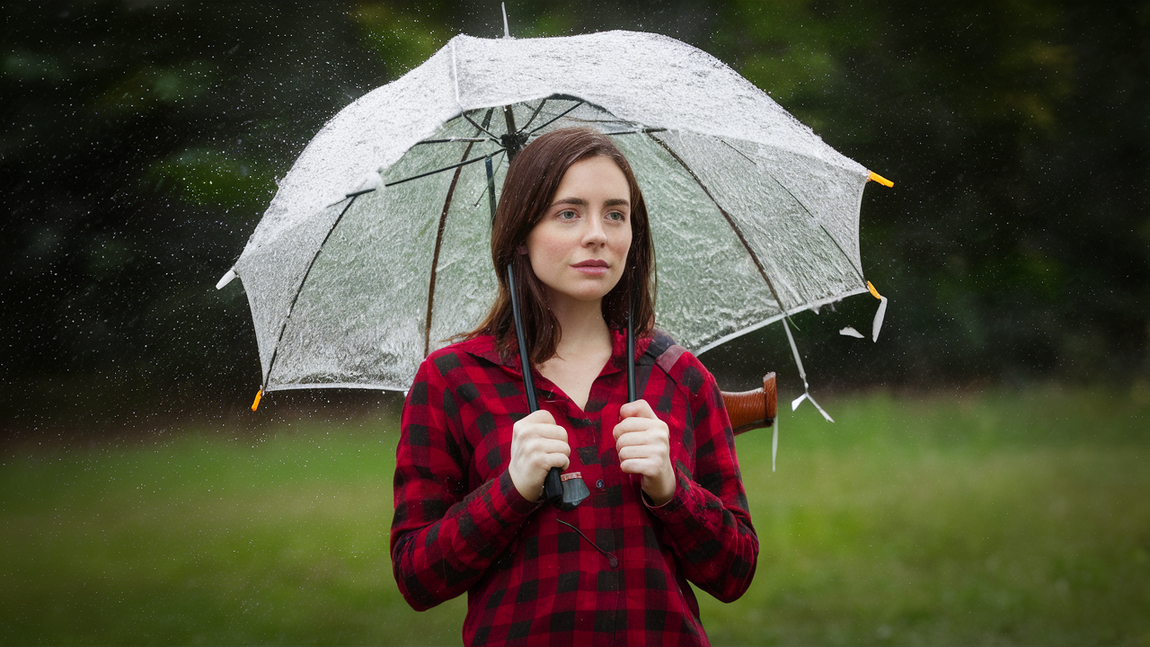
Experiencing Viasat outages during rainy weather is a common frustration. This guide dives deep into why your Viasat internet might falter when it drizzles or pours, offering practical solutions and insights to restore your connection.
Understanding Rain Fade and Viasat Connectivity
Rain fade is the primary culprit behind intermittent satellite internet service during precipitation. This phenomenon occurs when raindrops, snowflakes, or hail absorb and scatter the radio waves used to transmit data between your Viasat satellite dish and the orbiting satellite. While Viasat, like other satellite providers, employs advanced technologies to mitigate these effects, severe weather can still overwhelm these systems, leading to slower speeds, dropped connections, or complete outages. Understanding the science behind rain fade and how it specifically impacts Viasat's geostationary satellite network is crucial for effective troubleshooting.
What Exactly is Rain Fade?
Rain fade, also known as atmospheric attenuation, is a physical process. When electromagnetic signals, particularly those in the higher frequency bands used for satellite communication (like Ka-band, which Viasat heavily utilizes), travel through heavy rain, they interact with the water droplets. These droplets act as obstacles, absorbing some of the signal's energy and scattering the remaining energy in different directions. The denser the rain, the more pronounced this effect becomes. Imagine trying to shout through a thick fog; your voice (the signal) gets muffled and dispersed, making it harder for someone to hear you clearly.
The Viasat Network and Frequency Bands
Viasat operates a constellation of geostationary satellites. Geostationary satellites orbit the Earth at an altitude of approximately 22,236 miles (35,786 kilometers) above the equator. This high altitude means the signal has a long journey to and from your home. Viasat primarily uses the Ka-band frequency spectrum for its services. Ka-band frequencies (roughly 26.5 to 40 GHz for uplink and 17.7 to 21.2 GHz for downlink) offer higher bandwidth and capacity, allowing for faster speeds. However, Ka-band signals are also more susceptible to rain fade compared to lower frequency bands like Ku-band (used by some other providers) because water molecules absorb Ka-band frequencies more readily.
Why Viasat is Particularly Vulnerable
While Viasat invests heavily in advanced beamforming, adaptive coding, and modulation (ACM) techniques, and even uses multiple beams to reroute traffic during heavy rain, the sheer physics of signal attenuation through dense precipitation remains a challenge. The geostationary nature of Viasat satellites means the signal path is fixed and long, traversing the atmosphere twice. During intense thunderstorms, especially those with large water droplets or hail, the signal can be weakened to the point where the Viasat modem at your home can no longer reliably decode the data. This is why you might notice your Viasat internet working fine in light drizzles but dropping during heavy downpours.
The Fundamentals of Satellite Internet
To truly understand why rain affects Viasat, it's essential to grasp how satellite internet fundamentally works. It involves a complex system of ground stations, orbiting satellites, and user terminals (your satellite dish and modem). Each component plays a critical role in establishing and maintaining your internet connection.
Components of a Satellite Internet System
A typical satellite internet setup, including Viasat, comprises three main parts:
- User Terminal (Satellite Dish and Modem): This is what's installed on your home. The satellite dish, also known as an antenna, is precisely aligned to communicate with the Viasat satellite. The modem is the device inside your home that translates the signals from the satellite into data your computer can understand, and vice versa.
- Satellite: Viasat uses geostationary satellites positioned in orbit. These satellites act as relays, receiving signals from your dish, processing them, and beaming them back down to a ground station, or directly to another user's dish.
- Ground Station (Gateway or Teleport): These are large, sophisticated facilities on Earth that connect the satellite network to the terrestrial internet backbone. They manage the flow of data and communicate with the satellites.
The Signal Path Explained
The journey of your internet data is a fascinating one:
- Request Initiation: When you click a link or send an email, your device sends a request to your Viasat modem.
- Uplink Transmission: The modem converts this request into a signal, which is then amplified and transmitted by your satellite dish towards the Viasat satellite. This is the "uplink."
- Satellite Relay: The satellite receives your uplink signal. It then processes this signal and beams it back down towards a specific ground station.
- Ground Station Processing: The ground station receives the signal from the satellite, connects to the wider internet, retrieves the requested information (e.g., the webpage content), and prepares it for transmission back to you.
- Downlink Transmission: The ground station sends the data back up to the satellite.
- Satellite to User: The satellite receives the data from the ground station and transmits it down to your satellite dish. This is the "downlink."
- Modem and Device Reception: Your Viasat modem receives the signal, decodes it, and sends it to your computer or device, displaying the webpage or delivering your email.
This entire round trip, known as latency, takes a noticeable amount of time due to the vast distance the signal travels. This is why satellite internet typically has higher latency than terrestrial options like fiber or cable.
Why This Path is Susceptible to Weather
The critical point of vulnerability in this entire process is the atmospheric path the signal must traverse. Both the uplink and downlink signals pass through Earth's atmosphere. While the atmosphere is generally transparent to radio waves, certain conditions, most notably heavy precipitation, can significantly degrade the signal's strength and integrity. The higher the frequency used, the more the signal is affected by atmospheric conditions like rain.
How Rain Impacts Satellite Signals
Rain's impact on satellite signals is a complex interplay of physics, primarily involving absorption and scattering. Understanding these mechanisms helps explain why your Viasat connection might falter during a storm.
Absorption of Radio Waves
When radio waves encounter water droplets, the energy of the waves can be absorbed by the water molecules. This absorption converts the radio wave's energy into heat within the water droplet. The amount of energy absorbed depends on several factors:
- Frequency: Higher frequencies are absorbed more significantly. As mentioned, Viasat uses Ka-band frequencies, which are more prone to absorption than lower bands.
- Water Droplet Size and Density: Larger droplets and a higher concentration of droplets in the atmosphere lead to greater absorption.
- Path Length: The longer the signal travels through the rain, the more absorption occurs. Since Viasat satellites are geostationary, the signal path through the atmosphere is substantial.
Scattering of Radio Waves
In addition to absorption, rain can also scatter the radio waves. This means the signal's energy is dispersed in various directions, rather than traveling in a straight line from the dish to the satellite (or vice versa). This scattering can:
- Reduce Signal Strength: Less of the signal's energy reaches the intended receiver (your dish or the satellite).
- Cause Signal Jitter: The signal might arrive at the receiver from slightly different angles, disrupting the data stream.
- Introduce Interference: Scattered signals can sometimes interfere with other signals.
The Role of Different Precipitation Types
It's not just rain that causes issues. Other forms of precipitation also contribute to signal degradation:
- Snow: While dry, powdery snow has a minimal effect, wet, heavy snow can also cause absorption and scattering, similar to rain. Ice crystals can also interfere.
- Hail: Hailstones are large, dense water droplets and can cause significant signal attenuation.
- Fog and Clouds: While less impactful than heavy rain, dense fog and thick clouds, especially those containing a lot of moisture, can also cause some degree of signal weakening.
Comparing Rain Fade Across Frequency Bands
To illustrate the impact, consider this simplified comparison of how rain affects different frequency bands. Note that these are general principles, and actual attenuation varies greatly with rain intensity and droplet characteristics.
Frequency Band Typical Use Susceptibility to Rain Fade Viasat Usage L-band (1-2 GHz) Mobile phones, some satellite phones Very Low N/A S-band (2-4 GHz) Weather radar, some satellite communications Low N/A C-band (4-8 GHz) Traditional satellite TV, some data services Moderate N/A Ku-band (12-18 GHz) Satellite TV (e.g., DirecTV, Dish Network), some satellite internet High Used by some Viasat services, but less so for high-speed tiers. Ka-band (26.5-40 GHz) High-speed satellite internet (e.g., Viasat's primary), satellite radio Very High Primary band for Viasat's high-speed services. As the table indicates, Ka-band, which Viasat heavily relies on for its high-speed offerings, is the most susceptible to rain fade. This is a fundamental trade-off: higher frequencies enable greater bandwidth and speed, but at the cost of increased vulnerability to atmospheric conditions.
Viasat-Specific Challenges During Inclement Weather
While rain fade is a universal challenge for satellite internet, Viasat's specific network architecture and the nature of its service introduce unique considerations when dealing with severe weather.
Geostationary Orbit Limitations
Viasat's geostationary satellites are positioned at a fixed point high above the equator. This means the satellite is always in the same relative position to your dish. While this provides consistent coverage, it also means the signal must always travel through the same atmospheric layers. Unlike Low Earth Orbit (LEO) satellite systems (like Starlink), which have multiple satellites constantly moving across the sky, a geostationary satellite has a single, long path to traverse. This fixed, long path makes it more susceptible to prolonged periods of atmospheric interference if a storm cell is stationary or moves slowly across the signal path.
Ka-Band Vulnerability in Detail
As discussed, Viasat's primary use of Ka-band frequencies for its high-speed services is a double-edged sword. The benefits are undeniable: higher capacity means faster download and upload speeds, and the ability to support more users. However, the downside is its pronounced susceptibility to rain fade. During heavy downpours, the Ka-band signal can be attenuated by as much as 20-30 dB or more, which is a significant reduction in signal strength. For context, a 3 dB reduction in signal strength effectively halves the power of the signal.
Beam Technology and Congestion
Viasat employs sophisticated beam technology, using multiple narrow beams to focus its satellite's power and increase capacity. In normal conditions, this is highly effective. However, during widespread severe weather events, multiple beams covering a large geographic area might be affected simultaneously. While Viasat has contingency plans, such as rerouting traffic through less affected beams or ground stations, there are limits to this flexibility, especially if the storm is geographically extensive.
Furthermore, during outages, users often try to reconnect simultaneously once the weather clears, leading to temporary network congestion. This can make it seem like the internet is still not working properly even after the rain has subsided, as the network works to handle the surge in demand.
Ground Station Resilience
While the satellite dish at your home is the most obvious point of failure during rain, the ground stations (gateways) are also critical. These facilities must be robust and have redundant systems. However, extreme weather events can sometimes impact ground infrastructure, although this is less common than direct signal attenuation. Viasat invests in protecting its ground stations, but no infrastructure is entirely immune to catastrophic weather.
Comparison with Other Satellite Technologies (2025-26 Perspective)
In the current landscape (2025-26), Viasat's geostationary Ka-band service faces direct competition from LEO satellite internet services. LEO systems, such as Starlink, operate with thousands of satellites in much lower orbits. This offers several advantages:
- Shorter Signal Path: The distance from the user terminal to the satellite is significantly less, reducing atmospheric attenuation.
- Redundancy: With many satellites, if one is experiencing signal issues due to weather, others can often pick up the slack.
- Adaptive Routing: LEO systems can dynamically route traffic between satellites.
However, LEO systems also have their own challenges, including higher latency (though generally lower than GEO), the need for a clear view of the sky in all directions, and potentially more complex installation. For users in areas with persistent severe weather, the choice between a geostationary service like Viasat and a LEO service might come down to a trade-off between potential rain fade issues and other performance characteristics.
Step-by-Step Troubleshooting for Viasat Rain Issues
When your Viasat internet stops working in the rain, it's natural to feel frustrated. Fortunately, there are several steps you can take to diagnose and potentially resolve the issue, ranging from simple checks to more involved actions.
Step 1: Assess the Severity of the Weather
Before doing anything else, observe the weather conditions. Is it a light drizzle, heavy downpour, or a full-blown thunderstorm with hail? If it's a light shower, the issue might be something else. If it's intense rain, snow, or hail, rain fade is the most likely cause. Sometimes, simply waiting for the weather to pass is the most effective solution.
Step 2: Check Your Viasat Modem and Dish Status
Viasat Modem Lights: Your Viasat modem has indicator lights that provide crucial diagnostic information. Consult your Viasat user manual or the Viasat website for the specific meaning of each light. Generally, you'll want to see solid lights indicating power, satellite lock, and internet connectivity. If the satellite lock light is flashing or off, it indicates the modem is struggling to acquire or maintain a signal from the satellite, which is common during heavy rain.
Dish Obstructions: While less likely to be caused by rain itself, ensure there are no new physical obstructions on or around your satellite dish. For example, if a tree branch has fallen and is now partially blocking the dish, this would severely impact the signal. Heavy snow or ice buildup on the dish can also be an issue (see optimization section).
Step 3: Reboot Your Viasat Equipment
A simple reboot can often resolve temporary glitches. This is a standard troubleshooting step for most electronic devices.
- Unplug the power adapter from your Viasat modem.
- Wait for at least 60 seconds. This allows the modem to fully discharge and reset.
- Plug the power adapter back in.
- Wait for the modem to boot up completely. This can take several minutes. Observe the indicator lights to ensure it attempts to re-establish a satellite lock.
If you have a separate Viasat Wi-Fi router, you may want to reboot that as well after the modem has successfully reconnected.
Step 4: Check for Service Outages in Your Area
Sometimes, the issue might not be with your equipment but with a broader Viasat service interruption in your region. Viasat typically has a customer portal or app where you can check for reported outages. If an outage is confirmed, you'll need to wait for Viasat to resolve it.
Step 5: Verify Your Account Status
Ensure your Viasat account is in good standing. Billing issues or service suspensions can also lead to an internet outage, regardless of the weather. Log in to your Viasat account online or contact customer support to confirm your account is active and paid.
Step 6: Inspect the Dish Alignment (Caution Advised)
This step should only be attempted if you are comfortable and have a clear understanding of the risks involved. Misaligning the dish will result in a complete loss of service. Viasat dishes are precisely aligned. While rain itself doesn't misalign the dish, extreme wind accompanying storms could potentially shift it slightly. If you suspect misalignment (e.g., the dish appears to have moved), you may need to contact Viasat for professional realignment.
Do NOT attempt to adjust the dish yourself unless you are trained and have the proper tools.
Step 7: Consider External Factors
Are there any new structures or trees that have grown near your dish, potentially creating new obstructions? While less common during a rain event, it's worth considering if the problem persists after the rain stops.
Step 8: Contact Viasat Customer Support
If you've gone through the above steps and your Viasat internet is still not working during rain, it's time to contact Viasat customer support. They have advanced diagnostic tools and can remotely check the signal strength to your dish and the status of your equipment. They can also advise if there are known network issues in your area or if a technician visit is required.
When you contact them, be prepared to provide details about:
- The specific time the outage began.
- The intensity of the rain.
- The status of your modem lights.
- Any troubleshooting steps you've already taken.
Optimizing Your Viasat Setup for Weather Resilience
While you can't control the weather, you can take steps to optimize your Viasat setup to minimize the impact of rain fade and other weather-related disruptions. These optimizations focus on ensuring your equipment is in the best possible condition to receive a strong signal.
Proper Dish Installation and Alignment
The single most critical factor for reliable satellite internet is the correct installation and alignment of your satellite dish. A Viasat technician will meticulously align the dish to achieve the strongest possible signal lock with the satellite. Even a minor misalignment can significantly degrade performance, especially during adverse weather.
- Professional Installation: Always opt for professional installation by a certified Viasat technician.
- Secure Mounting: Ensure the mounting bracket is robust and securely attached to a stable surface (e.g., a solid wall or a dedicated pole mount).
- Regular Checks (Visual): Periodically, visually inspect the dish to ensure it hasn't shifted due to extreme winds or external impact. If you suspect movement, contact Viasat for a professional check.
Keeping the Dish Clear of Obstructions
While rain itself doesn't obstruct the signal path in the same way a tree branch does, accumulated debris can. More importantly, ensuring no new obstructions appear is vital.
- Tree Growth: Trim any tree branches that have grown into the line of sight between your dish and the satellite. The line of sight is typically towards the southern sky for most North American installations.
- New Construction: Be mindful of any new structures (e.g., sheds, additions) that might have been built that could now be in the path of your signal.
- Snow and Ice Buildup: In colder climates, snow and ice accumulating on the dish can significantly weaken the signal.
Dealing with Snow and Ice
Snow and ice are particularly problematic for satellite dishes. Unlike rain, which is transient, snow and ice can accumulate and persist.
- Dish Heaters: Some satellite dishes can be fitted with aftermarket heating elements designed to melt snow and ice. Check with Viasat or a satellite installation specialist if this is an option for your specific dish model.
- Manual Clearing (Use Caution): If safe to do so, and using a soft brush or broom (never sharp objects that could scratch the dish surface), you can carefully clear accumulated snow or ice. Avoid climbing on roofs or using unstable ladders. Prioritize safety.
- Dish Covers: Specialized dish covers are available that can help prevent snow and ice buildup, though they must be designed not to interfere with the signal transmission or reception.
Optimizing Your Indoor Equipment
While the dish is outside, the modem and router inside your home also play a role.
- Ventilation: Ensure your Viasat modem and router have adequate ventilation. Overheating can cause performance issues.
- Power Supply: Use the original, provided power adapters for your Viasat modem and router. Unstable power can lead to connection problems.
- Router Placement: If you use a separate Wi-Fi router, ensure it's placed in a central location within your home for optimal Wi-Fi coverage. While this doesn't fix the satellite signal issue, it ensures that once a signal is received, it's distributed effectively.
Understanding Viasat's Adaptive Technologies
Viasat continually invests in technologies to combat rain fade. These include:
- Adaptive Coding and Modulation (ACM): ACM allows the modem and satellite to dynamically adjust the modulation scheme and coding rate based on signal quality. When rain fade occurs, ACM can switch to a more robust, albeit slower, mode to maintain a connection.
- Multiple Beams: Viasat's satellites use numerous narrow beams. If one beam is experiencing heavy rain fade, Viasat may be able to reroute traffic through a less affected beam or a different ground station.
- Higher Power Transmission: In some cases, the system might momentarily increase transmission power to punch through weaker atmospheric conditions.
While these technologies are advanced, they have limits. During extreme weather, even the most sophisticated systems can be overwhelmed.
Advanced Solutions and Exploring Alternatives
If you're consistently experiencing Viasat outages due to rain and basic troubleshooting doesn't suffice, you might need to explore more advanced solutions or consider alternative internet providers. This section delves into what more can be done and what other options might be available.
Advanced Viasat Service Options
Viasat Plans and Technology: Viasat offers different service tiers and utilizes different satellite technologies. Newer Viasat satellites (like Viasat-3) are designed with enhanced capabilities to handle atmospheric conditions better. If you are on an older Viasat plan or using older satellite technology, upgrading to a newer Viasat service might offer improved resilience. Contact Viasat to inquire about available upgrades in your area.
Professional Site Survey: In some challenging locations, a more in-depth site survey by a Viasat technician might identify specific environmental factors (e.g., unique atmospheric conditions, unusual signal path obstructions) that contribute to your problem. This could lead to recommendations for alternative dish placement or specialized equipment.
External Signal Boosters (Limited Applicability)
For satellite internet, external signal boosters are generally not a viable solution in the same way they are for cellular signals. The primary issue with rain fade is the signal's absorption and scattering *before* it even reaches your dish or *after* it leaves. Therefore, boosting the signal at the modem or dish itself doesn't overcome the atmospheric attenuation. Any device claiming to "boost" a satellite signal against rain fade should be approached with extreme skepticism.
Exploring Alternative Internet Providers
If Viasat continues to be unreliable due to weather, exploring other internet service providers is a logical next step. The best alternative depends heavily on your geographic location and available infrastructure.
1. Other Satellite Internet Providers
LEO Satellite Services (e.g., Starlink): As discussed, Low Earth Orbit (LEO) satellite internet services offer a fundamentally different approach. With thousands of satellites in lower orbits, the signal path is shorter, making them generally less susceptible to rain fade compared to geostationary (GEO) satellites like Viasat. While they have their own challenges (e.g., requiring a clear view of the sky in multiple directions), many users find them more reliable in areas with frequent atmospheric interference. As of 2025-26, LEO services are a significant competitor.
Other GEO Providers (e.g., HughesNet): While also using geostationary satellites, other providers might use different frequency bands (e.g., Ku-band, which is less susceptible to rain fade than Ka-band) or have different network architectures. However, all GEO services are subject to some degree of rain fade. It's worth investigating their performance in your specific region.
2. Terrestrial Internet Options
If any terrestrial options are available, they are almost always preferable to satellite internet in terms of speed, latency, and reliability, especially concerning weather.
Fiber Optic Internet: The gold standard for internet connectivity. Fiber optic cables transmit data using light signals, which are unaffected by weather. If fiber is available in your area, it's the most robust and fastest option.
Cable Internet: Utilizes coaxial cables, similar to those used for cable TV. Generally reliable and much less affected by weather than satellite, though extreme conditions like flooding can sometimes impact underground cables.
DSL Internet: Uses existing telephone lines. Performance can vary significantly based on distance from the local exchange, and while generally stable, it's typically slower than fiber or cable. Weather typically has minimal impact on DSL.
Fixed Wireless Internet: This technology uses radio waves to transmit internet from a local tower to a receiver on your home. It's an option in many rural areas where wired infrastructure is lacking. Its susceptibility to weather depends on the specific frequencies used, but it's often more resilient than satellite internet.
3. Mobile Hotspots and Cellular Data Plans
In some situations, a robust 4G LTE or 5G cellular data plan with a dedicated hotspot device or a smartphone with tethering capabilities can serve as a temporary or even permanent backup. The reliability depends on cellular signal strength in your area. While cellular signals can also be affected by extreme weather, the impact is often less severe and shorter-lived than with satellite internet.
Making the Switch: Considerations
When considering a switch:
- Research Local Availability: Use online tools (e.g., broadbandmap.gov in the US, or provider-specific availability checkers) to see what services are offered at your address.
- Read Reviews: Look for local reviews of internet providers, paying close attention to comments about reliability, especially during adverse weather.
- Understand Contract Terms: Be aware of any installation fees, equipment rental costs, data caps, and contract lengths for new services.
- Compare Speeds and Costs: Ensure the new service meets your internet usage needs and fits your budget.
The Future of Satellite Internet in Weather-Challenged Environments
The landscape of satellite internet is rapidly evolving, driven by technological advancements and the increasing demand for broadband connectivity, especially in underserved areas. For users in regions prone to severe weather, the future holds both challenges and promising developments.
Advancements in Satellite Technology
Next-Generation Satellites: Companies like Viasat are launching more powerful satellites (e.g., the Viasat-3 constellation) designed with higher capacity, more advanced beamforming capabilities, and improved resilience to atmospheric conditions. These satellites can dynamically adjust their power and focus to mitigate signal degradation caused by rain and other weather phenomena. The sheer number of beams and their ability to be steered offers greater flexibility in rerouting traffic during outages.
LEO Constellations Maturation: The ongoing deployment and refinement of LEO satellite constellations are a major factor. As these networks grow, they offer a distributed system where the failure or degradation of a single satellite has less impact on the overall service. The lower orbit inherently reduces the distance the signal travels through the atmosphere, making them less susceptible to rain fade than their geostationary counterparts. By 2026, LEO services are expected to offer more competitive performance and wider availability.
Higher Frequency Bands: While Ka-band is already in use, research continues into even higher frequency bands (e.g., V-band, Q/U-band). These offer immense bandwidth potential but also present greater challenges with atmospheric attenuation. Future technologies will need to incorporate more sophisticated mitigation techniques to make these bands viable for reliable service.
Technological Solutions for Rain Fade
Beyond the satellites themselves, innovation is occurring in ground-based and terminal technologies:
- Advanced Signal Processing: More intelligent modems and network management systems are being developed to predict and compensate for signal fluctuations caused by weather. This includes more sophisticated adaptive coding and modulation (ACM) algorithms and predictive algorithms that can switch to backup frequencies or routes before a complete outage occurs.
- Multi-Orbit and Multi-Constellation Integration: The future may see hybrid solutions that combine services from different satellite constellations (GEO and LEO) or even terrestrial networks to provide a more seamless and resilient connection. A user's terminal might automatically switch between Viasat, Starlink, and a terrestrial backup based on real-time performance data and weather forecasts.
- Improved Terminal Design: Future satellite dishes and terminals might incorporate features like phased-array antennas that can electronically steer beams more rapidly and precisely, or even integrated weather sensors to anticipate and react to changing atmospheric conditions.
The Role of Data and AI
Artificial intelligence (AI) and machine learning (ML) are playing an increasingly significant role. By analyzing vast amounts of data on weather patterns, signal strength, and network performance, AI can:
- Predict Outages: Forecast areas likely to experience rain fade and proactively reroute traffic.
- Optimize Network Resources: Dynamically allocate bandwidth and satellite resources to areas most affected by weather.
- Improve Signal Acquisition: Help terminals lock onto satellites more quickly and maintain stable connections.
Challenges and Outlook
Despite these advancements, challenges remain. The physics of signal attenuation through dense precipitation cannot be entirely overcome. For extremely severe or prolonged weather events, some level of service degradation or interruption may still be unavoidable. Furthermore, the cost of deploying and maintaining these advanced technologies, as well as the affordability for end-users, will be critical factors in their widespread adoption.
For individuals in areas with frequent heavy rainfall, the trend points towards more resilient satellite options (both next-gen GEO and LEO) and potentially hybrid solutions that combine different technologies. The goal is to provide a more consistent and reliable internet experience, regardless of the weather outside.
In conclusion, while your Viasat internet experiencing issues during rain is a common occurrence due to rain fade, understanding the underlying causes—from the physics of signal attenuation to Viasat's network specifics—empowers you to troubleshoot effectively. By following the outlined steps, optimizing your setup, and staying informed about technological advancements, you can significantly improve your chances of maintaining a stable connection. If persistent problems arise, exploring alternative providers or newer Viasat services may be necessary for reliable broadband.
Why is my Viasat not working in the rain?
Research, Compare & Choose With Confidence
Last updated: June 25, 2026