-
Posted on: 07 Jan 2026
-
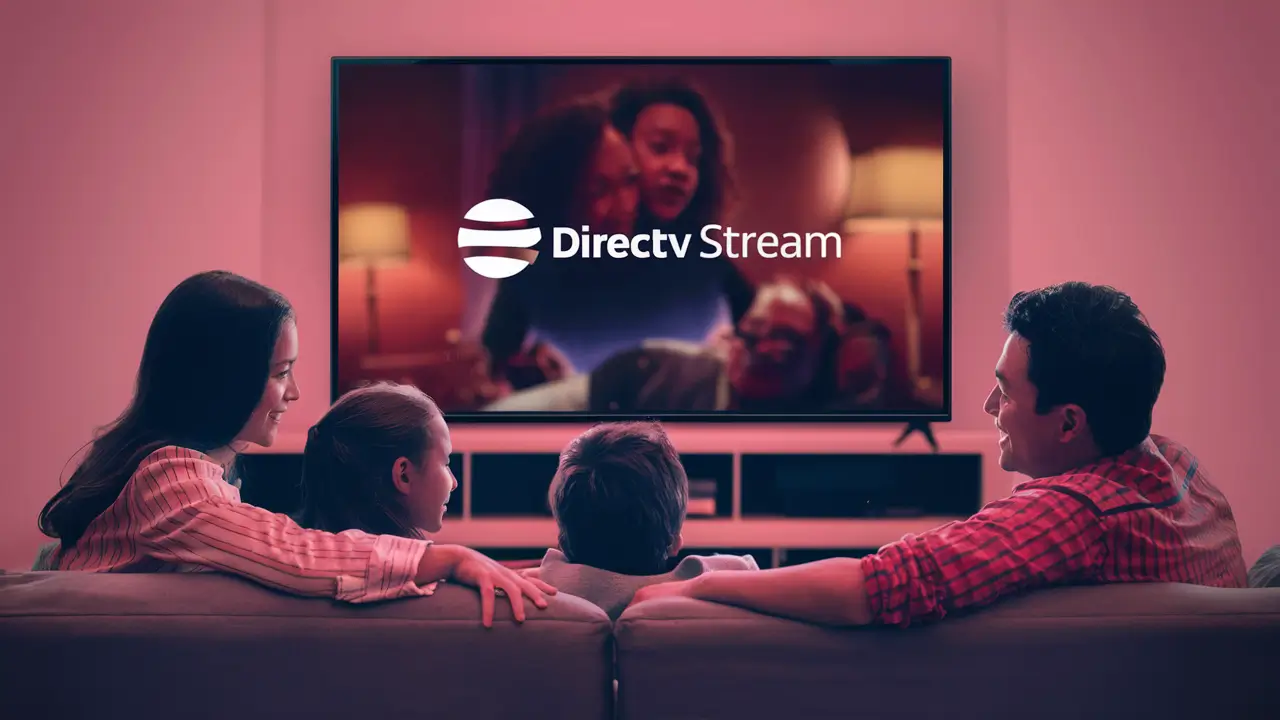
Yes, many existing DIRECTV customers can indeed use DIRECTV Stream, and it often presents a compelling upgrade path. This guide clarifies the transition, benefits, and considerations for current DIRECTV satellite subscribers looking to leverage the flexibility and features of DIRECTV Stream in 2025-26.
Understanding DIRECTV Stream
DIRECTV Stream, formerly known as AT&T TV, represents DIRECTV's modern, internet-based television service. Unlike traditional satellite TV that relies on a physical dish and coaxial cable, DIRECTV Stream delivers live TV, on-demand content, and premium channels directly to your home via your existing internet connection. It’s designed for the contemporary viewer who values flexibility, accessibility across multiple devices, and a streamlined entertainment experience without the need for satellite equipment installation. In 2025-26, DIRECTV Stream continues to be a cornerstone of DIRECTV's strategy to cater to a diverse range of consumer preferences, offering a robust alternative to its established satellite offerings.
What is DIRECTV Stream?
At its core, DIRECTV Stream is a live TV streaming service that provides a familiar channel lineup comparable to traditional cable or satellite packages. However, its delivery mechanism is fundamentally different. Instead of a satellite dish, it uses your home's broadband internet to stream content. This means you can watch your favorite shows and sports on various devices, including smart TVs, streaming sticks (like Roku or Amazon Fire TV), gaming consoles, and mobile devices, both inside and outside your home. The service integrates live channels, a vast on-demand library, and features like cloud DVR, making it a comprehensive entertainment solution.
How Does It Work?
The technology behind DIRECTV Stream is straightforward. You subscribe to a package, and then you use a DIRECTV Stream device (or compatible third-party streaming devices) connected to your TV. This device connects to your home's Wi-Fi or wired internet network. When you select a channel or program, the data is streamed over the internet to your device, which then decodes and displays the content on your television screen. The quality of the stream is dependent on your internet speed and stability, a key difference from satellite which is less susceptible to local weather interference.
Key Features and Benefits
DIRECTV Stream distinguishes itself with several key features:
- Device Flexibility: Watch on your TV, tablet, smartphone, or computer.
- Cloud DVR: Record your favorite shows and watch them anytime, anywhere.
- On-Demand Library: Access a vast selection of movies and TV episodes.
- No Satellite Dish Required: Simplifies installation and removes aesthetic concerns.
- Personalized Recommendations: Tailored suggestions based on viewing habits.
- Multiple User Profiles: Customize viewing experiences for different household members.
DIRECTV Stream vs. DIRECTV Satellite: Key Differences
Understanding the distinctions between DIRECTV Stream and DIRECTV Satellite is crucial for making an informed decision. While both services are offered by the same company and share many channel lineups, their delivery methods, equipment, and some features diverge significantly. This section breaks down these differences to highlight what a transition might entail.
Delivery Method
The most fundamental difference lies in how the service is delivered. DIRECTV Satellite uses a physical satellite dish installed on your home to receive signals from orbiting satellites. These signals are then transmitted to your DIRECTV receiver box. DIRECTV Stream, conversely, relies entirely on your home's broadband internet connection. This means a stable and sufficiently fast internet service is a prerequisite for DIRECTV Stream, whereas satellite is less dependent on local internet infrastructure but can be affected by severe weather.
Equipment Requirements
For DIRECTV Satellite, specialized equipment is mandatory: a satellite dish and a DIRECTV receiver (often called a Genie or similar). Installation of the dish is typically required. For DIRECTV Stream, the primary equipment is a DIRECTV Stream streaming device, which is a small, set-top box that connects to your TV and internet. Alternatively, many users can utilize compatible third-party streaming devices like Roku, Amazon Fire TV, Apple TV, or Google Chromecast, offering greater flexibility in terms of hardware choice.
Installation Process
Satellite installation involves professional mounting of a dish, running cables, and setting up receivers. This can take several hours and requires a technician visit. DIRECTV Stream installation is significantly simpler. If you opt for the DIRECTV Stream device, it’s a plug-and-play setup that connects to your TV via HDMI and to your network via Wi-Fi or Ethernet. If you use your own compatible device, you simply download the DIRECTV Stream app and log in. This drastically reduces installation time and complexity.
Mobility and Accessibility
DIRECTV Satellite is largely tied to the physical location where the dish is installed. While some features allow for remote viewing via apps, the core service is home-based. DIRECTV Stream offers superior mobility. You can access the service on any compatible device with an internet connection, whether you're at home, at a friend's house, or traveling within the U.S. This makes it ideal for those who are frequently on the go or have multiple viewing locations.
Internet Dependency
This is a critical distinction. DIRECTV Satellite’s performance is largely independent of your home internet speed, though it does require an internet connection for certain features like on-demand content and app-based viewing. DIRECTV Stream, however, is entirely dependent on your internet. DIRECTV recommends a minimum internet speed of 25 Mbps for the best streaming experience, especially for multiple devices or 4K content. Poor internet can lead to buffering, pixelation, or dropped streams.
Weather Interference
DIRECTV Satellite signals can be disrupted by heavy rain, snow, or ice storms, leading to temporary loss of service. DIRECTV Stream, being internet-based, is not affected by local weather in the same way. Its performance is contingent on the stability of your internet connection, which in turn can be affected by broader network issues or localized outages, but not typically by immediate atmospheric conditions impacting satellite reception.
Feature DIRECTV Satellite DIRECTV Stream Delivery Method Satellite Dish & Receiver Broadband Internet Equipment Satellite Dish, Receiver(s) DIRECTV Stream Device or Compatible Streaming Device Installation Professional Dish Installation Required Plug-and-Play Setup / App Download Mobility Primarily Home-Based Accessible Anywhere with Internet Internet Dependency Low (for some features) High (essential for all streaming) Weather Impact Can be affected by severe weather Not directly affected by local weather Can I Switch from DIRECTV Satellite to DIRECTV Stream?
Yes, absolutely. DIRECTV actively encourages its satellite customers to explore and transition to DIRECTV Stream, especially as the company continues to invest in its internet-based offerings. The process is designed to be as seamless as possible, allowing existing customers to leverage their relationship with DIRECTV while upgrading to a more modern and flexible viewing experience. This transition is particularly relevant for those who may be experiencing issues with their satellite service, are looking for greater device compatibility, or simply want to embrace a more contemporary entertainment platform.
Eligibility for Existing Customers
Most DIRECTV satellite customers are eligible to switch to DIRECTV Stream. DIRECTV views DIRECTV Stream as a complementary service and a natural evolution for many of its subscribers. There are typically no major barriers to entry for an existing customer, provided they have a stable internet connection that meets the recommended speed requirements. DIRECTV often offers incentives or special migration offers for its loyal satellite customers to make the switch attractive.
The Transition Process
Switching typically involves a few straightforward steps. First, you'll need to assess your internet service. Ensure it meets the minimum speed requirements recommended by DIRECTV (at least 25 Mbps for a smooth experience). You can check your current internet speed using online speed test tools. Next, you'll need to choose a DIRECTV Stream package that aligns with your viewing preferences and budget. DIRECTV representatives can assist with this selection, often highlighting how your current satellite channels translate to the Stream packages. Finally, you'll arrange for the delivery of your DIRECTV Stream device (if you don't plan to use your own compatible device) and set it up at home. This setup is generally much quicker and less intrusive than satellite installation.
Account Management
Your DIRECTV account will be updated to reflect the new DIRECTV Stream service. Billing will likely consolidate under your existing DIRECTV account, simplifying payment. You may need to log in to your DIRECTV online portal to manage your new service, including setting up your cloud DVR, managing user profiles, and accessing on-demand content. DIRECTV aims to maintain a unified customer experience, so your login credentials and account history should carry over.
Benefits of DIRECTV Stream for Existing DIRECTV Customers
For those accustomed to the DIRECTV satellite experience, transitioning to DIRECTV Stream offers a suite of benefits that enhance convenience, accessibility, and the overall viewing experience. These advantages are particularly pronounced in today's multi-device, on-the-go lifestyle, making DIRECTV Stream a compelling upgrade for many.
Enhanced Flexibility and Mobility
One of the most significant advantages is the newfound flexibility. With DIRECTV Stream, your entertainment is no longer tethered to a physical location. You can watch live TV and recorded programs on your smart TV, tablet, smartphone, or laptop, whether you're in your living room, bedroom, or even traveling within the United States. This is a stark contrast to the fixed nature of satellite TV, offering a truly modern viewing experience that fits seamlessly into a dynamic lifestyle.
Simplified Equipment and Installation
The absence of a satellite dish and complex receiver setup is a major draw. DIRECTV Stream eliminates the need for professional dish installation, which can be intrusive and time-consuming. The DIRECTV Stream device is a small, user-friendly box that connects easily to your TV and home network. For those who prefer not to add another device, compatibility with popular streaming platforms means you might already have the necessary hardware. This simplification extends to troubleshooting, as many issues can be resolved through software updates or by restarting your modem and router, rather than dealing with external equipment.
Access to More On-Demand Content
While DIRECTV Satellite offers some on-demand options, DIRECTV Stream typically provides a more extensive and integrated on-demand library. This includes a vast collection of movies and TV shows that you can access instantly, without the need for downloads or rentals. Coupled with the cloud DVR, this allows for a comprehensive entertainment hub that caters to binge-watchers and casual viewers alike.
Cloud DVR Functionality
DIRECTV Stream's cloud DVR is a significant upgrade for many. Unlike traditional DVRs that store recordings on a physical hard drive, the cloud DVR stores your recordings remotely. This means you can access your recorded content from any device, anywhere, as long as you have an internet connection. Furthermore, cloud DVRs often offer more storage capacity and the ability to record more channels simultaneously compared to older satellite DVR models. In 2025-26, cloud DVR technology is highly advanced, offering robust features and reliability.
Potential for Cost Savings
While not always guaranteed, there's potential for cost savings when switching. DIRECTV often bundles internet services or offers promotional pricing for new DIRECTV Stream subscribers, especially those migrating from satellite. Additionally, by eliminating the need for satellite equipment rental fees or potential maintenance costs associated with dishes and receivers, the overall monthly bill could be reduced. It's essential to compare package prices and any associated fees carefully during the transition.
Modern User Interface and Features
DIRECTV Stream boasts a modern, intuitive user interface that is designed for ease of navigation across all devices. Features like personalized recommendations, multi-user profiles, and seamless integration with streaming apps (in some configurations) provide a more tailored and engaging user experience. This modern interface makes finding and watching content more efficient and enjoyable.
How to Transition from DIRECTV Satellite to DIRECTV Stream
Transitioning from DIRECTV Satellite to DIRECTV Stream is a process that DIRECTV aims to make as smooth as possible for its existing customer base. By following a structured approach, you can ensure a successful migration to the more flexible, internet-based platform. This guide outlines the key steps involved in making the switch.
Step 1: Assess Your Internet Service
The foundational requirement for DIRECTV Stream is a reliable and sufficiently fast internet connection. DIRECTV recommends a minimum download speed of 25 Mbps for an optimal streaming experience, especially if multiple devices will be used simultaneously or if you plan to stream in high definition (HD) or 4K. If your current internet service does not meet these requirements, you may need to upgrade your internet plan with your existing provider or consider a new provider. You can test your current internet speed by visiting websites like Speedtest.net.
Key considerations for internet:
- Speed: Ensure it meets or exceeds DIRECTV's recommendations.
- Stability: Consistent connection is crucial for uninterrupted streaming.
- Data Caps: Streaming can consume significant data. Check if your plan has data caps and if they are sufficient for your viewing habits.
- Provider: DIRECTV Stream works with most major internet service providers (ISPs).
Step 2: Choose Your DIRECTV Stream Package
DIRECTV Stream offers several package tiers, each with a different selection of channels. These packages are designed to cater to various viewing needs, from basic entertainment to comprehensive sports and movie channels. You'll want to select a package that closely matches or improves upon the channels you currently enjoy with your DIRECTV Satellite service. DIRECTV representatives can help you compare your current satellite package to the available Stream options.
Common DIRECTV Stream Packages (as of 2025-26):
- Entertainment: A good starting point with a broad mix of popular channels.
- Choice: Includes more regional sports networks and entertainment channels.
- Ultimate: Adds more movie channels and premium sports.
- Premier: The most comprehensive package, including all premium channels like HBO, Cinemax, Showtime, and Starz.
It's important to note that DIRECTV Stream packages may differ slightly from satellite packages in terms of specific channel inclusions, especially for niche regional sports or international channels. Always verify the channel list for the package you are considering.
Step 3: Select Your Equipment
You have two main options for viewing DIRECTV Stream on your TV:
- DIRECTV Stream Device: This is a proprietary streaming box offered by DIRECTV. It's designed to provide a seamless experience with the DIRECTV Stream interface and often comes with voice remote capabilities. It connects via HDMI to your TV and to your home network via Wi-Fi or Ethernet.
- Compatible Third-Party Devices: If you already own or prefer to use your own streaming hardware, DIRECTV Stream is compatible with popular devices such as:
- Roku devices
- Amazon Fire TV devices
- Apple TV devices
- Google Chromecast with Google TV
- Select Smart TVs (check DIRECTV's compatibility list)
Step 4: Place Your Order and Schedule Setup (if needed)
Once you've chosen your package and equipment, you can place your order. This can usually be done online through the DIRECTV website or by speaking with a DIRECTV sales representative. If you've opted for the DIRECTV Stream device and are not using your own, it will be shipped to you. The setup process for the device is typically straightforward and can be done by the customer. If you encounter any issues, DIRECTV customer support is available.
Important Note: When transitioning from satellite, DIRECTV will usually guide you on how to deactivate or return your old satellite equipment to avoid any ongoing charges.
Step 5: Installation and Activation
The DIRECTV Stream device setup is plug-and-play. Connect the device to your TV via HDMI and to your internet router (via Wi-Fi or Ethernet cable). Power on the device and follow the on-screen prompts to connect to your Wi-Fi network and log in with your DIRECTV account credentials. The system will then guide you through any necessary updates and initial configuration.
If you are using a third-party device, download the DIRECTV Stream app from its respective app store, launch it, and log in with your DIRECTV account details. The app will guide you through the setup process.
Step 6: Deactivate/Return Old Satellite Equipment
To avoid duplicate charges, it's crucial to properly deactivate and return your old DIRECTV Satellite equipment (dish, receivers, remotes, etc.). DIRECTV will provide instructions on how to do this, which typically involves shipping the equipment back to them or arranging for a technician to remove it. Failure to return equipment can result in unreturned equipment fees.
Potential Challenges and Considerations
While the transition to DIRECTV Stream offers numerous advantages, it's important for existing DIRECTV customers to be aware of potential challenges and considerations. Addressing these proactively can ensure a smoother and more satisfactory experience with the internet-based service.
Internet Speed and Reliability
As highlighted earlier, the performance of DIRECTV Stream is directly tied to your internet connection. If your internet speed is inconsistent, too slow, or prone to outages, you will experience buffering, pixelation, and dropped streams. This is the most significant factor to consider. If you live in an area with limited high-speed internet options, DIRECTV Stream might not be the ideal solution.
Actionable Advice:
- Test your speed regularly.
- Consider a wired Ethernet connection for the DIRECTV Stream device if Wi-Fi is unreliable.
- Ensure your home network equipment (router, modem) is up-to-date and capable of handling streaming demands.
- Check for data caps on your internet plan. Streaming live TV can consume 3-5 GB per hour in HD.
Channel Lineup Differences
While DIRECTV Stream packages often mirror satellite offerings, there can be subtle differences, particularly with very niche local channels, international channels, or specific regional sports networks. It’s essential to verify that all your must-have channels are included in the DIRECTV Stream package you choose. Sometimes, a channel available on satellite might not be offered on Stream, or vice-versa, due to content licensing agreements for different delivery methods.
Actionable Advice:
- Obtain the exact channel list for your desired DIRECTV Stream package.
- Compare it against your current DIRECTV Satellite channel list.
- Identify any critical channels that might be missing and explore alternatives or consider a different package.
Cost Comparison
While promotional pricing can make the initial switch attractive, it's crucial to look beyond introductory offers. The monthly cost of DIRECTV Stream packages, combined with your internet service, should be compared to your current DIRECTV Satellite bill. In some cases, the streaming service might be more expensive, especially if you require a high-speed internet plan that you didn't need before. Factor in potential equipment rental fees for the DIRECTV Stream device if you don't use your own.
Actionable Advice:
- Calculate the total monthly cost: DIRECTV Stream package + Internet service + any equipment fees.
- Compare this total to your current DIRECTV Satellite bill.
- Be aware of price increases after promotional periods end.
Reliance on Third-Party Devices
If you opt to use your own streaming device, ensure it is fully compatible and receives regular software updates. Performance can vary between different devices and brands. While DIRECTV Stream is designed to work with popular platforms, occasional glitches or compatibility issues can arise, which might be harder to troubleshoot as DIRECTV has less control over third-party hardware and software.
Actionable Advice:
- Check DIRECTV's official compatibility list before purchasing or relying on a device.
- Keep your streaming device's firmware and the DIRECTV Stream app updated.
- Be prepared to troubleshoot using the device manufacturer's support resources if needed.
No Satellite Dish Maintenance
While the absence of a satellite dish is a benefit for many, it also means you lose the inherent weather resilience of satellite signals. Severe thunderstorms, heavy snow, or ice can disrupt satellite reception. DIRECTV Stream, relying on the internet, is not affected by local weather in the same way. However, your internet service itself could be affected by broader network issues or power outages, which can also lead to a loss of service.
Actionable Advice:
- Ensure your internet provider has a reliable network in your area.
- Consider a backup power source for your modem and router if power outages are common.
Pricing and Package Comparison (2025-26)
Understanding the pricing structure and channel lineups for DIRECTV Stream packages is crucial for existing DIRECTV customers considering a switch. While exact prices can fluctuate and are subject to regional variations and promotions, the following provides a general overview of typical offerings and their value proposition for 2025-26.
DIRECTV Stream Package Tiers
DIRECTV Stream generally offers four main package tiers, each building upon the previous one:
- Entertainment: This is the entry-level package, providing a solid foundation of popular entertainment, news, and sports channels. It typically includes channels like ESPN, HGTV, CNN, AMC, and many more. It's ideal for households that want a broad range of content without needing extensive niche sports or movie channels.
- Choice: This package expands on the Entertainment tier by adding more regional sports networks (RSNs), additional movie channels, and more entertainment options. It's a popular choice for sports fans who want to follow local teams and for those who enjoy a wider variety of programming.
- Ultimate: The Ultimate package further enhances the channel selection by including more premium movie channels (like Starz Encore) and a greater variety of sports channels. It also includes more entertainment and documentary channels, making it suitable for households with diverse viewing interests.
- Premier: This is the top-tier package, offering the most comprehensive channel lineup. It includes all the channels from the Ultimate package plus all the major premium movie channels such as HBO, Cinemax, Showtime, and The Movie Channel. This package is best for avid movie buffs and those who subscribe to multiple premium networks.
Estimated Pricing (2025-26)
It's important to note that the following are *estimated* monthly prices and do not include potential taxes, fees, or the cost of your internet service. DIRECTV frequently runs promotions, especially for new subscribers or those migrating from satellite, which can significantly reduce the introductory price for the first 12-24 months. Always verify current pricing and offers directly with DIRECTV.
Estimated Monthly Pricing (before taxes/fees, after potential introductory discounts):
- Entertainment: $70 - $85
- Choice: $90 - $105
- Ultimate: $105 - $120
- Premier: $140 - $155
These prices are generally competitive within the live TV streaming market, especially when considering the breadth of channels offered, particularly in the higher tiers. The inclusion of regional sports networks in the Choice and above packages is a significant value proposition for many sports fans.
Comparison with DIRECTV Satellite Pricing
When comparing costs, remember that DIRECTV Satellite pricing often involves equipment lease fees, potential regional sports fees, and broadcast TV fees that are itemized separately. DIRECTV Stream's pricing is generally more all-inclusive, with the primary additional cost being your internet service. However, the cost of a high-speed internet plan required for streaming can sometimes exceed the savings from eliminating satellite equipment fees.
Key Cost Factors to Consider:
- DIRECTV Stream Package Price: Varies by tier.
- Internet Service Cost: Varies by provider and plan speed.
- DIRECTV Stream Device Fee: Often a one-time purchase or a monthly rental fee, though sometimes included free with promotions.
- Taxes and Fees: Applicable to both services.
- Promotional Period Expiration: Be aware of the price jump after introductory offers end.
Value Proposition
The value of DIRECTV Stream lies in its flexibility, modern features, and comprehensive channel lineups. For existing DIRECTV customers, the ability to retain a familiar channel selection while gaining the benefits of streaming—like multi-device access and cloud DVR—often justifies the cost. The choice between satellite and stream often comes down to individual priorities: weather resilience and traditional TV experience versus internet-based flexibility and modern features.
FAQs for DIRECTV Customers Considering Stream
As a DIRECTV satellite customer contemplating a move to DIRECTV Stream, you likely have specific questions. This section addresses common queries to provide clarity and help you make an informed decision about this transition in 2025-26.
Q1: Do I need to cancel my DIRECTV Satellite service before signing up for DIRECTV Stream?
A: No, you typically do not need to cancel your satellite service immediately. DIRECTV often allows you to have both services active for a short period during the transition. However, you will eventually need to deactivate and return your satellite equipment to avoid duplicate charges once you are fully set up with DIRECTV Stream. Your DIRECTV representative will guide you through this process.
Q2: Will I lose my current channel lineup if I switch to DIRECTV Stream?
A: In most cases, no. DIRECTV Stream packages are designed to closely mirror the channel lineups available on DIRECTV Satellite. DIRECTV aims for a seamless transition, so your favorite channels are likely to be available. However, it's always recommended to verify the specific channel list for the DIRECTV Stream package you are considering against your current satellite package to ensure all your must-have channels are included.
Q3: What happens to my recorded shows on my DIRECTV Satellite DVR?
A: Recordings made on your DIRECTV Satellite DVR are stored on that physical device and cannot be transferred to the DIRECTV Stream cloud DVR. When you switch, you will start fresh with the cloud DVR functionality offered by DIRECTV Stream. This means you will need to re-record any shows you wish to keep after transitioning.
Q4: Is DIRECTV Stream available outside the U.S.?
A: No, DIRECTV Stream is intended for use within the United States only. While you can access your account and stream content from anywhere within the U.S. with a reliable internet connection, international streaming is not supported. Some content, like live sports, may also be subject to blackout restrictions based on your location.
Q5: Can I use my existing DIRECTV receivers with DIRECTV Stream?
A: No, DIRECTV Satellite receivers are not compatible with DIRECTV Stream. DIRECTV Stream requires either the dedicated DIRECTV Stream device or a compatible third-party streaming device (like Roku, Fire TV, Apple TV, etc.) to access the service.
Q6: What if my internet goes down? Can I still watch TV?
A: If your internet connection goes down, you will not be able to stream DIRECTV Stream. Unlike DIRECTV Satellite, which relies on satellite signals that are largely independent of your home internet, DIRECTV Stream is entirely dependent on a functioning internet connection. If internet outages are common in your area, this is a significant factor to consider.
Q7: Are there any contracts required for DIRECTV Stream?
A: DIRECTV Stream is generally offered without a long-term contract. You typically pay on a month-to-month basis. This offers more flexibility compared to some traditional satellite TV contracts. However, it's always wise to confirm the terms and conditions at the time of sign-up, as promotional offers might sometimes be tied to a commitment period.
Q8: How does the DIRECTV Stream device compare to a Roku or Fire TV Stick?
A: The DIRECTV Stream device is optimized for the DIRECTV Stream service, offering a potentially more integrated and streamlined user experience. It often comes with a voice-controlled remote. Roku and Fire TV devices are more general-purpose streaming platforms that support a wide array of apps, including DIRECTV Stream. If you already use and are comfortable with a Roku or Fire TV, using it for DIRECTV Stream can be a convenient option. Performance can vary, and DIRECTV's own device may offer slightly better integration with their service.
Making the Decision for Your Household
Deciding whether to transition from DIRECTV Satellite to DIRECTV Stream is a significant choice that hinges on your household's specific needs, internet capabilities, and viewing habits. By carefully weighing the benefits against the potential challenges, you can make an informed decision that enhances your entertainment experience. The flexibility, modern features, and device accessibility of DIRECTV Stream present a compelling case for many, especially those looking to embrace a more contemporary approach to television viewing in 2025-26.
For households with robust and reliable internet, DIRECTV Stream offers an attractive upgrade path. It removes the constraints of satellite equipment, provides enhanced mobility, and delivers a feature-rich platform with cloud DVR capabilities. The key is to ensure your internet infrastructure can support the demands of streaming. If your internet is consistently fast and stable, the transition is likely to be a positive one, offering a more versatile and integrated entertainment solution.
Conversely, if your internet service is unreliable, slow, or subject to data caps, sticking with DIRECTV Satellite might be the more prudent choice for now. The inherent resilience of satellite signals to local internet issues can be a critical advantage in such scenarios. However, it's worth re-evaluating your internet options periodically, as service providers and technologies are constantly evolving.
Ultimately, DIRECTV Stream represents the future of television delivery for many, and for existing DIRECTV customers, it offers a familiar yet significantly upgraded experience. By understanding your internet readiness, comparing package details, and considering your household's unique requirements, you can confidently determine if DIRECTV Stream is the right move for you.
Can Directv Customers Use Directv Stream?
Research, Compare & Choose With Confidence
Last updated: June 25, 2026