-
Posted on: 07 Jan 2026
-
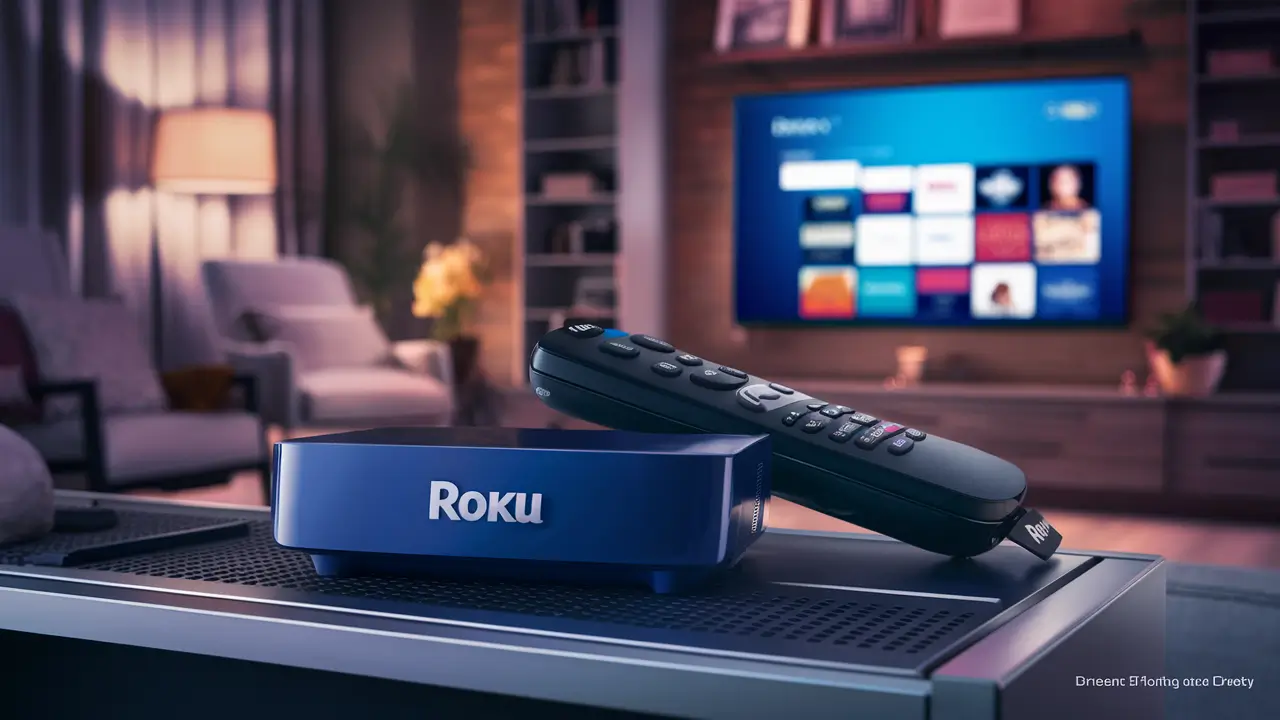
Yes, you can stream DIRECTV content to your Roku device, but not directly through a dedicated DIRECTV app. Instead, you'll leverage specific DIRECTV streaming services and apps that are compatible with Roku. This guide will break down exactly how to achieve this, explore your options, and ensure you're getting the most out of your streaming experience in 2025-26.
Understanding DIRECTV Streaming Options
DIRECTV, a long-standing player in the television landscape, has evolved significantly to meet the demands of modern viewers. In 2025-26, the company offers distinct services that cater to different needs, primarily falling into two categories: DIRECTV Satellite and DIRECTV Stream. Understanding these differences is crucial because your ability to stream DIRECTV on a Roku device hinges entirely on which service you subscribe to.
DIRECTV Satellite
This is the traditional DIRECTV service that requires a satellite dish installed at your home. While it offers a vast array of channels and features, its primary mode of delivery is through dedicated DIRECTV receivers. Streaming DIRECTV Satellite content directly to a Roku device isn't a straightforward, out-of-the-box feature. However, there are indirect methods, which we'll explore later, that can allow you to access some of your subscribed content on a Roku. The core experience of DIRECTV Satellite is designed around its proprietary hardware.
DIRECTV Stream
DIRECTV Stream, formerly known as AT&T TV, is DIRECTV's internet-based streaming service. This is the key to unlocking DIRECTV content on your Roku. DIRECTV Stream offers live TV, on-demand content, and DVR capabilities all delivered over your home internet connection. Because it's an IP-based service, it's inherently compatible with devices that can access streaming apps, including Roku. DIRECTV Stream is designed to be a cord-cutting solution, offering a cable-like experience without the need for a satellite dish or long-term contracts.
The Role of Roku
Roku is a popular platform for streaming digital content. Its devices, whether standalone streaming sticks, boxes, or smart TVs with Roku built-in, provide access to a vast library of apps (channels) from various content providers. If a service offers a dedicated Roku app, you can easily download and use it on your Roku device. For DIRECTV, the availability of a DIRECTV Stream app on the Roku platform is what makes streaming possible.
In summary, if you have DIRECTV Satellite, direct streaming to Roku is limited. If you have DIRECTV Stream, streaming to Roku is very much possible and is one of the primary ways users access the service. The following sections will delve into the specifics of how to achieve this, focusing on DIRECTV Stream as the primary path.
DIRECTV Stream vs. DIRECTV Satellite: Which is Right for You?
The decision between DIRECTV Stream and DIRECTV Satellite in 2025-26 depends on your viewing habits, technical setup, and contract preferences. Understanding these differences will help you determine if DIRECTV Stream is the right path to streaming on your Roku.
DIRECTV Satellite: The Traditional Choice
Pros:
- Extensive Channel Packages: Often boasts a wider selection of premium sports channels and international programming, especially for dedicated sports fans.
- Reliability in Some Scenarios: Less susceptible to internet outages affecting your TV signal, provided your satellite dish has a clear view of the sky.
- Bundling Options: Can sometimes be bundled with other services for potential cost savings.
- Dedicated Receivers: Offers robust, feature-rich DVRs (like the Genie system) with extensive storage.
Cons:
- Installation Required: Needs a professional installation and a visible satellite dish, which might not be feasible or desirable for all living situations (e.g., apartments, HOAs).
- Limited Streaming Capability: As mentioned, direct streaming to devices like Roku is not the primary function.
- Long-Term Contracts: Typically requires a 2-year contract, which can be a deterrent for those seeking flexibility.
- Weather Sensitivity: Heavy rain or snow can sometimes disrupt the satellite signal.
DIRECTV Stream: The Modern Streaming Solution
Pros:
- No Satellite Dish Needed: Operates entirely over your internet connection, making it ideal for renters or those who dislike external dishes.
- Roku Compatibility: Offers a dedicated app for Roku devices, enabling seamless streaming.
- Flexibility: Generally offers month-to-month contracts, providing more freedom to cancel or change plans.
- Access Anywhere: Content can be accessed on various devices (Roku, smartphones, tablets, web browsers) both inside and outside your home.
- Cloud DVR: Features a cloud-based DVR that allows you to record shows and watch them on any compatible device.
Cons:
- Internet Dependent: Requires a stable and sufficiently fast internet connection. If your internet goes down, your TV service does too.
- Data Caps: Streaming live TV can consume significant data, which could be an issue if your internet plan has data caps.
- Channel Lineup Variations: While comprehensive, some niche channels or specific regional sports networks might be more readily available on satellite.
- Potential for Price Increases: Like most streaming services, prices can fluctuate.
Choosing for Roku Streaming
For the specific goal of streaming DIRECTV to your Roku device, DIRECTV Stream is unequivocally the recommended choice. Its design inherently supports streaming apps on platforms like Roku. If you are already a DIRECTV Satellite customer and want to stream on your Roku, you will need to explore alternative methods or consider switching to DIRECTV Stream.
In 2025-26, the trend continues towards internet-based services, making DIRECTV Stream the more future-proof and user-friendly option for those prioritizing flexibility and multi-device access, especially on popular streaming platforms like Roku.
How to Stream DIRECTV Stream on Roku
Streaming DIRECTV Stream on your Roku device is a straightforward process, designed for ease of use. If you are a DIRECTV Stream subscriber, you're just a few steps away from enjoying your favorite channels on your Roku.
Step 1: Ensure You Have DIRECTV Stream
This guide assumes you are subscribed to DIRECTV Stream. If you have DIRECTV Satellite, please refer to the section on alternative methods. You will need your DIRECTV Stream account credentials (username and password).
Step 2: Prepare Your Roku Device
Make sure your Roku device is set up, connected to your Wi-Fi network, and has the latest software updates installed. If you're setting up a new Roku device, follow the on-screen prompts for initial setup.
Step 3: Access the Roku Channel Store
On your Roku device's home screen, navigate to the "Streaming Channels" or "Channel Store" option. This is where you can find and add new streaming applications.
Step 4: Search for the DIRECTV Stream App
Use the search function within the Roku Channel Store. Type in "DIRECTV Stream" (or sometimes just "DIRECTV" might bring it up, but "DIRECTV Stream" is more precise). The official DIRECTV Stream app should appear in the search results.
Step 5: Add the DIRECTV Stream App
Select the DIRECTV Stream app and choose the "Add channel" or "Add app" option. The app will be downloaded and installed on your Roku device. It will typically appear on your Roku home screen, often at the end of your existing channel list.
Step 6: Launch the App and Sign In
Navigate to the newly added DIRECTV Stream app on your Roku home screen and launch it. You will be prompted to sign in. Enter your DIRECTV Stream account username and password. These are the same credentials you use to log in to the DIRECTV Stream website or other supported apps.
Step 7: Start Streaming
Once you are successfully logged in, you will have access to your DIRECTV Stream subscription. You can browse live TV channels, access your DVR recordings (if you have the cloud DVR feature), and explore on-demand content directly through the app interface on your Roku.
Navigating the DIRECTV Stream App on Roku
The DIRECTV Stream app on Roku typically offers a user-friendly interface:
- Home Screen: Often features recommendations, trending content, and quick access to live TV.
- Live TV Guide: Browse through channels, see what's currently airing, and what's coming up.
- On Demand: Access a library of movies and TV shows available through your subscription.
- DVR: View and manage your recorded programs.
- Search: Find specific shows, movies, or channels.
Key Features Available on Roku:
- Live TV Streaming: Watch thousands of live channels included in your DIRECTV Stream package.
- Cloud DVR: Record up to 200 hours of content (depending on your plan) and access it from your Roku.
- On-Demand Library: Stream a wide selection of movies and TV shows.
- Multiple Streams: Depending on your plan, you may be able to stream on multiple devices simultaneously.
By following these steps, you can seamlessly integrate your DIRECTV Stream subscription with your Roku device, enjoying a flexible and convenient viewing experience. This is the most direct and officially supported method for streaming DIRECTV content on Roku.
Alternative Methods for Streaming DIRECTV Content
For DIRECTV Satellite subscribers, or those who might be looking for workarounds, there are alternative methods to get DIRECTV content onto a Roku device. These methods are generally less direct and may involve additional hardware or services, and their availability and functionality can vary.
1. DIRECTV App for Mobile Devices and Screen Mirroring
DIRECTV offers a mobile app (available for iOS and Android) that allows DIRECTV Satellite subscribers to stream live TV and On Demand content. While this app is not directly available on Roku, you can use screen mirroring or casting features to display your mobile device's screen onto your Roku TV.
How it Works:
- Install the DIRECTV App: Download the official DIRECTV app from your mobile device's app store.
- Log In: Sign in using your DIRECTV account credentials.
- Enable Screen Mirroring on Roku: On your Roku device, navigate to Settings > System > Screen Mirroring. Ensure "Screen mirroring mode" is set to "Prompt" or "Always allow."
- Start Mirroring: On your mobile device, access the screen mirroring or casting feature (often found in the quick settings menu or through specific apps like Google Home or AirPlay for Apple devices). Select your Roku device from the list of available devices.
- Launch DIRECTV App: Once mirroring is active, open the DIRECTV app on your phone and start streaming. Your phone's screen, including the DIRECTV app, will be displayed on your TV.
Limitations:
- Quality: Screen mirroring quality can be inconsistent and may suffer from lag or lower resolution compared to native app streaming.
- Interruption: If your phone receives a call or notification, it can interrupt the stream.
- Battery Drain: Continuous mirroring drains your mobile device's battery quickly.
- Not Officially Supported for Roku: While it works, it's not a primary or officially supported method for Roku integration.
2. Using a Streaming Device with a Web Browser
Some advanced Roku devices or other streaming devices compatible with Roku might have a web browser. DIRECTV Stream can be accessed via its web interface. If your Roku device has a functional web browser, you might be able to log in to the DIRECTV Stream website and stream from there.
How it Works:
- Access Web Browser: On your Roku device, find and open the web browser app.
- Navigate to DIRECTV Stream: Go to the DIRECTV Stream website (e.g., directv.com/stream or a similar portal).
- Log In: Enter your DIRECTV Stream credentials.
- Play Content: Select and play the content you wish to watch.
Limitations:
- Browser Availability: Not all Roku models have a robust or user-friendly web browser.
- Performance: Streaming through a web browser on a TV device can be clunky and may not offer the same smooth experience as a dedicated app.
- Compatibility Issues: Websites are often optimized for desktop or mobile browsers, not TV browsers, leading to potential display or playback issues.
3. Third-Party Hardware Solutions (Less Common/Recommended)
In the past, some users might have explored using HDMI capture cards or other hardware to capture the output of a DIRECTV Genie client and then stream that signal over a network. However, these solutions are complex, often violate terms of service, and are not recommended for typical users due to cost, technical difficulty, and potential legal implications.
4. Consider Switching to DIRECTV Stream
For DIRECTV Satellite customers who prioritize seamless streaming on their Roku, the most practical and reliable solution is often to switch to DIRECTV Stream. This service is built for internet streaming and has a dedicated, well-supported app on the Roku platform. While it involves changing your subscription, it eliminates the complexities and limitations of the alternative methods.
In 2025-26, as streaming becomes even more prevalent, the focus is clearly on internet-delivered services. While workarounds exist, they are often compromises. If your goal is to use Roku with DIRECTV, DIRECTV Stream is the intended and most effective path.
Troubleshooting and Tips for Streaming DIRECTV on Roku
Even with a seamless setup, you might encounter occasional issues when streaming DIRECTV Stream on your Roku. Here are some common troubleshooting steps and helpful tips to ensure a smooth viewing experience in 2025-26.
Common Troubleshooting Steps
1. Internet Connection Issues
Problem: Buffering, pixelation, or dropped streams.
Solution:
- Check Internet Speed: Ensure your internet speed meets DIRECTV Stream's recommended requirements (typically at least 25 Mbps for HD streaming). You can run a speed test directly on your Roku device or via a web browser on another device connected to the same network.
- Restart Your Modem and Router: Unplug your modem and router for 30 seconds, then plug them back in. Wait for them to fully boot up before testing your connection again.
- Move Router Closer or Use Ethernet: If possible, move your Roku device closer to your Wi-Fi router or use an Ethernet cable for a more stable wired connection.
- Reduce Network Congestion: If multiple devices are heavily using your internet (e.g., large downloads, other streaming services), try to limit their usage while you're streaming DIRECTV.
2. DIRECTV Stream App Not Loading or Crashing
Problem: The app won't open, freezes, or closes unexpectedly.
Solution:
- Restart the App: Go back to the Roku home screen, highlight the DIRECTV Stream app, and press the asterisk (*) button on your remote. Select "Remove channel" and then add it again from the Channel Store.
- Restart Your Roku Device: Go to Settings > System > System Restart.
- Check for App Updates: While Roku usually updates apps automatically, you can manually check by going to Settings > System > System Update > Check now.
- Check DIRECTV Stream Service Status: Occasionally, DIRECTV Stream itself might experience outages. Check their official social media or support pages for any reported issues.
3. Login or Account Issues
Problem: Unable to sign in to your DIRECTV Stream account.
Solution:
- Verify Credentials: Double-check that you are entering the correct username and password. Passwords are case-sensitive.
- Reset Password: If you've forgotten your password, use the "Forgot Password" link on the DIRECTV Stream login page.
- Clear App Cache (if available): Some platforms allow clearing app cache. On Roku, removing and re-adding the channel often serves a similar purpose.
- Contact DIRECTV Support: If you continue to have login problems, contact DIRECTV customer support for assistance.
4. Audio or Video Sync Issues
Problem: Audio is out of sync with the video.
Solution:
- Restart the App and Roku: This is often the quickest fix for temporary glitches.
- Check for Audio Settings: Ensure your Roku's audio output settings are configured correctly.
- Try a Different Channel: See if the issue persists across all channels or just specific ones.
- Check for Updates: Ensure both your Roku and the DIRECTV Stream app are up to date.
Helpful Tips for an Optimized Experience
- Use a Wired Connection (Ethernet): For the most stable and reliable streaming experience, especially for live sports or high-definition content, connecting your Roku device directly to your router via an Ethernet cable is highly recommended over Wi-Fi.
- Optimize Your Wi-Fi: If Wi-Fi is your only option, ensure your router is in a central location, away from obstructions and other electronic devices that can cause interference. Consider upgrading to a dual-band router if you have an older model.
- Manage Data Usage: DIRECTV Stream can consume a significant amount of data. If you have a data cap on your internet plan, monitor your usage and consider streaming in lower resolutions during peak data usage times.
- Familiarize Yourself with the Roku Remote: Learn the shortcuts and features of your Roku remote, such as the asterisk (*) button for options and the voice search function, to navigate the DIRECTV Stream app more efficiently.
- Utilize the DIRECTV Stream App Features: Explore the app's features like personalized watchlists, DVR management, and on-demand libraries to get the most out of your subscription.
- Keep Software Updated: Regularly update your Roku device's operating system and ensure the DIRECTV Stream app is also up-to-date. Updates often include performance improvements and bug fixes.
- Understand Your Plan's Limitations: Be aware of the number of simultaneous streams allowed by your DIRECTV Stream plan to avoid interruptions if multiple people in your household are streaming at once.
By proactively addressing potential issues and following these tips, you can maximize your enjoyment of DIRECTV Stream on your Roku device throughout 2025-26 and beyond.
The Future of DIRECTV Streaming on Roku
The landscape of television consumption is in constant flux, with streaming services and smart TV platforms like Roku playing an increasingly dominant role. For DIRECTV, adapting to these changes is paramount to retaining and attracting subscribers. In 2025-26, the trajectory for DIRECTV streaming on Roku points towards continued integration and optimization.
Continued Reliance on DIRECTV Stream
It is highly probable that DIRECTV will continue to heavily promote and develop DIRECTV Stream as its primary offering for internet-based television. This means that the dedicated DIRECTV Stream app on Roku will remain the most direct and supported method for Roku users to access DIRECTV's programming. Expect ongoing updates to the app, enhancing its user interface, adding new features, and improving performance to compete with other major streaming TV providers.
Potential for Enhanced Features
As streaming technology advances, we may see DIRECTV Stream on Roku offer even more sophisticated features. This could include:
- Improved DVR Functionality: Enhancements to cloud DVR management, such as easier series recording setup, better organization of recorded content, and potentially increased storage capacity.
- Personalization and Recommendations: More advanced algorithms for personalized content recommendations based on viewing habits, making it easier for users to discover new shows and movies.
- Interactive Features: While less common in live TV streaming, there's always a possibility for DIRECTV to explore interactive elements, especially for live sports or special events, if the Roku platform supports such integrations.
- 4K HDR Content: As 4K and HDR streaming becomes more mainstream, DIRECTV Stream may expand its offering of high-quality content available through the Roku app.
DIRECTV Satellite and Streaming Integration
For DIRECTV Satellite customers, the future of streaming on Roku remains less direct. While DIRECTV might continue to offer companion apps or mobile streaming options, a dedicated, feature-rich integration for Satellite subscribers directly on Roku is unlikely to be a priority. The company's strategic focus is clearly on its internet-delivered DIRECTV Stream service. Therefore, for Satellite customers seeking a true Roku experience, transitioning to DIRECTV Stream is the most logical path forward.
Roku's Evolving Platform
Roku itself is continuously innovating, expanding its hardware capabilities and software features. As Roku devices become more powerful and its platform more robust, the potential for richer streaming experiences with services like DIRECTV Stream will only grow. Roku's commitment to being an open platform for content providers ensures that major services will continue to invest in their Roku apps.
Competitive Landscape
The streaming TV market is highly competitive. DIRECTV, like other providers, must continually offer compelling value and user experience to retain customers. This competitive pressure will likely drive further investment in the DIRECTV Stream app on platforms like Roku, ensuring it remains a viable and attractive option for cord-cutters and cord-nevers.
In conclusion, the future of DIRECTV streaming on Roku is intrinsically linked to the success and development of DIRECTV Stream. While DIRECTV Satellite users will likely continue to rely on indirect methods, those subscribed to DIRECTV Stream can anticipate an evolving and improving experience on their Roku devices. The trend is clear: for DIRECTV on Roku, the path forward is through internet streaming.
In conclusion, the question "Can You Stream DIRECTV To Roku?" is definitively answered with a "yes," but with a crucial distinction. For DIRECTV Stream subscribers, the answer is a resounding and straightforward yes, facilitated by a dedicated app on the Roku platform. This method offers the most seamless, high-quality, and feature-rich experience. For DIRECTV Satellite customers, direct streaming to Roku is not natively supported, requiring workarounds like screen mirroring or considering a switch to DIRECTV Stream. As of 2025-26, DIRECTV Stream is the company's strategic focus for internet-based delivery, making it the most viable and future-proof option for Roku users. By understanding these nuances and following the outlined steps, you can effectively enjoy your DIRECTV programming on your preferred Roku device.