-
Posted on: 07 Jan 2026
-
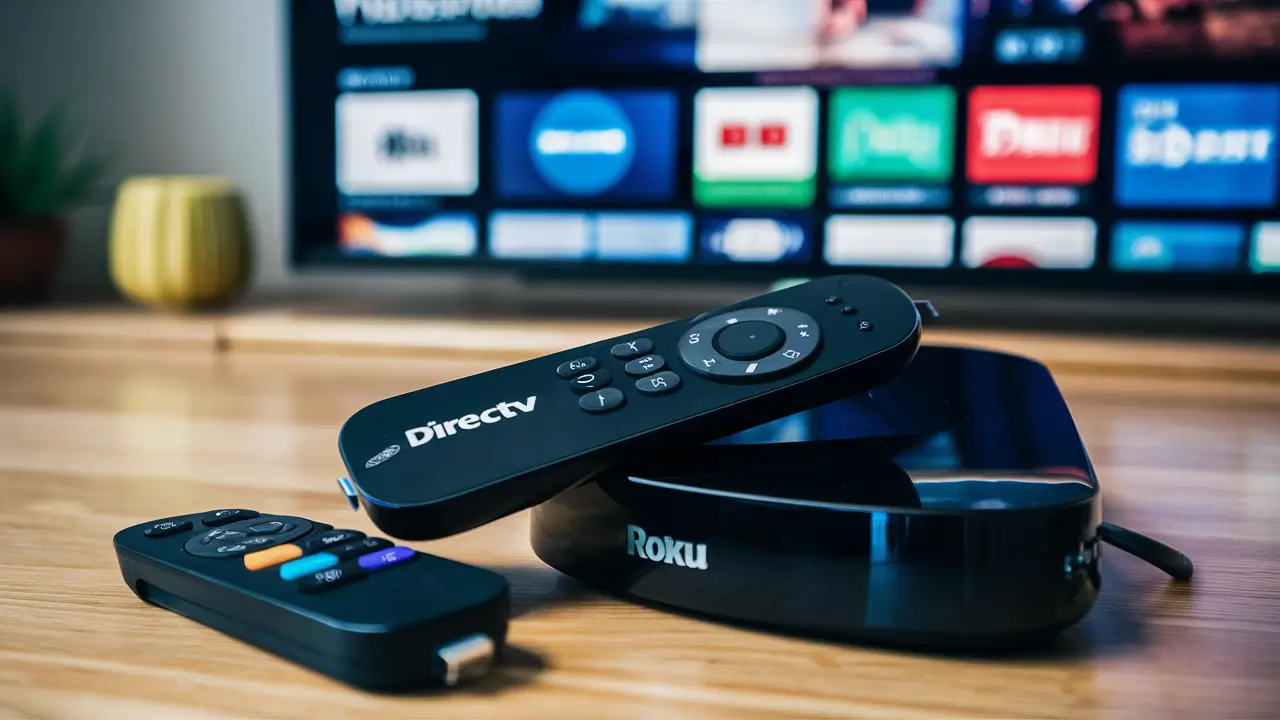
Yes, DIRECTV STREAM absolutely works on Roku devices, offering a seamless streaming experience for live TV and on-demand content. This guide dives deep into how to set it up, its compatibility, and why it's a top choice for Roku users seeking a robust cable alternative.
Understanding DIRECTV STREAM on Roku
DIRECTV STREAM has established itself as a formidable player in the live TV streaming market, and its compatibility with Roku devices is a significant reason for its popularity. For users who have invested in Roku's versatile streaming platform, the ability to access a comprehensive cable-like experience without a traditional satellite dish is highly appealing. Roku, known for its user-friendly interface and wide range of supported applications, serves as an ideal gateway to DIRECTV STREAM's extensive channel lineup and features.
The core proposition of DIRECTV STREAM is to replicate the traditional cable TV experience, complete with live channels, DVR capabilities, and a vast library of on-demand content, all delivered over the internet. This makes it a compelling alternative for cord-cutters who still desire the breadth of programming and the convenience of live television. When paired with a Roku device, this experience becomes even more accessible, as Roku is one of the most widely adopted streaming platforms globally. Millions of households utilize Roku for their entertainment needs, making the integration of DIRECTV STREAM a natural fit.
The synergy between DIRECTV STREAM and Roku lies in their shared goal of simplifying entertainment. Roku provides the hardware and the operating system, a familiar and intuitive environment for navigating streaming services. DIRECTV STREAM, in turn, offers the content and the robust functionality that users expect from a premium TV service. This partnership means that users can enjoy features like Cloud DVR, multiple user profiles, and the ability to watch on multiple devices simultaneously, all through their existing Roku setup.
In essence, DIRECTV STREAM on Roku is not just about watching TV; it's about integrating a comprehensive entertainment solution into a familiar and user-friendly ecosystem. The convenience of having a dedicated DIRECTV STREAM app readily available on the Roku Channel Store, alongside other popular streaming services, simplifies the setup process and enhances the overall user experience. This guide will explore the intricacies of this combination, from initial setup to advanced features and troubleshooting, ensuring you get the most out of your DIRECTV STREAM subscription on your Roku device.
Getting Started: DIRECTV STREAM on Roku
Setting up DIRECTV STREAM on your Roku device is a straightforward process, designed to get you watching your favorite channels in minutes. The primary requirement is a stable internet connection and an active DIRECTV STREAM subscription. Once you have these in place, the steps are intuitive and mirror the installation of other streaming apps on Roku.
The first step involves accessing the Roku Channel Store. This is done directly from your Roku device's home screen. Navigate to the "Streaming Channels" section, which can usually be found in the main menu. From there, select "Search Channels." In the search bar, type "DIRECTV STREAM." The official DIRECTV STREAM app should appear in the search results.
Once you've located the app, select it and choose the "Add channel" option. Roku will then download and install the application onto your device. This process typically takes only a moment. After installation, the DIRECTV STREAM app will be available on your Roku home screen, usually at the end of your existing channel list. You can move it to a more convenient position if you wish.
The next crucial step is to launch the DIRECTV STREAM app. Upon opening it for the first time, you will be prompted to log in with your DIRECTV STREAM account credentials. This usually involves entering your username and password associated with your DIRECTV STREAM subscription. If you are a new subscriber, you will have created these credentials during the sign-up process on the DIRECTV STREAM website.
For new DIRECTV STREAM subscribers, the process typically begins on the DIRECTV STREAM website, where you select a plan and create an account. Once your account is active, you can then proceed to download and log into the app on your Roku. DIRECTV STREAM offers various plans, and your subscription details will dictate the channels and features available to you on your Roku device.
After a successful login, you will be presented with the DIRECTV STREAM interface on your Roku. You can then begin browsing channels, accessing the program guide, and exploring on-demand content. The interface is designed to be navigable with your Roku remote, allowing you to easily switch between live TV, DVR recordings, and the extensive library of movies and shows.
It's important to ensure your Roku device is up-to-date with the latest software. You can check for updates by going to Settings > System > System update on your Roku. Keeping your device updated ensures optimal performance and compatibility with streaming apps like DIRECTV STREAM.
For users who may encounter issues during the login process, double-checking your username and password is the first step. If problems persist, restarting your Roku device and your modem/router can often resolve connectivity issues. DIRECTV STREAM also provides customer support that can assist with account-related login problems.
The ease of this setup process is a significant advantage for Roku users, as it requires no special hardware or complicated configurations. It's as simple as adding any other streaming app, making DIRECTV STREAM a readily accessible option for a vast audience.
DIRECTV STREAM Roku Compatibility Details
DIRECTV STREAM is compatible with a wide range of Roku devices, ensuring that most users can enjoy the service without needing to purchase new hardware. Roku's extensive device lineup, from their streaming sticks to their higher-end streaming boxes, generally supports the DIRECTV STREAM application. This broad compatibility is a key factor in its appeal to Roku users.
As of 2025-2026, DIRECTV STREAM officially supports the following types of Roku devices:
- Roku Streaming Players: This includes all Roku Express, Roku Premiere, Roku Ultra, and Roku Streaming Stick models. These devices are designed for plug-and-play simplicity and offer a robust platform for streaming applications.
- Roku TVs: Roku's integrated smart TV platform, found in televisions from various manufacturers (e.g., TCL, Hisense, Sharp), also fully supports the DIRECTV STREAM app. If your TV has Roku built-in, you can likely access DIRECTV STREAM directly.
While DIRECTV STREAM aims for broad compatibility, there are a few technical considerations that can impact performance. The primary requirement is a stable internet connection. DIRECTV STREAM recommends a minimum internet speed of 25 Mbps for optimal HD streaming and 4K content. Slower speeds can lead to buffering, pixelation, or dropped streams, regardless of the Roku device's capabilities.
The specific Roku model can influence the streaming experience, particularly with higher-resolution content. Newer, more powerful Roku devices, such as the Roku Ultra or higher-end Roku TVs, are better equipped to handle demanding streaming protocols and higher bitrates associated with 4K content and faster frame rates. Older or less powerful Roku models might perform adequately for HD streaming but could struggle with the most demanding video quality settings.
DIRECTV STREAM's app is designed to leverage the processing power and memory of the Roku device it's running on. Therefore, ensuring your Roku device has sufficient free memory and processing capacity can contribute to a smoother experience. Regularly restarting your Roku device can help clear temporary files and refresh its system resources.
Device Requirements Summary (2025-2026):
Device Type Minimum Requirements Recommended Roku Streaming Players Roku OS 10.0 or later; 25 Mbps internet speed Roku OS 11.0 or later; 50 Mbps internet speed; Roku Ultra or equivalent Roku TVs Roku OS 10.0 or later; 25 Mbps internet speed Roku OS 11.0 or later; 50 Mbps internet speed; Newer model TV with robust processing It's also worth noting that while DIRECTV STREAM is available on most Roku devices, specific features might be optimized differently. For instance, the responsiveness of the DVR interface or the speed of channel switching can be influenced by the Roku device's hardware. However, for the vast majority of users, the experience will be consistent and satisfactory.
To check if your specific Roku device is compatible and running the latest software, navigate to Settings > System > About on your Roku device. This will display your Roku model and the current software version. If an update is available, you can install it from the System update menu.
DIRECTV STREAM continuously updates its app to improve performance and compatibility. It's always a good practice to ensure the DIRECTV STREAM app itself is updated. You can usually do this by going to the Roku home screen, highlighting the DIRECTV STREAM app, pressing the * button on your remote, and selecting "Check for updates."
In summary, DIRECTV STREAM offers excellent compatibility with the vast majority of Roku devices currently in use. By ensuring you have a strong internet connection and an up-to-date Roku device and app, you can expect a high-quality streaming experience.
Features and Benefits for Roku Users
The combination of DIRECTV STREAM and Roku devices unlocks a powerful suite of features and benefits designed to enhance the home entertainment experience. For Roku users who are accustomed to a streamlined, app-based approach to content consumption, DIRECTV STREAM offers a compelling upgrade that bridges the gap between traditional cable and modern streaming.
One of the most significant benefits is the extensive channel lineup. DIRECTV STREAM provides access to a wide array of channels, including popular sports networks, news channels, entertainment options, and local channels in many markets. This breadth of content is often a key differentiator for users transitioning from more limited streaming packages. For example, DIRECTV STREAM's Choice package (as of 2025-26) typically includes channels like ESPN, regional sports networks (RSNs), AMC, HGTV, and many more, all accessible directly through the Roku app.
The Cloud DVR functionality is another major draw. DIRECTV STREAM offers unlimited cloud DVR storage for all subscribers, allowing you to record your favorite shows and movies and watch them back at your convenience. This feature is particularly valuable for live sports or events that you might miss. Recordings are accessible from any device where you use DIRECTV STREAM, including your Roku. The interface for managing recordings within the Roku app is intuitive, making it easy to schedule recordings, view your library, and play back content.
On-demand content is also a strong suit. Beyond live TV, DIRECTV STREAM provides a vast library of movies and TV shows available to stream on demand. This content can be accessed through the DIRECTV STREAM app on Roku, offering a convenient way to catch up on episodes or discover new entertainment without needing separate subscriptions to individual streaming services.
Multiple user profiles and simultaneous streams are supported, which is ideal for households with diverse viewing preferences. DIRECTV STREAM allows users to create personalized profiles, and typically offers unlimited streams at home on your network, and a limited number (e.g., 3) when on the go. This means multiple family members can watch different programs on different devices simultaneously, including multiple Roku devices within the same household, without interruption.
The user interface on Roku is designed for ease of use. The DIRECTV STREAM app mirrors the familiar navigation style of Roku, making it simple to browse channels, access the guide, search for content, and manage your DVR. The program guide is comprehensive, allowing you to see what's on for the next several days and easily select programs to watch or record.
Local Channel Availability is a critical feature for many users. DIRECTV STREAM offers local channels (ABC, CBS, NBC, FOX, and PBS) in most major markets. The availability depends on your geographic location, and the app will automatically detect and display the local channels relevant to you once you've entered your ZIP code during setup. This is a crucial benefit for those who want to stay updated with local news and programming.
Sports viewing is a significant advantage. DIRECTV STREAM is renowned for its robust sports offerings, including extensive coverage of professional and college sports. The inclusion of RSNs in many of its packages means fans can watch their local teams play, which is a feature often missing from other streaming services. This makes it an excellent choice for sports enthusiasts using Roku.
Finally, the flexibility and portability of DIRECTV STREAM are key benefits. While it's a live TV streaming service, it's not tied to a physical location in the same way traditional cable is. You can access your DIRECTV STREAM subscription on your Roku device at home, and also on other compatible devices when traveling, provided you have an internet connection. This offers a level of freedom that many users value.
In summary, for Roku users, DIRECTV STREAM provides a comprehensive, feature-rich alternative to traditional cable, offering a vast channel selection, powerful DVR capabilities, extensive on-demand content, and a user-friendly experience, all within the familiar Roku ecosystem.
Comparing DIRECTV STREAM Plans for Roku
DIRECTV STREAM offers several distinct plans, each tailored to different viewing needs and budgets, all of which are fully accessible on Roku devices. Understanding these plans is crucial to selecting the one that best suits your household's entertainment preferences and ensures you get the most value for your money. The pricing and channel lineups are subject to change, but the core structure typically remains consistent for 2025-2026.
Here's a breakdown of the common DIRECTV STREAM plans:
1. DIRECTV STREAM Entertainment
- Target Audience: Families and individuals looking for a broad selection of popular entertainment, news, and sports channels.
- Key Channels: Includes a solid base of national networks, popular cable channels like AMC, HGTV, Food Network, Discovery, and sports channels such as ESPN, ESPN2, and Fox Sports 1. It also provides access to local channels in most areas.
- On-Demand: Access to a substantial library of on-demand movies and TV shows.
- DVR: Unlimited Cloud DVR storage.
- Price Point: Generally the most affordable of the DIRECTV STREAM packages.
2. DIRECTV STREAM Choice
- Target Audience: Sports enthusiasts and those who want a more comprehensive sports and entertainment lineup.
- Key Channels: Builds upon the Entertainment package by adding more sports-focused channels, including regional sports networks (RSNs) for many areas, SEC Network, ACC Network, MLB Network, NBA TV, and NHL Network. It also includes more entertainment channels.
- On-Demand: Expanded on-demand library.
- DVR: Unlimited Cloud DVR storage.
- Price Point: Mid-tier pricing, offering significant value for sports fans.
3. DIRECTV STREAM Ultimate
- Target Audience: Cinephiles and those who want a premium entertainment experience with a vast array of movie and specialized channels.
- Key Channels: Includes all channels from the Choice package, plus a significant number of premium movie channels like Starz Encore, Cinemax, and Showtime (availability may vary). It also adds more niche sports and entertainment channels.
- On-Demand: The most extensive on-demand library.
- DVR: Unlimited Cloud DVR storage.
- Price Point: Higher tier pricing, reflecting the expanded premium content.
4. DIRECTV STREAM Premier
- Target Audience: Those seeking the ultimate premium entertainment package, including all major premium movie networks.
- Key Channels: Includes all channels from the Ultimate package, plus HBO Max (now often referred to as Max), Cinemax, Showtime, and Starz. This is the most comprehensive package available.
- On-Demand: Comprehensive on-demand library including content from all premium networks.
- DVR: Unlimited Cloud DVR storage.
- Price Point: The highest tier pricing, offering the most extensive content selection.
Comparison Table (Illustrative - Prices and Channels Subject to Change):
Feature/Plan Entertainment Choice Ultimate Premier Local Channels Yes (most areas) Yes (most areas) Yes (most areas) Yes (most areas) ESPN, ESPN2 Yes Yes Yes Yes Regional Sports Networks (RSNs) Limited/None Yes (most areas) Yes (most areas) Yes (most areas) AMC, HGTV, Food Network Yes Yes Yes Yes Max (HBO) No No No Yes Showtime No No Yes Yes Cinemax No No Yes Yes Starz No No Yes Yes Unlimited Cloud DVR Yes Yes Yes Yes Simultaneous Streams (Home) Unlimited Unlimited Unlimited Unlimited Price (Approx. Monthly) $$ $$$ $$$$ $$$$$ When choosing a plan for your Roku device, consider the following:
- Sports Needs: If you're a big sports fan, especially of local teams, the Choice, Ultimate, or Premier plans are essential due to RSN inclusion.
- Premium Channels: If you want access to HBO, Showtime, Starz, or Cinemax, you'll need to look at the Ultimate or Premier plans.
- Budget: The Entertainment plan offers a great starting point for general viewing at a lower cost.
- Channel Preferences: Review the specific channel lineups for each plan on the DIRECTV STREAM website to ensure your must-have channels are included.
Remember that DIRECTV STREAM often runs promotions, such as discounts for the first few months or bundled offers. These can make a higher-tier plan more affordable during the introductory period. Always check the official DIRECTV STREAM website for the most current pricing, channel lists, and promotional offers relevant to your region. The experience on your Roku device will directly reflect the plan you subscribe to.
Troubleshooting Common DIRECTV STREAM Roku Issues
While DIRECTV STREAM generally provides a smooth experience on Roku devices, occasional issues can arise. Fortunately, most common problems can be resolved with simple troubleshooting steps. This section covers prevalent issues and their solutions, ensuring you can get back to enjoying your service with minimal disruption.
1. Buffering or Freezing Streams
- Cause: This is most often due to an unstable or slow internet connection. It can also be caused by network congestion or issues with the Roku device itself.
- Solutions:
- Check Internet Speed: Run a speed test on your Roku device (Settings > Network > About) or another device on your network. Ensure you're meeting DIRECTV STREAM's recommended speeds (at least 25 Mbps for HD).
- Restart Your Modem and Router: Unplug both devices, wait 30 seconds, and plug them back in. Wait for them to fully reconnect before testing DIRECTV STREAM again.
- Restart Your Roku Device: Go to Settings > System > System restart.
- Reduce Network Congestion: If other devices are heavily using your internet (e.g., large downloads, multiple streaming devices), try pausing those activities.
- Use a Wired Connection (if possible): If your Roku device supports Ethernet, a wired connection is generally more stable than Wi-Fi.
- Check Wi-Fi Signal Strength: Ensure your Roku device is within a good range of your Wi-Fi router.
2. App Crashing or Not Loading
- Cause: This could be due to a software glitch within the DIRECTV STREAM app, an outdated app version, or issues with the Roku operating system.
- Solutions:
- Restart the DIRECTV STREAM App: From the Roku home screen, press the * button on your remote, then select "Remove channel." Re-add the channel from the Channel Store.
- Check for App Updates: On the Roku home screen, highlight the DIRECTV STREAM app, press the * button, and select "Check for updates."
- Update Roku OS: Go to Settings > System > System update.
- Restart Your Roku Device: As mentioned above, a system restart can resolve many temporary glitches.
- Clear Roku Cache (Advanced): While not a standard option, sometimes performing a factory reset on the Roku device (Settings > System > Advanced system settings > Factory reset) can resolve persistent app issues, but this will remove all apps and settings.
3. Login Issues (Incorrect Credentials, Account Locked)
- Cause: Incorrect username/password, account suspension, or technical issues with DIRECTV STREAM's authentication servers.
- Solutions:
- Verify Credentials: Double-check your username and password for typos. Ensure Caps Lock is off.
- Reset Password: If you're unsure of your password, use the "Forgot password" link on the DIRECTV STREAM login page or app.
- Check Account Status: Ensure your DIRECTV STREAM subscription is active and there are no billing issues. Contact DIRECTV STREAM customer support if you suspect an account problem.
- Try Another Device: Attempt to log in to DIRECTV STREAM on a different device (e.g., a smartphone or computer) to see if the issue is specific to your Roku.
4. Poor Video or Audio Quality (Pixelation, Stuttering, No Sound)
- Cause: Similar to buffering, this can be due to internet speed, but also HDMI connection issues or audio settings.
- Solutions:
- Check Internet Speed and Network Stability: As described in the buffering section.
- Check HDMI Cable: Ensure the HDMI cable is securely connected at both ends. Try a different HDMI port on your TV or a different HDMI cable altogether.
- Verify Audio Settings: On your Roku, go to Settings > Audio & screensaver. Ensure the audio mode is set correctly (e.g., Stereo, Surround, Auto).
- Restart Devices: Restart your Roku, TV, and DIRECTV STREAM app.
5. Specific Channels Not Working
- Cause: This can be a temporary outage with that specific channel, a regional issue, or a problem with your DIRECTV STREAM subscription tier.
- Solutions:
- Check Other Channels: See if other channels are working correctly.
- Check DIRECTV STREAM Status: Look for any service outage announcements on the DIRECTV STREAM website or social media.
- Verify Your Plan: Ensure the channel you're trying to access is included in your DIRECTV STREAM package.
- Contact DIRECTV STREAM Support: If the issue persists and affects only specific channels, customer support can investigate further.
When to Contact DIRECTV STREAM Support:
If you've tried these troubleshooting steps and are still experiencing issues, it's time to contact DIRECTV STREAM customer support. They have access to more detailed diagnostics and can help resolve account-specific or service-level problems. Be prepared to provide them with information about your Roku device model, your internet service provider, and the specific issue you are encountering.
By systematically working through these troubleshooting steps, most users can resolve common DIRECTV STREAM problems on their Roku devices and enjoy uninterrupted streaming.
DIRECTV STREAM vs. Competitors on Roku
When considering live TV streaming services for your Roku device, DIRECTV STREAM is a strong contender, but it's essential to compare it against other popular options. Each service offers a unique blend of channels, features, and pricing. Understanding these differences will help you make the best choice for your household's needs.
Here's a look at how DIRECTV STREAM stacks up against some of its main competitors on the Roku platform:
1. DIRECTV STREAM vs. YouTube TV
- Channel Lineup: Both offer extensive channel lineups, including local channels, popular sports networks, and entertainment options. YouTube TV is often praised for its comprehensive sports coverage and inclusion of RSNs in its base package. DIRECTV STREAM's Choice package is its closest competitor for RSNs, but YouTube TV includes them standard.
- DVR: YouTube TV offers unlimited DVR storage with a 9-month expiration policy for recordings. DIRECTV STREAM offers unlimited DVR storage with no expiration.
- Simultaneous Streams: YouTube TV offers 3 simultaneous streams. DIRECTV STREAM offers unlimited streams at home.
- User Interface on Roku: Both have well-developed apps for Roku. YouTube TV's interface is generally considered very intuitive and modern. DIRECTV STREAM's is also user-friendly, mirroring traditional TV guides.
- Pricing: YouTube TV typically has a slightly lower base price than DIRECTV STREAM's Entertainment package, but DIRECTV STREAM's Choice package (which includes RSNs) is often comparable or slightly more expensive than YouTube TV's base price.
- Key Differentiator: YouTube TV's 9-month DVR expiration vs. DIRECTV STREAM's unlimited, non-expiring DVR. DIRECTV STREAM's unlimited home streams are also a plus.
2. DIRECTV STREAM vs. Hulu + Live TV
- Channel Lineup: Hulu + Live TV offers a strong selection of entertainment and news channels, and includes RSNs in its base package. However, its sports channel selection, particularly for niche sports, might be slightly less comprehensive than DIRECTV STREAM's higher tiers.
- DVR: Hulu + Live TV offers 50 hours of cloud DVR storage, which can be upgraded to unlimited for an additional fee. DIRECTV STREAM offers unlimited DVR storage as standard.
- Simultaneous Streams: Hulu + Live TV offers 2 simultaneous streams, upgradable to unlimited with the "Unlimited Screens" add-on. DIRECTV STREAM offers unlimited streams at home.
- Bundling: Hulu + Live TV often comes bundled with Disney+ and ESPN+, offering significant value for entertainment and sports fans.
- User Interface on Roku: Both apps are well-integrated. Hulu's interface is known for its blend of live TV and on-demand content from the Hulu library.
- Pricing: Hulu + Live TV's base price is often competitive, especially when considering the bundled content.
- Key Differentiator: Hulu's integration with the Hulu on-demand library and bundled Disney+/ESPN+ is a major draw. DIRECTV STREAM's superior DVR and unlimited home streams are significant advantages.
3. DIRECTV STREAM vs. Sling TV
- Channel Lineup: Sling TV is known for its customizable, à la carte approach with its "Orange" and "Blue" base packages, which can be combined. It's generally less comprehensive in its base offerings than DIRECTV STREAM but allows for more personalized channel selection through add-on "SlingPacks." RSN availability can be limited or require specific packages.
- DVR: Sling TV offers 50 hours of cloud DVR storage for free (some plans may offer more). DIRECTV STREAM's unlimited DVR is a significant advantage.
- Simultaneous Streams: Sling TV offers 1 stream with "Orange" and 3 streams with "Blue." Combined packages vary. DIRECTV STREAM's unlimited home streams are superior.
- Pricing: Sling TV is typically the most affordable option among these services, especially if you only need a few specific channels.
- User Interface on Roku: Sling TV has a functional app on Roku, but it can feel less polished than DIRECTV STREAM or YouTube TV.
- Key Differentiator: Sling TV's low price point and customization options make it attractive for budget-conscious users. DIRECTV STREAM offers a more premium, all-inclusive experience with better DVR and streaming capabilities.
4. DIRECTV STREAM vs. FuboTV
- Channel Lineup: FuboTV is heavily focused on sports, offering an extensive lineup of sports channels, including RSNs, international sports, and niche leagues. Its entertainment and news channel selection is also robust. DIRECTV STREAM's Ultimate and Premier packages rival Fubo's sports depth.
- DVR: FuboTV offers 1000 hours of cloud DVR storage. DIRECTV STREAM offers unlimited DVR.
- Simultaneous Streams: FuboTV offers unlimited streams at home and 3 streams outside the home. DIRECTV STREAM offers unlimited at home.
- International Sports: FuboTV excels in international sports coverage.
- Pricing: FuboTV's pricing is generally comparable to DIRECTV STREAM's mid-to-higher tier plans, especially when considering its sports focus.
- Key Differentiator: FuboTV's sheer volume of sports channels and extensive international coverage. DIRECTV STREAM's unlimited home streams and potentially broader premium movie channel access in its highest tiers are key advantages.
Summary Table (Key Differentiators on Roku):
Service Key Strengths for Roku Users Potential Weaknesses for Roku Users DIRECTV STREAM Unlimited home streams, Unlimited non-expiring DVR, Extensive channel options (especially sports in higher tiers), Reliable app Higher starting price, Can be complex to navigate all plans YouTube TV Unlimited DVR (9-month expiry), Excellent sports coverage (incl. RSNs), Intuitive interface DVR expiry, Limited home streams (3) Hulu + Live TV Bundled content (Disney+, ESPN+), Good entertainment focus, Unlimited screens add-on Limited base DVR, Base streams limited (2) Sling TV Most affordable, Customizable packages, Good for basic needs Limited base channels, Limited DVR, Less polished interface FuboTV Extensive sports coverage (incl. international), Large DVR Higher price, Primarily sports-focused Ultimately, the best choice depends on your priorities. If you value unlimited DVR, unlimited home streams, and a wide array of channels including local and RSNs without needing to piece together add-ons, DIRECTV STREAM on Roku is an excellent, albeit premium, option. For those prioritizing affordability and customization, Sling TV might be better. If a massive sports library is paramount, FuboTV or YouTube TV could be top choices. For a blend of live TV and on-demand content, Hulu + Live TV is compelling.
Optimizing Your Roku for DIRECTV STREAM
To ensure the best possible viewing experience with DIRECTV STREAM on your Roku device, a few optimization steps can make a significant difference. These range from ensuring your network is performing optimally to fine-tuning your Roku settings. By following these recommendations, you can minimize buffering, improve stream quality, and enjoy a more responsive interface.
1. Network Optimization: The Foundation of Streaming
- Internet Speed Test: As mentioned previously, regularly test your internet speed. DIRECTV STREAM recommends at least 25 Mbps for HD streaming. If you're consistently falling short, contact your Internet Service Provider (ISP) or consider upgrading your plan.
- Router Placement: Position your Wi-Fi router in a central location, away from obstructions like thick walls, metal objects, or other electronic devices that can cause interference (e.g., microwaves, cordless phones).
- Wi-Fi Channel: Most routers broadcast on 2.4 GHz and 5 GHz bands. The 5 GHz band offers faster speeds but has a shorter range. If your Roku is close to the router, connect to the 5 GHz network for better performance. If it's further away, the 2.4 GHz band might provide a more stable connection, albeit slower. Some routers allow you to select specific Wi-Fi channels to avoid interference from neighboring networks.
- Wired Connection (Ethernet): If your Roku device has an Ethernet port and your router is nearby, a wired connection is the most stable and reliable option. It bypasses potential Wi-Fi interference and congestion.
- Limit Network Congestion: During peak viewing times, try to limit bandwidth-heavy activities on other devices on your network. This includes large downloads, online gaming, or other simultaneous streaming sessions.
- Router Firmware Update: Ensure your router's firmware is up-to-date. Manufacturers regularly release updates to improve performance and security. Check your router's manual or manufacturer's website for instructions.
2. Roku Device Settings Optimization
- Keep Roku OS Updated: Always ensure your Roku device is running the latest operating system. Go to Settings > System > System update. Updates often include performance enhancements and bug fixes relevant to streaming apps.
- Keep DIRECTV STREAM App Updated: Similarly, ensure the DIRECTV STREAM app is current. Highlight the app on your home screen, press the * button, and select "Check for updates."
- Restart Your Roku Device Regularly: A simple restart (Settings > System > System restart) can clear temporary files and memory, improving overall responsiveness and resolving minor glitches. Make this a habit, perhaps weekly.
- Free Up Storage Space: While Roku devices don't typically store large amounts of data, having too many channels installed can sometimes impact performance. Remove any channels you no longer use.
- Display Type and Resolution: Ensure your Roku is set to the optimal display type and resolution for your TV. Go to Settings > Display type. For most modern TVs, "1080p HD" or "4K UHD" will be appropriate. Ensure "Match frame rate" is enabled if available, as this can reduce motion-related artifacts.
- Audio Settings: Navigate to Settings > Audio & screensaver. Select the appropriate audio mode (e.g., Stereo, Surround, Auto) based on your audio setup. Incorrect settings can sometimes lead to audio issues.
3. DIRECTV STREAM App Settings (within the app)
While the DIRECTV STREAM app on Roku offers limited customization compared to some other platforms, ensure you have correctly set your location. This is crucial for accurate local channel reception and relevant regional sports broadcasts. This is typically set during initial setup or can be updated in your account settings on the DIRECTV STREAM website.
4. Hardware Considerations
- Roku Device Age/Model: Newer and more powerful Roku devices (like the Roku Ultra) will naturally offer a smoother experience, especially with higher-resolution content (4K, HDR). If you're using a very old Roku model, consider an upgrade if you experience persistent performance issues.
- TV Performance: While the Roku handles the streaming, your TV's processing power can also play a role in how smoothly video is displayed. Ensure your TV's firmware is also up-to-date.
By implementing these optimization strategies, you can significantly enhance the performance of DIRECTV STREAM on your Roku device. A stable network and well-configured Roku are the cornerstones of a superior streaming experience, ensuring that your live TV and on-demand content are delivered clearly and without interruption.
The Future of DIRECTV STREAM on Roku
The relationship between DIRECTV STREAM and Roku is likely to remain strong and evolve positively in the coming years. Both companies are leaders in their respective domains – DIRECTV STREAM in live TV streaming and Roku in providing a ubiquitous streaming platform. This symbiotic relationship suggests continued investment and improvement for users of both services.
Continued App Development and Integration:
We can expect DIRECTV STREAM to continue refining its Roku app. This includes enhancing the user interface for even greater intuitiveness, improving performance for faster channel switching and smoother navigation, and potentially introducing new features. As Roku's platform evolves, DIRECTV STREAM will likely adapt to leverage new capabilities, such as improved search functionalities, more personalized recommendations, and deeper integration with the Roku ecosystem.
Enhanced Content Delivery:
As internet infrastructure improves and bandwidth becomes more readily available, DIRECTV STREAM will likely continue to push for higher streaming quality. This means more content available in 4K resolution, higher frame rates for sports, and improved audio quality. Roku devices, particularly newer models, are already capable of handling these advancements, and DIRECTV STREAM's app will be optimized to take advantage of them.
Potential for New Features and Bundles:
The streaming landscape is dynamic. DIRECTV STREAM may explore new features like interactive overlays for sports, more robust multi-view options for watching multiple games simultaneously, or enhanced integration with other DIRECTV services. We might also see more flexible bundling options, potentially integrating DIRECTV STREAM with other entertainment or internet services, all accessible through the Roku platform.
Roku's Platform Growth:
Roku continues to expand its reach, not just through its streaming devices but also through its Smart TV platform and its own advertising-supported content (The Roku Channel). As Roku's user base grows and its platform matures, it becomes an even more attractive distribution channel for services like DIRECTV STREAM. This growth encourages continued partnership and feature development.
Competition and Innovation:
The live TV streaming market remains highly competitive. To maintain its edge, DIRECTV STREAM will need to innovate. This innovation will likely be reflected in its Roku app, offering features and content that differentiate it from competitors like YouTube TV, Hulu + Live TV, and FuboTV. The ongoing competition will drive improvements in channel selection, DVR capabilities, and overall user experience on Roku.
User Experience Focus:
Both DIRECTV STREAM and Roku prioritize user experience. For Roku users, this means a familiar, easy-to-navigate interface. For DIRECTV STREAM users, it means reliable access to a wide range of content. The future will likely see further synergy in these areas, making the combination of DIRECTV STREAM and Roku even more seamless and user-friendly.
In conclusion, the future of DIRECTV STREAM on Roku looks bright. Users can anticipate ongoing improvements to the app, enhanced content delivery, and potentially new features that leverage the strengths of both platforms. As long as Roku remains a dominant force in the streaming device market, DIRECTV STREAM will continue to invest in providing a top-tier experience for its users on this popular platform. The commitment from both companies suggests that this partnership will continue to deliver value and innovation for years to come.
Conclusion
In summary, the question "Does DIRECTV STREAM work on Roku?" is a resounding yes. The integration is seamless, offering Roku users a powerful and comprehensive live TV streaming experience. With broad compatibility across most Roku devices, straightforward setup, and a robust feature set including unlimited Cloud DVR and extensive channel options, DIRECTV STREAM stands out as a premier choice for cord-cutters and cable-substitutes alike. Whether you're a sports fanatic, a movie buff, or simply looking for reliable access to local news and entertainment, DIRECTV STREAM on Roku delivers. By understanding the various plans, optimizing your device and network, and knowing how to troubleshoot common issues, you can maximize your enjoyment. Considering its features, performance, and ongoing development, DIRECTV STREAM is an excellent investment for any Roku user seeking a premium, flexible, and feature-rich television service.
Does Directv Stream Work On Roku?
Research, Compare & Choose With Confidence
Last updated: June 25, 2026