-
Posted on: 07 Jan 2026
-
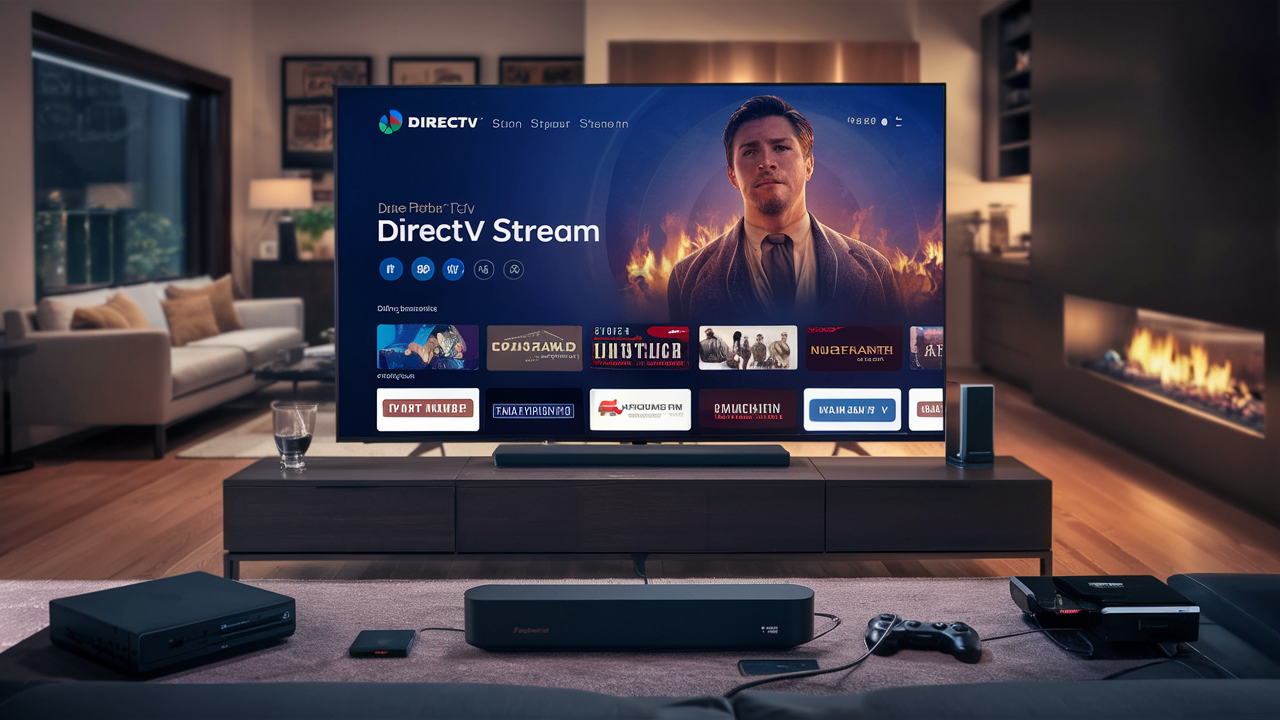
Understanding DIRECTV STREAM's device limitations is crucial for maximizing your home entertainment experience. This guide provides a comprehensive answer to "How many TVs can use DIRECTV STREAM?" and explores the nuances of simultaneous streaming, device compatibility, and optimal setup for your household in 2025-2026.
DIRECTV STREAM Simultaneous Streaming Limits
The core question of "How many TVs can use DIRECTV STREAM?" hinges on understanding the service's simultaneous streaming policy. As of 2025-2026, DIRECTV STREAM allows a significant number of simultaneous streams per account, designed to accommodate most household needs. The standard allowance for concurrent streams is set at **three (3)**. This means that, under normal circumstances, you can have up to three different devices streaming live TV, on-demand content, or recorded DVR shows from your DIRECTV STREAM account at the exact same time.
This limit applies across all devices connected to your DIRECTV STREAM service, whether they are smart TVs with the DIRECTV STREAM app, streaming sticks like Roku or Amazon Fire TV, mobile devices, or web browsers. It’s important to note that this is a hard limit enforced by DIRECTV STREAM to manage bandwidth and server load. Exceeding this limit will typically result in one or more streams being interrupted or prevented from starting.
What Constitutes a "Simultaneous Stream"?
A simultaneous stream is counted the moment a device begins actively playing content from your DIRECTV STREAM account. This includes live television channels, on-demand movies and shows, and even content being played back from your Cloud DVR recordings. Paused content still occupies a stream slot until the playback is resumed or the application is closed. Therefore, if you have three devices actively watching different programs, a fourth device attempting to start a stream will be denied access until one of the active streams is terminated.
Understanding the "Per Account" Nature of the Limit
The three-stream limit is tied to your DIRECTV STREAM account, not to individual devices or locations. This means that even if you have multiple DIRECTV STREAM compatible devices spread across different rooms in your home, or even if family members are using the service on their personal devices outside the home (provided they are logged into your account), they all contribute to the same pool of three concurrent streams. This unified limit simplifies management but requires awareness when multiple users plan to watch simultaneously.
Are There Any Exceptions or Higher Tiers?
As of our latest information for the 2025-2026 period, DIRECTV STREAM does not offer an official paid upgrade path to increase the base limit of three simultaneous streams. The service is designed with this number in mind for typical residential use. For larger households or businesses that might require more concurrent streams, alternative solutions or a careful management of viewing habits would be necessary. This contrasts with some other streaming services that might offer premium tiers with expanded stream limits.
Impact on Different Viewing Scenarios
The three-stream limit has practical implications for various viewing scenarios:
- Family Viewing: If a family of four wants to watch different programs simultaneously, this limit will be a constraint. For instance, one parent watching a news channel, another watching a sports game, and a child watching a cartoon would consume all three available streams.
- Multiple Devices in One Room: Even if you have multiple smart TVs or streaming devices in a single living room, they still count towards the overall account limit.
- On-the-Go Viewing: If a family member is traveling and streaming on their tablet, they are using one of the three available streams, potentially limiting options for those at home.
It’s essential to plan your viewing to ensure everyone can enjoy their preferred content without interruption.
Understanding DIRECTV STREAM Device Types
To effectively answer "How many TVs can use DIRECTV STREAM?", it's crucial to differentiate between the types of devices that can access the service. DIRECTV STREAM is designed to be flexible, offering access through dedicated hardware, popular third-party streaming devices, and web browsers. Understanding these categories helps in planning your setup and maximizing the use of your three simultaneous streams.
DIRECTV STREAM Devices (Dedicated Hardware)
DIRECTV STREAM offers its own branded streaming device, often referred to as the DIRECTV STREAM device or set-top box. This is a proprietary piece of hardware that provides a seamless integration with the DIRECTV STREAM service. When you use the official DIRECTV STREAM device, it is designed to offer the best possible experience, including features like voice remote and easy navigation.
- Functionality: These devices are optimized for the DIRECTV STREAM platform, offering a user-friendly interface and direct access to live TV, DVR recordings, and on-demand content.
- Stream Count: Each DIRECTV STREAM device actively playing content counts as one of your three simultaneous streams.
- Availability: These devices are typically available for purchase or sometimes included with certain service packages.
Third-Party Streaming Devices
DIRECTV STREAM is compatible with a wide range of popular third-party streaming devices. This allows users to leverage devices they may already own or prefer for their streaming needs. The DIRECTV STREAM app is available for download on these platforms.
- Examples:
- Roku: Roku devices (e.g., Roku Streaming Stick, Roku Ultra, Roku TV) are fully supported.
- Amazon Fire TV: Fire TV devices (e.g., Fire TV Stick, Fire TV Cube, Fire TV Edition TVs) can run the DIRECTV STREAM app.
- Google Devices: Android TV devices and Google Chromecast with Google TV are compatible.
- Apple Devices: Apple TV (4th generation and later) can be used.
- Samsung Smart TVs: Many recent Samsung smart TVs have the DIRECTV STREAM app pre-installed or available for download.
- Other Smart TVs and Consoles: While app availability can vary, other smart TV platforms and gaming consoles like PlayStation may also support the DIRECTV STREAM app. It’s always best to check the specific app store for your device.
- Functionality: The experience on third-party devices is generally excellent, though minor interface differences or feature variations might exist compared to the dedicated DIRECTV STREAM device.
- Stream Count: Each active stream on a third-party device also counts as one of your three simultaneous streams.
Web Browsers (Computer Streaming)
For users who prefer watching on their computers, DIRECTV STREAM can be accessed directly through a web browser. This is a convenient option for those who work from home or don't have a dedicated streaming device connected to their TV.
- Supported Browsers: Typically, modern web browsers like Google Chrome, Mozilla Firefox, Microsoft Edge, and Safari are supported.
- Functionality: The web interface allows access to live TV, on-demand content, and account management.
- Stream Count: A single instance of the DIRECTV STREAM website being actively used for streaming on a computer counts as one of your three simultaneous streams. If multiple tabs are open but only one is actively playing, it's still one stream. However, if you open the web player in two different browsers on the same computer, or on two different computers, those would count as two separate streams.
Mobile Devices (Smartphones and Tablets)
The DIRECTV STREAM app is also available for smartphones and tablets, allowing for viewing on the go or in different rooms of the house. This is particularly useful for family members who want to watch something different from the main living room TV.
- Supported Platforms: iOS (iPhones and iPads) and Android devices are fully supported.
- Functionality: The mobile app provides a streamlined viewing experience optimized for smaller screens.
- Stream Count: Each active stream on a mobile device counts as one of your three simultaneous streams.
By understanding these different device types, you can strategically plan how to utilize your three simultaneous streams to cater to the viewing preferences of everyone in your household, ensuring a smooth and enjoyable entertainment experience throughout 2025-2026.
DIRECTV STREAM Device Compatibility
When considering "How many TVs can use DIRECTV STREAM?", understanding device compatibility is paramount. DIRECTV STREAM aims for broad compatibility across various platforms to ensure users can access their service on the devices they already own and prefer. This section details the specific devices and operating systems that are officially supported by DIRECTV STREAM as of 2025-2026, ensuring a smooth streaming experience.
Official DIRECTV STREAM Devices
As mentioned previously, DIRECTV STREAM offers its own branded streaming device. This is the most integrated experience and is guaranteed to be compatible with all DIRECTV STREAM features.
- DIRECTV STREAM Device: This is a proprietary set-top box that connects to your TV via HDMI. It runs a customized version of Android TV and is designed for optimal performance with the DIRECTV STREAM app. It offers features like 4K HDR support (where available), voice control, and a familiar interface for DIRECTV customers.
Third-Party Streaming Devices
DIRECTV STREAM has partnered with major streaming device manufacturers to ensure its app is readily available. The following are generally considered compatible:
Roku Devices
Roku is a popular choice for many households, and DIRECTV STREAM is well-supported.
- Compatible Roku Models: Most modern Roku devices are compatible, including Roku TV models, Roku Streaming Stick, Roku Express, Roku Premiere, and Roku Ultra. Older models might have limitations, so it's always best to check the Roku Channel Store for the latest compatibility information.
- App Availability: The DIRECTV STREAM app can be downloaded directly from the Roku Channel Store.
Amazon Fire TV Devices
Amazon's Fire TV ecosystem also offers robust support for DIRECTV STREAM.
- Compatible Fire TV Models: This includes Fire TV Stick (all generations), Fire TV Cube, Fire TV Edition smart TVs (e.g., Insignia, Toshiba, Amazon's own Fire TV Omni series), and other Fire TV-enabled devices.
- App Availability: The DIRECTV STREAM app is available in the Amazon Appstore.
Google Devices (Android TV & Chromecast)
DIRECTV STREAM is integrated with Google's platforms.
- Compatible Devices: This includes smart TVs running Android TV (e.g., Sony, TCL, Hisense models with Android TV), NVIDIA SHIELD TV, and streaming devices like Chromecast with Google TV.
- App Availability: The DIRECTV STREAM app can be downloaded from the Google Play Store on Android TV devices. For Chromecast with Google TV, it's available via the Google TV interface.
Apple Devices
Apple users can access DIRECTV STREAM through their Apple TV devices.
- Compatible Apple TV Models: Apple TV HD (4th generation) and Apple TV 4K are fully supported.
- App Availability: The DIRECTV STREAM app can be downloaded from the tvOS App Store.
Smart TVs
Many modern smart TVs come with app stores that can host the DIRECTV STREAM application.
- Samsung Smart TVs: Many newer Samsung Smart TVs (Tizen OS) have the DIRECTV STREAM app available in their Samsung App Store.
- LG Smart TVs: LG's webOS platform may also support the DIRECTV STREAM app, depending on the model year and region.
- Other Smart TV Brands: Compatibility can vary significantly with other brands like Vizio (SmartCast), Hisense (Roku TV or Android TV), and Panasonic. It's essential to check the specific app store on your TV model.
Mobile Devices
For viewing on the go or in different rooms, DIRECTV STREAM offers dedicated mobile apps.
- iOS Devices: Compatible with iPhones and iPads running recent versions of iOS. The app is available on the Apple App Store.
- Android Devices: Compatible with most Android smartphones and tablets running recent versions of Android. The app is available on the Google Play Store.
Web Browsers
DIRECTV STREAM can be accessed directly through a web browser on a computer, offering a convenient alternative to dedicated devices.
- Supported Browsers (2025-2026):
- Google Chrome
- Mozilla Firefox
- Microsoft Edge
- Apple Safari
- Operating Systems: Generally compatible with Windows and macOS operating systems.
Important Considerations for Compatibility
- Internet Connection: All devices require a stable, high-speed internet connection (minimum recommended speed is 25 Mbps for HD streaming) to ensure smooth playback.
- App Updates: Ensure your DIRECTV STREAM app and the operating system on your streaming device are kept up-to-date to benefit from the latest features and bug fixes.
- Regional Availability: While DIRECTV STREAM is primarily a US-based service, app availability and specific features might have regional variations.
- Device Specifications: Older or lower-spec devices might experience performance issues, even if officially compatible. For the best experience, consider using more recent hardware.
By verifying compatibility with your existing or planned devices, you can ensure that you can effectively utilize your DIRECTV STREAM service across multiple screens, up to the limit of three simultaneous streams.
Optimizing Your DIRECTV STREAM Setup
Knowing "How many TVs can use DIRECTV STREAM?" is just the first step. To truly optimize your experience and ensure you're getting the most out of your service, especially with the three-stream limit, a strategic setup is key. This involves choosing the right devices, ensuring a robust network, and managing your viewing habits effectively.
Choosing the Right Devices for Your Household
With a limit of three simultaneous streams, you need to decide which devices are most important for your family's viewing needs. Consider the following:
- Primary Viewing Areas: Identify the main rooms where most of your family watches TV (e.g., living room, master bedroom). Equip these areas with the most reliable and user-friendly streaming devices. This might include smart TVs with the DIRECTV STREAM app or dedicated streaming boxes like the official DIRECTV STREAM device, Roku Ultra, or Apple TV 4K.
- Secondary Viewing Areas: For less frequently used TVs or for individual use (e.g., a child's room, a home office), consider more budget-friendly options like a Roku Express, Amazon Fire TV Stick, or even using a laptop via the web browser.
- Mobile Viewing: Ensure that smartphones and tablets are set up with the DIRECTV STREAM app for on-the-go or flexible viewing. This is often the easiest way to add a "fourth" viewing option if needed, as long as it doesn't exceed the live stream limit.
- Leveraging Existing Devices: If you already own compatible devices like Roku, Fire TV, or Apple TV, prioritize using those to avoid unnecessary hardware purchases.
Ensuring a Robust Home Network
The quality of your internet connection is critical for streaming, especially when multiple devices are in use. A weak or unstable network will lead to buffering, reduced video quality, and dropped streams, regardless of your DIRECTV STREAM plan.
- Internet Speed: DIRECTV STREAM recommends a minimum internet speed of 25 Mbps for HD streaming. For multiple streams, especially if some are in 4K (if supported by your plan and content), consider a plan with higher speeds (50 Mbps or more).
- Wi-Fi Strength and Coverage: Ensure your Wi-Fi router is centrally located and provides strong signal strength to all areas where you plan to stream. Consider a mesh Wi-Fi system or Wi-Fi extenders if you have a large home or areas with weak signals.
- Router Quality: An older router may not be able to handle the demands of multiple simultaneous streams. Consider upgrading to a modern router that supports Wi-Fi 6 (802.11ax) for better performance and capacity.
- Wired Connections (Ethernet): For the most stable connection, especially for your primary TV or the DIRECTV STREAM device, using an Ethernet cable directly from your router to the device is highly recommended.
- Bandwidth Management: Be mindful of other high-bandwidth activities on your network, such as large file downloads, online gaming, or other streaming services, which can consume bandwidth and impact DIRECTV STREAM performance.
Managing Simultaneous Streams Effectively
With a limit of three streams, proactive management is key to avoiding frustration.
- Communication: Encourage family members to communicate their viewing plans, especially during peak hours. A quick "Hey, I'm planning to watch the game on the living room TV" can prevent someone from starting a stream that would be interrupted.
- Prioritization: Understand which streams are most critical. If a live sports event is paramount, ensure that device is prioritized.
- Closing Unused Streams: When a user finishes watching, ensure they properly close the DIRECTV STREAM app or browser tab. Paused streams still count towards the limit.
- Scheduled Viewing: If possible, schedule viewing for different programs at different times rather than all at once.
- DVR Usage: Utilize the Cloud DVR feature. Recording a show allows you to watch it later without consuming a live stream slot. You can also fast-forward through commercials on recorded content, making viewing more efficient.
Leveraging the DIRECTV STREAM App and Features
The DIRECTV STREAM app itself offers features that can enhance your setup.
- User Profiles (if available): Some platforms might support user profiles within the app, allowing for personalized recommendations and watchlists, though this doesn't affect the stream limit.
- Remote Access: The mobile app allows you to manage recordings or even start playback remotely, which can be useful for setting up viewing before you get home.
- DVR Management: Familiarize yourself with the Cloud DVR interface. It’s your best tool for recording content and watching it back at your convenience, freeing up live stream slots.
Potential Workarounds (and Limitations)
While DIRECTV STREAM officially limits you to three streams, some users might explore workarounds. However, these often come with significant caveats:
- Multiple Accounts: Setting up separate DIRECTV STREAM accounts for different households or individuals is a costly and impractical solution.
- VPNs: Using VPNs is generally not recommended and can violate terms of service, potentially leading to account issues. It also doesn't bypass the stream limit.
- Focus on the Official Limit: The most reliable and supported approach is to work within the stated three-stream limit. Planning and communication are your most effective tools.
By carefully selecting your devices, optimizing your network, and implementing smart viewing strategies, you can ensure that your DIRECTV STREAM setup in 2025-2026 effectively serves your household's entertainment needs within the established limits.
Troubleshooting and Best Practices
Even with a clear understanding of "How many TVs can use DIRECTV STREAM?" and a well-planned setup, you might encounter issues. This section provides troubleshooting tips and best practices to ensure a consistently smooth streaming experience with DIRECTV STREAM.
Common Troubleshooting Steps
When you experience problems like buffering, poor video quality, or inability to start a stream, here are the first steps to take:
- Check Your Internet Connection: This is the most common culprit.
- Speed Test: Run a speed test (e.g., Speedtest.net) on the device experiencing issues. Ensure you are getting speeds close to what you pay for.
- Restart Your Modem and Router: Power cycle your modem and router by unplugging them for 30 seconds and plugging them back in. This can resolve many network glitches.
- Check Wi-Fi Signal: If using Wi-Fi, ensure the signal is strong. Try moving closer to the router or using a wired Ethernet connection if possible.
- Verify Simultaneous Stream Count:
- Count Active Streams: Ensure you are not exceeding the three-stream limit. Have all users check if they are actively streaming and close the app if they are done.
- Check for Unclosed Apps: Sometimes, apps can continue to run in the background. Fully close the DIRECTV STREAM app on all devices.
- Restart the DIRECTV STREAM App/Device:
- App: Force close the DIRECTV STREAM app on your streaming device or mobile phone and relaunch it.
- Device: Restart the streaming device itself (Roku, Fire TV, Apple TV, etc.).
- DIRECTV STREAM Device: If using the dedicated DIRECTV STREAM box, perform a system restart.
- Check for Updates:
- DIRECTV STREAM App: Ensure you have the latest version of the DIRECTV STREAM app installed on all your devices. Check the respective app stores for updates.
- Device Operating System: Make sure the operating system of your streaming device (Roku OS, Fire OS, tvOS, Android TV, iOS, Android) is also up-to-date.
- Clear Cache and Data (if applicable): On some devices (like Android TV or Fire TV), you can clear the cache and data for the DIRECTV STREAM app. This can resolve corrupted data issues. Be aware that this might require you to log back in.
- Test on Another Device: If one TV is having issues, try streaming on a different device or platform to see if the problem is specific to that device or the overall service.
- Check DIRECTV STREAM Service Status: Although rare, there might be a temporary service outage. Check DIRECTV's official social media or support channels for any reported issues.
Best Practices for Optimal Viewing
To prevent issues and maximize your enjoyment of DIRECTV STREAM, follow these best practices:
- Use Wired Connections When Possible: For your primary viewing devices, an Ethernet connection offers superior stability and speed compared to Wi-Fi.
- Keep Devices Updated: Regularly update your streaming devices and the DIRECTV STREAM app. Updates often include performance improvements and bug fixes.
- Optimize Your Wi-Fi Network:
- Router Placement: Position your router in a central, open location, away from obstructions like thick walls or metal objects.
- Wi-Fi Channel: If you have advanced router settings, experiment with different Wi-Fi channels to find one with less interference.
- Separate Bands: If your router has both 2.4 GHz and 5 GHz bands, use the 5 GHz band for streaming devices that are close to the router, as it offers higher speeds. Use 2.4 GHz for devices further away, as it has better range.
- Manage Your DVR Recordings: Record programs you want to watch later. This allows you to bypass live stream limits and watch at your convenience, even fast-forwarding through commercials.
- Understand Your Content Needs: Before settling on a plan, consider how many people will be watching simultaneously and what types of content they prefer. This helps in managing the three-stream limit effectively.
- Use the Mobile App Wisely: The mobile app is great for flexibility but remember it counts towards your stream limit.
- Regularly Review Your Setup: Periodically check your internet speed and the performance of your streaming devices. As technology evolves, you might need to upgrade hardware or your internet plan.
- Contact DIRECTV STREAM Support: If you've tried all troubleshooting steps and are still experiencing persistent issues, don't hesitate to contact DIRECTV STREAM customer support. They can help diagnose account-specific problems or network configurations.
Understanding Network Requirements for Multiple Streams
To support three simultaneous streams effectively, your network needs to handle the combined bandwidth. Here’s a general guideline:
- 1 HD Stream: Approximately 5-8 Mbps
- 1 4K Stream: Approximately 25-50 Mbps
Therefore, for three simultaneous HD streams, you would ideally need a connection capable of at least 15-24 Mbps. However, to account for network overhead and potential fluctuations, aiming for 25-30 Mbps is a safer bet. If any of your streams are in 4K, your requirements will increase significantly. For example, one 4K stream and two HD streams would ideally require a connection of 35-58 Mbps, with 50 Mbps being a more reliable target.
By implementing these troubleshooting steps and adhering to best practices, you can ensure a robust and enjoyable DIRECTV STREAM experience, making the most of your service and the number of TVs you can use simultaneously.
DIRECTV STREAM vs. Competitors: Device Limits Compared
Understanding "How many TVs can use DIRECTV STREAM?" is best done in context. Comparing DIRECTV STREAM's device limits to those of other major live TV streaming services can help consumers make informed decisions based on their household's needs. As of 2025-2026, the landscape of streaming services offers varying approaches to simultaneous streams.
DIRECTV STREAM
- Simultaneous Streams: 3
- Notes: This limit applies across all devices. There is no official option to increase this limit via paid tiers.
Hulu + Live TV
- Simultaneous Streams: 2 (standard)
- Unlimited Screens Add-on: For an additional monthly fee, Hulu + Live TV offers an "Unlimited Screens" add-on, allowing unlimited simultaneous streams at home and up to 3 streams outside the home.
- Notes: The standard limit is lower than DIRECTV STREAM, but the add-on provides significant flexibility for larger households, albeit at an extra cost.
YouTube TV
- Simultaneous Streams: 3
- Notes: Similar to DIRECTV STREAM, YouTube TV offers three simultaneous streams per account. It also provides unlimited DVR storage, which is a significant advantage for content management.
Sling TV
- Simultaneous Streams:
- Sling Orange: 1 stream
- Sling Blue: 3 streams
- Sling Orange + Blue: 4 streams (1 from Orange, 3 from Blue)
- Notes: Sling TV's model is more granular. The "Orange" package is designed for single-user viewing, while "Blue" and the combined package offer more streams. This allows for more customization based on individual needs.
FuboTV
- Simultaneous Streams: 10 (standard)
- Notes: FuboTV offers a very generous standard limit of 10 simultaneous streams, making it an excellent choice for large families or households with many concurrent viewers.
Sling TV vs. DIRECTV STREAM
Sling TV offers more flexibility in stream count depending on the package. If you only need one stream, Sling Orange is cheapest. If you need more, Sling Blue or the combined package provides 3 or 4 streams respectively, often at a lower price point than DIRECTV STREAM. However, DIRECTV STREAM's interface and channel selection might be preferred by some users.
YouTube TV vs. DIRECTV STREAM
Both services offer three simultaneous streams. The key differentiator here often comes down to channel lineups, DVR storage (YouTube TV has unlimited), and user interface preferences. DIRECTV STREAM might offer more premium sports channels in certain packages.
Hulu + Live TV vs. DIRECTV STREAM
DIRECTV STREAM offers more streams out-of-the-box (3 vs. 2). However, Hulu + Live TV's unlimited screens add-on can be a game-changer for very large households, though it increases the overall cost. Hulu also offers a strong on-demand library.
FuboTV vs. DIRECTV STREAM
FuboTV is the clear winner for households needing more than three simultaneous streams, with its standard offering of 10. If your primary concern is maximizing the number of concurrent viewers without add-ons, FuboTV is the superior choice. DIRECTV STREAM might be preferred for its specific channel bundles or integration with other AT&T/DIRECTV services.
Key Takeaways for Comparison
- DIRECTV STREAM's 3-stream limit is competitive but not the highest. It aligns with YouTube TV but is surpassed by FuboTV and Sling TV's combined packages.
- Add-ons matter. Hulu + Live TV's unlimited screens add-on can be cost-effective for very large families compared to managing multiple accounts.
- Package structure varies. Sling TV's tiered approach allows for precise stream count selection based on package choice.
- Consider your household size and viewing habits. If you consistently need more than three streams, FuboTV or Sling TV's higher-tier packages are likely better fits. If three streams are sufficient, DIRECTV STREAM, YouTube TV, or Hulu + Live TV (with or without the add-on) are strong contenders.
When deciding, weigh the simultaneous stream limit against channel selection, DVR capabilities, user interface, and overall cost to find the best live TV streaming service for your specific needs in 2025-2026.
Conclusion
In summary, the answer to "How many TVs can use DIRECTV STREAM?" for most users in 2025-2026 is **three simultaneous streams per account**. This limit applies across all compatible devices, from dedicated DIRECTV STREAM boxes and popular third-party streaming sticks to smart TVs, mobile phones, and web browsers. While this number is sufficient for many households, it's essential to be aware of it when planning your family's viewing schedule.
Optimizing your DIRECTV STREAM setup involves ensuring a robust home network, choosing the right devices for your primary viewing areas, and fostering communication among household members to manage the three-stream limit effectively. Utilizing features like the Cloud DVR is also crucial for flexibility, allowing you to record content and watch it at your convenience without consuming a live stream slot.
When compared to competitors, DIRECTV STREAM's three-stream limit is on par with services like YouTube TV but is surpassed by FuboTV's standard ten streams and Sling TV's tiered offerings. However, DIRECTV STREAM often appeals to users seeking specific channel packages or a familiar interface. Ultimately, the best choice depends on your household's unique viewing habits and requirements. By understanding these limitations and leveraging the available features, you can ensure a seamless and enjoyable DIRECTV STREAM experience.