-
Posted on: 07 Jan 2026
-
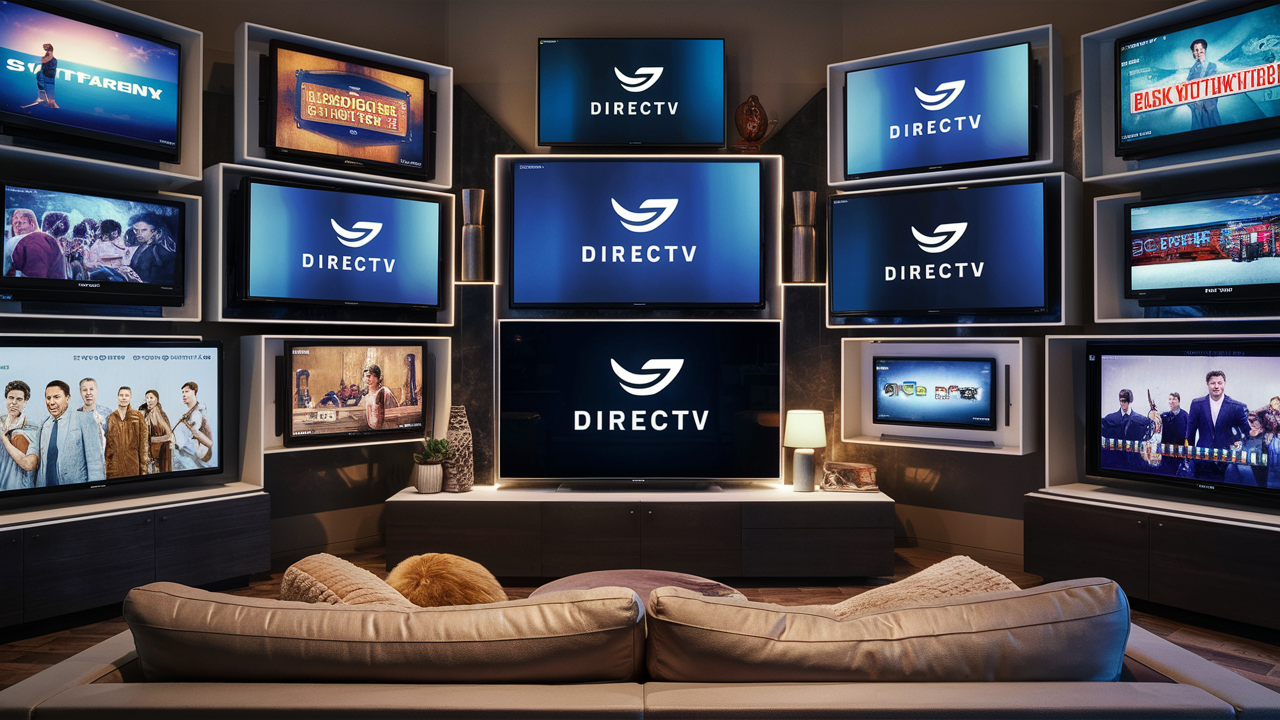
Understanding how many TVs you can connect with DIRECTV is a common question for potential and existing customers. This guide breaks down DIRECTV's multi-room viewing options, clarifying device limits, equipment costs, and the best ways to maximize your home entertainment setup for 2025-26.
Understanding DIRECTV TV Limits
When you're considering DIRECTV for your home entertainment, a crucial question that arises is: "How many TVs can I actually connect to my service?" This isn't a simple one-size-fits-all answer, as DIRECTV offers various systems and equipment configurations designed to cater to different household needs and viewing habits. The core of DIRECTV's multi-room viewing capability lies in its advanced receiver technology, primarily the Genie system, and its newer streaming solutions. Understanding these options is key to getting the most out of your subscription. For 2025-26, DIRECTV continues to refine its offerings, balancing traditional satellite delivery with the flexibility of IP-based streaming, ensuring that most homes can enjoy their favorite channels on multiple screens simultaneously.
DIRECTV Equipment Options
DIRECTV provides a range of equipment designed to deliver its services to your home. The type of equipment you have will directly impact how many TVs you can connect and the features available on each screen. For 2025-26, the primary options revolve around the Genie system for satellite subscribers and the DIRECTV Stream device for those opting for their internet-based service. Understanding the function of each piece of equipment is vital to grasping the multi-TV capabilities.
The Genie System
The Genie system is DIRECTV's flagship receiver technology for satellite television. It's designed to be a central hub that can manage and distribute content to multiple televisions within a single household. The system typically consists of a main Genie HD DVR receiver and several smaller Genie Client devices. The Genie HD DVR acts as the primary server, recording programs and accessing live TV, while the Genie Clients connect to the main Genie to provide access to the same channels and recordings on secondary TVs. This architecture allows for a unified viewing experience across your home, eliminating the need for separate subscriptions or tuners for each television.
DIRECTV Stream Device
For customers who prefer an internet-based TV service, DIRECTV Stream offers a dedicated streaming device. This device connects to your home's Wi-Fi or Ethernet network and provides access to DIRECTV Stream's live TV channels, on-demand content, and apps. While the DIRECTV Stream device itself is for one TV, the service allows for multiple simultaneous streams on different devices connected to your home network, including other smart TVs, streaming sticks, and mobile devices, subject to certain limitations. This offers a more flexible, app-centric approach to watching DIRECTV.
Wireless Video Bridges
A key component for expanding the Genie system's reach wirelessly is the Wireless Video Bridge (WVB). In homes where running coaxial cables to every TV is impractical or undesirable, the WVB allows Genie Clients to connect to the main Genie HD DVR wirelessly. This significantly simplifies installation and provides greater flexibility in placing secondary TVs. The WVB acts as a wireless access point, ensuring that the Genie Clients can still receive the necessary video and audio signals from the main Genie receiver. This technology is crucial for maximizing the number of TVs you can connect without extensive wiring.
How Many TVs Can I Connect with Genie?
The DIRECTV Genie system is engineered for robust multi-room viewing, but it does have specific limitations on the number of connected devices. Understanding these limits is essential for planning your home entertainment setup. The capacity is determined by the Genie server itself and the type of client devices you use.
Genie Server Capacity
The primary Genie HD DVR receiver can support up to 8 tuners in total. However, the number of TVs it can directly serve simultaneously is typically limited to 5. This means a single Genie HD DVR can power up to 4 Genie Clients in addition to the main TV connected to the Genie itself. This configuration allows for a significant number of viewing points within a home, making it a popular choice for larger households or those who enjoy watching TV in multiple rooms. For 2025-26, these core capacities remain consistent for the latest Genie models, such as the Genie 2 (HS17), which is designed to support more advanced features and potentially higher client counts under specific configurations, though the standard limit for most users remains at 5.
Client Device Limitations
Genie Clients are the smaller, wireless or wired boxes that connect to your secondary televisions. These clients do not have their own tuners; they rely entirely on the main Genie HD DVR for programming. Each Genie Client essentially uses one of the tuners and one of the viewing streams available from the main Genie receiver. Therefore, the total number of simultaneous viewings or recordings you can have across all your TVs is dictated by the Genie server's capabilities. For example, if you have a Genie HD DVR that supports 5 tuners for viewing, you can have up to 5 devices (the main Genie and 4 clients) actively watching live TV or playing back recordings at the same time. If you are recording, those tuners are occupied.
Understanding Genie vs. Clients
It's important to distinguish between the Genie HD DVR and the Genie Clients. The Genie HD DVR is the brain of the operation. It houses the hard drive for recordings, the tuners for receiving satellite signals, and the processing power to manage multiple streams. The Genie Clients are essentially thin clients that act as extensions of the Genie DVR. They receive the video and audio signals from the Genie DVR and display them on your TV. This setup means that if your Genie DVR experiences an issue, all connected clients will also lose service. Conversely, a problem with a Genie Client typically only affects the TV it's connected to.
For 2025-26, DIRECTV continues to promote its Genie system as a premium multi-room solution. The latest Genie models are designed for 4K content and offer enhanced user interfaces. The standard setup for a new customer often includes one Genie HD DVR and one or two Genie Clients, with the option to add more clients for an additional monthly fee per client. The maximum number of clients supported by a single Genie HD DVR is typically four, bringing the total number of TVs to five.
DIRECTV Stream Multi-Room Viewing
DIRECTV Stream offers a different approach to multi-room viewing, leveraging internet connectivity and app-based technology. Instead of relying on satellite receivers and coaxial cables, DIRECTV Stream delivers its programming over your broadband internet connection. This provides flexibility but also introduces different limitations compared to the traditional Genie system.
Device Limits for Stream
With DIRECTV Stream, the number of simultaneous streams you can have within your home is determined by your subscription package and the terms of service. Generally, DIRECTV Stream allows for up to 3 simultaneous streams on devices connected to your home network. This means you could be watching on your main TV with a DIRECTV Stream device, while someone else is watching on a smart TV app, and another person is watching on a tablet or phone app, all at the same time. Exceeding this limit might result in buffering or a message indicating that you've reached your stream limit.
App-Based Viewing
Beyond the dedicated DIRECTV Stream device, you can also access DIRECTV Stream content on a variety of other devices using their respective apps. This includes smart TVs (like Samsung, LG, Sony, Roku TV), streaming sticks (Roku, Amazon Fire TV Stick, Apple TV), gaming consoles (PlayStation, Xbox), and mobile devices (iOS and Android). The ability to stream on these devices adds significant flexibility, allowing you to watch DIRECTV Stream wherever you have a stable internet connection. For 2025-26, DIRECTV is continuously expanding its app compatibility to more platforms, making it easier than ever to access your service on the go or on any screen in your home.
It's important to note that while the service allows for 3 simultaneous streams within your home network, you can also stream on one additional device when you are away from your home network. This feature is particularly useful for travelers or those who want to catch up on shows while commuting.
Factors Influencing TV Connections
Several factors can influence how many TVs you can connect with DIRECTV and the overall quality of your viewing experience. These range from your chosen service package to the infrastructure of your home.
Your DIRECTV Package
The specific DIRECTV package you subscribe to doesn't directly dictate the *number* of TVs you can connect, but it influences the *equipment* you receive and the features available. For satellite TV, the Genie system is standard for most packages that support multi-room viewing. For DIRECTV Stream, the core streaming limits (usually 3 simultaneous streams) apply across most packages, though higher-tier packages might offer additional benefits or faster access to new features. The content available on each TV will, of course, depend on your subscribed channel lineup.
Equipment Upgrades and Fees
Adding more Genie Clients to a Genie system typically incurs an additional monthly equipment rental fee per client. For example, if a standard package includes one Genie HD DVR and one Genie Client, adding two more Genie Clients would result in an extra monthly charge for those two clients. Similarly, while the DIRECTV Stream device might be included or offered at a promotional price, using third-party streaming devices to access the service means you are responsible for purchasing those devices. Understanding these costs upfront is crucial for budgeting your home entertainment expenses for 2025-26.
Home Network Considerations
For DIRECTV Stream, a stable and robust home internet connection is paramount. The quality and speed of your Wi-Fi or wired Ethernet connection will directly impact the streaming quality on each device. If your internet service is slow or prone to interference, you may experience buffering, pixelation, or dropped streams, even if you are within the allowed number of simultaneous streams. For Genie systems, especially those utilizing the Wireless Video Bridge, a strong Wi-Fi signal is also important for reliable communication between the WVB and the Genie Clients.
In 2025-26, with the increasing demand for high-definition and 4K content, a strong internet backbone is more critical than ever. DIRECTV recommends a minimum internet speed of 25 Mbps for optimal DIRECTV Stream performance, especially if multiple devices are streaming simultaneously. For Genie systems, the primary concern is the signal strength from the satellite dish and the integrity of the coaxial cabling within the home. If you have an older home, the condition of the wiring might affect signal quality to certain rooms.
Maximizing Your DIRECTV Setup (2025-26)
To ensure you get the best possible experience with DIRECTV across multiple televisions, careful planning and consideration of your setup are key. This section provides actionable advice for 2025-26 to help you optimize your DIRECTV service.
Planning Your Installation
Before your installation appointment, think about where you want your televisions located and how you plan to use them. For satellite installations, consider the line of sight to the southern sky for the satellite dish. For Genie systems, discuss with your installer the best placement for the Genie HD DVR (usually near your primary TV and internet modem/router) and the most efficient way to connect Genie Clients, whether wired or wirelessly via the WVB. For DIRECTV Stream, ensure your home's Wi-Fi network is strong enough to reach all desired viewing locations. If not, consider a Wi-Fi extender or mesh network system.
Choosing the Right Equipment
Evaluate your viewing habits. If you primarily watch live TV in multiple rooms and value the DVR functionality, the Genie system is likely your best bet. If you have excellent internet and prefer a more flexible, app-centric experience, DIRECTV Stream might be more suitable. For Genie systems, decide if you need wireless clients for ease of installation or if wired connections are feasible for potentially more stable performance. For DIRECTV Stream, consider if the included DIRECTV Stream device meets your needs or if you prefer to use your own compatible streaming devices.
Troubleshooting Common Issues
Genie System: If a Genie Client is not working, try rebooting the main Genie HD DVR. Ensure the client is properly connected (wired or wirelessly to the WVB). Check the signal strength on the Genie DVR. For persistent issues, contact DIRECTV support. In 2025-26, DIRECTV continues to offer remote diagnostics and troubleshooting assistance.
DIRECTV Stream: If you're experiencing streaming issues, first check your internet connection speed. Restart your modem, router, and the DIRECTV Stream device or app. Ensure your DIRECTV Stream app is updated to the latest version. If you're hitting the simultaneous stream limit, you may need to pause or stop streaming on another device. DIRECTV's online support resources are extensive for 2025-26, covering common streaming problems.
DIRECTV Pricing and Packages for Multi-TV
The cost associated with getting DIRECTV on multiple TVs involves more than just the monthly subscription fee. Equipment rental, installation, and potential upgrades all contribute to the overall price. Understanding these components is crucial for making an informed decision in 2025-26.
Understanding Equipment Rental Fees
For satellite TV, DIRECTV charges a monthly equipment rental fee. This fee typically covers the Genie HD DVR and one Genie Client. Additional Genie Clients come with their own separate monthly rental fees. For example, in 2025-26, a common setup might include a base fee for the Genie HD DVR and one client, with an additional $10-$15 per month for each extra Genie Client. These fees can add up, so it's important to factor them into your budget when deciding how many TVs you want to equip.
With DIRECTV Stream, the pricing structure is often simpler. The DIRECTV Stream device might be included at no extra cost or offered at a discounted price with a new subscription. However, if you want to use the service on more than the included device, you'll need to purchase additional compatible streaming devices yourself. The primary cost here is your internet service, which DIRECTV Stream relies on.
Bundle Deals and Promotions
DIRECTV frequently offers bundle deals that can include internet and mobile services, potentially offering savings on your overall home entertainment and communication costs. Promotions for new customers often include discounted equipment rental fees for the first 12-24 months, free installation, or credits on your bill. It's always advisable to check DIRECTV's official website or speak with a sales representative for the most current promotions available in 2025-26, especially those related to multi-room viewing packages.
These promotions can significantly reduce the upfront and ongoing costs of setting up DIRECTV on multiple TVs. For instance, a promotion might waive the additional Genie Client fees for the first year, making it more affordable to equip all your desired viewing locations.
Comparing DIRECTV to Competitors
When evaluating how many TVs you can connect with DIRECTV, it's helpful to see how their offerings stack up against other major providers in the 2025-26 landscape.
DIRECTV vs. Cable Providers
Traditional cable providers like Spectrum or Xfinity also offer multi-room DVR solutions. Often, they require a cable box or DVR for each television, with additional boxes incurring monthly rental fees. Some may offer a primary DVR that can stream to secondary "mini" boxes wirelessly or via Ethernet. DIRECTV's Genie system, with its ability to serve multiple clients from one central DVR, is often seen as more integrated and user-friendly for multi-room viewing compared to some cable offerings, which might feel more like individual setups per room.
DIRECTV vs. Other Satellite Services
Dish Network is DIRECTV's main satellite competitor. Dish also offers multi-room solutions with their Hopper DVR system, which can support multiple Joeys (similar to Genie Clients). The number of simultaneous streams and client limitations are comparable between DIRECTV's Genie and Dish's Hopper/Joey system. The choice between them often comes down to channel lineups, pricing, and specific promotional offers available at the time of signup.
DIRECTV vs. Streaming Services
Pure streaming services like YouTube TV, Hulu + Live TV, and Sling TV offer a different model. They typically allow a set number of simultaneous streams (often 3 or more) across various devices without dedicated hardware beyond what you already own (smart TVs, streaming sticks). The advantage is flexibility and often lower monthly costs, especially if you already have internet. The disadvantage can be reliance on internet stability and potentially fewer channels or features compared to a premium satellite service like DIRECTV.
DIRECTV Stream bridges this gap by offering a live TV streaming service that mimics the channel selection of traditional satellite TV, with the added flexibility of app-based streaming. However, the 3-stream limit is a key differentiator compared to some competitors that might offer more simultaneous streams for a similar price.
Final Thoughts on DIRECTV TV Connections
In conclusion, the question of "How many TVs do you get with DIRECTV?" is best answered by understanding your chosen service and equipment. For satellite TV, the DIRECTV Genie system is the primary solution, typically allowing for up to 5 TVs (one Genie HD DVR and up to four Genie Clients) to be connected and viewed simultaneously. For DIRECTV Stream, the limit is generally 3 simultaneous streams across various internet-connected devices, with the flexibility to use your own compatible hardware. When planning for 2025-26, consider your household's viewing habits, budget for additional equipment rental fees or device purchases, and ensure your home network infrastructure is up to the task. By carefully evaluating these factors, you can configure your DIRECTV service to provide an optimal entertainment experience on all your televisions.
How many TVs do you get with DIRECTV?
Research, Compare & Choose With Confidence
Last updated: June 25, 2026