-
Posted on: 07 Jan 2026
-
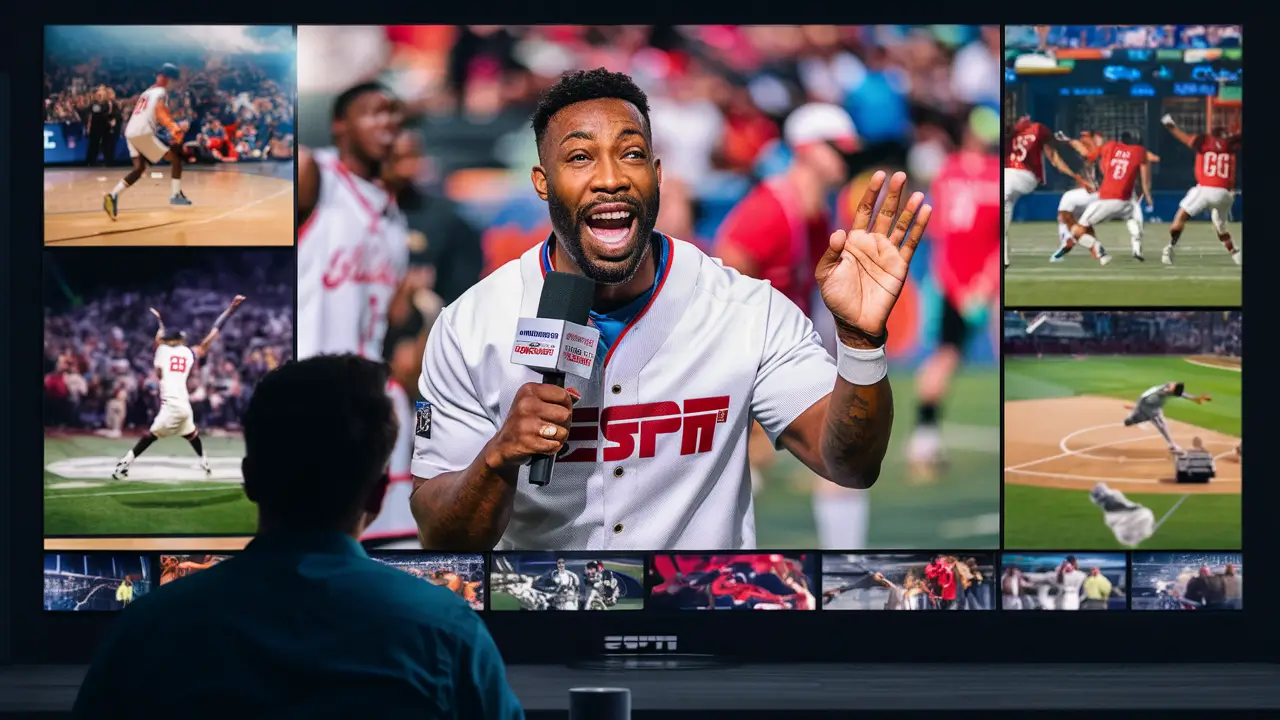
Unlock the full potential of your DISH Network subscription to catch all your favorite ESPN broadcasts. This comprehensive guide details precisely how to watch ESPN with your DISH Network service, covering channel lineups, package options, and streaming alternatives for 2025-26. Get ready to never miss a game!
Understanding ESPN Channels on DISH Network
For many sports enthusiasts, ESPN is synonymous with live action, in-depth analysis, and breaking sports news. When you're a DISH Network subscriber, accessing these coveted channels is typically straightforward, but it hinges on understanding which ESPN networks are available and within which programming packages. DISH offers a tiered approach to its channel lineups, meaning that the availability of specific ESPN channels, like ESPN, ESPN2, ESPNU, ESPN Goal Line, ESPN Bases Loaded, and the SEC Network, will vary depending on the subscription tier you select. This section will break down the core ESPN offerings and how they are generally distributed across DISH's popular packages for the 2025-26 season.
The Core ESPN Family of Channels
At the heart of the ESPN brand is the flagship channel, ESPN. This is where you'll find the majority of major sporting events, including NFL, NBA, MLB, college football, college basketball, and much more. Following closely is ESPN2, which often carries a broader range of sports, including niche events, alternative broadcasts, and overflow programming when major events conflict on the main ESPN channel. These two are often considered the essential ESPN channels for any serious sports fan.
Beyond these foundational channels, DISH subscribers may gain access to a variety of specialized ESPN networks. ESPNU is dedicated primarily to college sports, offering extensive coverage of NCAA events, particularly football and basketball, often featuring teams and sports not prominently featured on ESPN or ESPN2. For fans of specific collegiate conferences, DISH often includes regional sports networks that are part of the ESPN family. The SEC Network, for instance, is a critical component for fans of the Southeastern Conference, broadcasting a vast array of football, basketball, baseball, and other sports from this highly competitive league. Similarly, other conference-specific networks, sometimes branded under the ESPN umbrella or in partnership with them, might be available depending on your location and package.
Specialized ESPN Networks for Niche Sports
For those who follow specific sports with intense dedication, ESPN offers dedicated channels that cater to these interests. ESPN Goal Line and ESPN Bases Loaded are prime examples. These channels operate on a seasonal basis, typically during the fall for football and the spring/summer for baseball, respectively. They provide "whip-around" style coverage, showing live scores, key plays, and simultaneous action from multiple games happening at once. If you're a fan who wants to keep up with every touchdown or every crucial at-bat across numerous games, these channels are invaluable. Their inclusion in DISH packages can also vary, often appearing in higher-tier sports add-ons or premium sports bundles.
It's also worth noting that DISH may offer access to international ESPN channels or specific ESPN Deportes content, depending on your subscription and region. ESPN Deportes provides extensive Spanish-language coverage of major sporting events, including analysis and commentary tailored for a Spanish-speaking audience. Understanding which of these specialized channels are available to you is key to maximizing your sports viewing experience.
Channel Numbers and Availability (General Overview)
While exact channel numbers can fluctuate and are dependent on your specific DISH Network location and the package you subscribe to, here's a general idea of where you might find these channels. It's always best to consult your official DISH Network channel guide or their website for the most accurate, up-to-date information for your service address.
ESPN Channel Typical Channel Range (DISH) Primary Content Focus ESPN ~140 Major sports leagues, college sports, news ESPN2 ~144 Broader sports coverage, alternative broadcasts ESPNEWS ~143 Sports news and highlights ESPNU ~141 College sports (football, basketball, etc.) SEC Network ~408/571 (varies by region) Southeastern Conference (SEC) sports ESPN Goal Line (Seasonal, often in sports packages) Live college football whip-around ESPN Bases Loaded (Seasonal, often in sports packages) Live MLB whip-around ESPN Deportes (Varies, often in Spanish packages) Spanish-language sports coverage As you can see, the core ESPN channels are generally clustered together in the mid-100s, while specialized networks like the SEC Network or seasonal offerings might be found in different sections of the DISH lineup, often within sports-specific packages. This initial understanding of channel availability is the first step in ensuring you can indeed watch ESPN with your DISH Network subscription.
Choosing the Right DISH Package for ESPN
DISH Network offers a variety of programming packages, each designed to cater to different viewing needs and budgets. For those whose primary interest is sports, and specifically ESPN content, selecting the correct package is paramount. Simply having DISH Network doesn't automatically grant access to every ESPN channel; you need to ensure your chosen package includes the sports networks you desire. This section will guide you through the common DISH packages and how they relate to ESPN channel availability, helping you make an informed decision for the 2025-26 viewing season.
DISH America's Top 120+ Package
The America's Top 120+ package is often considered a good starting point for many households. It includes a wide array of popular channels, encompassing news, entertainment, and a decent selection of sports. Crucially for ESPN fans, this package typically includes the flagship ESPN channel and ESPN2. This means that if your primary goal is to catch the major league games, the most prominent college sports events, and general sports news, the America's Top 120+ package might be sufficient. It provides the foundational ESPN experience without requiring a significant investment in premium sports add-ons.
However, it's important to note that this package generally does *not* include more specialized ESPN channels like ESPNU, the SEC Network, ESPN Goal Line, or ESPN Bases Loaded. If your viewing habits extend beyond the most popular sports and leagues, or if you're a dedicated fan of college sports or specific conferences, you will likely need to consider an upgrade or an add-on package.
DISH America's Top 200 and Top 250 Packages
Stepping up to the America's Top 200 and America's Top 250 packages significantly expands the sports offerings. These higher-tier packages are designed for more avid viewers and include a much broader selection of sports channels. Within these packages, you will typically find ESPNU, giving you access to a wealth of college sports content. Additionally, depending on your region and the specific iteration of the package for 2025-26, the SEC Network might also be included. This is a critical point for fans of the Southeastern Conference, as it unlocks extensive football, basketball, and other sports coverage from this powerhouse league.
The America's Top 250 package, being the most comprehensive, usually includes the widest array of sports channels available directly within a base DISH subscription. This often means more regional sports networks and potentially even the seasonal ESPN Goal Line and ESPN Bases Loaded channels might be part of the bundle, especially during their respective seasons. For the true sports fanatic who wants broad access without relying heavily on add-ons, these higher-tier packages are the most logical choice.
Sports Packages and Add-Ons
For subscribers who have a lower-tier DISH package but still want access to specific ESPN channels or a broader sports spectrum, DISH offers dedicated sports packages and add-ons. The Multi-Sport Pack is a popular option. This add-on typically bundles a variety of sports channels, and its contents can vary, but it often includes channels like ESPNU, the SEC Network, and sometimes even others like NFL RedZone (seasonal), MLB Network, NBA TV, and NHL Network. If you have America's Top 120+ and want ESPNU and the SEC Network, purchasing the Multi-Sport Pack is usually more cost-effective than upgrading to a much higher base package.
For even more specialized needs, DISH might offer premium sports bundles that include international sports, or specific league passes. It's always advisable to check the latest offerings from DISH Network directly, as package contents and names can be updated. When considering an add-on, verify precisely which ESPN channels are included. For example, if you only need the SEC Network, ensure the package explicitly lists it. Sometimes, seasonal channels like ESPN Goal Line and ESPN Bases Loaded are included in these sports add-ons during their active periods.
Comparing Packages for ESPN Access (2025-26)
To help illustrate the differences, here's a simplified comparison table. Remember that these are general inclusions, and DISH's offerings can vary by region and promotional periods.
DISH Package ESPN ESPN2 ESPNU SEC Network ESPN Goal Line/Bases Loaded Estimated Monthly Cost (USD) America's Top 120+ yes yes no no no ~$70-85 America's Top 200 yes yes yes yes (often) no ~$85-100 America's Top 250 yes yes yes yes yes (seasonal, often) ~$100-115 Multi-Sport Pack (Add-on) (Included in base package) (Included in base package) yes yes yes (seasonal, often) ~$13-20 (additional) Note: Pricing is approximate for 2025-26 and subject to change. Always verify with DISH Network.
When choosing your DISH package, the key is to align it with your viewing habits. If you're a casual fan who tunes in for the biggest games on ESPN and ESPN2, the America's Top 120+ might be perfect. If you're a college sports aficionado, especially a fan of the SEC, then America's Top 200 or 250, or the Multi-Sport Pack add-on, becomes essential. By carefully considering these options, you can ensure you have the right DISH Network subscription to watch all the ESPN action you desire.
Accessing ESPN on Your DISH Network TV
Once you've selected the appropriate DISH Network package that includes your desired ESPN channels, the next step is to actually access them on your television. This process is generally quite intuitive for DISH subscribers. Whether you're using a DISH receiver connected directly to your TV or exploring streaming options that integrate with your DISH account, there are a few common methods to ensure you're tuned into the action. This section will walk you through the typical ways to find and watch ESPN channels through your DISH subscription.
Using Your DISH Remote and Channel Guide
The most direct way to watch ESPN on your DISH Network TV is by using your DISH remote to navigate to the correct channel. As outlined previously, ESPN and ESPN2 are usually found in the mid-100s of the channel lineup (e.g., around channel 140-144). Specialized channels like ESPNU or the SEC Network will be in different, often higher, channel numbers. Your DISH receiver's on-screen channel guide is your best friend here. Simply press the 'Guide' button on your DISH remote.
The guide will display a grid of channels and programming. You can either:
- Scroll through the guide: Use the arrow keys on your remote to navigate up and down through channels and left/right through time. Look for the ESPN channels in their respective number ranges.
- Search by channel number: If you know the exact channel number for ESPN or ESPN2 (e.g., 140), you can often type it directly into a search function or simply use the number keys on your remote to tune directly to that channel.
- Use the 'Info' button: When a channel is selected, pressing the 'Info' button will bring up details about the current program, confirming you're on the right channel.
For channels like the SEC Network, which can have regional variations or be part of sports packages, you might need to scroll further or check a dedicated sports section within the guide. If you're unsure of a specific channel number, your DISH remote may also have a 'Find' or 'Search' function that allows you to type in "ESPN" and see all available ESPN-branded channels and their corresponding numbers.
Setting Up Favorite Channels
To streamline your viewing experience and quickly access your most-watched channels, DISH allows you to set up "favorite" channels. This is particularly useful for sports fans who want to bypass scrolling through hundreds of channels to get to ESPN, ESPN2, and any other sports networks they frequently watch.
The process for setting favorites typically involves:
- Navigating to the channel you want to add to your favorites (e.g., ESPN).
- Pressing the 'Options' or 'Menu' button on your DISH remote.
- Selecting an option like 'Add to Favorites,' 'Mark as Favorite,' or similar.
- You may be prompted to select a specific favorite list (e.g., 'Sports Favorites').
Once set, you can often access your favorites list by pressing a dedicated 'Favorites' button on your remote or by navigating through the guide menu. This will filter the channel guide to show only the channels you've marked, making it incredibly fast to switch between ESPN and other preferred sports networks.
Using the DISH Anywhere App and Website
DISH Network offers a robust set of online and mobile tools that allow you to watch content, including ESPN, beyond your primary television. The DISH Anywhere app (available for smartphones, tablets, and smart TVs) and the DISH Anywhere website allow you to stream live TV, including many of the channels included in your subscription, from virtually anywhere with an internet connection.
To use DISH Anywhere for watching ESPN:
- Download the App or Visit the Website: Get the DISH Anywhere app from your device's app store or go to dishanywhere.com.
- Log In: Use your DISH Network account credentials (username and password) to log in. If you haven't set these up, you'll need to do so through the DISH website.
- Navigate to Live TV: Once logged in, you'll find an option to browse or stream live TV channels.
- Find and Select ESPN: Browse the channel list, which mirrors your DISH subscription, and select the ESPN channel you wish to watch.
This is an excellent solution for watching games on the go, while traveling, or even just on a different device within your home. Ensure your device is connected to a stable internet connection for the best streaming quality. The DISH Anywhere platform is a powerful extension of your DISH subscription, providing flexibility in how and where you access your ESPN content.
Connecting Your DISH Receiver to the Internet
For features like On Demand, Pay-Per-View ordering, and the full functionality of DISH Anywhere (especially for streaming to devices), your DISH receiver needs to be connected to your home's internet network. Most modern DISH receivers have built-in Wi-Fi capabilities or can be connected via an Ethernet cable.
To connect your receiver:
- Access the Menu: Press the 'Menu' button on your DISH remote.
- Navigate to Settings: Select 'Settings' or 'System Settings.'
- Find Network Setup: Look for an option like 'Network,' 'Internet,' or 'Network Setup.'
- Connect to Wi-Fi: Select your home Wi-Fi network from the list of available networks and enter your Wi-Fi password. If using Ethernet, simply plug the cable into the receiver and your router.
Once connected, your receiver can access online features, including enhanced program guides and potentially interactive elements related to live sports. This connectivity is also crucial for ensuring your receiver's software is up-to-date, which can sometimes resolve minor glitches related to channel access.
By familiarizing yourself with your DISH remote, the channel guide, the favorites feature, and the DISH Anywhere platform, you'll be well-equipped to seamlessly access and enjoy all the ESPN programming your subscription offers. The key is to know which channels are included in your package and how to navigate your DISH system to find them.
Troubleshooting Common ESPN Access Issues
While DISH Network generally provides a reliable service for accessing ESPN channels, like any subscription service, you might occasionally encounter issues. These can range from minor glitches to more persistent problems that prevent you from watching your favorite games. This section will address common troubleshooting steps for when you can't seem to access ESPN with your DISH Network subscription, helping you get back to the action quickly.
"Channel Not Authorized" or "Missing Channels" Error
This is perhaps the most common error message sports fans encounter. If you see "Channel Not Authorized" or notice that ESPN channels are simply missing from your guide or appear blocked, it almost always points to a package or subscription issue.
Steps to Resolve:
- Verify Your Package: The first and most crucial step is to confirm that the specific ESPN channel you're trying to watch is actually included in your current DISH Network programming package. Refer back to Section 2: Choosing the Right DISH Package for ESPN for details on which packages typically include which ESPN channels. You can check your current package details by logging into your DISH account online or by calling customer service.
- Check for Expired Promotions: If you were on a promotional offer for a sports package that has now expired, the channels included in that promotion will be removed from your service. You may need to either renew the promotion (if available) or purchase the channels as an add-on.
- Ensure Account is Active: Verify that your DISH account is in good standing and that there are no outstanding payments that could lead to service suspension.
- Refresh Your Receiver: Sometimes, a simple refresh signal can resolve authorization issues. You can often do this through your DISH account online by selecting "Receiver Tools" or "Refresh My Receivers." Alternatively, you can call DISH customer service and request a refresh signal. This process typically takes 15-30 minutes, during which you might see a "Refreshing Channels" message on your TV.
No Signal or Black Screen on ESPN Channels
If you tune into an ESPN channel and instead see a "No Signal" message, a black screen, or a static screen, the issue might be with your satellite reception or the receiver itself.
Steps to Resolve:
- Check Other Channels: Try tuning into a few other channels, both local and national. If all channels are affected, the problem is likely with your satellite dish alignment, a weather disruption, or a broader service outage in your area.
- Check Weather Conditions: Heavy rain, snow, or thunderstorms can temporarily interfere with satellite signals. If the weather is severe, wait for it to pass.
- Inspect Your Dish and Cables: Visually inspect your outdoor satellite dish for any obvious damage or obstructions (like tree branches). Ensure that the cables connecting the dish to your receiver are securely fastened and not visibly damaged.
- Reboot Your Receiver: Power cycle your DISH receiver. Unplug the power cord from the back of the receiver, wait for about 30 seconds, and then plug it back in. Allow the receiver to fully reboot, which may take several minutes.
- Check Receiver Connections: Ensure that the coaxial cable from the satellite dish is securely connected to the correct input on the back of your DISH receiver.
ESPN App or DISH Anywhere Not Working
If you're trying to watch ESPN through the DISH Anywhere app or website and are encountering issues, the problem might be with your internet connection or app/website functionality.
Steps to Resolve:
- Check Your Internet Connection: Ensure your device (phone, tablet, computer) is connected to a stable Wi-Fi or cellular data network. Try loading other websites or apps to confirm your internet is working.
- Verify DISH Anywhere Login: Double-check that you are using the correct DISH Network account credentials. Try logging out and logging back in.
- Update the App: Make sure you have the latest version of the DISH Anywhere app installed on your device. Check your device's app store for any available updates.
- Clear Cache and Cookies: If using a web browser, try clearing your browser's cache and cookies.
- Restart Your Device: Sometimes, a simple restart of your smartphone, tablet, or computer can resolve temporary app glitches.
- Check for Service Outages: Although rare, DISH Anywhere services can sometimes experience temporary outages. Check DISH's official social media channels or customer support for any reported issues.
Specific Game or Event Not Available
Occasionally, you might find that a specific game or event that you expect to be on ESPN is not showing up, even if you have the correct channel.
Steps to Resolve:
- Verify the Broadcast Rights: Not every game is broadcast on every ESPN network. For example, some college football games might be on ESPN, others on ESPN2, ESPNU, or even a regional sports network. Double-check the official schedule for the league or conference you're following. Websites like ESPN.com or the league's official site will have the most accurate broadcast information.
- Check for Conference-Specific Networks: If you're looking for an SEC game, ensure you have the SEC Network. If it's a Big Ten game, you might need the Big Ten Network (which DISH also offers, often in sports packages).
- Confirm Seasonal Channels: Ensure that seasonal channels like ESPN Goal Line or ESPN Bases Loaded are active during their respective seasons and included in your package or add-on.
- Regional Blackouts: In rare cases, local blackouts can occur for certain sporting events, especially those involving local teams. This is typically related to broadcast rights in your specific geographic area.
If you've exhausted these troubleshooting steps and are still experiencing issues, the best course of action is to contact DISH Network customer support directly. They have the tools to diagnose account-specific problems, check your equipment remotely, and schedule a technician visit if necessary. Having your account information and a clear description of the problem ready will help them assist you more efficiently.
Beyond Traditional TV: ESPN Streaming Options with DISH
While DISH Network's core service provides direct access to ESPN channels on your television, the landscape of sports viewing has evolved significantly. For subscribers seeking more flexibility, on-demand content, or the ability to watch ESPN across a wider range of devices without being tethered to a traditional TV, there are integrated streaming solutions. DISH has adapted to these trends, offering ways to extend your ESPN viewing experience beyond the set-top box. This section explores these streaming options, focusing on how DISH subscribers can leverage them for comprehensive ESPN access in 2025-26.
DISH Anywhere: The Integrated Streaming Solution
As mentioned in the previous section, DISH Anywhere is DISH's primary platform for extending your television service to other devices. It's more than just a way to troubleshoot; it's a fully functional streaming service that mirrors your DISH subscription.
Key Features for ESPN Streaming:
- Live TV Streaming: Access all the ESPN channels included in your DISH package directly through the DISH Anywhere app or website on your smartphone, tablet, laptop, or even smart TV devices like Roku, Fire TV, or Apple TV. This means you can watch live games on ESPN, ESPN2, ESPNU, SEC Network, etc., wherever you have an internet connection.
- On-Demand Content: While primarily focused on live TV, DISH Anywhere may also offer access to some on-demand content that is part of your subscription. This can include replays of games, documentaries, or studio shows that have aired on ESPN.
- Remote DVR Control: If your DISH receiver is equipped with a DVR (like the Hopper), DISH Anywhere allows you to manage your recordings remotely. You can schedule recordings of upcoming ESPN events, watch previously recorded games, or even stream live TV from your DVR to your mobile device.
- Personalization: The platform often allows you to personalize your experience, setting favorite channels and receiving recommendations, making it easier to find the ESPN content you're looking for.
To utilize DISH Anywhere effectively for ESPN streaming, ensure your DISH receiver is connected to your home internet and that you have created your DISH online account credentials. The convenience of watching a crucial playoff game on your tablet while traveling or catching up on a recorded match from your work computer makes DISH Anywhere an indispensable tool for modern sports fans.
ESPN App and ESPN+ Integration (Potential)
While DISH Network's primary streaming solution is DISH Anywhere, it's important to understand how standalone streaming services like the ESPN app and ESPN+ fit into the picture. For DISH subscribers, the ESPN app itself often requires authentication with a TV provider to access live ESPN content. This means that if you have ESPN through your DISH subscription, you can typically log into the ESPN app using your DISH account credentials to stream ESPN, ESPN2, and other authenticated ESPN networks.
ESPN+ Considerations:
ESPN+ is a separate subscription service that offers a vast library of exclusive live events, original series, and on-demand content not typically found on the linear ESPN channels. Examples include international soccer leagues, NHL games, college sports from various conferences, and much more. While ESPN+ is a distinct subscription, it can be a valuable complement to your DISH subscription if you're a dedicated sports fan.
Integration with DISH:
DISH Network itself does not typically bundle ESPN+ directly into its base packages or offer it as a standard add-on in the same way it does for its linear channels. However, DISH subscribers can subscribe to ESPN+ independently through the ESPN website or app. Once subscribed, you would use the ESPN app or the ESPN+ streaming platform to access its exclusive content. This provides a layered approach: use DISH Anywhere for authenticated access to your DISH-provided ESPN channels, and subscribe to ESPN+ for its unique offerings.
It's worth noting that partnerships between TV providers and streaming services can evolve. Always check the latest information from DISH Network and ESPN regarding any potential new integrations or bundled offers for 2025-26. For instance, some providers might offer promotional discounts on ESPN+ for their subscribers.
Streaming Devices and Smart TV Integration
The accessibility of ESPN streaming through DISH Anywhere and the ESPN app is amplified by the wide range of devices you can use.
- Mobile Devices: Smartphones and tablets (iOS and Android) are primary platforms for DISH Anywhere and the ESPN app.
- Smart TVs: Many modern smart TVs (Samsung, LG, Sony, Vizio, etc.) have dedicated apps for DISH Anywhere and ESPN, allowing you to stream directly to your television.
- Streaming Media Players: Devices like Amazon Fire TV Stick, Roku, Apple TV, and Google Chromecast are excellent for bringing streaming capabilities to any TV. You can download the DISH Anywhere and ESPN apps onto these devices.
- Gaming Consoles: Some gaming consoles, such as Xbox, also offer app support for streaming services, potentially including DISH Anywhere or the ESPN app.
- Computers: Accessing DISH Anywhere and the ESPN website via a web browser on your laptop or desktop computer provides another convenient viewing option.
By utilizing these streaming devices, you can transform almost any screen into a portal for watching ESPN, whether it's through your DISH subscription via DISH Anywhere or through a separate ESPN+ subscription. This flexibility ensures you don't miss critical moments, even when you're away from your main television.
Benefits of Streaming ESPN with DISH
- Flexibility: Watch games on any device, anywhere with an internet connection.
- Convenience: Access content without needing to be in front of your primary TV.
- On-Demand Access: Catch up on games or shows you missed, often available through DISH Anywhere or the ESPN app's library.
- Enhanced Viewing Experience: Utilize features like remote DVR control and multi-device viewing.
In summary, while your DISH Network subscription is the gateway to ESPN channels on your TV, DISH Anywhere extends that access to the digital realm. For even more exclusive content, consider a separate ESPN+ subscription. Together, these options provide a comprehensive and flexible way for DISH subscribers to stay connected to the world of sports in 2025-26.
Maximizing Your ESPN Viewing Experience
Having successfully navigated the process of selecting the right DISH Network package and understanding how to access ESPN channels, the final step is to optimize your viewing experience. This involves leveraging the features DISH offers, staying informed about schedules, and making the most of the content available. Whether you're a casual fan or a die-hard enthusiast, these tips will help you get the most out of your ESPN subscription with DISH Network throughout the 2025-26 sports seasons.
Utilize Your DISH DVR (Hopper)
If your DISH receiver is a DVR model, such as the popular Hopper, you have a powerful tool at your disposal for maximizing your ESPN viewing. The DVR functionality allows you to record live events, giving you the flexibility to watch them at your convenience.
- Never Miss a Game: Schedule recordings for all your favorite ESPN broadcasts, especially those that conflict with your personal schedule. You can set recordings for entire series (e.g., every Monday Night Football game) or single events.
- Fast-Forward Through Commercials: When watching recorded content, you can fast-forward through commercial breaks, saving you valuable time and allowing you to get to the action quicker.
- Pause and Rewind Live TV: Even if you're watching a game live, your DVR functionality often allows you to pause the action if you need to step away briefly, or rewind to re-watch a crucial play.
- Watch On-Demand Content: Many DISH DVRs also provide access to a library of on-demand movies and shows, which can sometimes include sports-related content.
To effectively use your DVR for ESPN, familiarize yourself with its programming guide and recording functions. Setting up series recordings for your favorite leagues and teams ensures you capture all the important games without having to manually schedule each one.
Stay Informed with the ESPN App and ESPN.com
While DISH provides the channels, staying up-to-date with what's happening in the sports world is crucial for knowing what to watch. The ESPN app and the ESPN.com website are invaluable resources for this.
- Schedules and Listings: Both platforms offer comprehensive schedules for all major sports leagues and events broadcast on ESPN networks. You can check what's airing on ESPN, ESPN2, ESPNU, SEC Network, and more.
- Breaking News and Analysis: Stay informed about injuries, trades, game previews, and expert analysis that can enhance your understanding and enjoyment of the games.
- Personalized Content: The ESPN app allows you to customize your feed to follow your favorite teams, athletes, and sports, ensuring you see the news and content most relevant to you.
- Score Updates: Get real-time score updates for games in progress, allowing you to quickly switch to the correct ESPN channel if a critical moment is unfolding.
By regularly checking these ESPN resources, you can plan your viewing schedule and ensure you don't miss any significant events broadcast on your DISH Network subscription.
Leverage DISH Anywhere for Multi-Device Viewing
As discussed, DISH Anywhere is a key tool for flexibility. Beyond just watching on the go, it can enhance your home viewing experience.
- Second Screen Experience: While watching a game on your main TV, you can use DISH Anywhere on a tablet or smartphone to access additional stats, live commentary, or social media feeds related to the game. This "second screen" experience can add another layer of engagement.
- Watching in Different Rooms: If multiple people in your household want to watch different programs simultaneously, and you have a DISH subscription that includes the desired channels on both, DISH Anywhere allows you to stream a different channel on a tablet or computer in another room.
- Catching Up on Missed Content: If you recorded a game on your DVR, you can stream it via DISH Anywhere to a device in another part of the house or even while you're away.
Ensure your home network is robust enough to support multiple streaming devices simultaneously if you plan to use DISH Anywhere extensively within your home.
Explore Sports Add-Ons for Deeper Coverage
If you find that your current DISH package doesn't cover all the sports or leagues you're interested in, consider exploring DISH's sports add-ons. As mentioned, the Multi-Sport Pack is a popular choice that often includes channels like ESPNU and the SEC Network, along with other sports-specific networks. For fans of particular leagues, DISH may offer specialized packages or seasonal add-ons like NFL RedZone during the football season.
Carefully review the channel lineups of these add-ons to ensure they align with your interests. For instance, if you're a dedicated college football fan, ensuring you have access to conference-specific networks like the SEC Network, ACC Network, or Big Ten Network (depending on your affiliation) is crucial. These add-ons can significantly broaden your ESPN and sports viewing horizons.
Stay Updated on DISH Network Promotions
DISH Network frequently offers promotions, discounts, and special bundles, especially for new subscribers or those looking to upgrade their packages. Keep an eye on their official website, promotional emails, or even contact their sales department periodically to inquire about any current offers that might include enhanced sports channel access or discounted rates on premium sports packages.
By combining the core functionality of your DISH Network subscription with the flexibility of its streaming services and the wealth of information available through ESPN's own platforms, you can create a truly immersive and satisfying sports viewing experience throughout the 2025-26 seasons and beyond. Enjoy the games!
Conclusion
For DISH Network subscribers eager to watch ESPN, the path is clear and accessible. By understanding which ESPN channels are available across various DISH packages, from the foundational ESPN and ESPN2 in the America's Top 120+ to the more comprehensive offerings in higher tiers and the Multi-Sport Pack, you can select the subscription that best fits your sports viewing needs for the 2025-26 season. Whether you prefer the traditional television experience guided by your DISH remote and channel guide, or the modern flexibility of streaming via the DISH Anywhere app, accessing live ESPN content is well within reach.
Troubleshooting common issues like "Channel Not Authorized" errors or signal problems is manageable by verifying your package, refreshing your receiver, or checking your internet connection. Furthermore, maximizing your enjoyment involves leveraging DVR capabilities to record and re-watch key moments, staying informed through the ESPN app and website for schedules and news, and considering sports add-ons for deeper coverage of specific leagues or conferences. With these strategies, you're fully equipped to ensure that you never miss a critical play, a championship game, or your favorite sports analysis on ESPN through your DISH Network service.
How To Watch ESPN With My Dish Network?
Research, Compare & Choose With Confidence
Last updated: June 25, 2026