-
Posted on: 07 Jan 2026
-
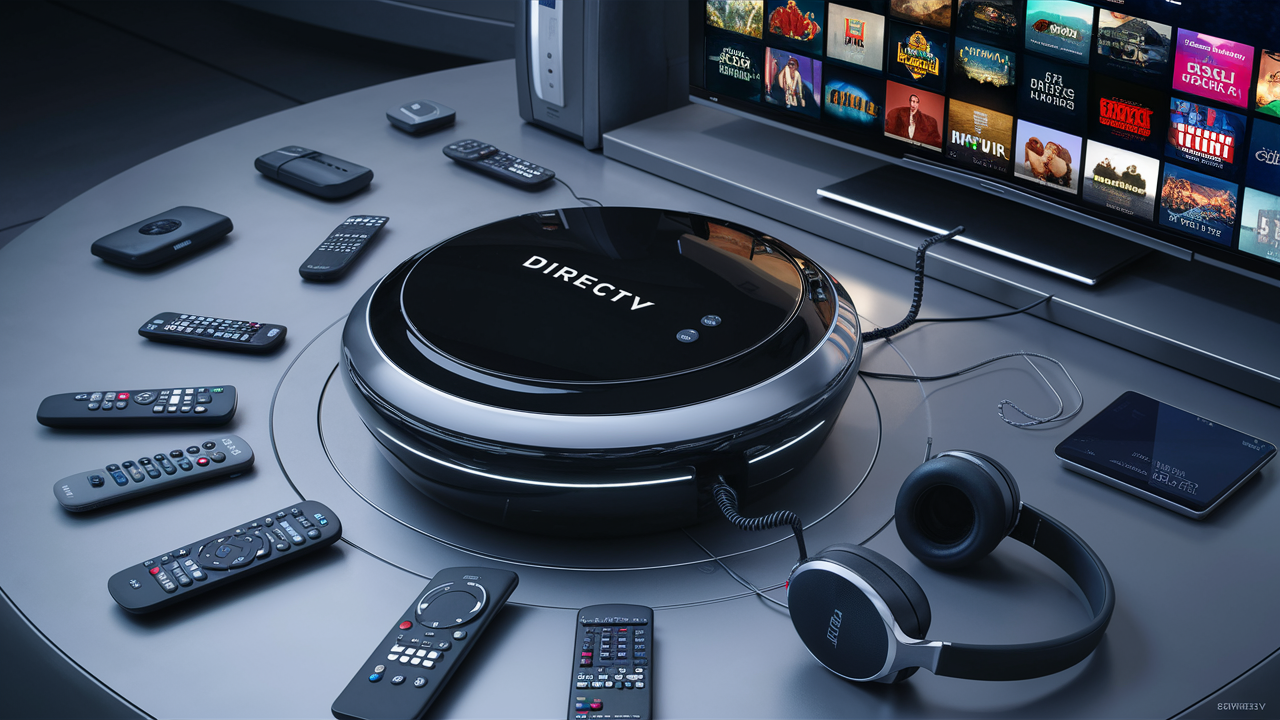
The DIRECTV Genie is a sophisticated whole-home HD DVR system designed to revolutionize your television viewing experience. It allows you to watch, record, and play back programs simultaneously on multiple TVs throughout your home, offering unparalleled convenience and access to your favorite content.
What Exactly is the DIRECTV Genie?
At its heart, the DIRECTV Genie is a revolutionary home entertainment hub that consolidates your television viewing into a single, powerful device. Unlike traditional single-room DVRs, the Genie is designed to serve your entire household, acting as a central server for all your connected television sets. This means you can enjoy a unified experience, with the ability to record multiple shows simultaneously, pause live TV on one screen and resume on another, and access your recorded content from any room. The system is built around a main Genie DVR unit, which connects wirelessly or via coaxial cable to smaller, client-based receivers (known as Genie Minis or other compatible receivers) placed in other rooms. This architecture eliminates the need for multiple, expensive DVRs in every room, offering a more streamlined and cost-effective solution for modern homes. As of 2025-26, the Genie system continues to be a cornerstone of DIRECTV's offerings, providing a robust platform for accessing live TV, on-demand content, and DVR functionality.
Unpacking the Genie's Core Capabilities
The DIRECTV Genie is packed with features designed to enhance your viewing experience. Its primary function is to act as a whole-home DVR, but this umbrella term covers a suite of powerful capabilities that set it apart from older technologies.
Simultaneous Recording and Viewing
One of the most significant advantages of the Genie system is its ability to record multiple channels at the same time. The most advanced Genie models can record up to five shows concurrently, ensuring you never miss a moment of your favorite programming. This is a stark contrast to older DVRs that might only allow one or two simultaneous recordings. This capability is crucial in households with diverse viewing preferences, where multiple family members might want to record different shows at the same time. For example, one person could be recording a live sports event, another a popular drama series, and a third a documentary, all without conflict.
Whole-Home Access to Recordings
The Genie's "whole-home" designation means that your recorded content is not confined to a single room. Once a show is recorded on the main Genie DVR, it becomes accessible from any TV connected to the Genie system via a Genie Mini or compatible client. This allows for incredible flexibility. You could start watching a recorded movie in the living room and then pause it to continue later in the bedroom, seamlessly picking up where you left off. This feature is particularly useful for families, enabling children to watch recorded cartoons in their rooms while adults catch up on news in the kitchen, all from the same central recording library.
Pause Live TV and Resume Anywhere
The ability to pause live television is a standard feature on most DVRs, but the Genie takes it a step further. With the Genie system, you can pause live TV in one room and then resume playback from that exact point on another TV connected to the Genie network. This is invaluable when unexpected interruptions occur, like a phone call or a doorbell ring. Instead of missing a crucial part of a program, you can simply pause and then resume your viewing in a different location without any loss of content. This feature truly embodies the "whole-home" convenience.
Access to DIRECTV On Demand and Apps
Beyond live and recorded television, the Genie provides a gateway to a vast library of DIRECTV On Demand content. This includes a wide selection of movies, TV shows, and special events that can be streamed directly to your TV without additional rental fees. Furthermore, many Genie models integrate with popular streaming apps, allowing you to access services like Netflix, YouTube, and Amazon Prime Video directly through your Genie interface. This consolidation of entertainment options reduces the need for multiple streaming devices and simplifies your home entertainment setup. As of 2025-26, the integration with streaming services is more robust than ever, offering a seamless transition between live TV and your favorite streaming platforms.
Picture-in-Picture (PiP) Functionality
While not as universally used as other features, the Genie system often supports picture-in-picture functionality, allowing you to watch two channels simultaneously on a single screen. This can be useful for sports fans who want to keep an eye on multiple games or for viewers who want to monitor breaking news while still watching their primary program. The implementation and availability of PiP may vary slightly depending on the specific Genie model and connected client.
Smart Search and Recommendations
The Genie's user interface is designed to be intuitive and intelligent. It often includes smart search capabilities that allow you to quickly find channels, programs, or recorded content. Additionally, many models offer personalized recommendations based on your viewing habits, helping you discover new shows and movies you might enjoy. This proactive approach to content discovery enhances the overall user experience and ensures you're always aware of what's worth watching.
Genie vs. Older DIRECTV Receivers: A Comparative Look
To truly appreciate what the DIRECTV Genie does, it's essential to understand how it compares to the DIRECTV receiver technology that preceded it. The evolution from older models to the Genie represents a significant leap in functionality, convenience, and overall user experience.
Feature Older DIRECTV Receivers (e.g., H24, HR24) DIRECTV Genie System (e.g., HR44, HR54, HS17) Whole-Home DVR Capability Limited; often required separate DVRs for each TV, or a basic receiver with limited multi-room viewing capabilities. Core functionality; allows one main DVR to serve multiple client receivers in different rooms. Simultaneous Recordings Typically 1-2 channels. Up to 5 channels on advanced models (e.g., HR54). Recording Storage Varies by model, often smaller internal hard drives. Larger internal hard drives on the main Genie DVR, allowing for hundreds of hours of HD recording. Client Receiver Technology Required separate, often bulky and expensive, DVRs or standard receivers. Uses compact, wireless or wired Genie Minis or RVU clients, which are less expensive and simpler. User Interface (UI) Functional but less intuitive; often slower navigation. Modern, user-friendly interface with enhanced search, recommendations, and easier navigation. On Demand & App Integration Basic On Demand access, limited app integration. Extensive DIRECTV On Demand library, integration with major streaming apps (Netflix, YouTube, etc. as of 2025-26). Remote Access (Mobile App) Limited or no remote access/management features. Robust mobile app for scheduling recordings, managing DVR, and streaming content on mobile devices. 4K Content Support Limited or no native 4K support. Many Genie models support 4K content (requires compatible equipment and programming). Cost-Effectiveness for Multiple TVs Can become expensive with multiple DVRs. More cost-effective for multi-room viewing due to the client-server architecture. The table above highlights the significant advancements. Older receivers were essentially standalone units. If you wanted DVR functionality in your bedroom, you needed a separate DVR there. This was costly and led to duplicate equipment. The Genie system consolidates the heavy lifting (recording, storage) into one primary unit and distributes the viewing experience to other rooms using less complex, less expensive client devices. This architectural shift is the core of what makes the Genie system so revolutionary for home entertainment.
Understanding the Different Genie Models
DIRECTV has released several generations of the Genie system, each building upon the capabilities of its predecessor. While the core concept of whole-home DVR remains, newer models offer enhanced features, increased recording capacity, and improved performance. Understanding these models can help you identify which one you have or which one might be best suited for your needs.
Genie (HR34)
The original Genie model, the HR34, was a groundbreaking device that introduced the concept of whole-home DVR to many DIRECTV customers. It allowed for simultaneous recording of up to five channels and could support up to three Genie Minis. While still functional, it has been superseded by newer, more capable models.
Genie (HR44)
The HR44 represented a significant upgrade from the HR34. It offered improved processing power, a more responsive interface, and enhanced reliability. It also maintained the ability to record five shows simultaneously and support up to three Genie Minis. This model became a popular choice for many households due to its balance of features and performance.
Genie (HR54)
The HR54 is one of the most advanced Genie models and is often considered the workhorse of the DIRECTV Genie system. It boasts a faster processor, more memory, and a refined user interface. It continues to support simultaneous recording of up to five channels and can connect to up to four Genie Minis or RVU clients, making it ideal for larger homes or households with many TVs. The HR54 also offers enhanced support for 4K content, though the full capabilities depend on the programming and other equipment.
Genie² (HS17)
The Genie² (pronounced Genie Squared) is a different kind of Genie system. It's a server-only device, meaning it doesn't have a built-in tuner. Instead, it relies entirely on client devices (Genie Minis) for all tuners and playback. The HS17 can support up to seven Genie Minis and offers a massive 1TB of storage, allowing for hundreds of hours of HD content. It's designed for a fully client-based experience and offers a sleek, modern approach to whole-home entertainment. It's important to note that the HS17 does not have a user interface on the server itself; all interaction is done through the connected Minis.
When considering which Genie model is best, it's important to think about the number of TVs you need to connect, how many shows you typically record simultaneously, and your interest in 4K content. DIRECTV's current offerings often feature the HR54 or the Genie² for new installations, reflecting their commitment to advanced whole-home entertainment solutions.
How Does the Genie System Function?
The magic of the DIRECTV Genie system lies in its client-server architecture. Understanding this setup is key to grasping the full scope of what the Genie does.
The Main Genie DVR (Server)
The primary Genie unit (e.g., HR44, HR54, or the HS17 acting as a server) is the brain of the operation. It contains the tuners, the hard drive for recording, and the processing power to manage the entire system. When you select a channel to watch or record, the signal is received by the main Genie. If you're recording, the content is stored on its internal hard drive. The main Genie also handles the communication with all connected client devices.
Genie Minis and RVU Clients (Clients)
These are smaller, less powerful devices that connect to your main Genie DVR. They don't have their own tuners or hard drives. Instead, they act as portals to the main Genie. When you select a channel on a TV connected to a Genie Mini, the Mini sends a request to the main Genie. The main Genie then tunes to that channel, records it if requested, and streams the live or recorded content to the Genie Mini. This client-server model is what allows for simultaneous viewing and recording across multiple rooms without needing a full DVR in each location.
Connection Methods
Genie Minis can connect to the main Genie DVR in a few ways:
- Coaxial Cable: This is the traditional method, using the same cabling that delivers the satellite signal to your home. It's reliable and provides a stable connection.
- Wireless: Newer Genie Minis can connect wirelessly to the main Genie. This offers greater flexibility in placement, as you don't need to run cables through walls or floors. A wireless video bridge is often used to facilitate this connection.
- RVU (Remote Visual Interface): This technology allows certain smart TVs or streaming devices to act as Genie clients without needing a separate box. The TV essentially has the Genie Mini functionality built-in, connecting directly to the main Genie via your home network.
The User Experience
From a user's perspective, the distinction between the server and clients is largely invisible. You interact with a unified interface on every TV. You can browse the program guide, set recordings, watch live TV, and access your recorded library from any connected television. The system intelligently manages tuner allocation, ensuring that if you're recording multiple shows, you can still watch a live channel or a previously recorded program on another TV. For example, if your HR54 is set to record five shows, and you have three Genie Minis in use, the system will utilize available tuners to serve those requests. If all tuners are occupied by recordings and live views, you might be prompted to pause a recording or choose a different program.
The HS17 Genie² operates slightly differently, as it has no internal tuners. All tuners are managed by the connected Genie Minis, which then communicate with the HS17 server. This setup is designed for maximum flexibility and can support a higher number of simultaneous streams and recordings managed across the client devices.
The Advantages of Upgrading to a Genie System
For DIRECTV subscribers still using older receivers, upgrading to a Genie system offers a compelling array of benefits that significantly enhance the home entertainment experience. These advantages extend beyond mere convenience to tangible improvements in functionality and cost-effectiveness.
Enhanced Convenience and Flexibility
The most immediate benefit is the unparalleled convenience. The ability to watch and record from anywhere in the house, pause live TV and resume elsewhere, and access a unified recording library transforms how a family interacts with their television. This eliminates the frustration of having to watch a show in the room where it was recorded or missing content due to scheduling conflicts.
Cost Savings for Multi-Room Viewing
While there's an initial investment or upgrade cost, the Genie system is generally more cost-effective for households with multiple televisions than maintaining separate DVRs in each room. The client-server model means you're paying for one primary DVR with advanced capabilities and less expensive client devices for other rooms, rather than multiple full-featured DVRs.
Simplified User Interface and Navigation
DIRECTV has continually refined the Genie's user interface to be more intuitive and user-friendly. Finding what you want to watch, managing recordings, and accessing on-demand content is generally a smoother and faster experience compared to older systems. Smart search and recommendation features further streamline content discovery.
Access to Latest Technology and Features
Genie systems are designed to support the latest DIRECTV features, including advanced search functions, improved parental controls, and, with newer models, 4K content streaming. By upgrading, you ensure you're leveraging the most up-to-date technology DIRECTV has to offer, keeping your home entertainment system current.
Improved Remote Access and Control
The DIRECTV app, when used with a Genie system, offers robust remote control capabilities. You can browse the guide, schedule recordings, and even watch live or recorded content on your mobile devices from virtually anywhere with an internet connection. This adds another layer of flexibility, allowing you to manage your TV viewing even when you're away from home.
Streamlined Home Entertainment Setup
Consolidating your entertainment into one system with integrated app support can declutter your entertainment center. Instead of multiple boxes and remotes for different services, the Genie acts as a central hub, simplifying the overall setup and operation.
Considering these benefits, the upgrade to a Genie system is a strategic move for any DIRECTV subscriber looking to maximize their television viewing enjoyment and efficiency. It's an investment in a more connected, convenient, and modern home entertainment experience.
Installation and Setup
Getting your DIRECTV Genie system up and running is typically a straightforward process, especially when handled by a professional DIRECTV installer. However, understanding the basic steps can be helpful.
Professional Installation
For most customers, DIRECTV provides professional installation. This is highly recommended, as installers have the expertise and equipment to ensure optimal signal reception and system configuration. The process generally involves:
- Dish Alignment: The installer will ensure your satellite dish is correctly aligned to receive the strongest signal from the DIRECTV satellites.
- Wiring: New wiring may be run to the locations where the main Genie DVR and Genie Minis will be installed.
- Equipment Setup: The main Genie DVR and any Genie Minis or RVU clients are connected and powered on.
- System Activation: The installer will activate your service and ensure all equipment is communicating correctly.
- Basic Tutorial: Installers often provide a brief overview of how to use the Genie system, including basic functions like recording, playback, and accessing the guide.
Self-Installation (Limited Availability)
In some cases, DIRECTV may offer self-installation kits, particularly for existing DIRECTV customers upgrading their equipment. This is generally only feasible if your home already has the necessary satellite wiring in place. If you opt for self-installation, it's crucial to follow the provided instructions meticulously. The process would typically involve:
- Connecting the Main Genie: Connect the main Genie DVR to your TV and the incoming satellite cable.
- Connecting Genie Minis: Connect Genie Minis to their respective TVs and to the main Genie (via coaxial, wirelessly, or through your home network for RVU).
- Activation: You will then need to call DIRECTV or use an online portal to activate your new equipment.
Important Note: Self-installation can be complex, and incorrect setup can lead to signal issues or system malfunctions. Professional installation is generally the preferred and most reliable method.
Initial Setup and Configuration
Once the hardware is installed, the Genie system will guide you through a brief initial setup process on your TV screen. This usually involves:
- Language Selection: Choosing your preferred language.
- Network Connection (for RVU/App features): Connecting the Genie to your home Wi-Fi network if you plan to use RVU clients or the mobile app features.
- Account Verification: Confirming your DIRECTV account details.
- Software Updates: The system may download and install the latest software updates.
After the initial setup, your Genie system is ready to use. You can begin exploring the program guide, setting recordings, and enjoying the full range of features. For detailed instructions on specific models or troubleshooting, referring to the official DIRECTV Genie user manual or their online support resources is always recommended.
Navigating Common Genie System Hiccups
While the DIRECTV Genie system is generally reliable, like any complex electronic device, it can occasionally encounter issues. Knowing how to troubleshoot common problems can save you time and frustration.
No Signal or Weak Signal
Symptom: Your TV displays a "No Signal" message or the picture is pixelated/freezing.
Possible Causes & Solutions:
- Check Connections: Ensure all cables (coaxial, HDMI) are securely connected to the Genie, Genie Mini, and TV.
- Weather: Heavy rain or snow can temporarily disrupt satellite signals. Wait for conditions to improve.
- Obstructions: Ensure there are no new obstructions (trees, buildings) blocking the line of sight to the satellite dish.
- Dish Alignment: If the problem persists, the dish may need realignment. This usually requires a technician.
- Reboot System: Unplug the power from your main Genie DVR for 30 seconds, then plug it back in. Allow it to reboot fully.
Genie Mini Not Connecting or Working
Symptom: A Genie Mini is not powering on, showing an error message, or not displaying content from the main Genie.
Possible Causes & Solutions:
- Check Power: Ensure the Genie Mini is plugged in and receiving power.
- Check Connections: Verify that the Genie Mini is properly connected to the main Genie (coaxial, wireless, or network). If wireless, ensure the wireless video bridge is powered on and within range.
- Reboot Genie Mini: Unplug the power from the Genie Mini for 30 seconds and plug it back in.
- Reboot Main Genie: If the Mini still doesn't connect, reboot the main Genie DVR as described above.
- Pairing Issues: Sometimes, the Genie Mini may need to be re-paired with the main Genie. Consult your DIRECTV manual or online support for specific pairing instructions.
Unable to Record Programs
Symptom: You try to record a show, but it doesn't record, or you get an error message.
Possible Causes & Solutions:
- Full DVR: Check your DVR storage space. If it's full, you'll need to delete some recorded programs. Access this via the Menu > Recordings.
- Conflicting Recordings: Ensure you are not trying to record more shows simultaneously than your Genie model supports (e.g., more than 5 on an HR54).
- Tuner Availability: If all tuners are in use for live TV or other recordings, a new recording might be blocked. The system usually prioritizes existing recordings and live views.
- Program Rights: Occasionally, certain programs may have restrictions on recording.
- System Glitch: Rebooting the main Genie DVR often resolves temporary software glitches that affect recording.
Slow or Unresponsive Interface
Symptom: The Genie's menu is slow to load, commands are delayed, or the system freezes.
Possible Causes & Solutions:
- System Overload: If many shows are recording and multiple clients are in use, the system can become temporarily sluggish.
- Software Glitch: A simple reboot of the main Genie DVR can often resolve performance issues.
- Hard Drive Issues: In rare cases, a failing hard drive can cause performance problems. If rebooting doesn't help and the issue persists, contact DIRECTV support.
App Connectivity Issues
Symptom: You cannot connect to your Genie system using the DIRECTV mobile app.
Possible Causes & Solutions:
- Internet Connection: Ensure both your mobile device and your home Genie system are connected to the internet.
- App Updates: Make sure you have the latest version of the DIRECTV app installed.
- Account Sync: Log out of the app and log back in to resync your account information.
- Genie Network Connection: Verify that your Genie system is properly connected to your home network.
For any persistent or complex issues, contacting DIRECTV customer support is the best course of action. They can remotely diagnose many problems and dispatch a technician if necessary.
The Future of DIRECTV Genie Technology
The DIRECTV Genie system has consistently evolved to meet the demands of modern home entertainment. As we look towards 2025-26 and beyond, several trends suggest the future direction of this technology, focusing on integration, personalization, and enhanced user experiences.
Deeper Integration with Streaming Services
The trend of DIRECTV integrating more seamlessly with third-party streaming services is set to continue. Expect even more robust partnerships and deeper integration, potentially allowing users to manage subscriptions, access content libraries, and even receive personalized recommendations that span both live TV and streaming platforms from a single interface. This aims to position the Genie as the ultimate entertainment hub, reducing the need for multiple devices and apps.
Enhanced AI and Personalized Content Discovery
Artificial intelligence will play an increasingly significant role. Future Genie systems will likely leverage AI to offer more sophisticated content recommendations based on viewing habits, time of day, and even who is watching. This could extend to proactive suggestions for live events, on-demand movies, or even personalized channel lineups that adapt to individual user preferences.
Advanced 4K and HDR Support
As 4K and High Dynamic Range (HDR) content becomes more mainstream, DIRECTV will continue to enhance its Genie systems to support these technologies more broadly. This means not only delivering higher resolution and better color depth but also ensuring that the entire viewing experience, from recording to playback, is optimized for these advanced formats. Future models might also incorporate support for emerging video and audio technologies.
Cloud-Based DVR and Content Storage
While the current Genie relies on local storage, the future may see a shift towards cloud-based DVR functionality. This would offer several advantages, including the ability to access recordings from any device, anywhere, without being tied to a specific Genie unit. It could also provide virtually unlimited storage capacity and enhanced data security.
Smart Home Integration
The convergence of entertainment and smart home technology is a growing trend. Future Genie systems could integrate with other smart home devices, allowing for voice control of entertainment settings, automated scene creation (e.g., "movie night" mode that dims lights and sets the TV), and more. This would further solidify the Genie's role as a central control point for the connected home.
Evolution of the Client Experience
The Genie² (HS17) model already points towards a future where the primary device is a powerful server, and all viewing is done through lightweight, versatile clients. This approach offers greater scalability and flexibility. We might see further innovation in client devices, perhaps becoming even more integrated into smart TVs or offering specialized experiences for different rooms.
While specific product roadmaps are proprietary, the direction is clear: DIRECTV is committed to evolving the Genie system into a more intelligent, integrated, and personalized entertainment platform. The goal is to provide a seamless and superior viewing experience that adapts to the user's lifestyle and preferences, ensuring the Genie remains a relevant and powerful part of home entertainment for years to come.
In conclusion, the DIRECTV Genie system is far more than just a DVR; it's a comprehensive whole-home entertainment solution. It empowers users to record, watch, and manage their television content across multiple rooms with unprecedented ease and flexibility. From its ability to record multiple shows simultaneously to its seamless integration with on-demand services and streaming apps, the Genie fundamentally changes how families interact with their favorite programming. Understanding its various models, how it functions, and the benefits it offers is crucial for any DIRECTV subscriber seeking to optimize their viewing experience. As technology advances, the Genie continues to evolve, promising even more integrated and personalized entertainment in the future. For those looking to upgrade their home entertainment setup, the DIRECTV Genie represents a powerful, convenient, and future-ready choice.
What does the DIRECTV Genie do?
Research, Compare & Choose With Confidence
Last updated: June 25, 2026