-
Posted on: 07 Jan 2026
-
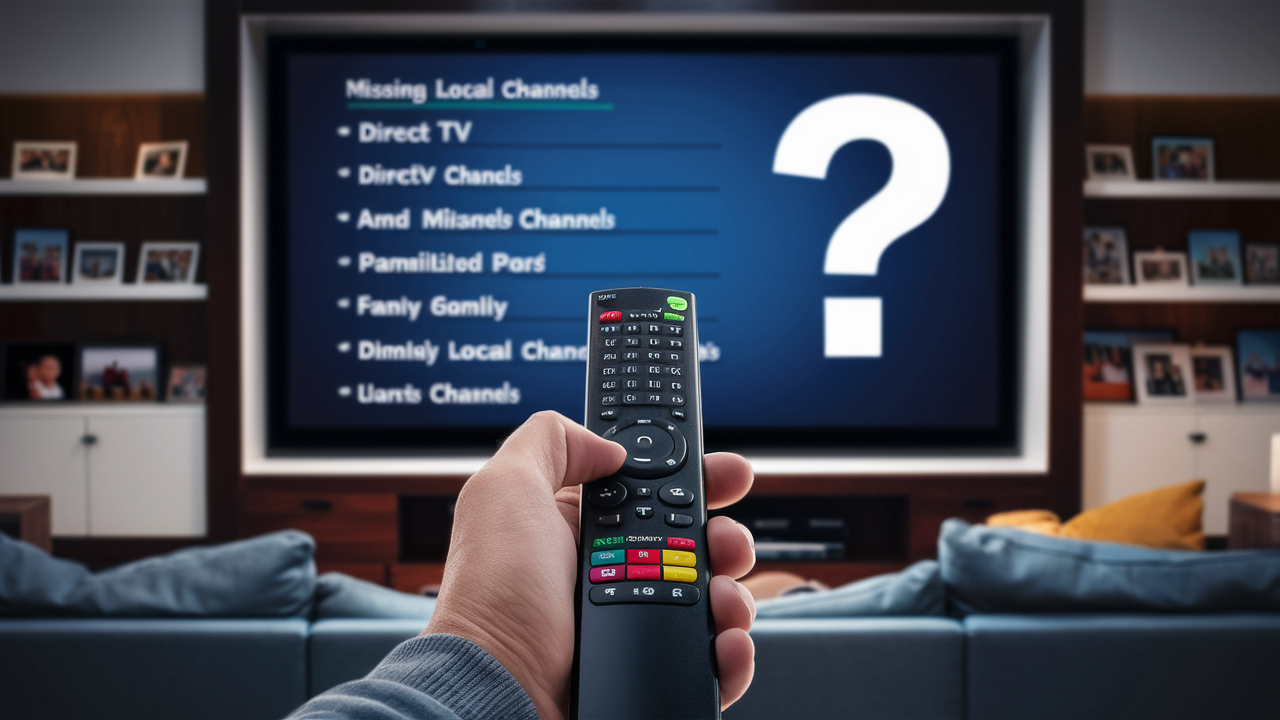
Experiencing missing local channels on DirecTV can be frustrating. This comprehensive guide dives deep into the common reasons, offering clear explanations and actionable solutions so you can get back to watching your favorite local news, sports, and programming.
Understanding Local Channels on DirecTV
For many DirecTV subscribers, local channels are the cornerstone of their viewing experience. These channels—typically affiliated with major networks like ABC, CBS, NBC, and FOX, along with smaller independent stations—provide essential local news, weather updates, community programming, and often broadcast popular syndicated shows and live sports events specific to your geographic area. DirecTV, as a satellite television provider, delivers these channels by receiving signals from satellites and then transmitting them to your home's satellite dish. However, unlike cable providers who often deliver local channels via a terrestrial connection, satellite delivery introduces unique complexities. The ability to receive these channels depends on a variety of factors, ranging from the physical setup of your equipment to complex negotiations between broadcasters and the satellite company. In 2025 and 2026, understanding these nuances is more critical than ever as the media landscape continues to evolve.
How DirecTV Delivers Local Channels
DirecTV’s model for delivering local channels is distinct from its national programming. Unlike national networks that have a single feed broadcast across the country, local channels are geographically specific. DirecTV must negotiate carriage agreements with each local affiliate in every market they serve. Once an agreement is in place, DirecTV receives the broadcast signal from the local station (or an aggregated feed for that market) and then beams it up to a satellite. Your DirecTV dish then receives this signal from the satellite, which is then processed by your receiver to display on your television. This process requires precise alignment of your dish to capture the correct satellite signals and a clear line of sight to the sky, free from obstructions. The infrastructure involved is sophisticated, and any disruption at any point in this chain can lead to missing local channels.
The Importance of Your Geographic Location
Your physical location is paramount in determining which local channels you should receive. DirecTV uses your service address to identify the specific market you reside in. Each market has its own set of local affiliates for the major networks. For instance, if you live in New York City, you will receive the New York City affiliates of ABC, CBS, NBC, and FOX. If you move to Los Angeles, you will receive the Los Angeles affiliates. This geographical specificity is why DirecTV needs accurate address information for your account. If your address is incorrectly entered or updated, you might be routed to the wrong market's signals, or worse, no local channels at all. This is a common oversight that can lead to significant frustration when local programming suddenly disappears or is never available.
Local Channels vs. National Networks
It’s crucial to differentiate between local channels and national networks. National networks (like CNN, ESPN, or HBO) are typically available nationwide through a single, consistent feed. Their carriage agreements are often national in scope. Local channels, however, are tied to specific broadcast markets. This means that a dispute between DirecTV and a local ABC affiliate in Chicago will only affect DirecTV subscribers in the Chicago market, while subscribers in Dallas will continue to receive their local ABC affiliate, assuming no separate dispute exists there. This market-by-market negotiation and delivery system is a primary reason why local channel outages are often localized and can be more frequent than issues with national channels. The 2025-2026 period has seen a continuation of these complex negotiations, impacting service for many.
Common Technical Issues Affecting Local Channels
When local channels vanish from your DirecTV lineup, the first suspects are often technical glitches. These can range from simple receiver malfunctions to more complex signal reception problems. Understanding these common technical hurdles can save you significant time and frustration when troubleshooting. Many users report issues that are resolved with basic resets or checks, highlighting the importance of starting with the simplest solutions.
Receiver and Set-Top Box Problems
Your DirecTV receiver (also known as a set-top box or Genie) is the gateway to all your channels. If this device is experiencing a software glitch, a hardware failure, or simply needs a refresh, it can lead to a variety of reception problems, including the loss of local channels. Sometimes, the receiver might lose its connection to the DirecTV system, or its internal guide data for local channels might become corrupted. These issues are often temporary and can be resolved with a simple power cycle or a more thorough reset. For instance, a common fix involves unplugging the receiver from the power outlet for about 30 seconds and then plugging it back in. This allows the device to reboot and re-establish its connection.
Performing a Receiver Reset
A receiver reset, often referred to as a power cycle, is a fundamental troubleshooting step. To perform this, locate the power cord for your DirecTV receiver and unplug it from the wall outlet. Wait for at least 30 seconds to ensure that all residual power is discharged. Then, plug the power cord back in. The receiver will begin to boot up, which may take several minutes. During this process, it will attempt to re-download necessary data, including channel lineups. If the problem persists after a full reboot, a more advanced reset might be necessary, which can often be initiated through the receiver's on-screen menus or by contacting DirecTV customer support.
Interference and Signal Degradation
Satellite signals, including those carrying local channels, can be susceptible to interference. This interference can come from various sources, both natural and man-made. Heavy rain, snow, or even dense fog can significantly degrade satellite signals, causing temporary outages or pixelation, especially for channels delivered from higher orbital slots or with weaker transponders. This phenomenon is commonly known as "rain fade." Beyond weather, physical obstructions that have appeared or grown since your dish was installed can also block or weaken the signal. This includes new construction, trees that have grown taller, or even bird nests on the dish itself. In 2025-26, with increasing urbanization and landscaping, these obstructions are a recurring issue.
Weather-Related Outages
While DirecTV dishes are designed to withstand most weather conditions, extreme weather events can still impact signal reception. As mentioned, heavy precipitation is the most common culprit for temporary signal loss. The higher the frequency of the satellite signal, the more susceptible it is to attenuation by water droplets. While DirecTV’s infrastructure is built to mitigate this as much as possible, there are limits. If you are experiencing a widespread outage during a severe storm, it is likely weather-related. These issues typically resolve themselves once the weather clears. However, if you notice a consistent problem during mild or moderate rain, it might indicate a more persistent issue with your dish alignment or a damaged component.
Physical Obstructions
A clear line of sight between your DirecTV dish and the satellite in the sky is absolutely essential. Even a small obstruction, like a tree branch, a new satellite TV dish from a competitor, or a piece of construction debris, can block the signal. Over time, trees grow, and new structures are erected. If you notice that local channels have started to disappear after a period of clear reception, it's highly probable that a new obstruction has appeared. You should visually inspect the path from your dish to the sky. If you suspect an obstruction, you may need to trim branches or, in more severe cases, consider relocating your dish. This is a common reason for localized channel loss that subscribers can often identify themselves.
Wiring and Connection Issues
The cables connecting your satellite dish to your receiver, and the receiver to your TV, are vital for signal transmission. Damaged, loose, or corroded wiring can disrupt the flow of data, leading to a complete loss of signal or intermittent reception for certain channels, including local ones. The coaxial cables that run from the dish to the receiver are particularly vulnerable to wear and tear, especially if they are exposed to the elements. Connectors can become loose, and the cables themselves can be frayed or kinked. Even internal wiring within your home can degrade over time.
Checking Cable Connections
A simple yet often overlooked step is to ensure all cable connections are secure. This includes the connections at the back of your DirecTV receiver, at the wall outlet (if applicable), and at the dish itself (though accessing the dish connections usually requires professional assistance). Gently try to tighten any visible coaxial cable connectors. If you notice any signs of damage, such as frayed insulation, kinks, or corrosion on the connectors, the cable may need to be replaced. This is a task that many homeowners can handle, but if you are uncomfortable working with the dish connections, it's best to call a professional.
Signal Strength and Dish Alignment Problems
The precise alignment of your DirecTV dish is critical for receiving optimal signal strength. Even minor misalignments can cause significant reception issues, particularly for local channels which might be transmitted on specific frequencies or satellites that require a more accurate dish orientation. In 2025-26, with the ongoing evolution of satellite technology and the constant need for precise signal reception, dish alignment remains a primary concern.
What is Signal Strength?
Signal strength refers to the power of the satellite signal received by your dish. DirecTV receivers have built-in diagnostic tools that allow you to check the signal strength for various transponders (which carry different channels). Ideally, you want to see strong and stable signal strength readings for all the transponders that carry your local channels. Low or fluctuating signal strength is a direct indicator of a problem, which could be due to dish alignment, obstructions, or damaged equipment.
Checking Signal Strength on Your Receiver
Most DirecTV receivers have a diagnostic menu where you can view signal strength. The exact steps can vary slightly depending on your receiver model, but generally, you will need to navigate to the "Settings" or "System Information" menu, then find an option like "Satellite" or "Dish Setup." From there, you should be able to see a list of transponders and their corresponding signal strength and quality readings. For local channels, you'll want to ensure these readings are consistently high (often represented by a percentage or a bar graph). If the readings are low or fluctuating, it points towards a signal reception issue. You can find detailed instructions for your specific receiver model on the DirecTV website or by contacting customer support.
Causes of Dish Misalignment
Several factors can cause your DirecTV dish to become misaligned. The most common include:
- Weather Events: Strong winds, heavy snow accumulation, or even significant temperature fluctuations can cause the dish to shift slightly.
- Ground Settling: The mast supporting the dish can become unstable if the ground around it settles or erodes over time.
- Accidental Impact: Lawn equipment, falling branches, or even animals can sometimes knock the dish out of alignment.
- Improper Installation: While less common with professional installations, an initial setup that wasn't perfectly aligned can lead to ongoing issues.
The Process of Realigning a Dish
Realigning a DirecTV dish is a precise process that typically requires specialized knowledge and tools. It involves identifying the correct satellite(s) for your location and then making minute adjustments to the dish's elevation, azimuth, and skew until the strongest possible signal is achieved. This is usually done while monitoring the signal strength meter on the receiver. Because of the precision required and the potential for further damage if done incorrectly, it is generally recommended to have a qualified DirecTV technician perform dish realignment. Attempting to do this yourself without proper guidance can worsen the problem.
When to Call a Professional
If you have checked your connections, performed receiver resets, and confirmed there are no obvious obstructions, and you are still missing local channels, it's time to consider calling a professional. Issues related to dish alignment, damaged LNBs (the component at the end of the dish arm that receives the signal), or internal wiring problems at the dish itself are best handled by a certified DirecTV technician. They have the necessary equipment and expertise to diagnose and fix these more complex problems efficiently. Many service calls for local channel issues in 2025-26 are attributed to these types of technical problems.
Account and Subscription Factors
Beyond technical issues, your DirecTV account status and subscription package can also play a role in why you might be missing local channels. It's essential to ensure your account is active, up-to-date, and that your subscription includes the local channels available in your area.
Active Subscription and Billing Status
The most straightforward reason for losing any channels, including local ones, is an inactive subscription or a billing issue. If your DirecTV account has fallen behind on payments, DirecTV may suspend service, which would result in the loss of all channels. It's important to regularly check your billing statements and ensure your payment information is current. If your service has been temporarily suspended due to billing, resolving the outstanding balance should restore your access to all channels, including local ones, once the service is reactivated.
Verifying Your Account Status
You can typically verify your DirecTV account status and billing information by logging into your account on the official DirecTV website or by calling their customer service number. Look for sections related to "Account Overview," "Billing," or "My Services." This will give you a clear picture of whether your account is active and in good standing. If there are any alerts or notifications regarding your account, they will usually be displayed prominently.
Local Channel Availability in Your Area
DirecTV offers local channels in most major markets, but there are exceptions. The availability of local channels depends on DirecTV's ability to secure carriage agreements with local broadcasters in your specific geographic region. In some smaller or more remote markets, DirecTV may not offer local channels at all. This is less common now than in previous years, as DirecTV has worked to expand its local channel coverage, but it remains a possibility. You can check the DirecTV website or contact customer service to confirm if local channels are indeed available for your specific address.
How to Check Local Channel Availability
The most reliable way to check for local channel availability in your area is to visit the DirecTV website and use their address lookup tool, often found in the "Local Channels" or "Channel Lineup" section. Alternatively, you can call DirecTV customer support and provide your service address. They will be able to tell you precisely which local channels, if any, are broadcast to your location via DirecTV. This step is crucial if you've recently moved or are considering a new DirecTV service package.
Subscription Packages and Channel Entitlement
While most DirecTV packages that include local channels provide access to all available local affiliates in your market, there might be rare instances where specific tiers or promotional packages have limitations. It's always a good idea to review your current DirecTV package details to ensure it entitles you to the local channels you expect. If you are subscribed to a very basic package, it's worth confirming if local channels are included. Most standard packages do include them, but it's a point worth verifying if you've exhausted other troubleshooting steps.
Regional and Broadcast Disputes: The Biggest Culprit
Perhaps the most frequent and frustrating reason for losing local channels on DirecTV is the occurrence of carriage disputes between DirecTV and local television station groups. These disputes, which have been particularly prevalent in 2025-26, can lead to the sudden removal of entire networks from DirecTV's lineup in specific markets.
What are Carriage Disputes?
Carriage disputes arise when DirecTV and a local broadcaster (or the parent company that owns multiple local stations) cannot agree on the terms for carrying the station's programming. Broadcasters, particularly those owned by large media conglomerates, often demand higher retransmission fees from satellite and cable providers to carry their channels. These fees are essentially payments for the right to broadcast the local station's signal to DirecTV subscribers in that market. When negotiations fail, the broadcaster can instruct DirecTV to stop carrying their channels, leading to an immediate blackout for subscribers in that area.
The Negotiation Process
The negotiation process involves complex financial and legal discussions. Broadcasters argue that their content is valuable and that DirecTV should pay for the right to distribute it. DirecTV, on the other hand, argues that they already provide a platform for these channels and that the fees demanded are excessive, which could lead to increased costs for consumers. These negotiations often go down to the wire, with channels being removed just before or as a contract expires. The outcome is highly dependent on the negotiating power of both parties and the specific market dynamics.
Impact of Disputes on Subscribers
When a carriage dispute leads to a blackout, subscribers in the affected market lose access to all channels owned by the broadcaster involved. This can mean losing ABC, CBS, NBC, FOX, and other affiliated channels. The impact is significant, especially for viewers who rely on these channels for local news, emergency information, and major sporting events. The duration of these disputes can vary widely, from a few days to several months, causing considerable inconvenience and dissatisfaction among DirecTV customers. The 2025-2026 period has seen several high-profile disputes affecting millions of viewers.
Identifying if a Dispute is the Cause
Several indicators suggest a carriage dispute might be the reason you're missing local channels:
- Widespread Outage: If all local channels from a particular network (e.g., all ABC affiliates) are gone simultaneously, it's likely a dispute.
- Official Notifications: DirecTV often posts notifications on its website and may send emails or on-screen messages to affected customers warning of potential blackouts or announcing that channels have been removed due to a dispute.
- News Reports: Local news outlets themselves often report on ongoing carriage disputes involving their own stations.
- Competitor Availability: If you can still receive these channels via an antenna or another provider, it further points to a DirecTV-specific issue like a dispute.
What to Do During a Carriage Dispute
During a carriage dispute, your options are limited as a subscriber. DirecTV cannot force a broadcaster to carry their channels. However, they often provide the following:
- Information: DirecTV will usually try to keep subscribers informed about the status of negotiations.
- Alternative Viewing: Sometimes, broadcasters may offer limited streaming options through their own apps or websites, though this often requires proving you are a subscriber to a provider that *used* to carry them.
- Antenna Recommendation: DirecTV may suggest using an over-the-air (OTA) antenna as a temporary solution to receive local channels. Many DirecTV receivers have built-in tuners that can scan for OTA channels.
- Negotiation Pressure: The hope is that subscriber complaints will pressure both sides to reach an agreement.
If you are experiencing a blackout due to a dispute, your best course of action is to monitor DirecTV's official communications and consider using an OTA antenna as a backup. You can check DirecTV's official channel outage page for the latest updates on ongoing disputes.
Step-by-Step Troubleshooting Guide
When faced with missing local channels on DirecTV, a systematic approach to troubleshooting can help you pinpoint the problem and find a resolution. This guide walks you through the most common steps, starting with the simplest and progressing to more complex solutions.
Step 1: Verify Channel Availability and Account Status
Before diving into technical checks, confirm the basics:
- Check DirecTV's Website: Visit the DirecTV channel outage page to see if there are any known disputes or outages in your area.
- Review Your Subscription: Log in to your DirecTV account online or call customer service to ensure your account is active and your subscription package includes local channels for your market.
- Confirm Address: Ensure your service address on file with DirecTV is accurate.
Step 2: Perform a Receiver Reset
A simple power cycle can resolve many temporary glitches:
- Unplug the power cord from your DirecTV receiver.
- Wait for at least 30 seconds.
- Plug the power cord back in.
- Allow the receiver to fully boot up (this may take several minutes).
- Check if local channels have returned.
Step 3: Check Connections and Wiring
Ensure all cables are securely connected:
- Inspect the coaxial cable connection at the back of your receiver and tighten if loose.
- Check the connection at the wall outlet, if applicable.
- If you are comfortable and have safe access, check the connections at the dish (though this is often best left to professionals).
- Look for any visible signs of damage to the cables or connectors.
Step 4: Check Signal Strength
Use your receiver's diagnostic tools:
- Navigate to your receiver's "System Information" or "Satellite Setup" menu.
- Check the signal strength and quality readings for the transponders that carry your local channels.
- Low or fluctuating readings indicate a signal reception problem.
Step 5: Inspect for Obstructions and Dish Alignment
Visually inspect your dish:
- Look for any new physical obstructions (trees, branches, new structures) between the dish and the sky.
- If you suspect misalignment or a persistent signal issue, it's time to call for professional help.
Step 6: Consider an Over-the-Air (OTA) Antenna
If local channels are unavailable due to a dispute or persistent signal issues:
- Many DirecTV receivers have a built-in OTA tuner.
- Connect an antenna to your receiver (follow your receiver's manual for specific instructions).
- Perform an OTA channel scan through your receiver's menu.
- This can provide a temporary or even permanent solution for receiving local channels directly from broadcasters.
Step 7: Contact DirecTV Customer Support
If you've exhausted the above steps:
- Call DirecTV customer support.
- Clearly explain the troubleshooting steps you've already taken.
- They can further diagnose the issue, check for regional outages, and schedule a technician visit if necessary.
Preventative Measures and Best Practices
Proactive measures can significantly reduce the likelihood of experiencing issues with your DirecTV local channels. By maintaining your equipment and staying informed, you can enjoy uninterrupted service.
Regular Equipment Checks
Periodically inspect your DirecTV dish for any visible damage or debris. Ensure the area around the dish is clear of growing vegetation that could eventually cause obstructions. While your receiver is largely self-contained, keeping its firmware updated (which usually happens automatically) is important for optimal performance.
Staying Informed About Potential Outages
Subscribe to DirecTV's email notifications or regularly check their official website for announcements regarding potential carriage disputes or upcoming maintenance that might affect local channels. Being aware in advance can help you prepare and understand the situation if channels do go out.
Understanding Your Service Agreement
Familiarize yourself with the terms of your DirecTV service agreement. This can help you understand what is covered in terms of service interruptions and what your rights are as a subscriber. For example, if a dispute lasts for an extended period, you may be eligible for credits on your bill.
Proper Installation and Maintenance
If you are installing a new DirecTV system or relocating your dish, ensure it is done by a certified professional. A proper initial installation is the foundation for reliable service. For existing systems, consider professional check-ups every few years, especially if you live in an area with frequent severe weather, to ensure the dish remains perfectly aligned and all components are in good working order.
Alternatives if DirecTV Fails to Resolve Local Channel Issues
If, after all troubleshooting, you are still unable to receive local channels on DirecTV, or if ongoing disputes make the service unreliable, exploring alternative solutions is a sensible step. These alternatives can ensure you don't miss out on crucial local programming.
Over-the-Air (OTA) Antennas
As mentioned, an OTA antenna is an excellent supplementary or alternative solution for local channels. Modern antennas, especially indoor or amplified models, can pick up digital broadcasts from local networks with excellent clarity. Many DirecTV receivers can integrate OTA channels, allowing you to scan and watch them through your existing setup. For a truly independent solution, you can use a TV with a built-in ATSC tuner and a separate antenna.
Choosing the Right OTA Antenna
The type of antenna you need depends on your location relative to broadcast towers and the types of signals available. For most urban and suburban areas, a compact indoor antenna might suffice. For more distant signals, a larger outdoor or attic-mounted antenna will provide better reception. Websites like FCC's DTV Reception Maps can help you identify the direction and strength of local broadcast towers.
Streaming Services and Apps
Many local network affiliates offer their own streaming apps or websites. While these often require a login from a participating pay-TV provider (like DirecTV), some may offer limited free content or direct subscriptions. Additionally, some live TV streaming services, such as YouTube TV, Hulu + Live TV, or Sling TV, offer local channels in most markets. These services stream over the internet, bypassing satellite reception issues entirely. However, their availability of local channels is also geographically dependent and can be subject to their own carriage disputes.
Comparing Live TV Streaming Services
When comparing streaming services for local channels, consider the following:
- Local Channel Availability: Check if your specific local networks are offered in your ZIP code.
- Cost: Monthly subscription fees vary significantly.
- Channel Lineup: Does the service offer the other national channels you watch?
- User Interface and Device Compatibility: Is it easy to use and compatible with your smart TV or streaming devices?
In 2025-26, these streaming services have become increasingly competitive with traditional pay-TV providers, offering a viable alternative for local channel access.
Other Satellite or Cable Providers
If DirecTV consistently fails to provide reliable local channel service due to disputes or technical limitations in your area, switching to another provider might be an option. Competitors like Dish Network or local cable companies may have different carriage agreements or use different delivery methods that are more stable for your region. Researching the local channel availability and dispute history of other providers in your area is recommended before making a switch.
Conclusion
The frustration of missing local channels on DirecTV is a common experience, often stemming from a complex interplay of technical issues, account factors, and, most significantly, broadcast disputes. By understanding how DirecTV delivers these essential channels and systematically troubleshooting, you can often resolve the problem. From simple receiver resets and connection checks to addressing dish alignment and potential obstructions, many issues are within your control. However, when regional broadcast disputes arise, as they frequently have in 2025-26, your options become more limited, often requiring patience or the consideration of alternatives. Whether it's using an OTA antenna, exploring live TV streaming services, or even switching providers, ensuring you have access to your local news and programming is paramount. Regularly checking DirecTV's outage page and maintaining your equipment are key preventative measures. If all else fails, don't hesitate to contact DirecTV support for professional assistance to get your local channels back online.
Why can't I get local channels on DirecTV?
Research, Compare & Choose With Confidence